

What Mine Rooms stands for
One live room inventory
The website, the front desk and group contracts sell from the same count, and a held room leaves it at once.
One record for each stay
Room nights, services, room-service orders, payments and refunds all sit on the guest folio.
A screen for each team
Reception, housekeeping, the kitchen and managers each open their own work, in the houses assigned to them.

One system, from the first search to the next clean room
A stay crosses several teams. The guest needs a simple way to book and pay; reception needs the booking, the room and the folio; housekeeping needs the room task; the kitchen needs the order queue; managers need the numbers of the day. Mine Rooms keeps all of them on the same record.
Each person works in their own role, in the houses assigned to them. The website, the desk, the phone in a housekeeper’s hand and the kitchen display all see the same rooms.
 View full size
What Mine Rooms does
The functions a hotel uses every day, for guests and for each team.
- RoomsFind the right stayHouses, room types, dining and offers, in English and Spanish.
- BookingBook and payA held room, extras, coupons, card or PayPal.
- ReceptionRun the front deskRoom Board, check-in, folio, check-out and walk-ins.
- CleaningWork beside the roomPhone tasks, checklist, minibar and inspection.
- KitchenRead the order queueQR orders, table orders and the point of sale.
- GuestsBring them backAccounts, loyalty, member prices and campaigns.
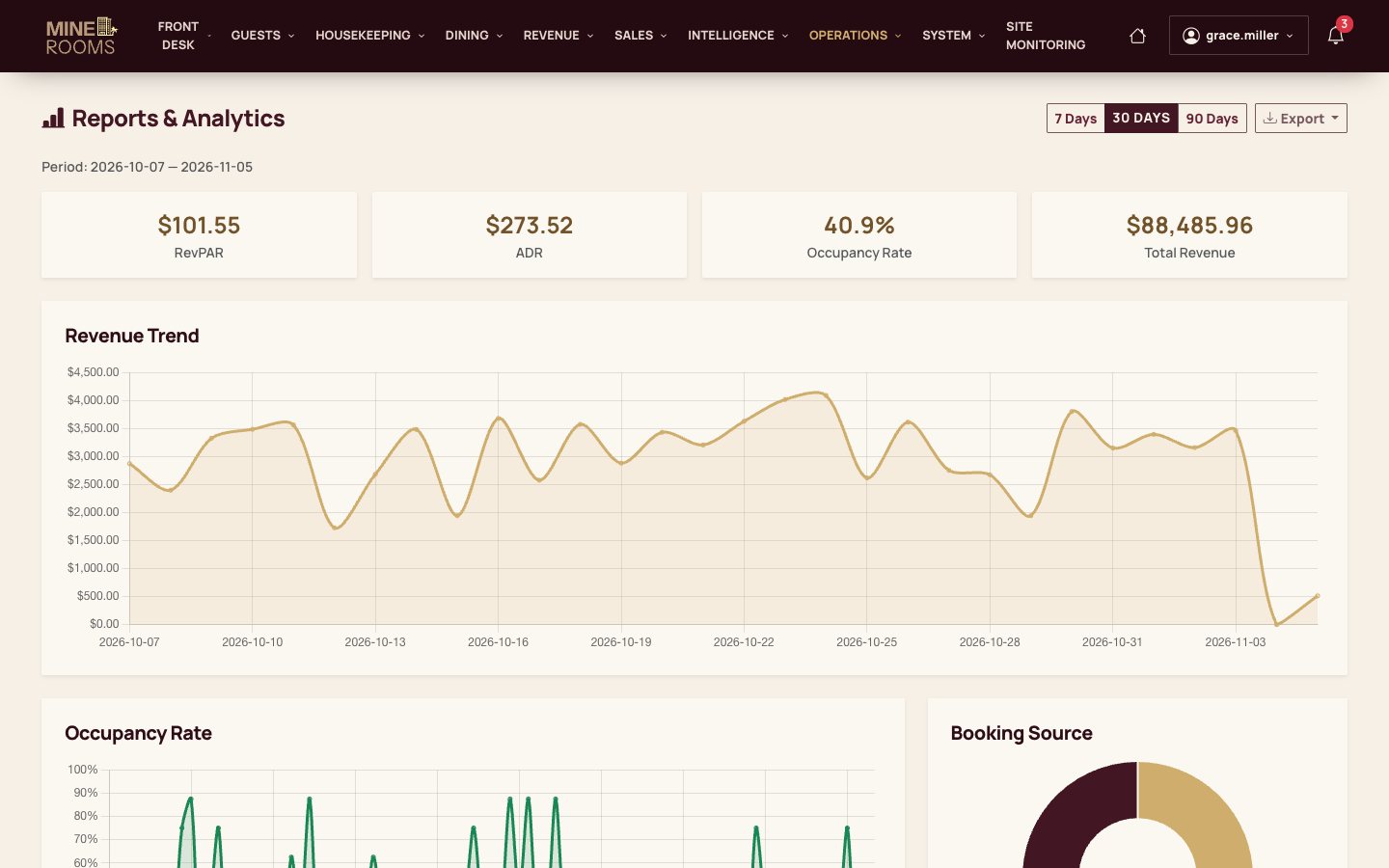
- ManagersClose the dayReports, night audit, rates and staff accounts.
- DrupalMake it yoursHotel modules, a theme and your own rules.
Built around the work of a hotel
Guests booking a stay
Explore bookingFind a room, book and pay on the hotel’s site, prepare the arrival and order from the room.
The front desk
Explore the deskCheck guests in, keep the folio, take payments and check guests out from one board.
Housekeeping and the kitchen
Explore the floorClean and inspect rooms from a phone and read one queue of orders.
Managers of one or many houses
Explore managementSet rates and rules for each house, close the day and follow the numbers.
From choosing a room to preparing the next stay
One stay, from the first search to a room ready for the next guest.
Find a room
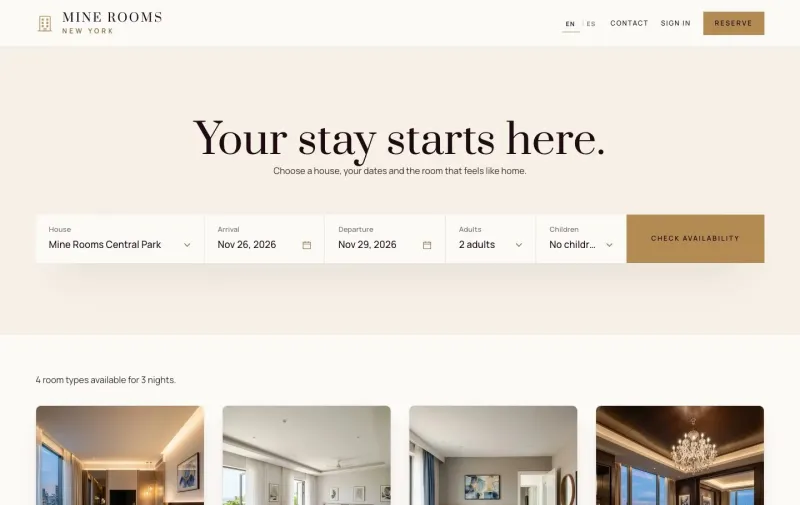
Search by house, dates and guests; see what is left and the price with taxes.
Book and pay
The room is held while the guest adds extras, then pays by card, PayPal or at the hotel.
Prepare the arrival
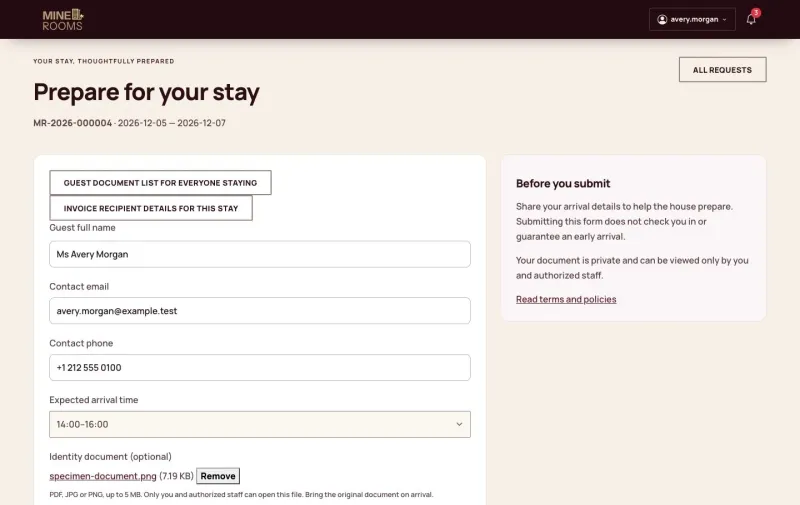
The guest completes pre-check-in and the desk sees it on the booking.
Check in
Record who is staying and choose a clean room of the booked type; the folio opens.
Serve the guest
A QR code in the room opens the menu; the order reaches the kitchen and the folio.
Keep the folio right
Charges, part payments, room moves, late check-out and adjustments stay on one record.
Check out
Post the room, collect the balance and issue the invoice; the room goes to cleaning.
Prepare the room
Housekeeping works through the checklist on a phone; a supervisor approves the room.
Close the day
Hand over the shift, run the night audit and close the business date.
Run the front desk from one board
Reception opens on the Room Board: every room of the house by floor and status. Arrivals, check-in, the folio and check-out all start from the booking, and the board follows each change at once.
- Room Board with free, occupied, held, cleaning and maintenance rooms
- Check-in that offers only clean rooms of the booked type, free for the whole stay
- Guest folio with services, part payments, room moves and late check-out
- Check-out refused until the balance is zero
- Walk-ins and day rooms from the same desk
 View full size
The task stays beside the room
A check-out creates the cleaning task by itself. Housekeeping works from a phone: the checklist, the minibar and found items are all on the room task, and a supervisor approves the room before it goes back on sale.
- Task list by floor, status and priority
- Room checklist that must be complete before a room is marked cleaned
- Minibar use and lost items recorded from the room task
- Inspection with approve or send back
- Issue reports that become work orders and can block a room
 View full size
One queue for rooms and tables
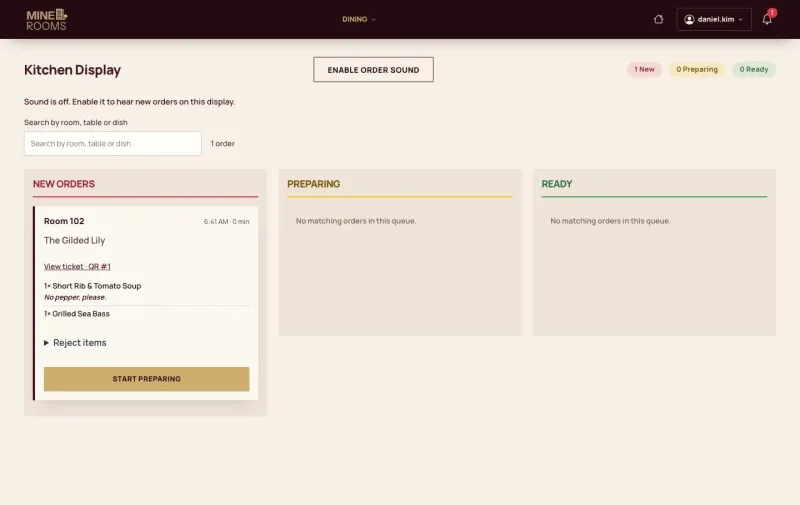
The kitchen display separates new, preparing and ready orders. Room orders from a QR code and table orders from the point of sale arrive in the same queue, and delivered room orders reach the folio by themselves.
- Orders from QR codes in the rooms, without an app or an account
- Table orders and settlement at the point of sale
- Dishes switched off for the day, on the QR menu and the POS at once
- Tickets with the room or table, dishes and notes
 View full size
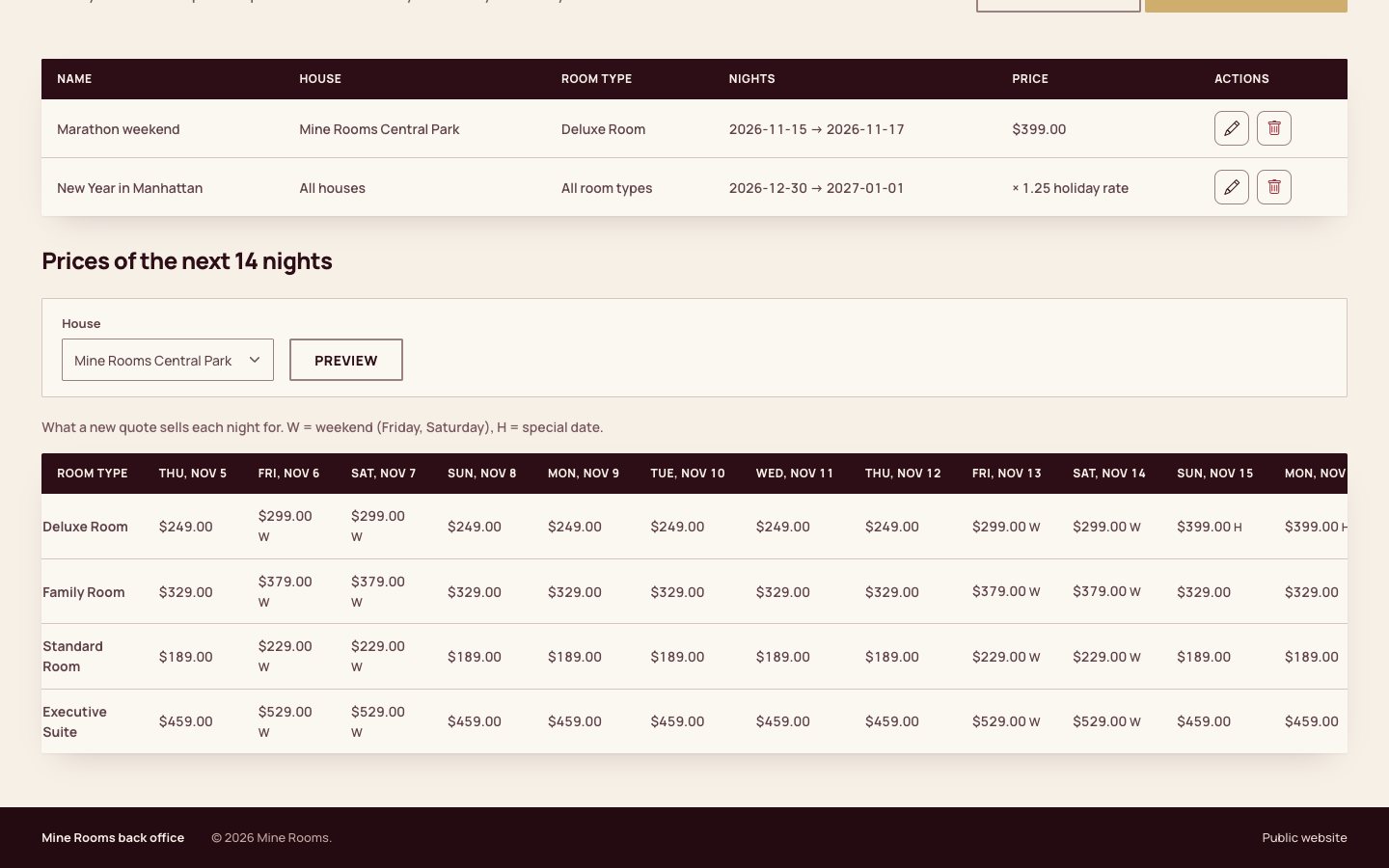
Prices and rules for each house
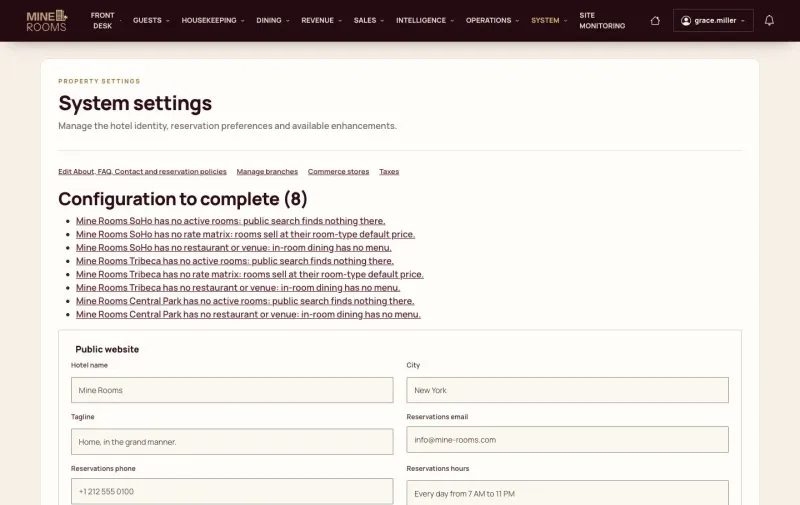
Each house has its own rates, taxes and policies. A special date outranks the rate matrix, which outranks the default price of the room type, and the manager can check the selling price of the next nights before guests see it.
- Weekday, weekend, holiday and day-use prices by room type and house
- Special dates with a fixed price or a multiplier
- Promotions that apply by themselves and coupon campaigns
- Cancellation deadline, late fee and deposit for each house
 View full size
What guests and staff see
 View full size
 View full size
 View full size
 View full size
 View full size
 View full size
 View full size
 View full size
 View full size
 View full size
 View full size
 View full size
 View full size
 View full size
 View full size
Live demo
Each demo is a working copy of Mine Rooms with sample data, open for you to try.
A booking page and a hotel system
The difference is the work that starts after a room has been chosen.
| A booking page | Mine Rooms | |
|---|---|---|
| Starting point | The guest chooses a room and a date | The same, plus the hotel’s own work |
| After booking | Confirmation is the end of the flow | Arrival, room, service and departure continue on one record |
| Who works in it | The visitor | Guests, reception, housekeeping, the kitchen and managers |
| Room readiness | A separate process | A room returns to sale after housekeeping and inspection |
| Money | The first payment | Every charge, payment and refund of the stay on the folio |
| Several houses | One site per hotel | Rates, rules and staff for each house in one system |
What comes with Mine Rooms, and what is yours
The hotel application is ready to run. Your brand, rules and provider accounts make it yours.
A Mine Rooms installation
Your systemsStripe, PayPal, your mail service and other providers you connect
Provider contracts and integrations
Your hotel layerYour brand, houses, rooms, rates, staff, policies and content
Custom modules, theme and configuration
Platform coreDrupal, Commerce, the Mine Rooms hotel modules and the theme
In the product
- Public houses, rooms, dining, offers and journal pages in English and Spanish
- Direct booking with extras, coupons and day rooms; card and PayPal payment and refunds
- Guest account: bookings, pre-check-in, cancellation requests, loyalty and privacy
- Front desk: Room Board, check-in and check-out, folio, invoices, walk-ins, day rooms, shift handover
- Housekeeping and maintenance on a phone, with inspection, minibar and lost and found
- Kitchen display, menu availability, point of sale and room QR menus
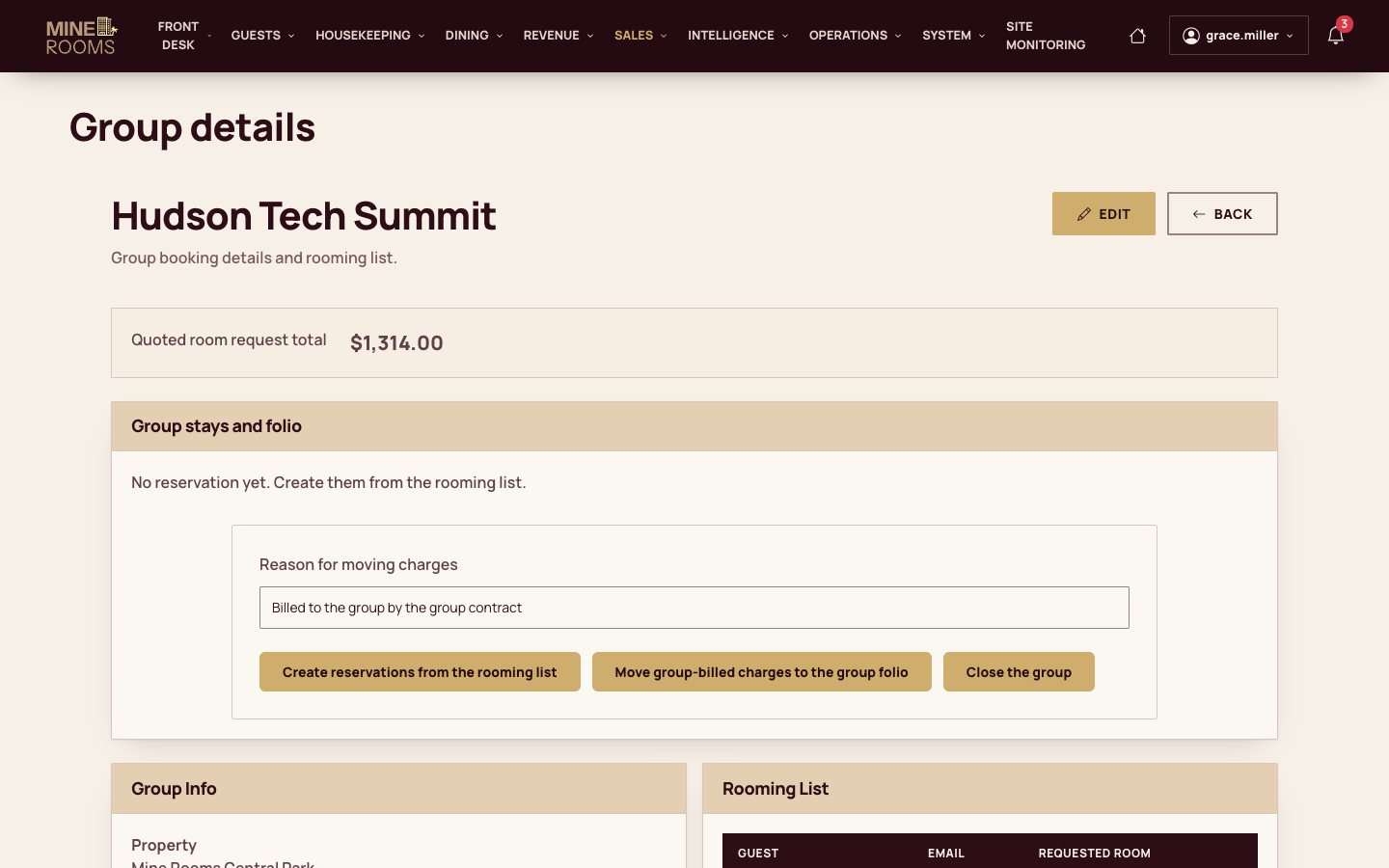
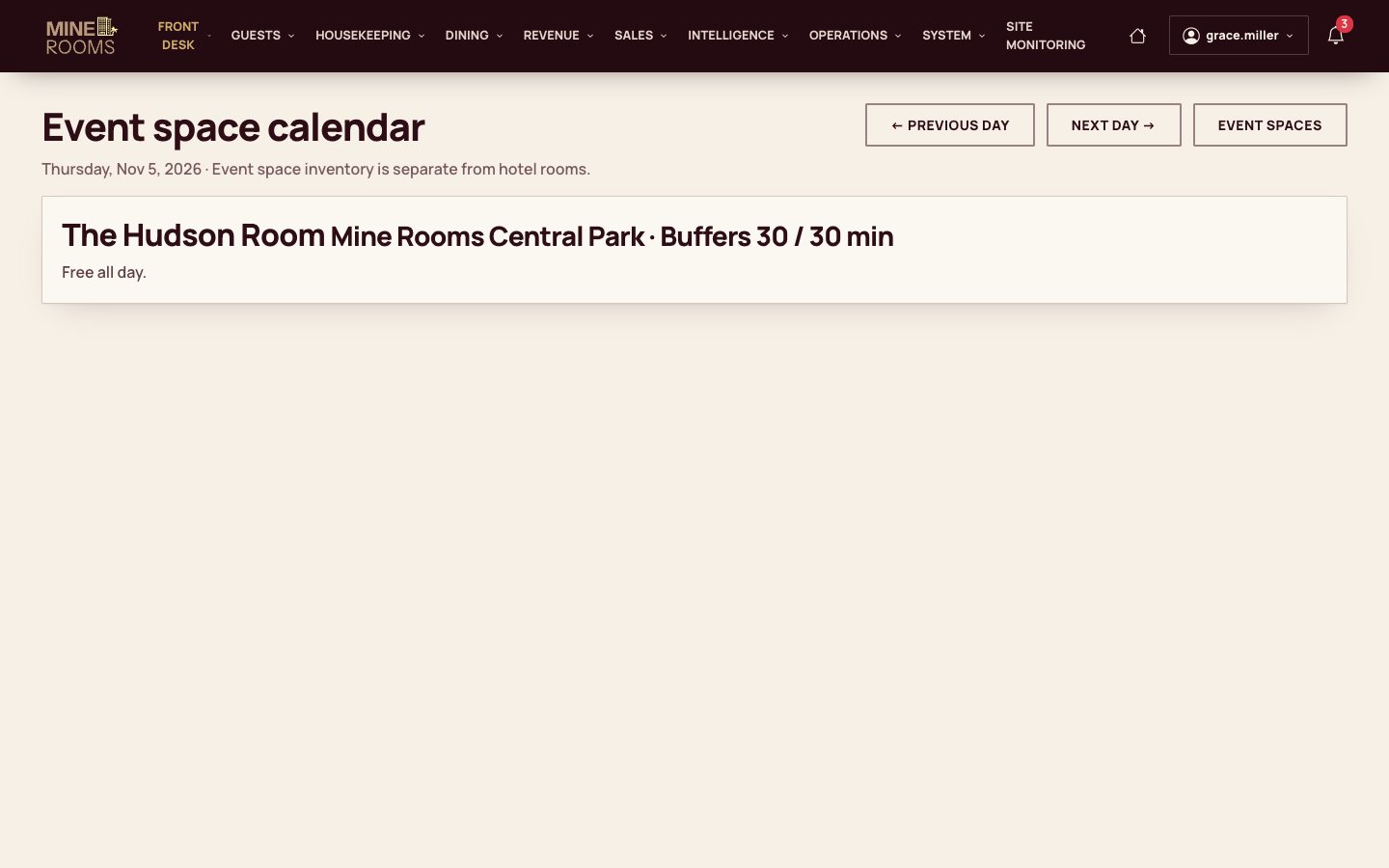
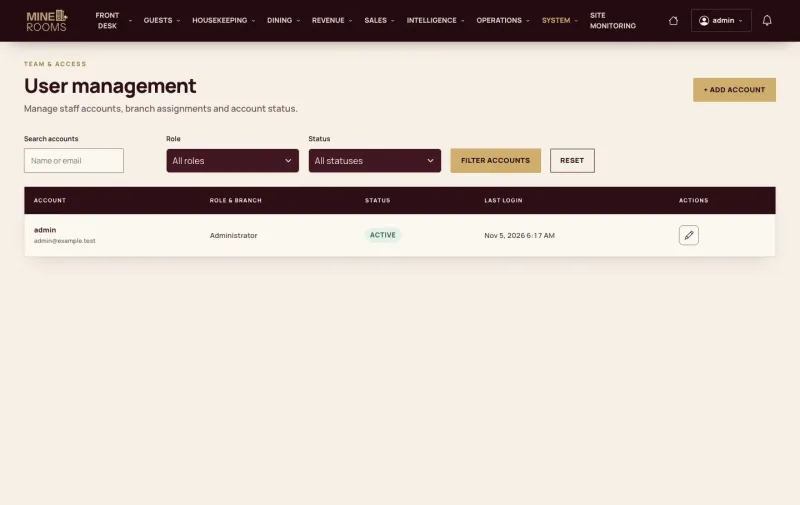
- Management: reports, night audit, rates, promotions, groups, events, campaigns, loyalty, staff accounts and activity log
Set up or built for your hotel
- Your brand, public content, houses, rooms and policies
- Staff roles and house access for your organisation
- Your live Stripe and PayPal accounts
- Channel adapters for the OTAs you sell on
- AI, SMS, document reading and guest-registration providers
- Data migration, pilot and handover
How a hotel goes live
Start with the people who do the work, then agree what is set up and what is built.
From the sample site to your hotel
- DiscoverWalk through the sample site with the people who do the work.Your hotel’s cases
- FitList what exists, what is configured and what is developed.Agreed scope
- PrototypeShow your brand, rooms and key workflow on staging.Reviewable screens
- BuildAdd the selected rules, access and connections.Working increments
- AcceptanceCheck saved results, permissions and provider outcomes.Recorded results
- Pilot & handoverRun the agreed pilot and hand over code, access and documents.Operating handover
What to decide before launch
These decisions shape a hotel’s setup.
- Rooms and policies Capacity, check-in times, day rooms, taxes and cancellation rules.
- People and access Roles, houses, supervisors and who may approve money.
- Providers Live payment accounts, invoice provider, OTA adapters and mail.
- Data and content Rooms, guests, opening balances and public pages.
- Pilot The agreed scenarios, their results and the launch decision.
- Operations Hosting, backups, access and support.
Start with a real moment in the hotel day
Find today’s arrival, record who is staying, choose a clean room and open the folio before handing over the key.
An arrivalFront deskRoom Board, check-in and folio Open the room task, work through the checklist and record the minibar, then let the supervisor approve the room.
A room to prepareHousekeepingPhone tasks and inspection Follow a dish from the QR menu in the room to the kitchen display and the guest folio.
An order from the roomFood serviceQR menu and kitchen display
Questions about Mine Rooms
Is Mine Rooms a booking website or a hotel system?
Both. One application runs the public website and booking, the guest account and the hotel’s own work: the front desk, housekeeping, the kitchen and management.
Can we run several houses?
Yes. Each house has its own rooms, rates, taxes, policies, payment methods and venues. Staff work only in the houses assigned to them, and managers can follow them all.
How do guests pay online?
By card through Stripe or with PayPal, on the provider’s own page; the site never sees the card number. A reservation paid online is confirmed when the provider confirms the payment, and refunds go back through the same provider. Guests can also pay at the hotel, and reception records cash and card-terminal payments on the folio.
Who decides a cancellation?
Staff do. A guest sends a request and reads the policy of the stay; a manager approves or rejects it and gives a reason. After the free-cancellation deadline, waiving the fee takes a separate choice. A refund is approved and then sent, as two steps.
Can housekeeping work from a phone?
Yes. The task list, the room checklist, minibar use, found items and issue reports all work on a phone. A task opens at sign-in, and a supervisor inspects the rooms from a phone too.
Can we sell day rooms as well as nights?
Yes. A visitor asks for a day room on the website by date, arrival time and 2, 4, 6 or 8 hours, and reception takes the payment, checks in, extends and checks out. Day rooms and nights share the same rooms, with a cleaning buffer between stays.
Are OTA channels connected?
Not yet by themselves. The channel workspace holds the channels, room and rate mappings and previews; adapters for the OTAs you use are built for your deployment. Until then nothing is sent to or received from an OTA, and the screens say so.
Can we adapt it to our hotel?
Yes. Mine Rooms is built on Drupal, with custom modules and a theme. Your brand, content, rules and integrations can be adapted, and it can be hosted where you choose.
A guide for each part of the hotel
Step by step, with the screens of each role.
Hotel tools
Walk through Mine Rooms with your hotel team
Bring an arrival, a room to clean and a food order, and walk through them with the user guide.