Groups and events

Rooming lists, partner contracts and meeting spaces

  • Rooms and rates in the house
  • Event spaces for events
Manager
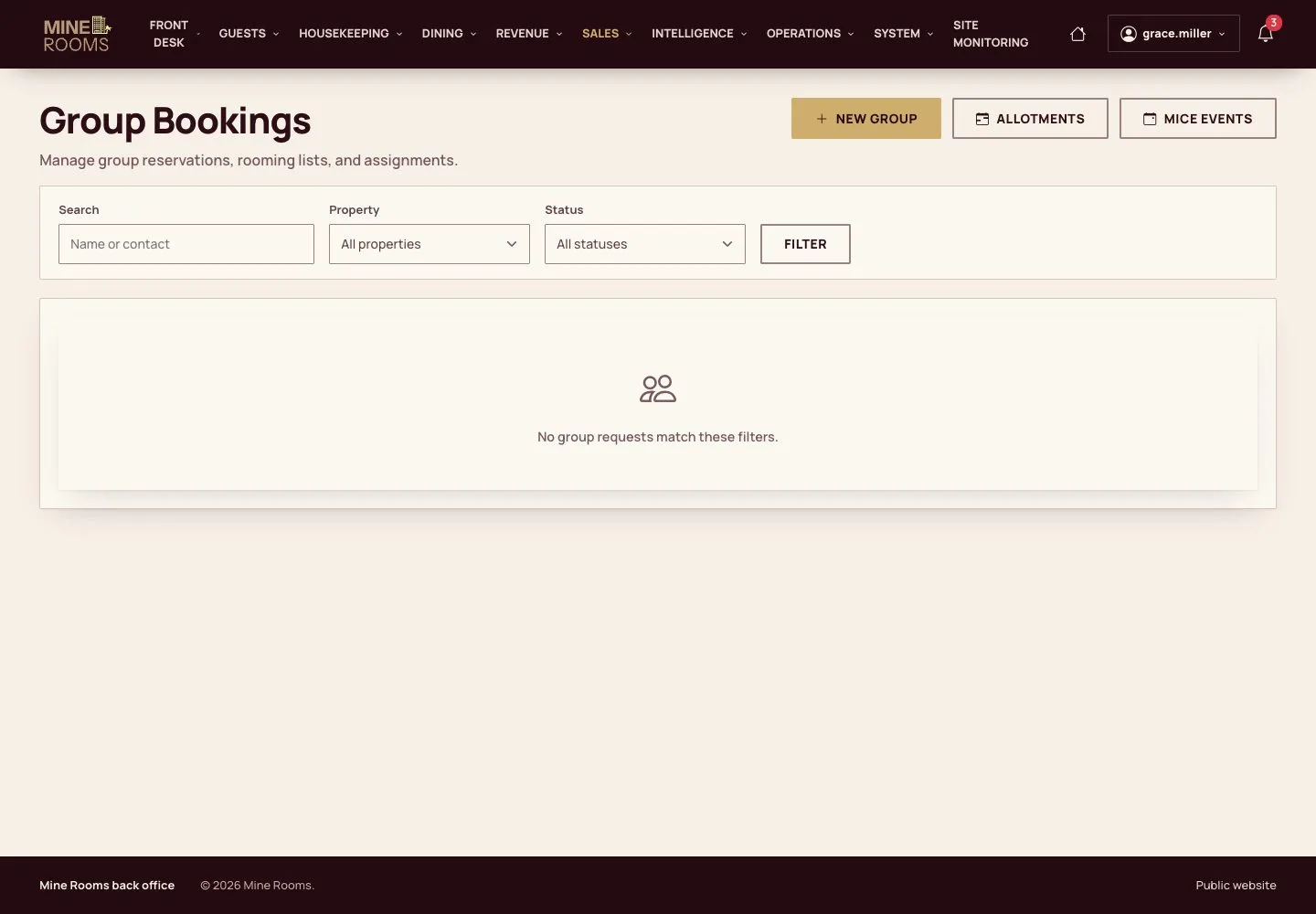
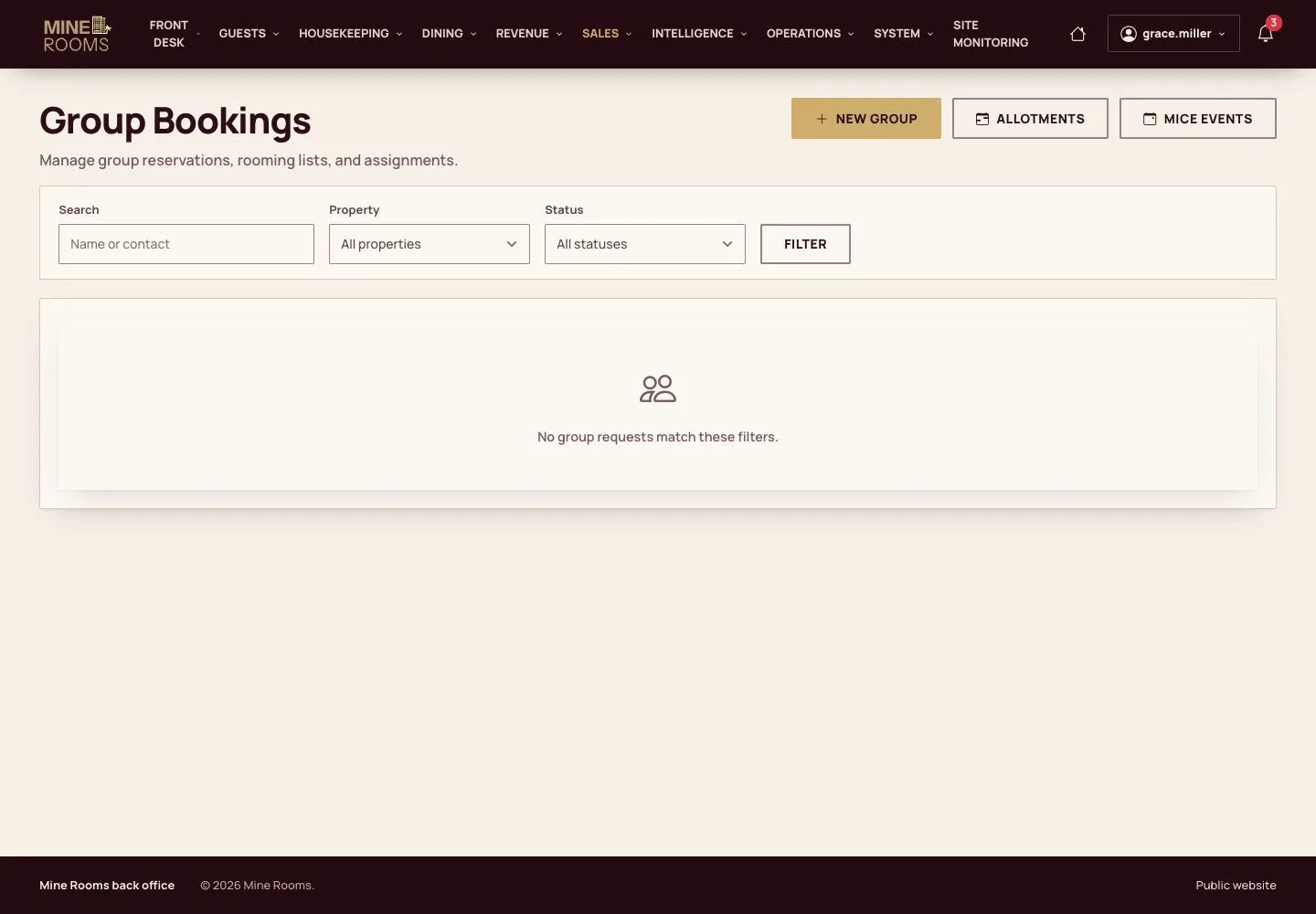
Group Bookings

Manager

Group Bookings

1Step 1 of 11

  1. Requests from groups and their status are in Group Bookings.

Open illustrated screen ↗Full image ↗

Manager · Groups and events01

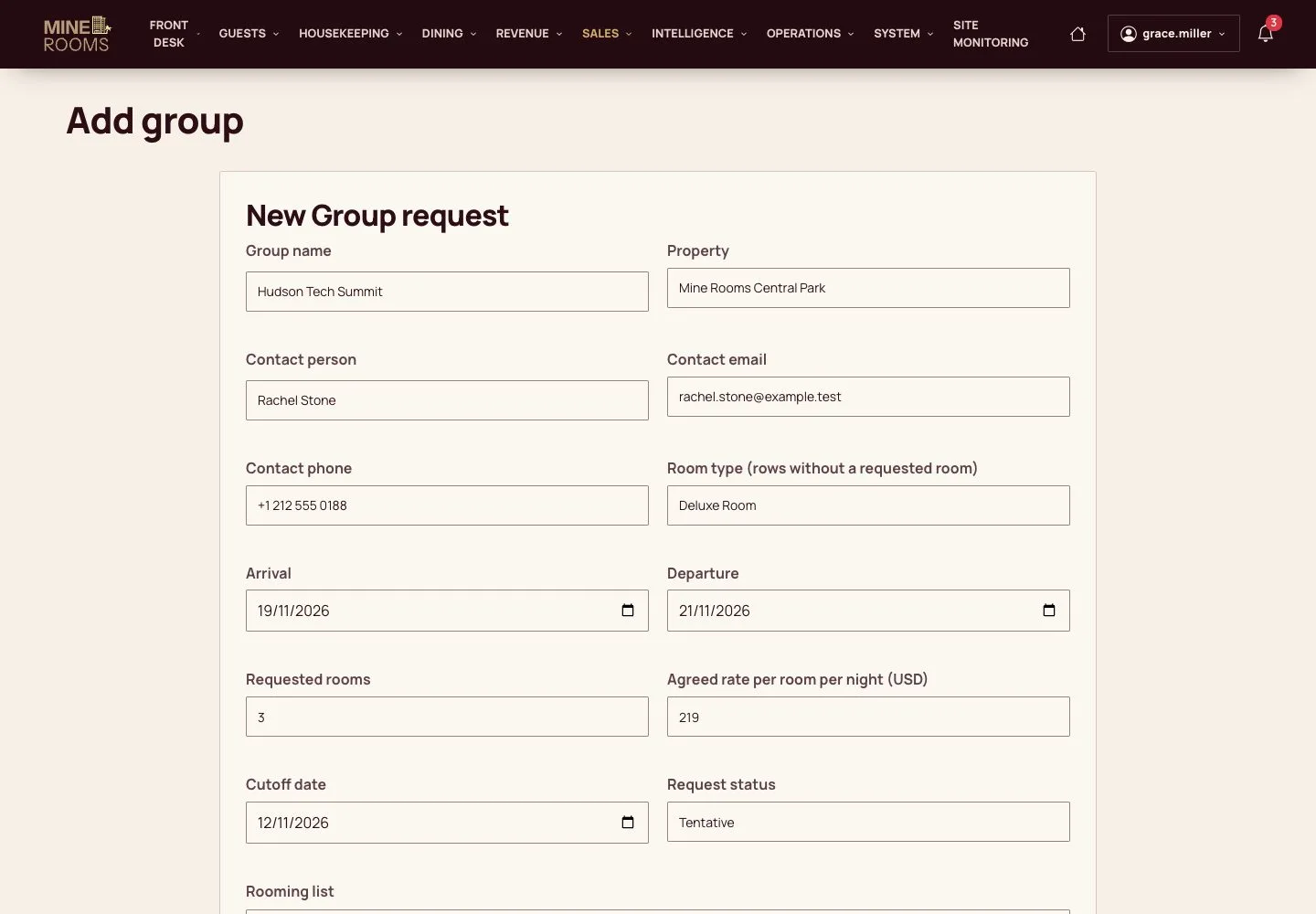
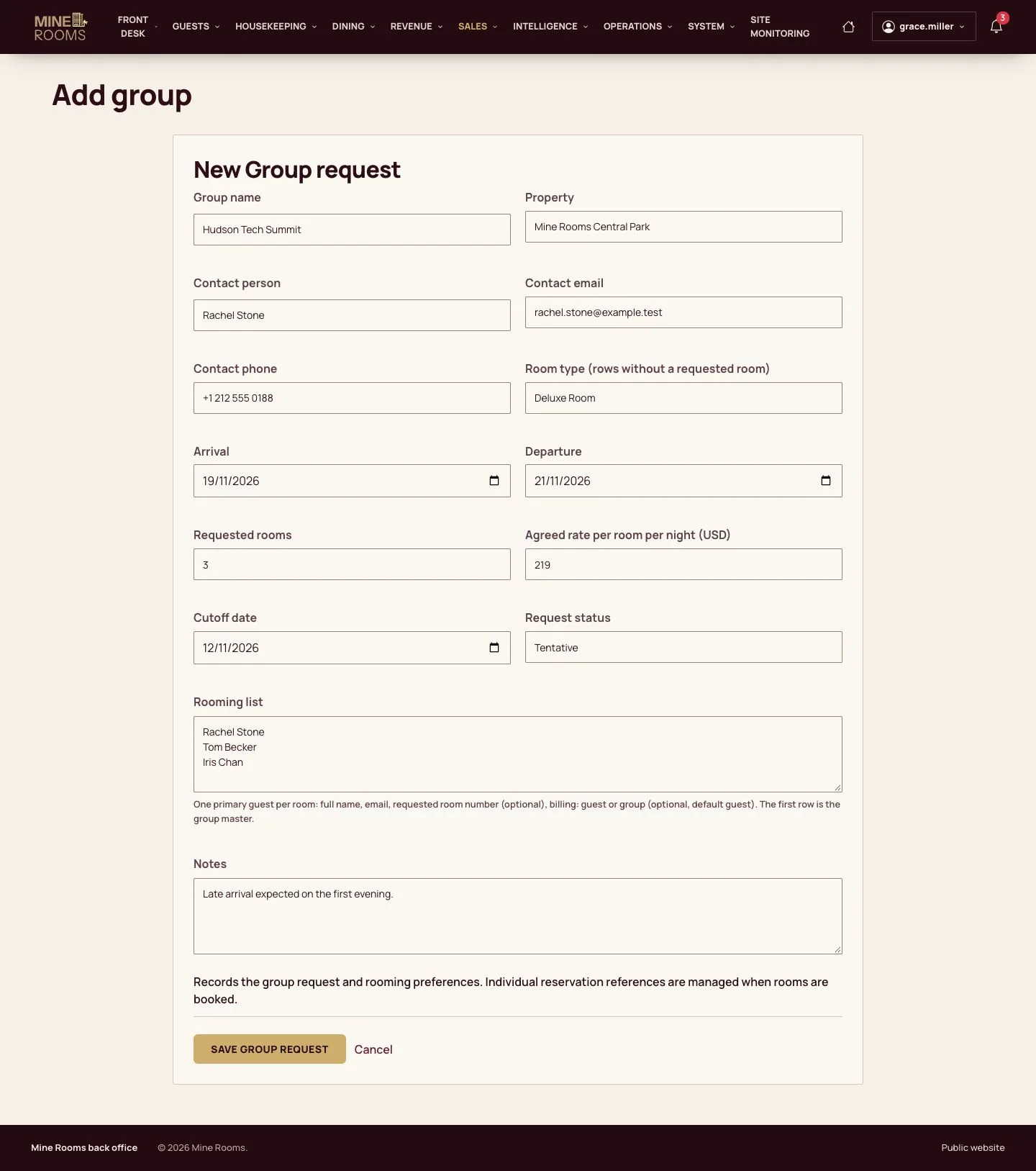
A group request

Manager

A group request

2Step 2 of 11

  1. Enter the organiser, dates, rooms and a rooming list.

Enlarge, then scroll

Open illustrated screen ↗Full image ↗

Manager · Groups and events02

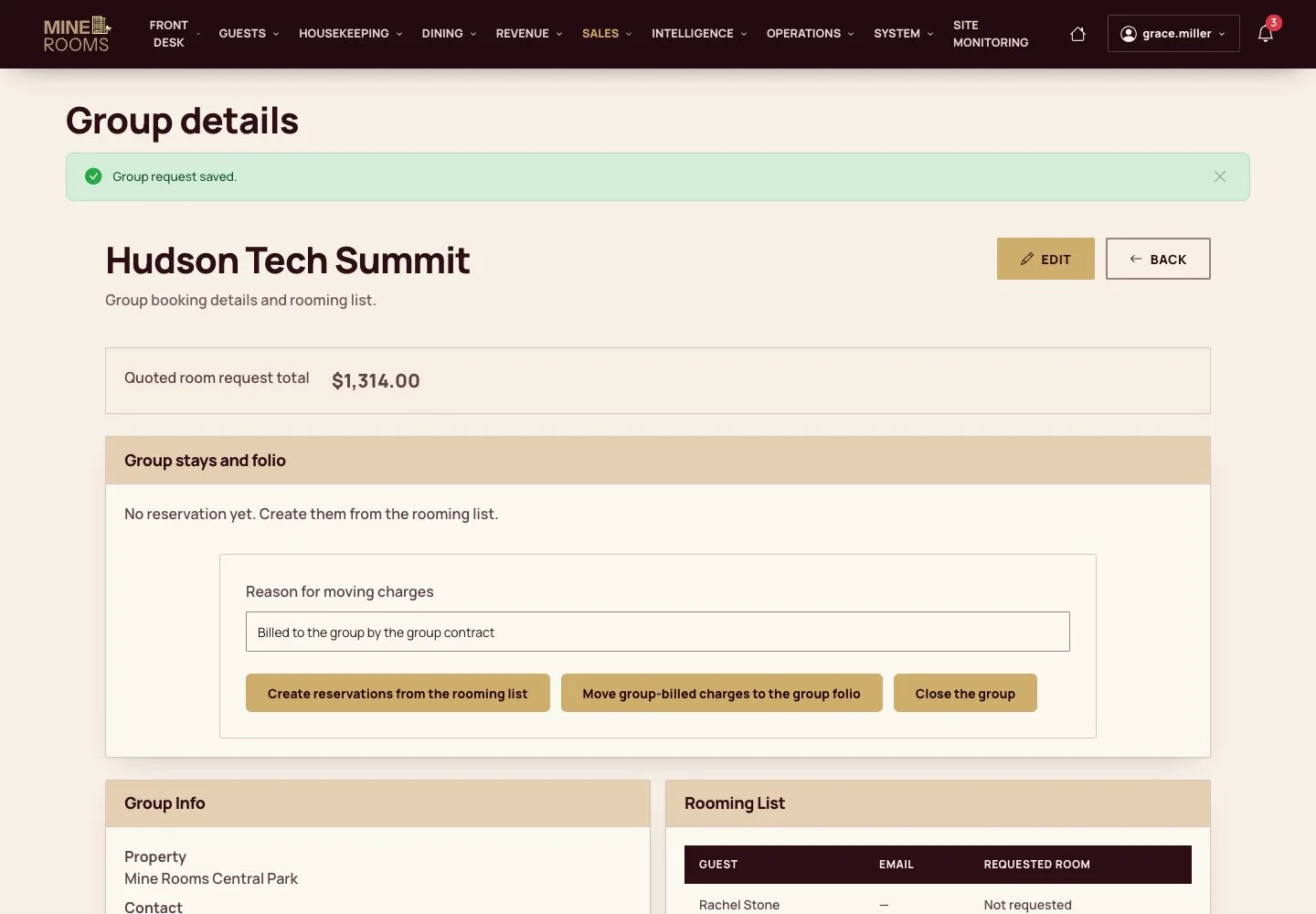
Confirm

Manager

Confirm

3Step 3 of 11

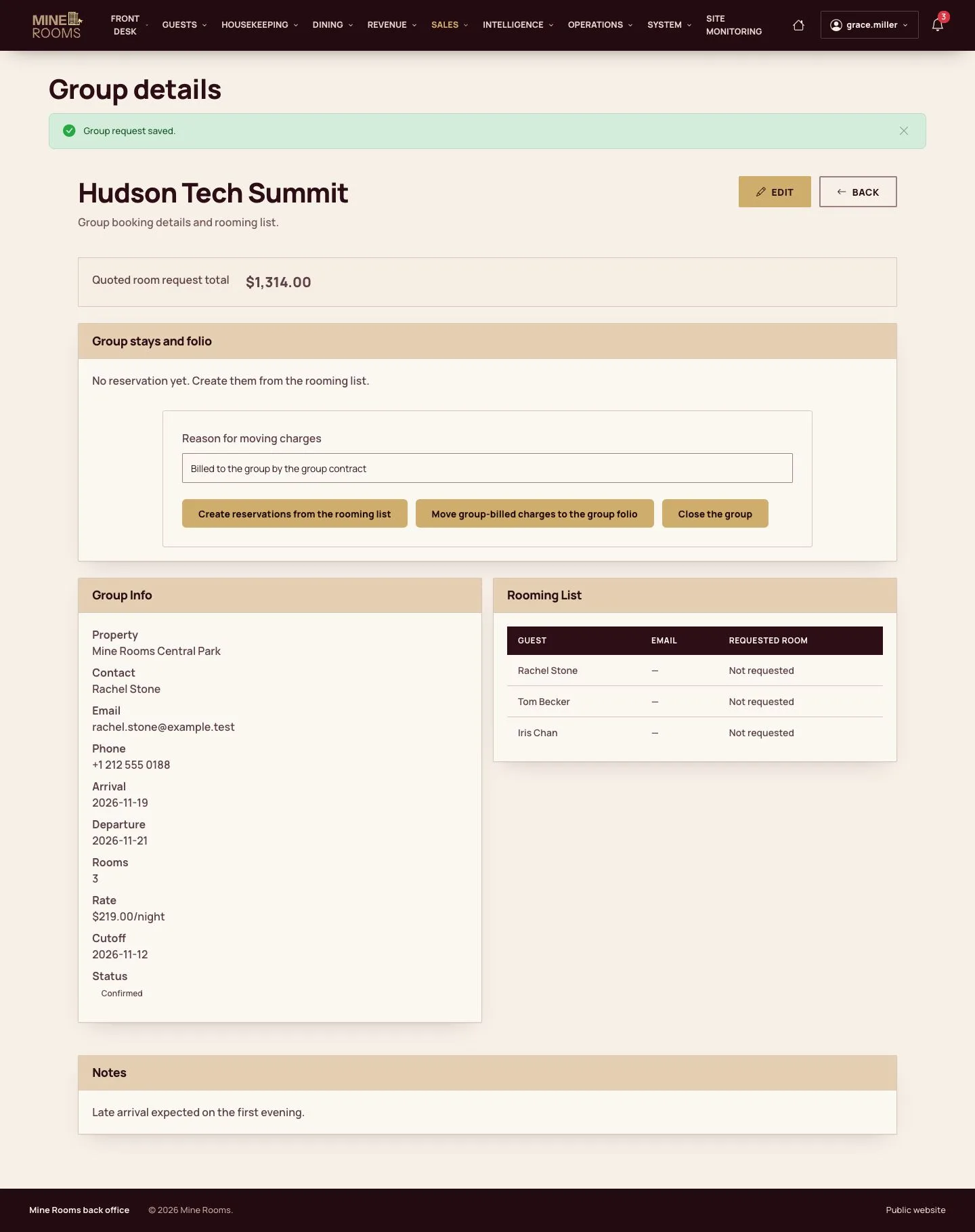
  1. Confirm when the terms are agreed.

Enlarge, then scroll

Full image ↗

Manager · Groups and events03

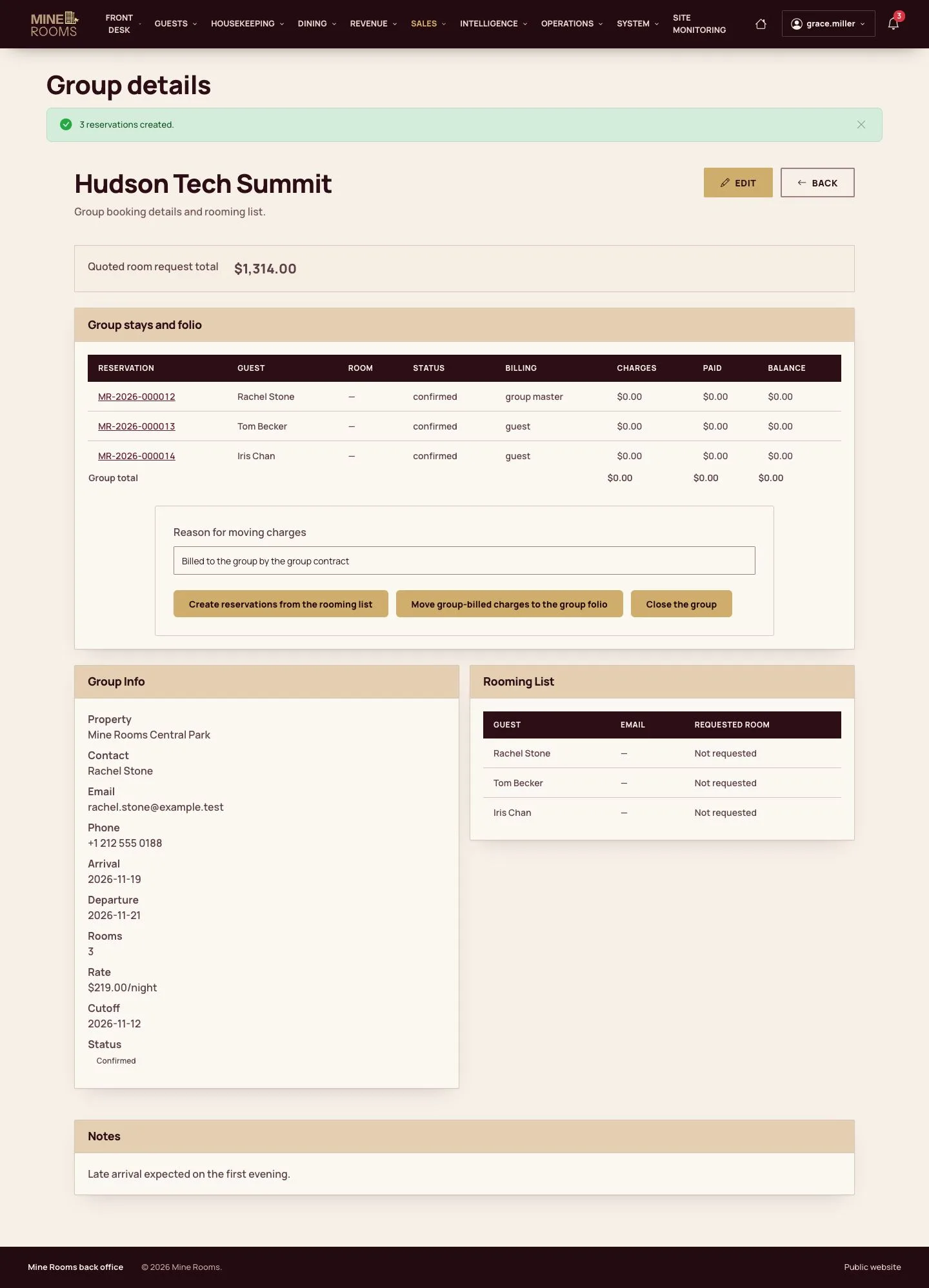
Create the reservations

Manager

Create the reservations

4Step 4 of 11

  1. Each name of the rooming list becomes a booking of its own.

Enlarge, then scroll

Full image ↗

Manager · Groups and events04

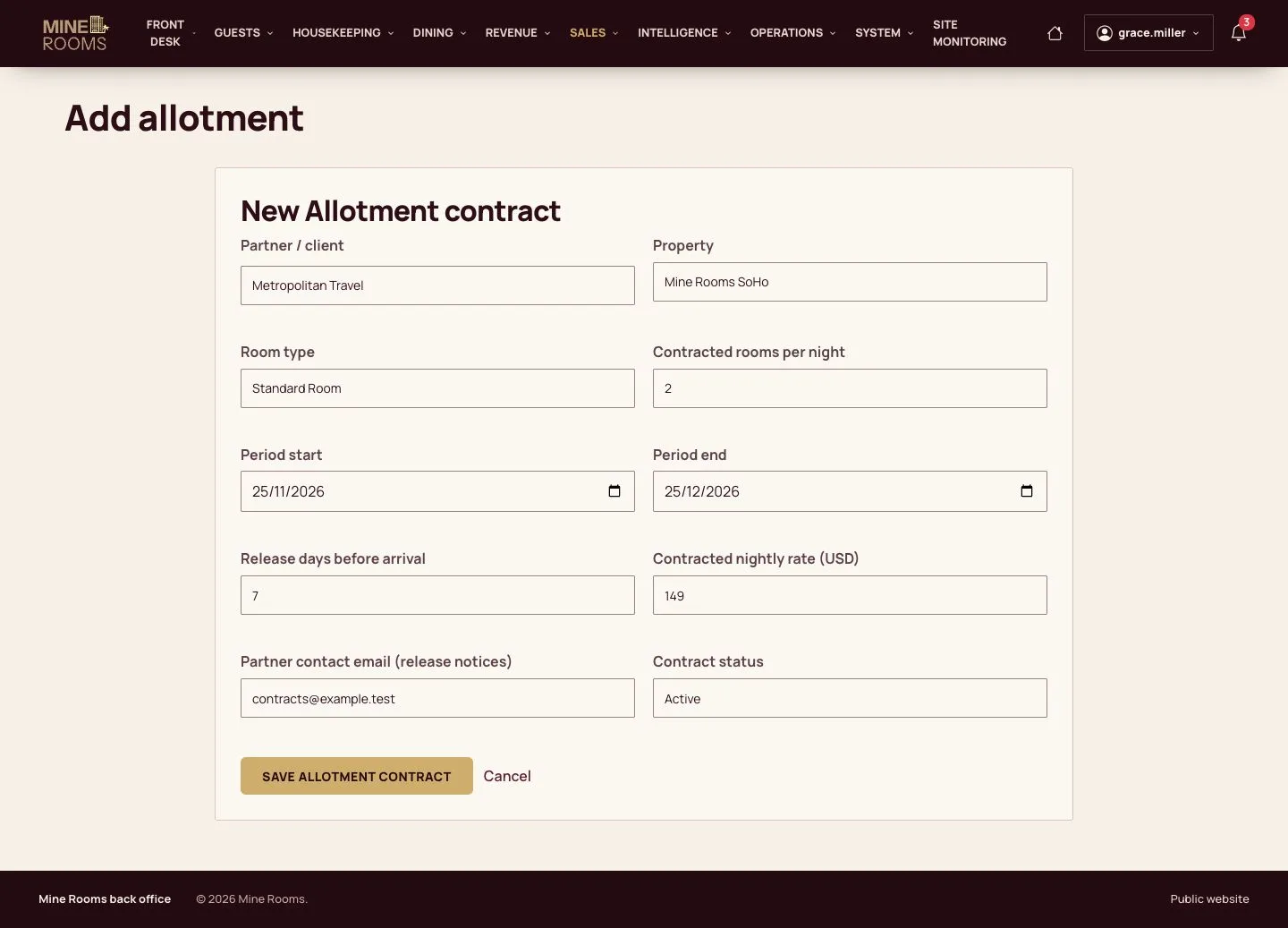
Allotment contract

Manager

Allotment contract

5Step 5 of 11

  1. A partner holds rooms by contract, with a date when unsold rooms are released.

Enlarge, then scroll

Open illustrated screen ↗Full image ↗

Manager · Groups and events05

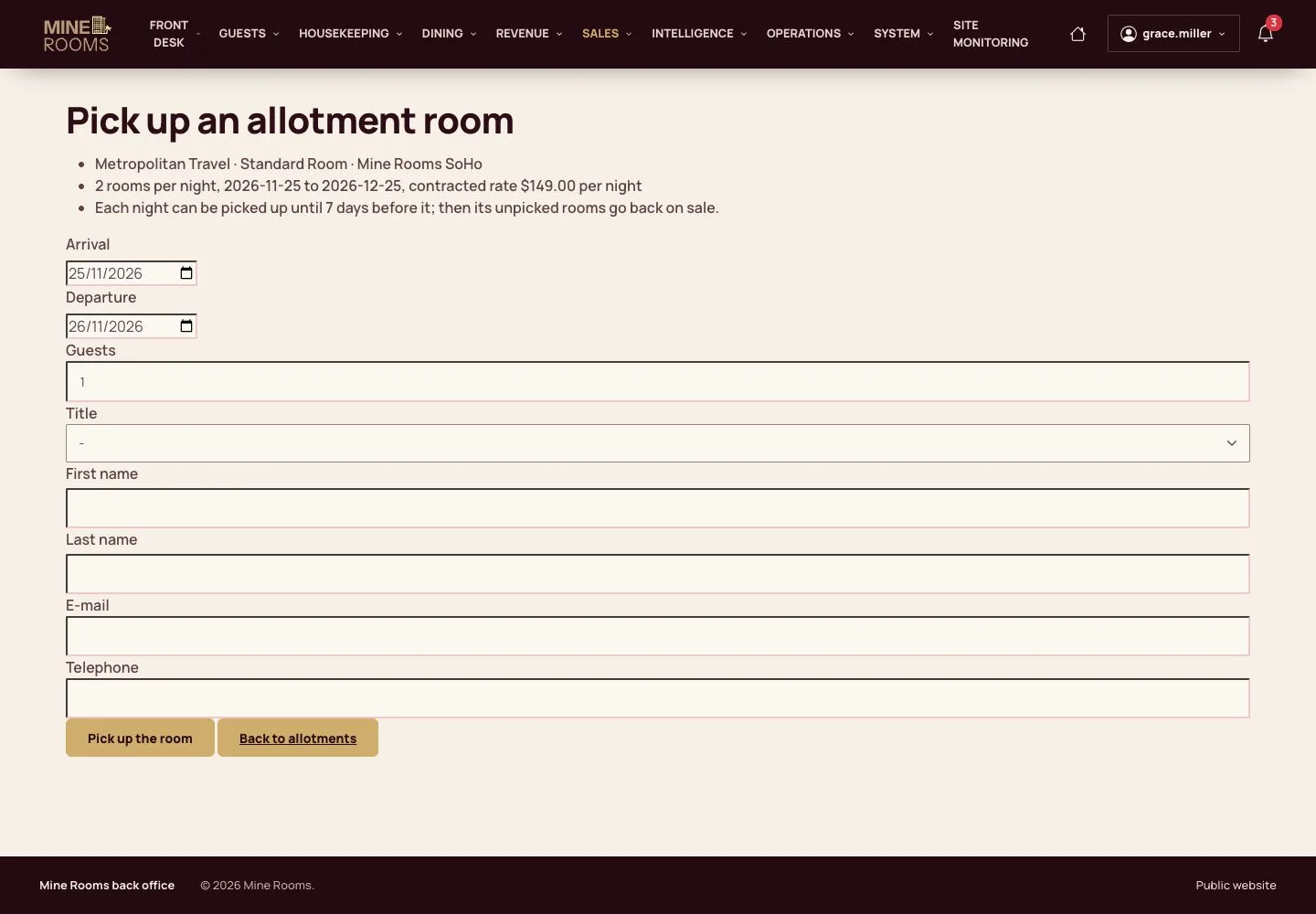
Pick up

Manager

Pick up

6Step 6 of 11

  1. Record what the partner takes; the rest comes back by itself at release.

Full image ↗

Manager · Groups and events06

Event spaces

Manager

Event spaces

7Step 7 of 11

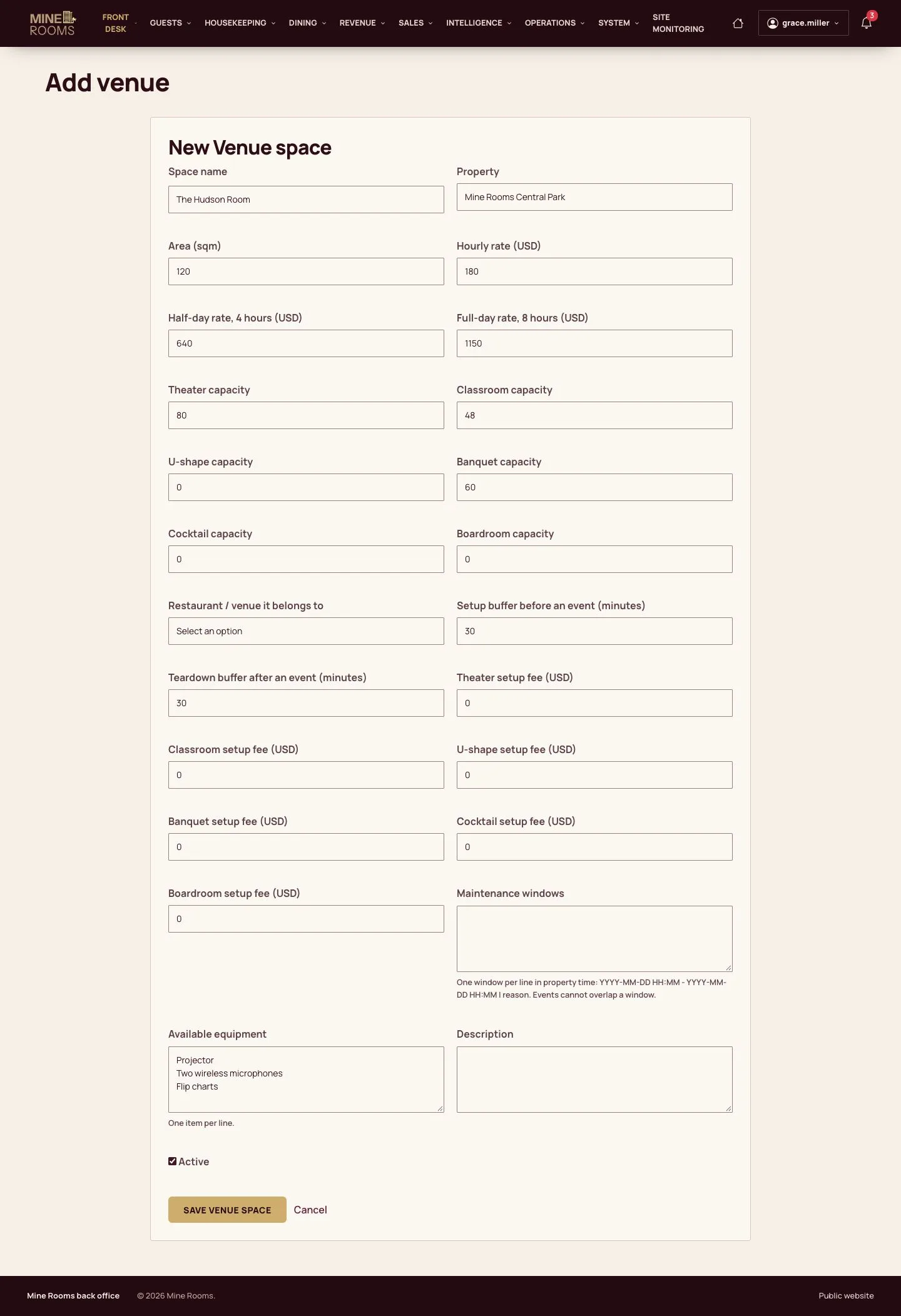
  1. A space has an area, prices by hour, half day and day, and a capacity by layout.

Enlarge, then scroll

Open illustrated screen ↗Full image ↗

Manager · Groups and events07

An event

Manager

An event

8Step 8 of 11

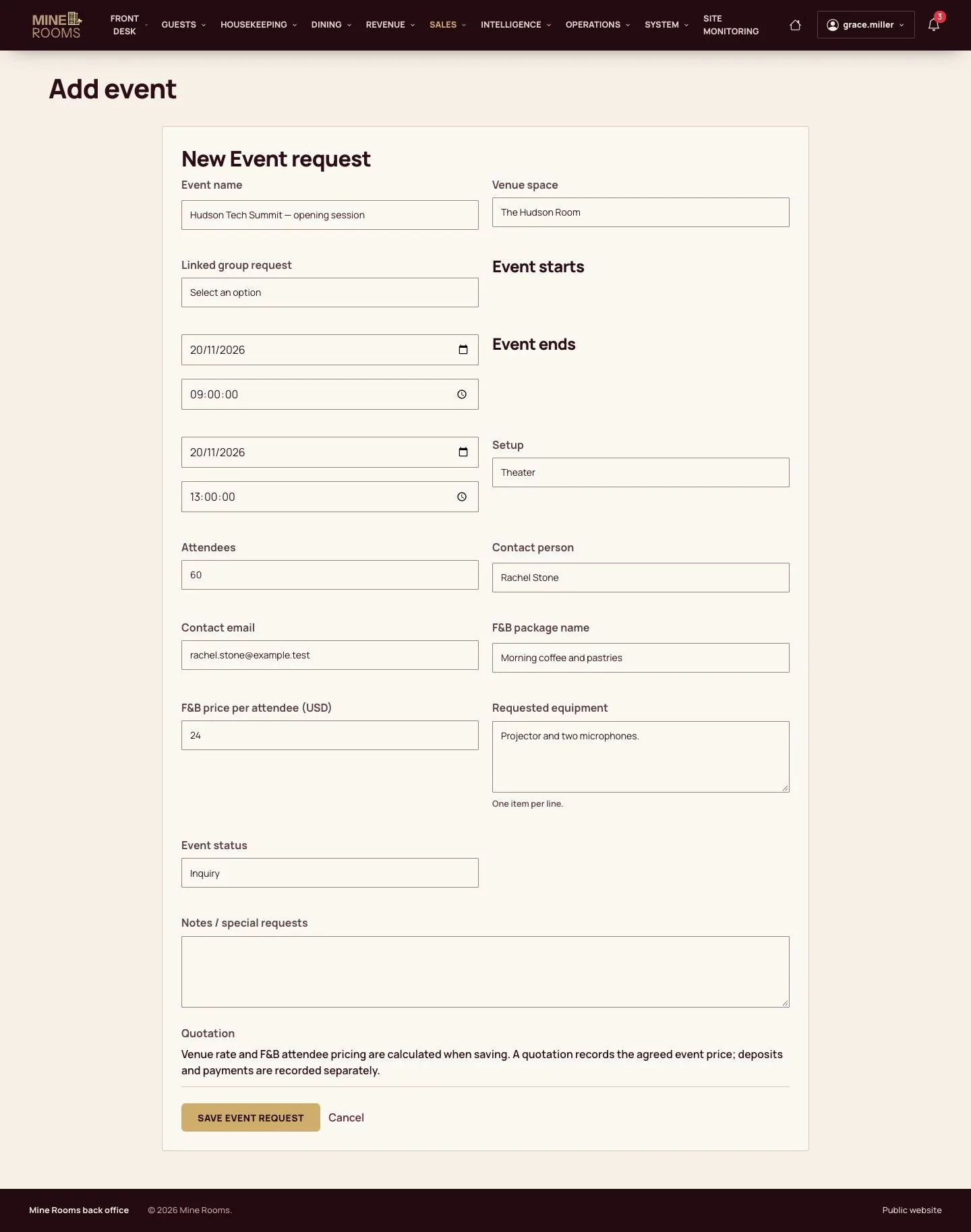
  1. Enter the organiser, the space, the time and the layout. A space cannot be booked twice at the same time.

Enlarge, then scroll

Open illustrated screen ↗Full image ↗

Manager · Groups and events08

Calendar

Manager

Calendar

9Step 9 of 11

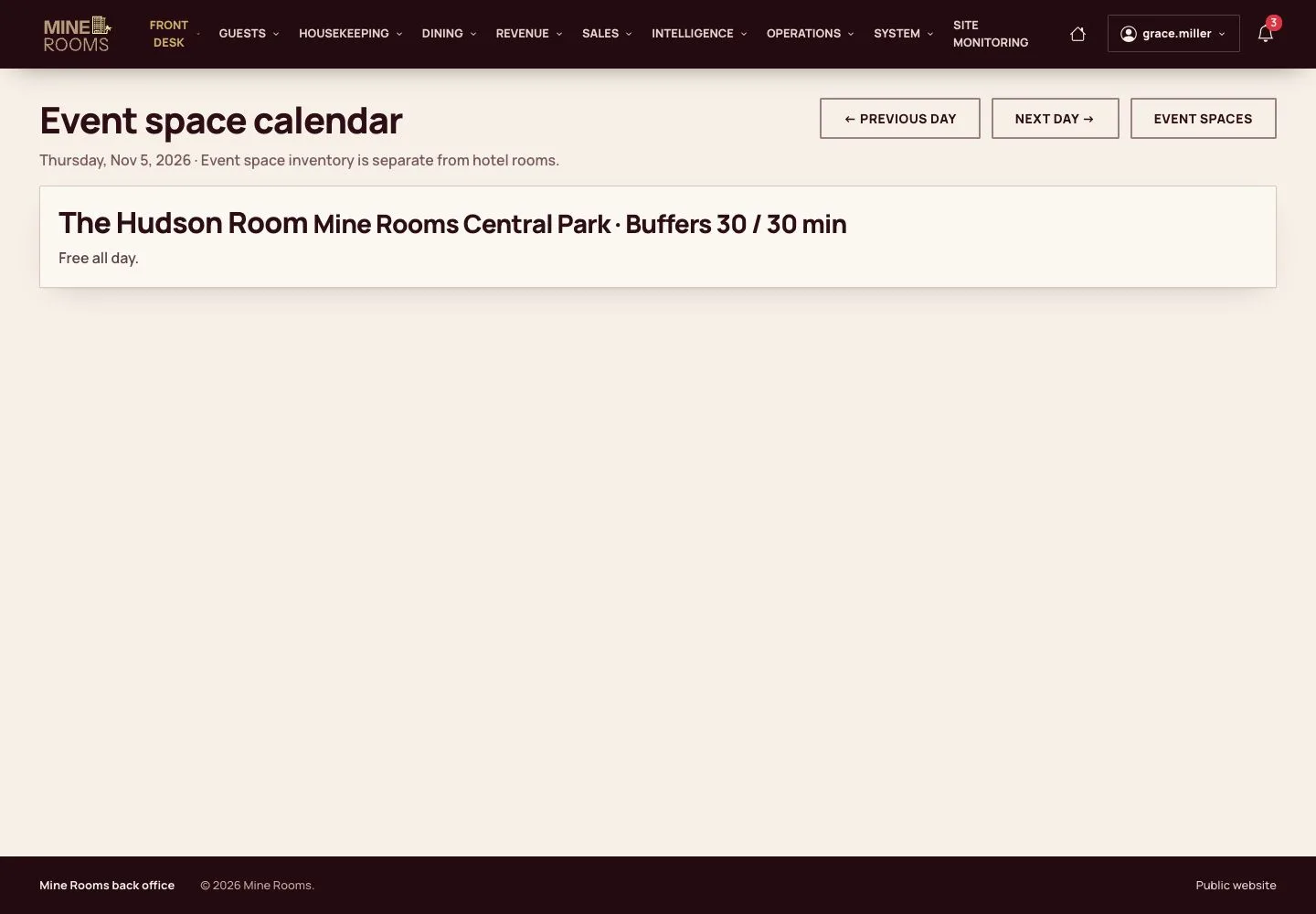
  1. The calendar shows every space through the month.

Open illustrated screen ↗Full image ↗

Manager · Groups and events09

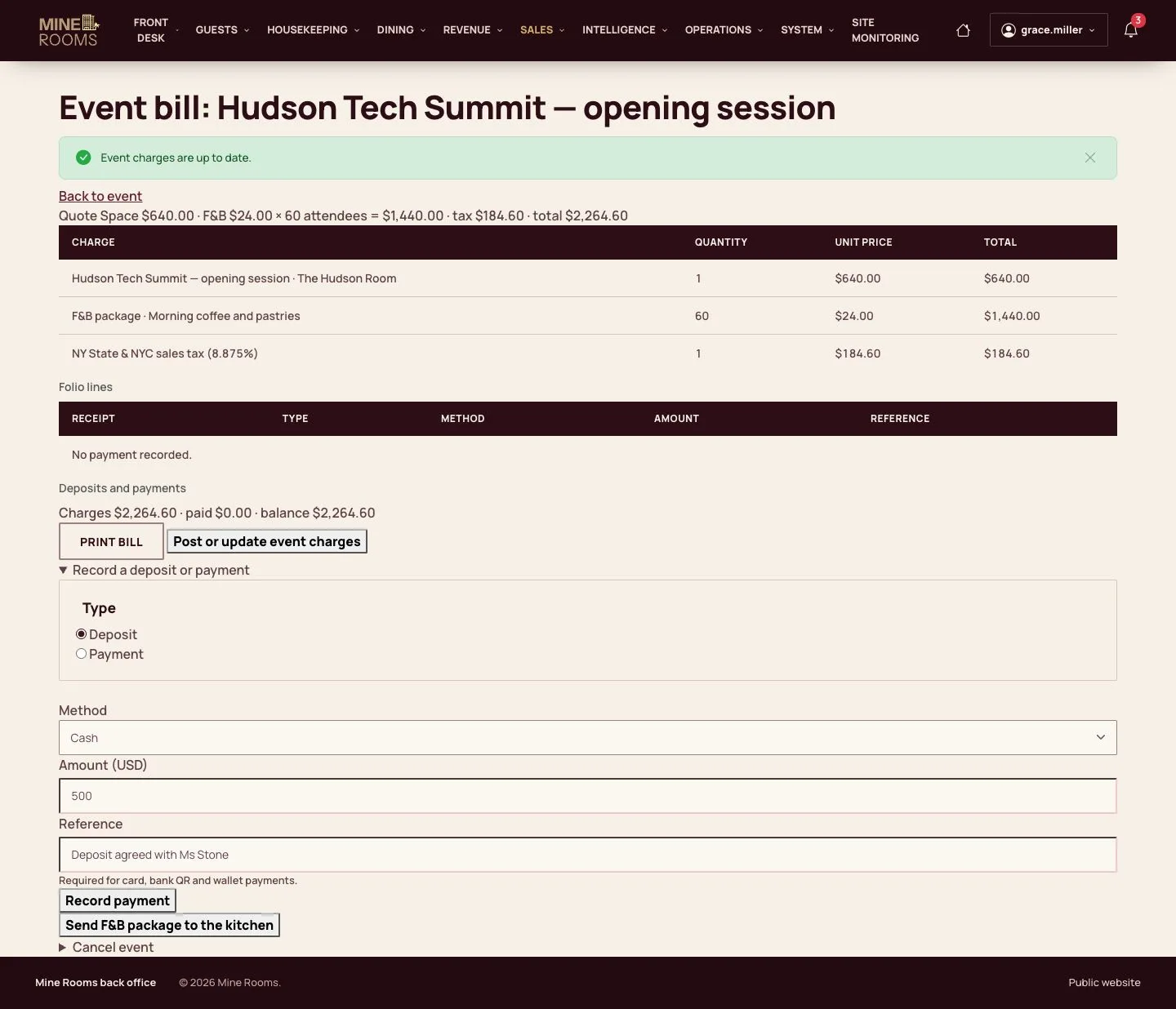
Event bill

Manager

Event bill

10Step 10 of 11

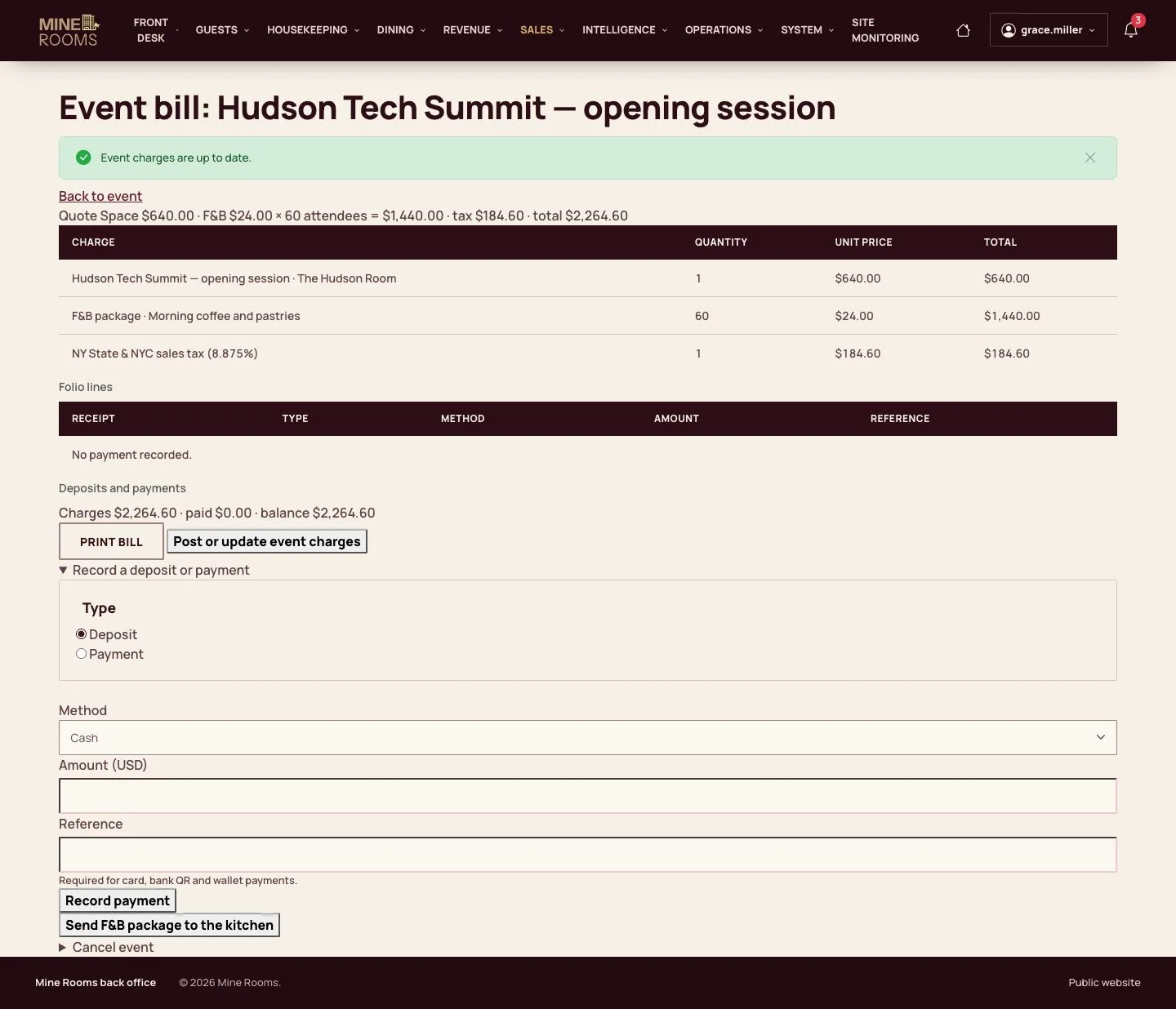
  1. Post the charges to the event's own bill.

Enlarge, then scroll

Full image ↗

Manager · Groups and events10

Deposit

Manager

Deposit

11Step 11 of 11

  1. Record the deposit with its method, amount and reference.

Enlarge, then scroll

Full image ↗

Check

The group has its reservations and the event has its bill and deposit.

Manager · Groups and events11
1 / 12
Privacy Terms