Houses, rooms and policies

One company, many houses, each with its own rules

  • A manager account for the houses
  • Photos of the rooms
Manager

What is missing

Manager

What is missing

1Step 1 of 11

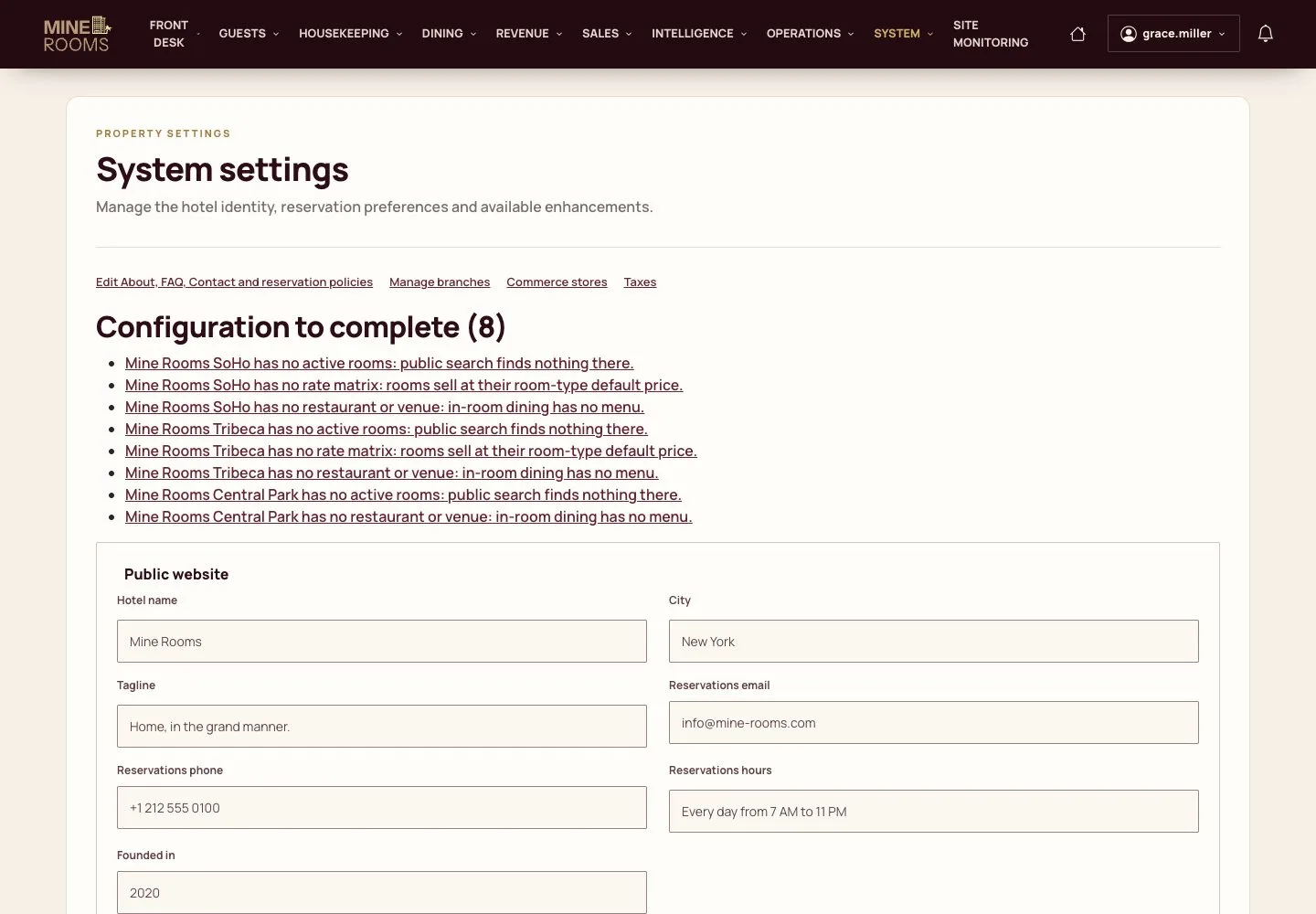
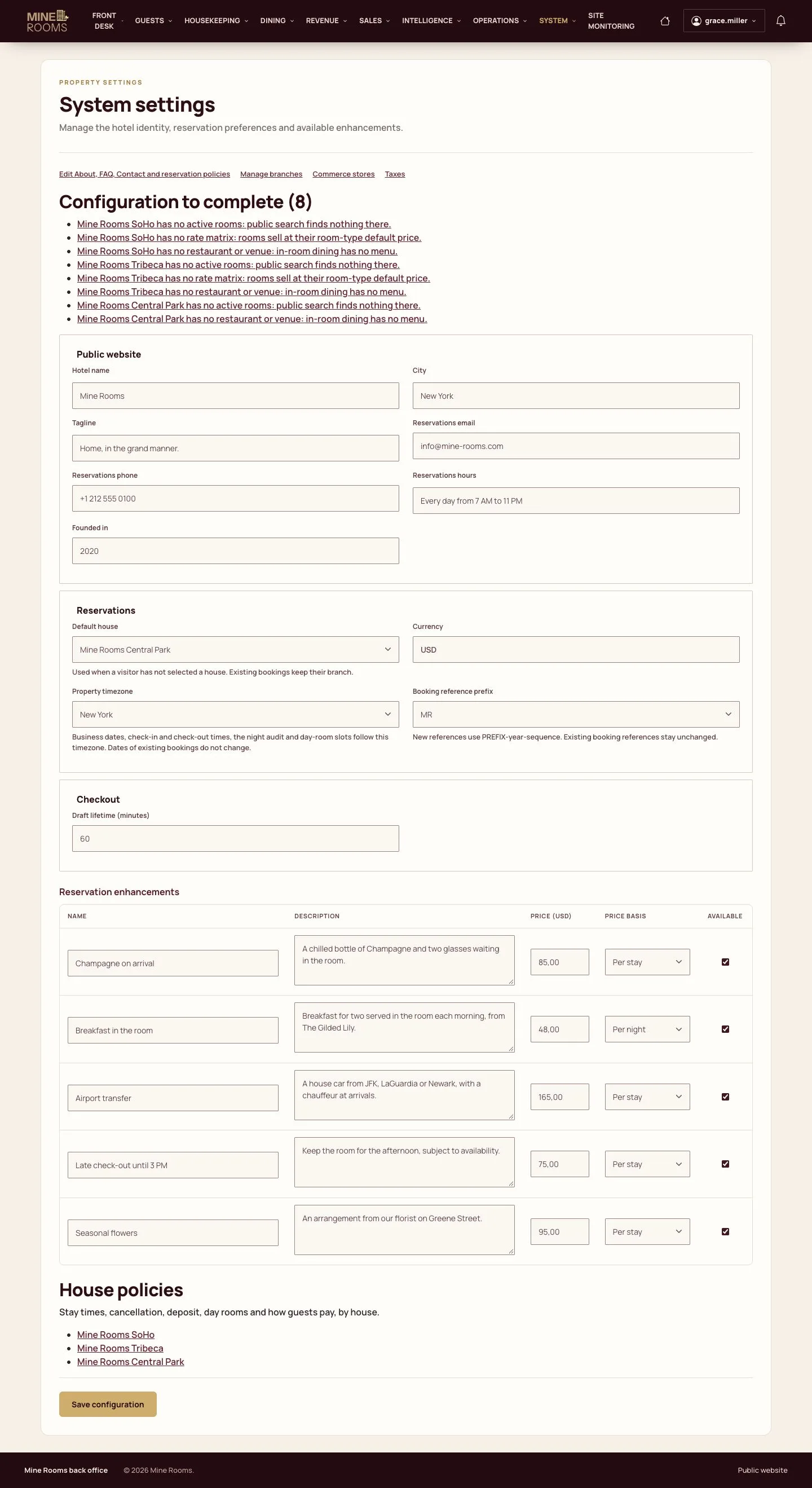
  1. System settings lists what each house still needs before it can sell: rooms, rate matrix, venues.

Enlarge, then scroll

Open illustrated screen ↗Full image ↗

Manager · Houses, rooms and policies01

Houses

Manager

Houses

2Step 2 of 11

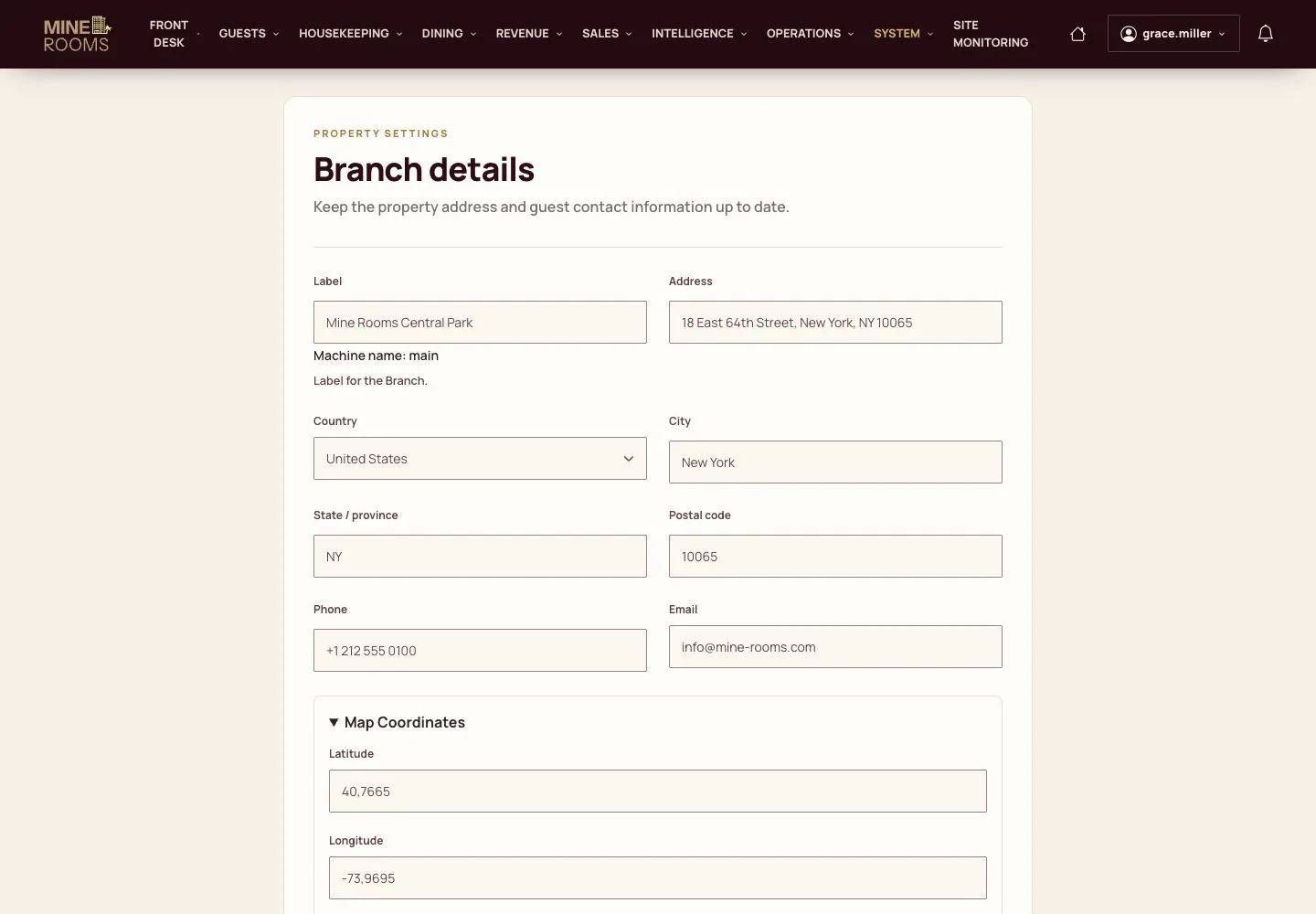
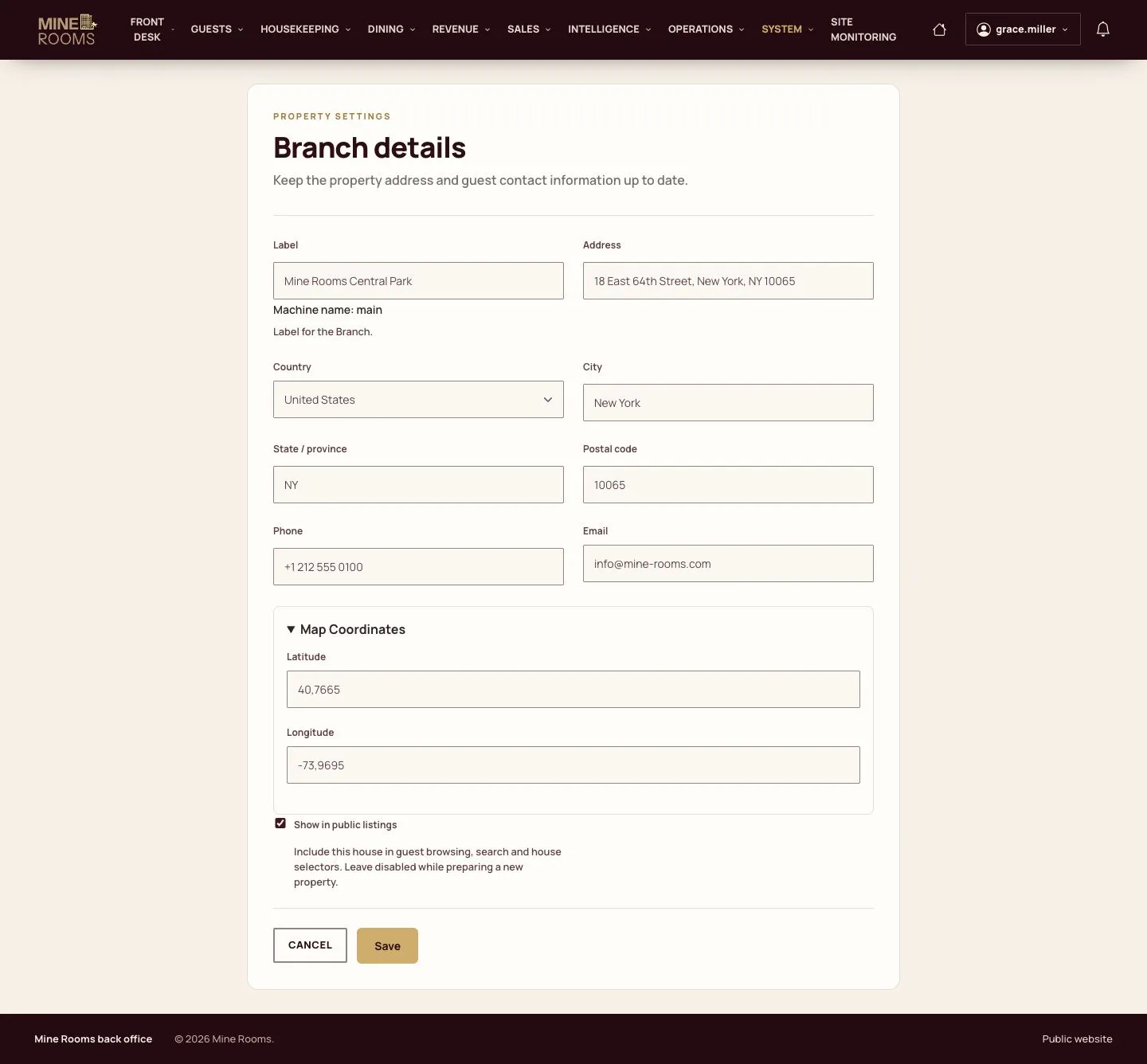
  1. Each house has its address, contact details, position on the map and a switch for public listings.

Enlarge, then scroll

Open illustrated screen ↗Full image ↗

Manager · Houses, rooms and policies02

Room types

Manager

Room types

3Step 3 of 11

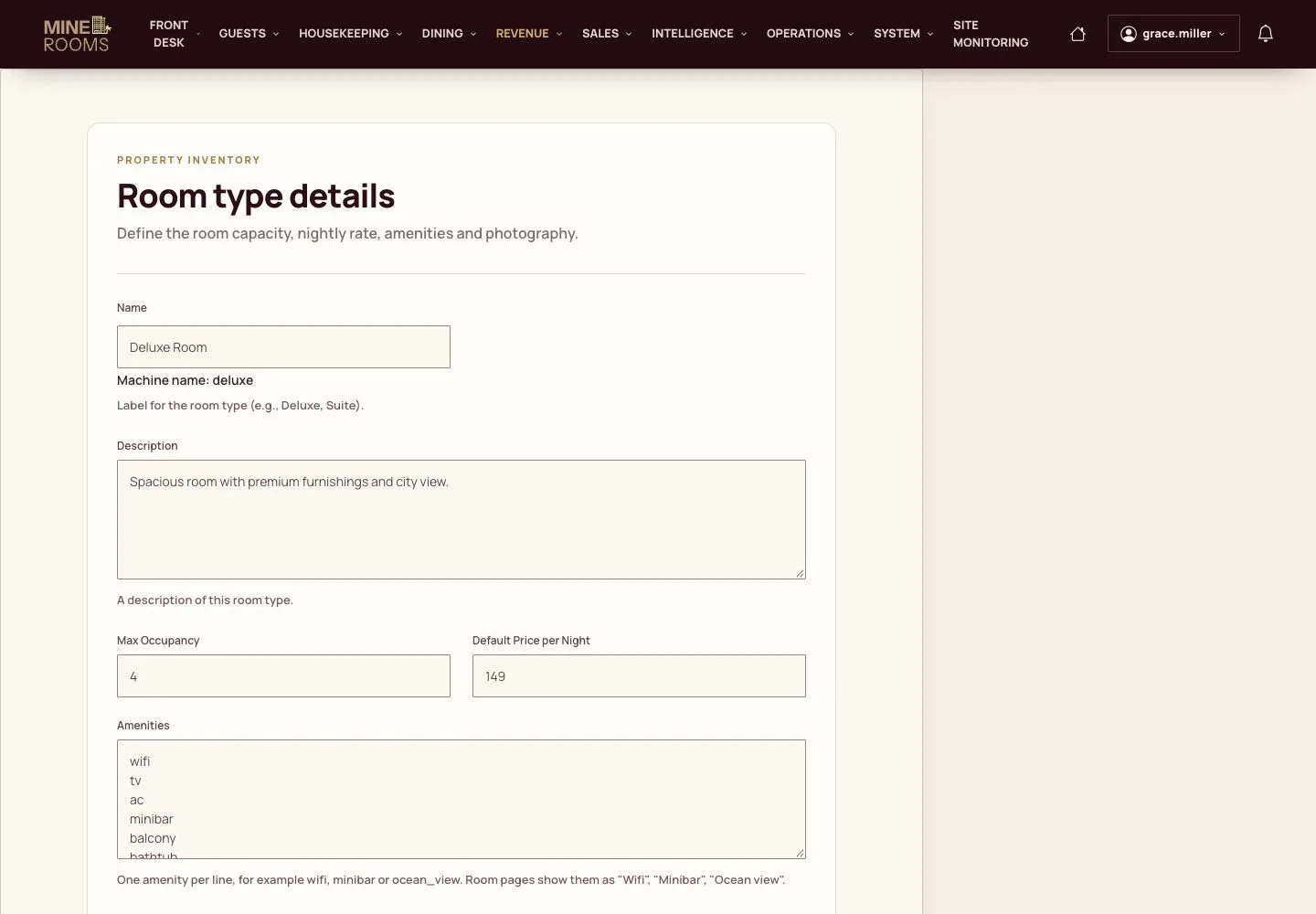
  1. A room type holds the description, capacity, default price, amenities and photos.

Enlarge, then scroll

Open illustrated screen ↗Full image ↗

Manager · Houses, rooms and policies03

Rooms

Manager

Rooms

4Step 4 of 11

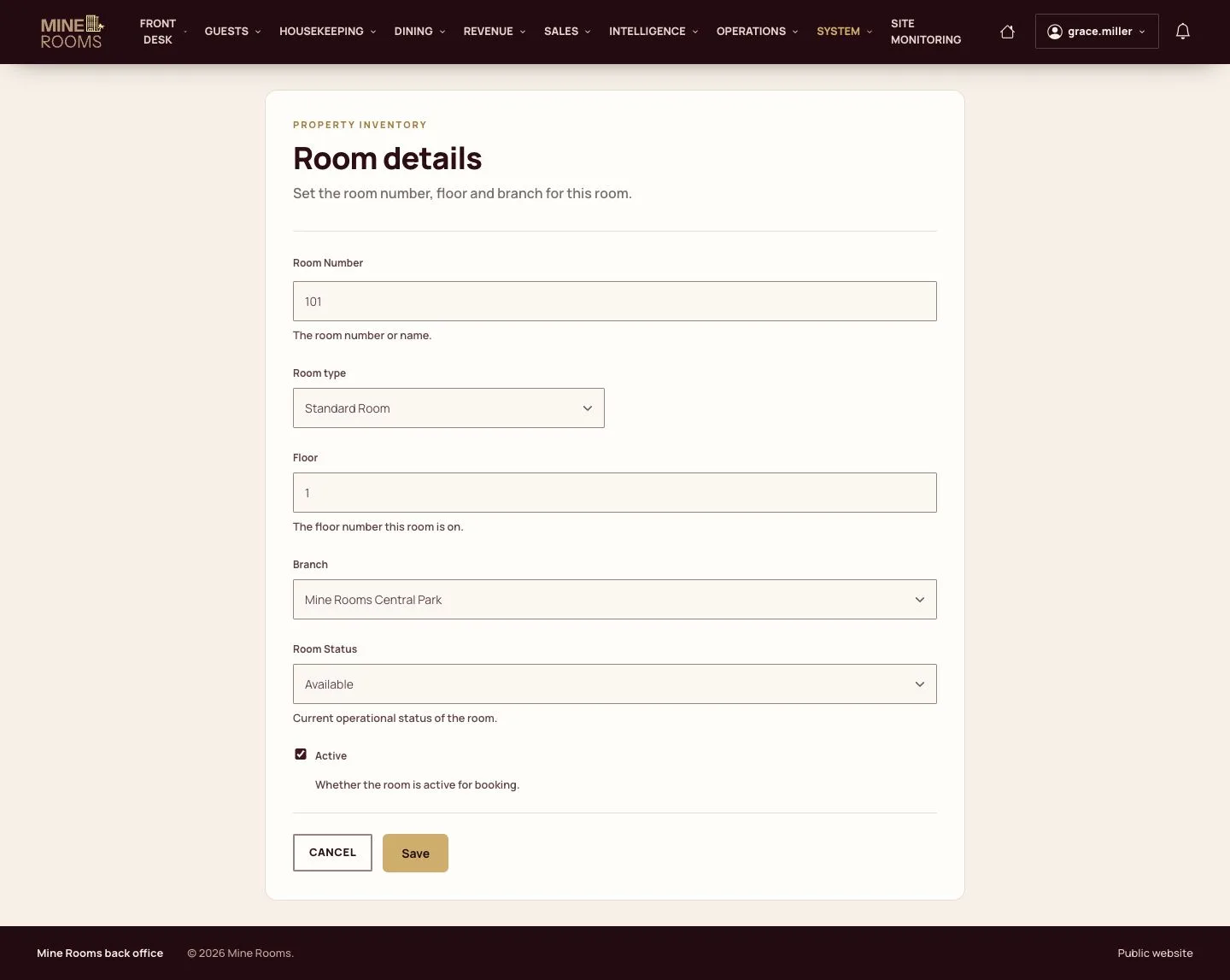
  1. Add each room with its number, type, floor and house.
  2. Saving creates its availability for the next 365 days.

A number can be used once in a house; another house can use it again.

Enlarge, then scroll

Open illustrated screen ↗Full image ↗

Manager · Houses, rooms and policies04

All rooms

Manager

All rooms

5Step 5 of 11

  1. The list filters by house and room type.

Enlarge, then scroll

Open illustrated screen ↗Full image ↗

Manager · Houses, rooms and policies05

Taxes

Manager

Taxes

6Step 6 of 11

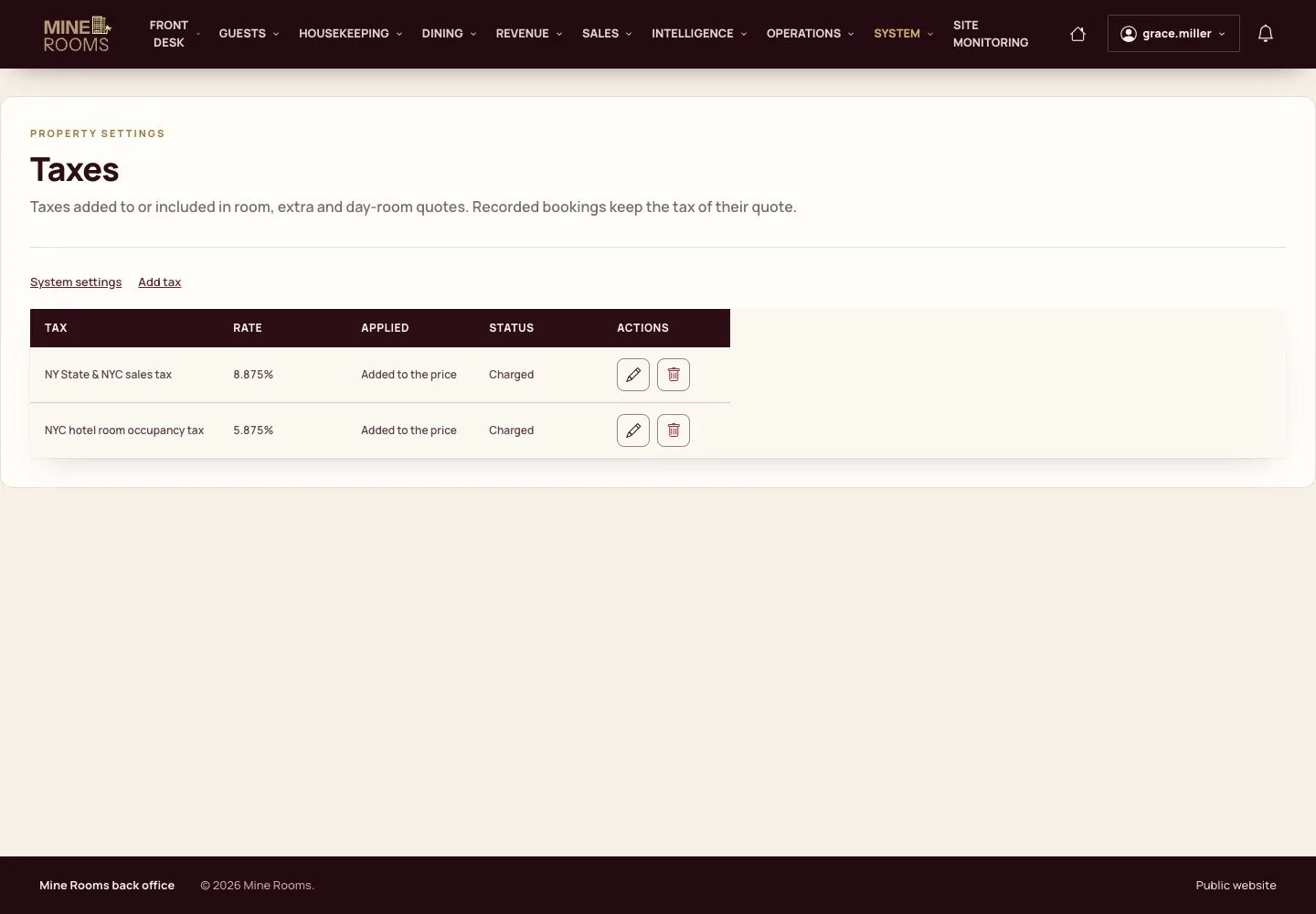
  1. Taxes apply to new quotes. A booking already made keeps the taxes it was made with.

Open illustrated screen ↗Full image ↗

Manager · Houses, rooms and policies06

House policy

Manager

House policy

7Step 7 of 11

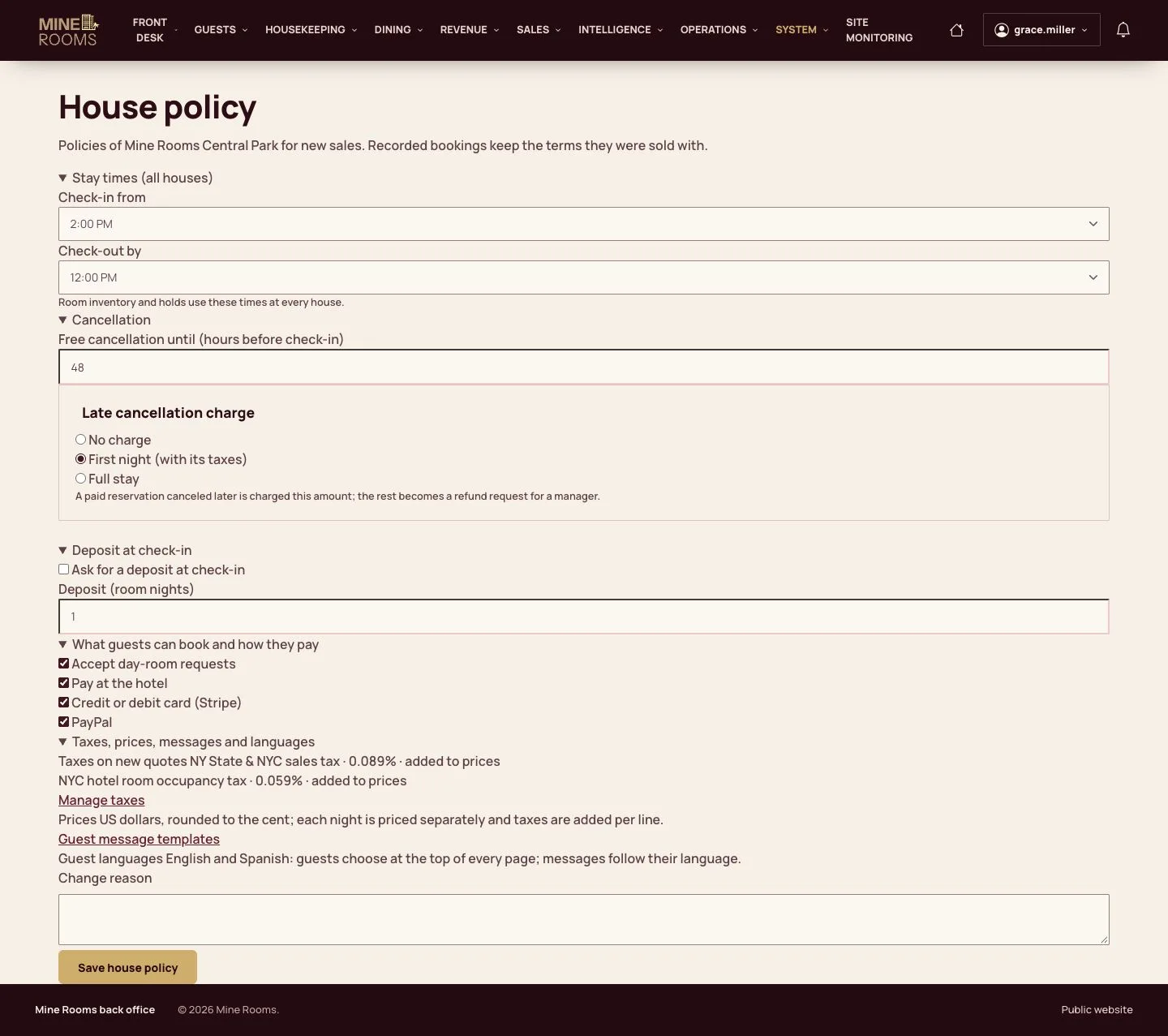
  1. Set the check-in and check-out times, the free-cancellation deadline, the late-cancellation fee, the deposit and day rooms for each house.

Enlarge, then scroll

Open illustrated screen ↗Full image ↗

Manager · Houses, rooms and policies07

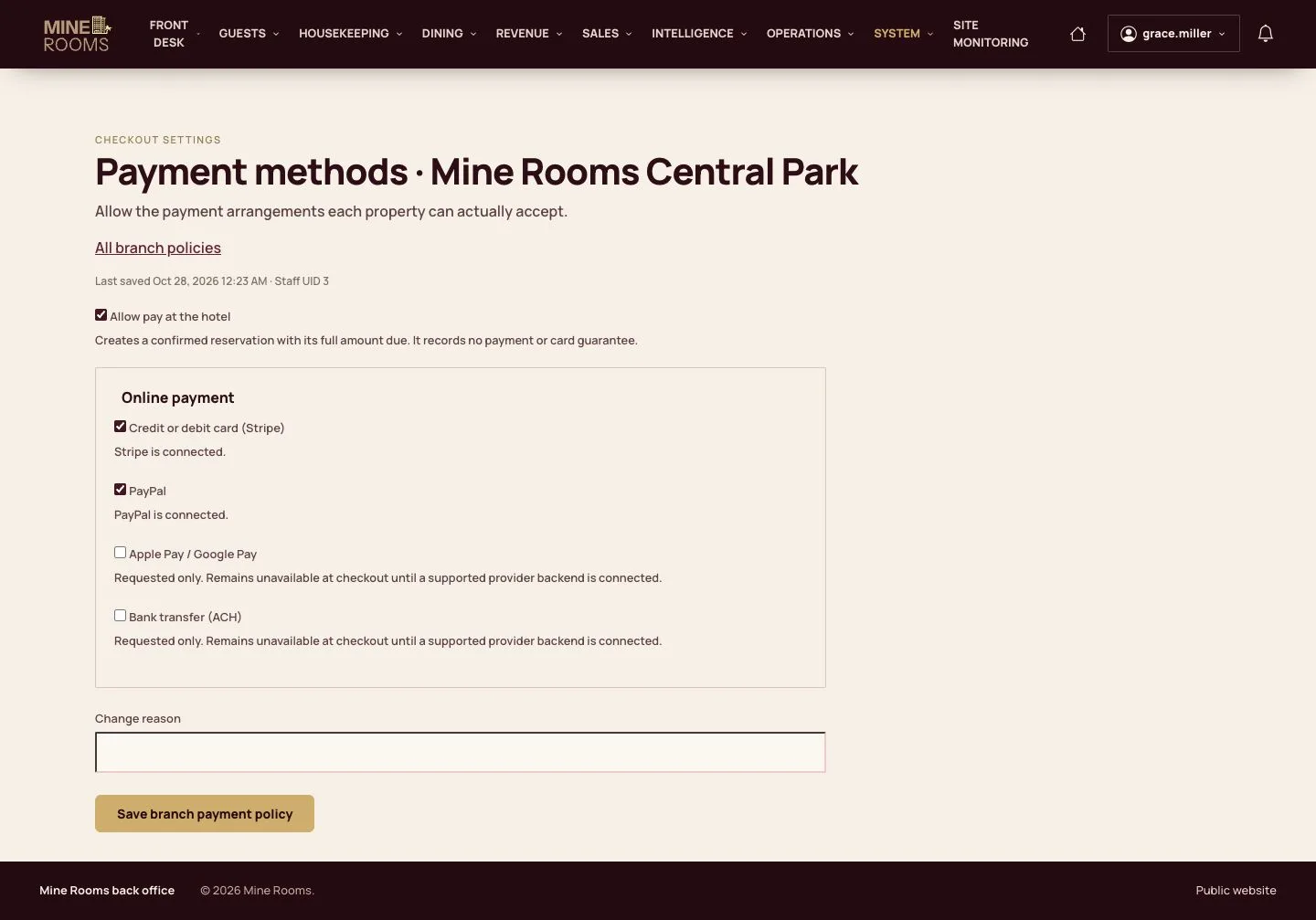
Payment methods

Manager

Payment methods

8Step 8 of 11

  1. Choose what the checkout offers in this house: pay at the hotel, Stripe, PayPal.

Open illustrated screen ↗Full image ↗

Manager · Houses, rooms and policies08

Venues

Manager

Venues

9Step 9 of 11

  1. Restaurants, bars, spa and pool of each house are listed with their hours and contact details.

Open illustrated screen ↗Full image ↗

Manager · Houses, rooms and policies09

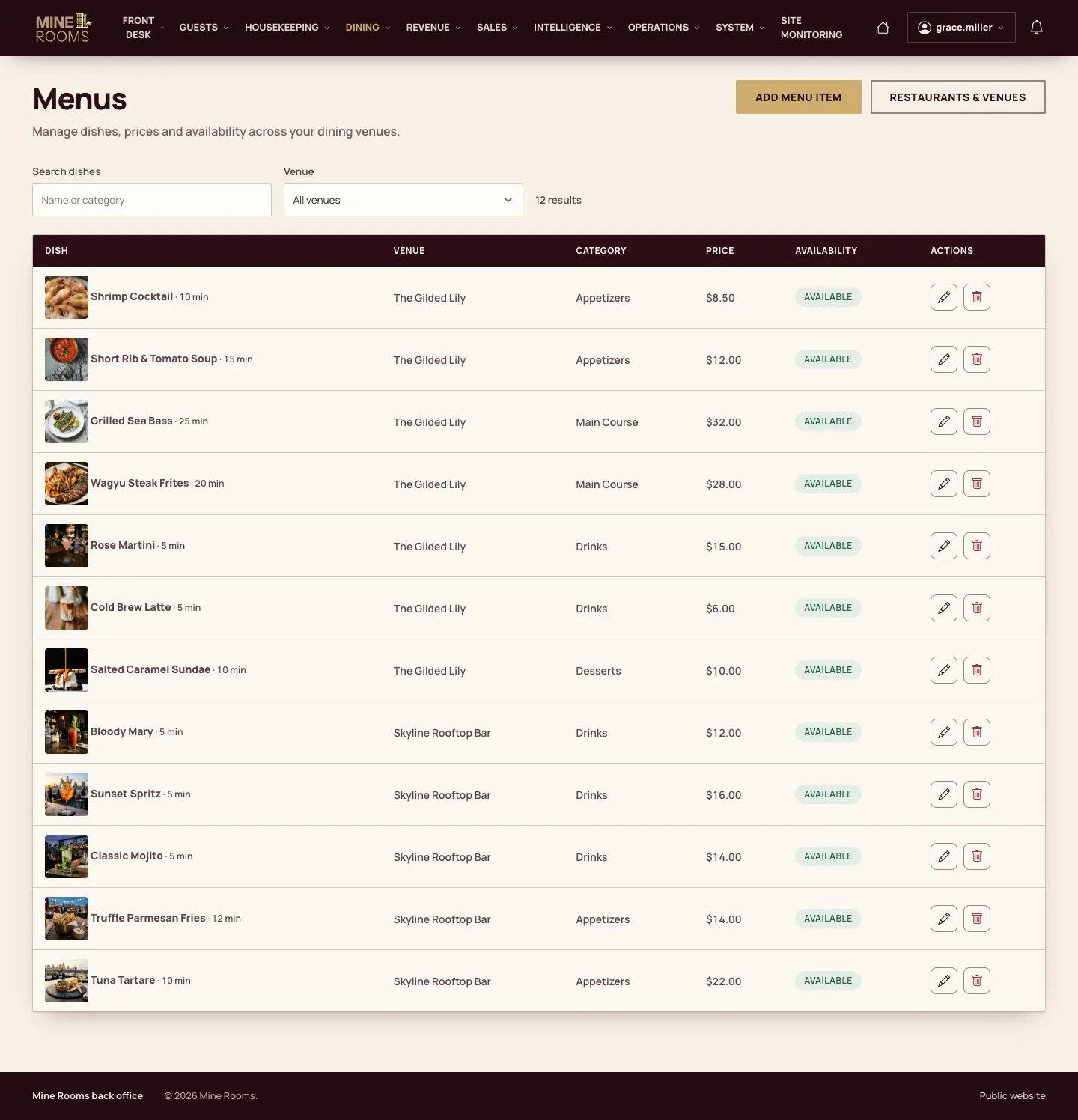
Menus

Manager

Menus

10Step 10 of 11

  1. Each dish has a price, a category, a photo, a preparation time and a venue.

Enlarge, then scroll

Open illustrated screen ↗Full image ↗

Manager · Houses, rooms and policies10

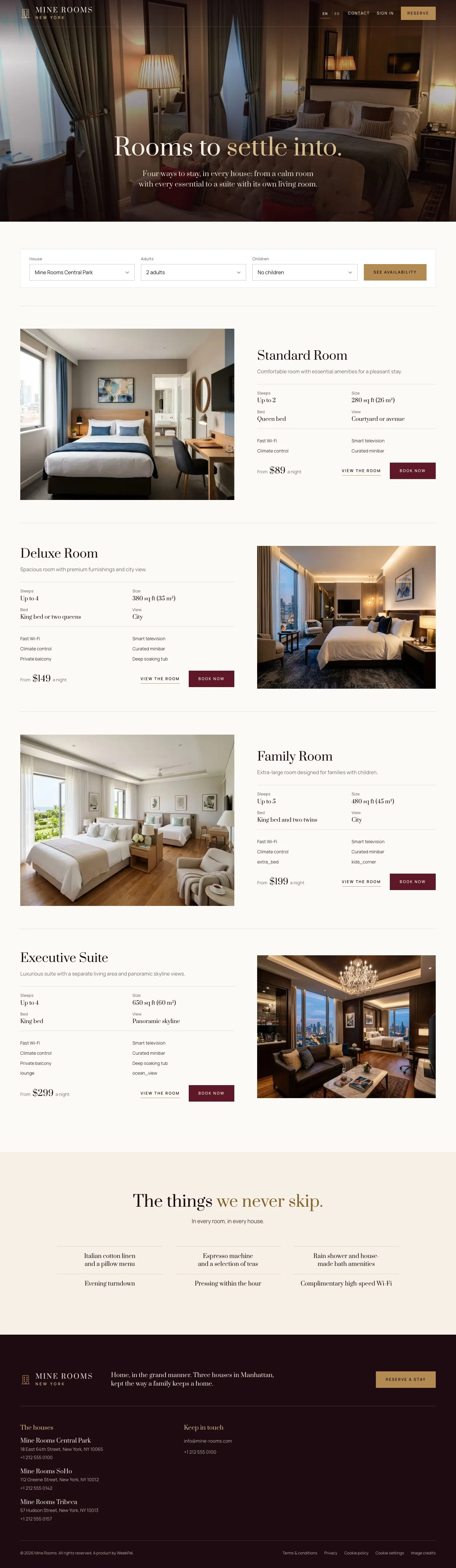
On the website

Visitor

On the website

11Step 11 of 11

  1. Visitors see the room types with their photos as soon as they are saved.

Enlarge, then scroll

Open illustrated screen ↗Full image ↗

Check

Each house is ready to sell: rooms, taxes, policy, payment methods and venues are in place.

Manager · Houses, rooms and policies11
1 / 12
Privacy Terms