Member prices

A lower price for guests who book signed in to their own account

  • A member rate above 0 on Website promotions
  • A guest account on the website
Guest
Set the member rate

Manager

Set the member rate

1Step 1 of 3

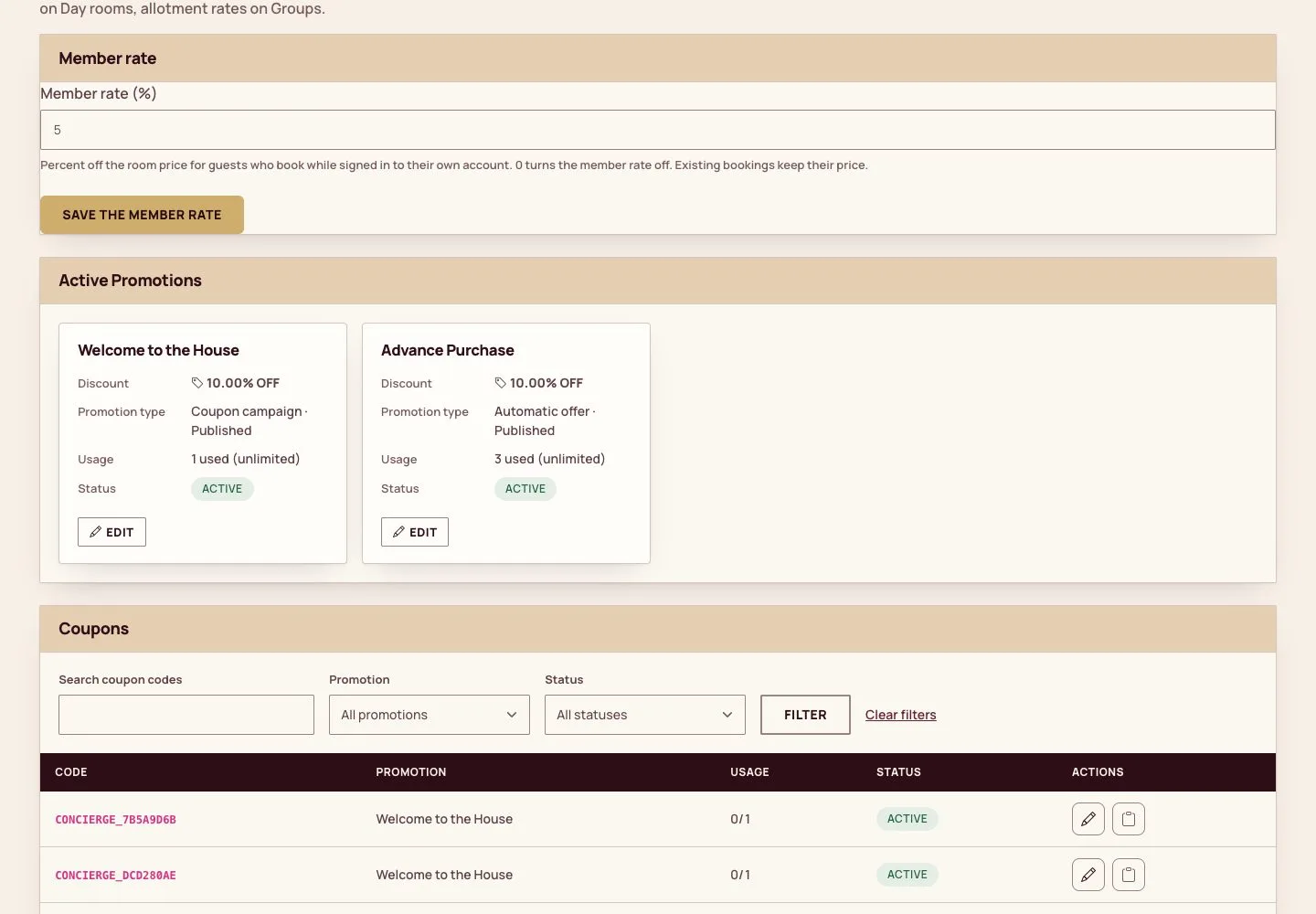
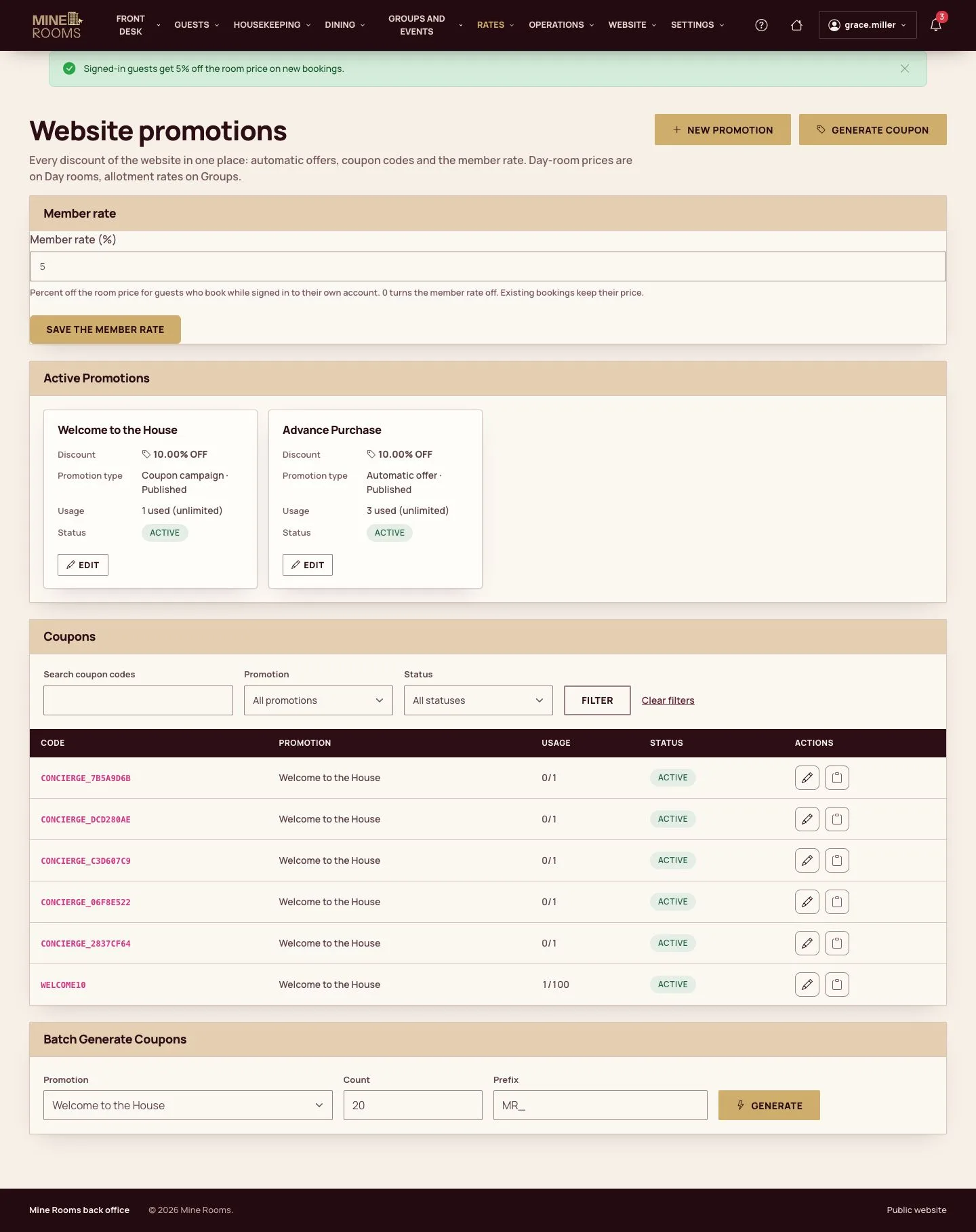
  1. Website promotions, Member rate (%): the percent off the room price for guests who book while signed in to their own account.
  2. Save the member rate; 0 turns it off.

Bookings already made keep their price.

Enlarge, then scroll

Open illustrated screen ↗Full image ↗

Guest · Member prices01

The public price

Visitor

The public price

2Step 2 of 3

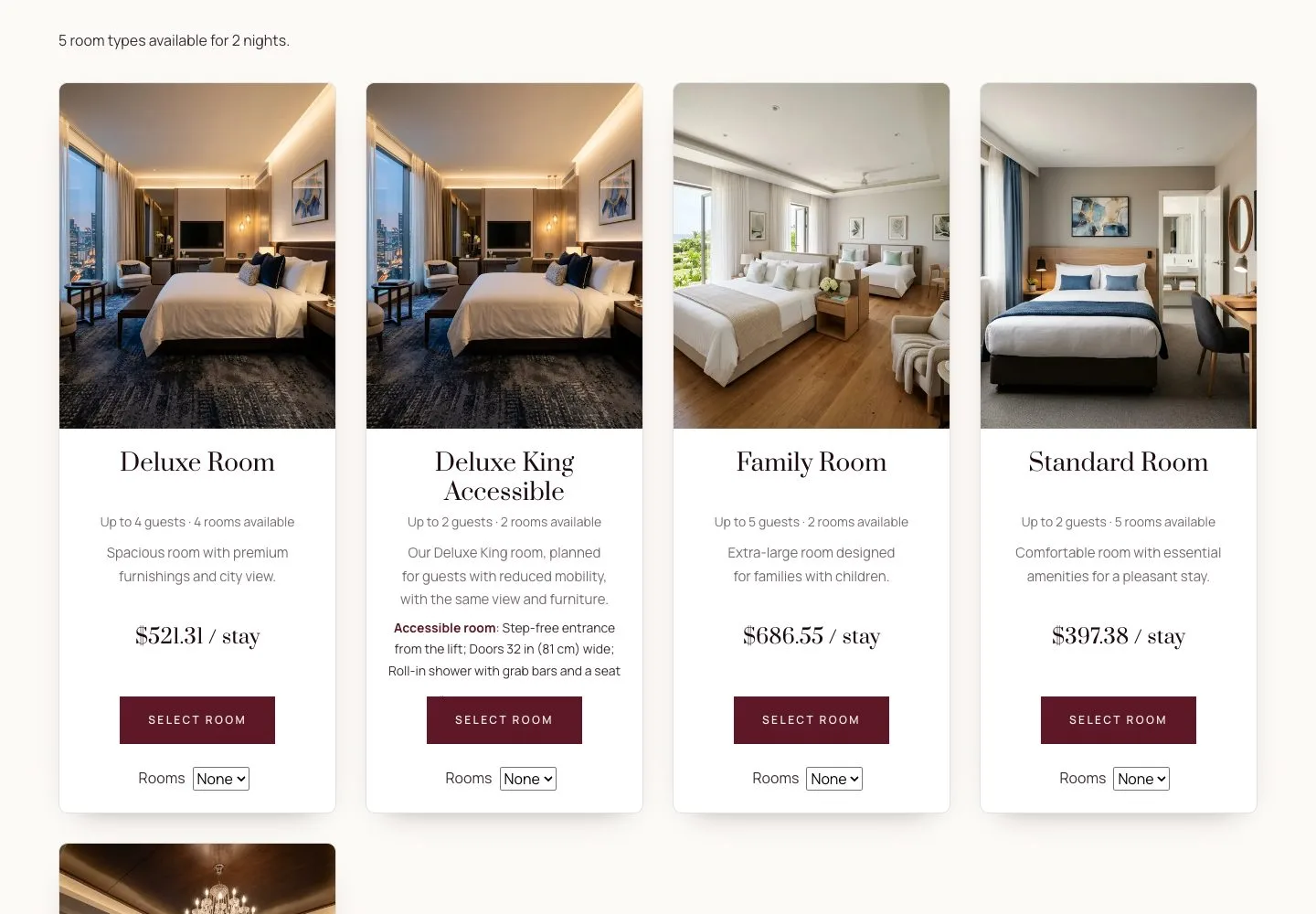
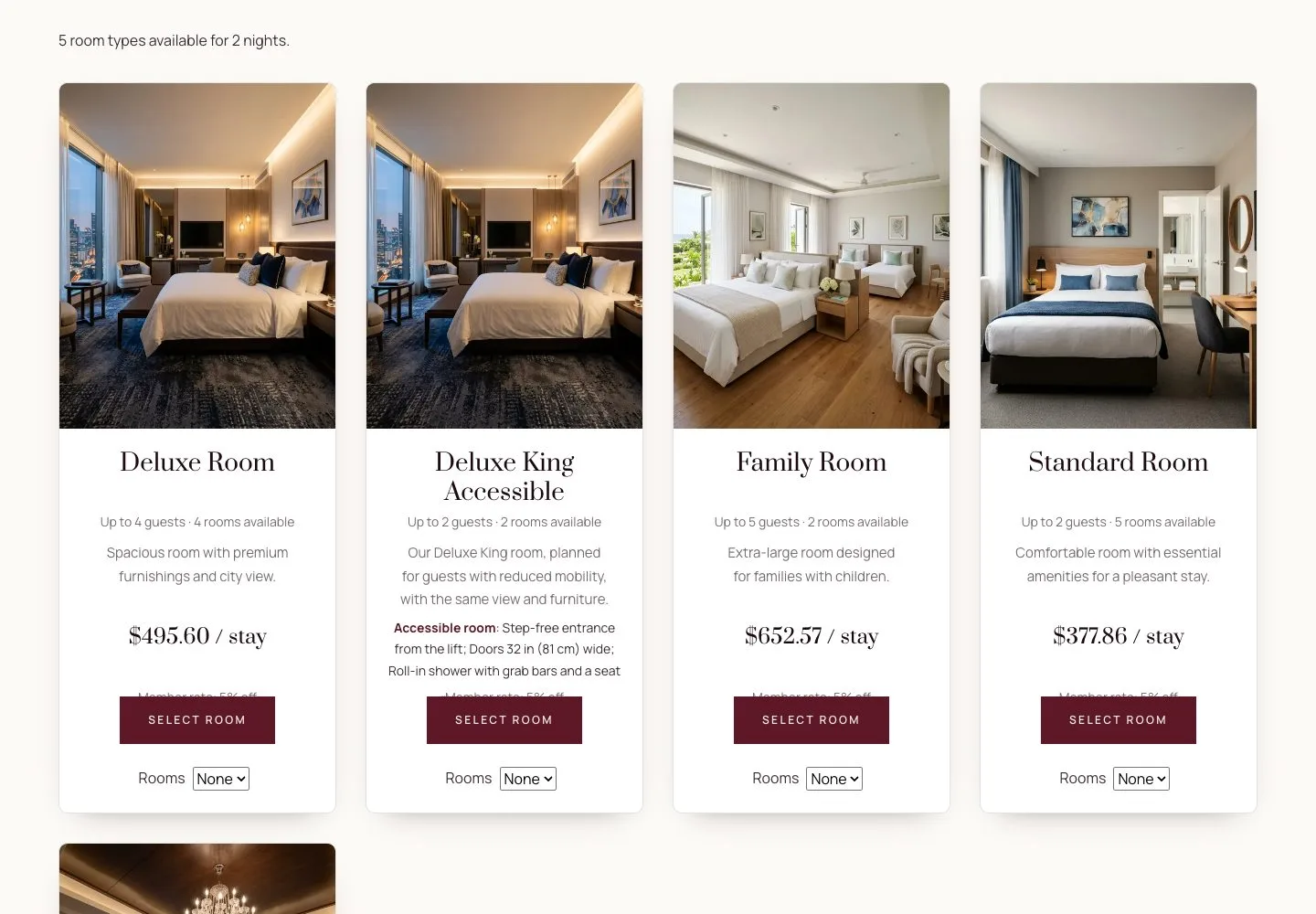
  1. A visitor who is not signed in sees the public price of each room type for the dates.

Enlarge, then scroll

Open illustrated screen ↗Full image ↗

Guest · Member prices02

The price for members

Guest

The price for members

3Step 3 of 3

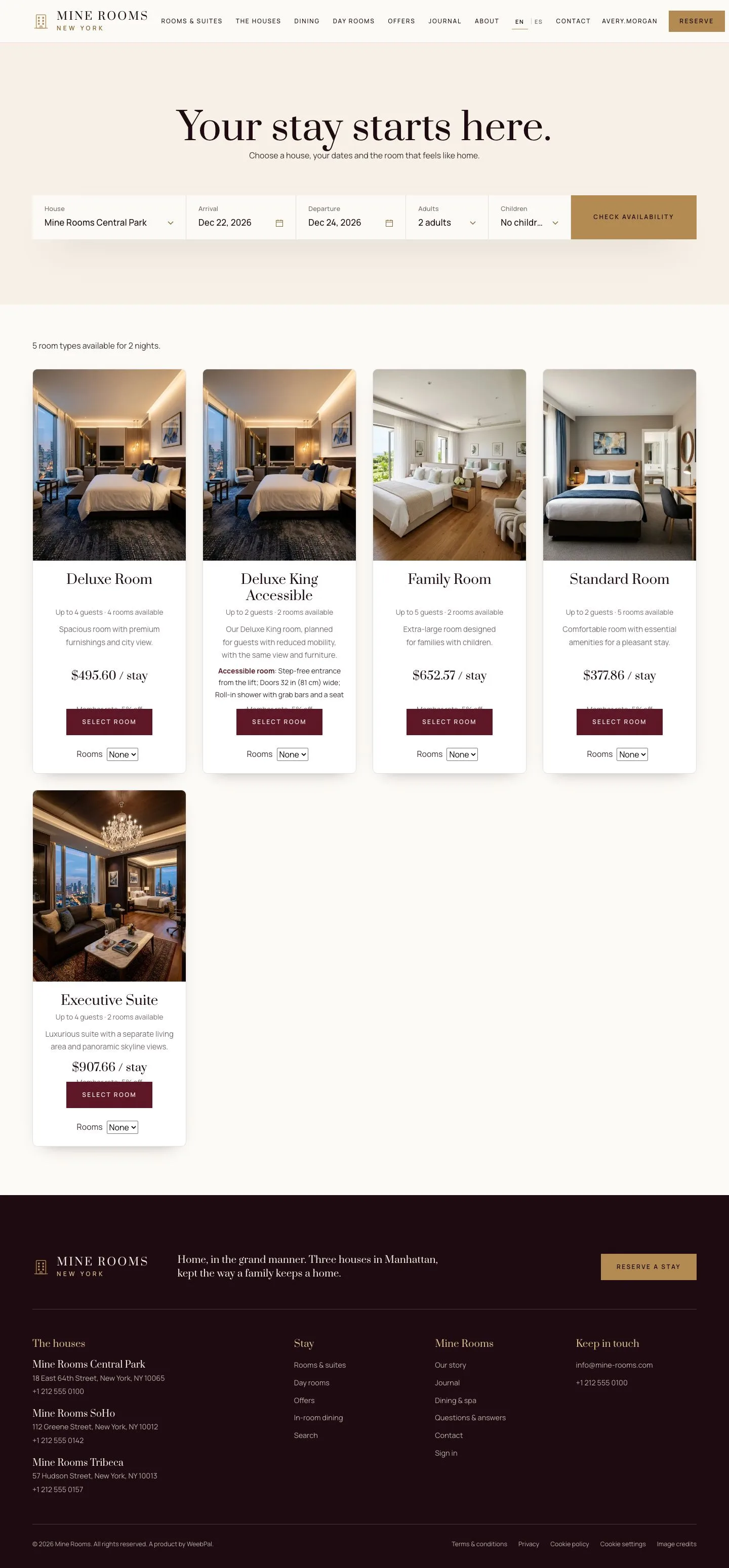
  1. Signed in, the guest sees the member price for the same dates, with the percent and the amount saved.
  2. Booking signed in keeps the member price through checkout.

It is a reason to book on the hotel's own website rather than through an agency.

Enlarge, then scroll

Open illustrated screen ↗Full image ↗

Check

Signed in, the guest sees and books the member price, lower than the public price for the same dates.

Guest · Member prices03
1 / 4
Privacy Terms