Several rooms in one booking

Rooms of one or several types, one payment, one reservation code

  • Free rooms of the chosen types for the whole stay
Guest
Choose the rooms

Visitor
Choose the rooms

1Step 1 of 3

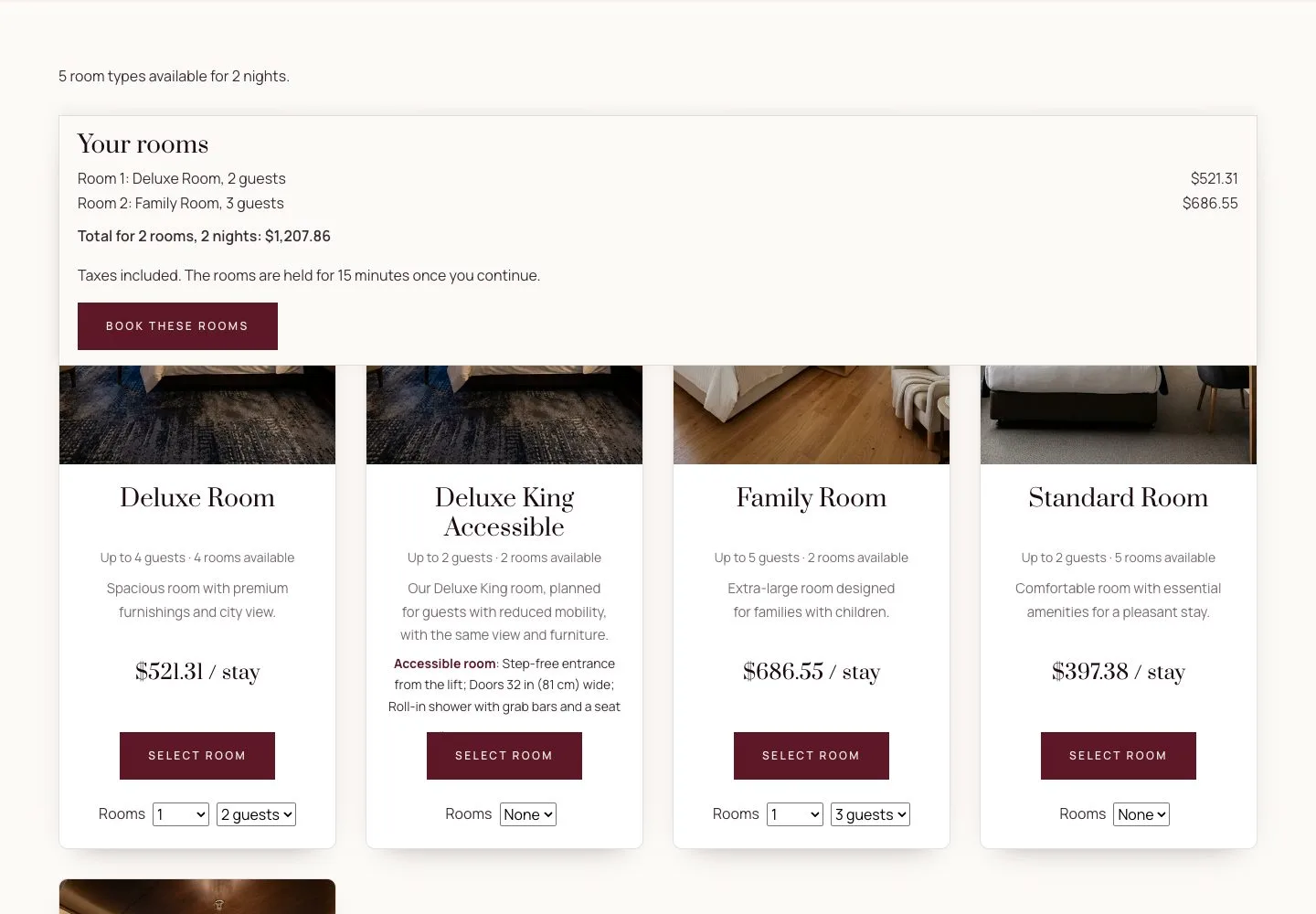
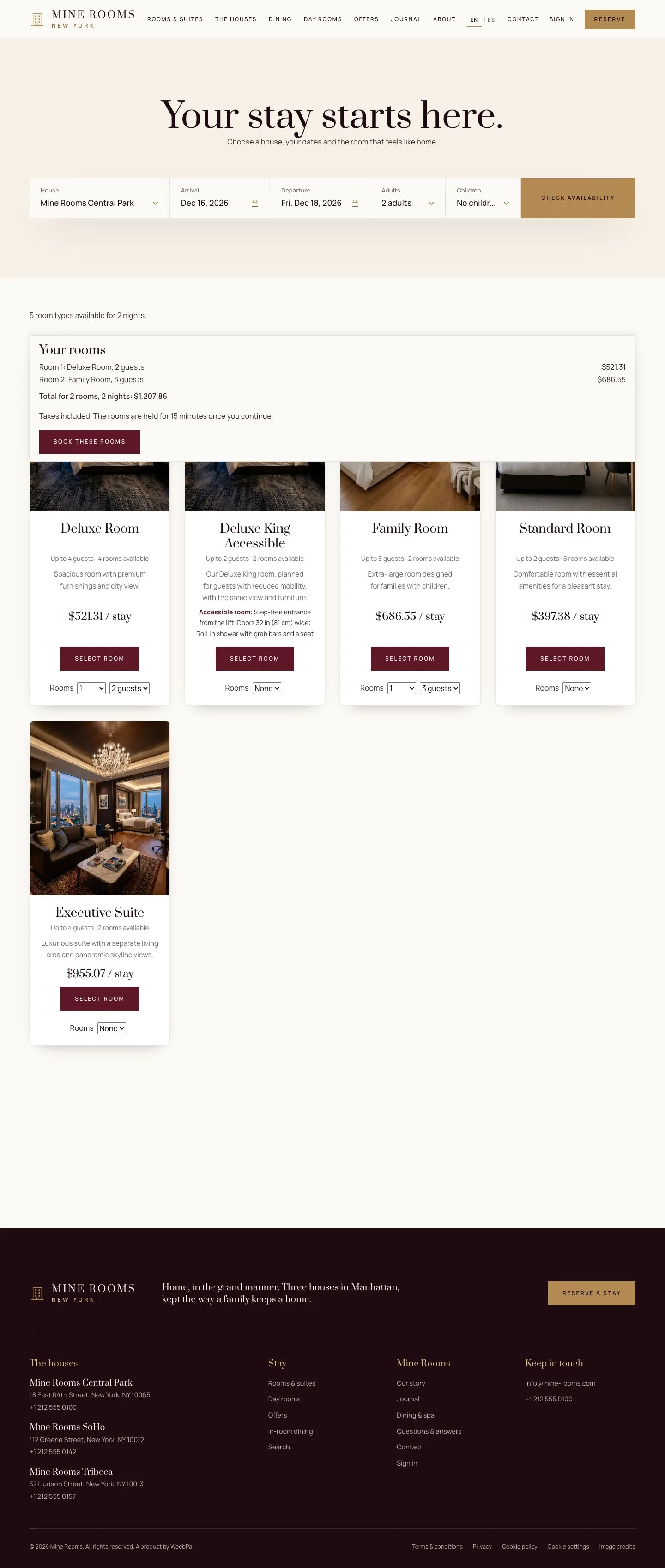
  1. In the search results, set Rooms on each room type you want and the guests of each room.
  2. Your rooms, kept at the foot of the screen, lists each room with its price and the total; Book these rooms continues.

Up to five rooms in one booking; for a larger group, contact the reservations team of the hotel.

Enlarge, then scroll
Open illustrated screen ↗Full image ↗

Guest · Several rooms in one booking01

One checkout

Visitor

One checkout

2Step 2 of 3

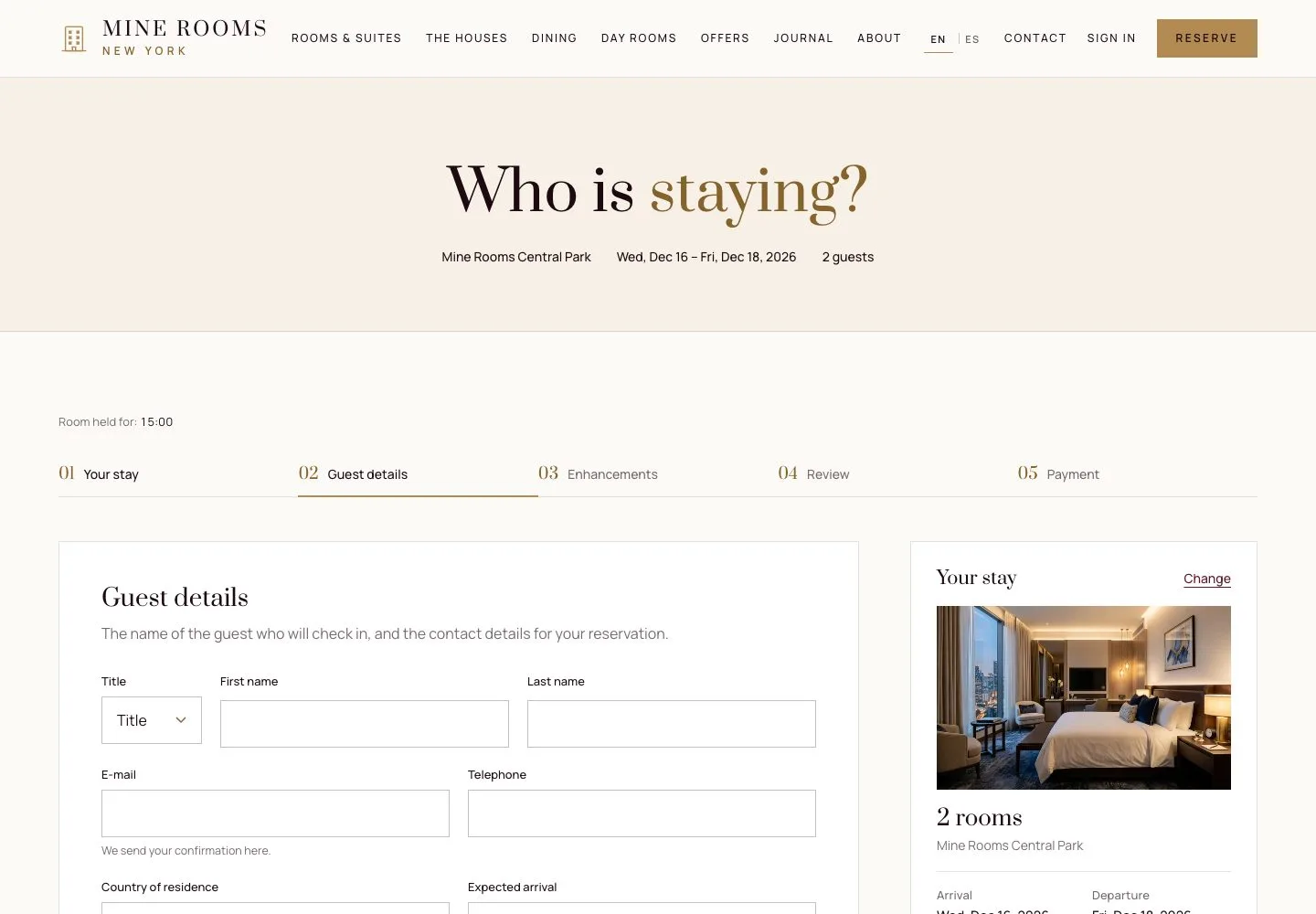
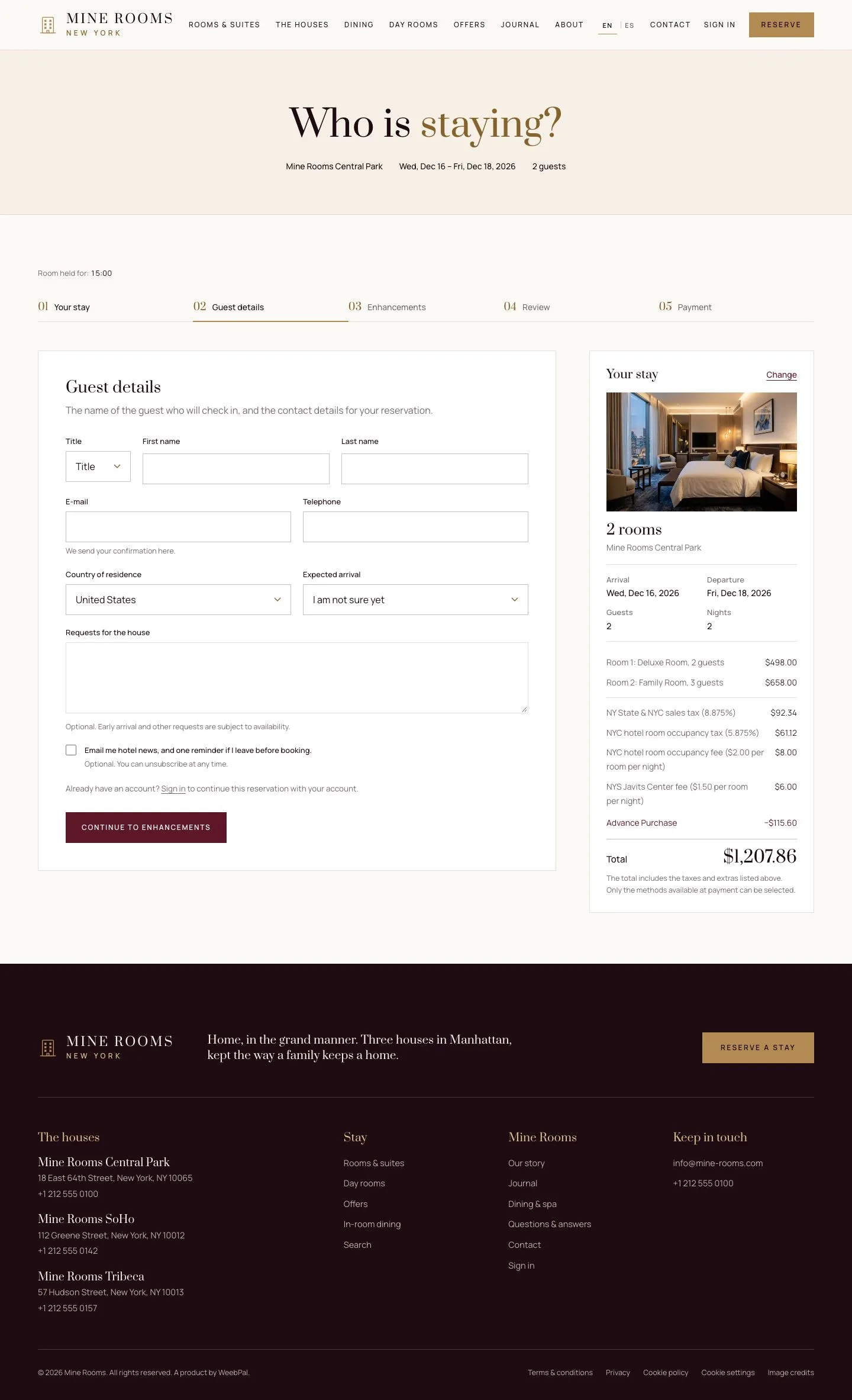
  1. All the rooms are held together for 15 minutes; Your stay shows the number of rooms.
  2. Enter the guest details once and pay once for all the rooms.

Enlarge, then scroll

Open illustrated screen ↗Full image ↗

Guest · Several rooms in one booking02

Your reservation

Visitor

Your reservation

3Step 3 of 3

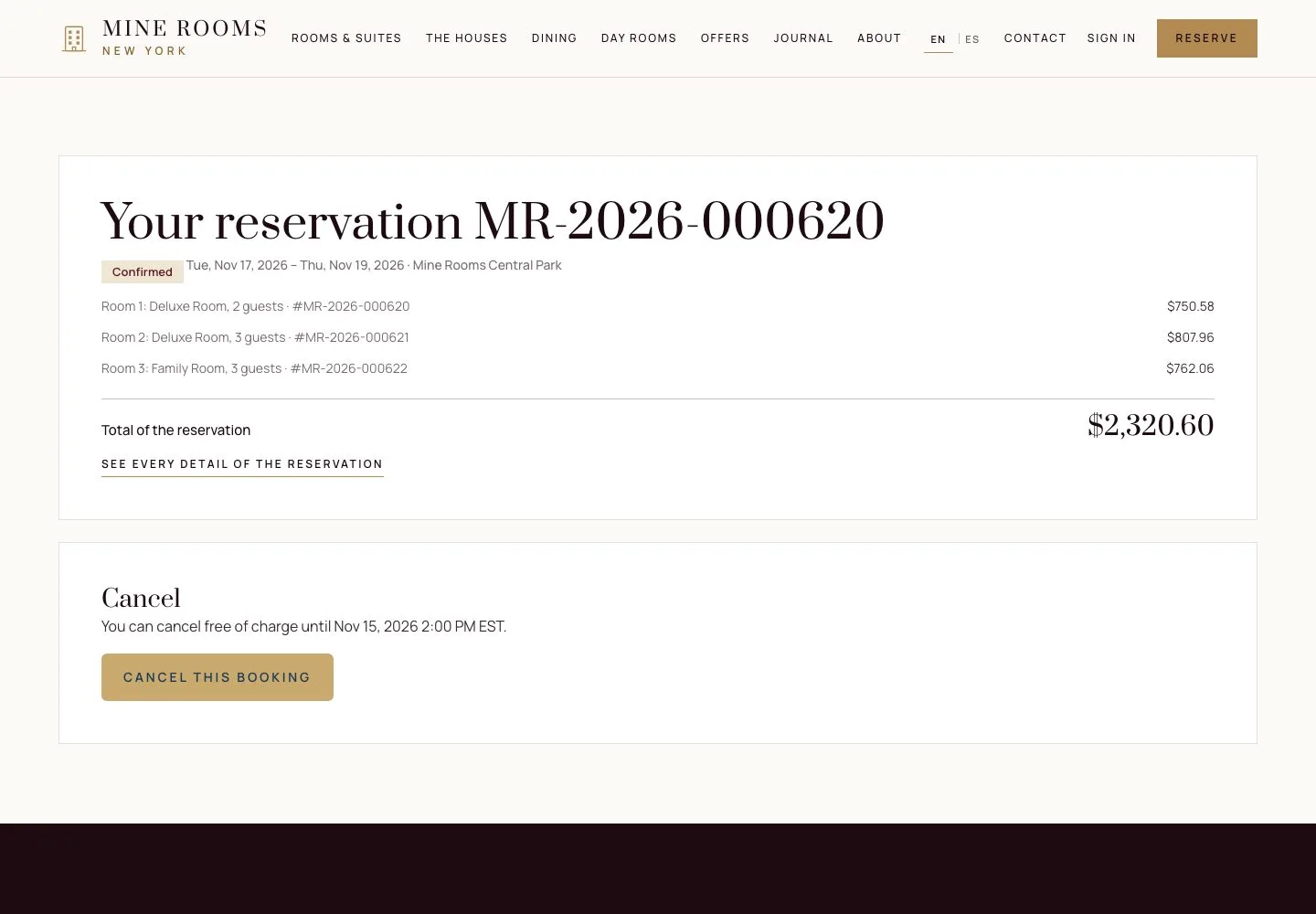
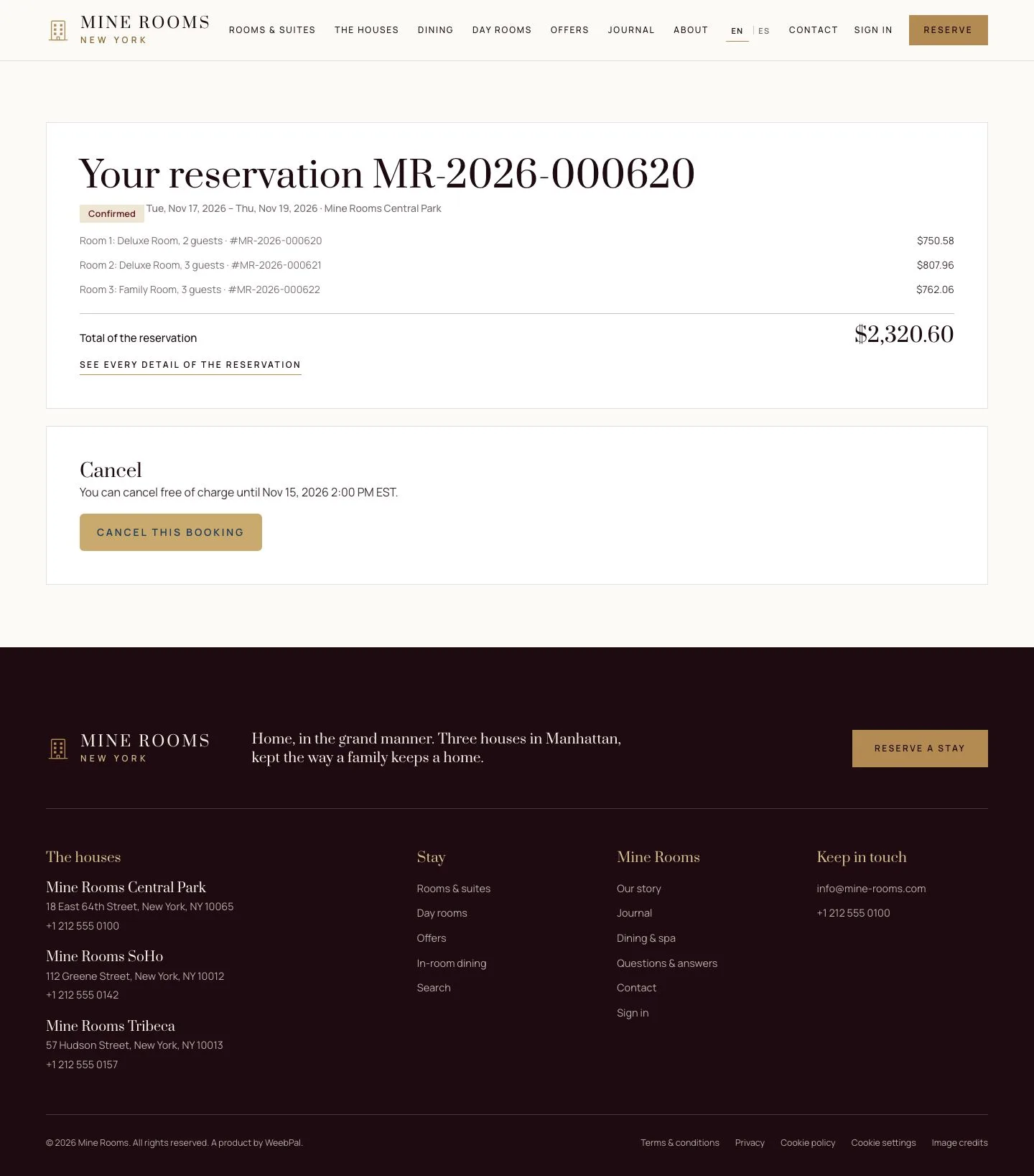
  1. The reservation page lists each room with its own booking reference and price, and the total of the reservation.

Enlarge, then scroll

Full image ↗

Check

All the rooms are booked together with one payment; each room has its own booking reference.

Guest · Several rooms in one booking03
1 / 4
Privacy Terms