Housekeeping and inspection

From check-out to a room that can be sold again

  • A room waiting for cleaning
  • Housekeeping staff in the house
  • A supervisor flag for inspections
Housekeeping
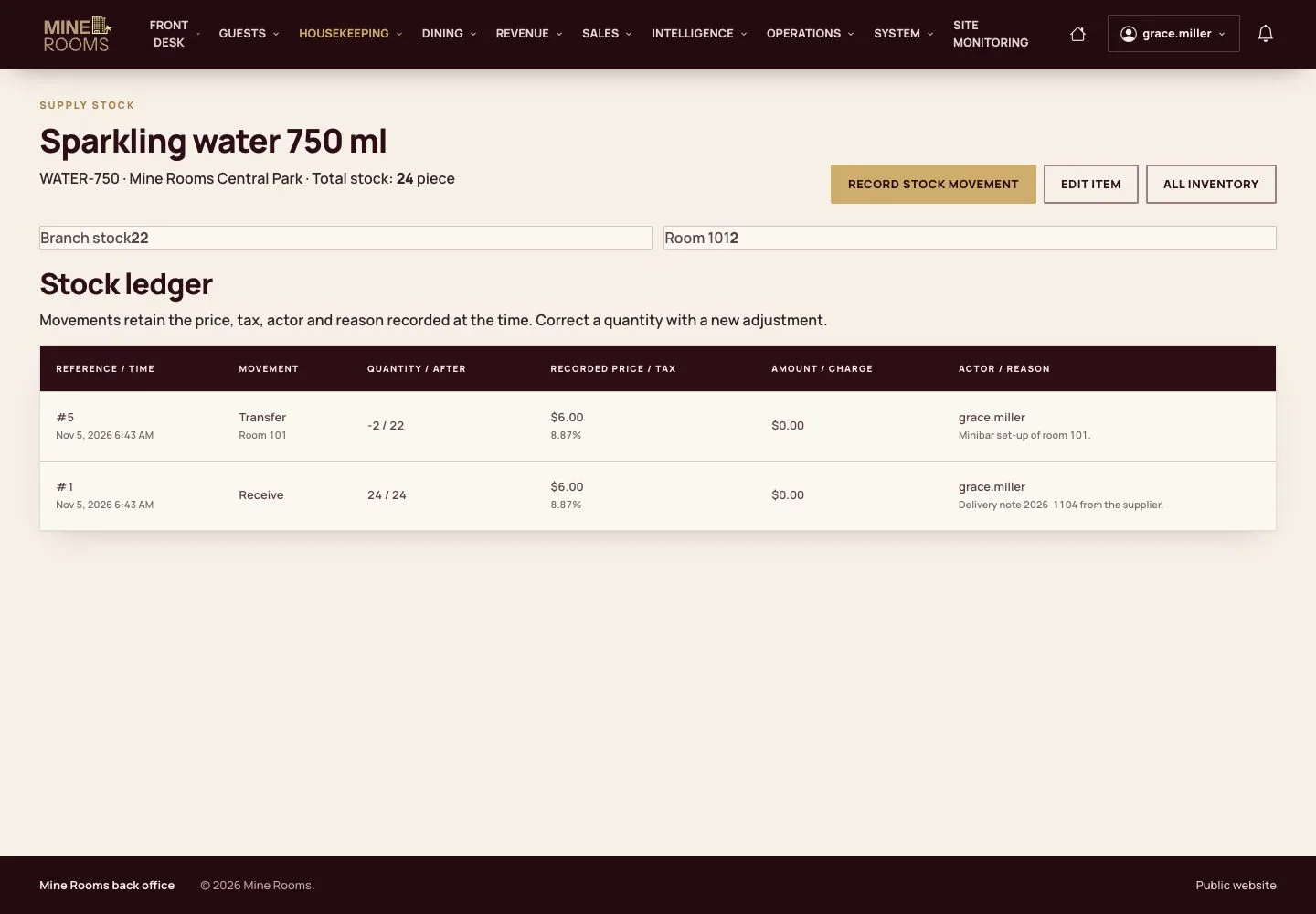
Stock and minibar

Manager

Stock and minibar

1Step 1 of 12

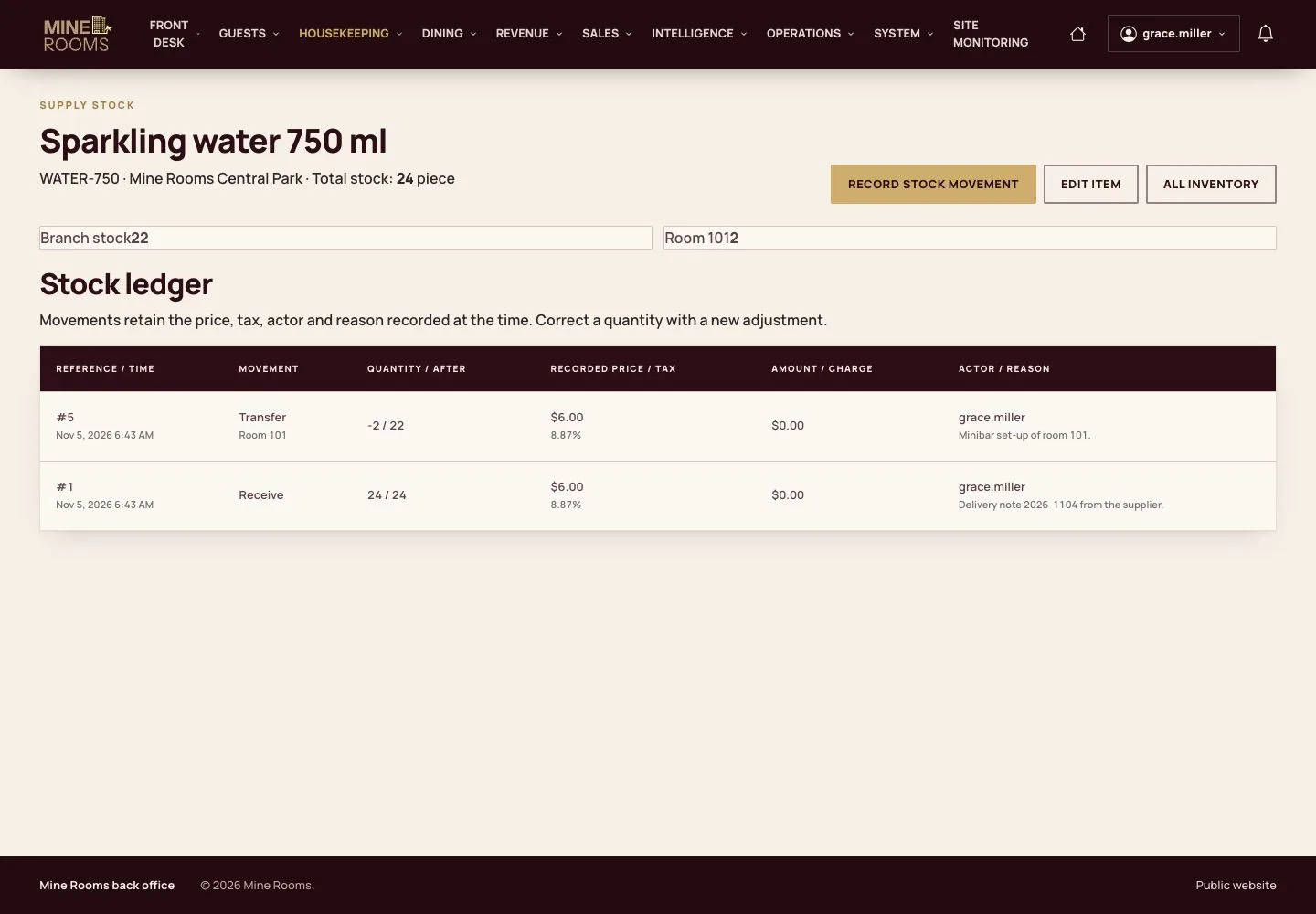
  1. Items, stock and the minibar of each room are kept in Inventory; every movement goes on the ledger.

Open illustrated screen ↗Full image ↗

Housekeeping · Housekeeping and inspection01

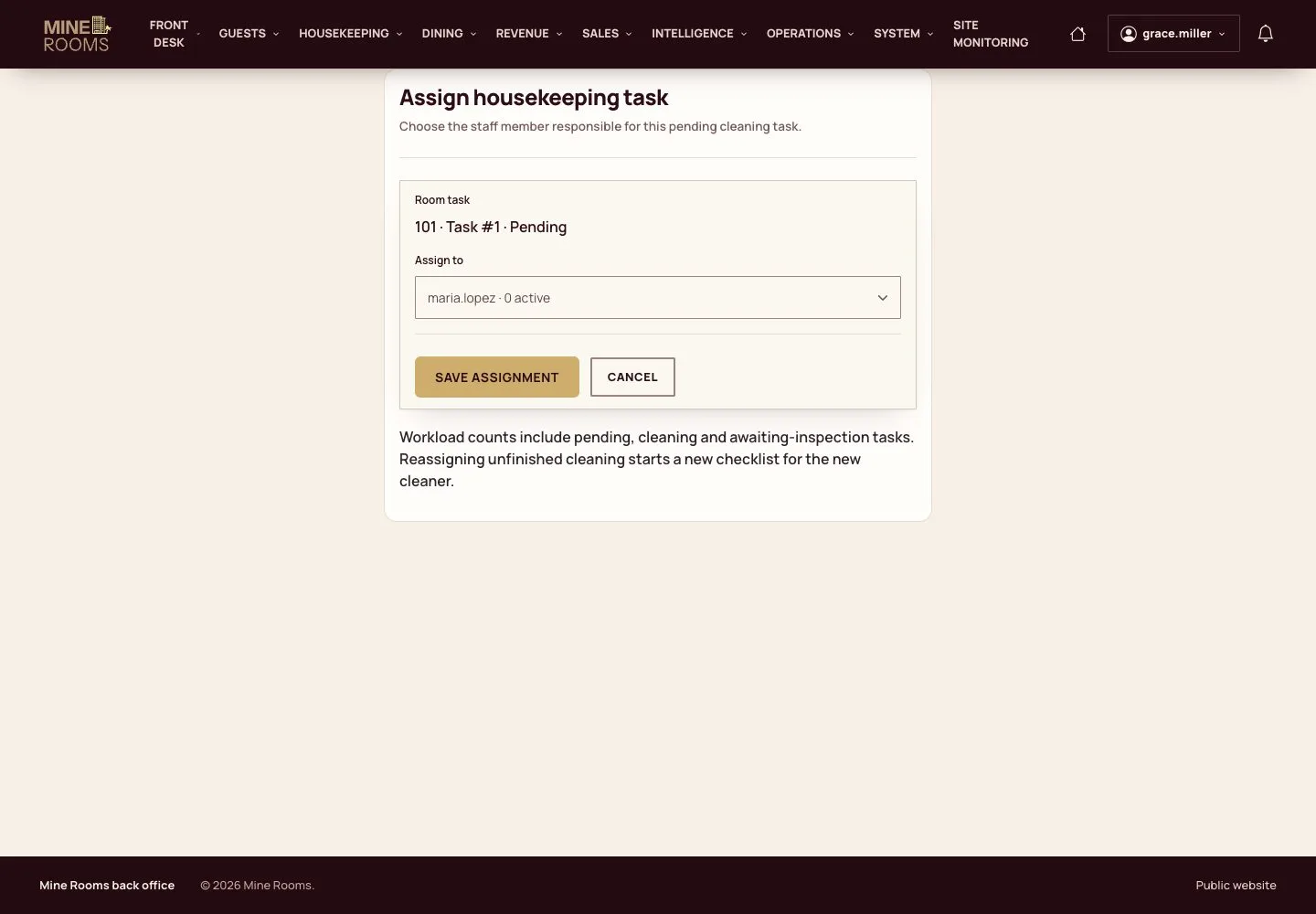
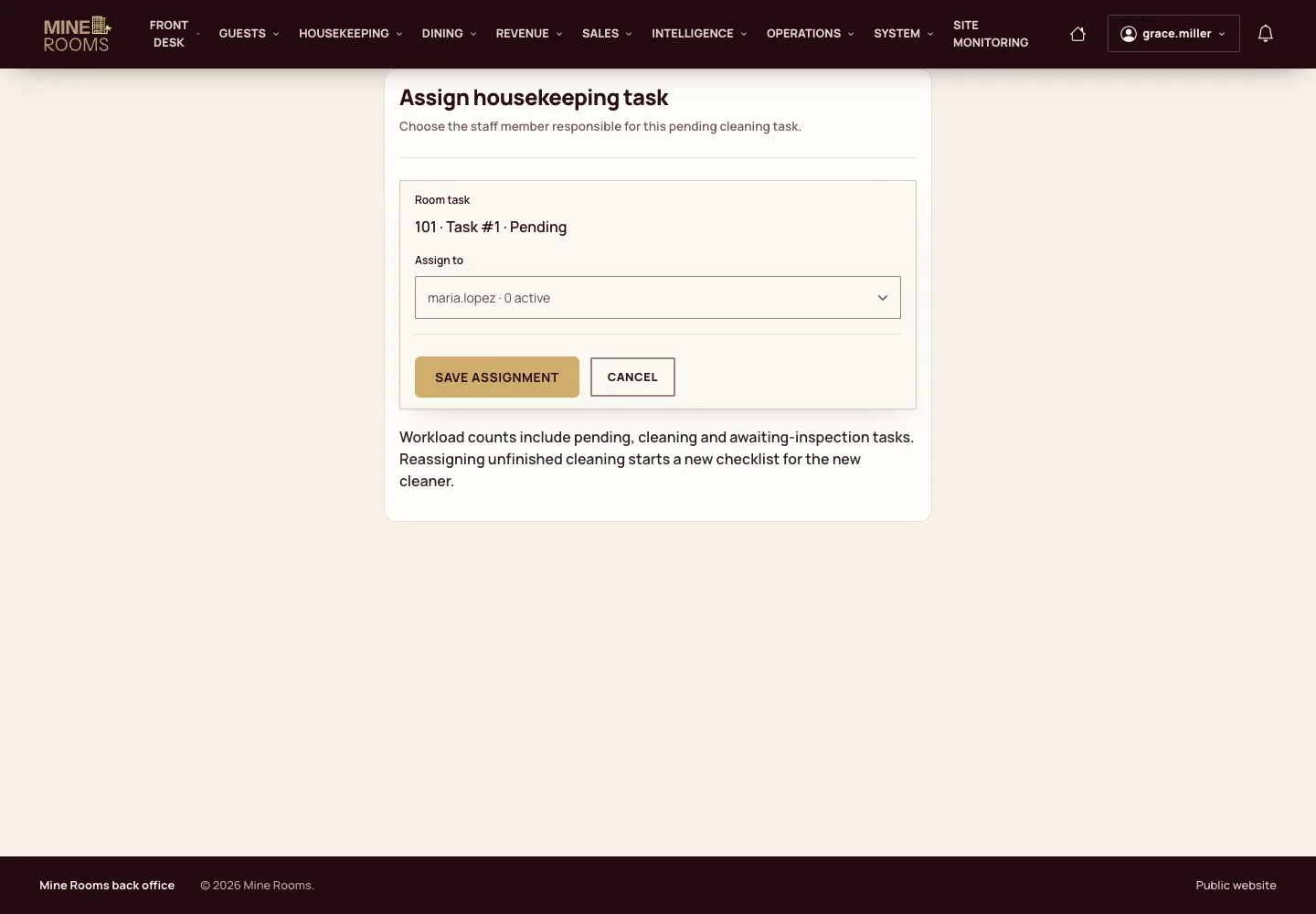
Assign the task

Manager

Assign the task

2Step 2 of 12

  1. A check-out creates a cleaning task by itself; a task can also be created by hand.
  2. Assign it to someone working in that house.

Full image ↗

Housekeeping · Housekeeping and inspection02

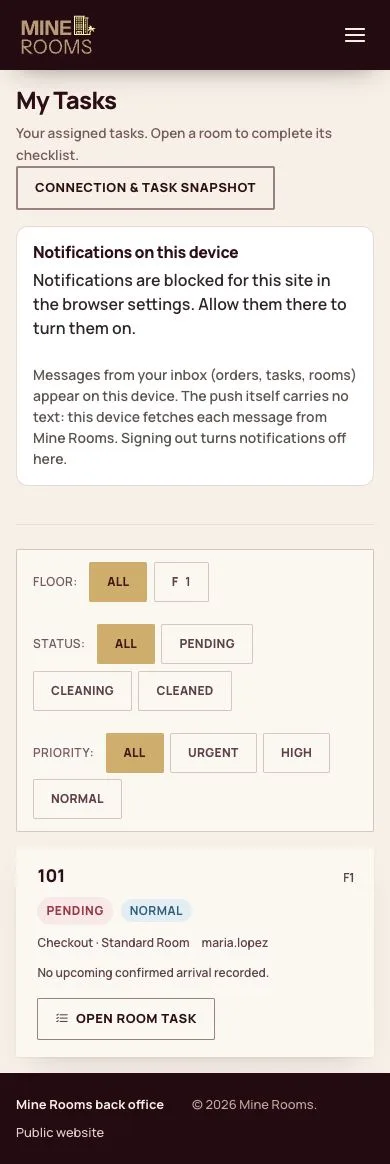
My Tasks

Housekeeping

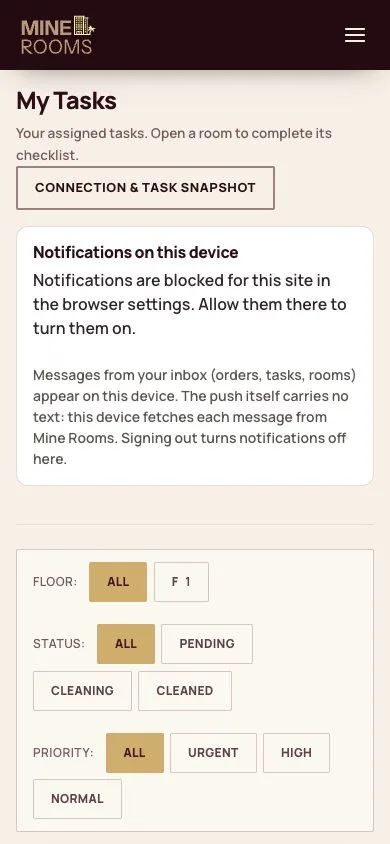
My Tasks

3Step 3 of 12

  1. Housekeeping works on a phone: the list opens at sign-in, filtered by floor, status and priority.

Enlarge, then scroll

Open illustrated screen ↗Full image ↗

Housekeeping · Housekeeping and inspection03

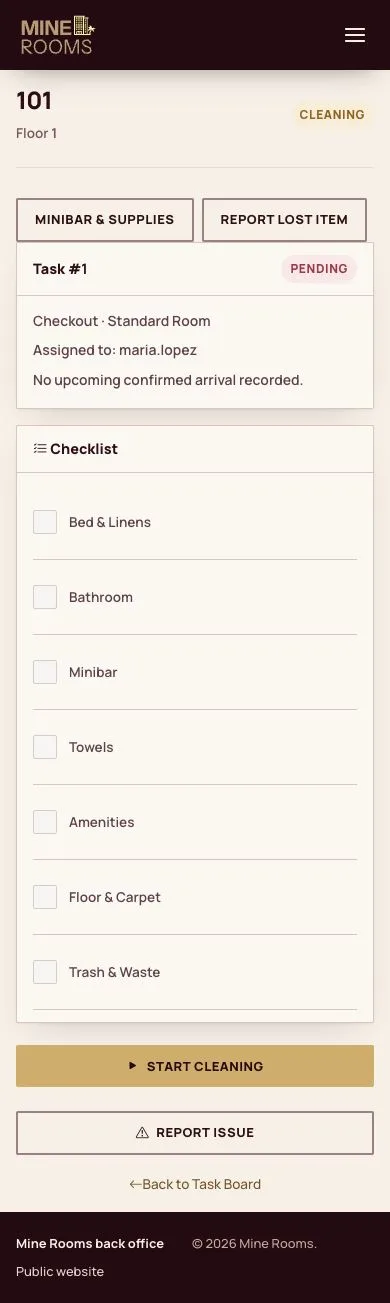
The room

Housekeeping

The room

4Step 4 of 12

  1. Open the room to see the task and start cleaning.

Enlarge, then scroll

Full image ↗

Housekeeping · Housekeeping and inspection04

Checklist

Housekeeping

Checklist

5Step 5 of 12

  1. Tick each item of the checklist as it is done.

A phone that loses its connection keeps the actions and sends them when it is back.

Enlarge, then scroll

Full image ↗

Housekeeping · Housekeeping and inspection05

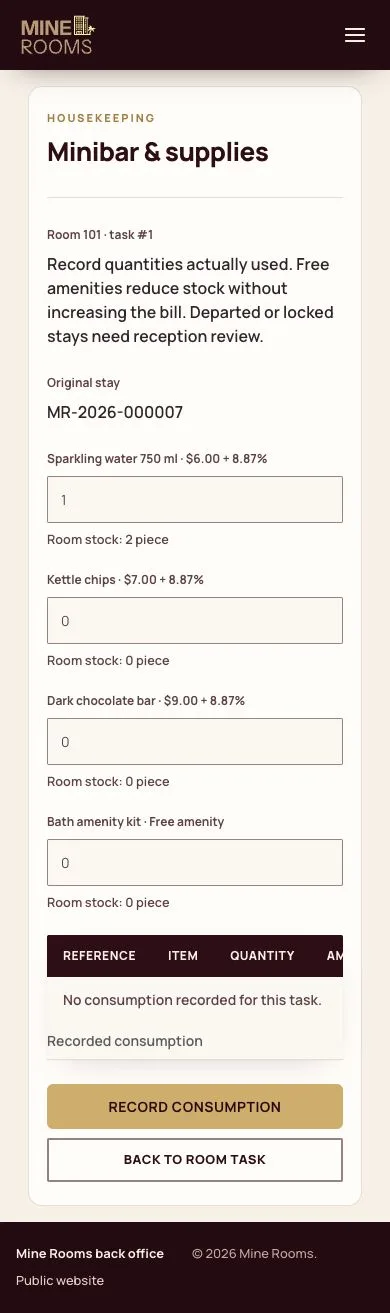
Minibar

Housekeeping

Minibar

6Step 6 of 12

  1. Record what was used: the quantities leave the room's stock and reach the folio when charged.

Enlarge, then scroll

Full image ↗

Housekeeping · Housekeeping and inspection06

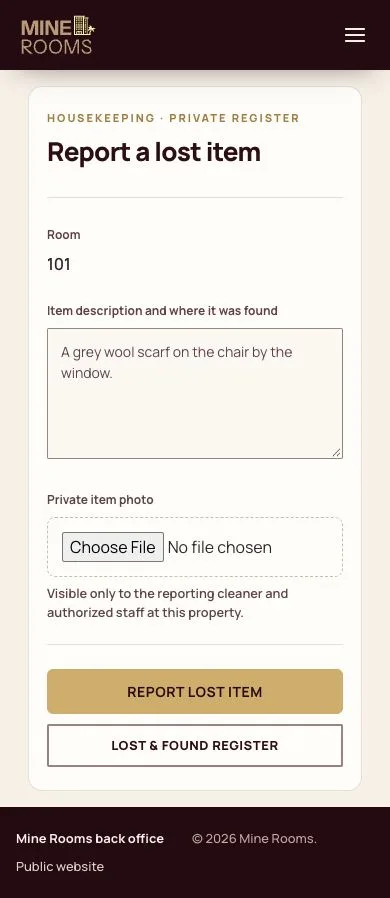
A lost item

Housekeeping

A lost item

7Step 7 of 12

  1. Report what was found, where and by whom; the item enters the lost and found register.

Enlarge, then scroll

Full image ↗

Housekeeping · Housekeeping and inspection07

Mark cleaned

Housekeeping

Mark cleaned

8Step 8 of 12

  1. With the list complete, mark the room cleaned. It now waits for inspection.

Enlarge, then scroll

Full image ↗

Housekeeping · Housekeeping and inspection08

Rooms to inspect

Housekeeping

Rooms to inspect

9Step 9 of 12

  1. The supervisor sees the cleaned rooms on Room Inspection.

Open illustrated screen ↗Full image ↗

Housekeeping · Housekeeping and inspection09

Approve

Housekeeping

Approve

10Step 10 of 12

  1. Approve, and the room is available for sale.

A room only returns to sale after this step.

Open illustrated screen ↗Full image ↗

Housekeeping · Housekeeping and inspection10

Send back

Housekeeping

Send back

11Step 11 of 12

  1. If something is wrong, write what to redo and send it back.

Enlarge, then scroll

Open illustrated screen ↗Full image ↗

Housekeeping · Housekeeping and inspection11

Back on the list

Housekeeping

Back on the list

12Step 12 of 12

  1. The task returns to the cleaner with the supervisor's note.

Enlarge, then scroll

Open illustrated screen ↗Full image ↗

Check

The room is approved and available again.

Housekeeping · Housekeeping and inspection12
1 / 13
Privacy Terms