









Desk and phone reservations
The party, the price by guests and the reservation in two steps
- A house with rooms and prices
- The guest's name and a phone or an email
Receptionist
Fill the reservation
Receptionist

1Step 1 of 3
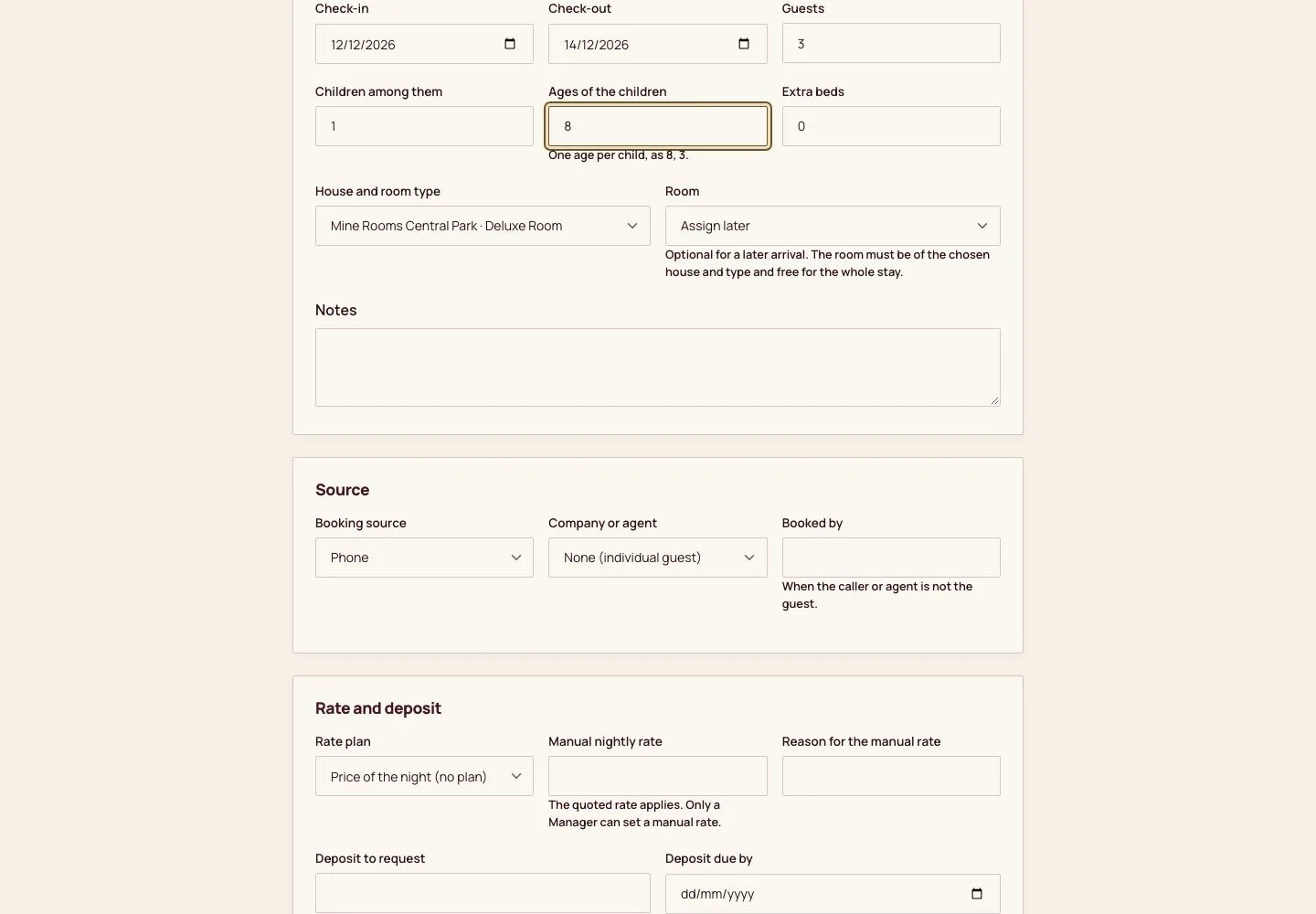
- Front desk, then Desk reservation: the guest's name, phone and email.
- The arrival, the departure and the number of guests; the children among them with the age of each, and the extra beds wanted.
- The house and room type, and the room now or later; the source (walk-in, phone, email, OTA with its Channel booking code, travel agent) and, for a company guest, the company and its rate plan.
- A deposit to request and its due date if the house asks for one, then Review booking.
Each child needs an age: the price of the night depends on it. Only a manager can set a manual nightly rate.
Enlarge, then scroll
Review the price
Receptionist
2Step 2 of 3
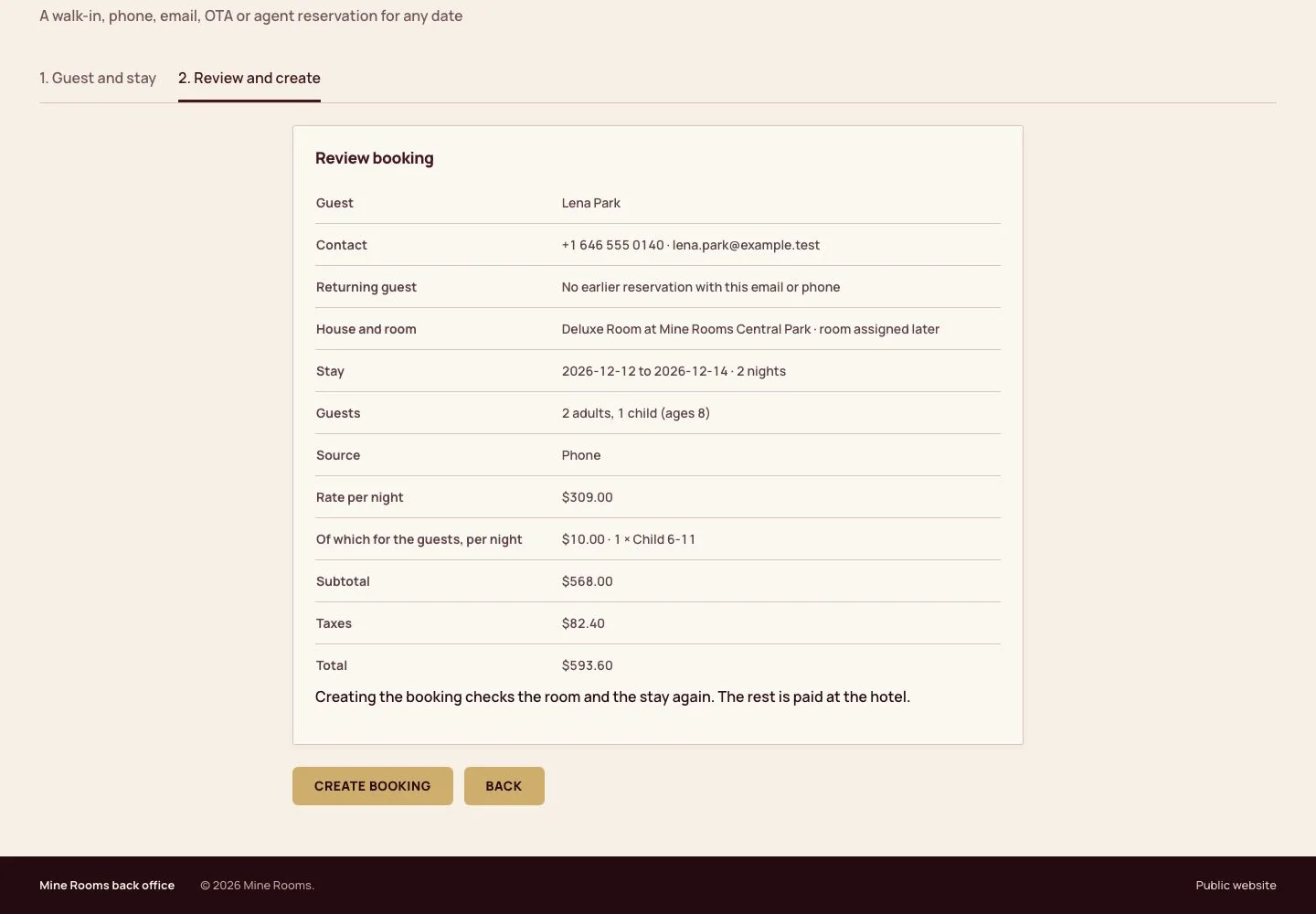
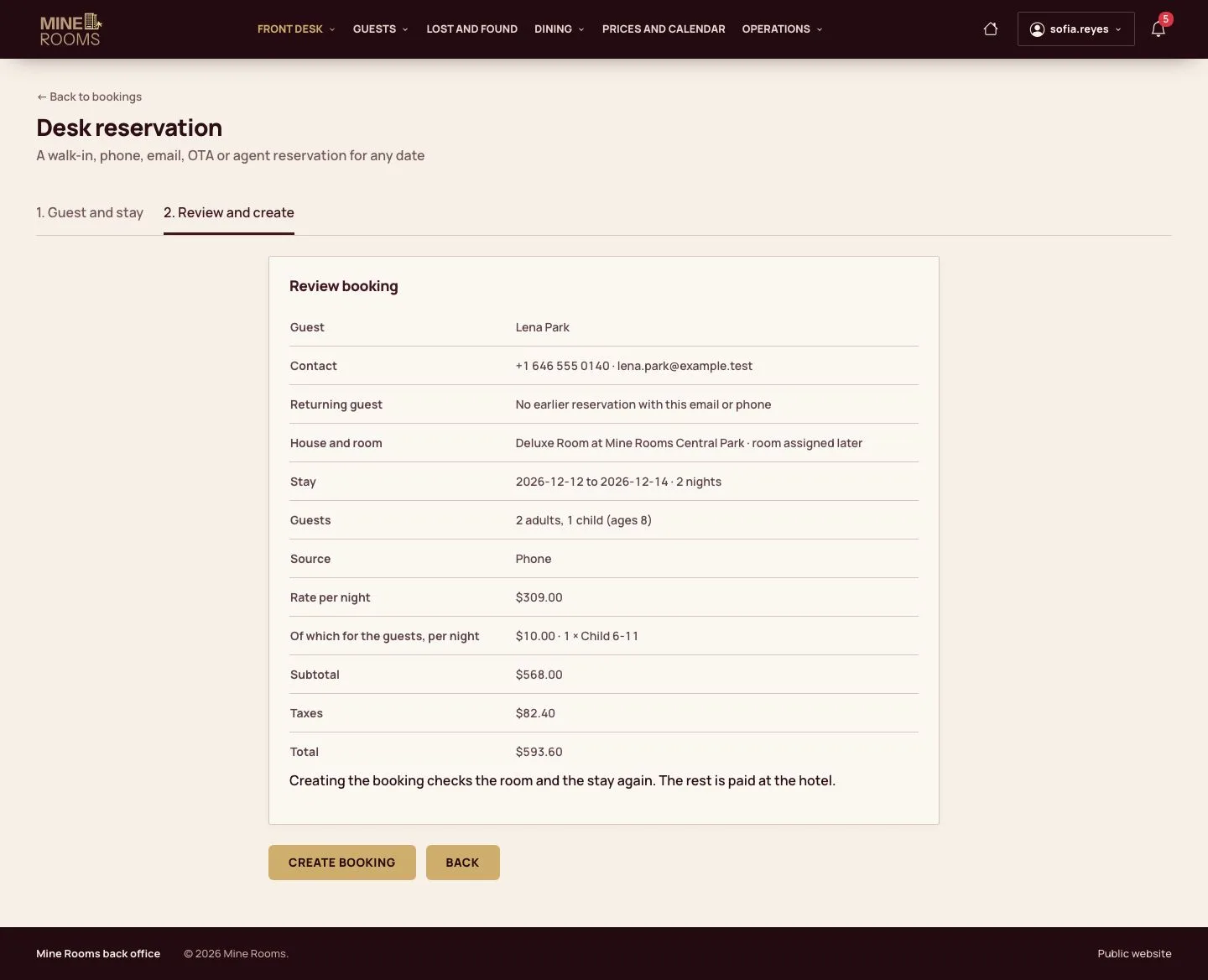
- The review shows the guest, whether the email or phone has stayed before, the stay and the price.
- Under the rate per night, the part for the guests: an extra adult, a child by age band, an extra bed, or less for one adult alone.
- Create booking writes the reservation; Back returns to the details.
A room type takes no more adults or guests than it allows; the form says so before anything is written.
Enlarge, then scroll
The reservation
Receptionist
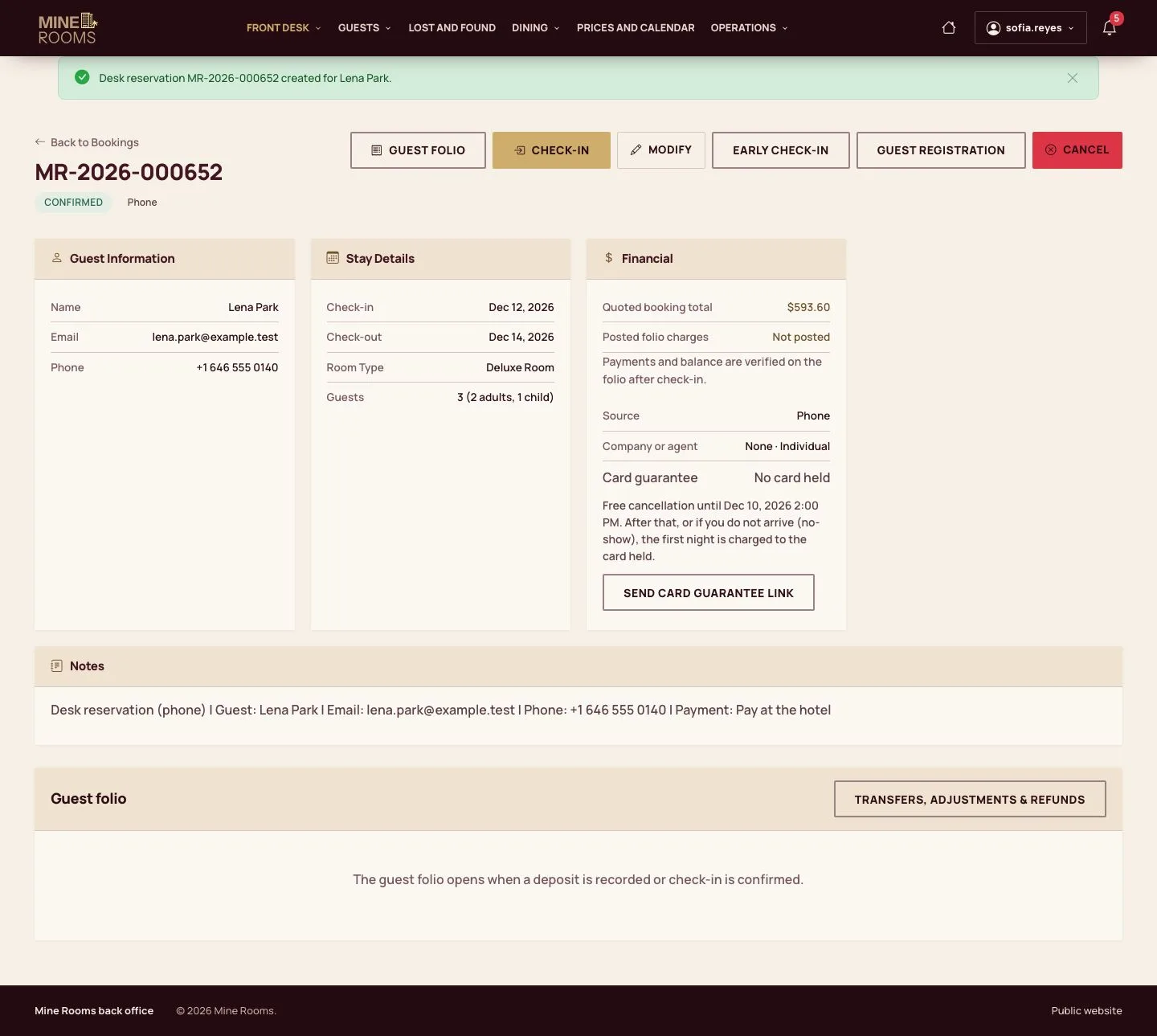
3Step 3 of 3
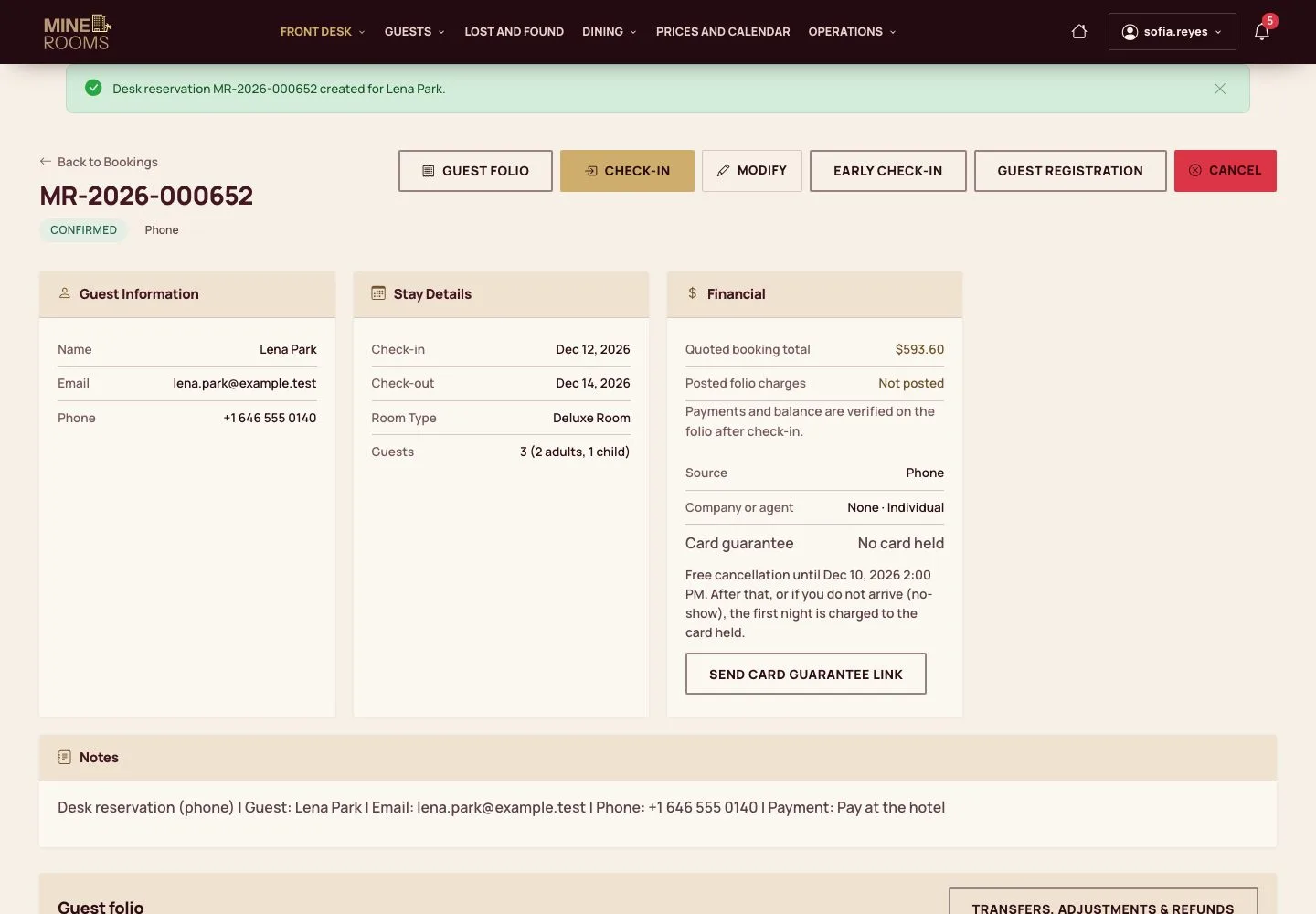
- The booking page shows the stay, the guest and the price, the free cancellation deadline and Send card guarantee link.
- On the day of arrival, Check-in on the same page.
Step by step: Card guarantee
Enlarge, then scroll
Check
The reservation is written with the price of each night for the party, and the room type has one room less for the stay.
1 / 4