Rate plans and guest prices

Plans with their terms, restrictions and one price per room type for any party

  • Room types with their prices
Manager
Prices and calendar

Manager

Prices and calendar

1Step 1 of 4

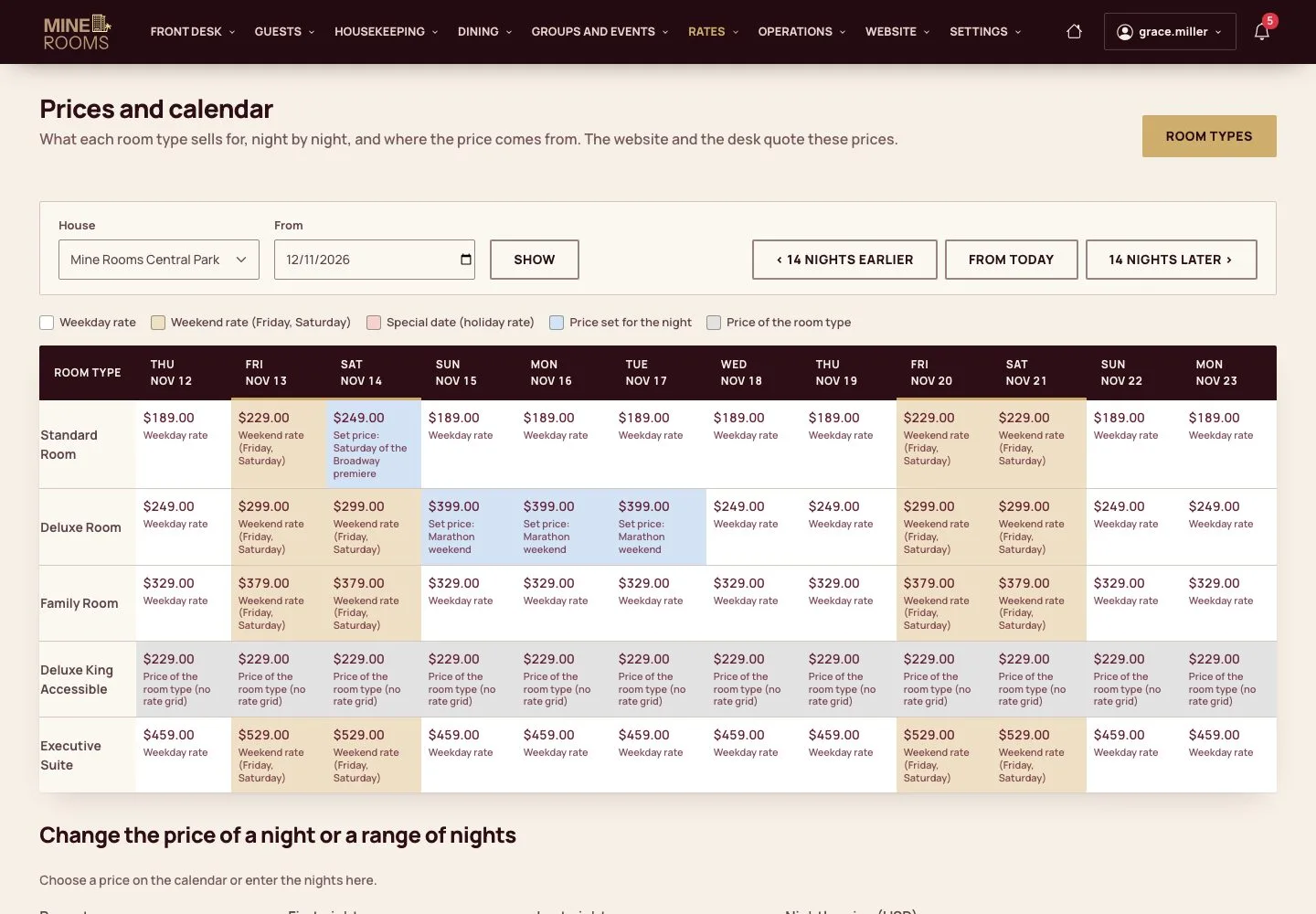
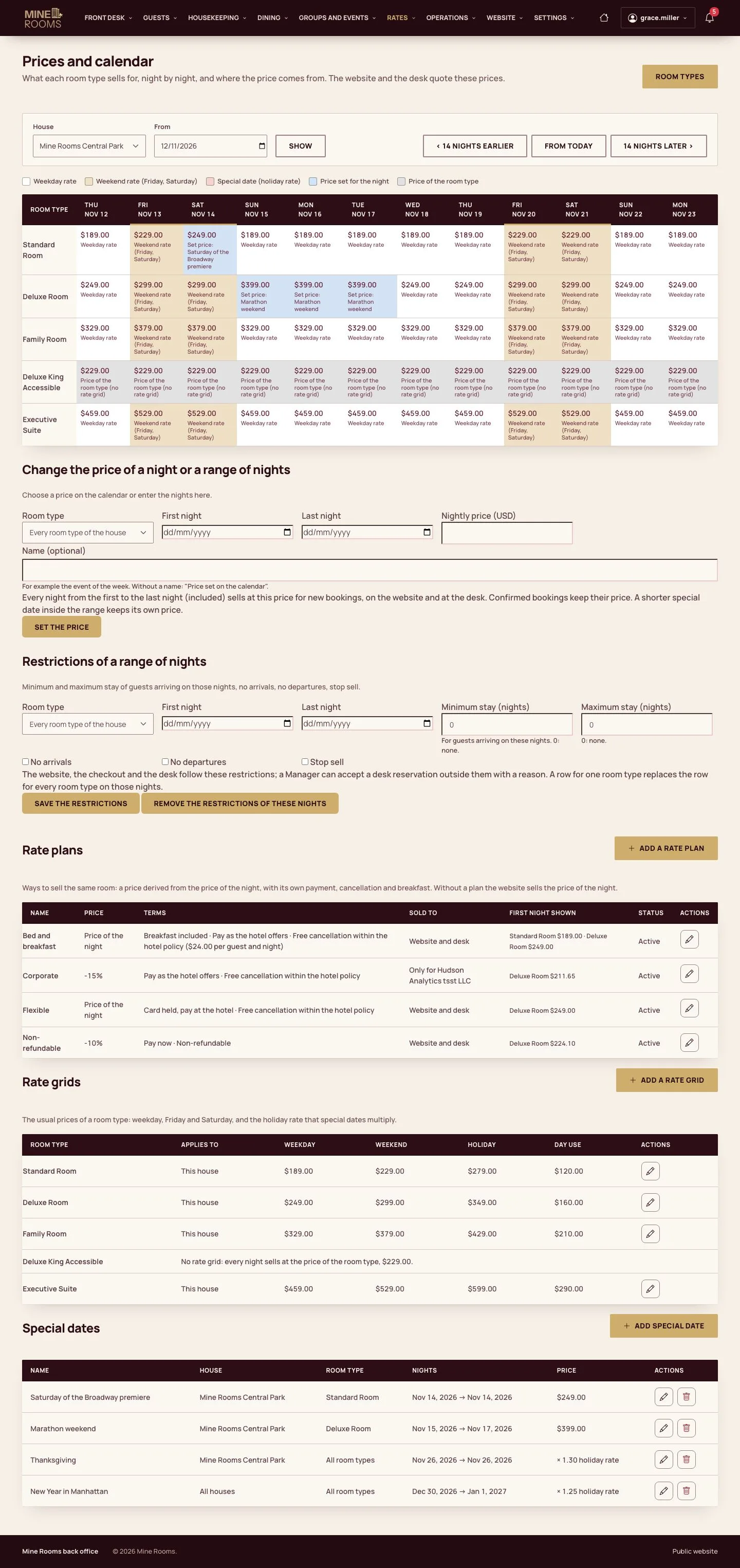
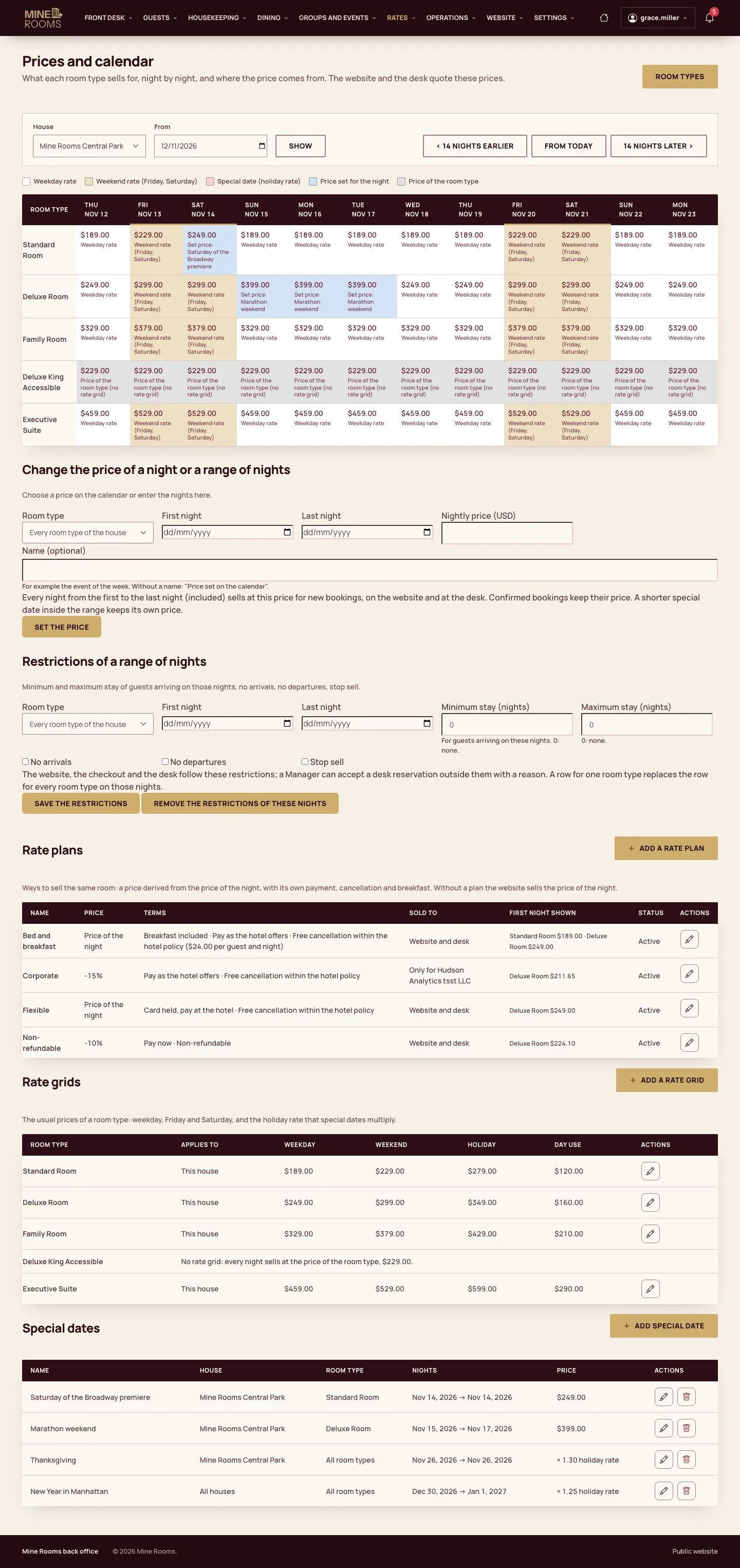
  1. Prices and calendar shows the price of each night by room type, the special dates and the restrictions of the house.

Enlarge, then scroll

Open illustrated screen ↗Full image ↗

Manager · Rate plans and guest prices01

Rate plans

Manager

Rate plans

2Step 2 of 4

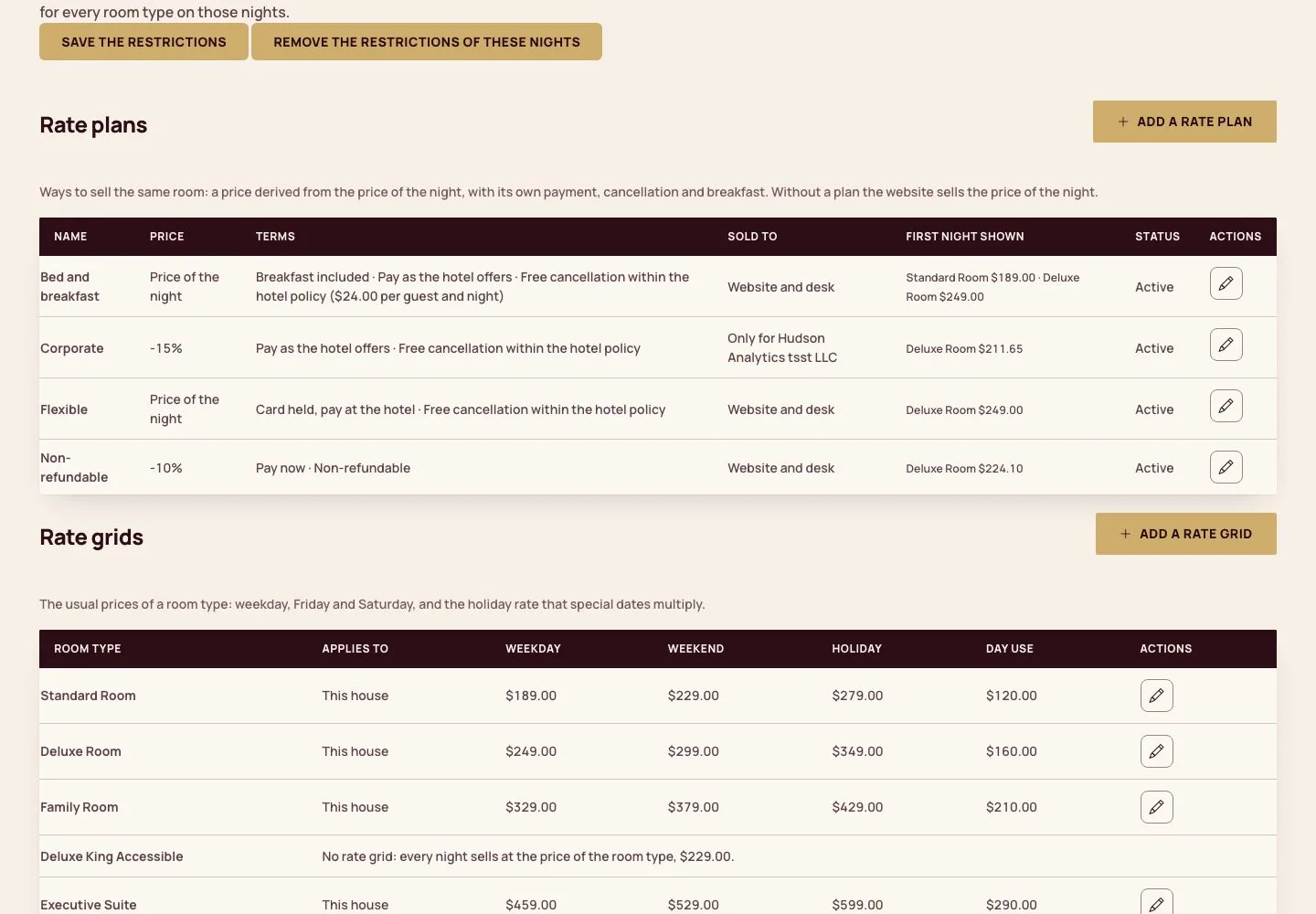
  1. Each plan shows its price change, payment, cancellation terms and breakfast; Add a rate plan creates one.

Enlarge, then scroll

Open illustrated screen ↗Full image ↗

Manager · Rate plans and guest prices02

Add a rate plan

Manager

Add a rate plan

3Step 3 of 4

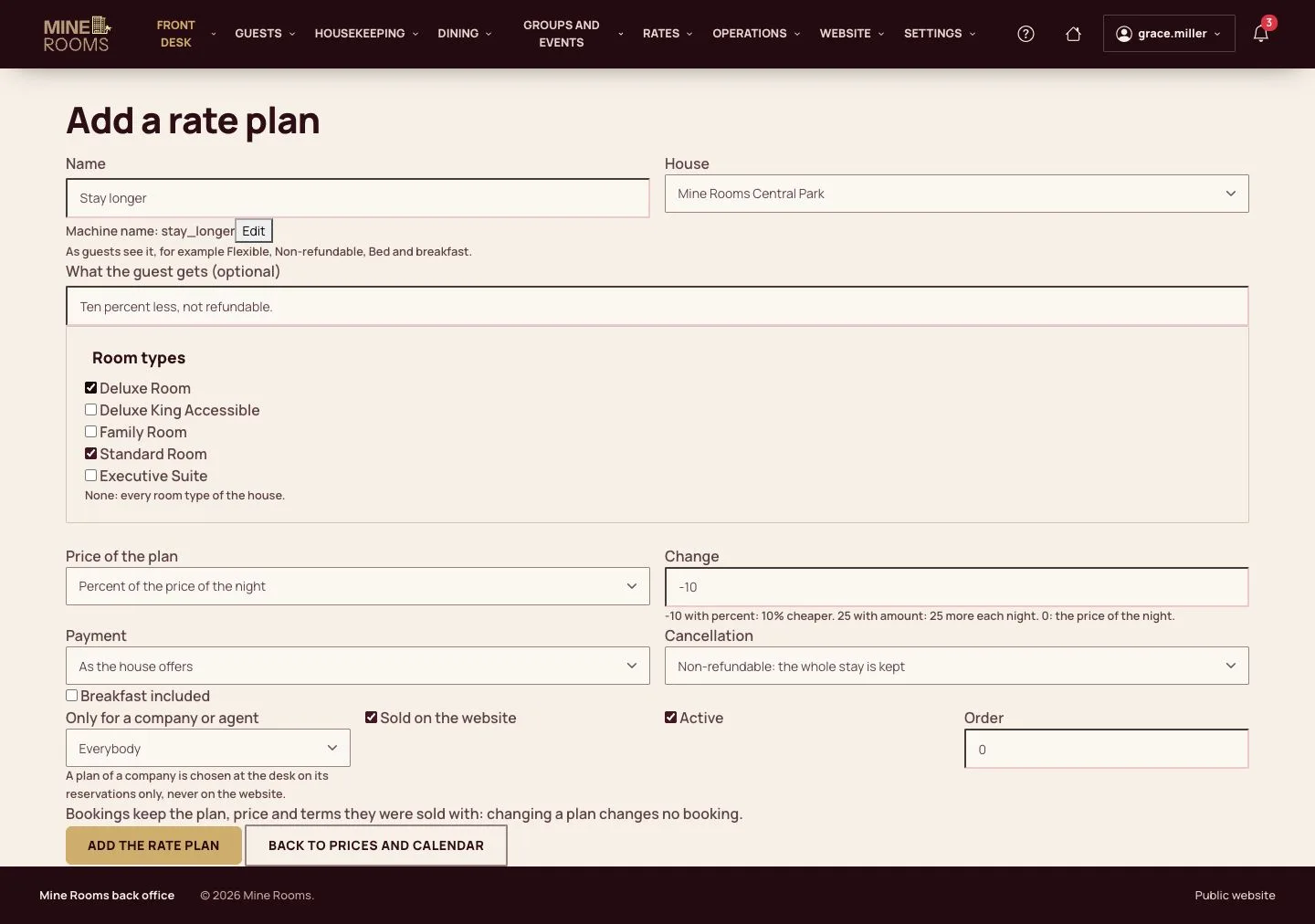
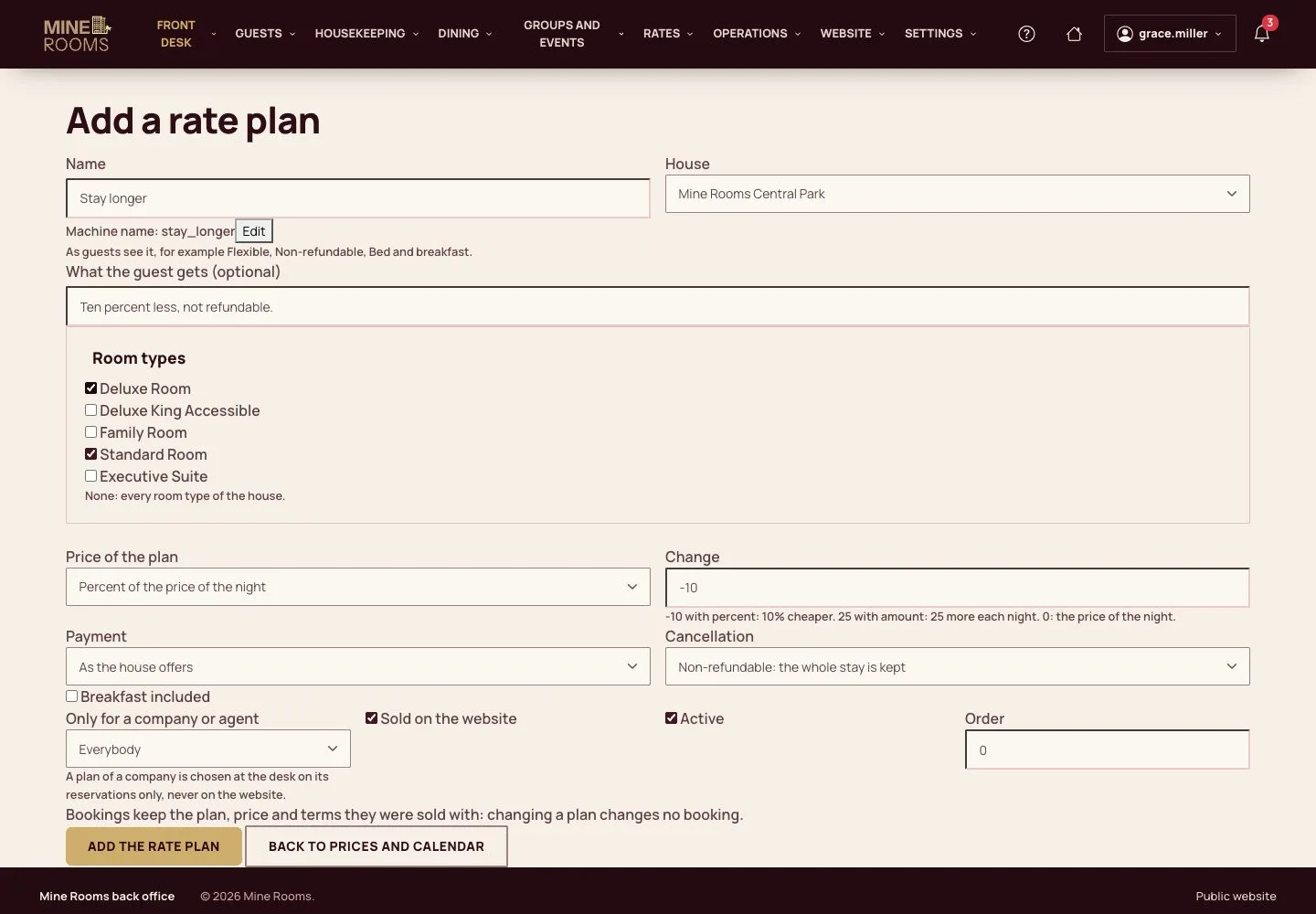
  1. Name the plan and choose the house and room types, the change of price, the payment and the cancellation terms.
  2. Breakfast included adds its own line each night; a plan of a company is sold at the desk only.

Bookings keep the plan, price and terms they were sold with.

Enlarge, then scroll

Open illustrated screen ↗Full image ↗

Manager · Rate plans and guest prices03

Price by number of guests

Manager

Price by number of guests

4Step 4 of 4

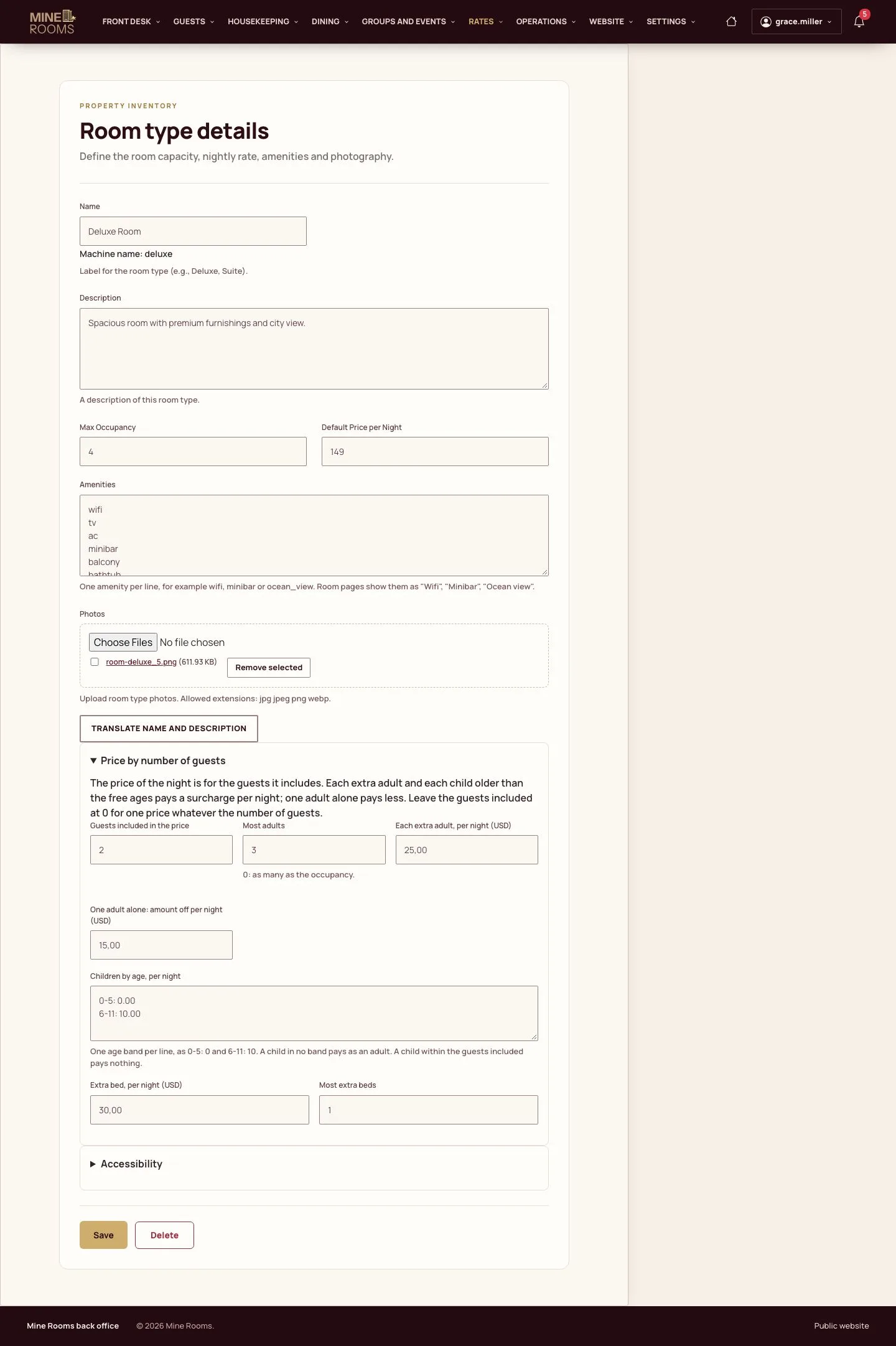
  1. On the room type, set the guests included in the price, the most adults, the surcharge of each extra adult, the children by age band, the amount off for one adult alone and the extra beds.
  2. The website, the desk and the rate plans all use this price.

Enlarge, then scroll

Full image ↗

Check

Each plan sells with its own price and terms, and every party pays the price of its guests.

Manager · Rate plans and guest prices04
1 / 5
Privacy Terms