Staff and access

Each person sees only the work and the houses given to them

  • The first administrator account
  • A mail service for invitations
Administrator
User management

Administrator

User management

1Step 1 of 10

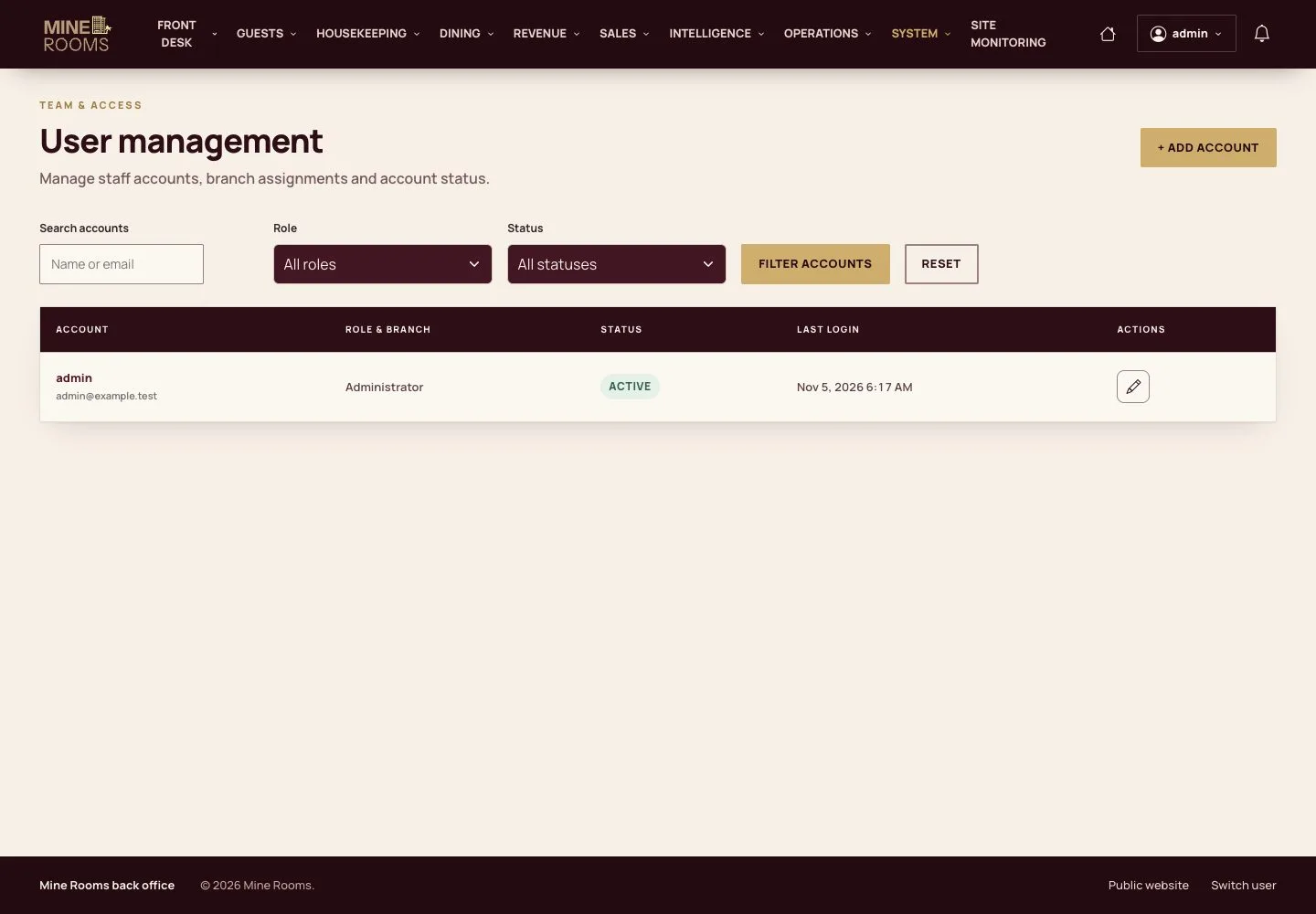
  1. Search and filter accounts by role and status in User management.

Open illustrated screen ↗Full image ↗

Administrator · Staff and access01

Add an account

Administrator

Add an account

2Step 2 of 10

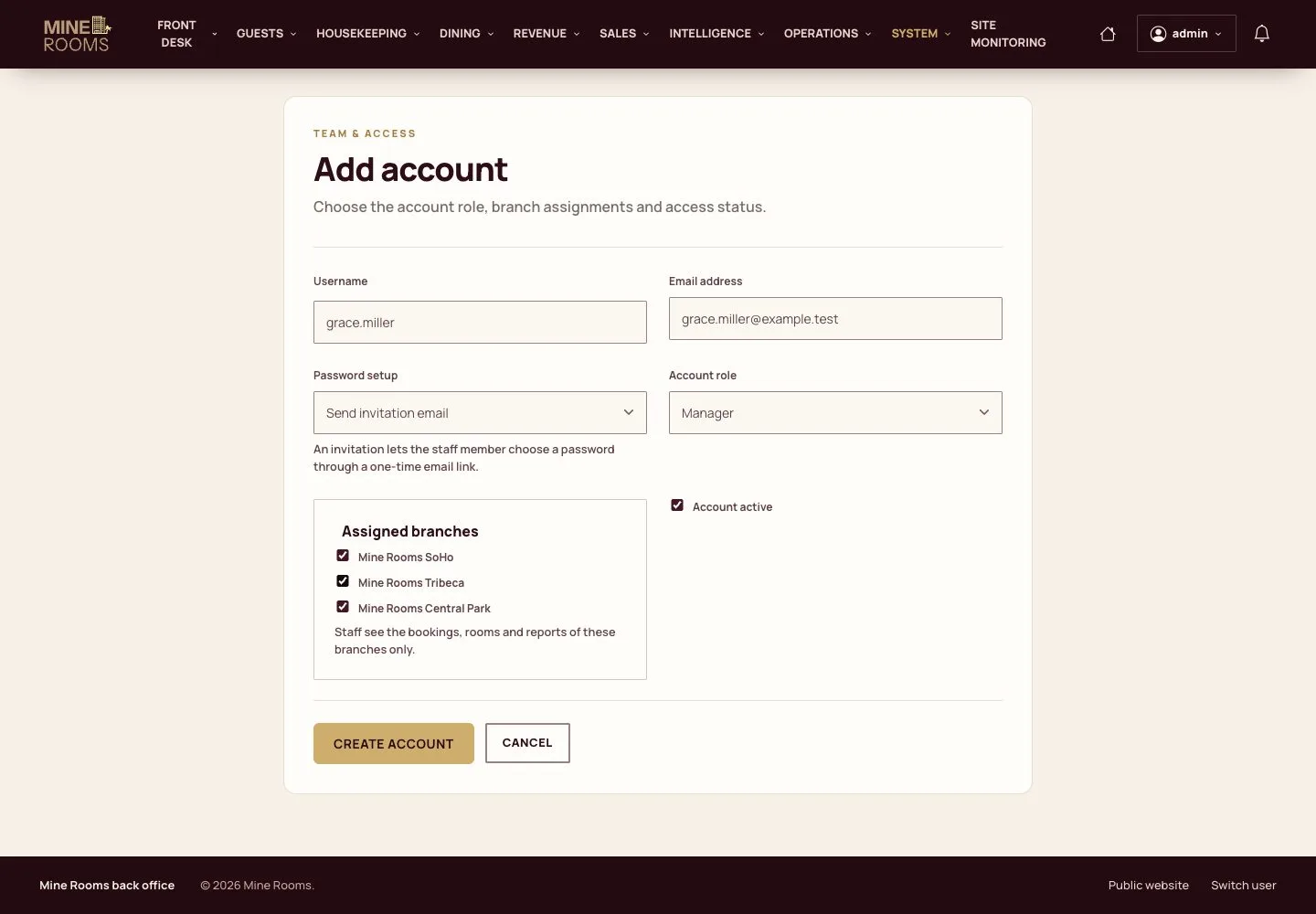
  1. Enter the username and email, choose how the password is set, the role and the houses.
  2. A staff account needs at least one house.

Open illustrated screen ↗Full image ↗

Administrator · Staff and access02

Created

Administrator

Created

3Step 3 of 10

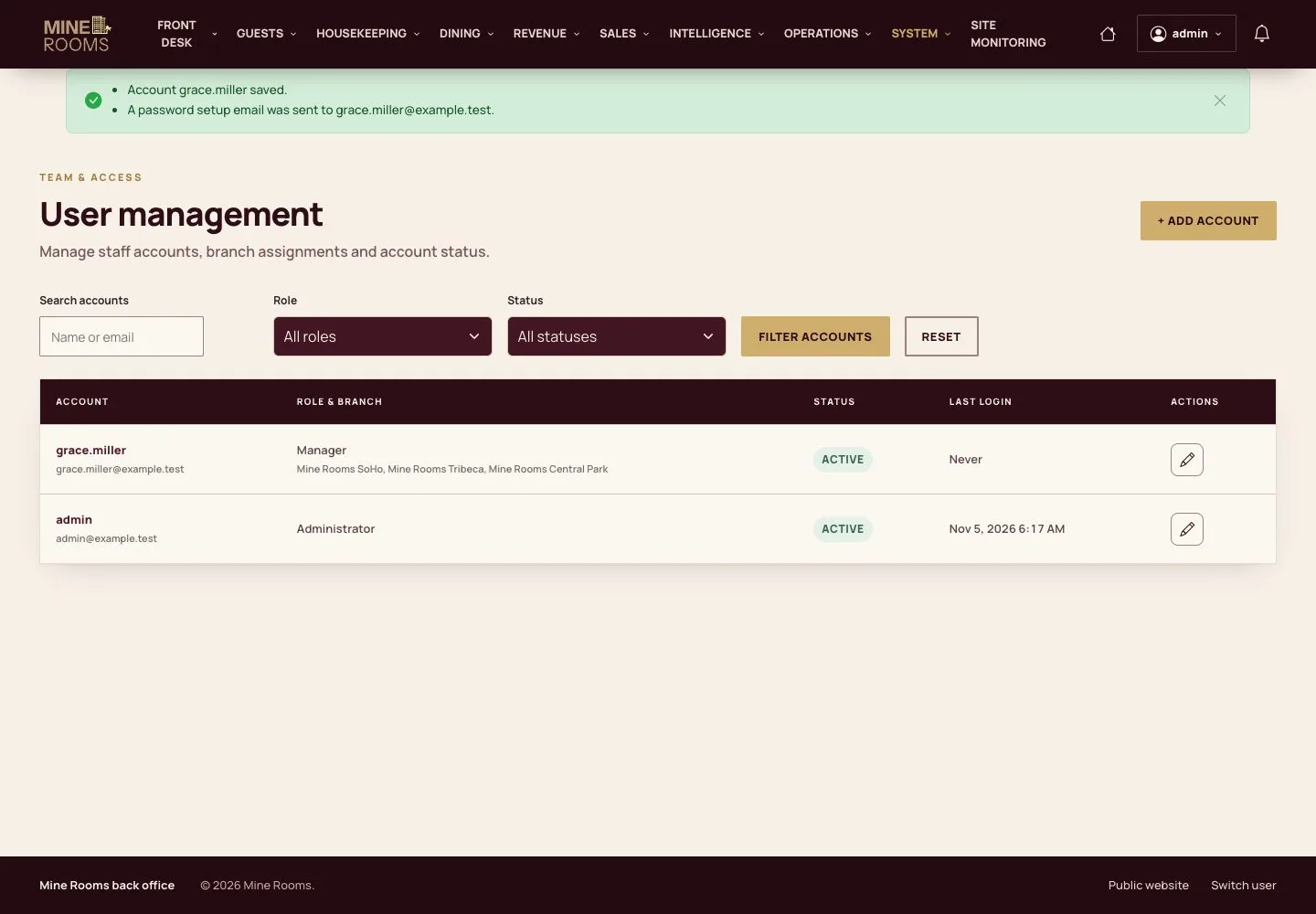
  1. The account is created and the invitation is sent.

Open illustrated screen ↗Full image ↗

Administrator · Staff and access03

Staff of the hotel

Manager

Staff of the hotel

4Step 4 of 10

  1. A manager adds the desk, housekeeping, kitchen and editor accounts and sees them by role, house and status.

A person who signs in lands on their own screen: Room Board, My Tasks, Kitchen Display, Content library or My account.

Enlarge, then scroll

Open illustrated screen ↗Full image ↗

Administrator · Staff and access04

Outside the role

Receptionist

Outside the role

5Step 5 of 10

  1. A page outside the role answers Access Denied, even with its address.

Open illustrated screen ↗Full image ↗

Administrator · Staff and access05

Change the houses

Manager

Change the houses

6Step 6 of 10

  1. Edit the account to change its houses; it applies from the next request.

Enlarge, then scroll

Open illustrated screen ↗Full image ↗

Administrator · Staff and access06

Block an account

Manager

Block an account

7Step 7 of 10

  1. Clearing Account active blocks the person; switching it on restores the role and the houses.

Open illustrated screen ↗Full image ↗

Administrator · Staff and access07

See what staff see

Administrator

See what staff see

8Step 8 of 10

  1. An administrator can work as a staff member to help or to check something.

Open illustrated screen ↗Full image ↗

Administrator · Staff and access08

Back

Administrator

Back

9Step 9 of 10

  1. Returning takes one click, and the switch is written to the activity log.

Open illustrated screen ↗Full image ↗

Administrator · Staff and access09

Payment providers

Administrator

Payment providers

10Step 10 of 10

  1. The administrator connects Stripe and PayPal with their keys, in test or live mode, and tests the connection.

Stored keys are hidden in this screen and never shown back.

Enlarge, then scroll

Open illustrated screen ↗Full image ↗

Check

Staff sign in to their own screen, for their own houses only.

Administrator · Staff and access10
1 / 11
Privacy Terms