Online booking

One held room and one price, from search to confirmation

  • A house with rooms, rates and at least one payment method
Guest
Search a house

Visitor

Search a house

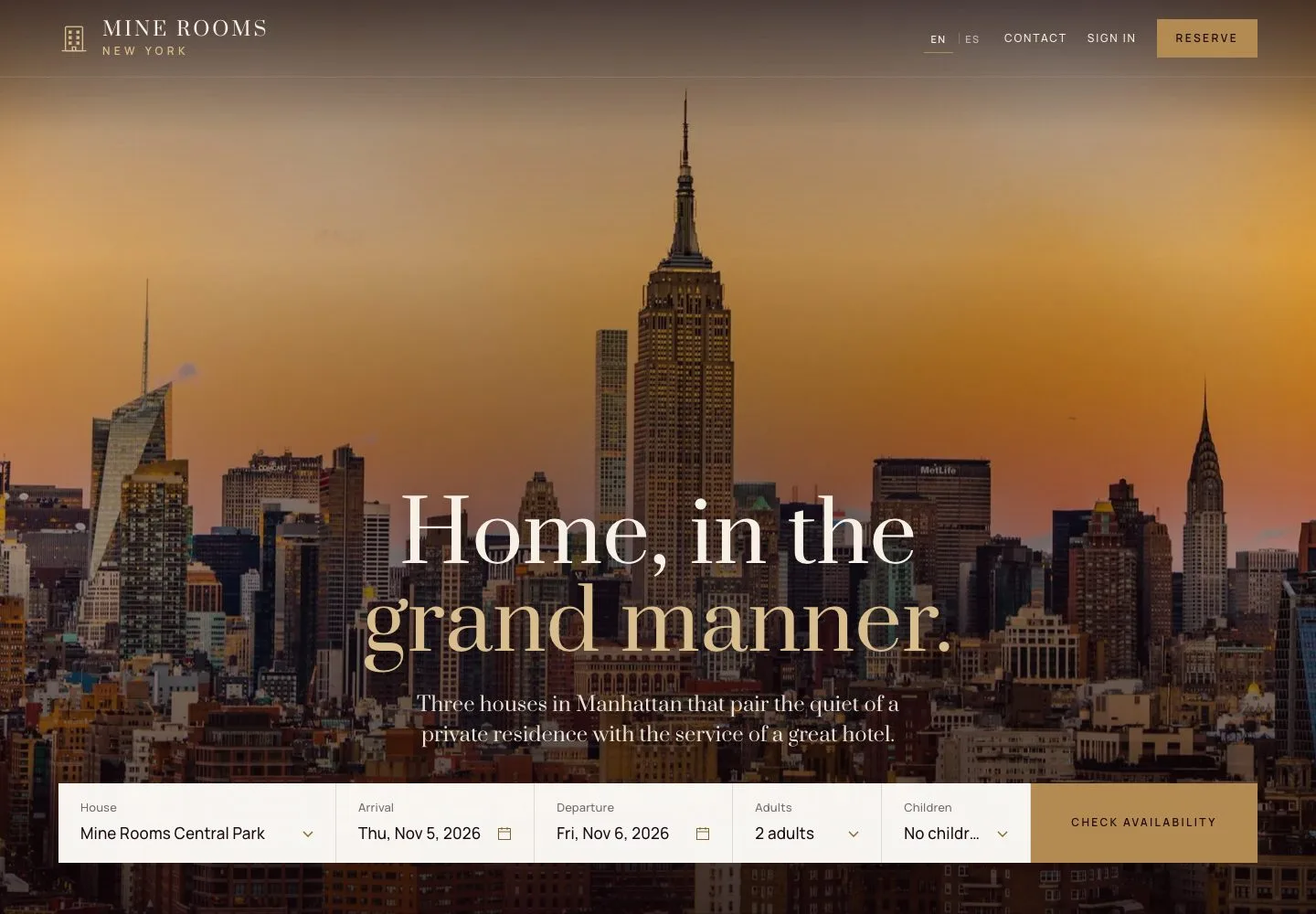
1Step 1 of 10

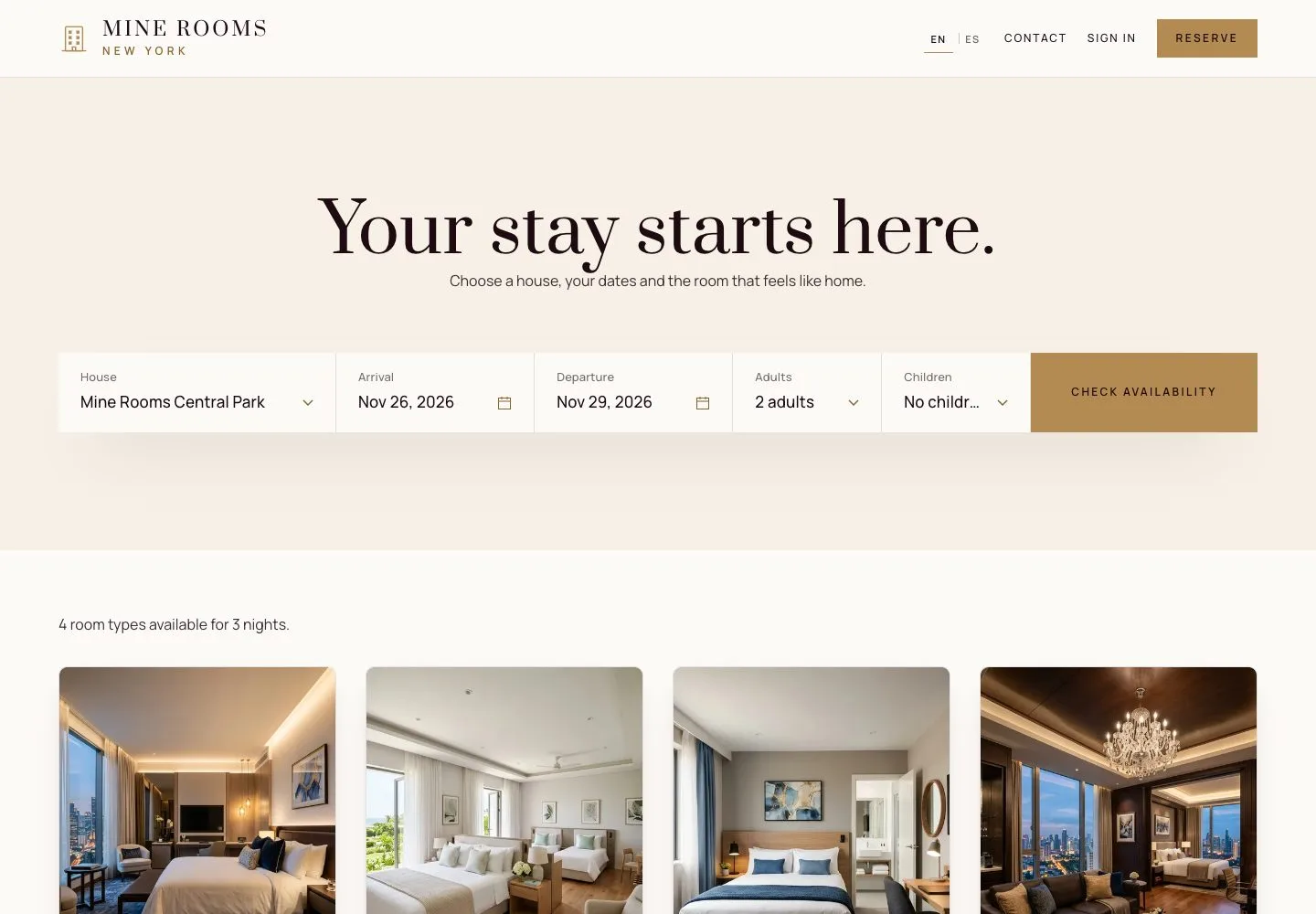
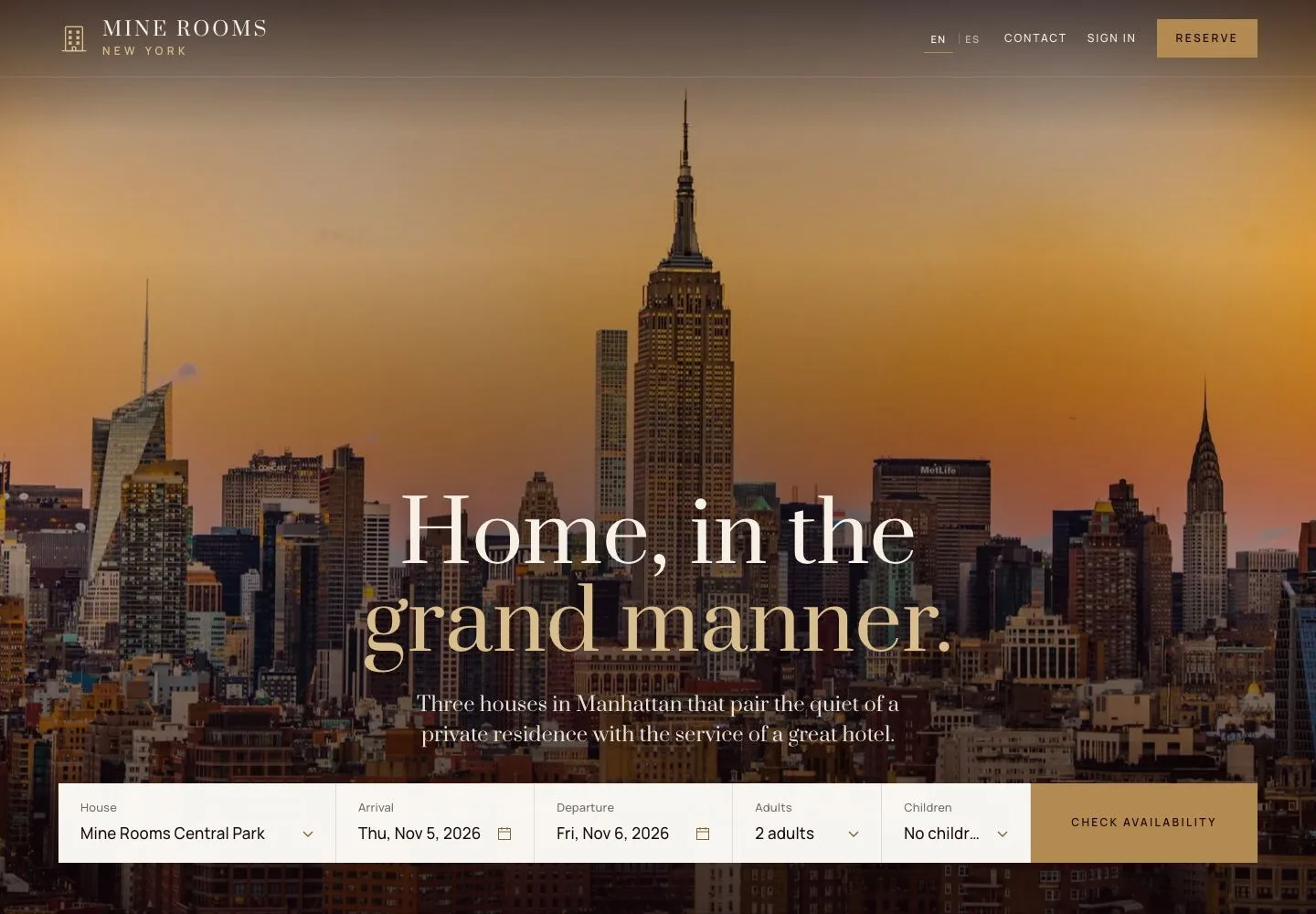
  1. Choose the house, the arrival, the departure, the adults and the children in the form on the home page.
  2. Search opens the room types that are free for those dates.

Open illustrated screen ↗Full image ↗

Guest · Online booking01

Available rooms

Visitor

Available rooms

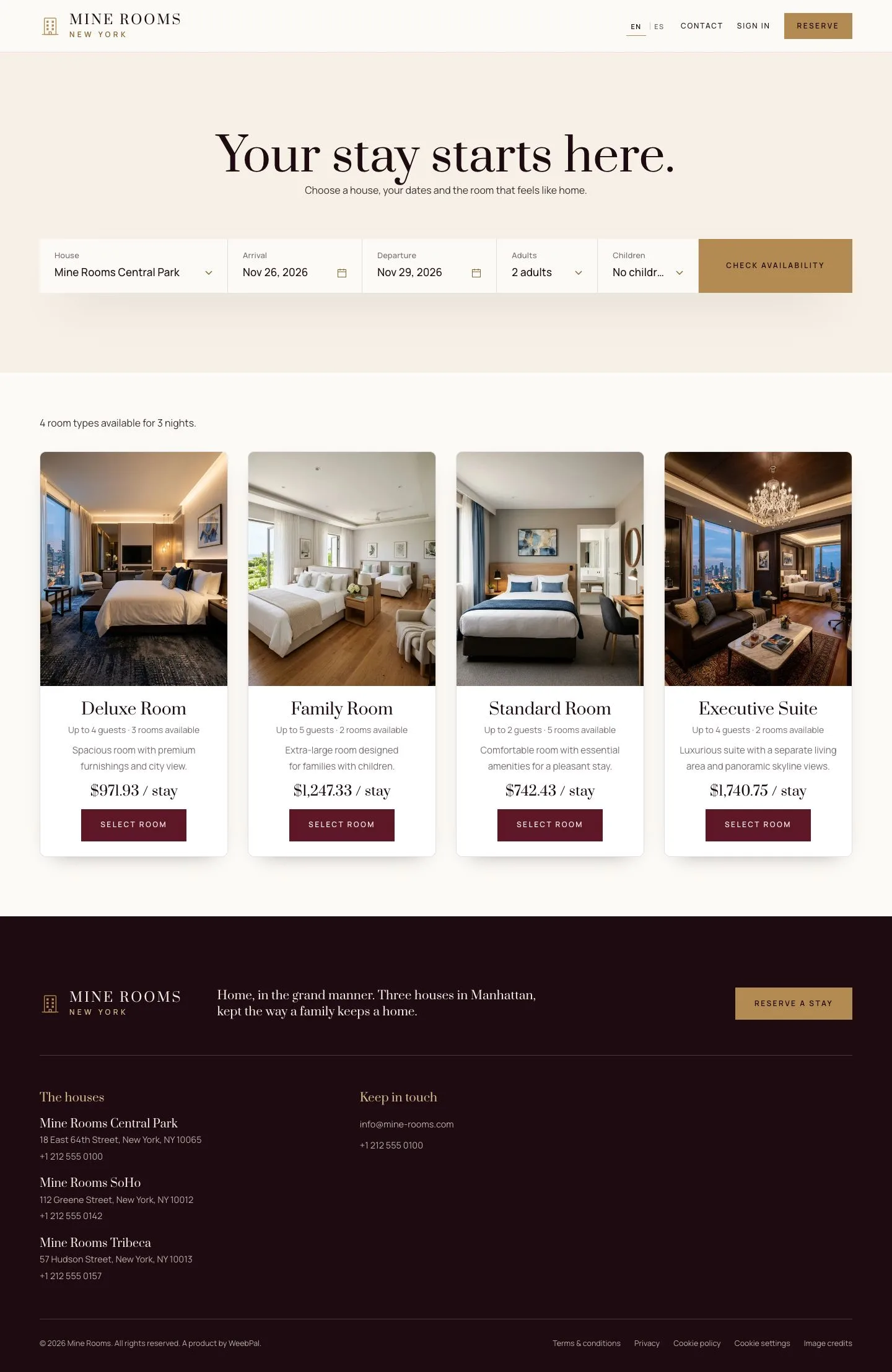
2Step 2 of 10

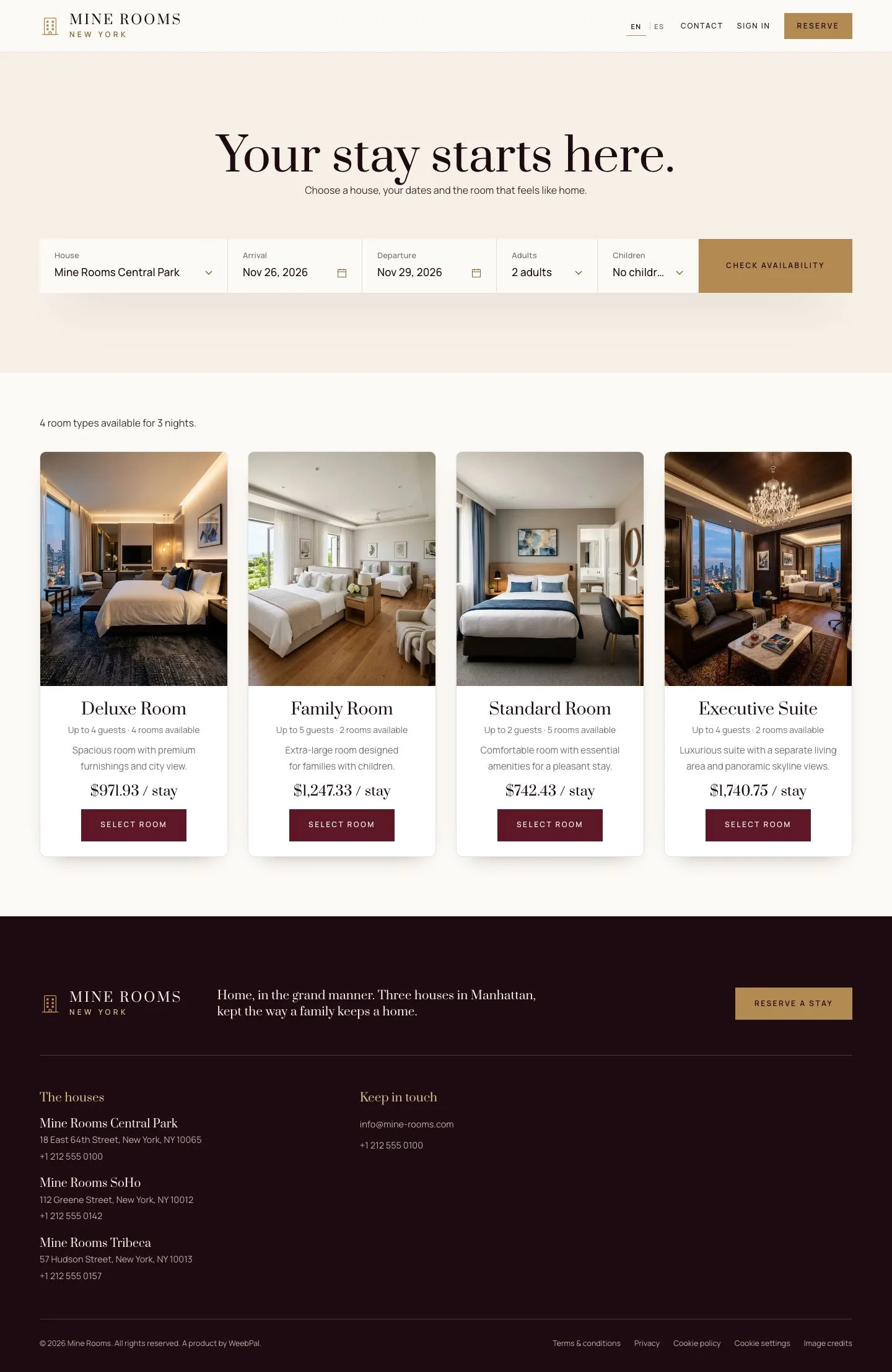
  1. Each room type shows how many rooms are left and the total of the stay, taxes included.
  2. Select room opens the booking with that price.

A search starts today at the earliest and covers up to 30 nights.

Enlarge, then scroll

Open illustrated screen ↗Full image ↗

Guest · Online booking02

A party larger than a room

Visitor

A party larger than a room

3Step 3 of 10

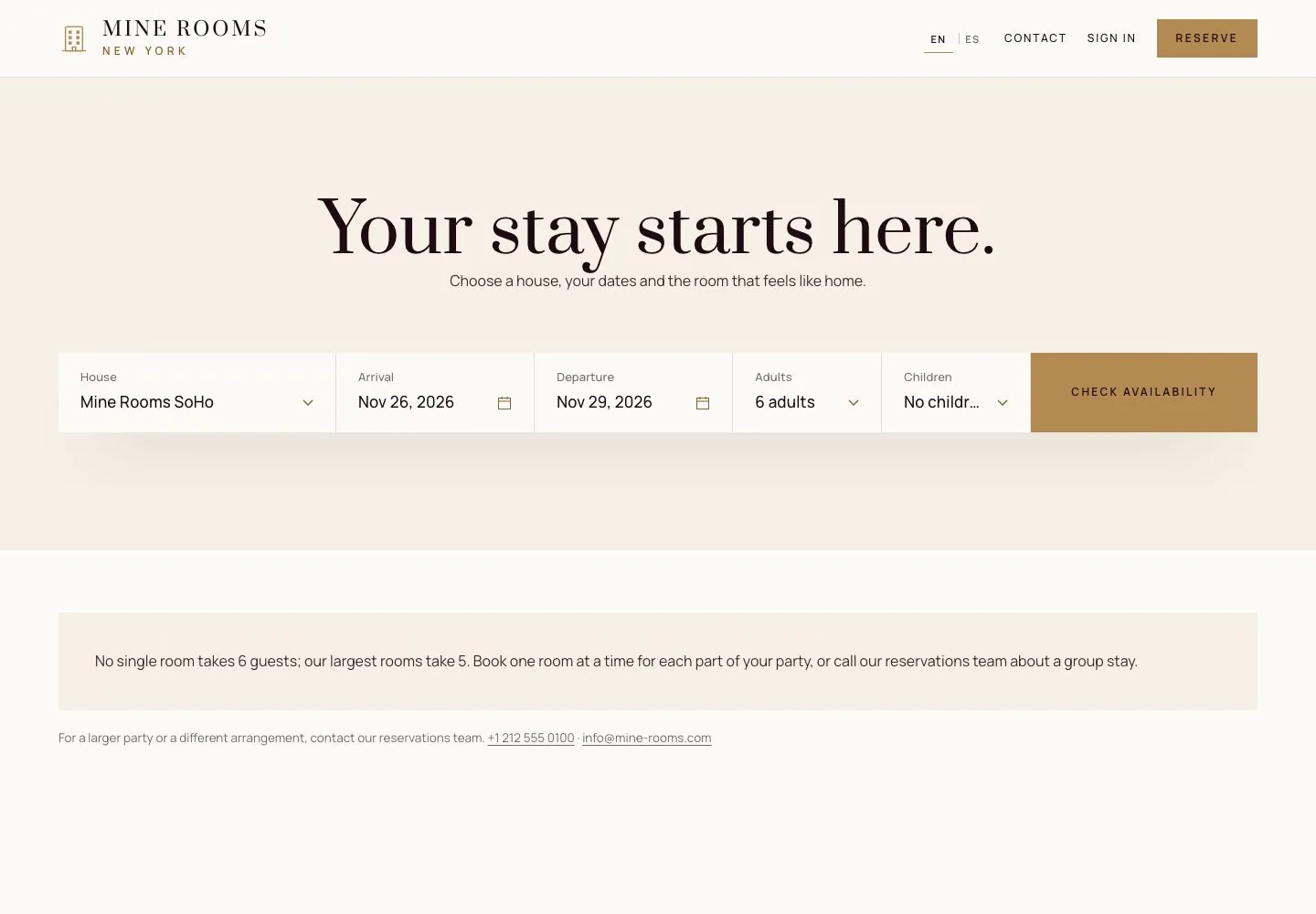
  1. When no single room holds the party, the page says so and suggests splitting the party across rooms.
  2. A larger group can call the hotel; groups are booked from a rooming list by the manager.

Enlarge, then scroll

Open illustrated screen ↗Full image ↗

Guest · Online booking03

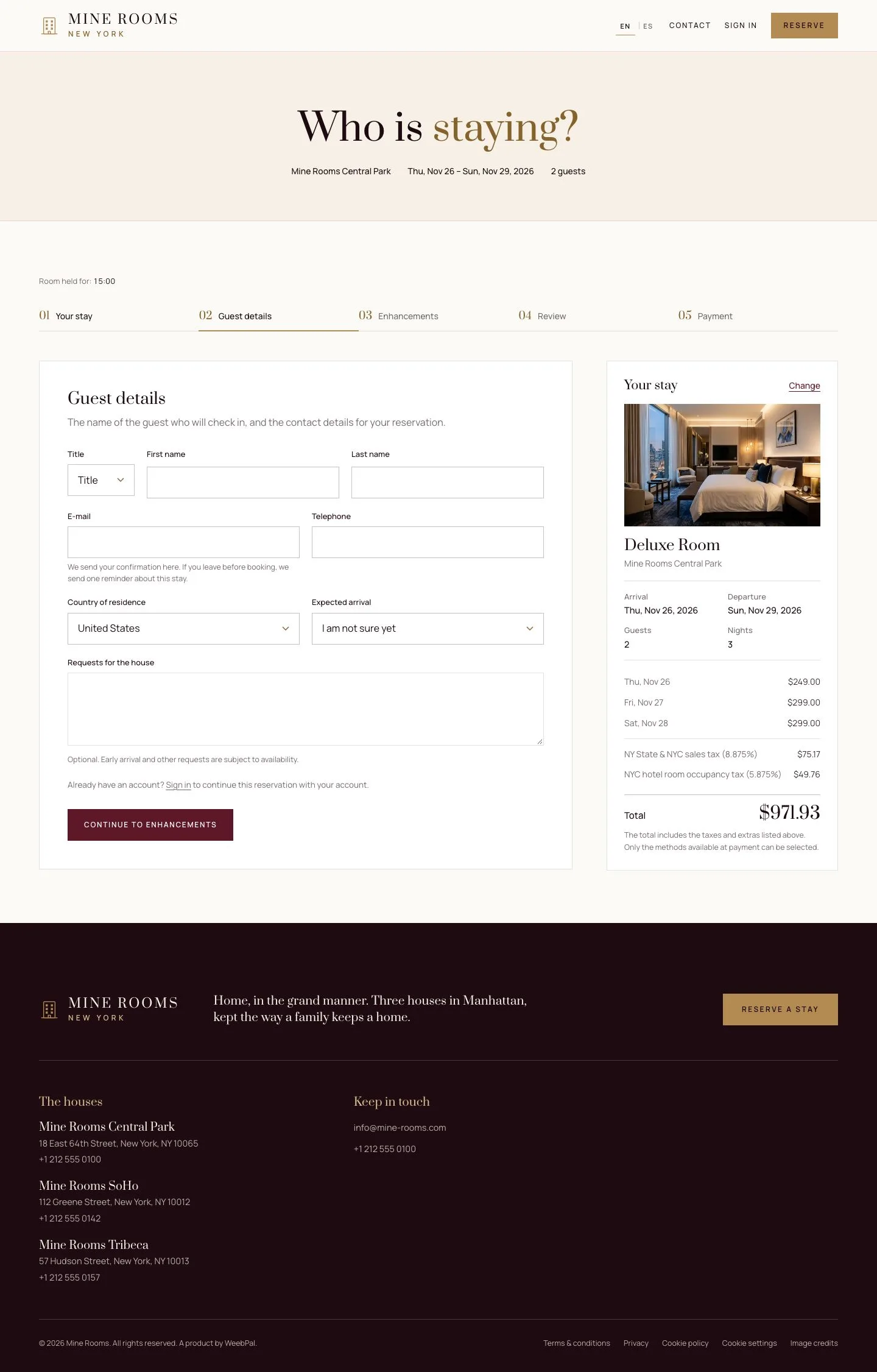
Guest details

Visitor

Guest details

4Step 4 of 10

  1. The room type is held for 15 minutes from here. The timer and the summary stay beside the form.
  2. Enter the title, name, email, phone, country, arrival time and any special request.

When the timer ends the hold is released and the room goes back on sale.

Enlarge, then scroll

Open illustrated screen ↗Full image ↗

Guest · Online booking04

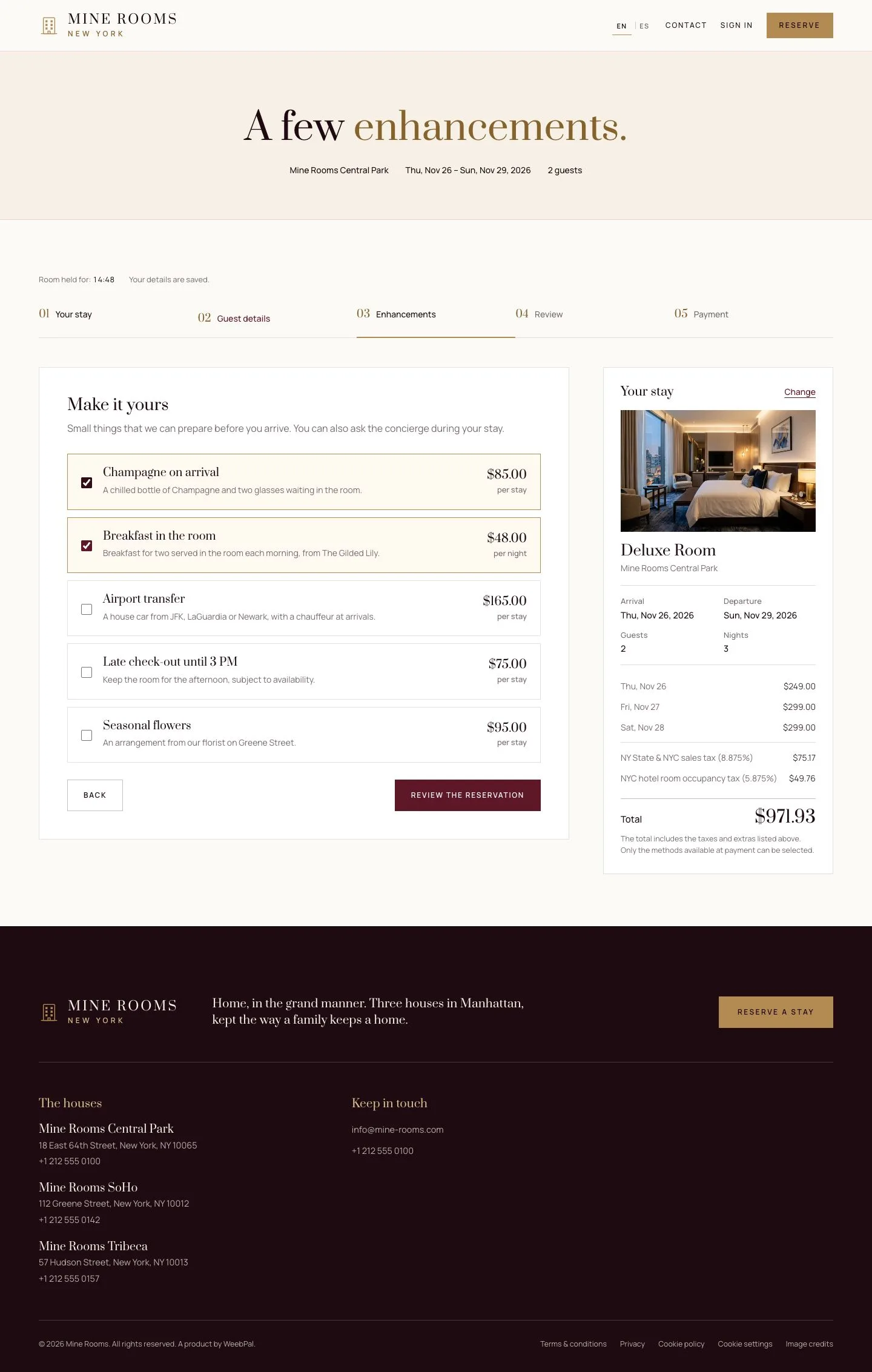
Enhancements

Visitor

Enhancements

5Step 5 of 10

  1. Add what the house offers: champagne, breakfast, airport transfer, late check-out, flowers.
  2. The summary adds each choice straight away.

Enlarge, then scroll

Open illustrated screen ↗Full image ↗

Guest · Online booking05

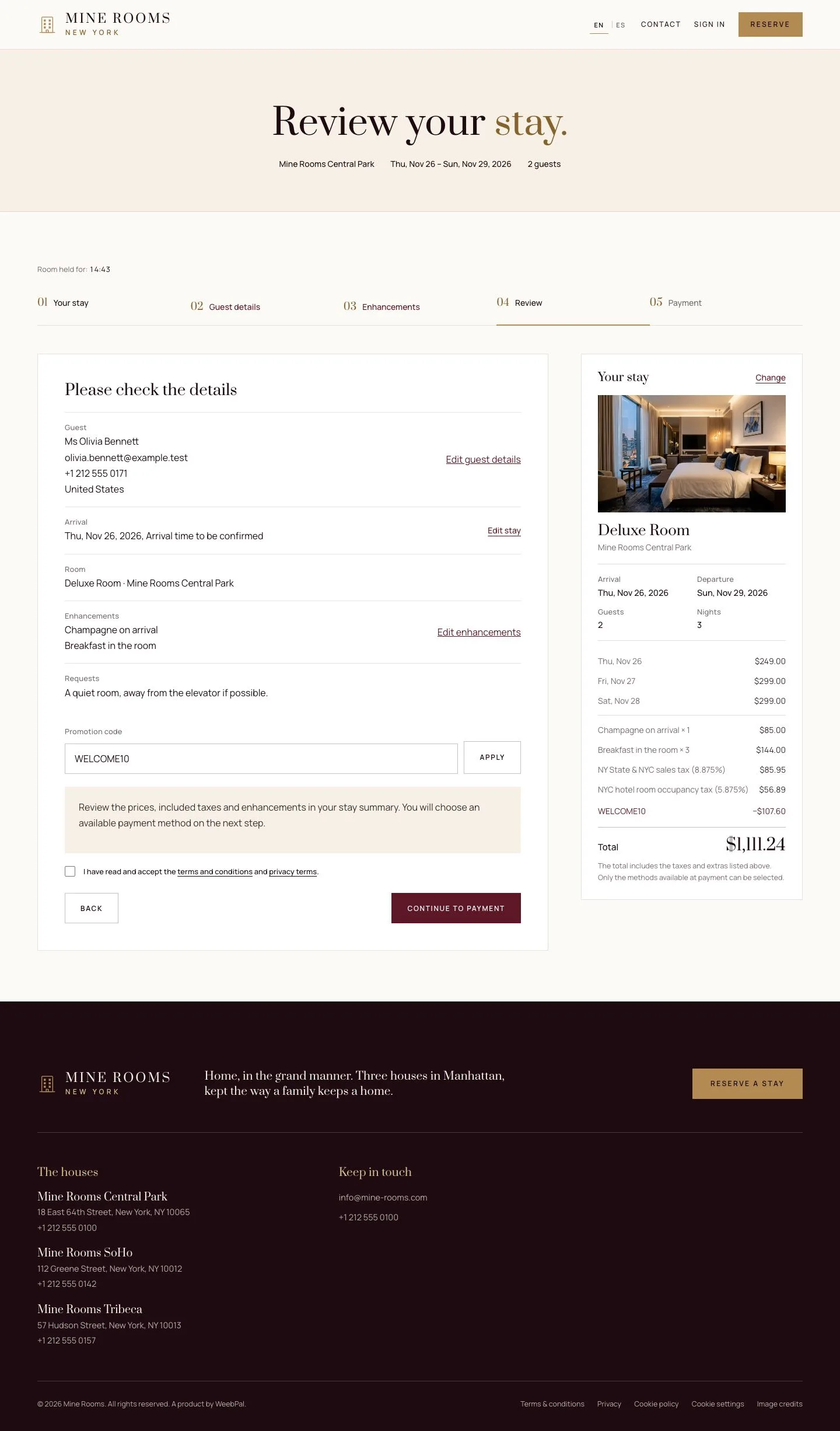
Review and coupon

Visitor

Review and coupon

6Step 6 of 10

  1. Check the stay, the guest, the extras and the total.
  2. A coupon code goes in the box on this step; the discount appears as a line of the summary.
  3. Accept the terms to continue.

A wrong code changes nothing: the page explains why and the price stays.

Enlarge, then scroll

Open illustrated screen ↗Full image ↗

Guest · Online booking06

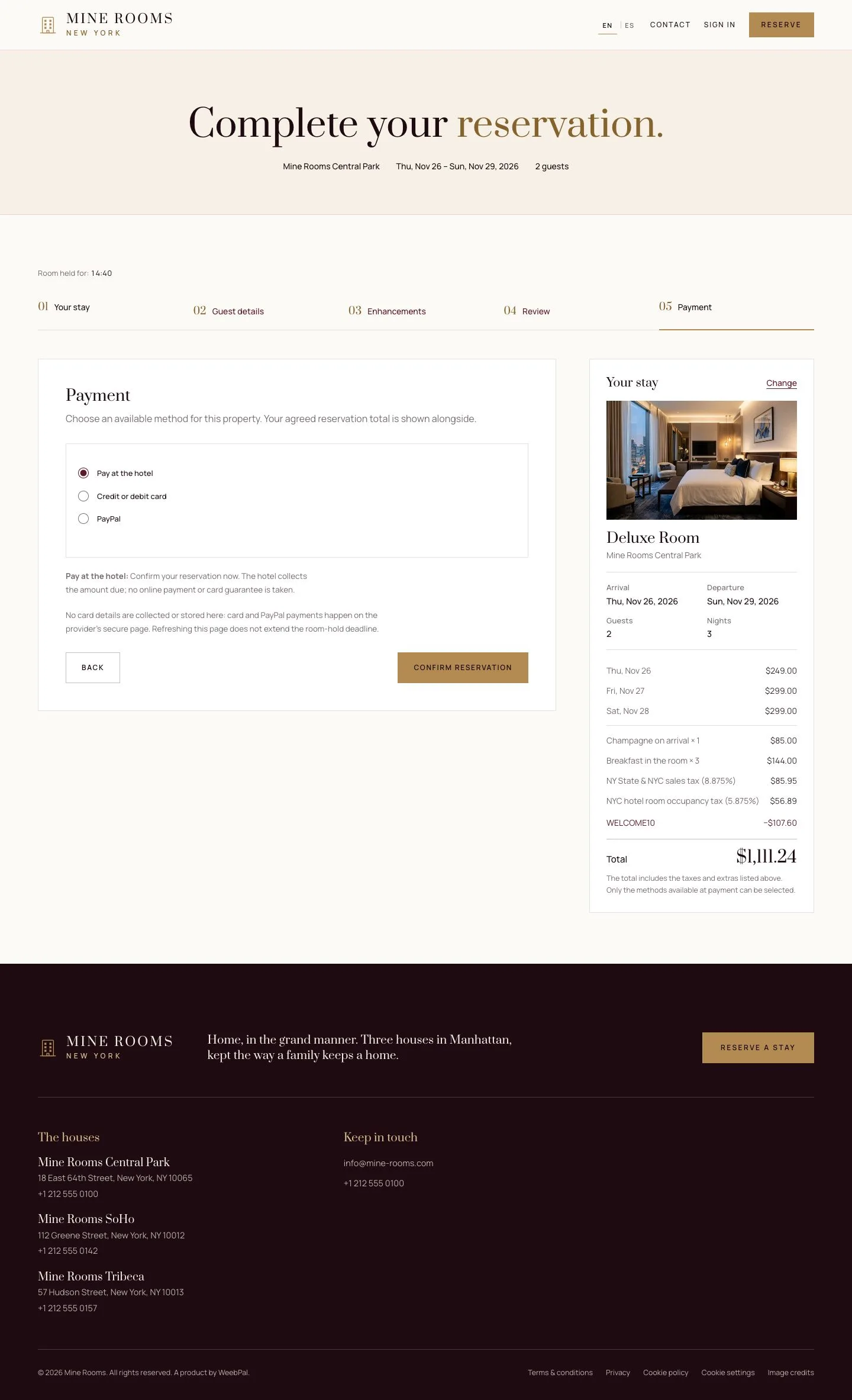
Payment

Visitor

Payment

7Step 7 of 10

  1. The step lists the payment methods this house accepts.
  2. Pay at the hotel confirms the reservation without a payment; a card or PayPal goes to the provider's page.

Online payment has its own page in this guide.

Enlarge, then scroll

Open illustrated screen ↗Full image ↗

Guest · Online booking07

Reservation confirmed

Visitor

Reservation confirmed

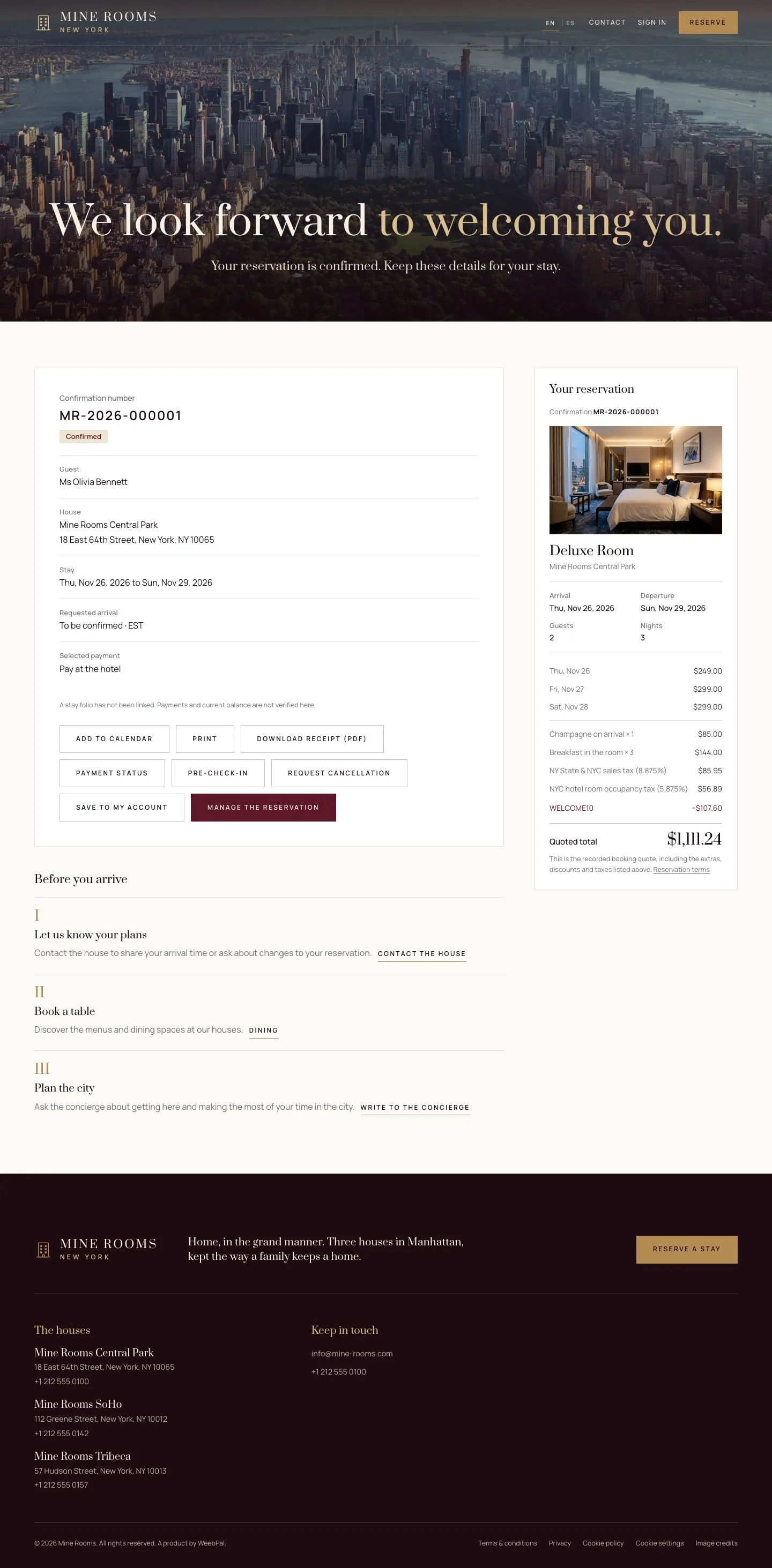
8Step 8 of 10

  1. The reference, the dates, the room type and the amount due stay on this page.
  2. It offers add to calendar, print, download receipt, pre-check-in, cancellation and Save to my account.

Enlarge, then scroll

Full image ↗

Guest · Online booking08

Confirmation email

Visitor

Confirmation email

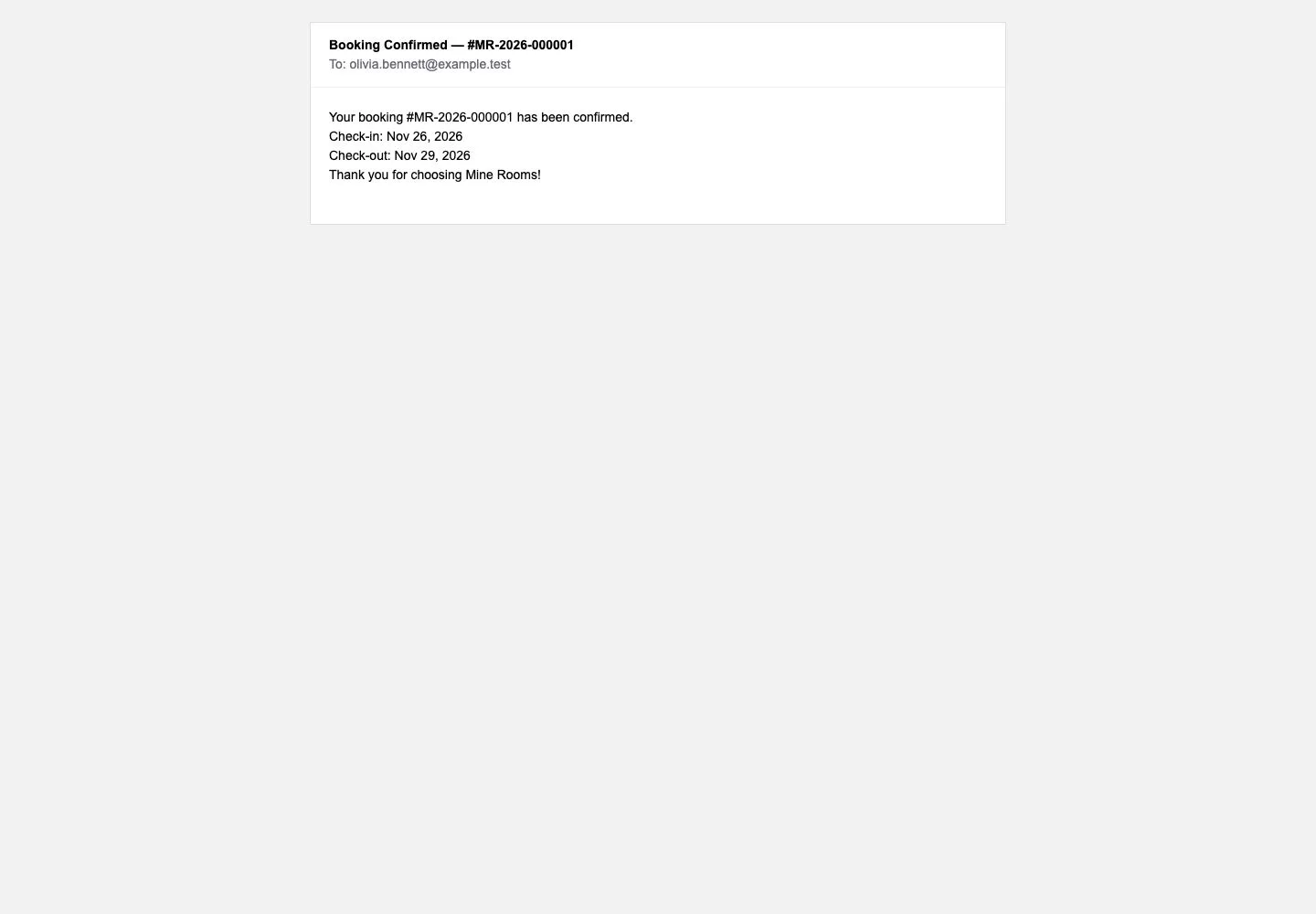
9Step 9 of 10

  1. The guest gets the same details by email, with a link back to the reservation.

Full image ↗

Guest · Online booking09

The count drops

Visitor

The count drops

10Step 10 of 10

  1. The same search now shows one room fewer of that type.
  2. The hotel never sells more rooms than it has, whichever door the booking came through.

Enlarge, then scroll

Open illustrated screen ↗Full image ↗

Check

The reservation is confirmed, the count of free rooms drops by one and the confirmation is on its way by email.

Guest · Online booking10
1 / 11
Privacy Terms