Check-out and invoice

Post the room, collect the balance, release the room, issue the invoice

  • A booking checked in
  • An invoice provider connected, for official invoices
Receptionist
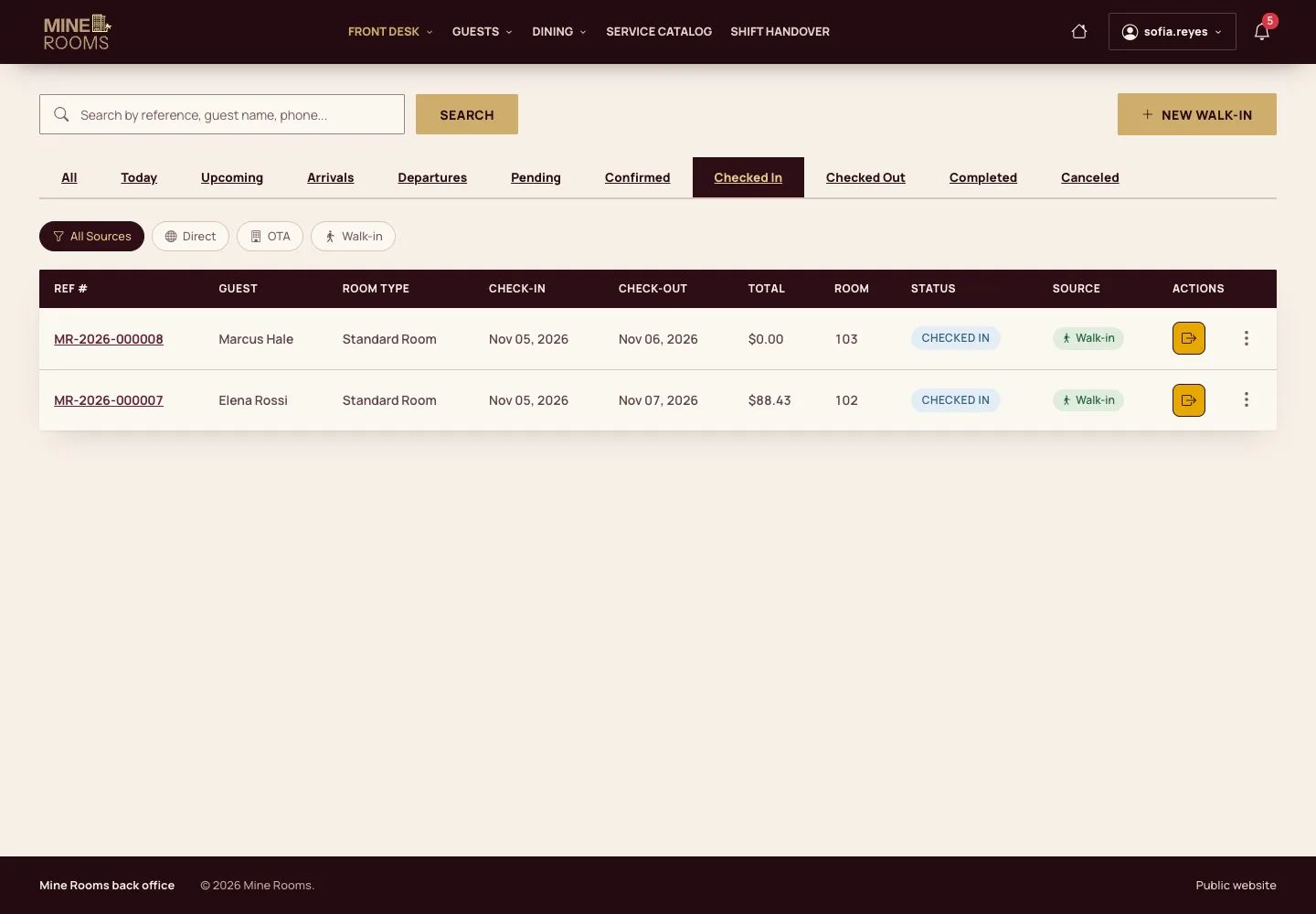
Who is leaving

Receptionist

Who is leaving

1Step 1 of 11

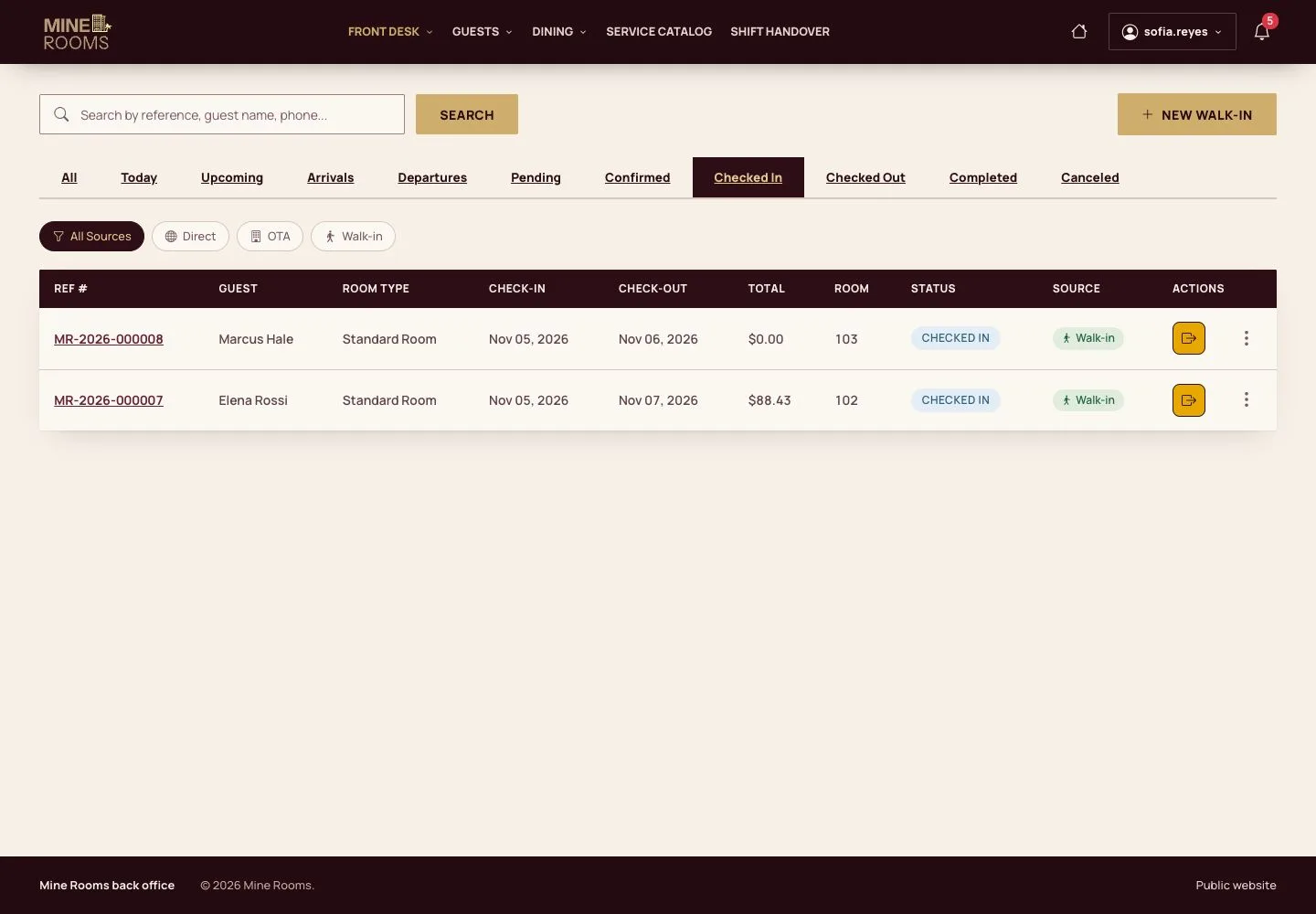
  1. The Checked In tab of Bookings lists the guests in house; open the check-out of the booking.

Open illustrated screen ↗Full image ↗

Receptionist · Check-out and invoice01

Review the stay

Receptionist

Review the stay

2Step 2 of 11

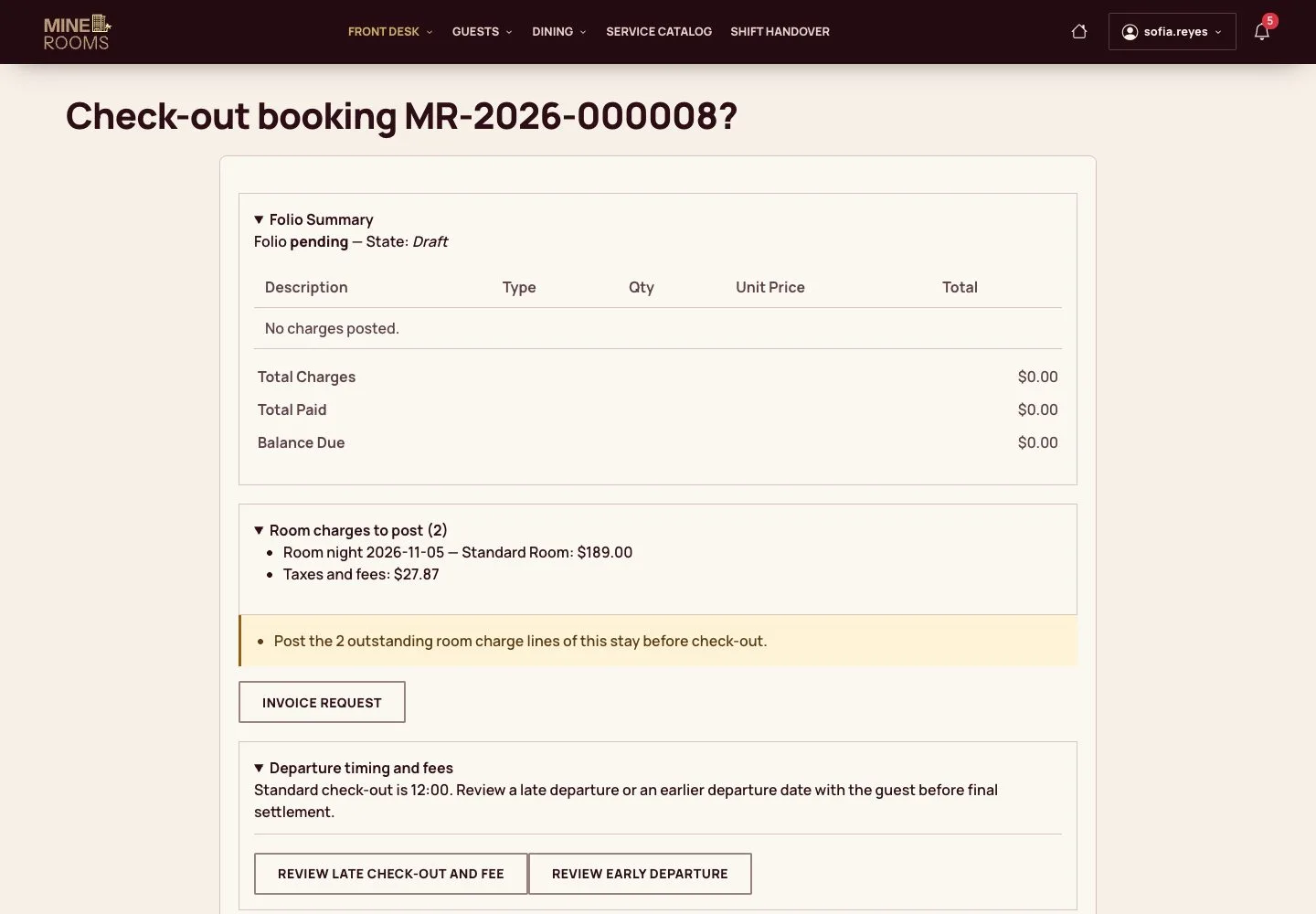
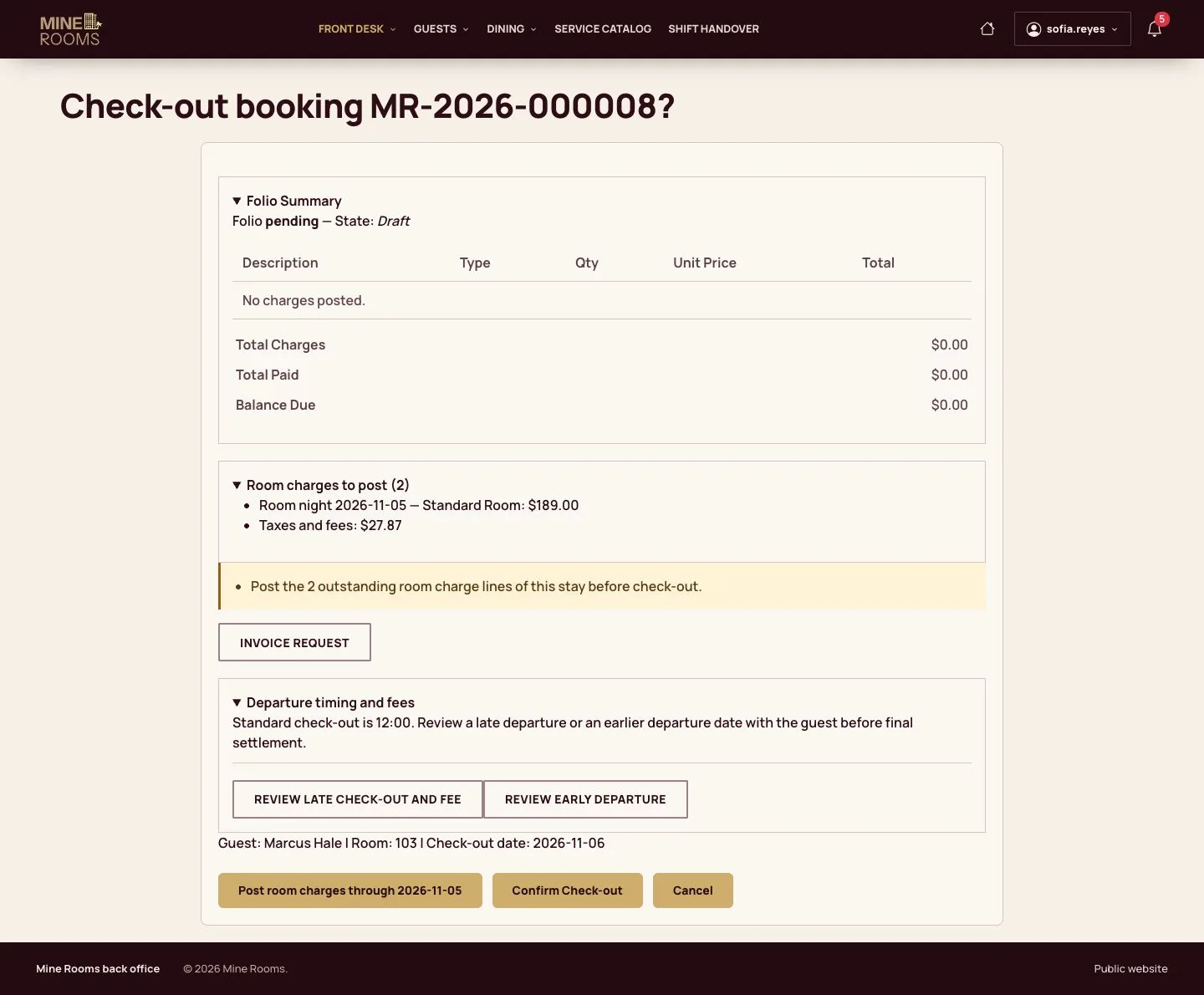
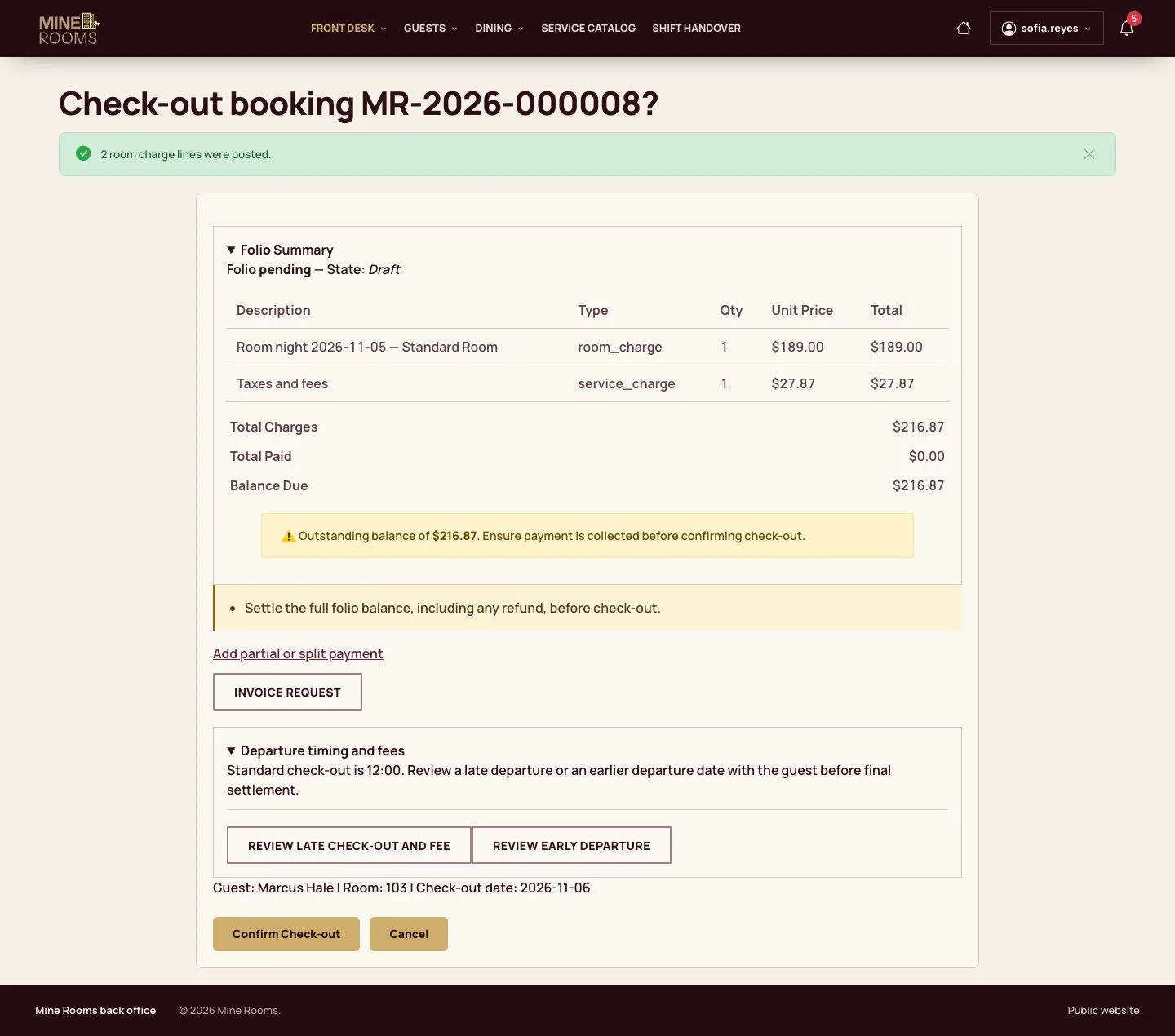
  1. The page lists the room charges still to post and the folio so far.

Enlarge, then scroll

Full image ↗

Receptionist · Check-out and invoice02

Post the room

Receptionist

Post the room

3Step 3 of 11

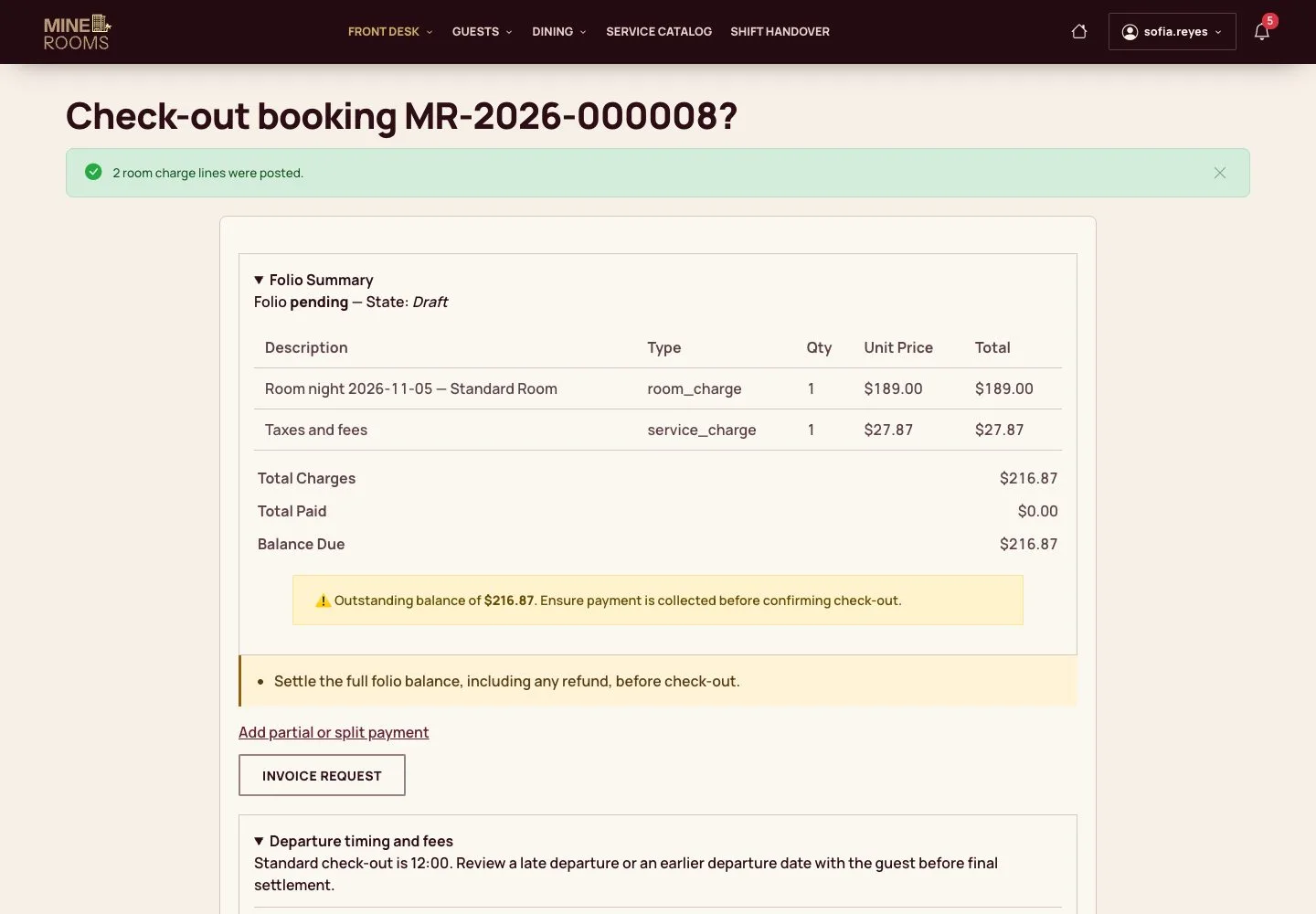
  1. Post the room charges through the last night: each night and its taxes become folio lines.

Enlarge, then scroll

Full image ↗

Receptionist · Check-out and invoice03

The balance blocks

Receptionist

The balance blocks

4Step 4 of 11

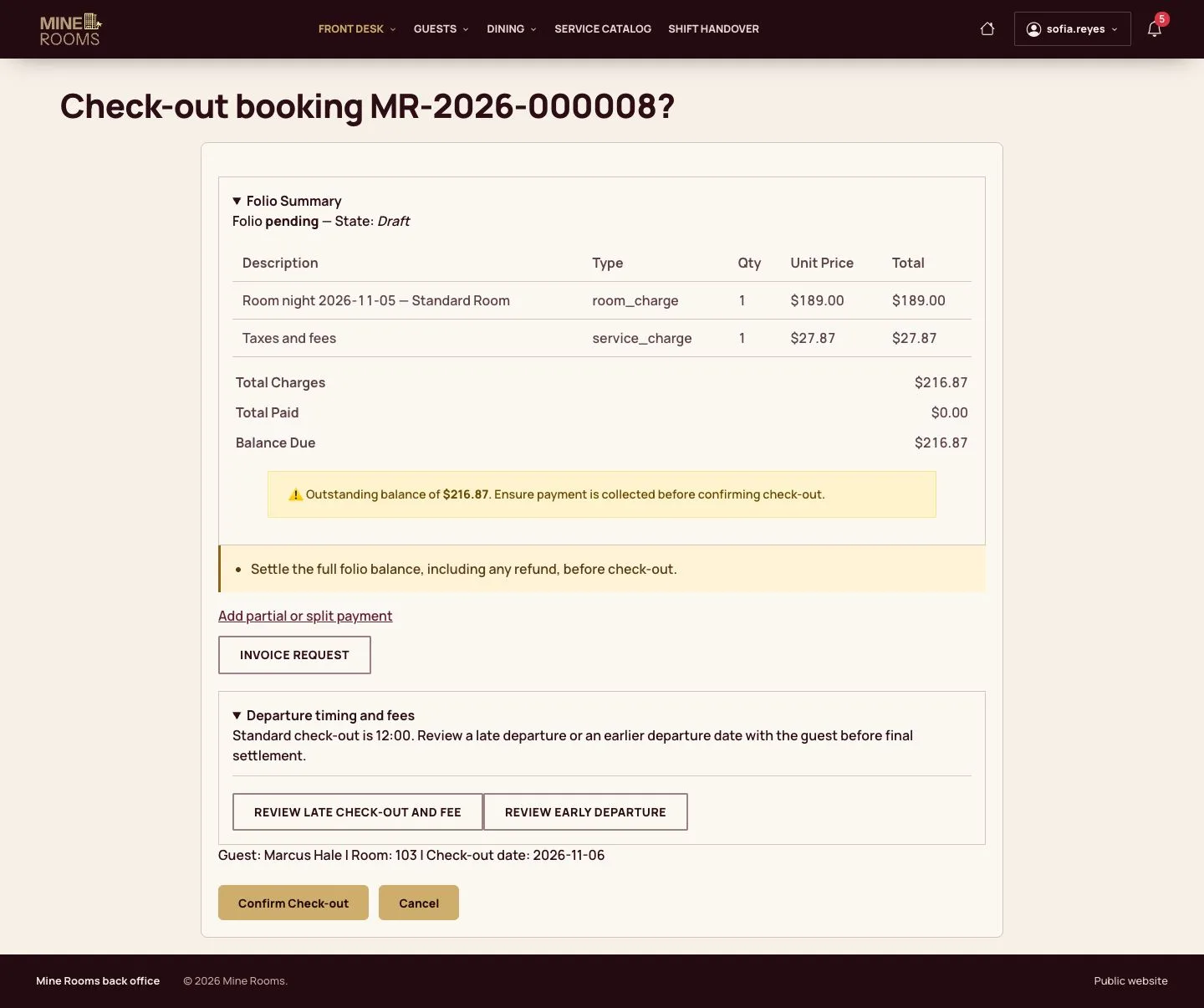
  1. While money is due, the confirm button stays locked and the page shows how much.

Enlarge, then scroll

Full image ↗

Receptionist · Check-out and invoice04

Pay the balance

Receptionist

Pay the balance

5Step 5 of 11

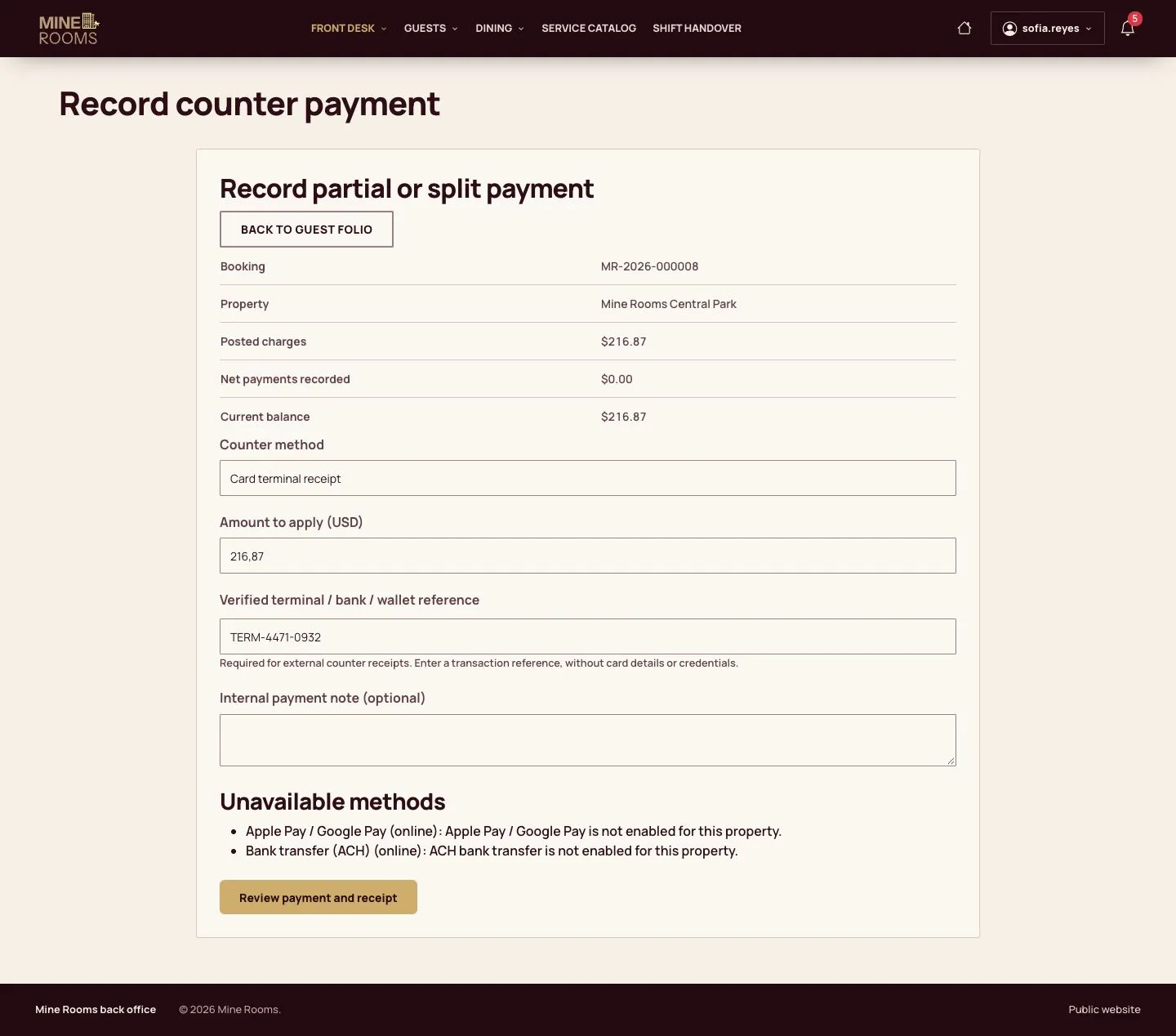
  1. Record the payment, by card terminal with its reference in this example.

Enlarge, then scroll

Full image ↗

Receptionist · Check-out and invoice05

Confirm check-out

Receptionist

Confirm check-out

6Step 6 of 11

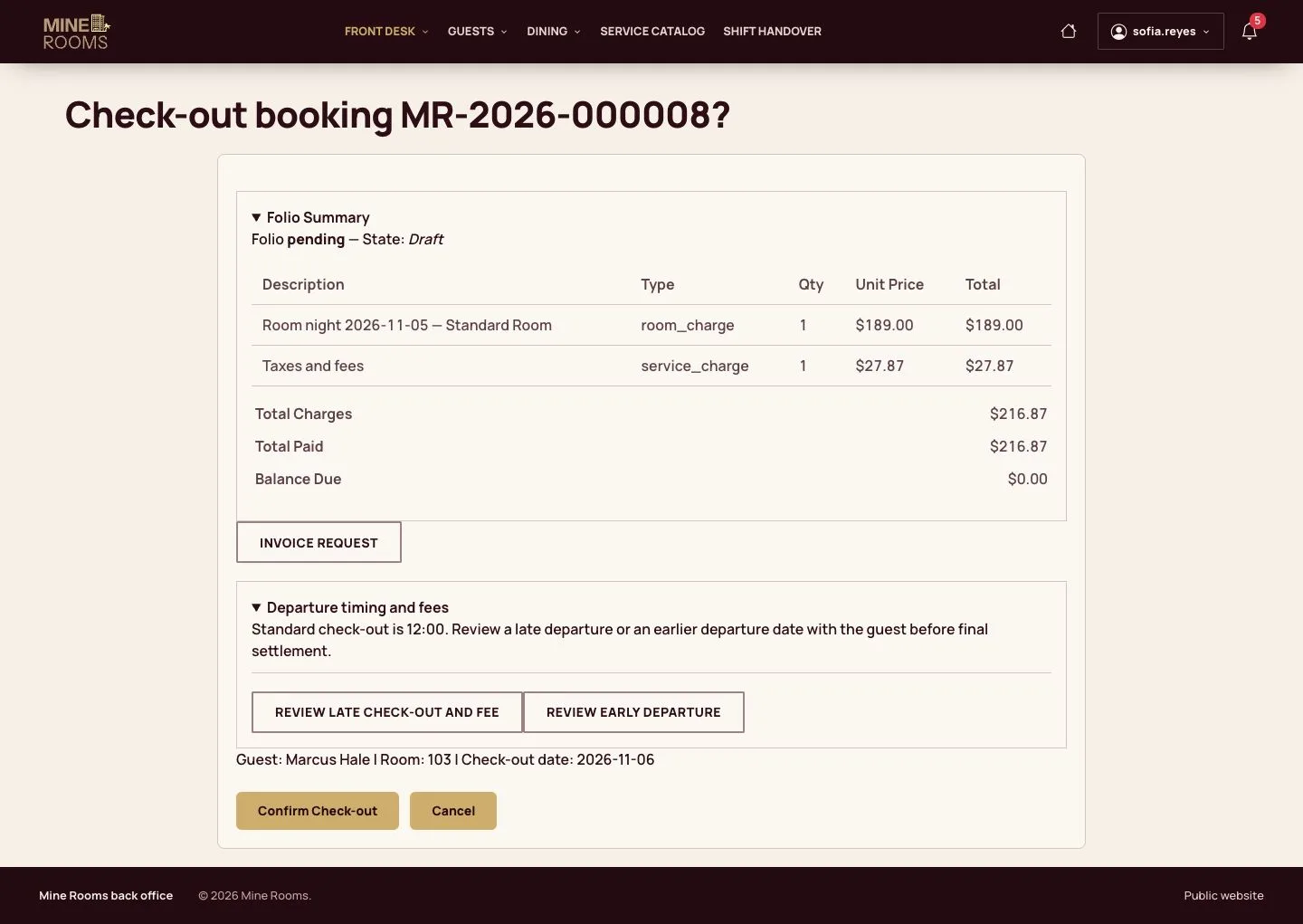
  1. With the balance at zero, confirm the check-out.

Enlarge, then scroll

Full image ↗

Receptionist · Check-out and invoice06

Room released

Receptionist

Room released

7Step 7 of 11

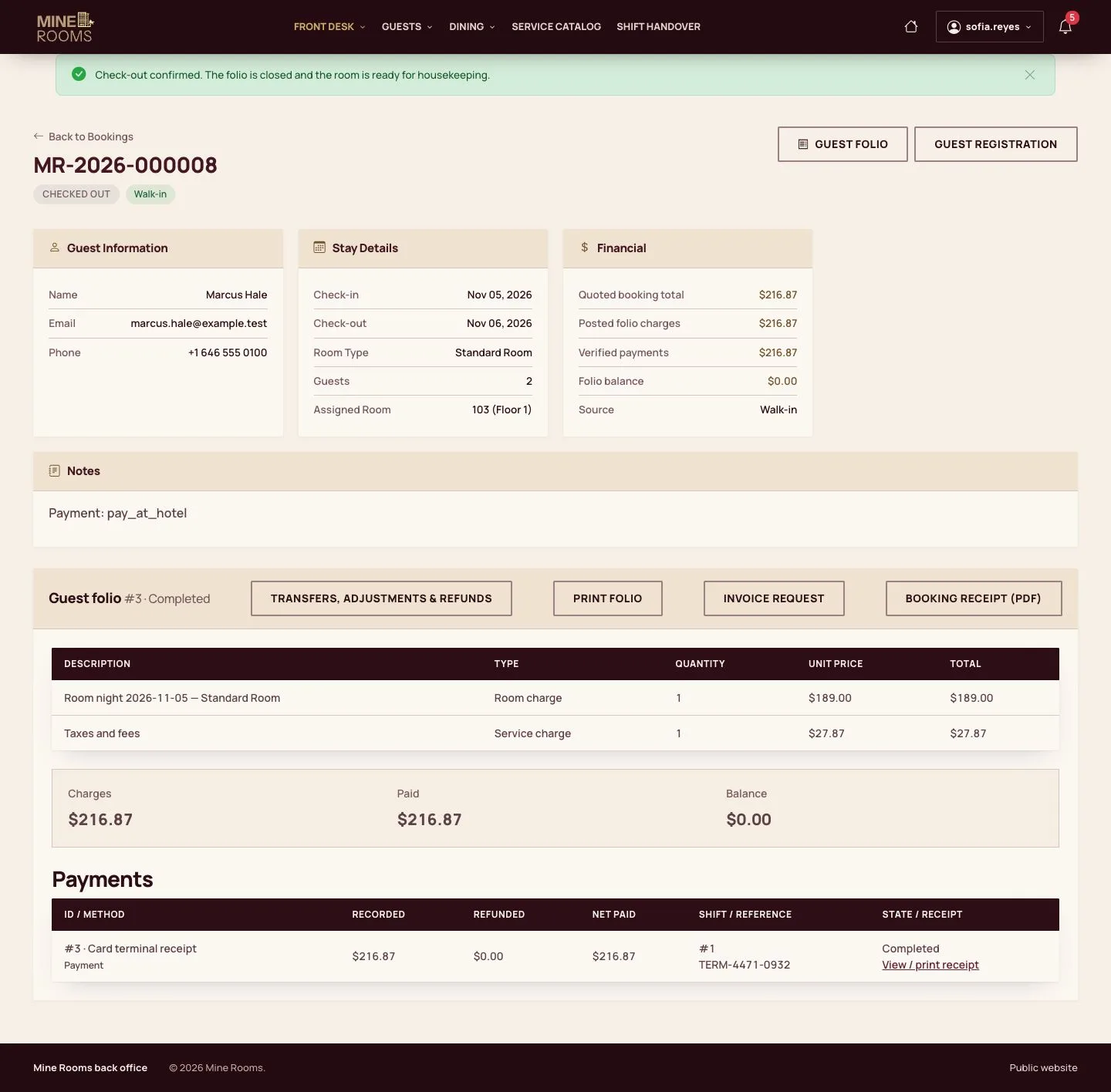
  1. The booking is checked out, the room goes to cleaning and a housekeeping task appears by itself.

Enlarge, then scroll

Full image ↗

Receptionist · Check-out and invoice07

Invoice request

Receptionist

Invoice request

8Step 8 of 11

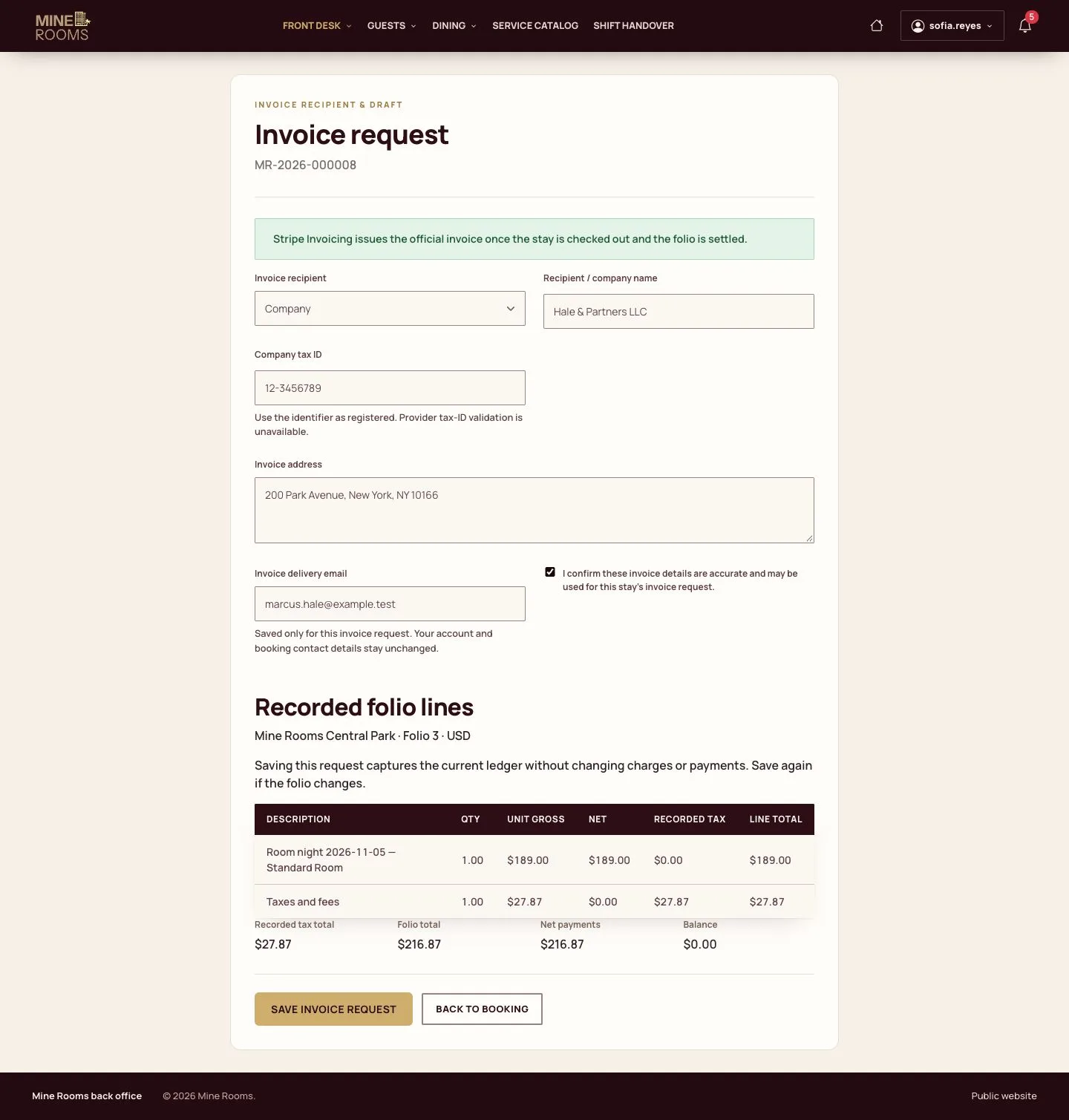
  1. For a company invoice, enter the company, tax ID, address and delivery email.
  2. A private draft PDF can be made first; it is not an official invoice.

Enlarge, then scroll

Full image ↗

Receptionist · Check-out and invoice08

Issue the invoice

Receptionist

Issue the invoice

9Step 9 of 11

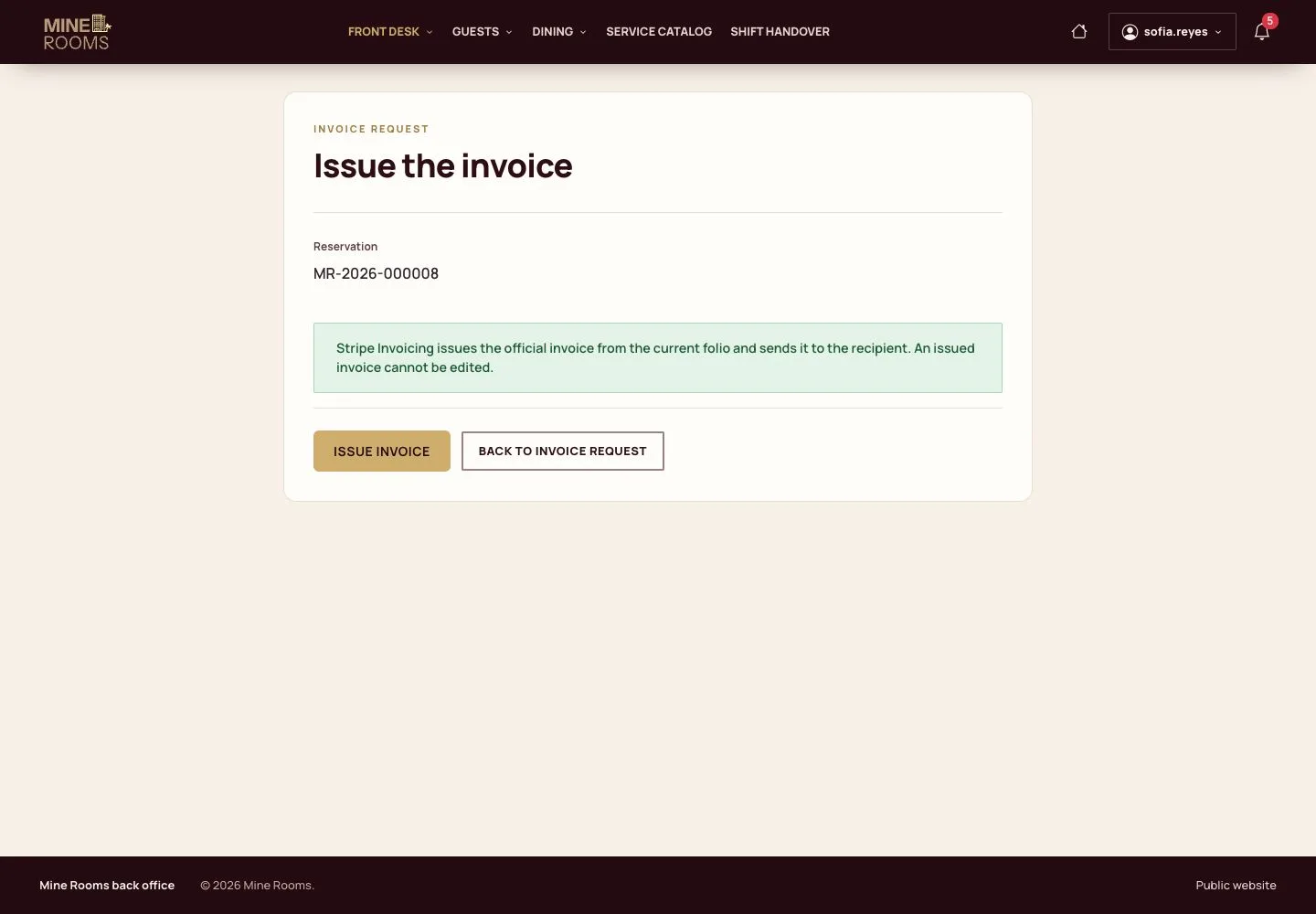
  1. The provider issues the official invoice from the current folio and sends it to the recipient.

An issued invoice is never edited. A correction is a credit note and a new invoice, linked to the first.

Full image ↗

Receptionist · Check-out and invoice09

Invoice issued

Receptionist

Invoice issued

10Step 10 of 11

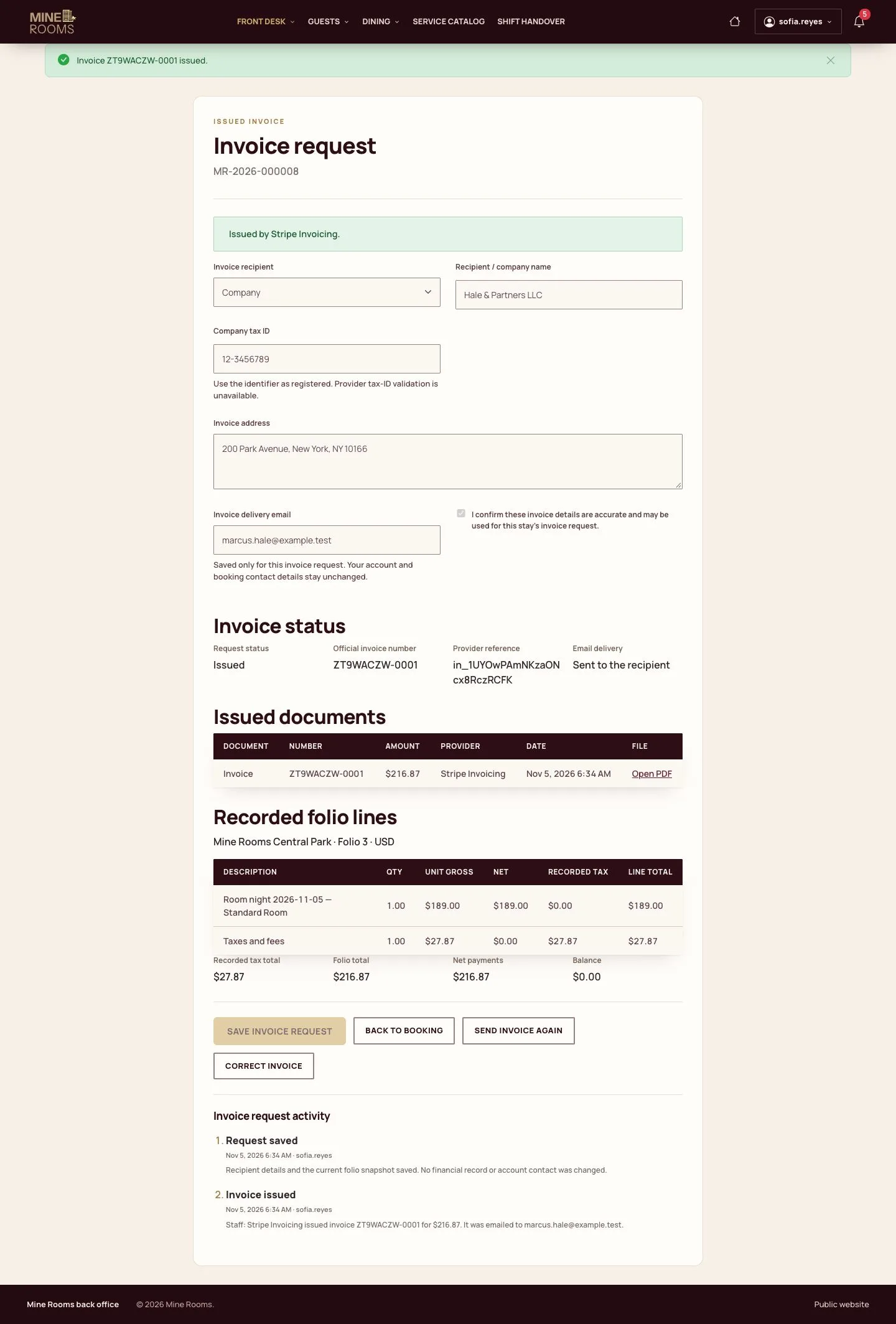
  1. The number of the invoice appears on the page, and the invoice can be sent again.

Enlarge, then scroll

Full image ↗

Receptionist · Check-out and invoice10

Leaving early

Receptionist
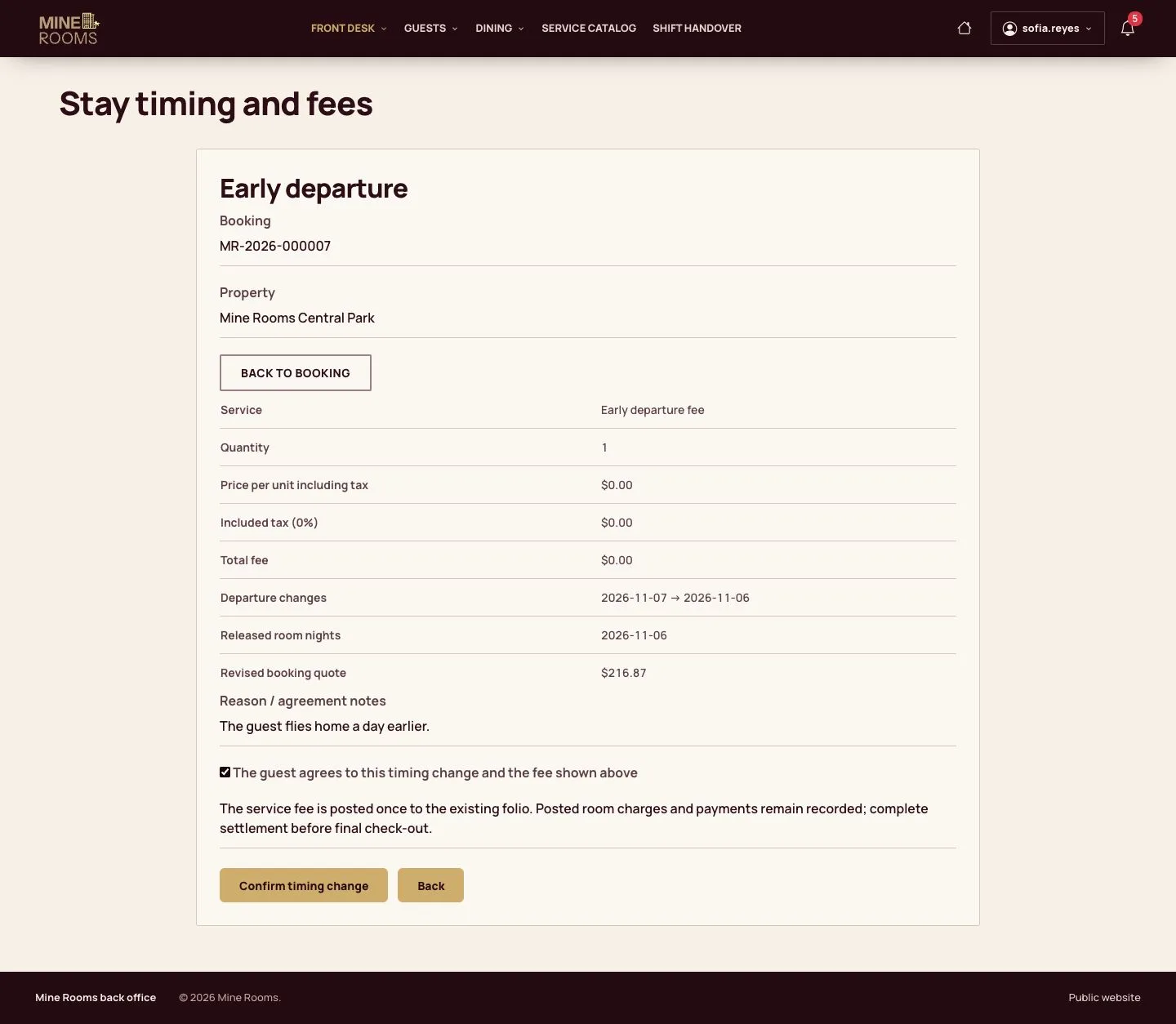
Leaving early

11Step 11 of 11

  1. For a guest who leaves early, record the new date with a reason before posting.
  2. The review shows the fee of the policy and the nights that are no longer charged.

Enlarge, then scroll

Full image ↗

Check

The booking is checked out, the room is waiting for housekeeping and the invoice is issued.

Receptionist · Check-out and invoice11
1 / 12
Privacy Terms