Taxes and invoice numbers

Each tax as the law counts it, exemptions with a reason, numbered invoices

  • The legal details of the hotel in Hotel settings
Manager
Tax types

Manager

Tax types

1Step 1 of 6

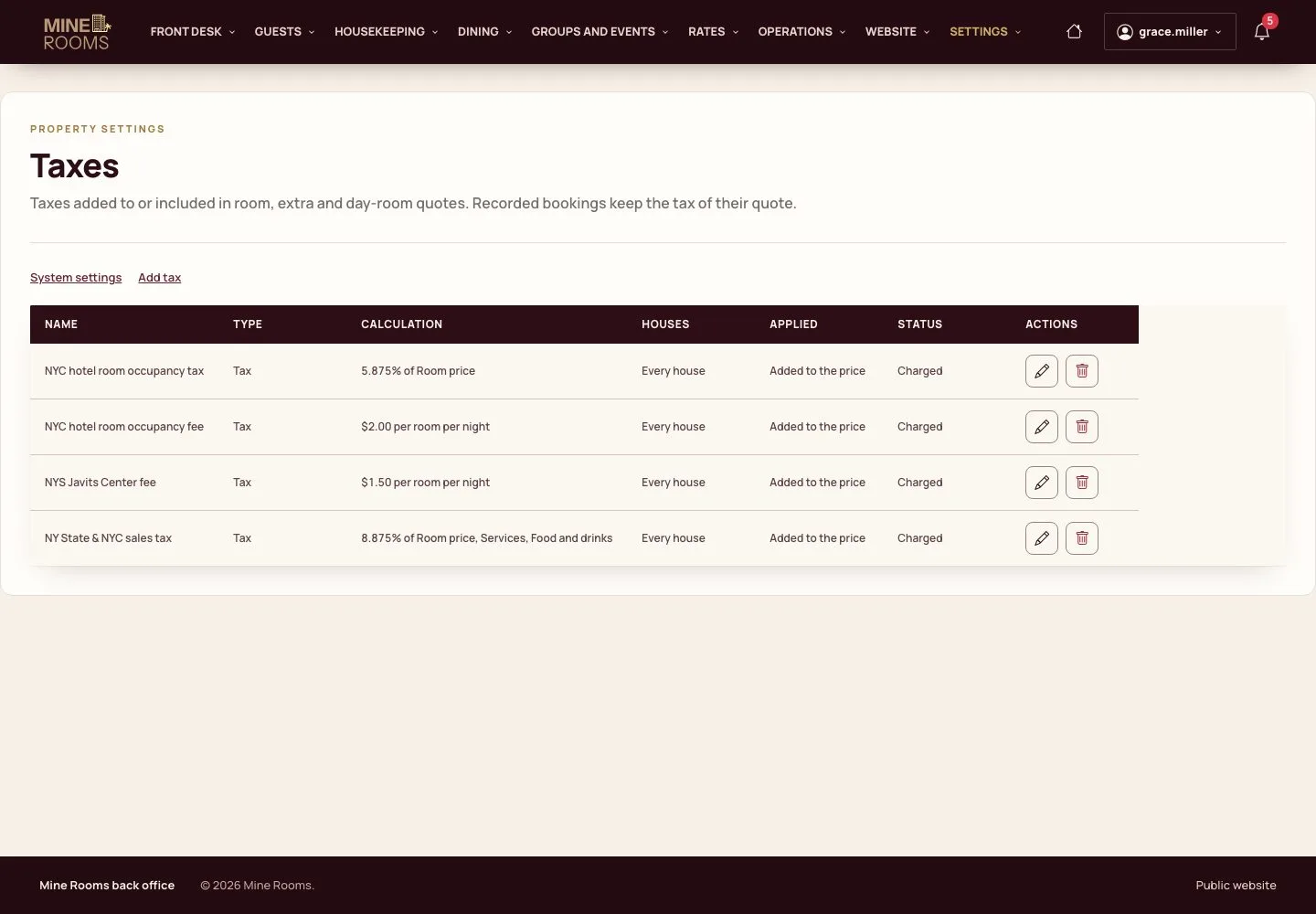
  1. Taxes lists each tax with its calculation, the houses where it is charged and whether it is added to the price or included in it.

Open illustrated screen ↗Full image ↗

Manager · Taxes and invoice numbers01

A tax

Manager

A tax

2Step 2 of 6

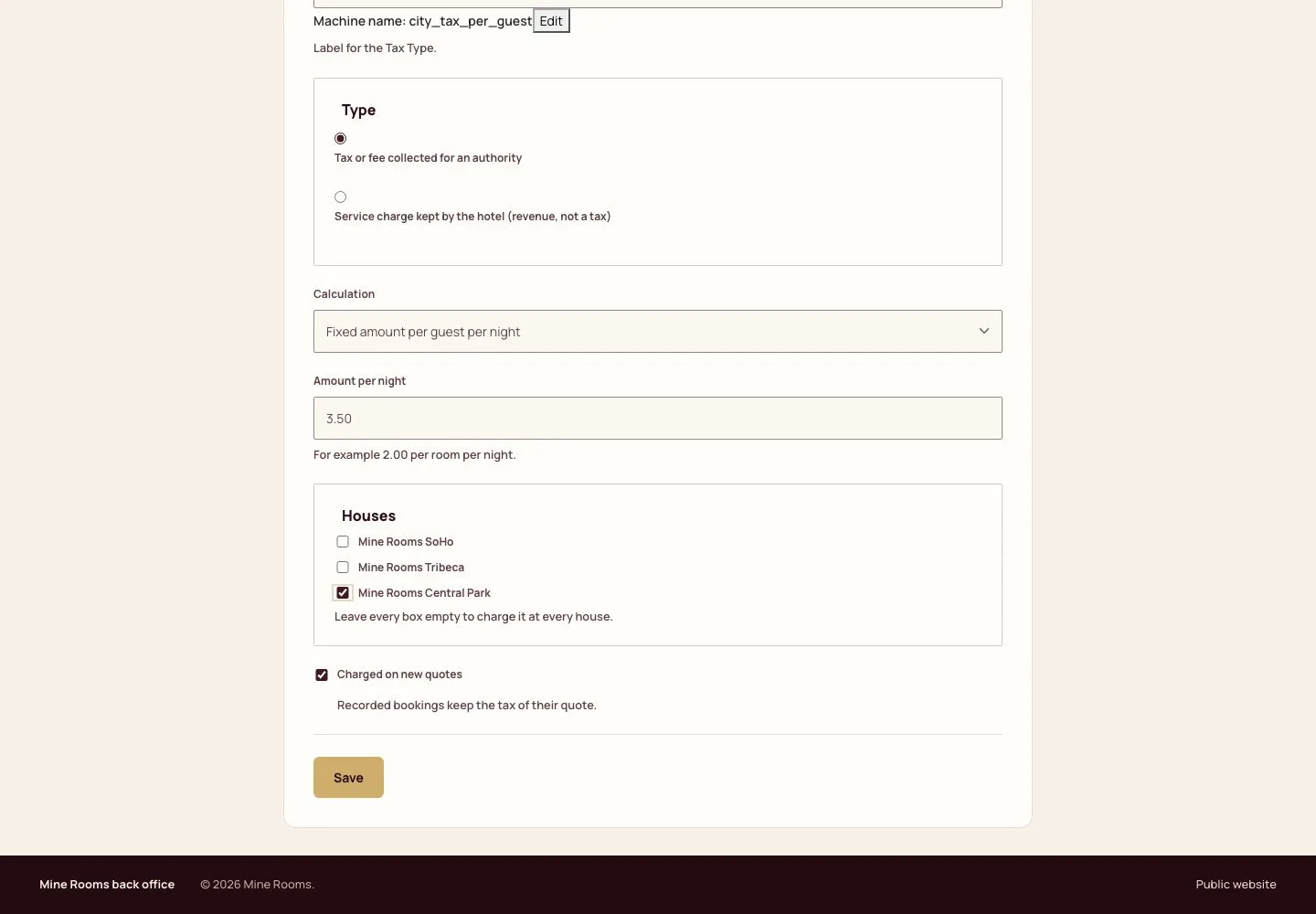
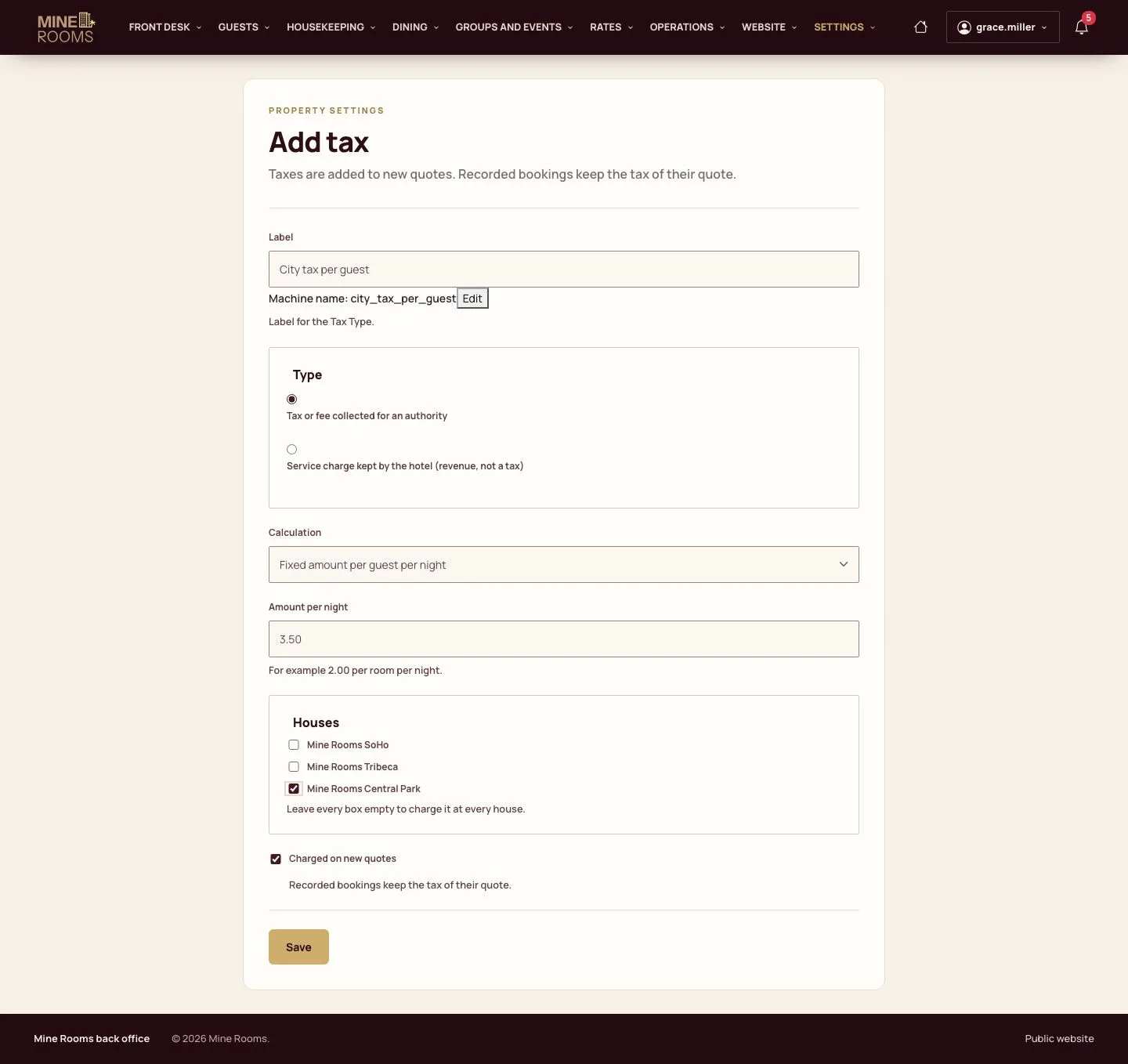
  1. Add tax: name it, choose a tax collected for an authority or a service charge kept by the hotel.
  2. Choose the calculation: a percentage of the price, a fixed amount per room per night or per guest per night; then the houses.

Bookings already made keep the taxes of their quote.

Enlarge, then scroll
Open illustrated screen ↗Full image ↗

Manager · Taxes and invoice numbers02

Exempt a booking

Manager

Exempt a booking

3Step 3 of 6

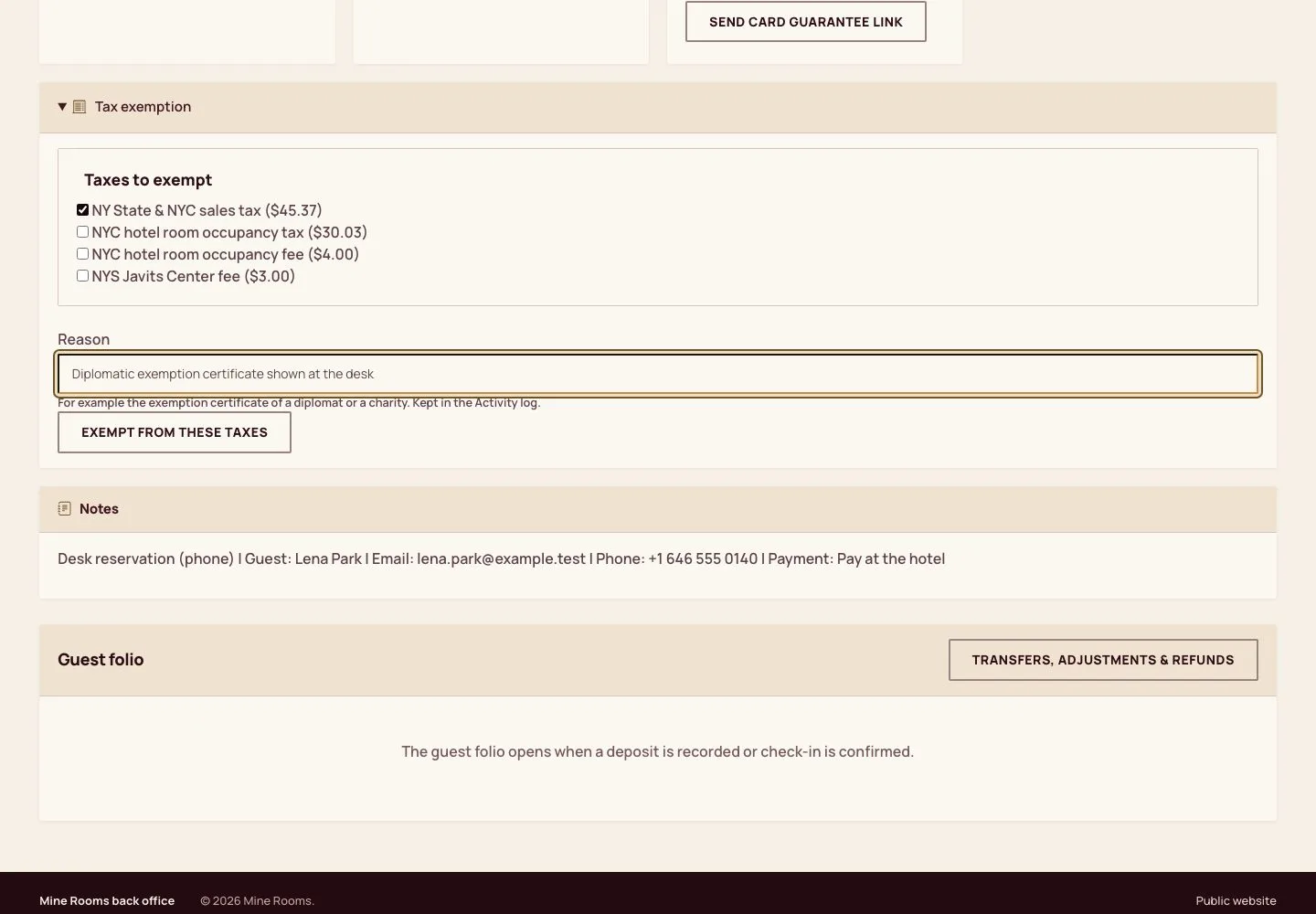
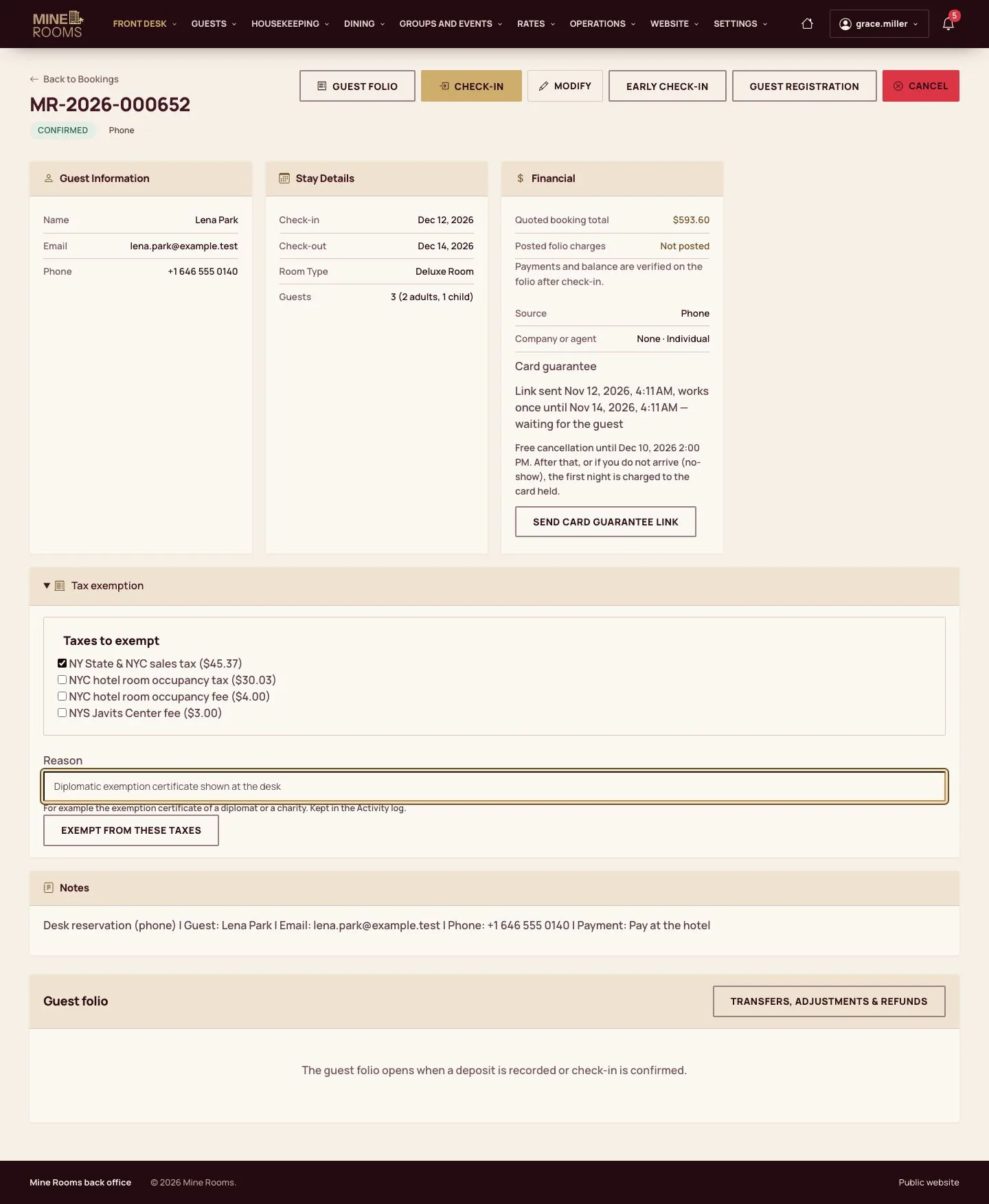
  1. Before check-in, Tax exemption on the reservation lists its taxes.
  2. Tick the taxes to exempt, give the reason (for example the certificate of a diplomat or a charity) and confirm; the reason is kept in the Activity log.

Enlarge, then scroll

Full image ↗

Manager · Taxes and invoice numbers03

Tax report

Manager

Tax report

4Step 4 of 6

  1. Reports, then Tax report: the taxable revenue and the tax collected, refunded and to declare, by tax type, by day and by house.
  2. Export CSV or PDF for the accountant; the journal of the period has the same lines.

Enlarge, then scroll

Open illustrated screen ↗Full image ↗

Manager · Taxes and invoice numbers04

Invoice numbers

Manager

Invoice numbers

5Step 5 of 6

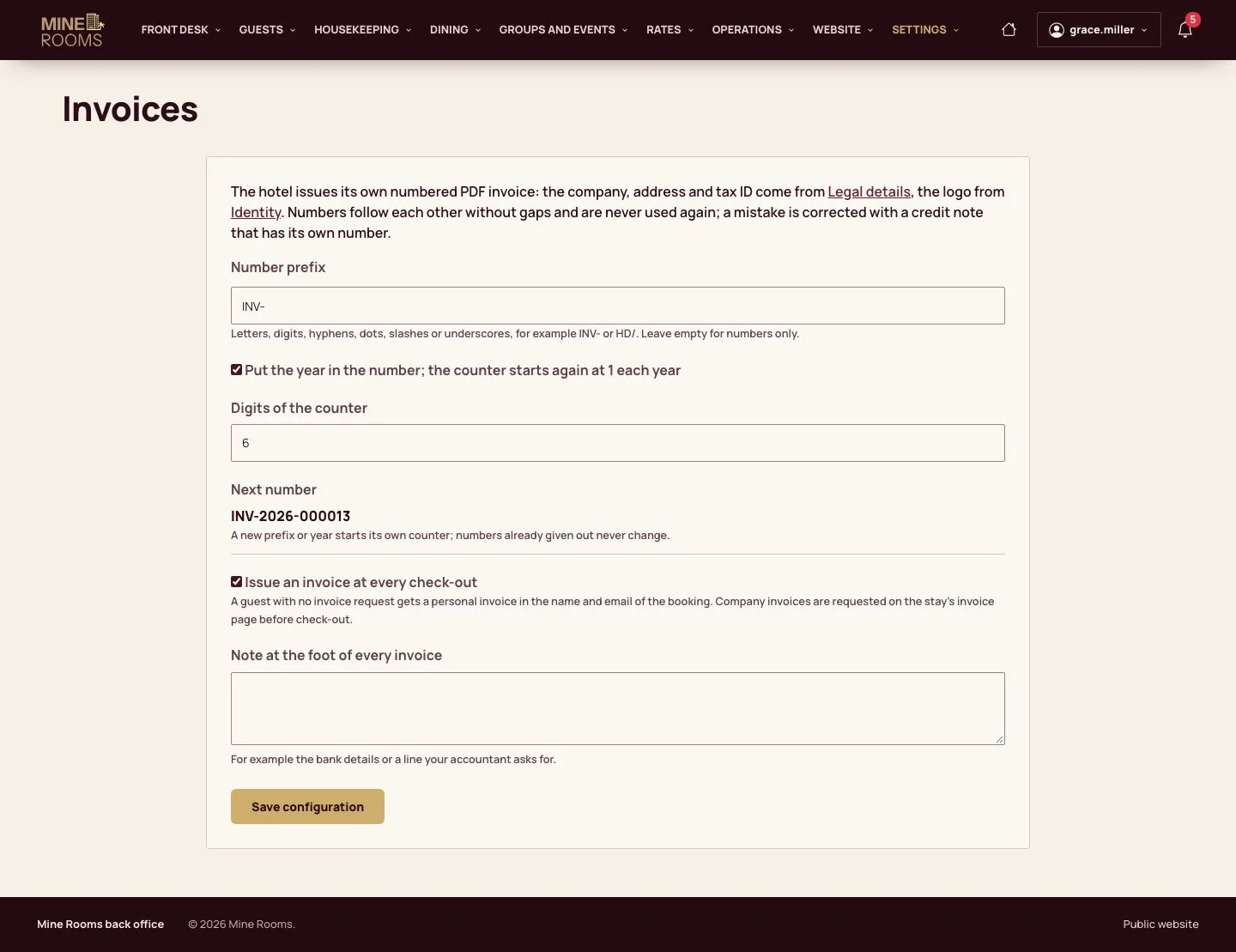
  1. Settings, then Invoices: the prefix, the year in the number and the digits of the counter; the next number shows before it is used.
  2. Issue an invoice at every check-out gives each guest an invoice without asking.

Numbers follow each other without gaps and are never used again; a mistake is corrected with a credit note.

Enlarge, then scroll
Open illustrated screen ↗Full image ↗

Manager · Taxes and invoice numbers05

The invoice

Manager

The invoice

6Step 6 of 6

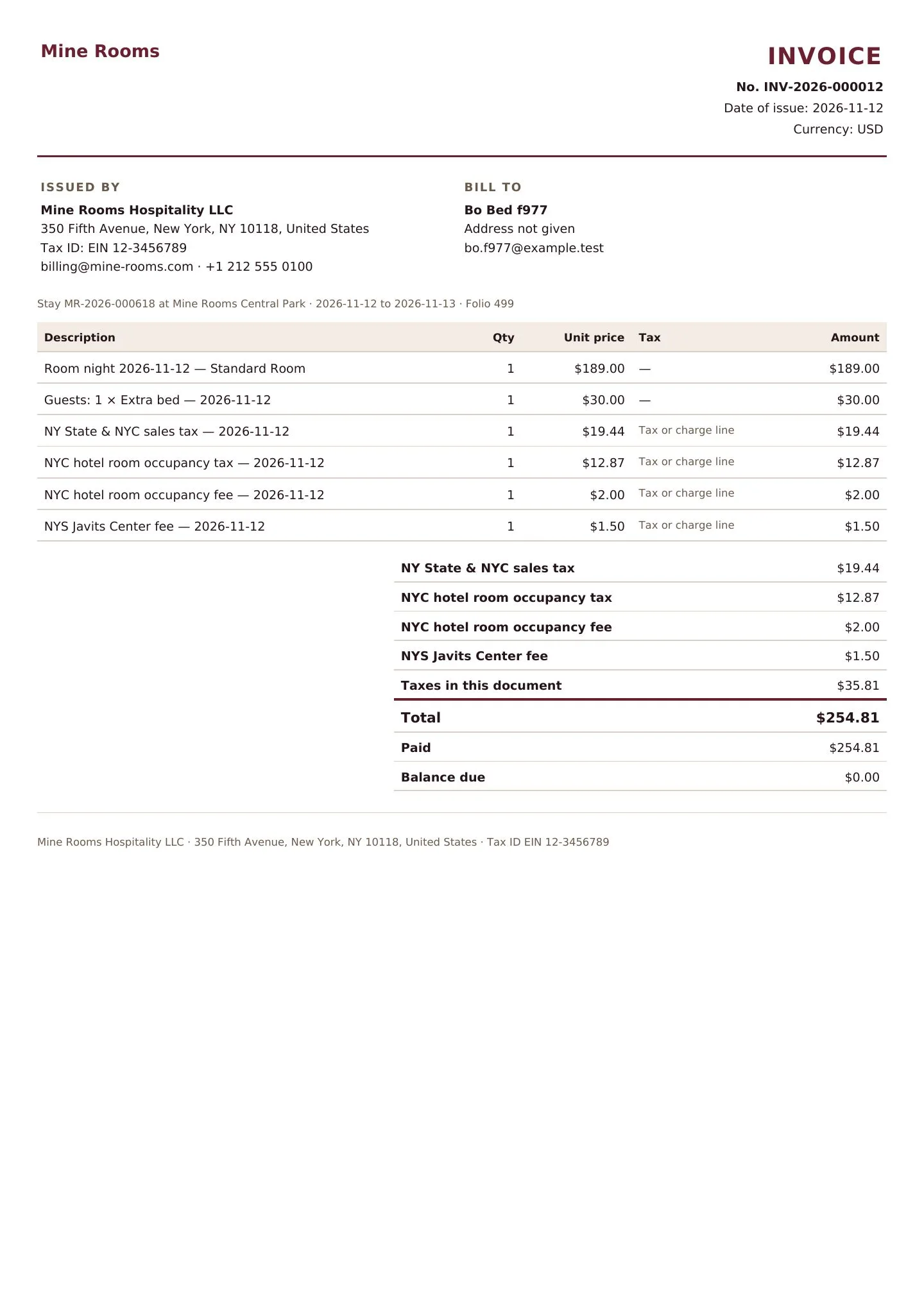
  1. The PDF carries the number, the date, the hotel's legal details and tax ID, the guest, each night and each tax.

Enlarge, then scroll

Full image ↗

Check

Every quote carries the right taxes, the tax report gives what to declare, and each invoice has the hotel's next number.

Manager · Taxes and invoice numbers06
1 / 7
Privacy Terms