Walk-ins and day rooms

A guest at the desk now, and rooms sold by the hour

  • A room free in the house
  • Hourly rates and day-room hours for the house
Receptionist
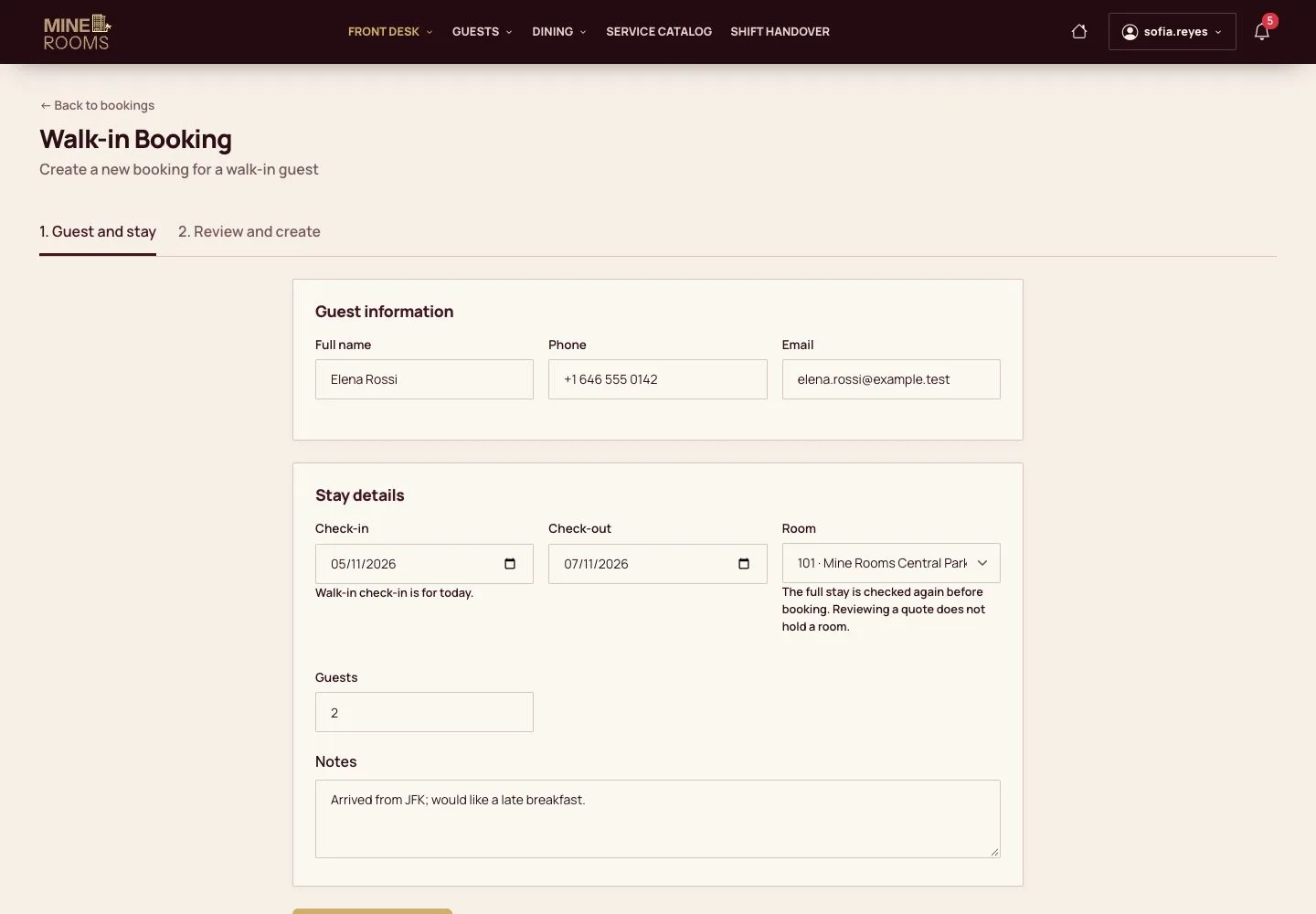
A walk-in

Receptionist

A walk-in

1Step 1 of 10

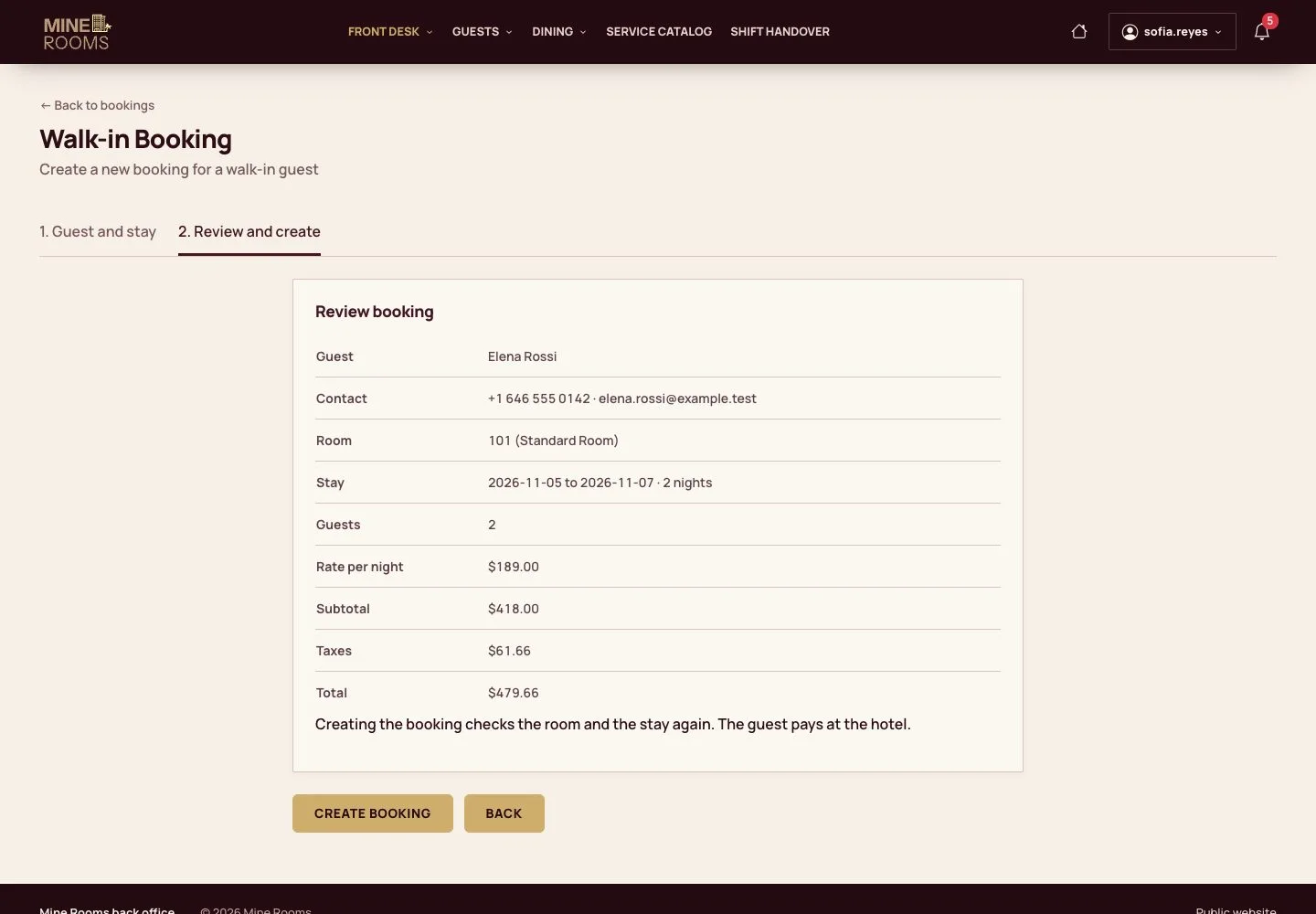
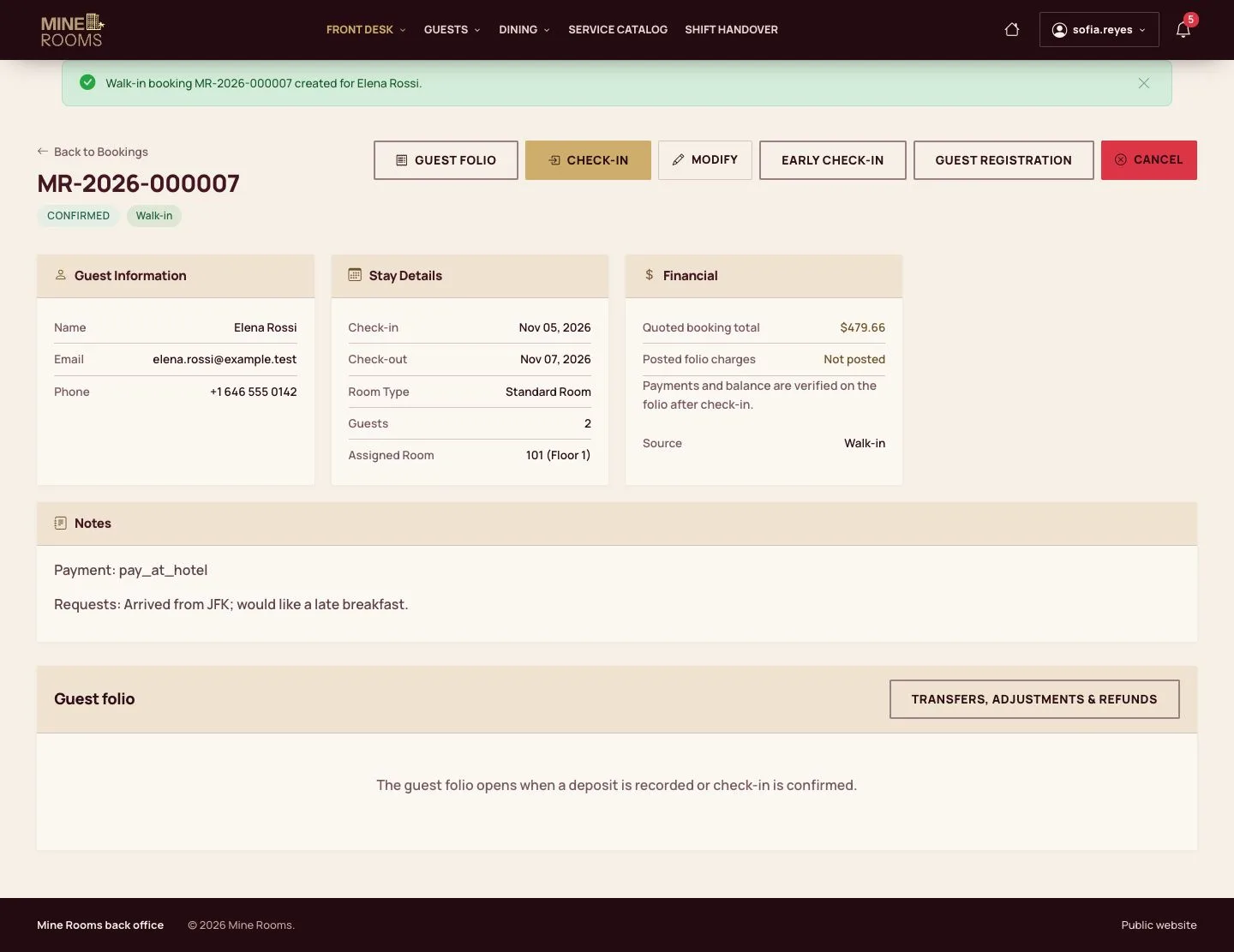
  1. Open Walk-in Booking: enter the guest, the dates, the room and the guests.
  2. The list holds only rooms of the receptionist's houses.

Enlarge, then scroll

Open illustrated screen ↗Full image ↗

Receptionist · Walk-ins and day rooms01

Review the price

Receptionist

Review the price

2Step 2 of 10

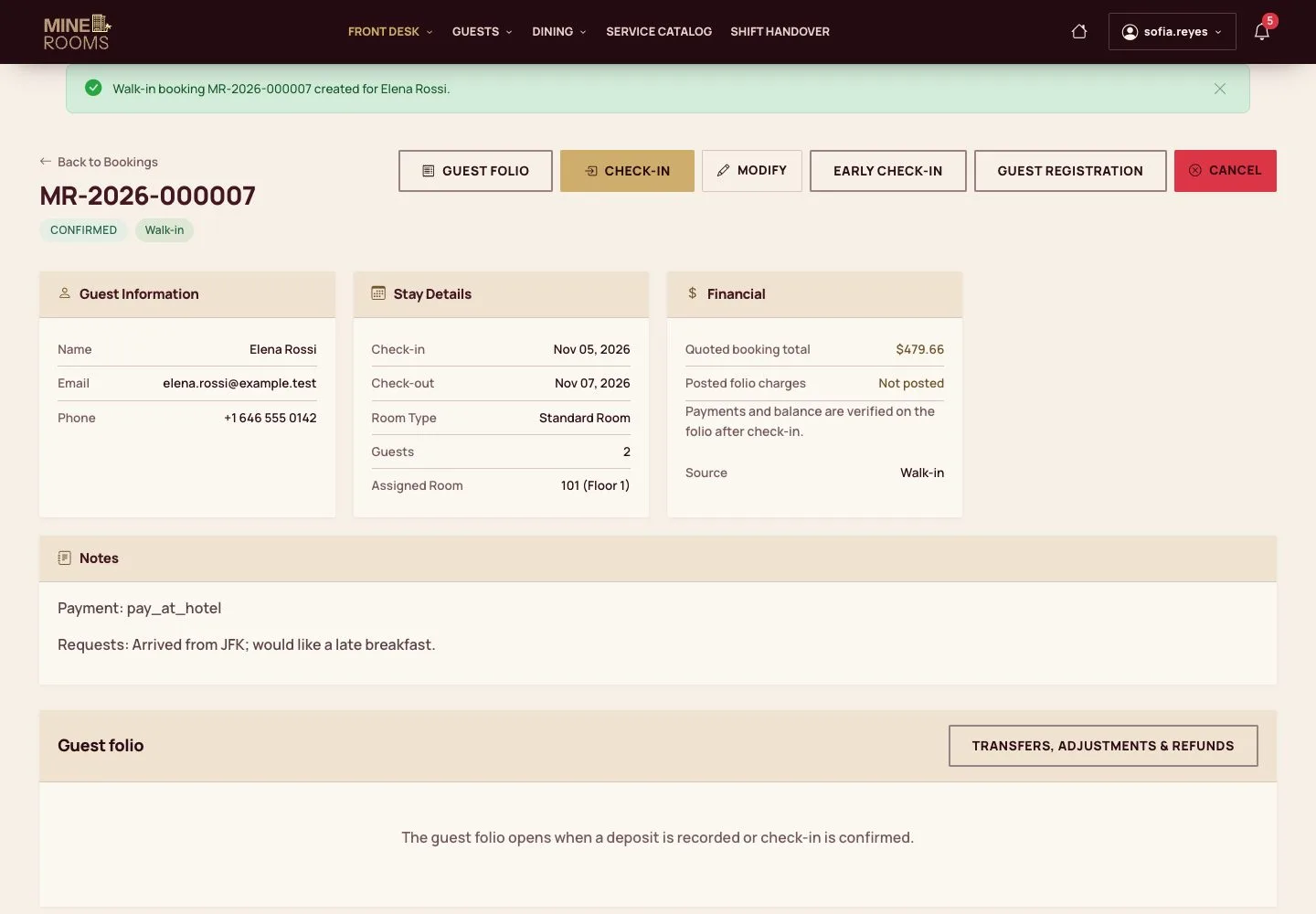
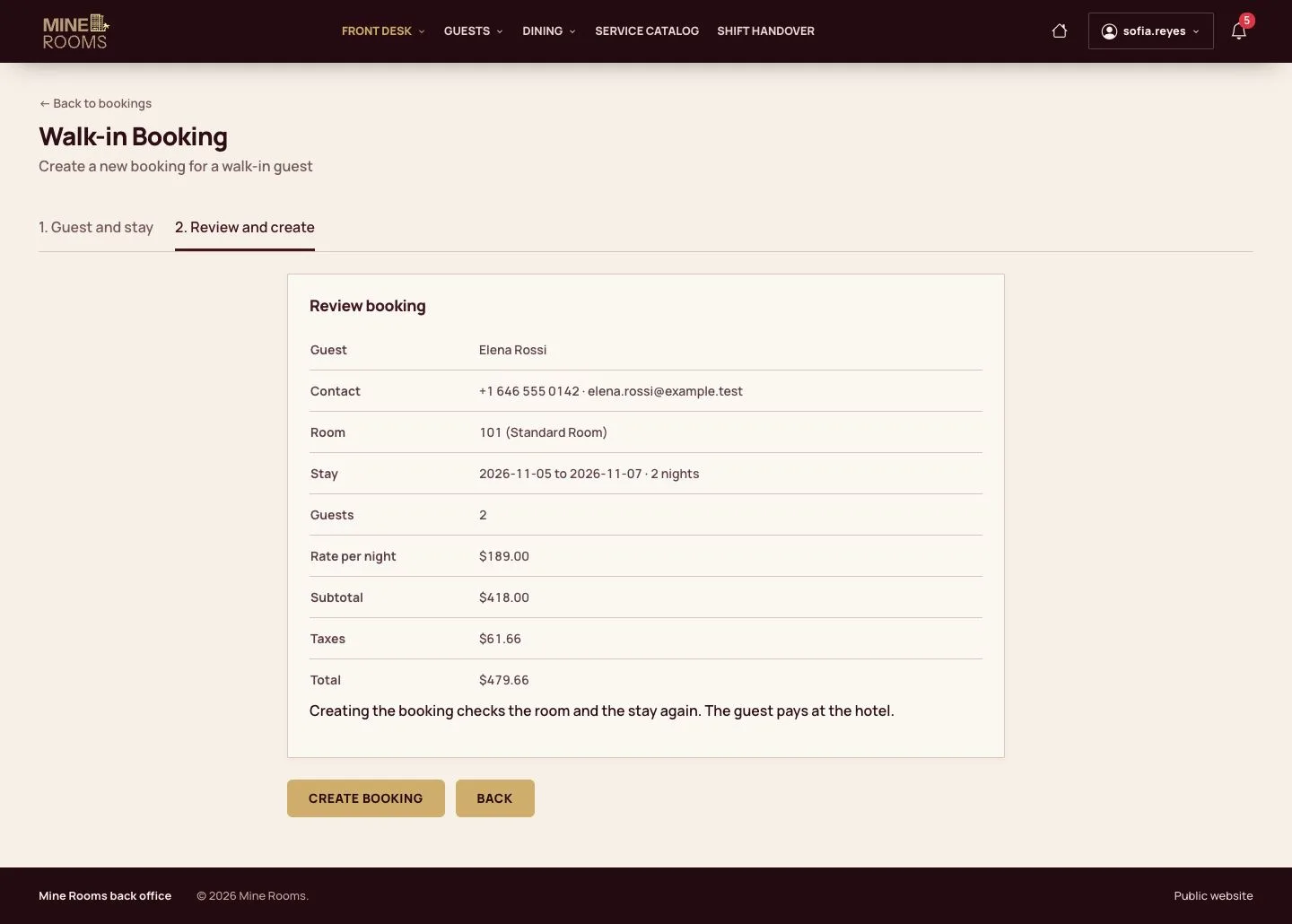
  1. The review shows the price of each night, the taxes and the total.

Enlarge, then scroll

Open illustrated screen ↗Full image ↗

Receptionist · Walk-ins and day rooms02

Booking created

Receptionist

Booking created

3Step 3 of 10

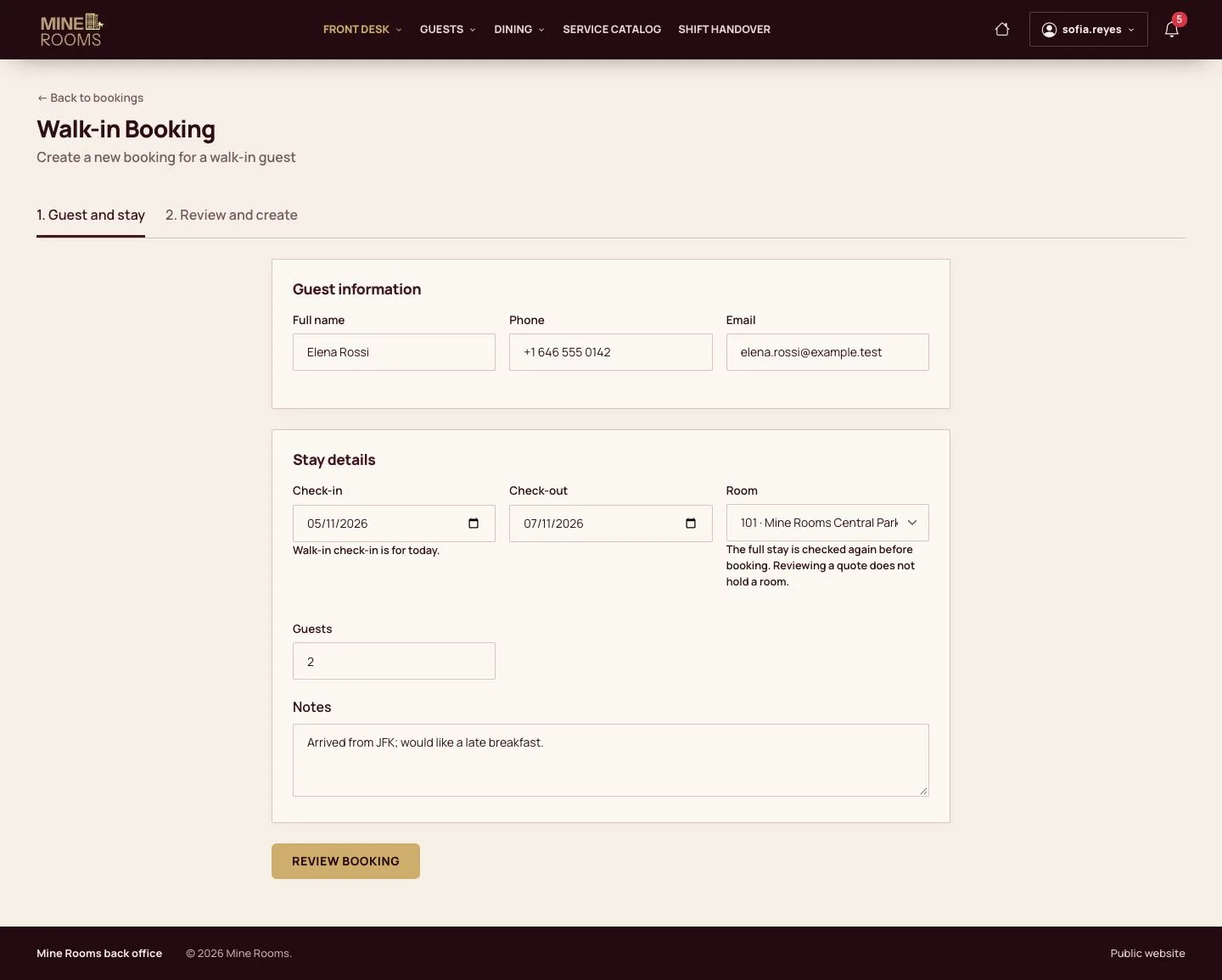
  1. The booking is confirmed; check-in follows as for any arrival.

Enlarge, then scroll

Full image ↗

Receptionist · Walk-ins and day rooms03

A room by the hour

Visitor

A room by the hour

4Step 4 of 10

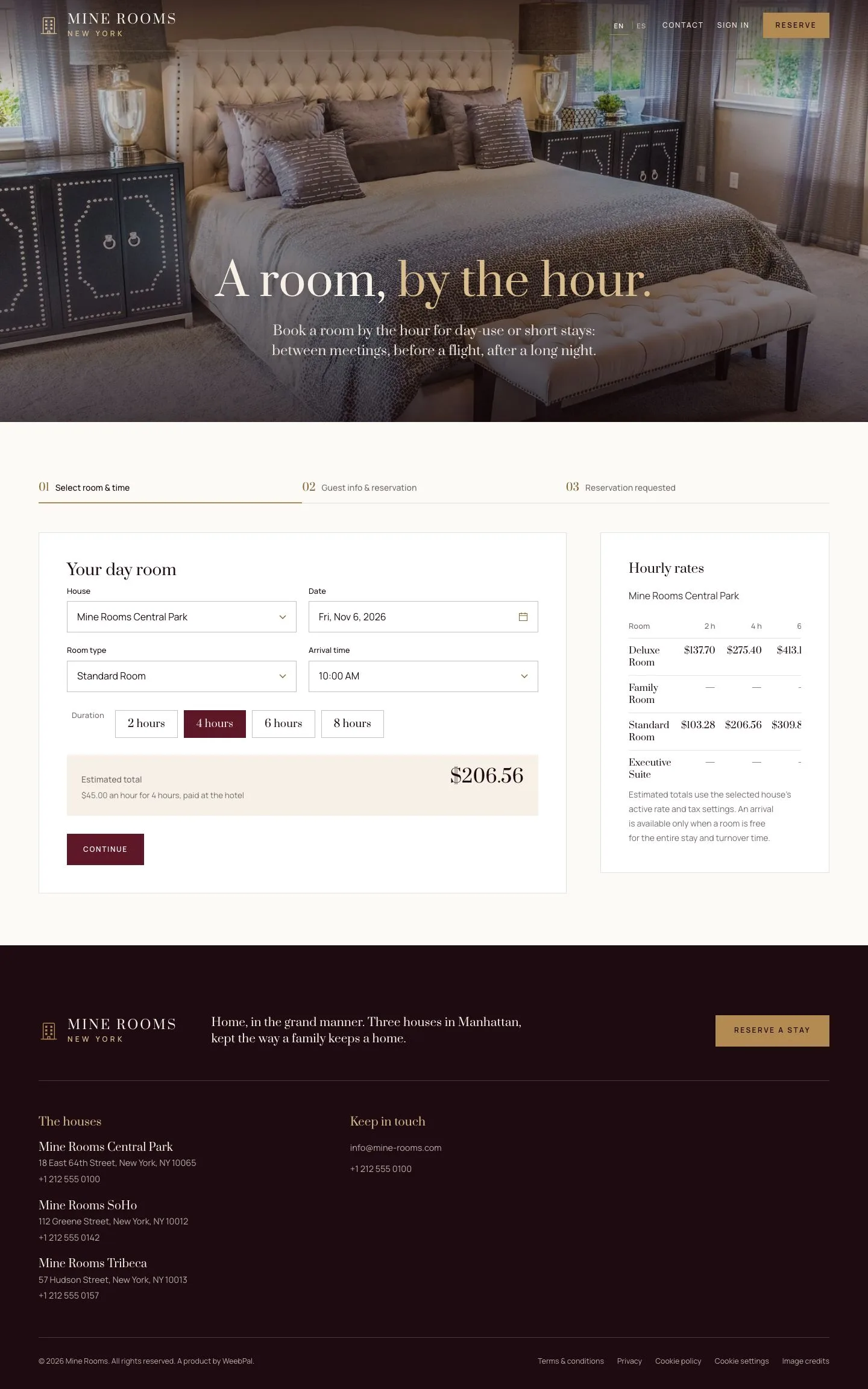
  1. On the website, a visitor chooses the house, date, room type, arrival time and 2, 4, 6 or 8 hours.

Enlarge, then scroll

Open illustrated screen ↗Full image ↗

Receptionist · Walk-ins and day rooms04

The request

Visitor

The request

5Step 5 of 10

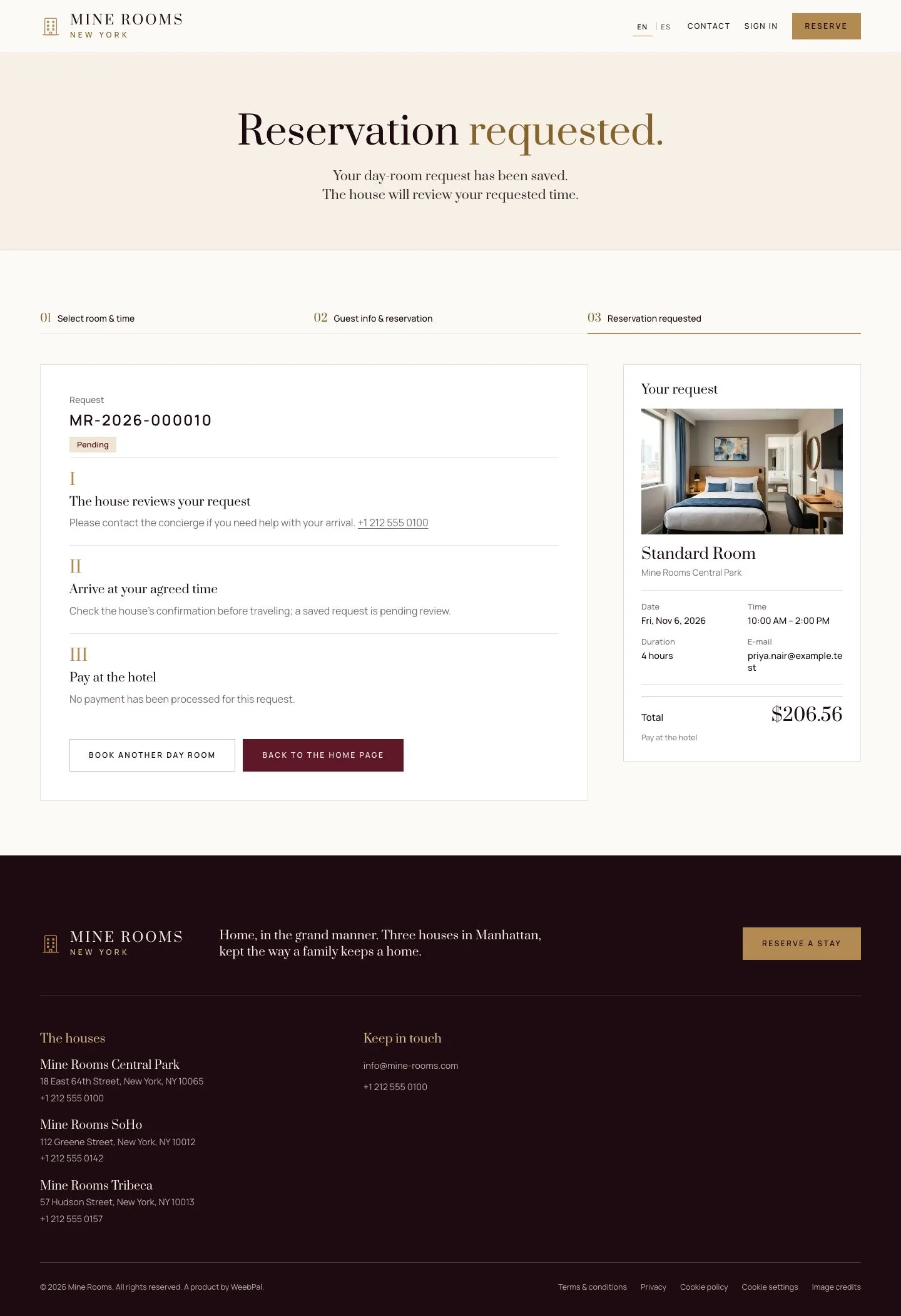
  1. The reservation is requested and waits for the desk; payment is made at the desk.

Enlarge, then scroll

Full image ↗

Receptionist · Walk-ins and day rooms05

Hourly Bookings

Receptionist

Hourly Bookings

6Step 6 of 10

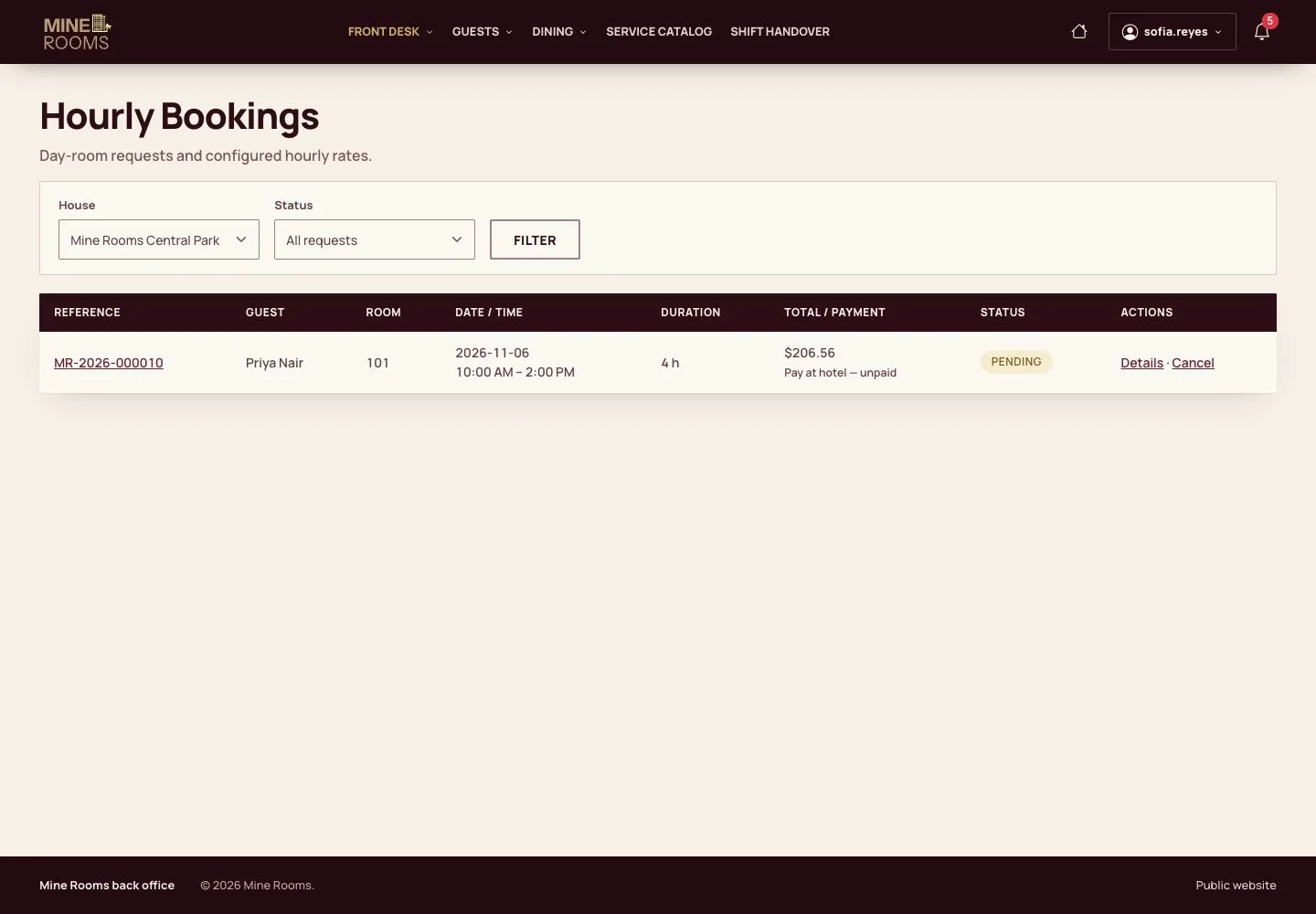
  1. The desk finds requests and stays on Hourly Bookings and opens the day room.

Open illustrated screen ↗Full image ↗

Receptionist · Walk-ins and day rooms06

Take the payment

Receptionist

Take the payment

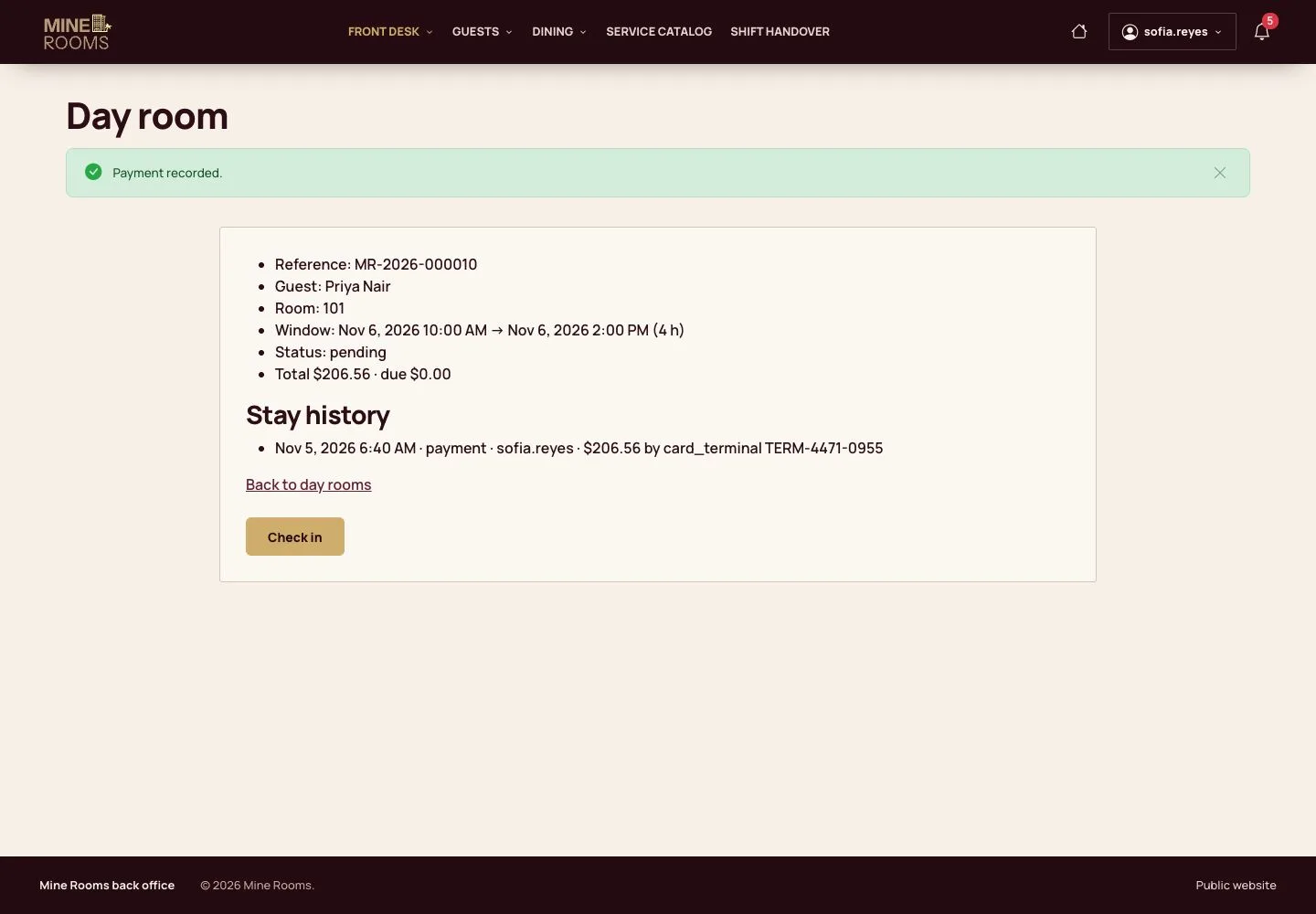
7Step 7 of 10

  1. Record the payment on the day room.

Full image ↗

Receptionist · Walk-ins and day rooms07

Check in on time

Receptionist

Check in on time

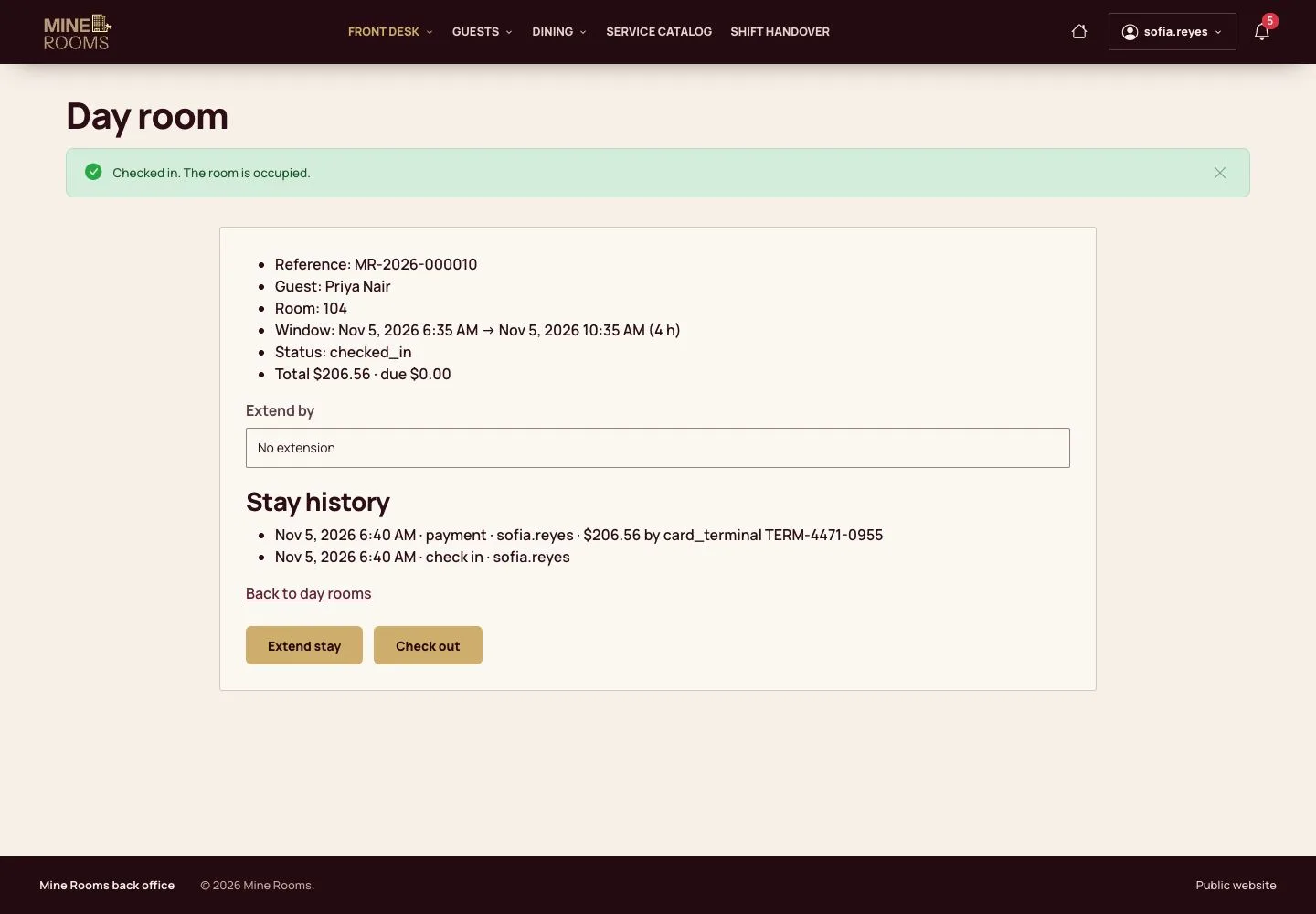
8Step 8 of 10

  1. Check-in opens at the agreed hour; earlier, the page says when it will be possible.

Full image ↗

Receptionist · Walk-ins and day rooms08

Extend the stay

Receptionist

Extend the stay

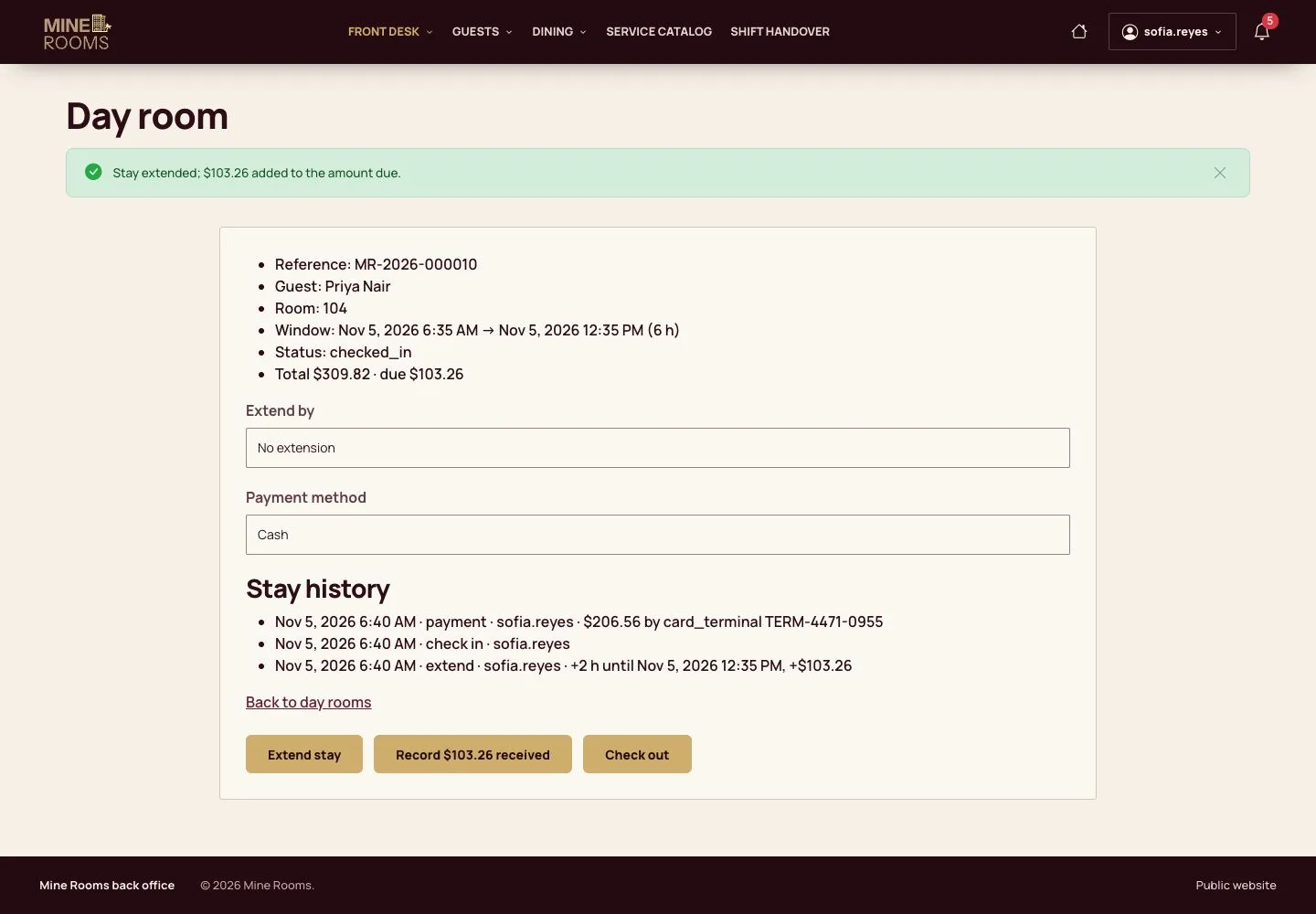
9Step 9 of 10

  1. Extending by 2 hours shows the new departure time and the amount to add.

A cleaning buffer after the stay keeps the next booking safe.

Full image ↗

Receptionist · Walk-ins and day rooms09

Check out

Receptionist

Check out

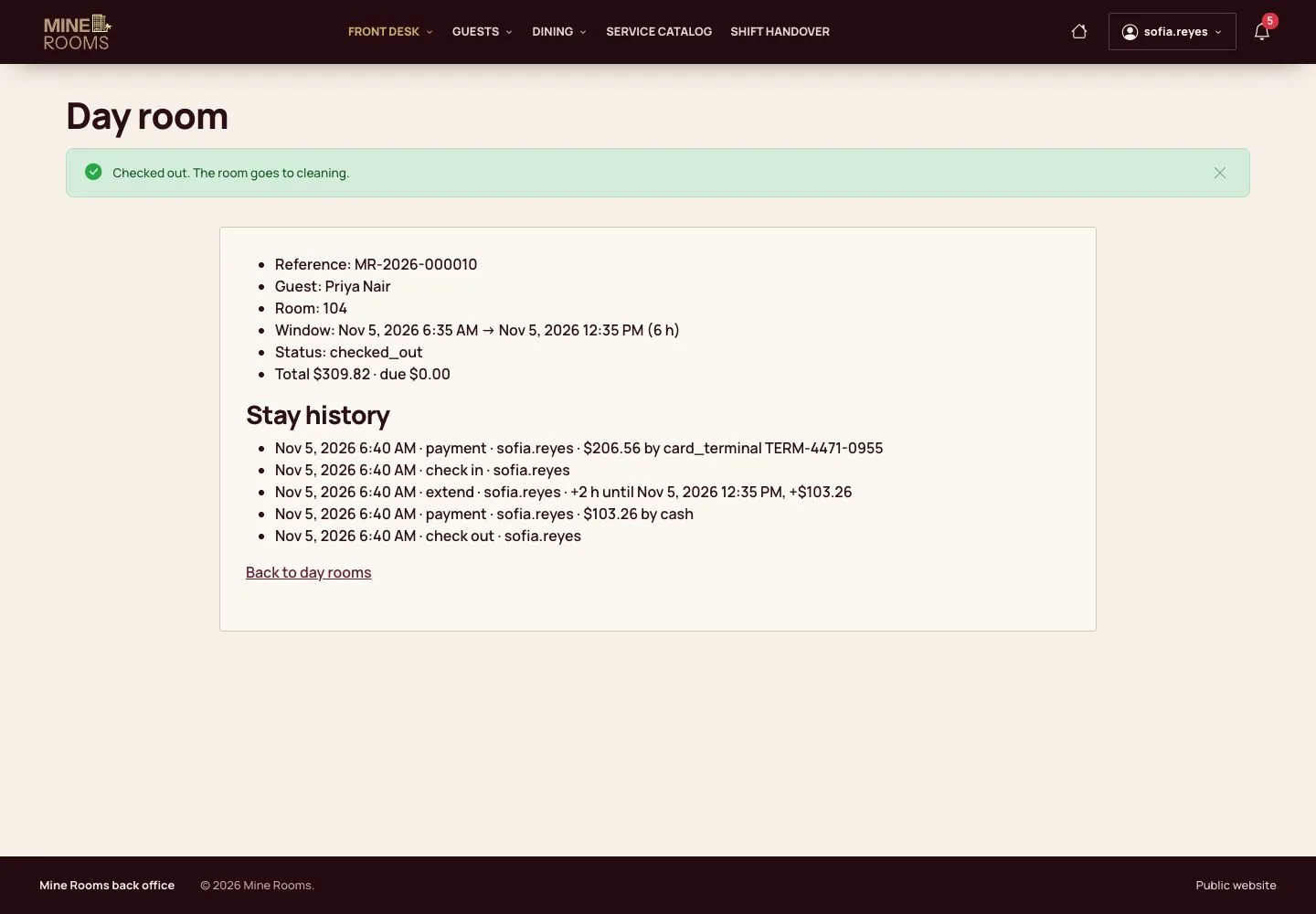
10Step 10 of 10

  1. Collect what is left and check out; the room goes to cleaning.

Full image ↗

Check

The walk-in has a booking; the day room is closed, paid and back to cleaning.

Receptionist · Walk-ins and day rooms10
1 / 11
Privacy Terms