Rates and availability

One price for every night, by house, room type and date

  • Rooms in the house
  • A manager account
  • Hourly rates: the Day rooms pack turned on
Manager
Prices and calendar

Manager

Prices and calendar

1Step 1 of 8

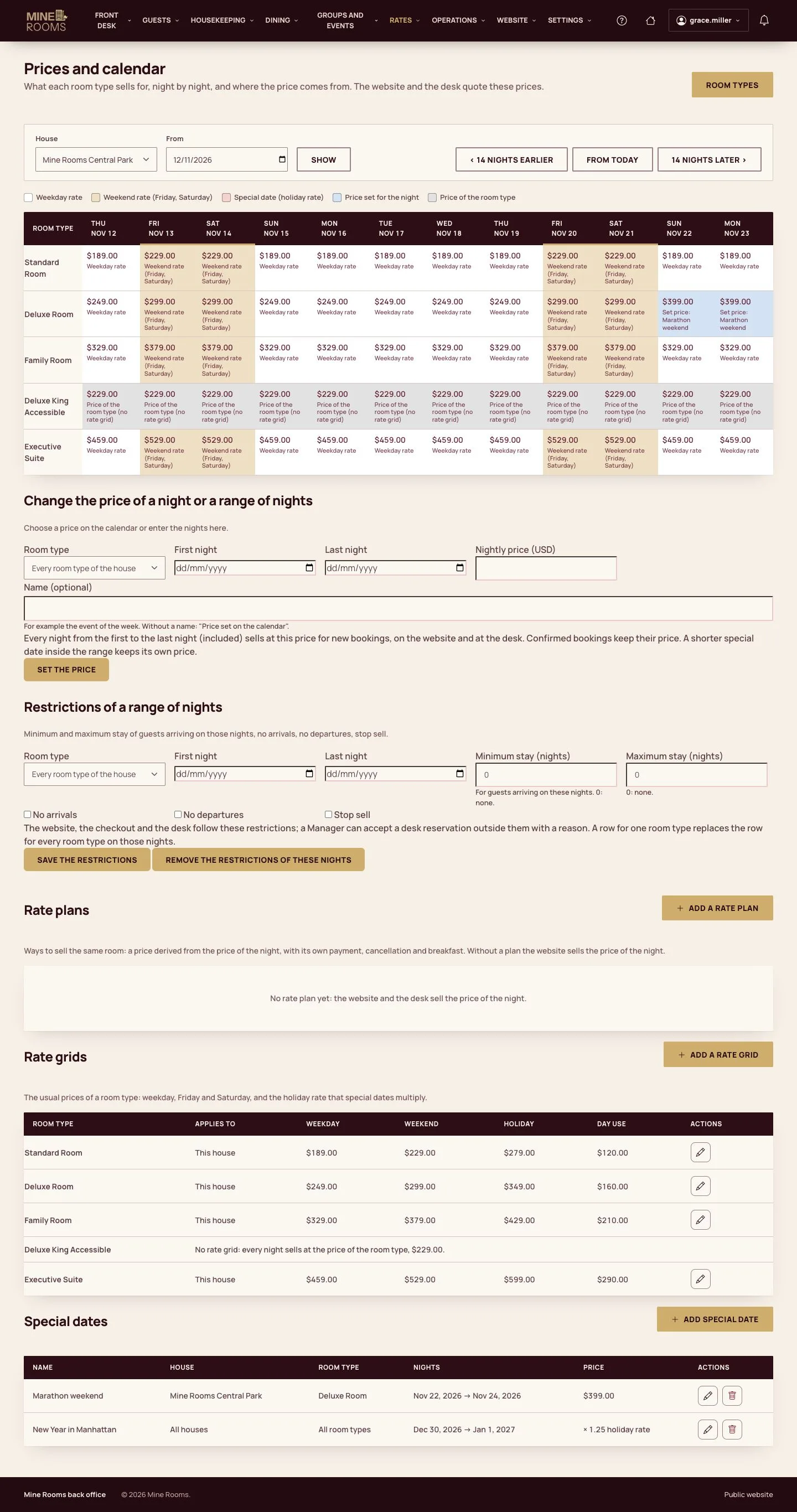
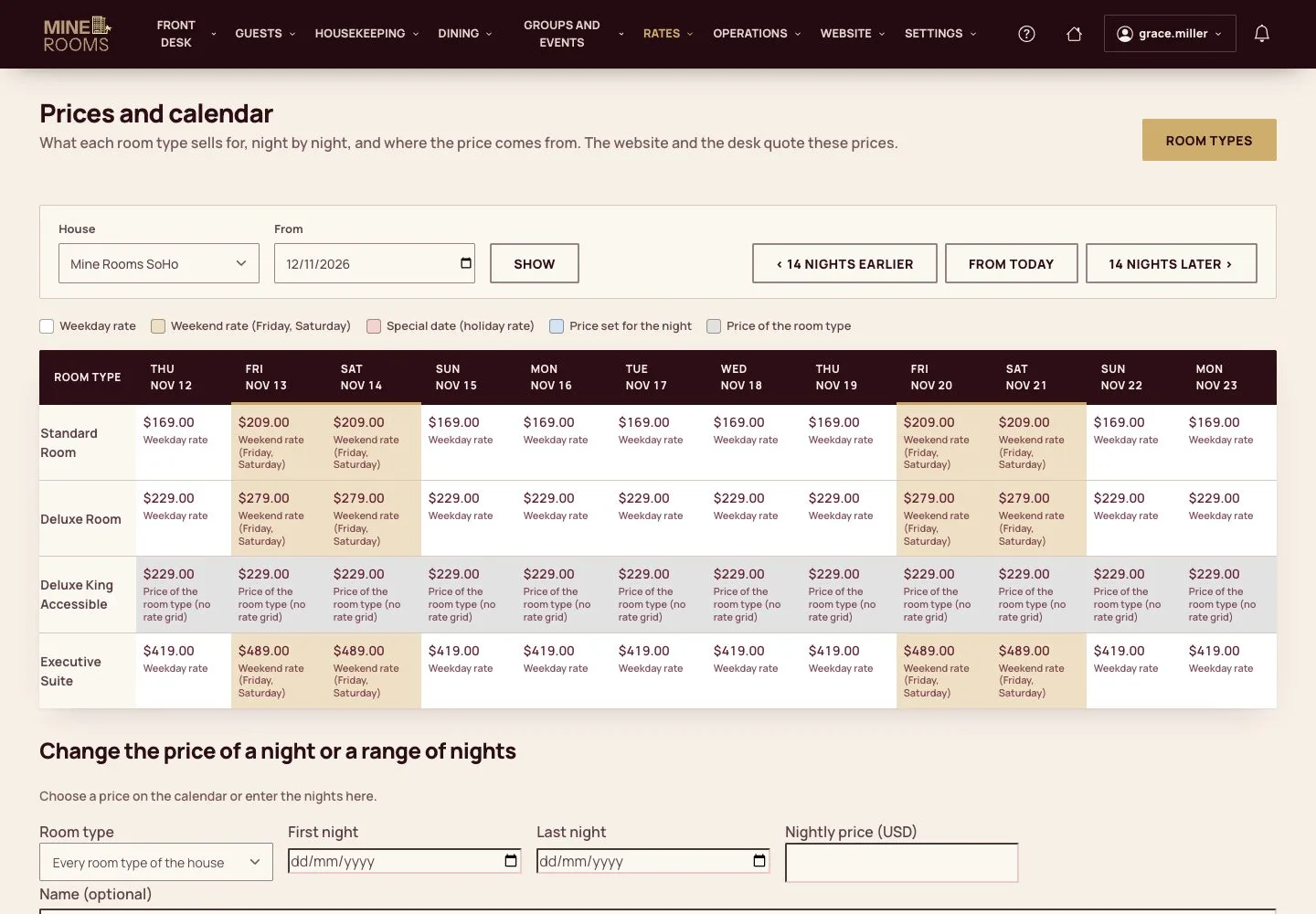
  1. Prices and calendar shows, for a house, what each room type sells for night by night and where the price comes from; the website and the desk quote these prices.
  2. A price set for the night or a special date outranks the rate grid of the house, which outranks a shared grid; the price of the room type comes last.

Enlarge, then scroll
Open illustrated screen ↗Full image ↗

Manager · Rates and availability01

A rate grid

Manager

A rate grid

2Step 2 of 8

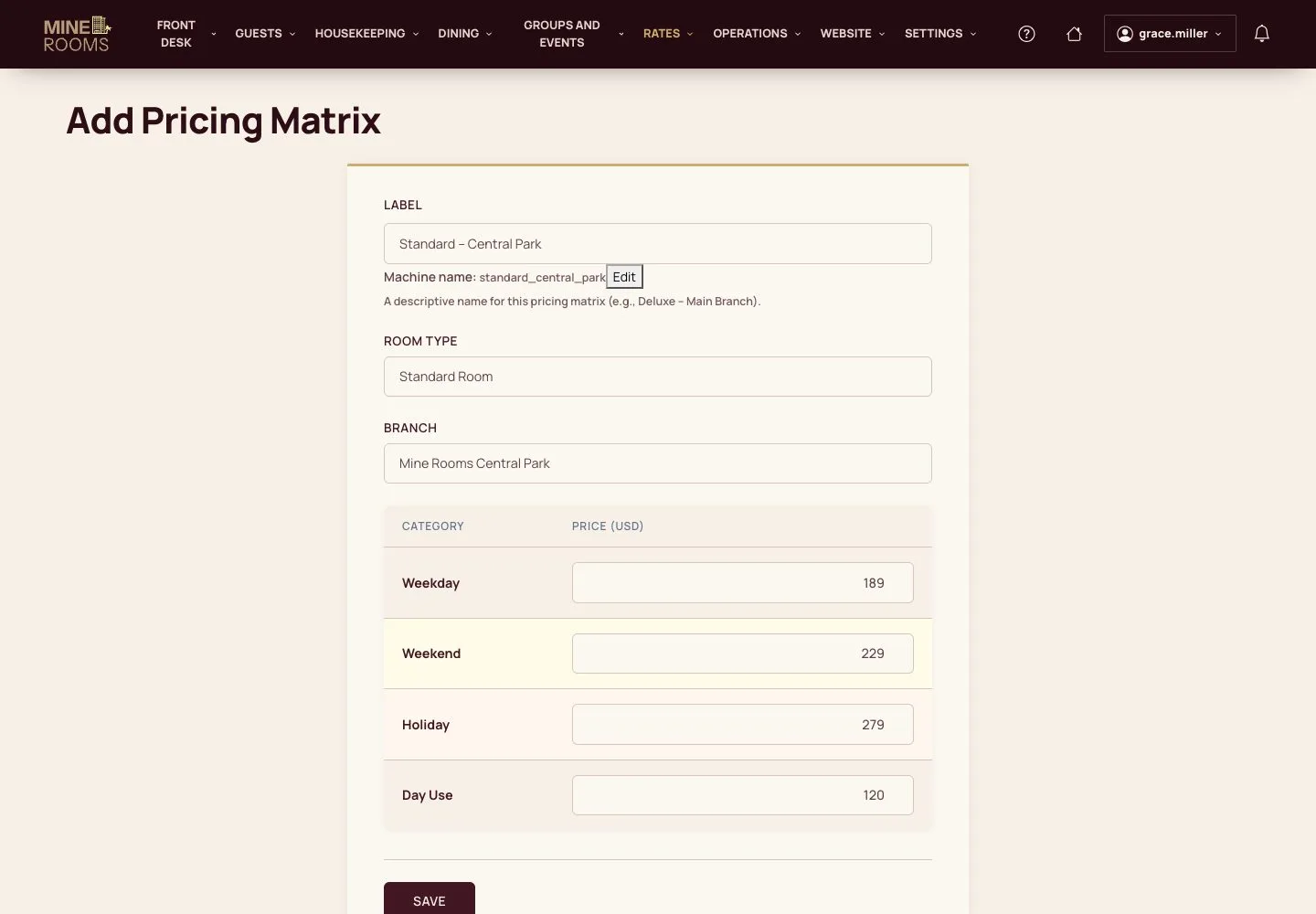
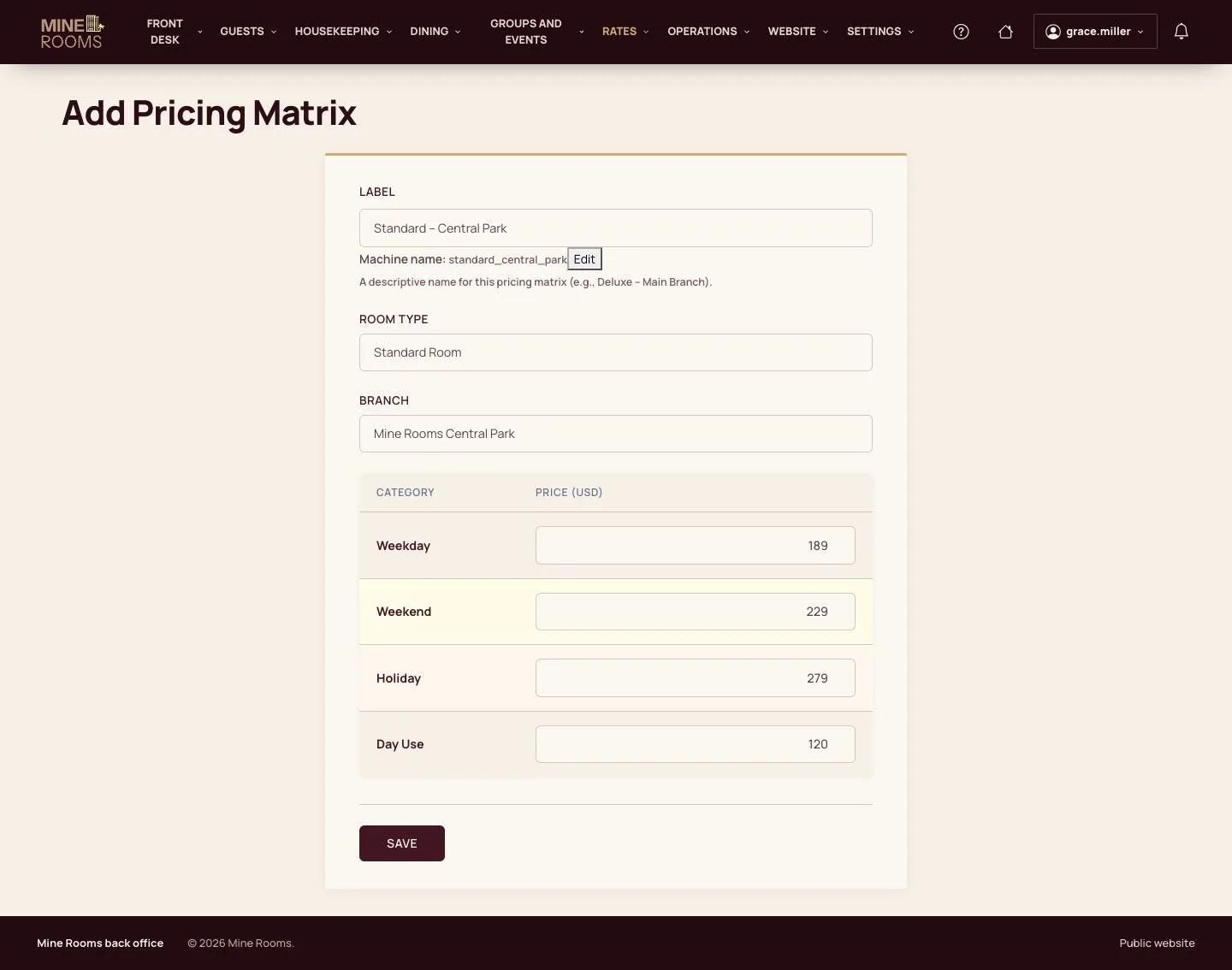
  1. Add a rate grid: its label, the room type, the house and the weekday, weekend, holiday and day-use prices.
  2. Weekend means the nights of Friday and Saturday.

Enlarge, then scroll

Open illustrated screen ↗Full image ↗

Manager · Rates and availability02

Special dates

Manager

Special dates

3Step 3 of 8

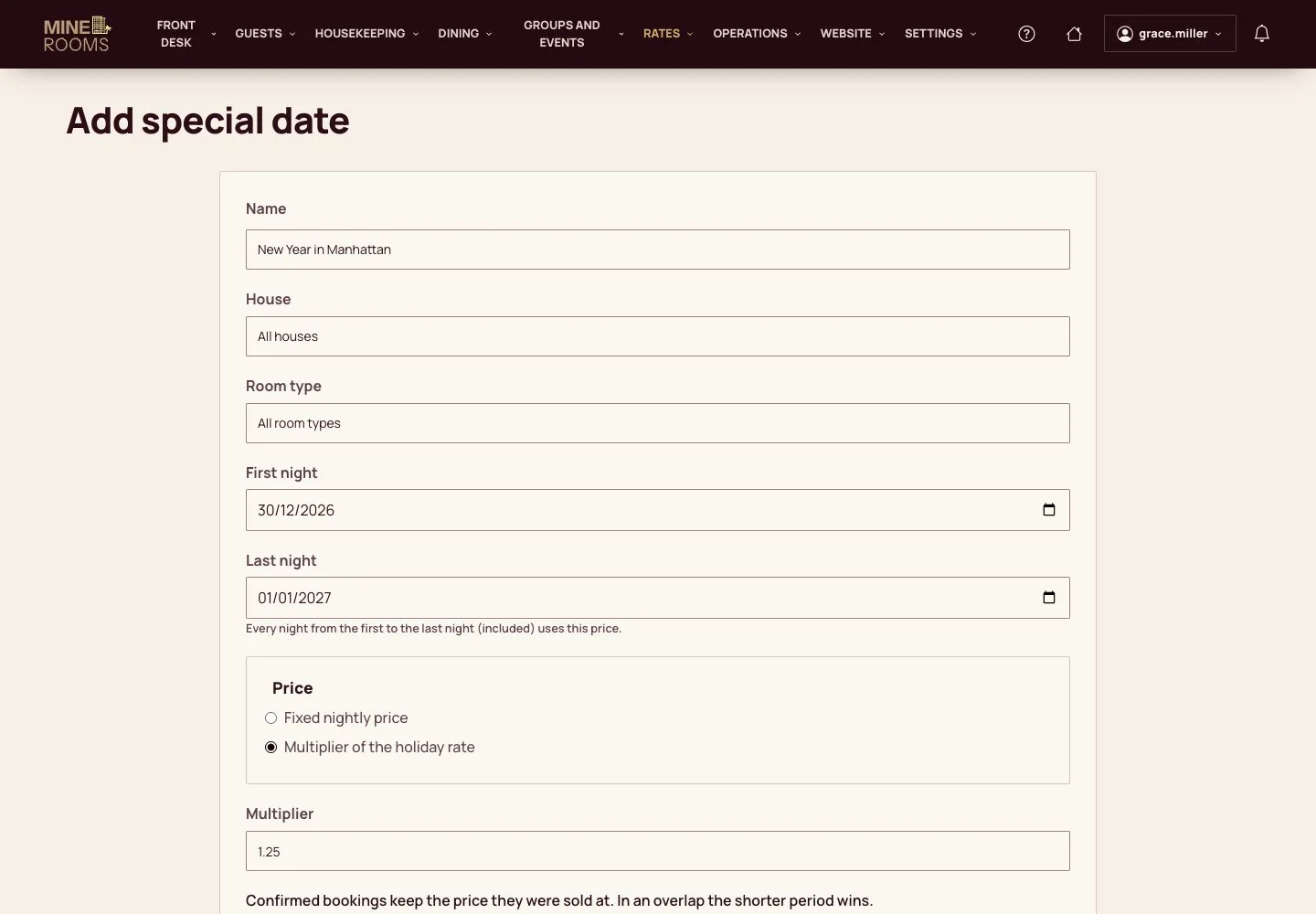
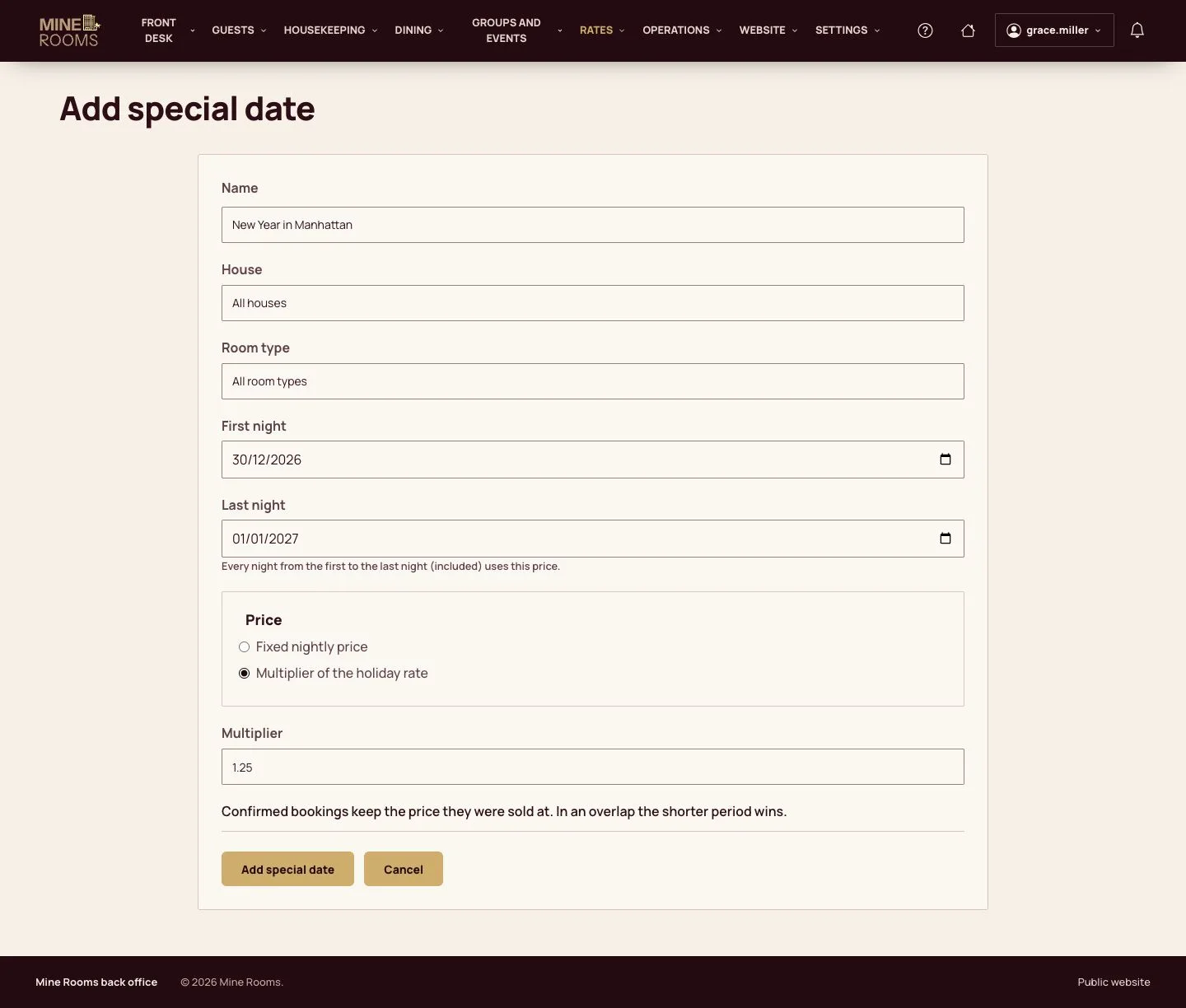
  1. Add special date: a name, the house and room type (or all), the first and last night, and a fixed nightly price or a multiplier of the holiday rate.

Confirmed bookings keep the price they were sold at; where periods overlap, the shorter one wins.

Enlarge, then scroll

Open illustrated screen ↗Full image ↗

Manager · Rates and availability03

Check the next nights

Manager

Check the next nights

4Step 4 of 8

  1. The calendar shows the price of 14 nights with its source: weekday rate, weekend rate, special date, a price set for the night or the price of the room type.
  2. 14 nights earlier and 14 nights later move it; a price can be changed for a night or a range of nights below the calendar.

Enlarge, then scroll
Open illustrated screen ↗Full image ↗

Manager · Rates and availability04

Hourly rates

Manager

Hourly rates

5Step 5 of 8

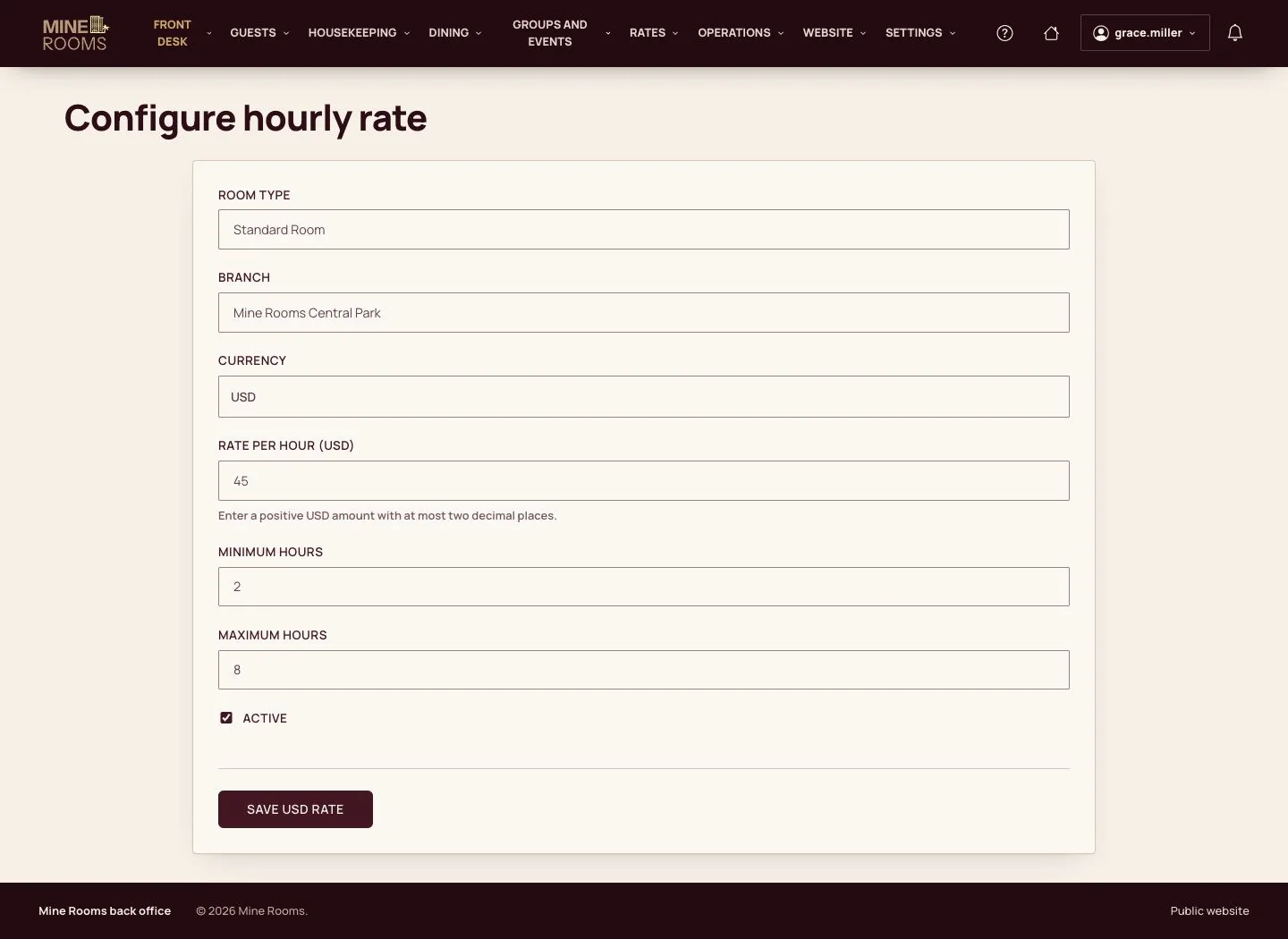
  1. With the Day rooms pack, Configure hourly rate: the room type, the house, the rate per hour and the least and most hours.

Enlarge, then scroll

Open illustrated screen ↗Full image ↗

Manager · Rates and availability05

Day-room settings

Manager

Day-room settings

6Step 6 of 8

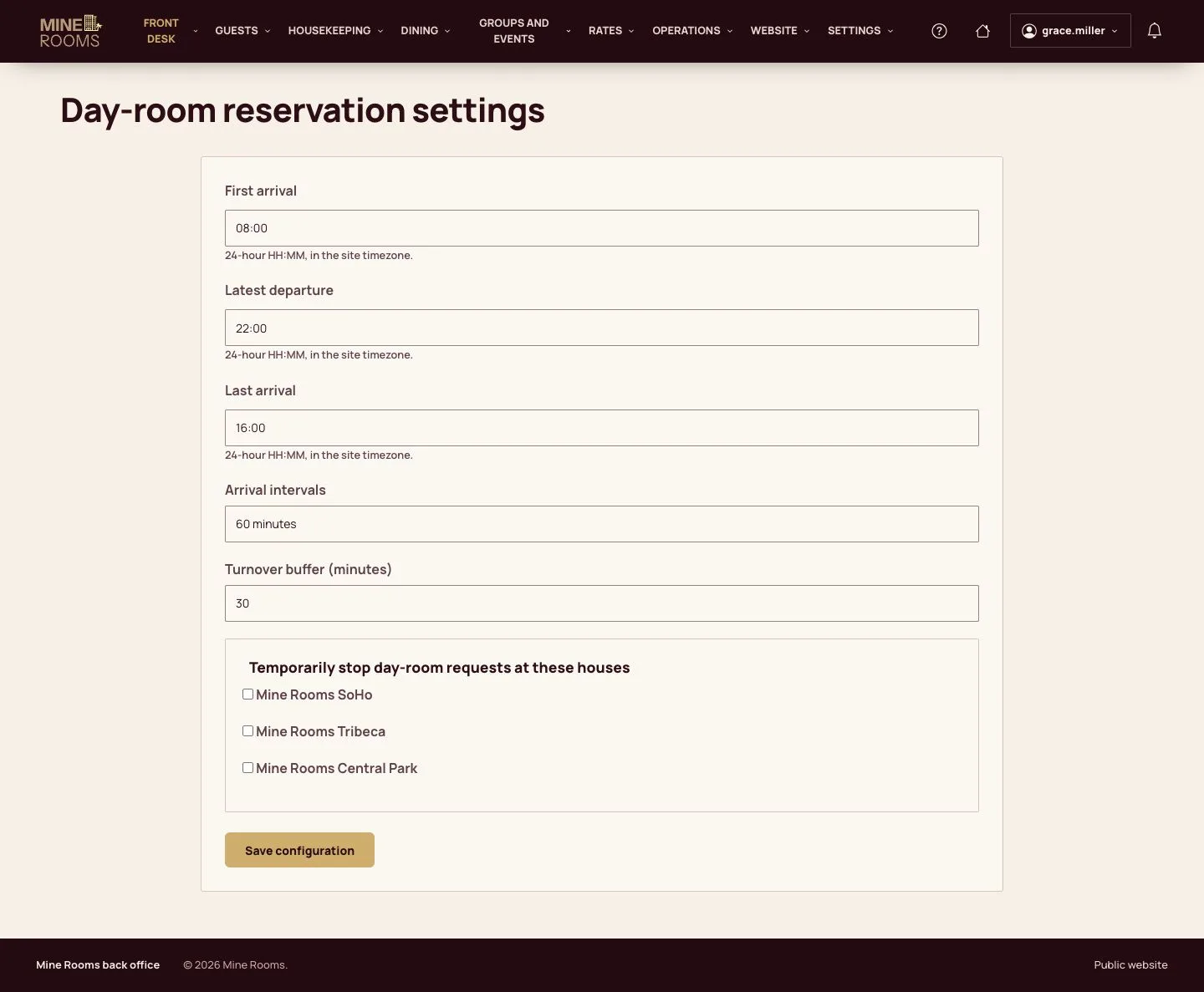
  1. Day-room reservation settings: the first arrival, the last arrival, the latest departure, the arrival intervals, the turnover buffer, and the houses that stop day-room requests for a while.

Enlarge, then scroll

Open illustrated screen ↗Full image ↗

Manager · Rates and availability06

What the guest sees

Visitor

What the guest sees

7Step 7 of 8

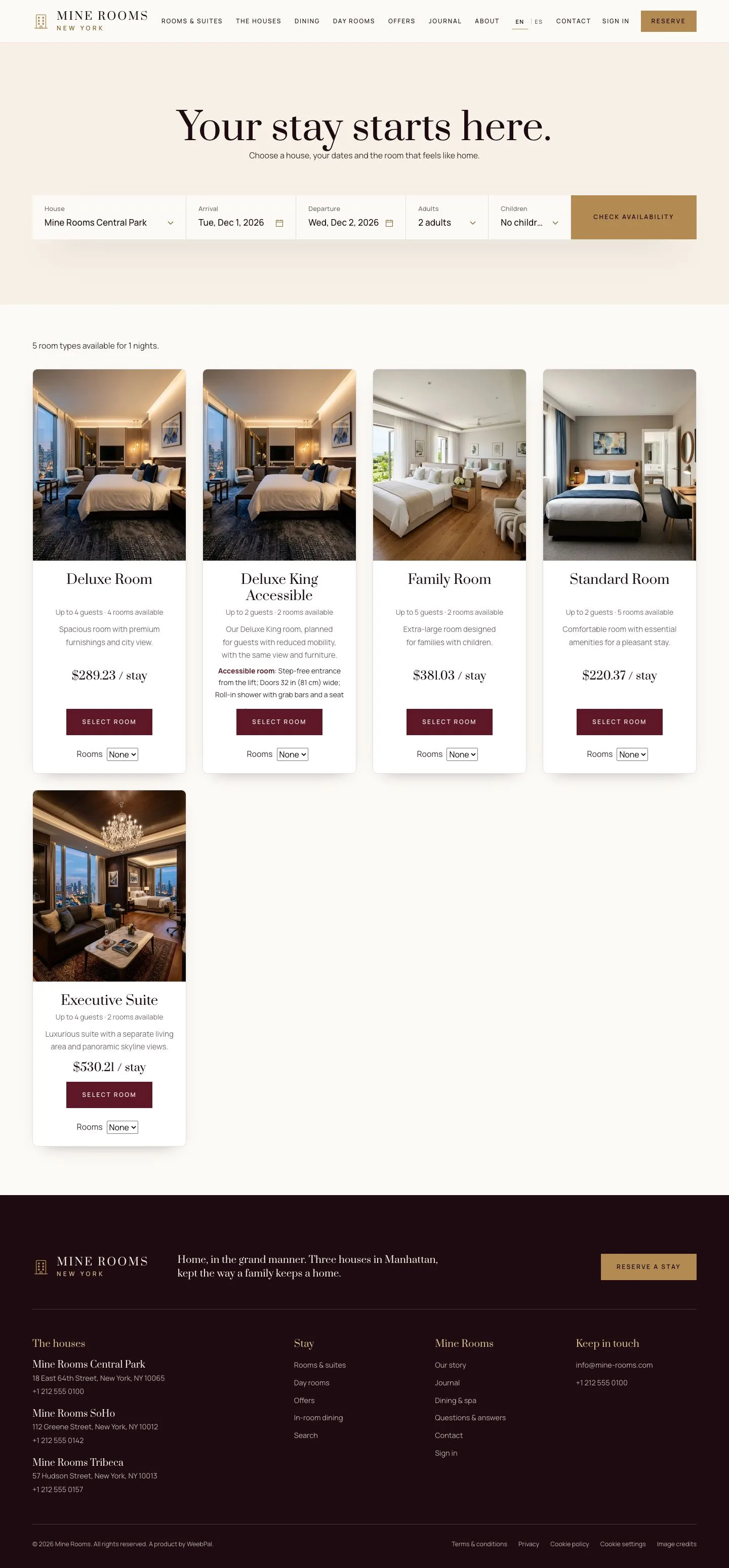
  1. The search shows the price of the stay with its taxes and fees.

Enlarge, then scroll

Open illustrated screen ↗Full image ↗

Manager · Rates and availability07

A weekend night

Visitor

A weekend night

8Step 8 of 8

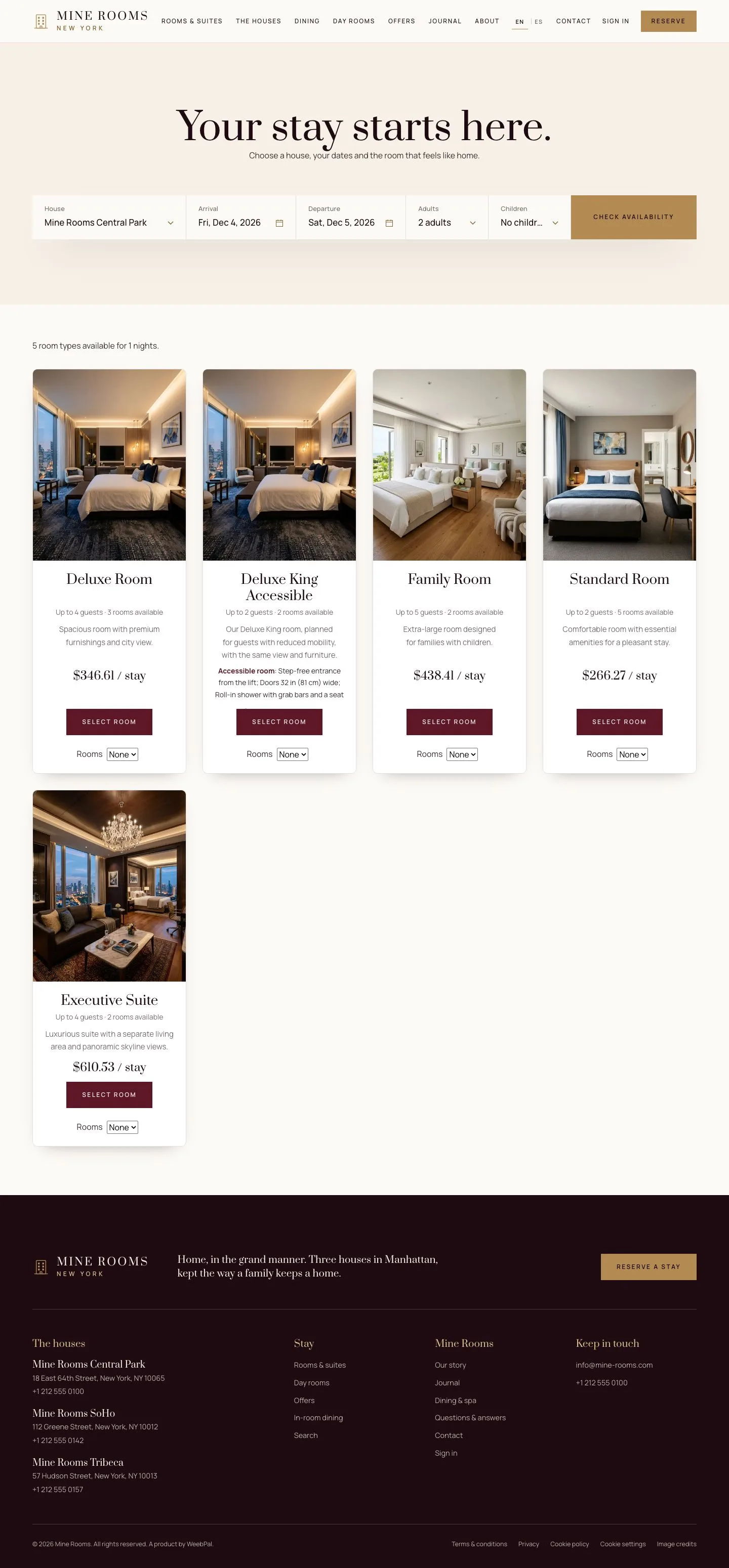
  1. A Friday night takes the weekend price of the rate grid.

Enlarge, then scroll

Open illustrated screen ↗Full image ↗

Check

Guests see the right price of each night in the search.

Manager · Rates and availability08
1 / 9
Privacy Terms