Shift handover and night audit

Count the cash, explain the difference and close the date, house by house

  • An open shift
  • A manager account for the audit
Manager
Current shift

Receptionist

Current shift

1Step 1 of 12

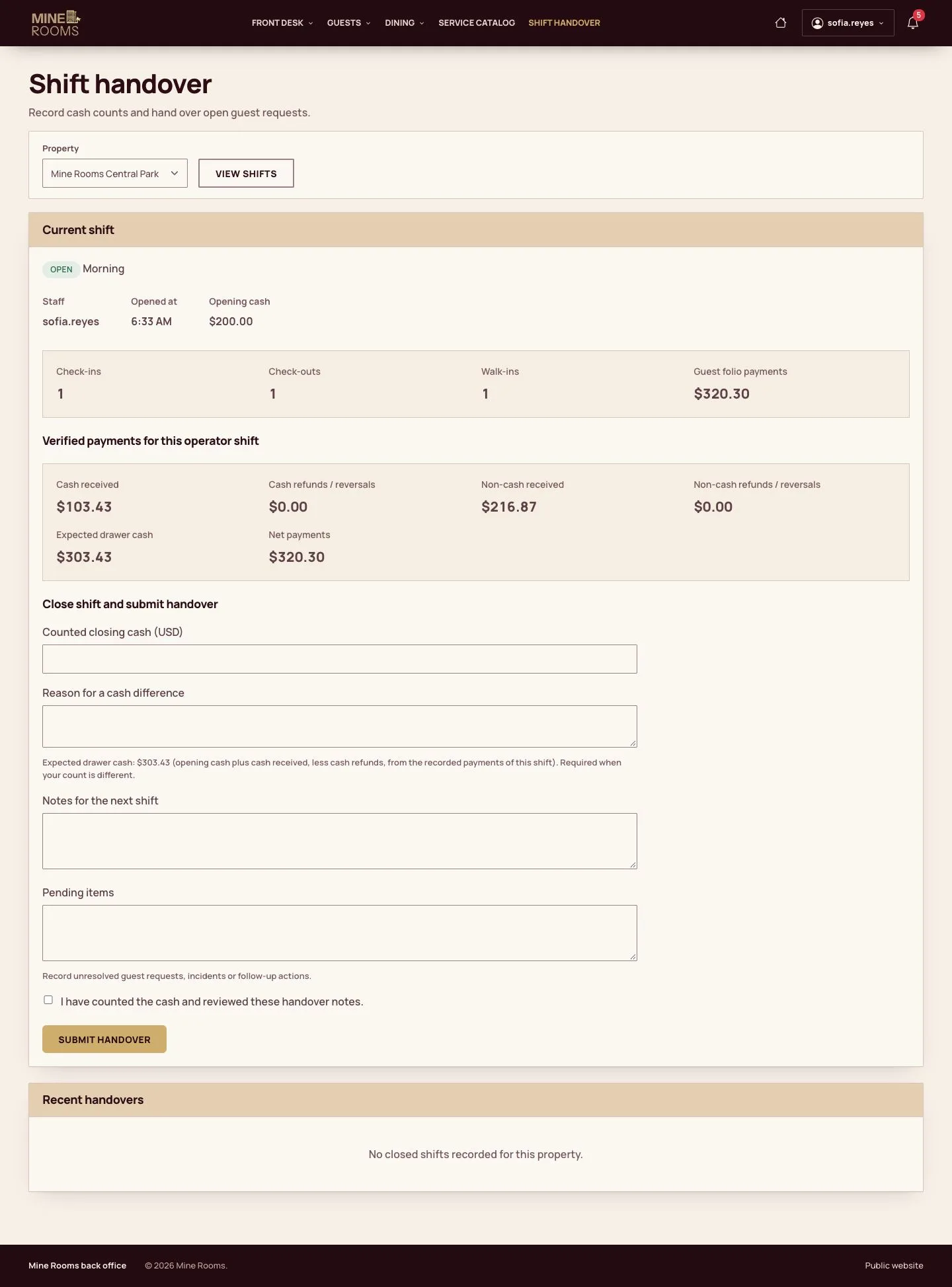
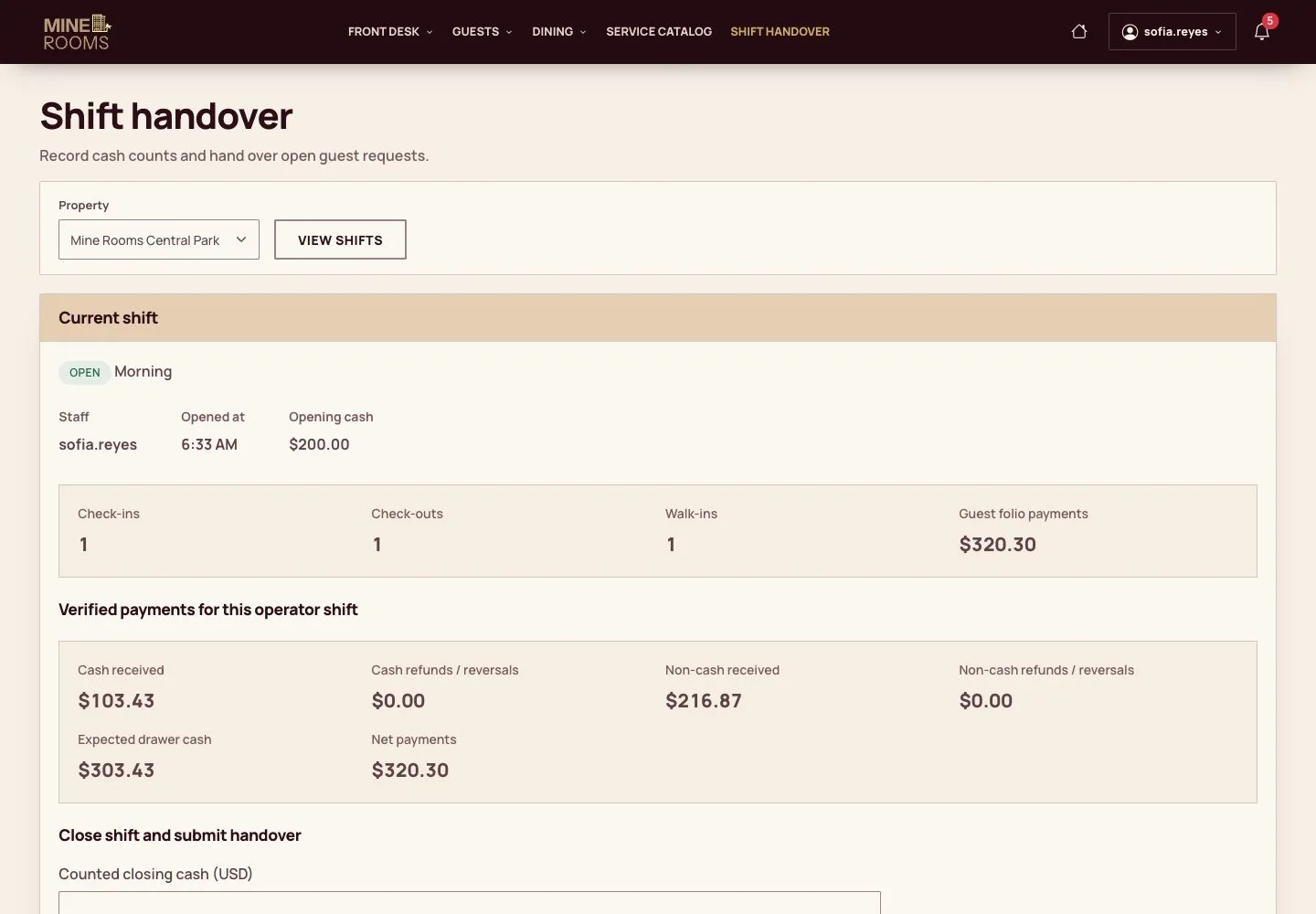
  1. The shift shows the opening cash, the check-ins, check-outs, walk-ins and the money taken.

Enlarge, then scroll

Open illustrated screen ↗Full image ↗

Manager · Shift handover and night audit01

Count the cash

Receptionist

Count the cash

2Step 2 of 12

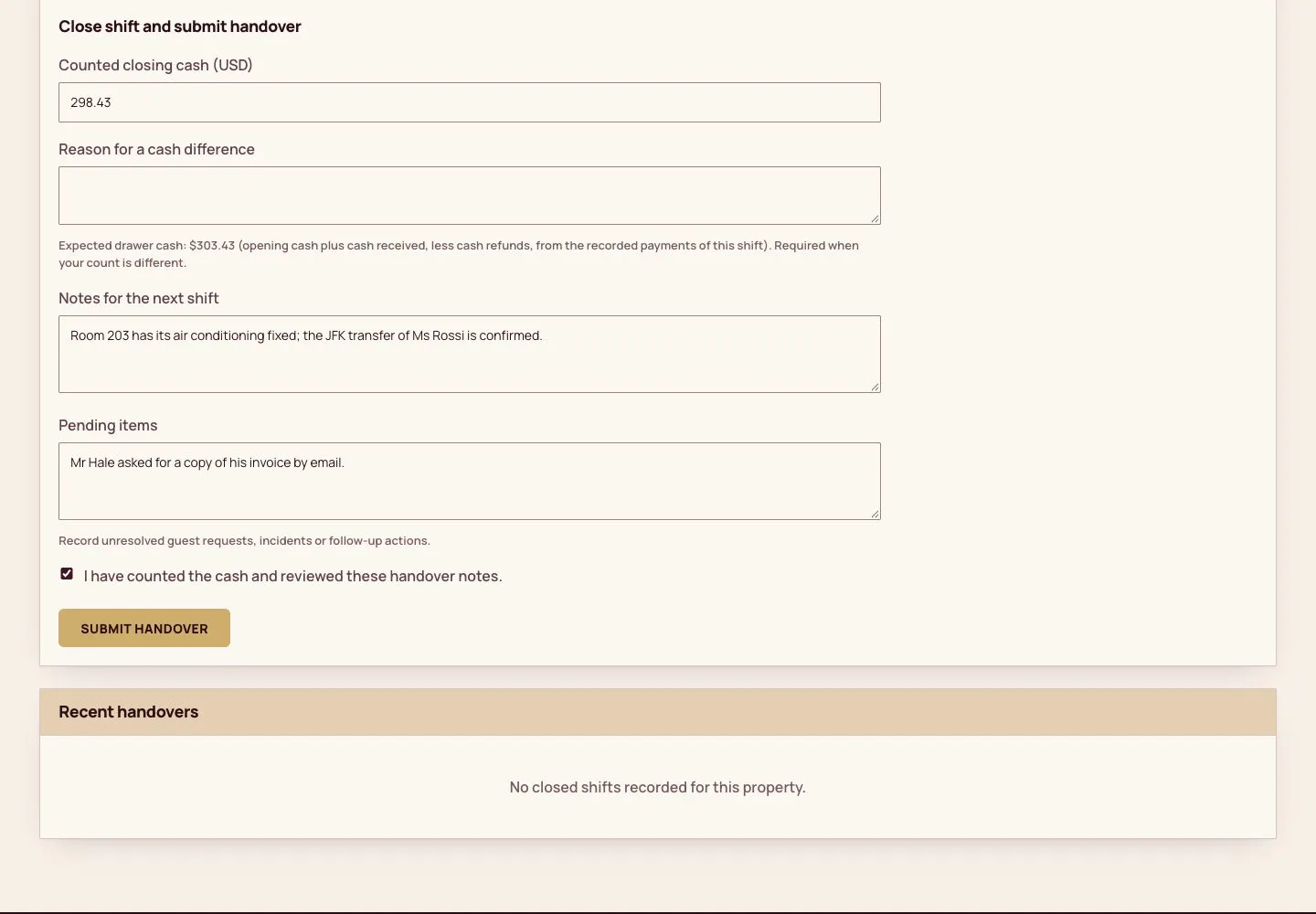
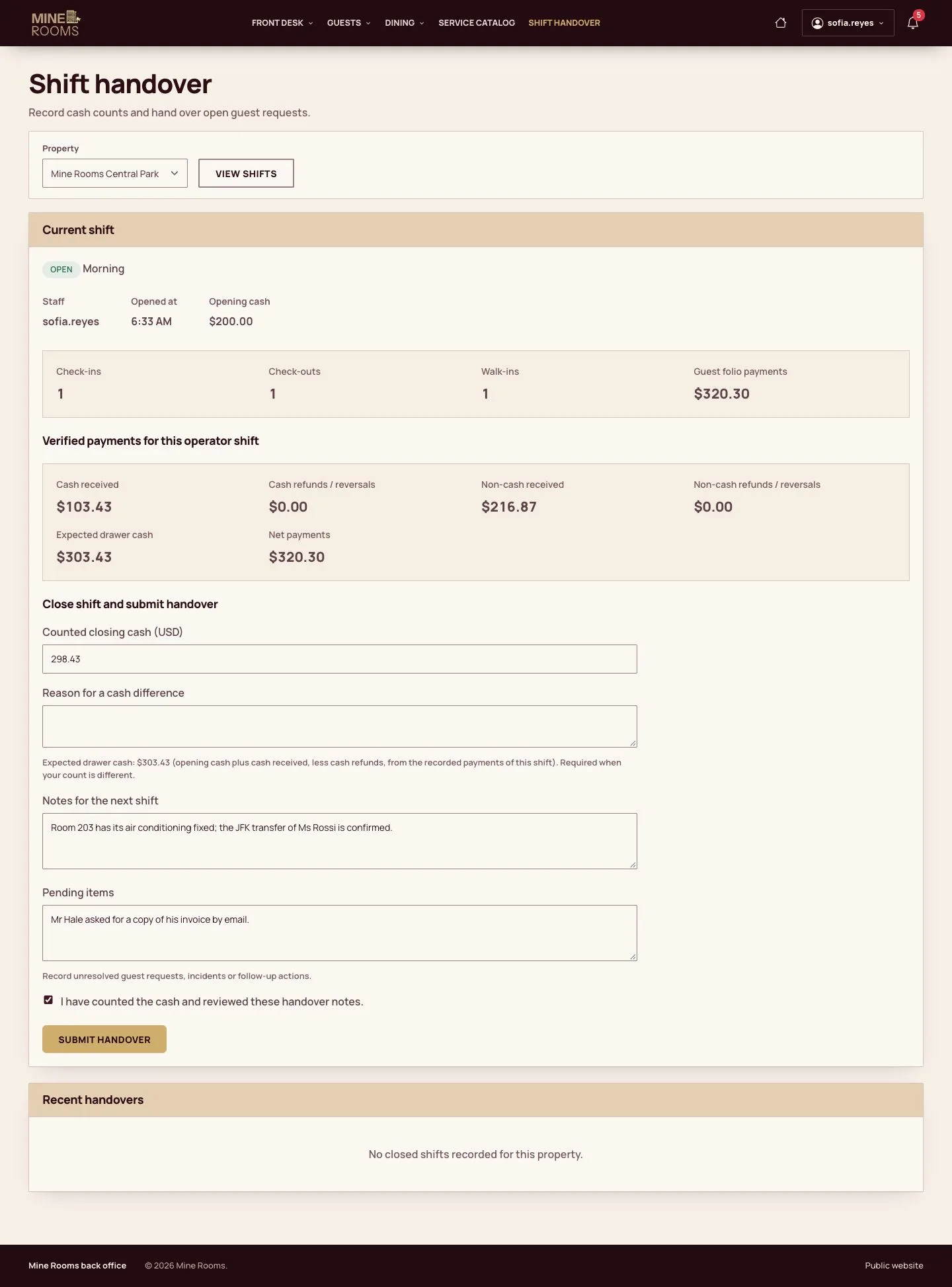
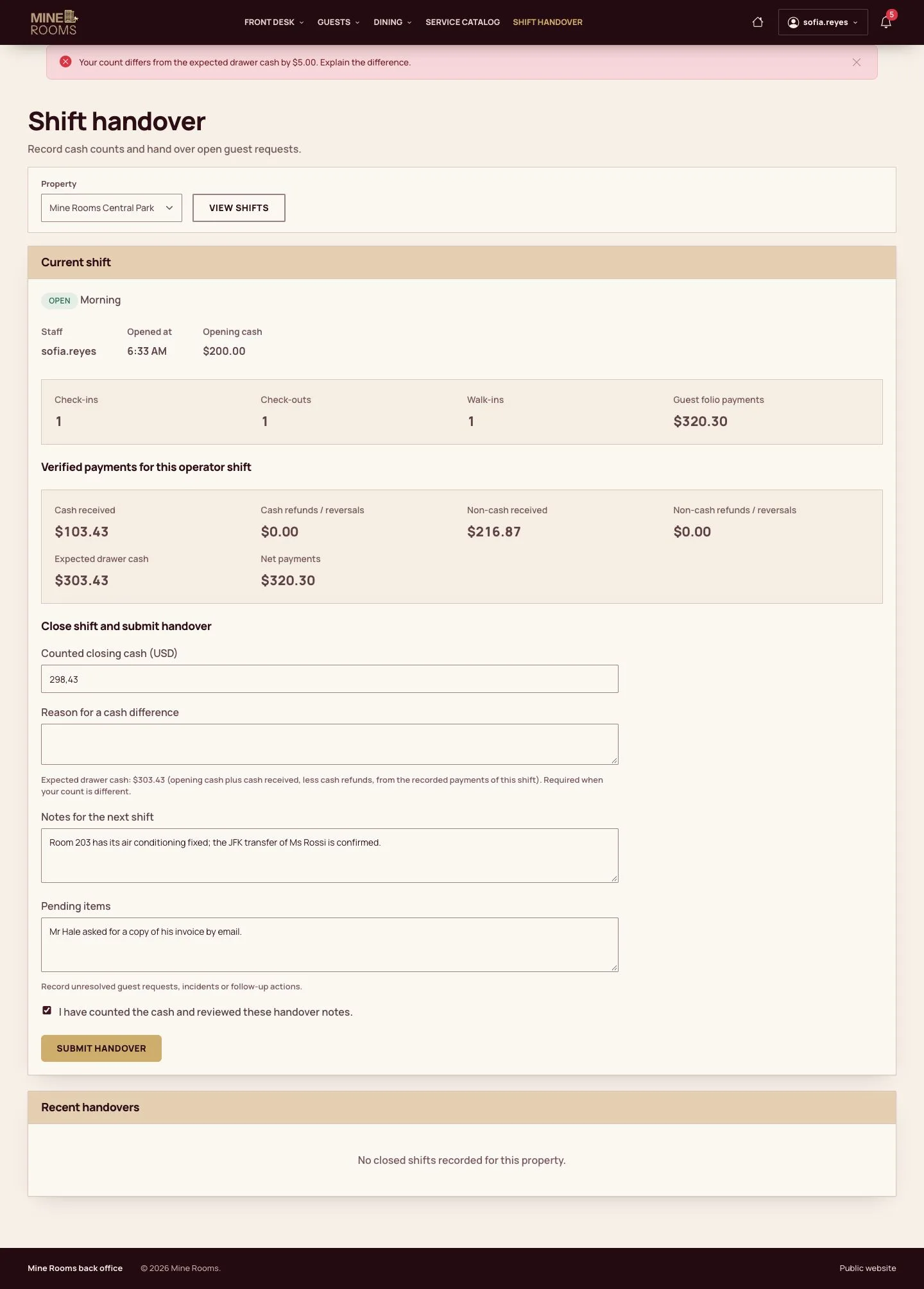
  1. Enter the cash counted, notes for the next shift and what is left to do.

Enlarge, then scroll

Open illustrated screen ↗Full image ↗

Manager · Shift handover and night audit02

A difference

Receptionist

A difference

3Step 3 of 12

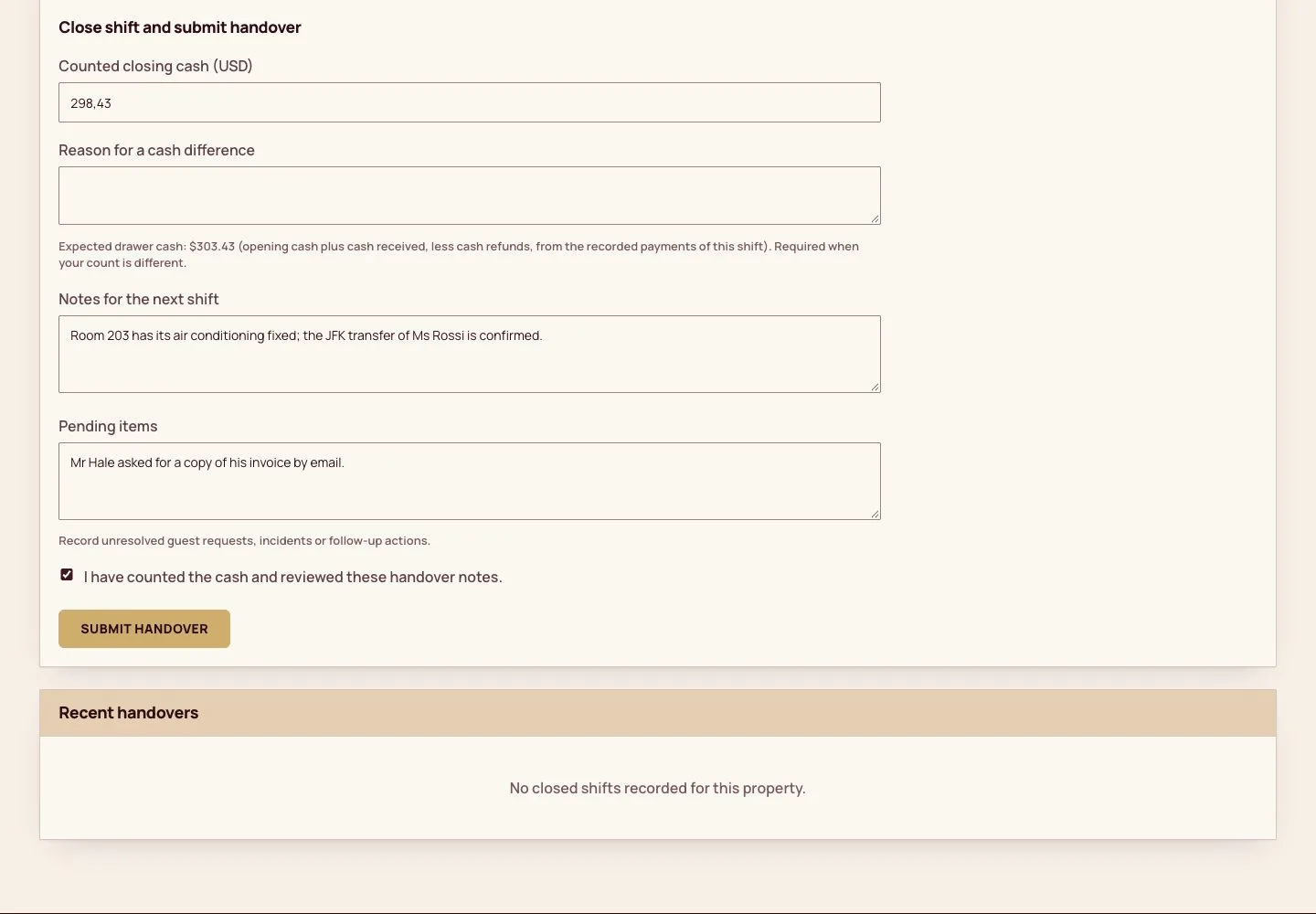
  1. A difference must be explained: the shift cannot be closed until a reason is written.

Enlarge, then scroll

Open illustrated screen ↗Full image ↗

Manager · Shift handover and night audit03

Hand over

Receptionist

Hand over

4Step 4 of 12

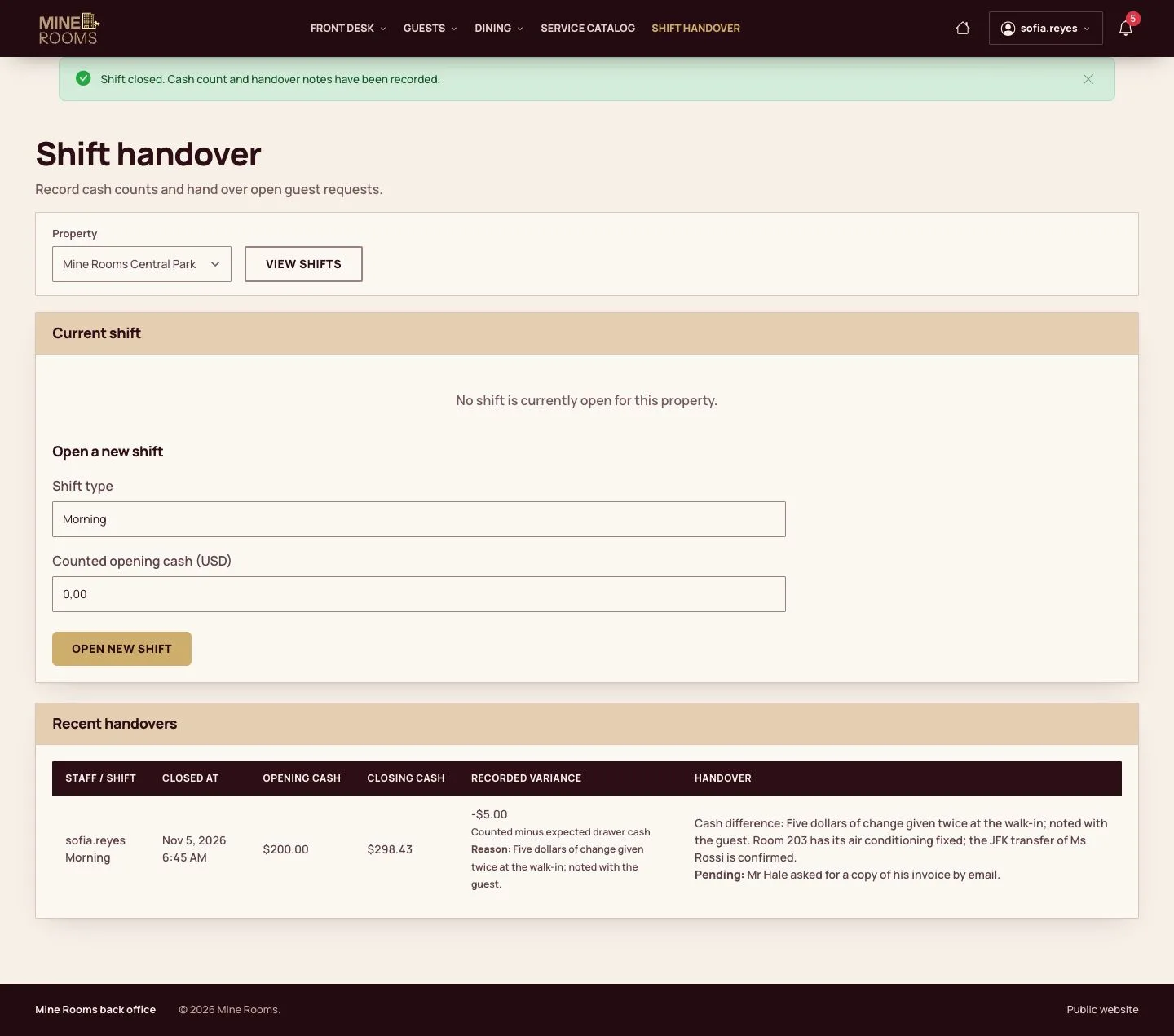
  1. Submit the handover.

Enlarge, then scroll

Open illustrated screen ↗Full image ↗

Manager · Shift handover and night audit04

Next shift

Receptionist

Next shift

5Step 5 of 12

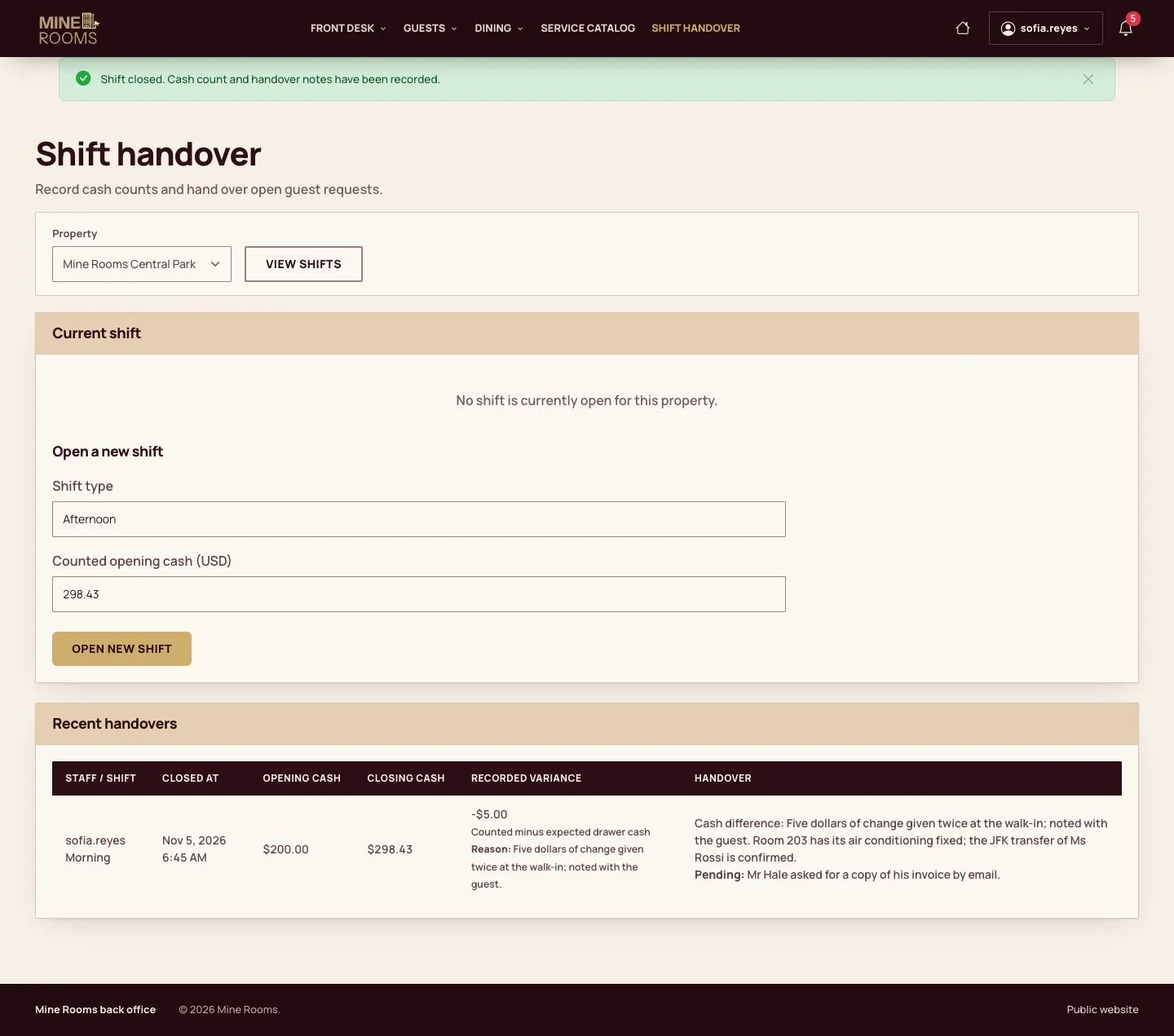
  1. The next shift opens with the amount handed over.

Enlarge, then scroll

Open illustrated screen ↗Full image ↗

Manager · Shift handover and night audit05

Read the handovers

Manager

Read the handovers

6Step 6 of 12

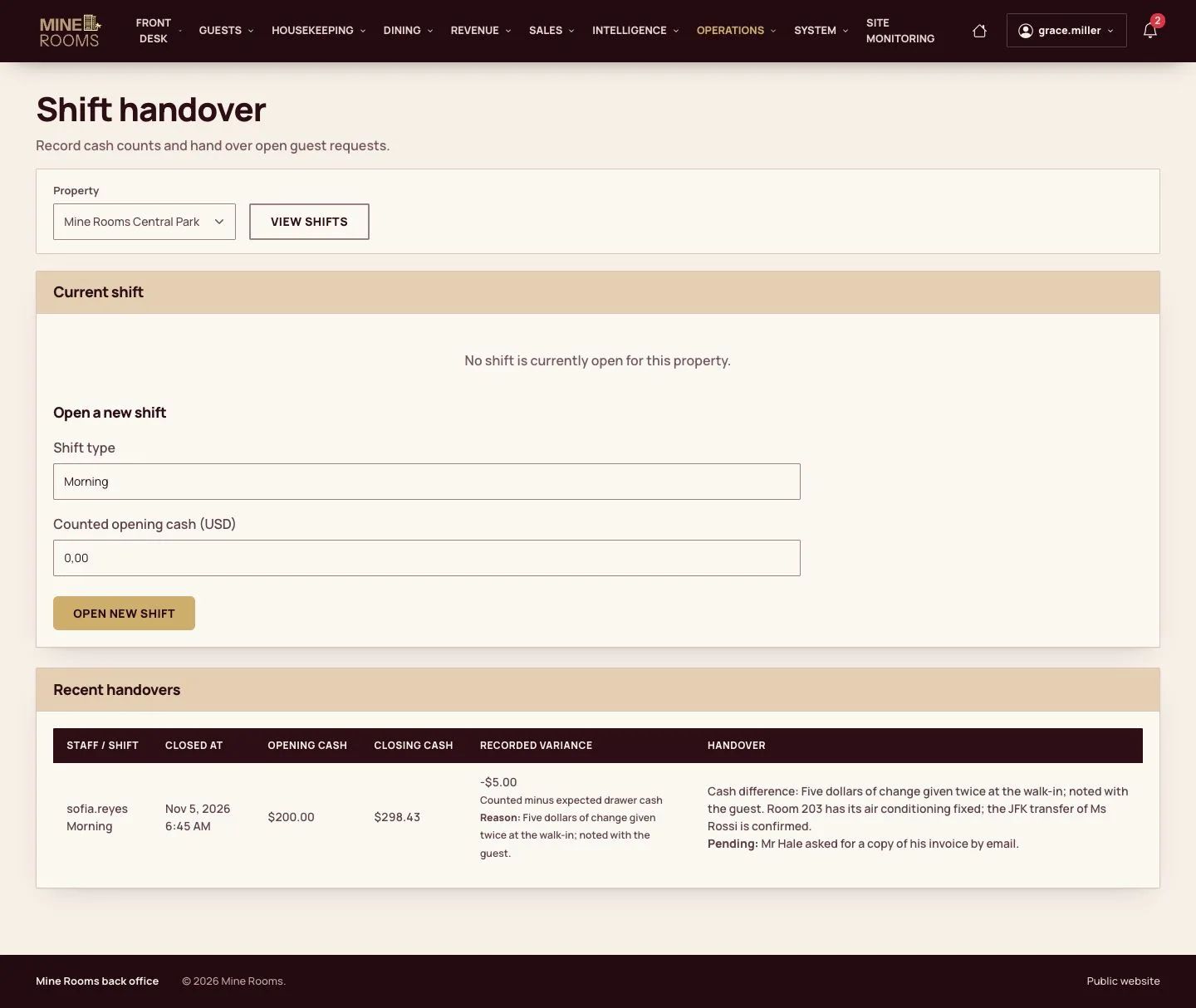
  1. The manager reads recent handovers and any differences.

Enlarge, then scroll

Open illustrated screen ↗Full image ↗

Manager · Shift handover and night audit06

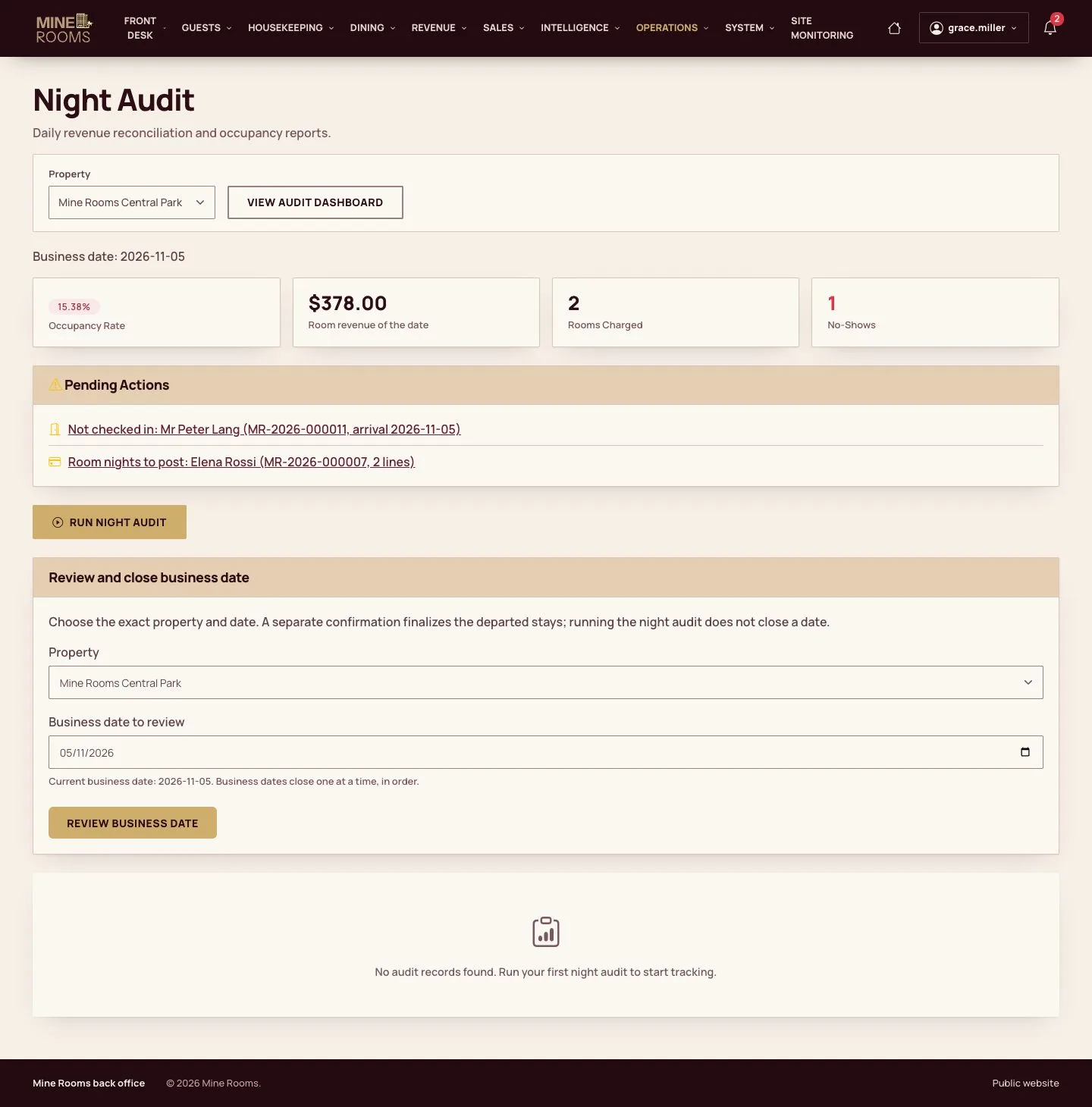
Night Audit

Manager

Night Audit

7Step 7 of 12

  1. The Night Audit shows the business date, its figures, the pending actions and the form that closes the date.

Enlarge, then scroll

Open illustrated screen ↗Full image ↗

Manager · Shift handover and night audit07

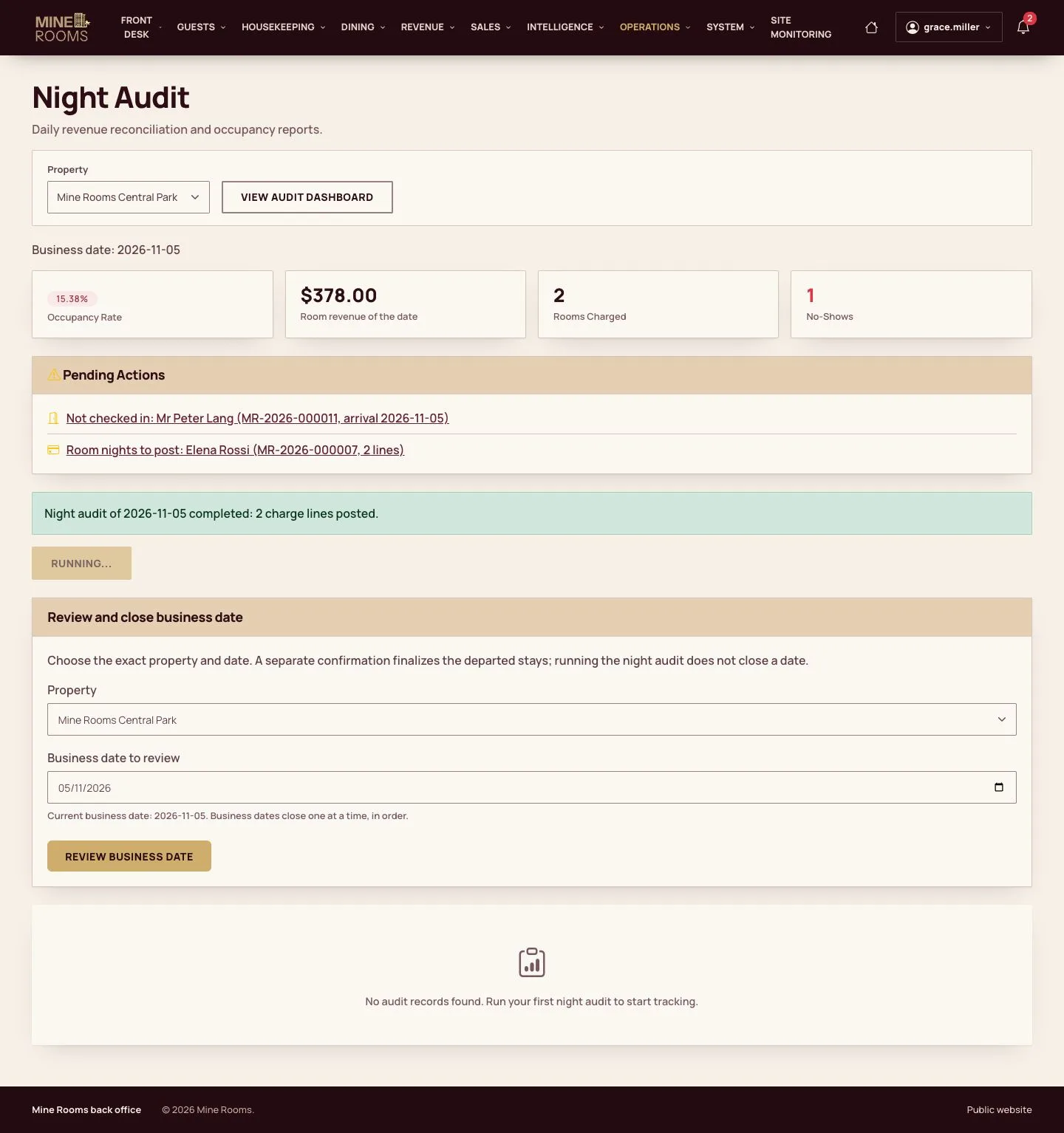
Run the audit

Manager

Run the audit

8Step 8 of 12

  1. Running the audit adds a line to the history. It does not close the date.

Enlarge, then scroll

Open illustrated screen ↗Full image ↗

Manager · Shift handover and night audit08

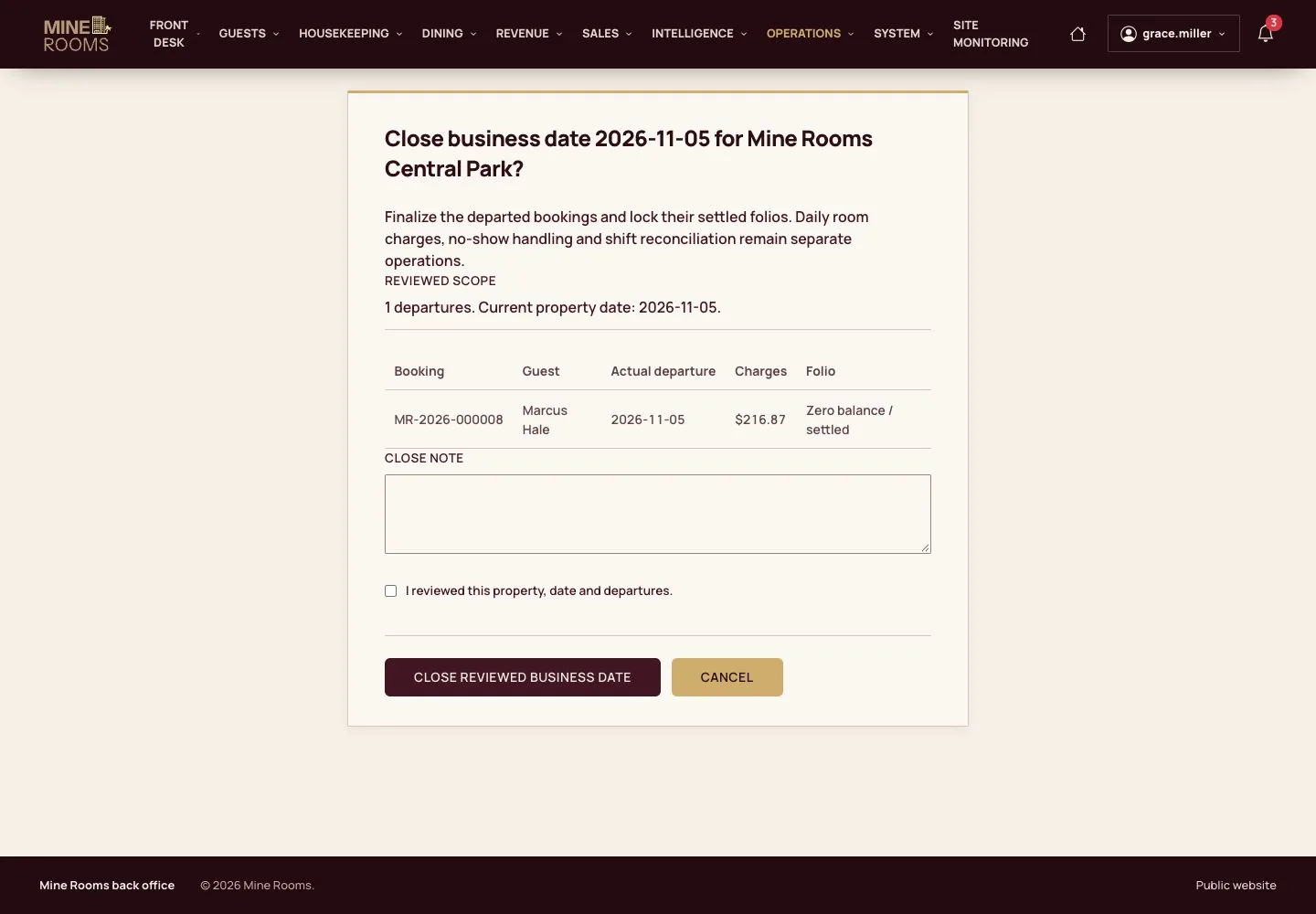
Review the date

Manager

Review the date

9Step 9 of 12

  1. Review the rooms that left and the folios of the date.

Full image ↗

Manager · Shift handover and night audit09

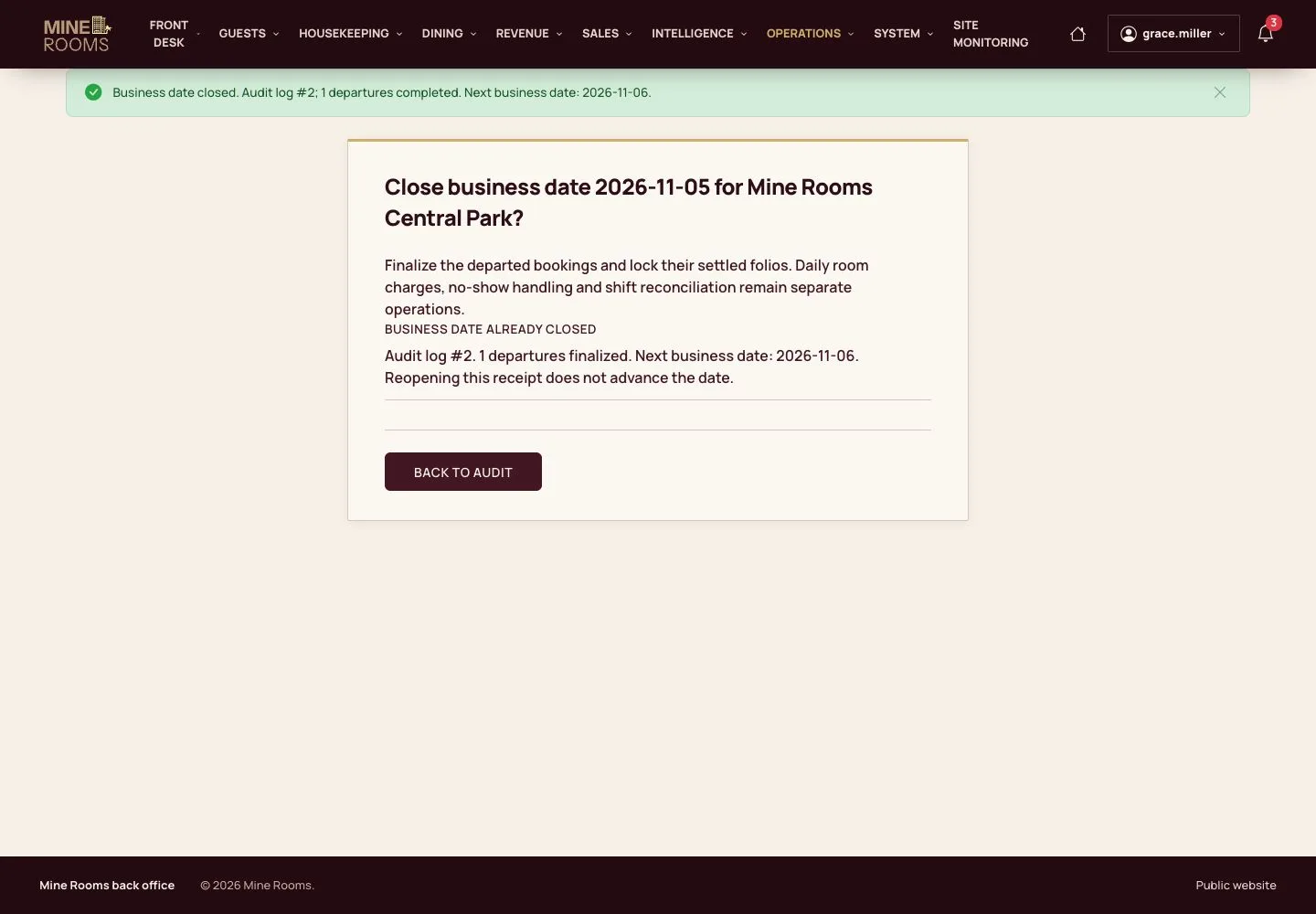
Close the date

Manager

Close the date

10Step 10 of 12

  1. Confirm and close: the date is locked and the next one opens.

Dates close one at a time, in order, and the log cannot be changed.

Open illustrated screen ↗Full image ↗

Manager · Shift handover and night audit10

A no-show

Manager

A no-show

11Step 11 of 12

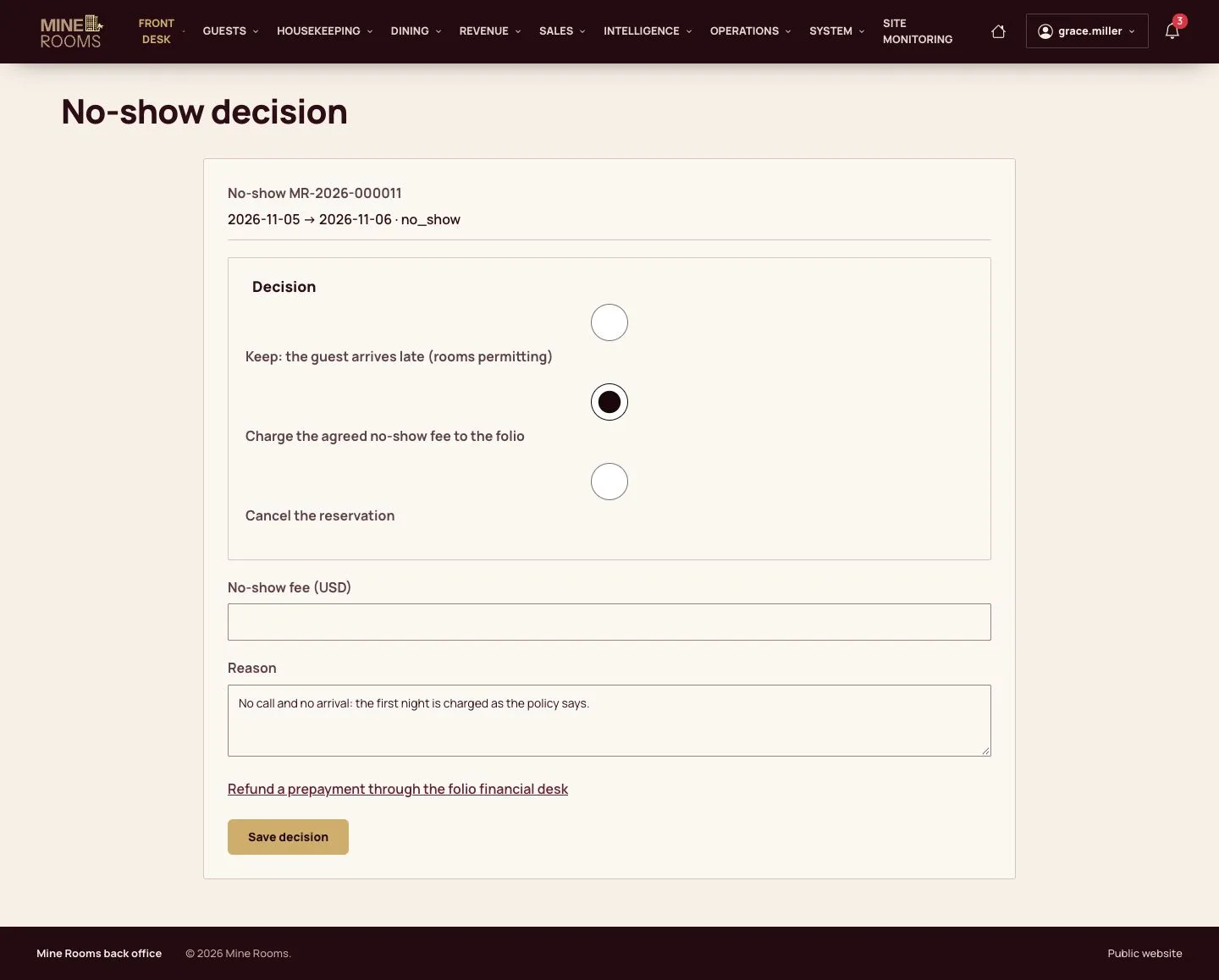
  1. On the next date, decide what happens to a guest who never arrived: keep the booking, charge the fee or cancel, with a reason.

Enlarge, then scroll

Full image ↗

Manager · Shift handover and night audit11

The decision

Manager

The decision

12Step 12 of 12

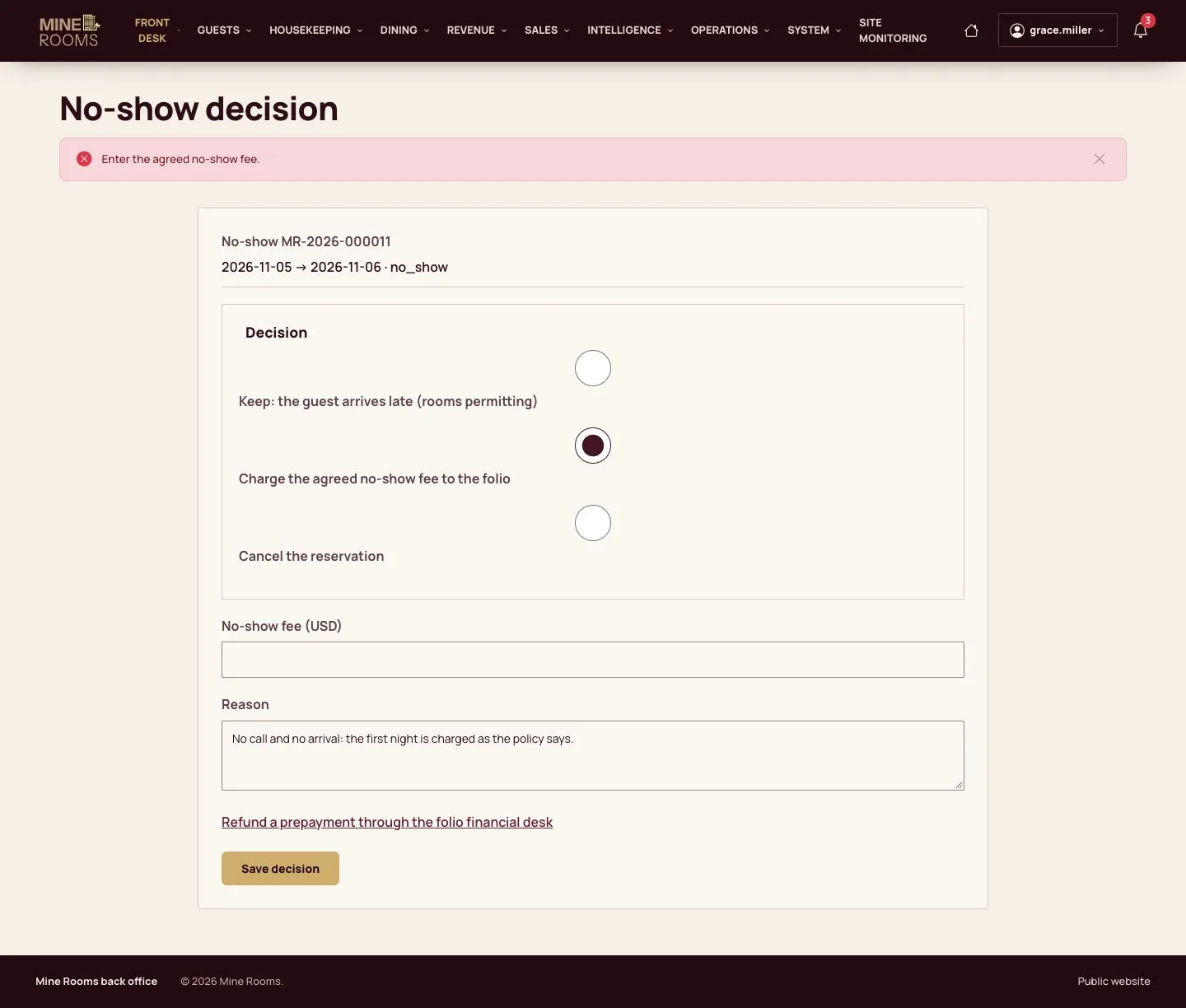
  1. The decision is recorded and the fee goes on the folio.

Enlarge, then scroll

Full image ↗

Check

The shift is handed over and the business date of the house is closed.

Manager · Shift handover and night audit12
1 / 13
Privacy Terms