Guest folio

Every charge, payment and change of a stay on one record

  • A guest checked in
  • A shift open at the desk
Receptionist
Open the shift

Receptionist

Open the shift

1Step 1 of 9

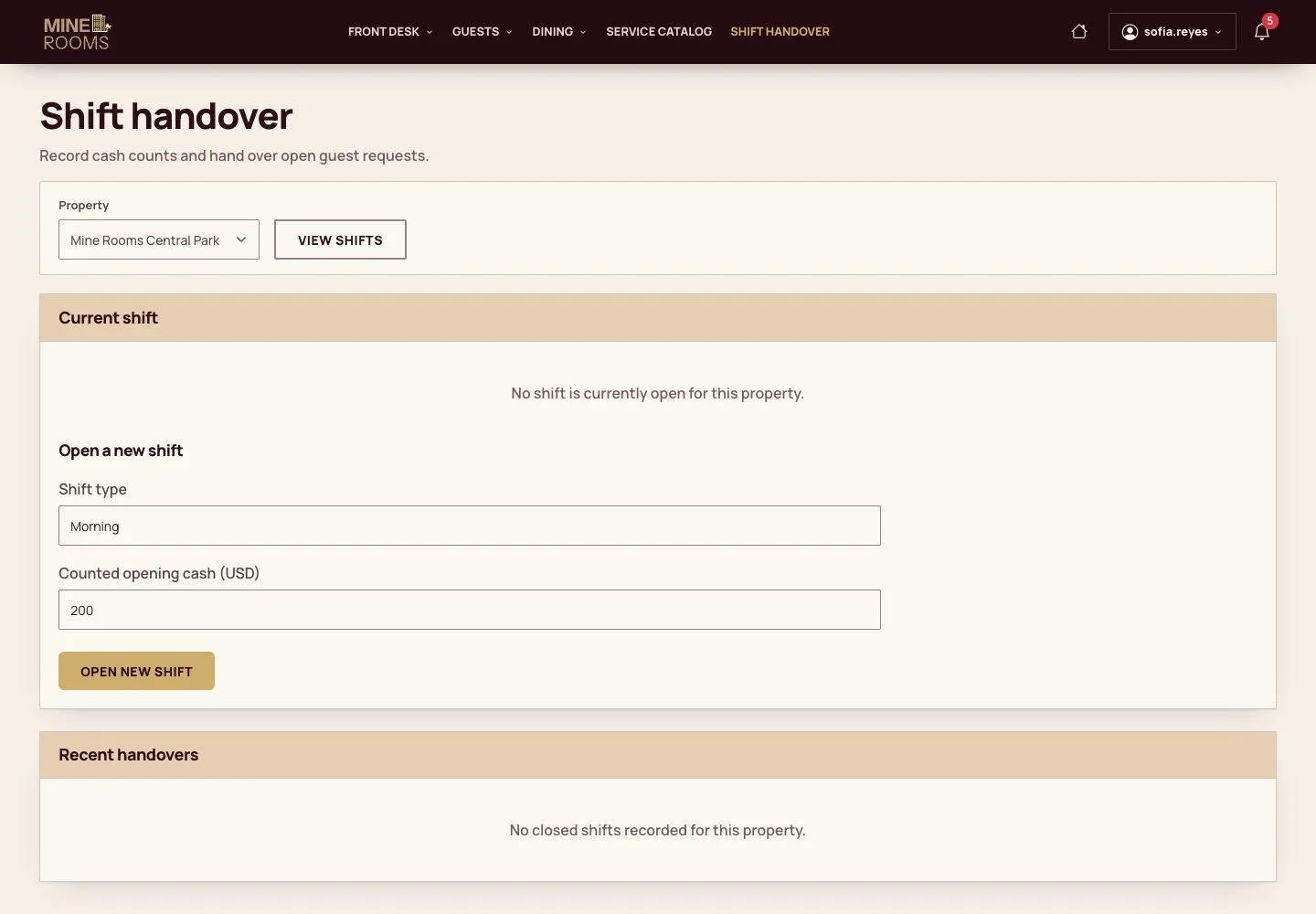
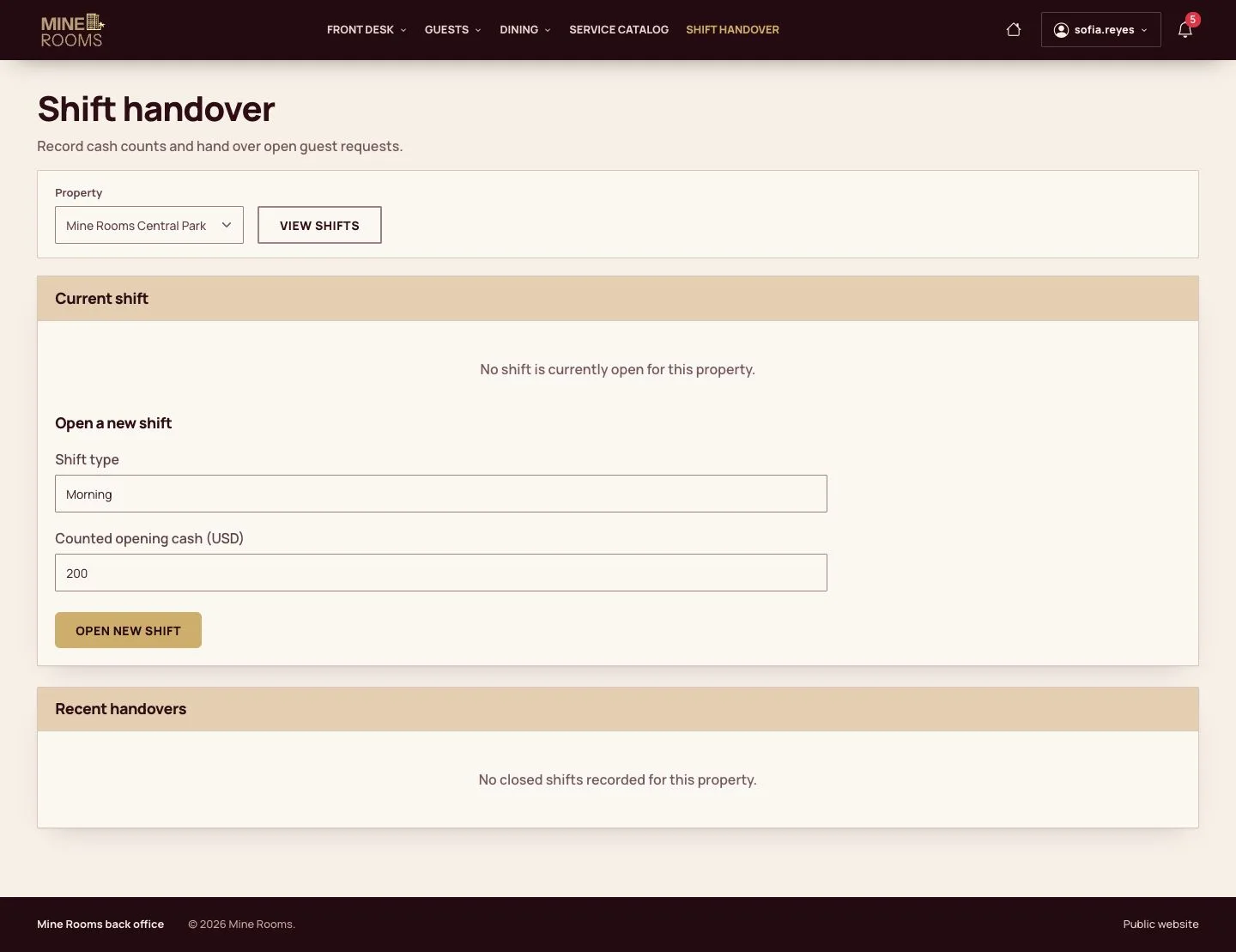
  1. Money is taken inside a shift: choose the shift and enter the cash in the drawer.

Without an open shift the desk cannot record a payment.

Enlarge, then scroll

Open illustrated screen ↗Full image ↗

Receptionist · Guest folio01

The folio

Receptionist

The folio

2Step 2 of 9

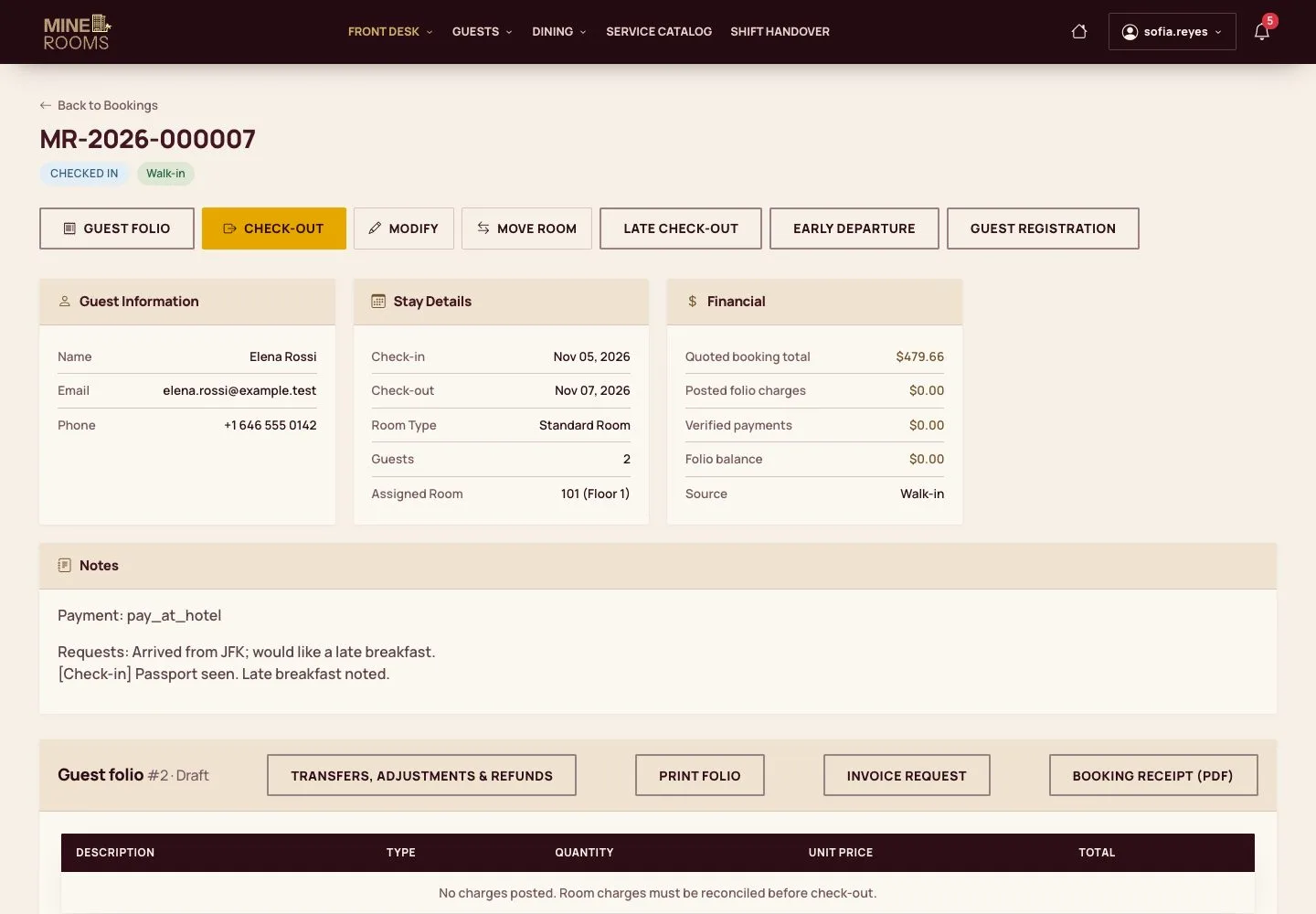
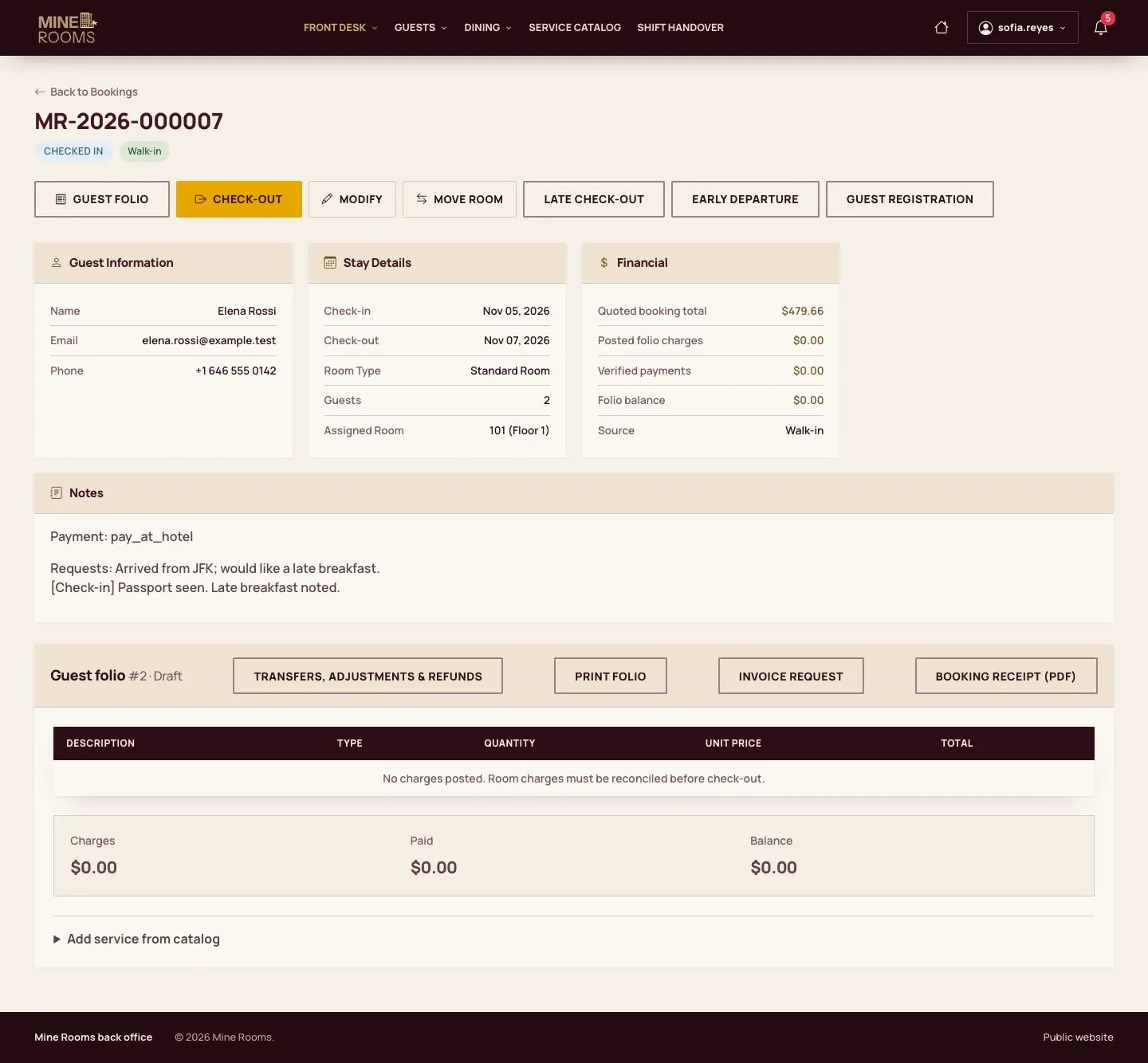
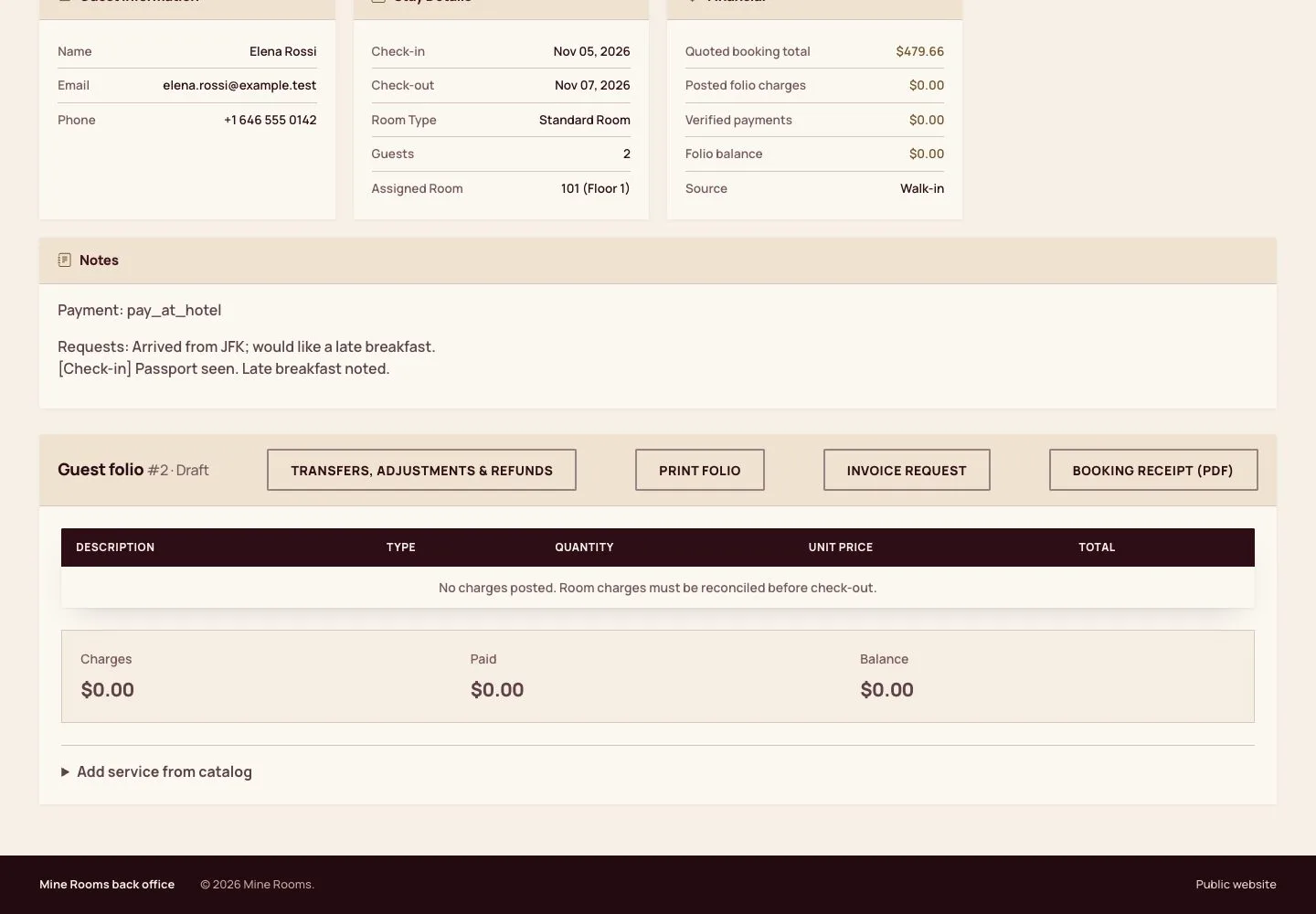
  1. The folio on the booking lists charges and payments, with the balance on top.
  2. Lines cannot be deleted: a correction is a linked line, so the history stays whole.

Enlarge, then scroll

Full image ↗

Receptionist · Guest folio02

Add a service

Receptionist

Add a service

3Step 3 of 9

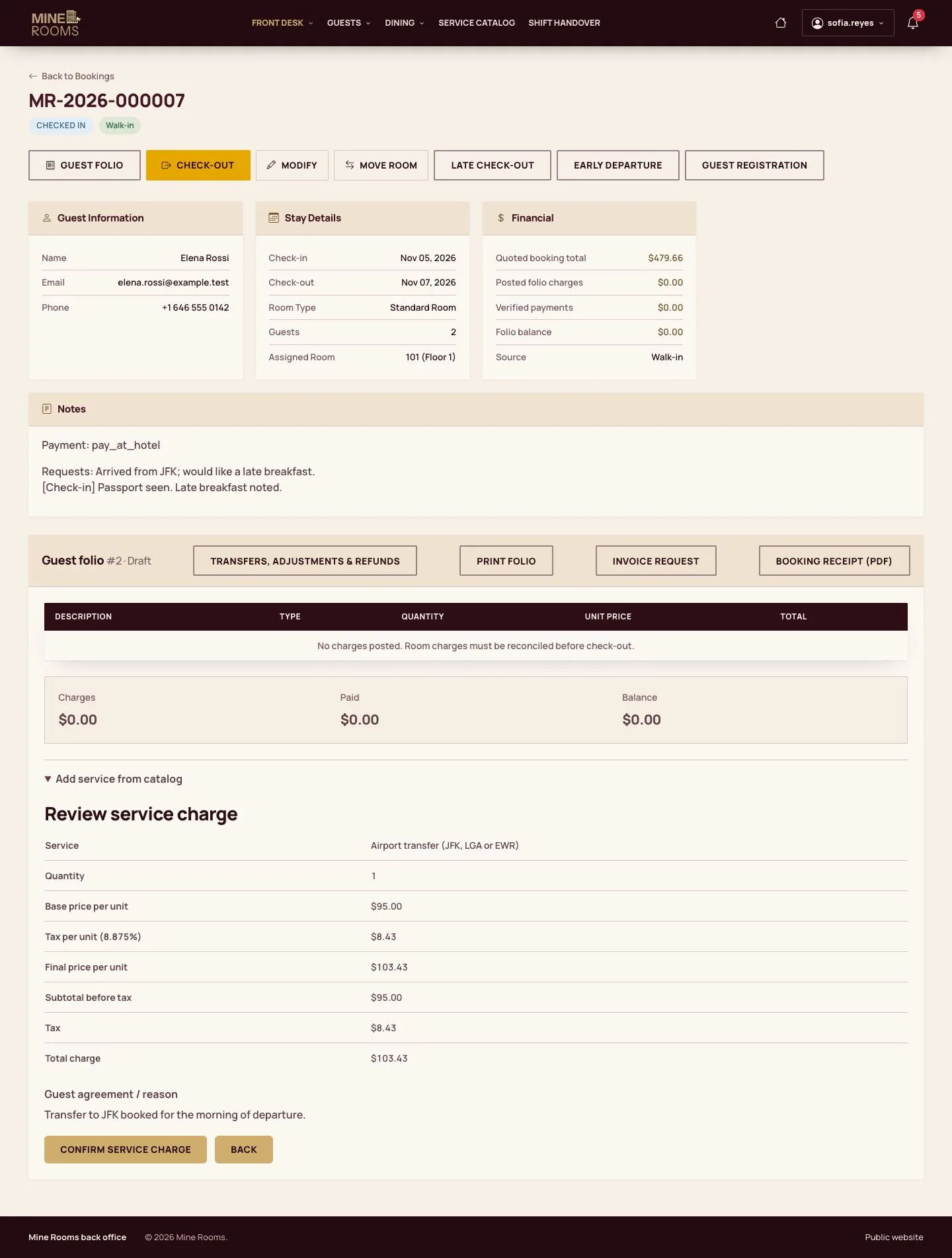
  1. Choose a service from the catalog, the quantity and the reason.
  2. A review page shows the amount with tax before the line is posted.

Enlarge, then scroll

Full image ↗

Receptionist · Guest folio03

Take a payment

Receptionist

Take a payment

4Step 4 of 9

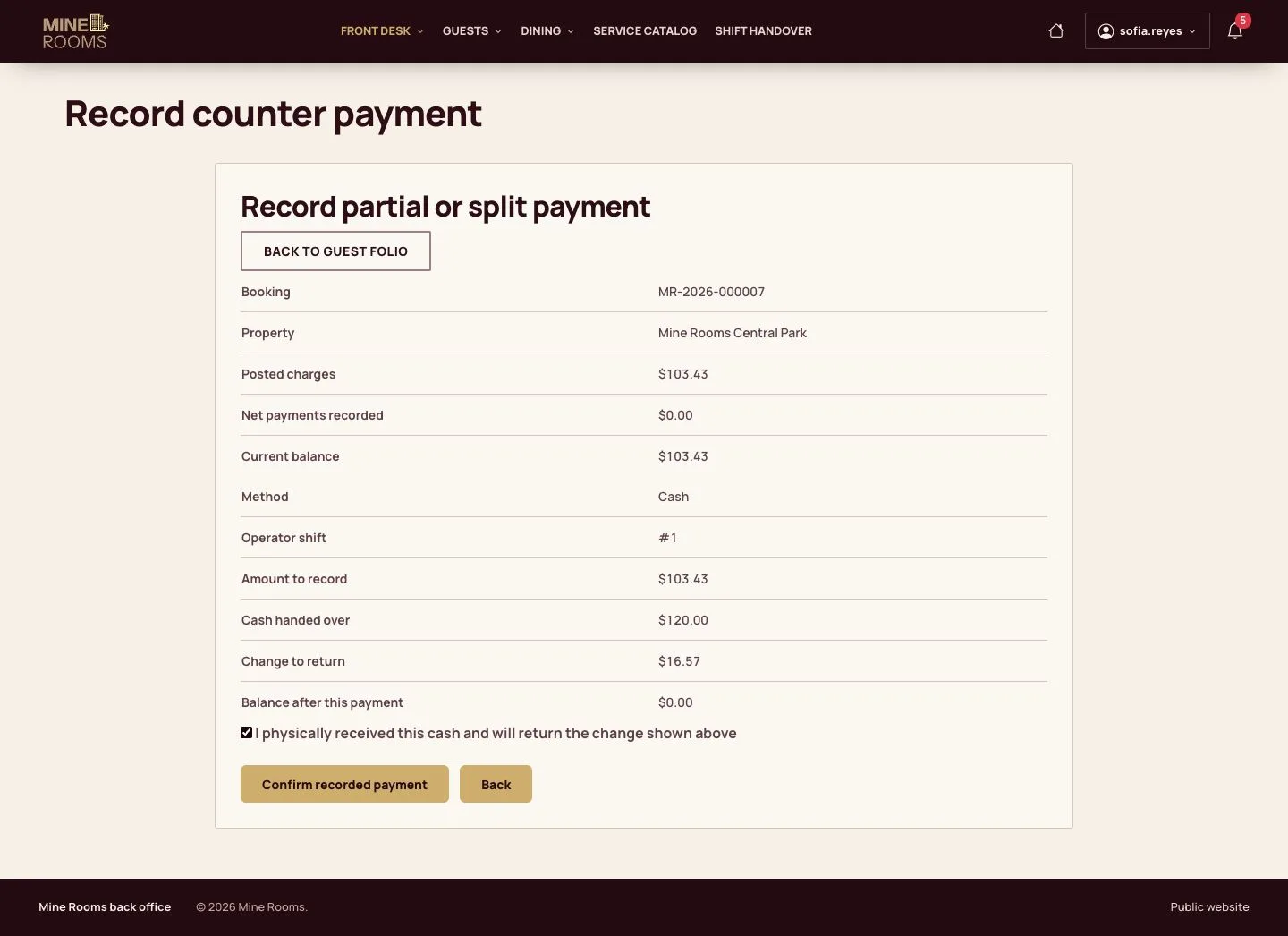
  1. Record part of the balance, or split it, by cash, card terminal or transfer.
  2. For cash, the amount given by the guest gives the change.
  3. Confirm that the money was received.

Enlarge, then scroll

Full image ↗

Receptionist · Guest folio04

Receipt

Receptionist

Receipt

5Step 5 of 9

  1. The counter receipt is ready to print.

Enlarge, then scroll

Full image ↗

Receptionist · Guest folio05

Move the room

Receptionist

Move the room

6Step 6 of 9

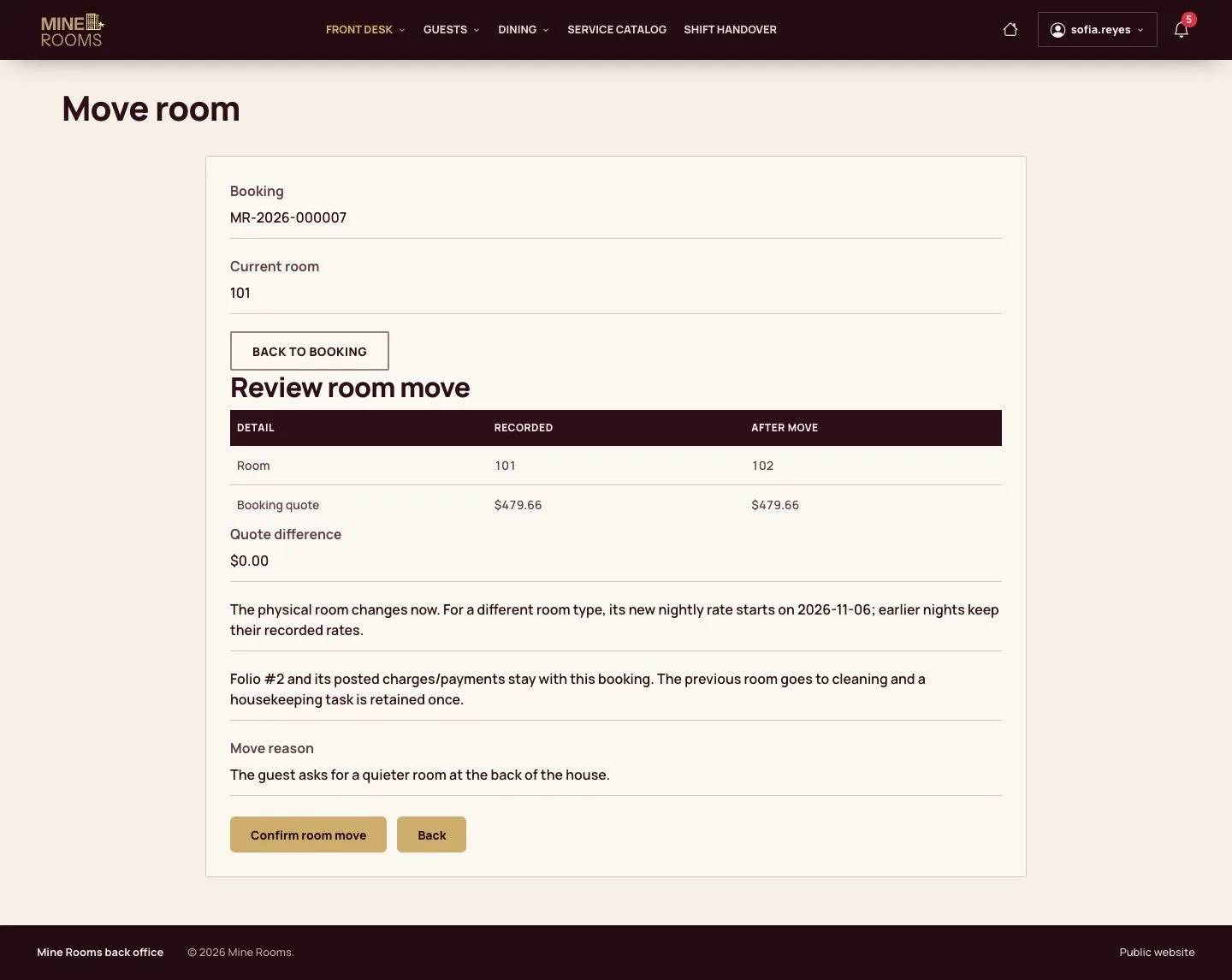
  1. Choose a clean room in the same house and give the reason; the review shows what changes.
  2. The old room goes to cleaning and the booking follows the new room.

Enlarge, then scroll

Full image ↗

Receptionist · Guest folio06

Late check-out

Receptionist

Late check-out

7Step 7 of 9

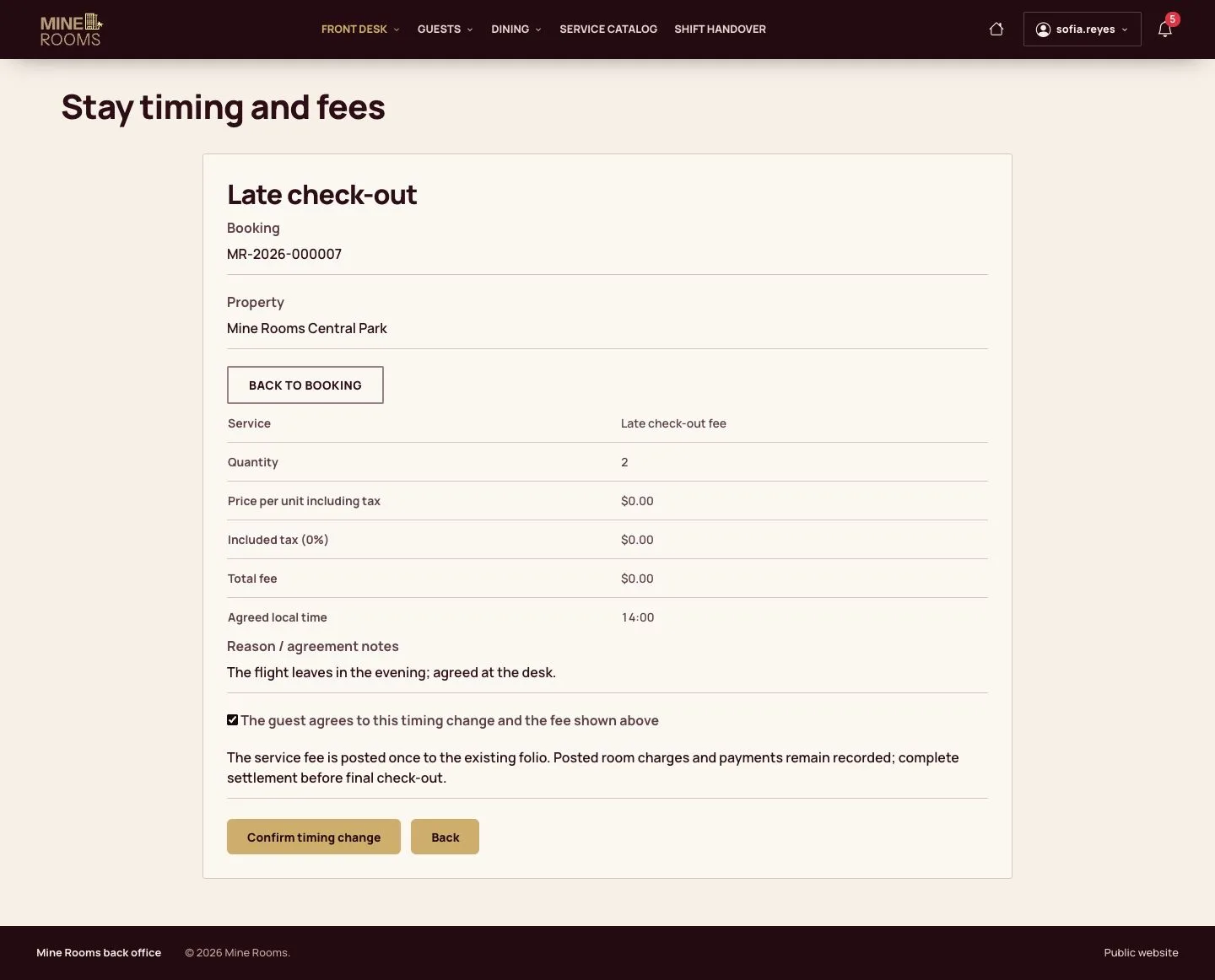
  1. Agree the new time, with a reason; the review shows the fee of the house policy.

Enlarge, then scroll

Full image ↗

Receptionist · Guest folio07

Adjust a charge

Manager

Adjust a charge

8Step 8 of 9

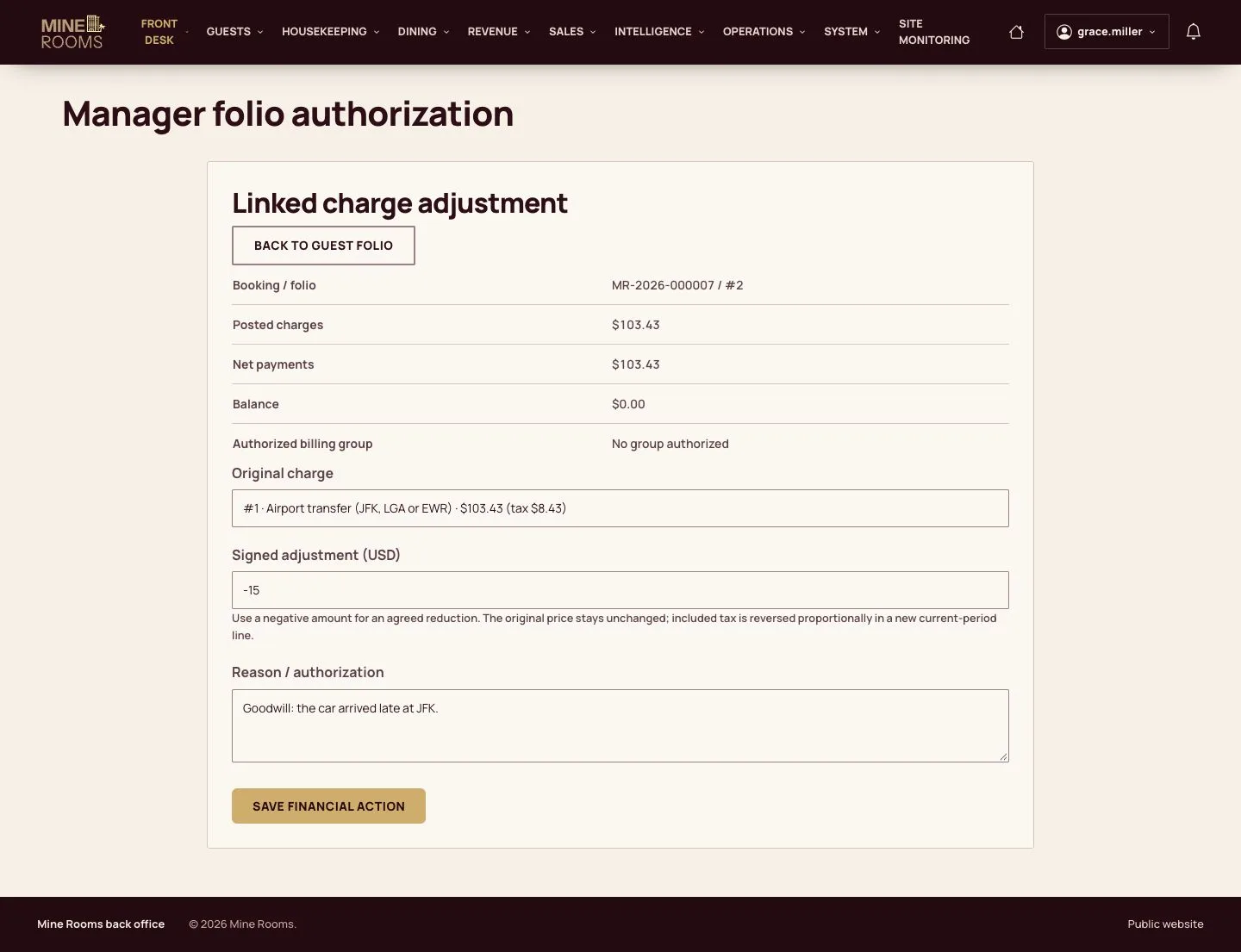
  1. Only a manager adjusts a charge: pick the original line, the amount and the reason.

A receptionist who opens this page gets Access denied.

Enlarge, then scroll

Full image ↗

Receptionist · Guest folio08

After the changes

Manager

After the changes

9Step 9 of 9

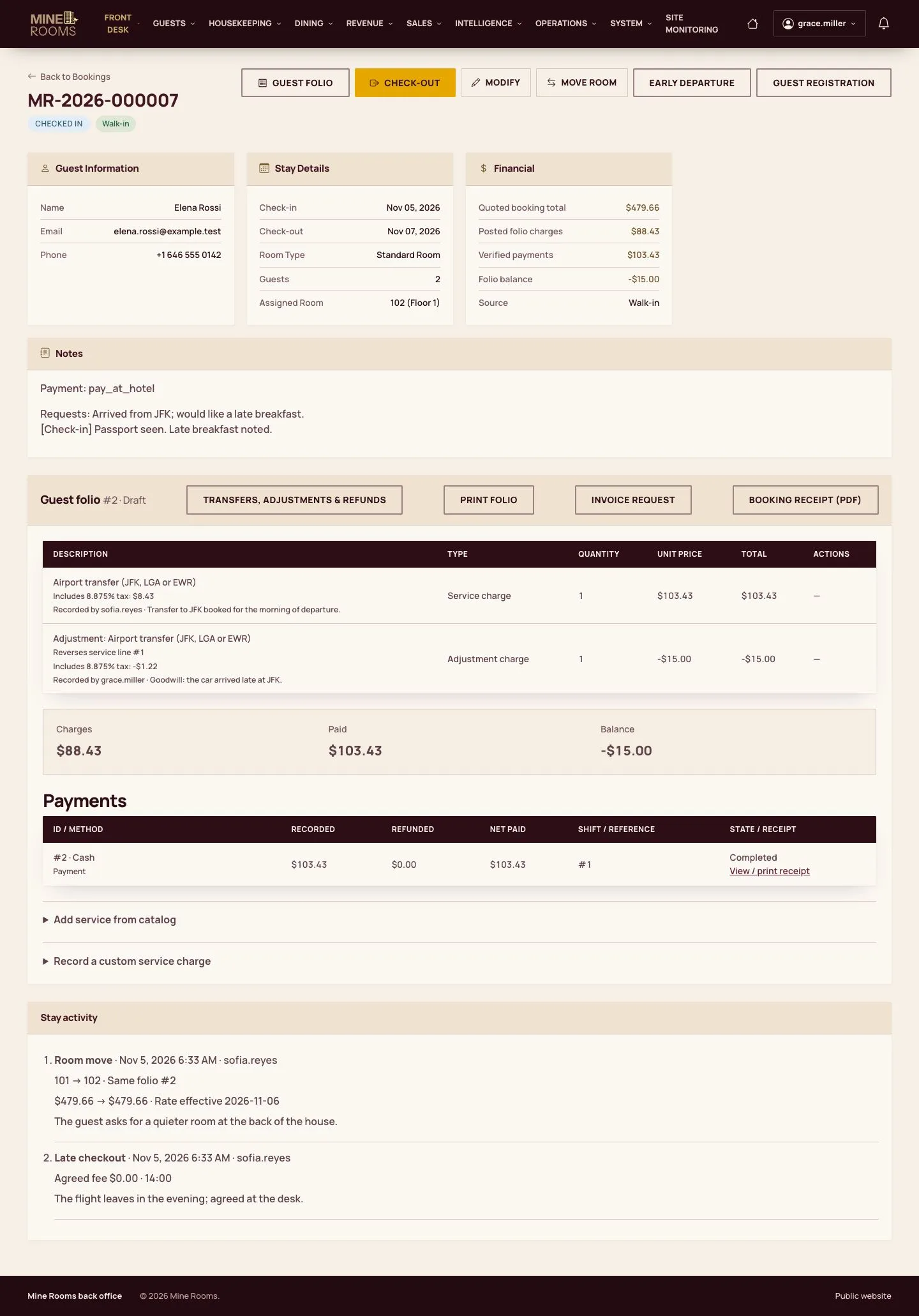
  1. The adjustment is a line linked to the original, and the balance follows.

Enlarge, then scroll

Full image ↗

Check

The folio shows every charge and payment of the stay and the balance is right.

Receptionist · Guest folio09
1 / 10
Privacy Terms