Today and reports

The day at a glance and the numbers of a period

  • Stays and payments recorded on folios
Manager
Today

Manager

Today

1Step 1 of 6

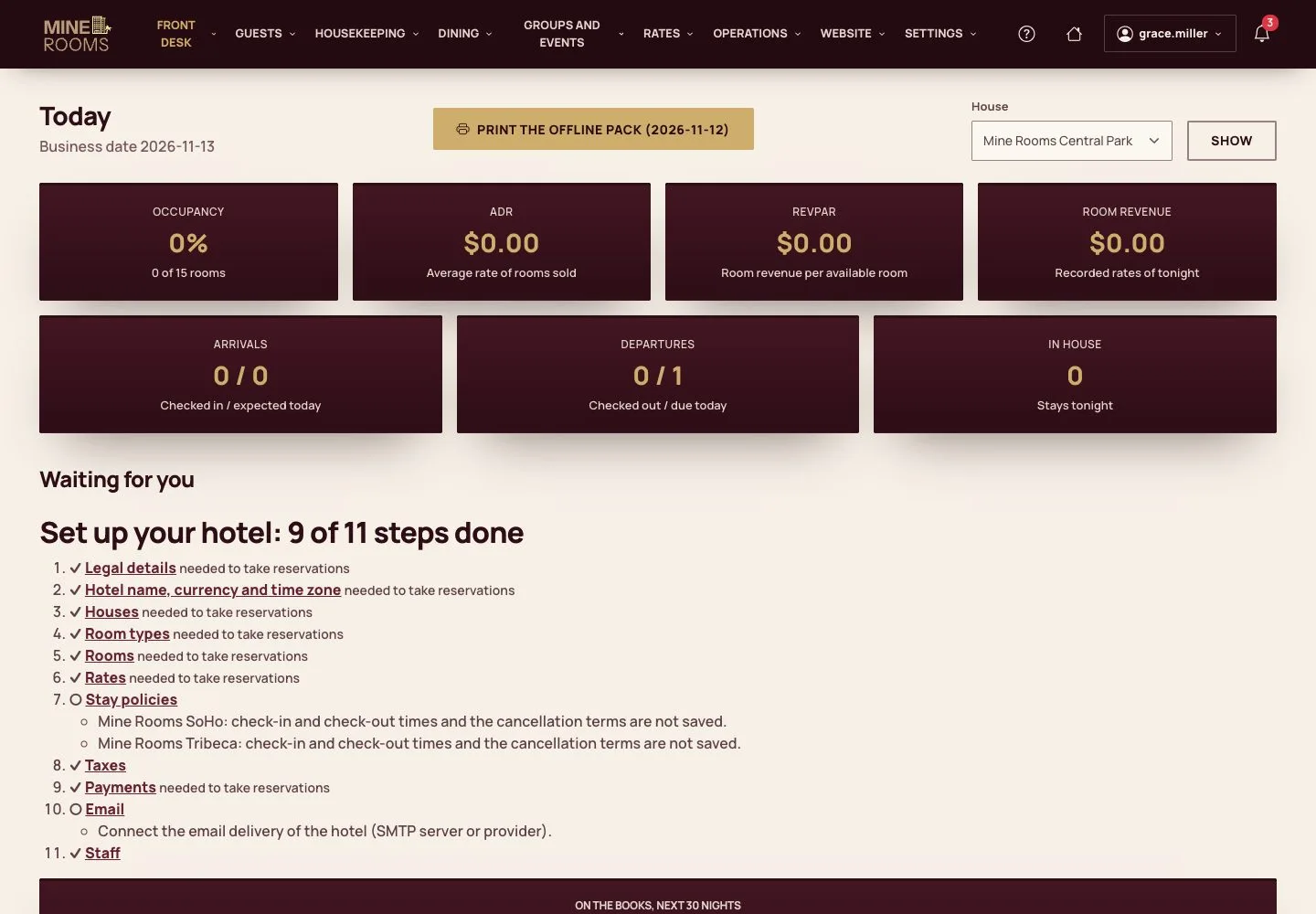
  1. Today opens first for a manager: occupancy, ADR, RevPAR, room revenue, arrivals, departures, guests in house.
  2. Waiting for you lists what needs a decision.

The figures in these screens are sample data.

Enlarge, then scroll

Open illustrated screen ↗Full image ↗

Manager · Today and reports01

Reports & Analytics

Manager

Reports & Analytics

2Step 2 of 6

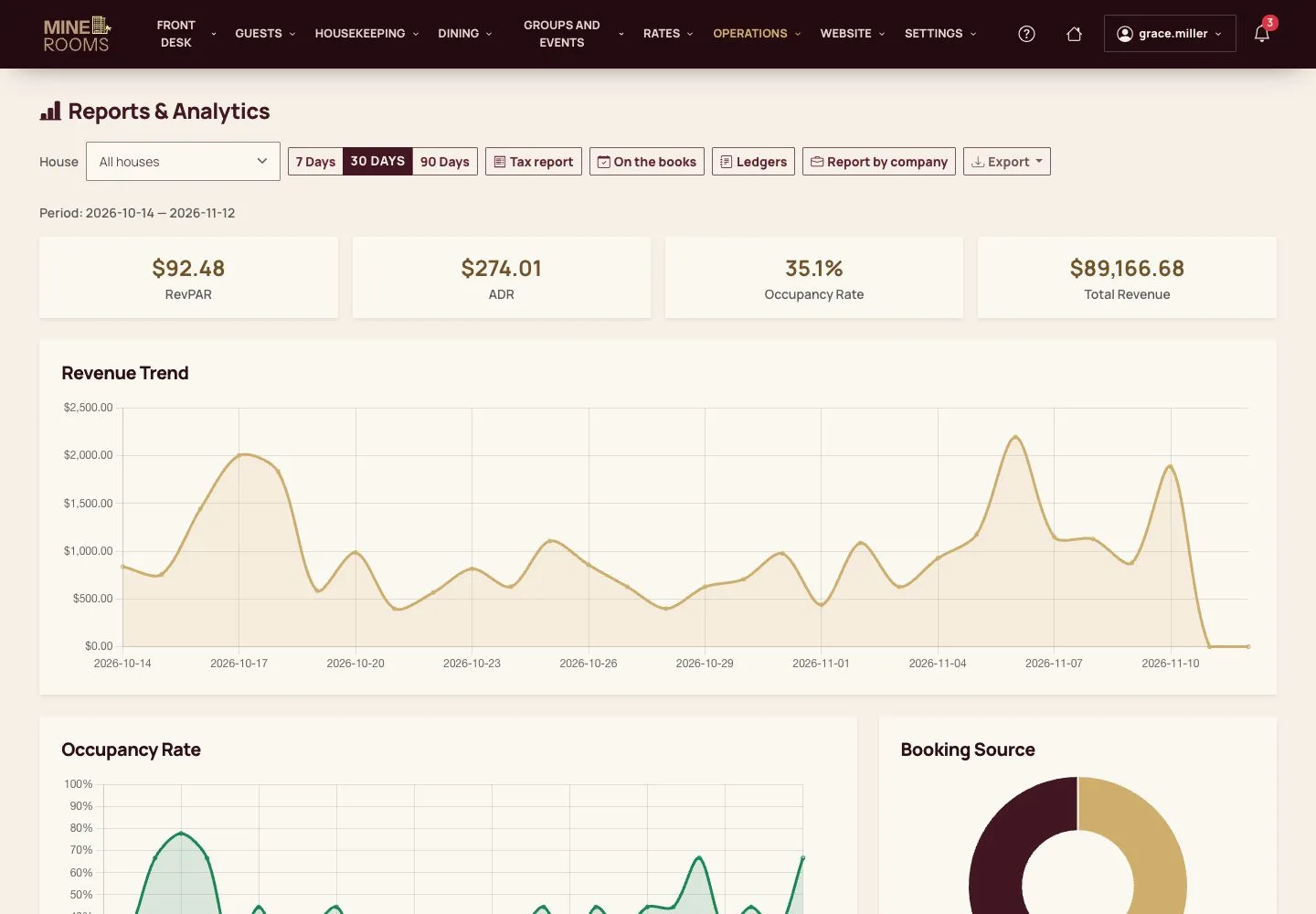
  1. Reports read the same folios and payments as the desk: RevPAR, ADR, occupancy, revenue and booking sources, for one house or all, over 7, 30 or 90 days.
  2. Tax report, On the books, Ledgers and Report by company open from the same bar.

Enlarge, then scroll

Open illustrated screen ↗Full image ↗

Manager · Today and reports02

A longer period

Manager

A longer period

3Step 3 of 6

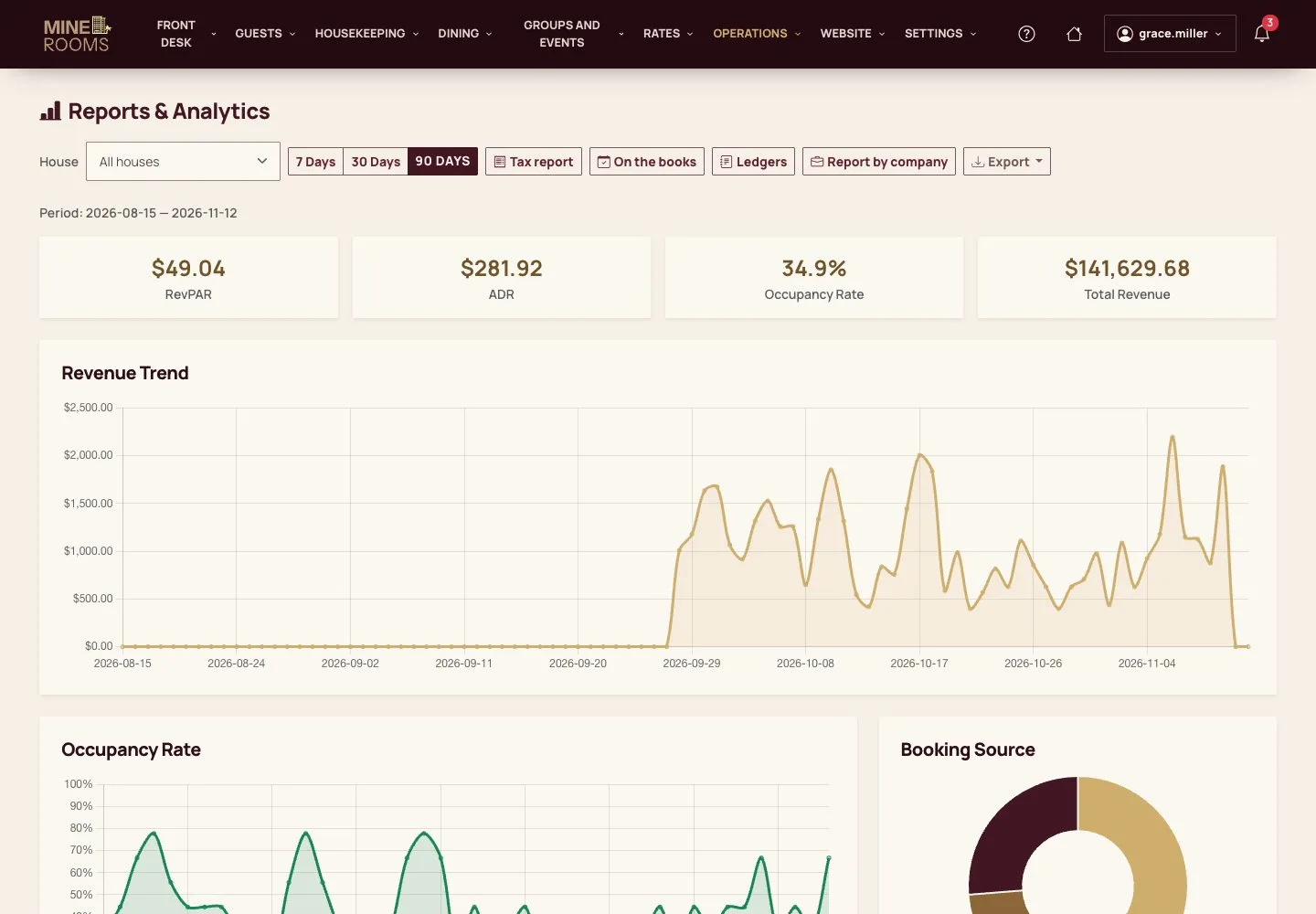
  1. Switch to 90 days to see the trend.

Enlarge, then scroll

Open illustrated screen ↗Full image ↗

Manager · Today and reports03

Export

Manager

Export

4Step 4 of 6

  1. Export gives each report as CSV or PDF, and the accounting journal of the period as CSV.

Open illustrated screen ↗Full image ↗

Manager · Today and reports04

Cashier report

Manager

Cashier report

5Step 5 of 6

  1. Operations › Cashier report: the money taken and paid back by method, shift and cashier, for the dates, house, shift, method or cashier chosen.
  2. Shifts against their close compares the cash of each shift with its handover; Export CSV or PDF gives the movements to the accountant.

Enlarge, then scroll

Open illustrated screen ↗Full image ↗

Manager · Today and reports05

Guest profiles

Manager

Guest profiles

6Step 6 of 6

  1. Guest profiles keep the history of each guest across stays.

Enlarge, then scroll

Open illustrated screen ↗Full image ↗

Check

The figures of the day and the period, and the cash of each shift, are read or exported.

Manager · Today and reports06
1 / 7
Privacy Terms