Work orders and room blocks

A fault on the floor becomes a tracked repair, and blocks the room when it must

  • Someone on the floor to report the fault
  • A manager to assign the work
Housekeeping
Report an issue

Housekeeping

Report an issue

1Step 1 of 9

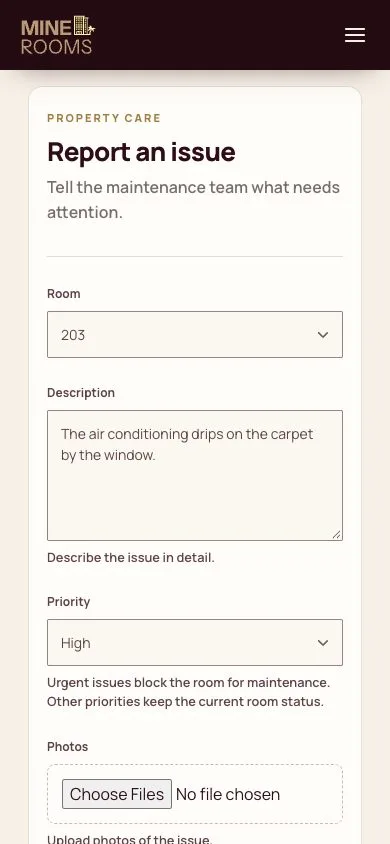
  1. From the phone, choose the room, describe the fault, set the priority and add a photo.

An urgent issue also blocks the room for maintenance when no guest is in it; other priorities keep its status.

Enlarge, then scroll

Open illustrated screen ↗Full image ↗

Housekeeping · Work orders and room blocks01

Reported

Housekeeping

Reported

2Step 2 of 9

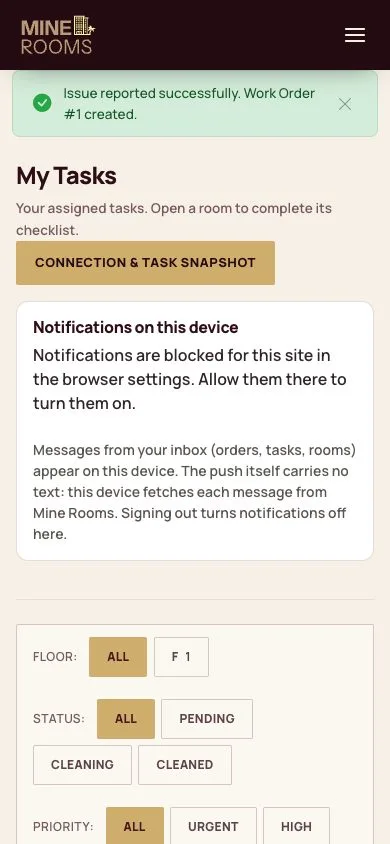
  1. The report becomes a work order for the manager.

Enlarge, then scroll

Open illustrated screen ↗Full image ↗

Housekeeping · Work orders and room blocks02

Work Orders

Manager

Work Orders

3Step 3 of 9

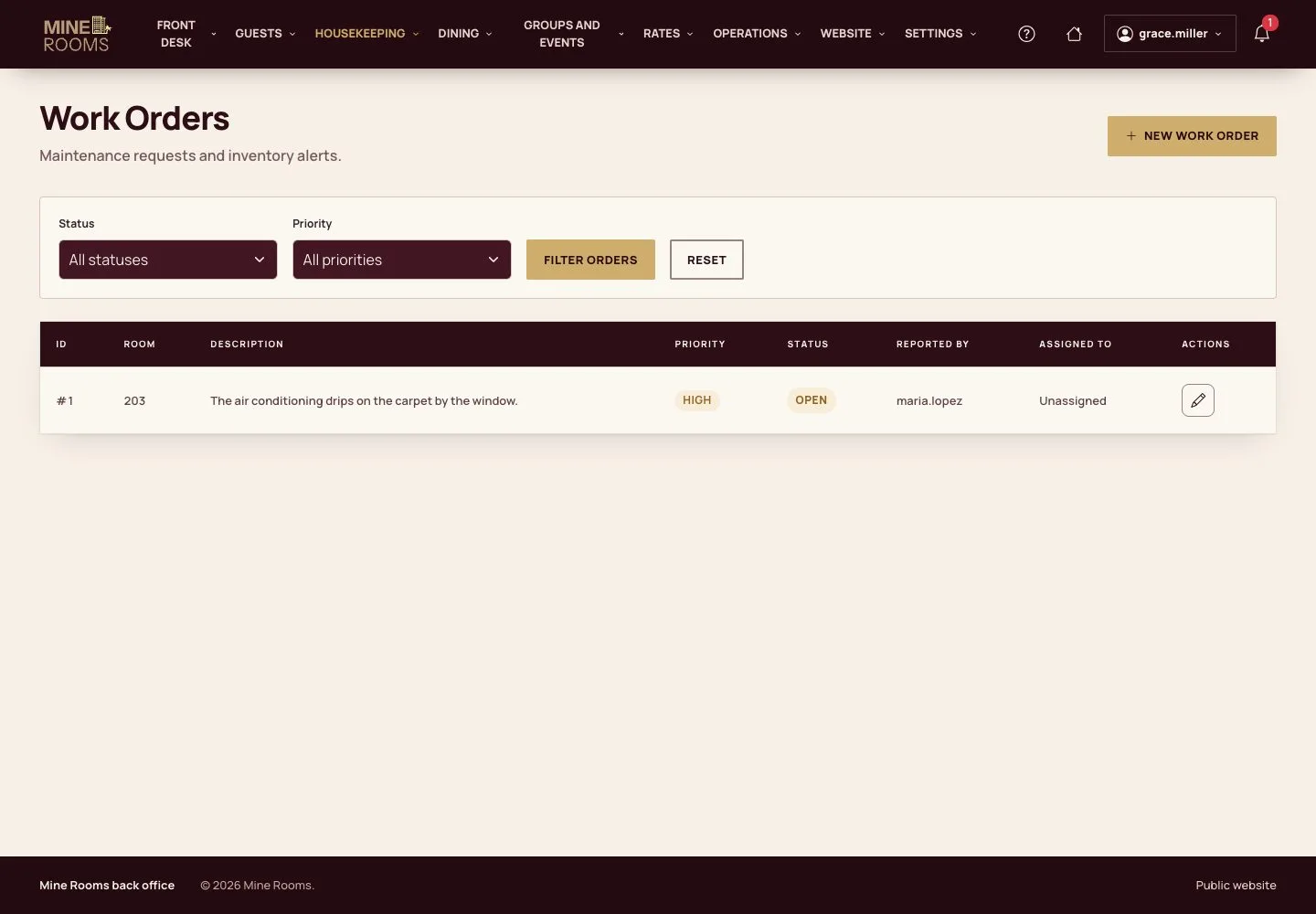
  1. Housekeeping › Work Orders lists the faults of the houses; filter by status and priority.

Open illustrated screen ↗Full image ↗

Housekeeping · Work orders and room blocks03

Assign

Manager

Assign

4Step 4 of 9

  1. Open the order: choose Assigned to and set the status to In progress.

Enlarge, then scroll

Full image ↗

Housekeeping · Work orders and room blocks04

Resolve

Manager

Resolve

5Step 5 of 9

  1. Write how it was fixed in Resolution notes and set the status to Resolved.

Enlarge, then scroll

Full image ↗

Housekeeping · Work orders and room blocks05

Close

Manager

Close

6Step 6 of 9

  1. Close the order when the work is checked; it stays in the history of the room.

Open illustrated screen ↗Full image ↗

Housekeeping · Work orders and room blocks06

Planned maintenance

Manager

Planned maintenance

7Step 7 of 9

  1. New work order with Reserve this room for scheduled maintenance: the room is blocked from Maintenance begins until the Return to service date, which is not blocked.

Enlarge, then scroll

Open illustrated screen ↗Full image ↗

Housekeeping · Work orders and room blocks07

The room is blocked

Manager

The room is blocked

8Step 8 of 9

  1. The room is not sold for those nights, on any channel of the hotel.

Reservations already on that room for those nights are listed on the work order: they keep their room type, dates and price; move each to another room before arrival.

Open illustrated screen ↗Full image ↗

Housekeeping · Work orders and room blocks08

Lost & found

Manager

Lost & found

9Step 9 of 9

  1. The register keeps each found item and everyone who handled it.

Open illustrated screen ↗Full image ↗

Check

The work order is closed and any block ends on its date.

Housekeeping · Work orders and room blocks09
1 / 10
Privacy Terms