









Merge guest profiles
Two profiles of one guest become one, after a comparison
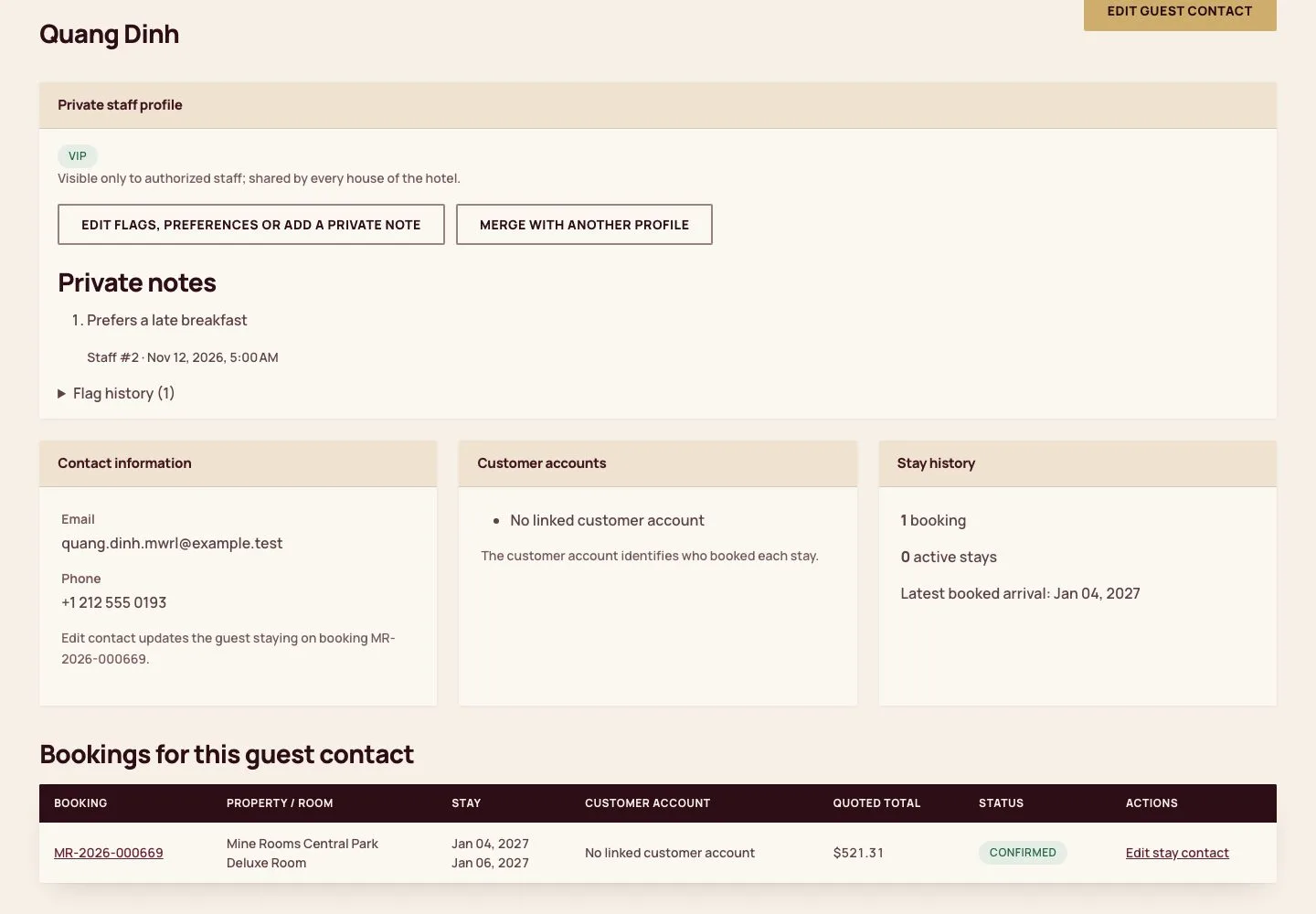
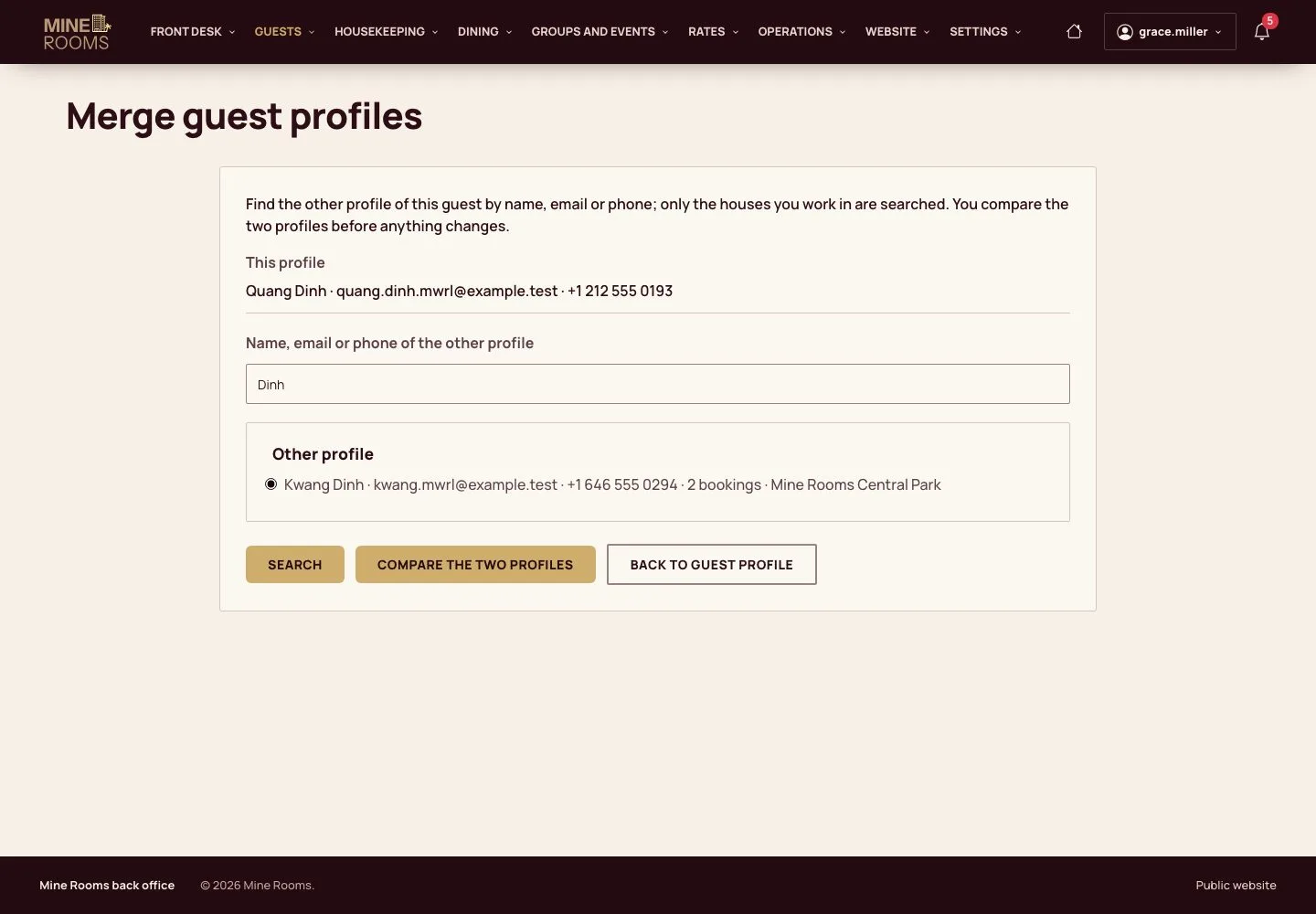
- Two profiles of the same guest in your houses: another spelling, email or phone
Manager
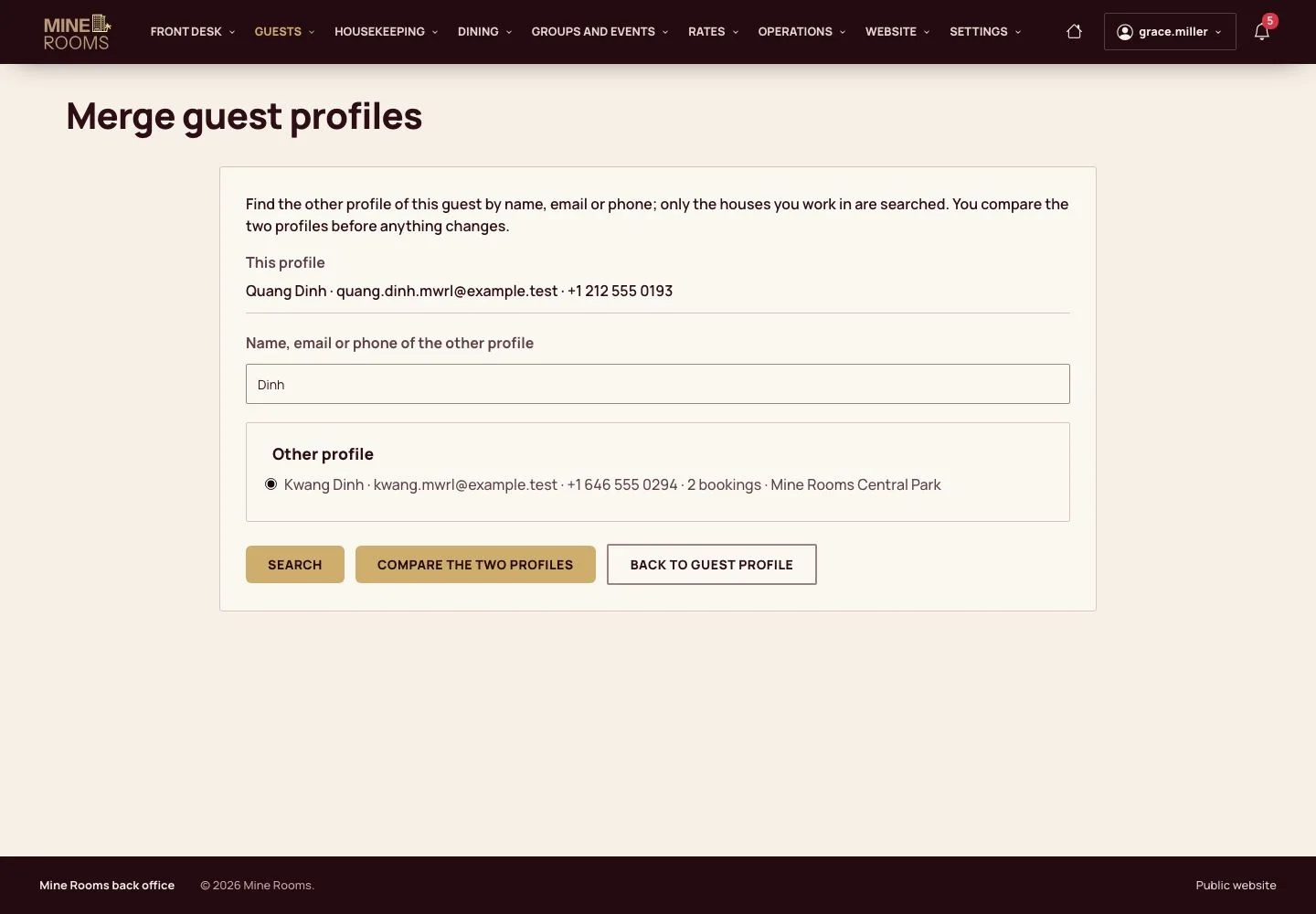
Compare and confirm
Manager
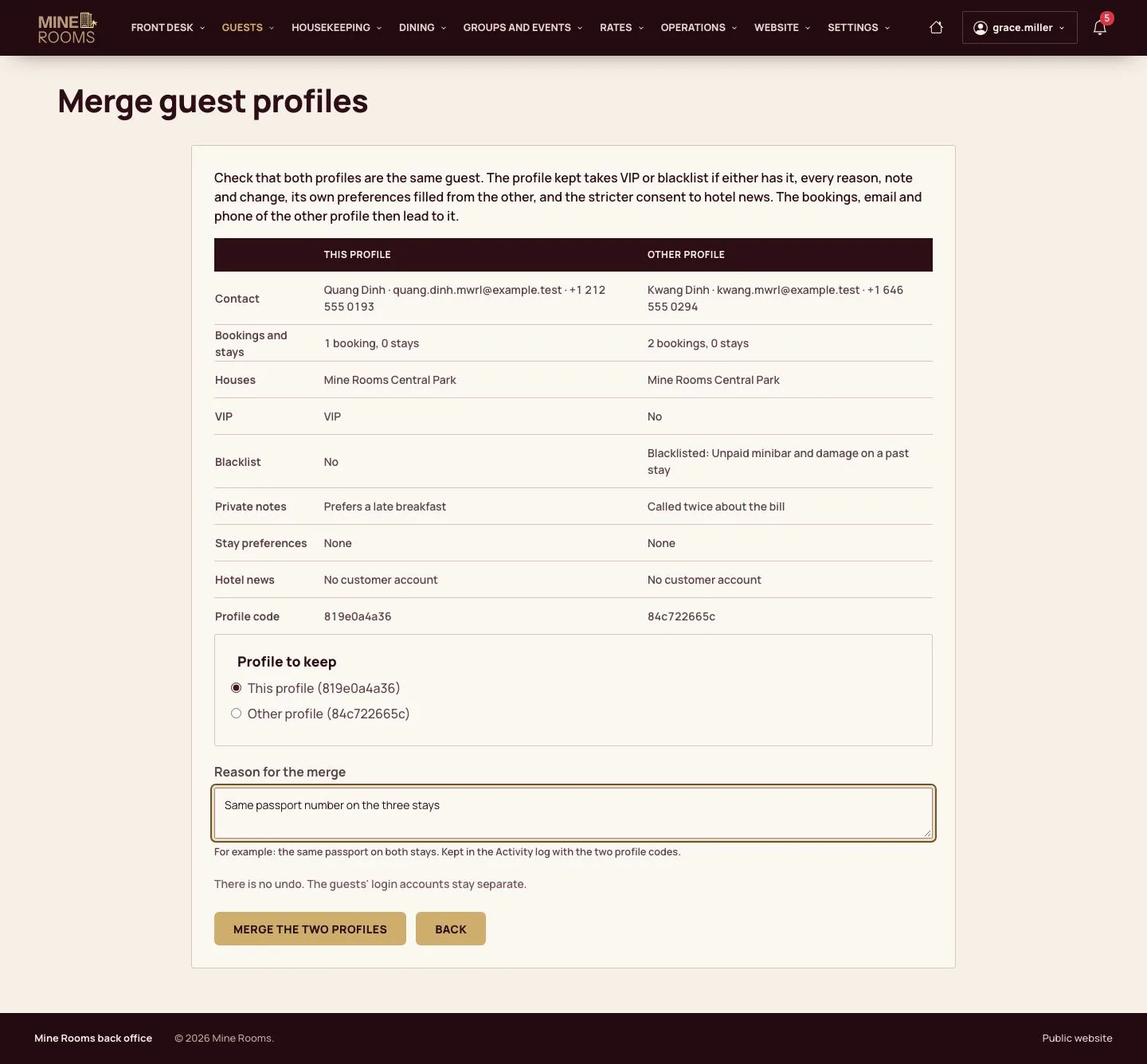
3Step 3 of 5
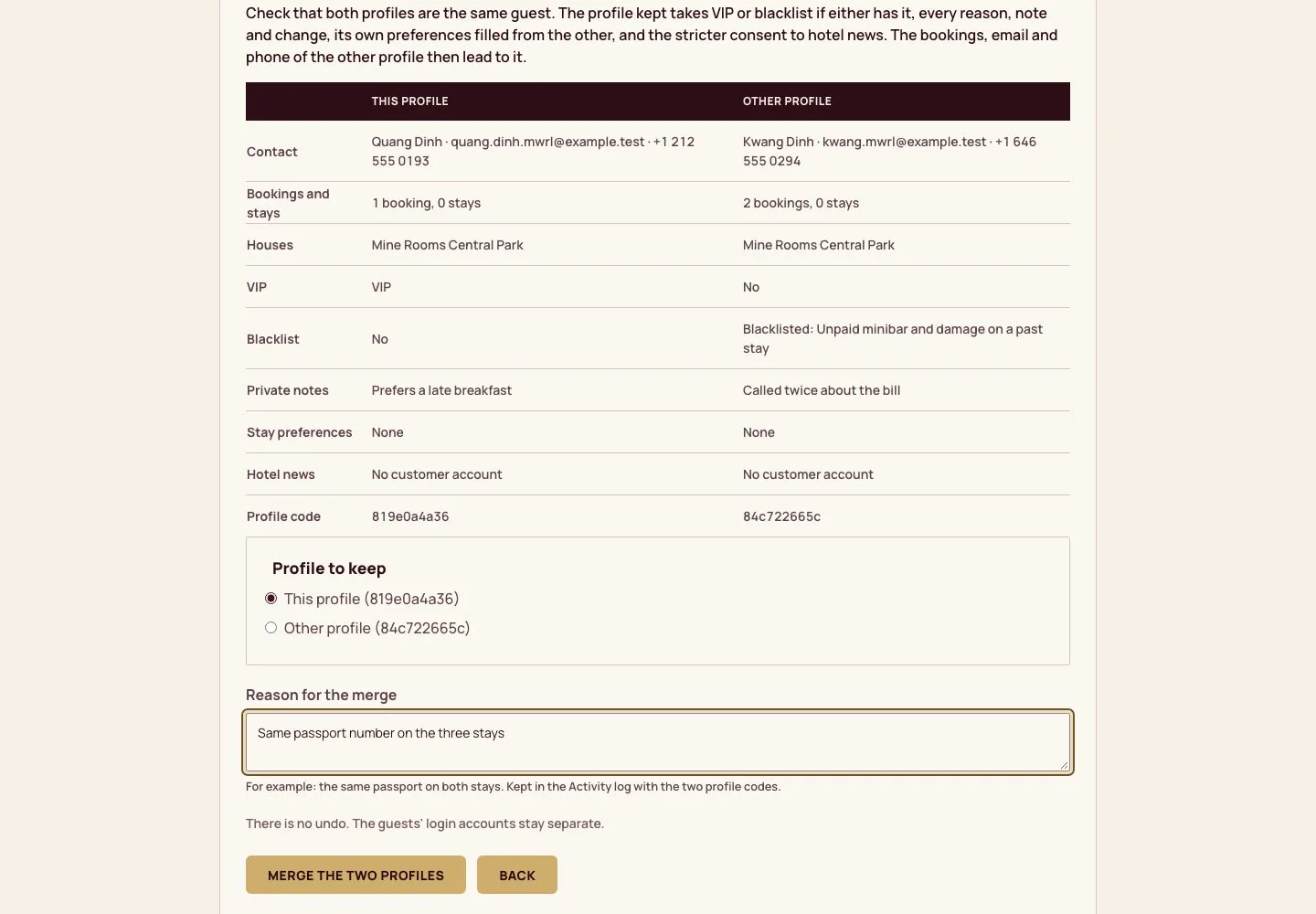
- The two profiles side by side: contact, bookings and stays, houses, VIP, blacklist and its reason, notes, preferences and consent to hotel news.
- Choose the profile to keep, give the reason, then Merge the two profiles.
There is no undo. The guests' login accounts stay separate; an open data erasure request stops the merge.
Enlarge, then scroll
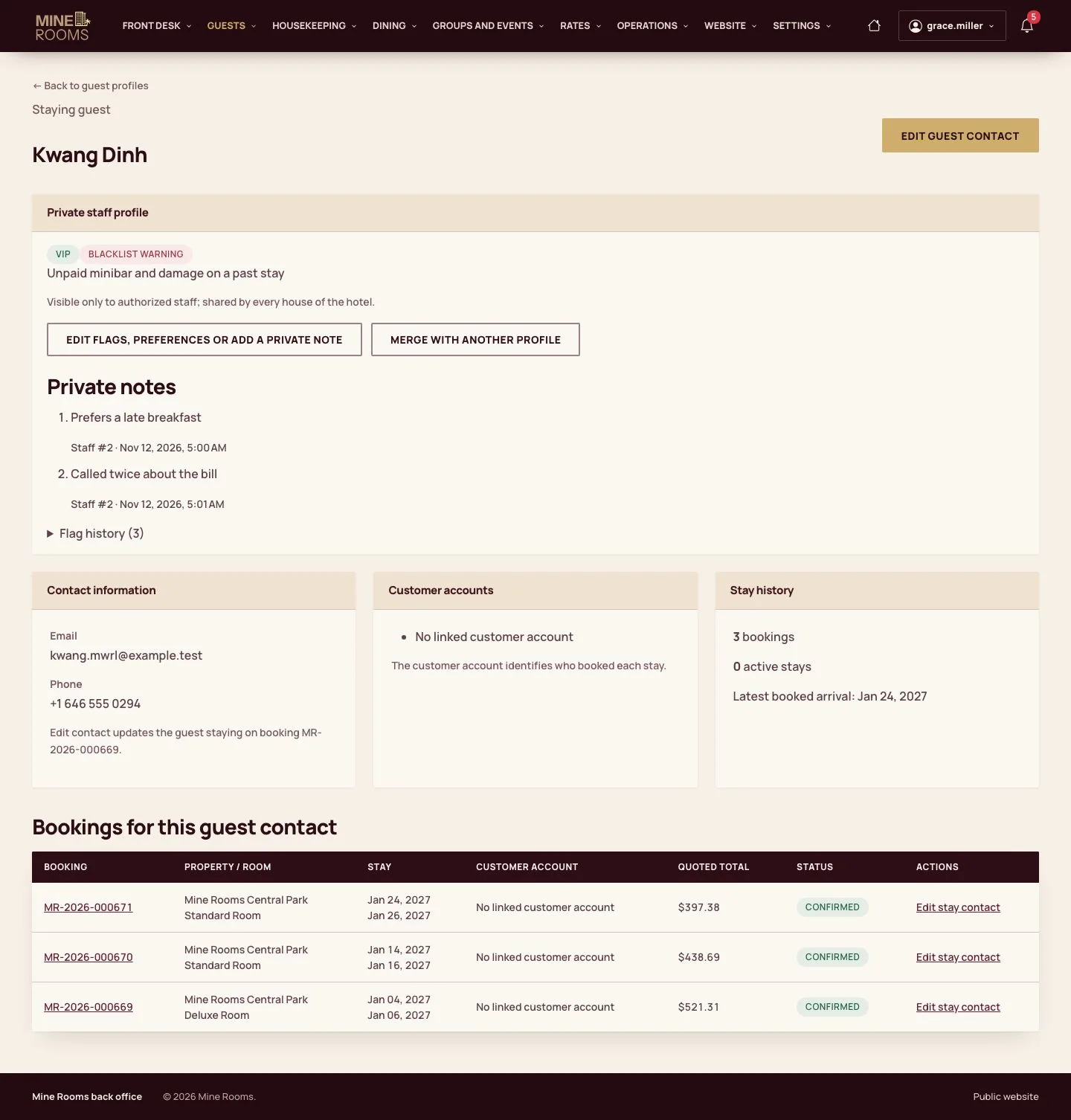
At the desk
Receptionist
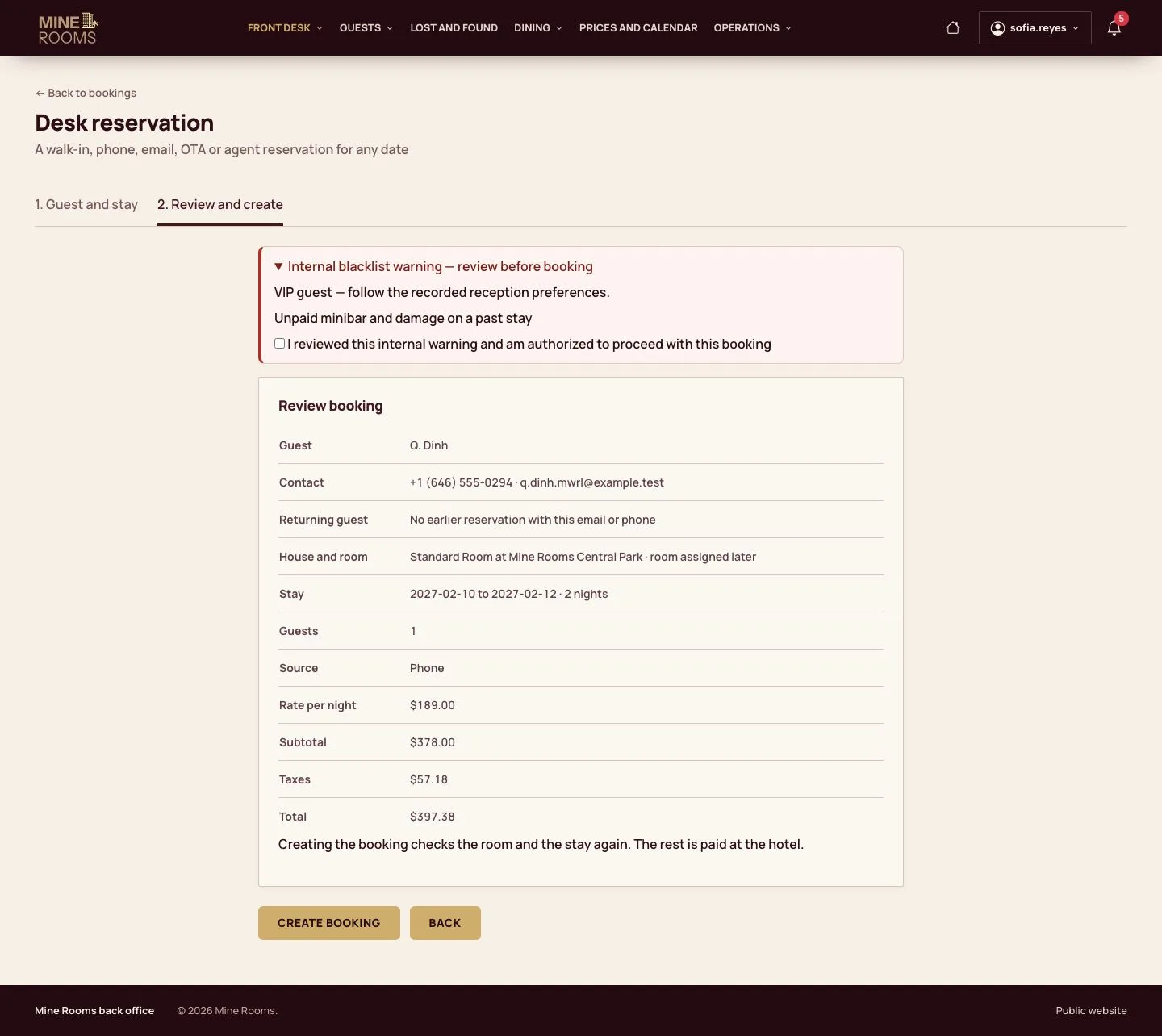
5Step 5 of 5
- A new desk reservation with the old email or phone finds the merged profile: the review shows its warning before the booking is created.
Enlarge, then scroll
Open illustrated screen ↗Full image ↗
Check
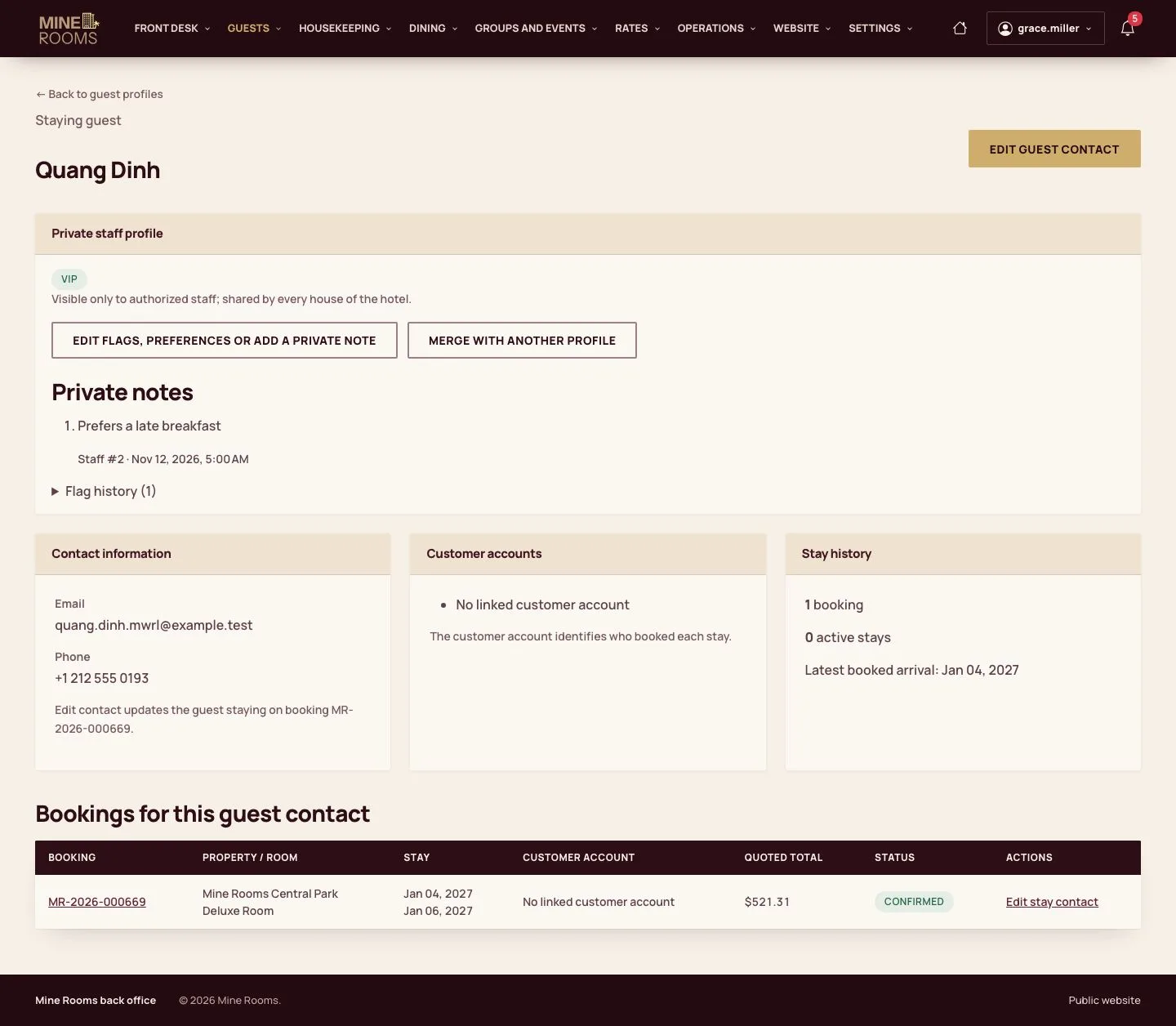
One profile keeps every flag, reason, note and booking, and the old email and phone bring its warnings to the desk.
1 / 6