In-room dining by QR

Scan, order and charge to the room without signing in

  • A guest checked in to the room
  • A venue with a menu
  • The QR code of the room placed in the room
Guest
Codes for the rooms

Manager

Codes for the rooms

1Step 1 of 8

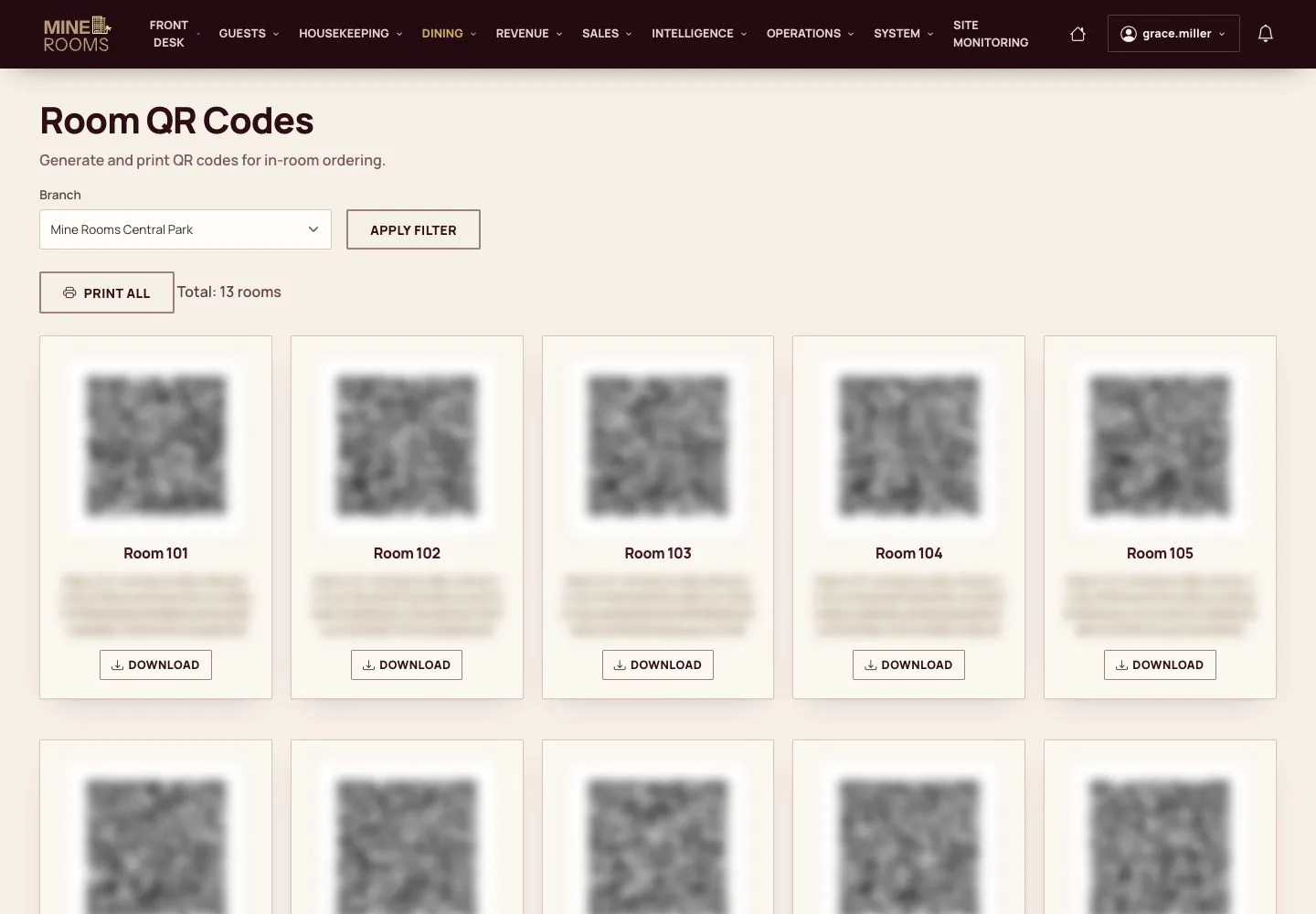
  1. Each room has its own code, on the page Room QR Codes.
  2. Print them all at once or download one to place it in the room.

The codes are masked in these screens: a code gives access to the menu of its room.

Enlarge, then scroll

Open illustrated screen ↗Full image ↗

Guest · In-room dining by QR01

Scan the code

Guest

Scan the code

2Step 2 of 8

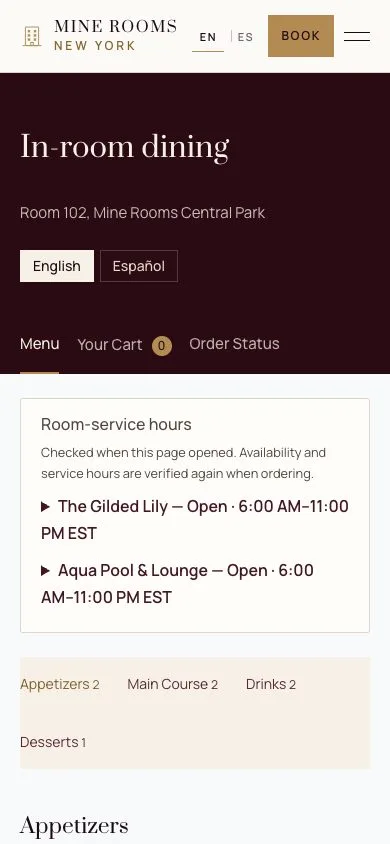
  1. The guest scans the code with a phone and the menu of the house opens, without an account.
  2. The header names the room the order will be charged to.

Enlarge, then scroll

Full image ↗

Guest · In-room dining by QR02

The guest's language

Guest

The guest's language

3Step 3 of 8

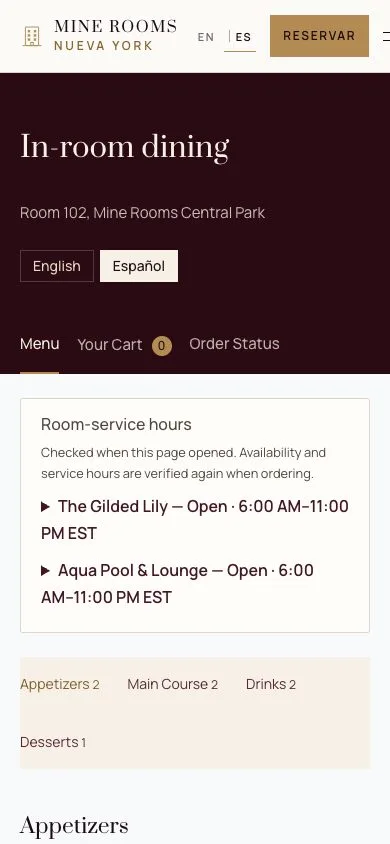
  1. The menu switches between English and Spanish with one tap.

Full image ↗

Guest · In-room dining by QR03

Add dishes

Guest

Add dishes

4Step 4 of 8

  1. Add dishes to the order; the cart at the bottom counts them.
  2. A dish the kitchen has switched off cannot be added.

Enlarge, then scroll

Full image ↗

Guest · In-room dining by QR04

The cart

Guest

The cart

5Step 5 of 8

  1. Change quantities, add a note for the kitchen and check the total.
  2. The total will be charged to the room, nothing is paid on the phone.

Enlarge, then scroll

Full image ↗

Guest · In-room dining by QR05

Place the order

Guest

Place the order

6Step 6 of 8

  1. The order goes straight to the kitchen and the phone follows its status.

Orders are taken during room-service hours and only for a room with a guest checked in.

Enlarge, then scroll

Full image ↗

Guest · In-room dining by QR06

The kitchen starts

Kitchen

The kitchen starts

7Step 7 of 8

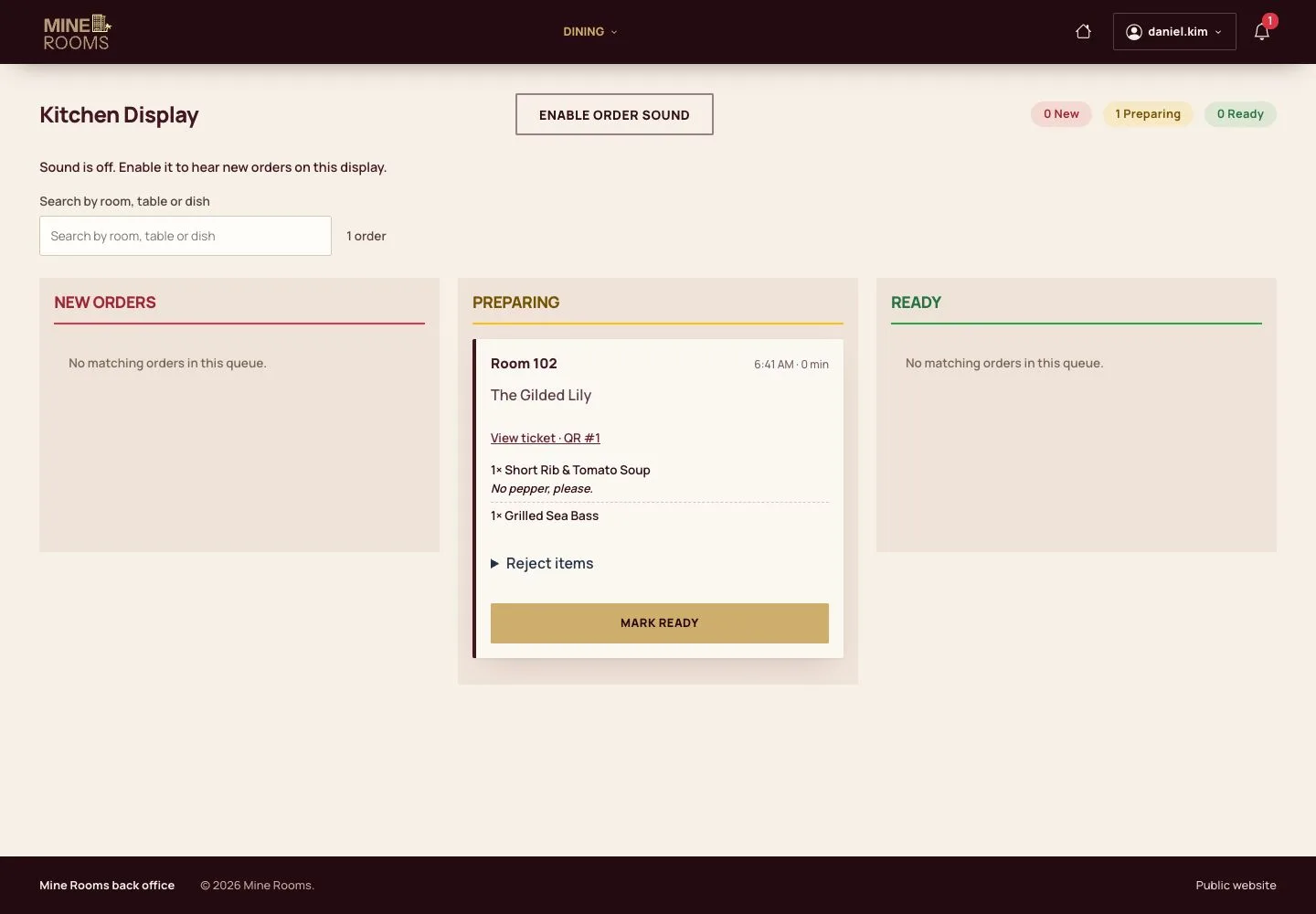
  1. The ticket appears on the kitchen display, with its room and the note.
  2. The cook moves it through Preparing and Ready to Delivered.

Open illustrated screen ↗Full image ↗

Guest · In-room dining by QR07

On the folio

Manager

On the folio

8Step 8 of 8

  1. A delivered order becomes a line on the folio of the room.
  2. The guest settles it at check-out with the rest of the stay.

Enlarge, then scroll

Full image ↗

Check

The dishes reach the room and the order is a line on the folio.

Guest · In-room dining by QR08
1 / 9
Privacy Terms