EverLMS Enterprise features
Internal training made accessible
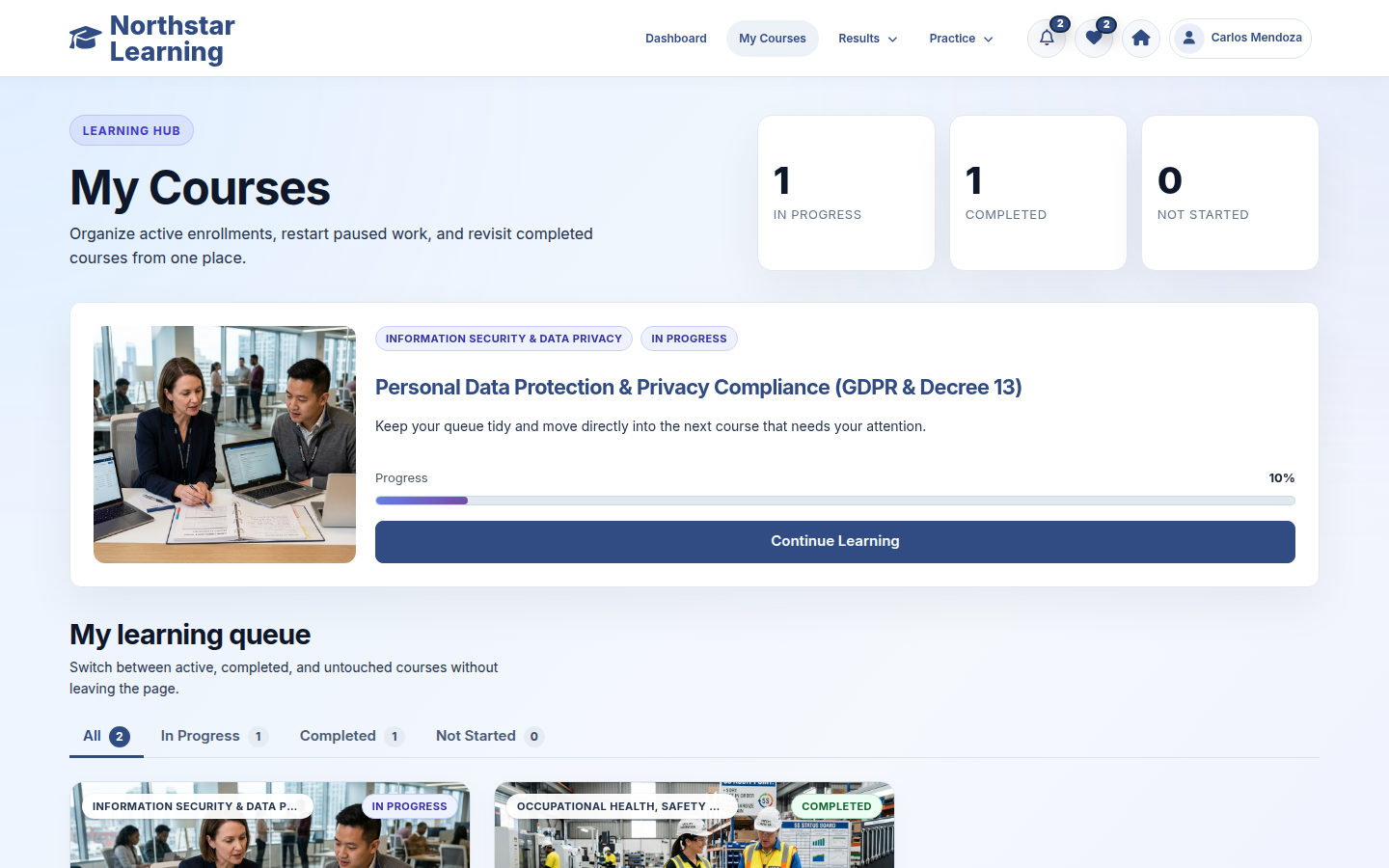
Employees join a course with confirmation. Learning starts from My Courses, without a purchase step.
Progress stays with the course
Start, continue or review learning from the same course record. Re-enrollment retains the existing progress and learning history.
Results you can revisit
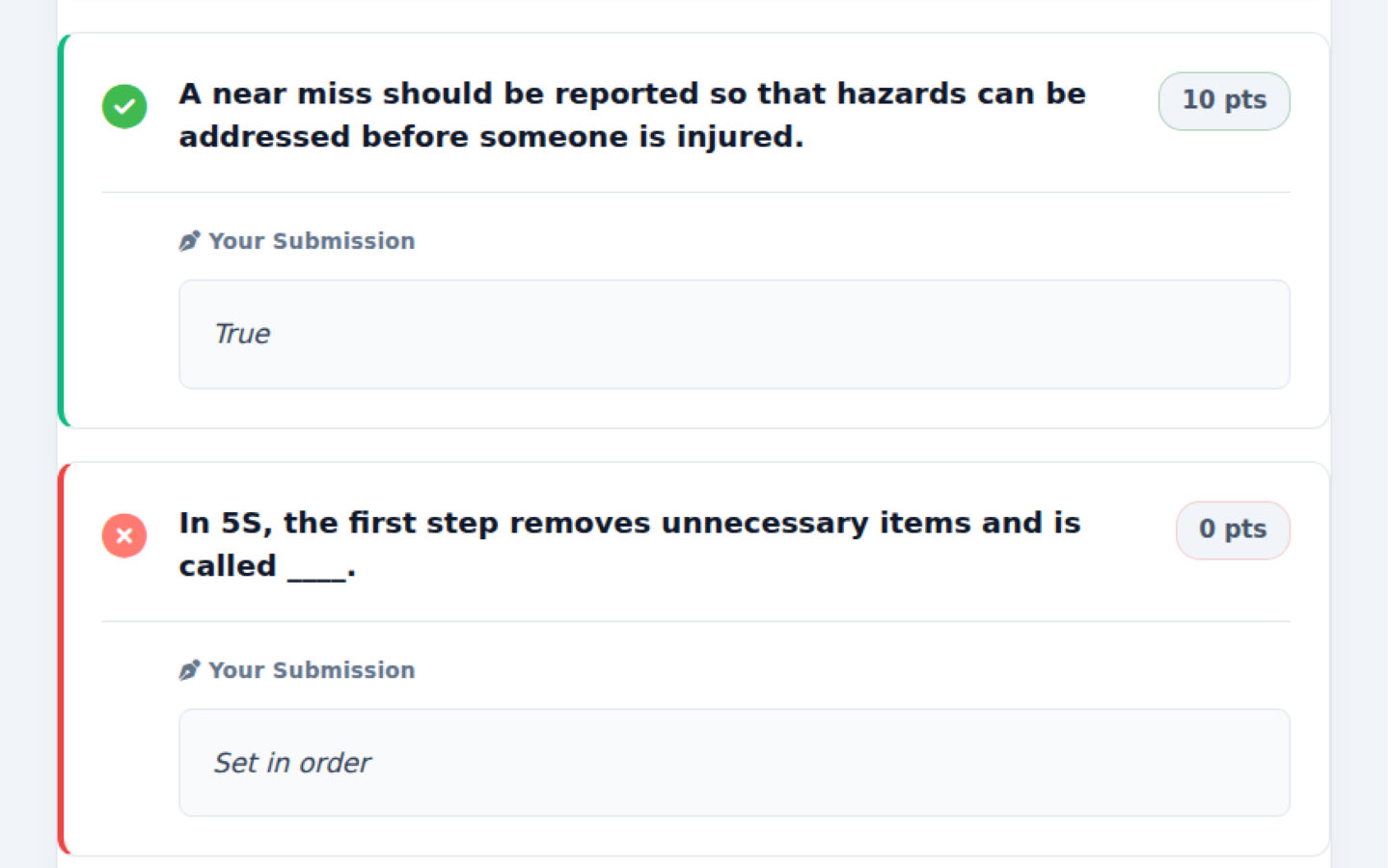
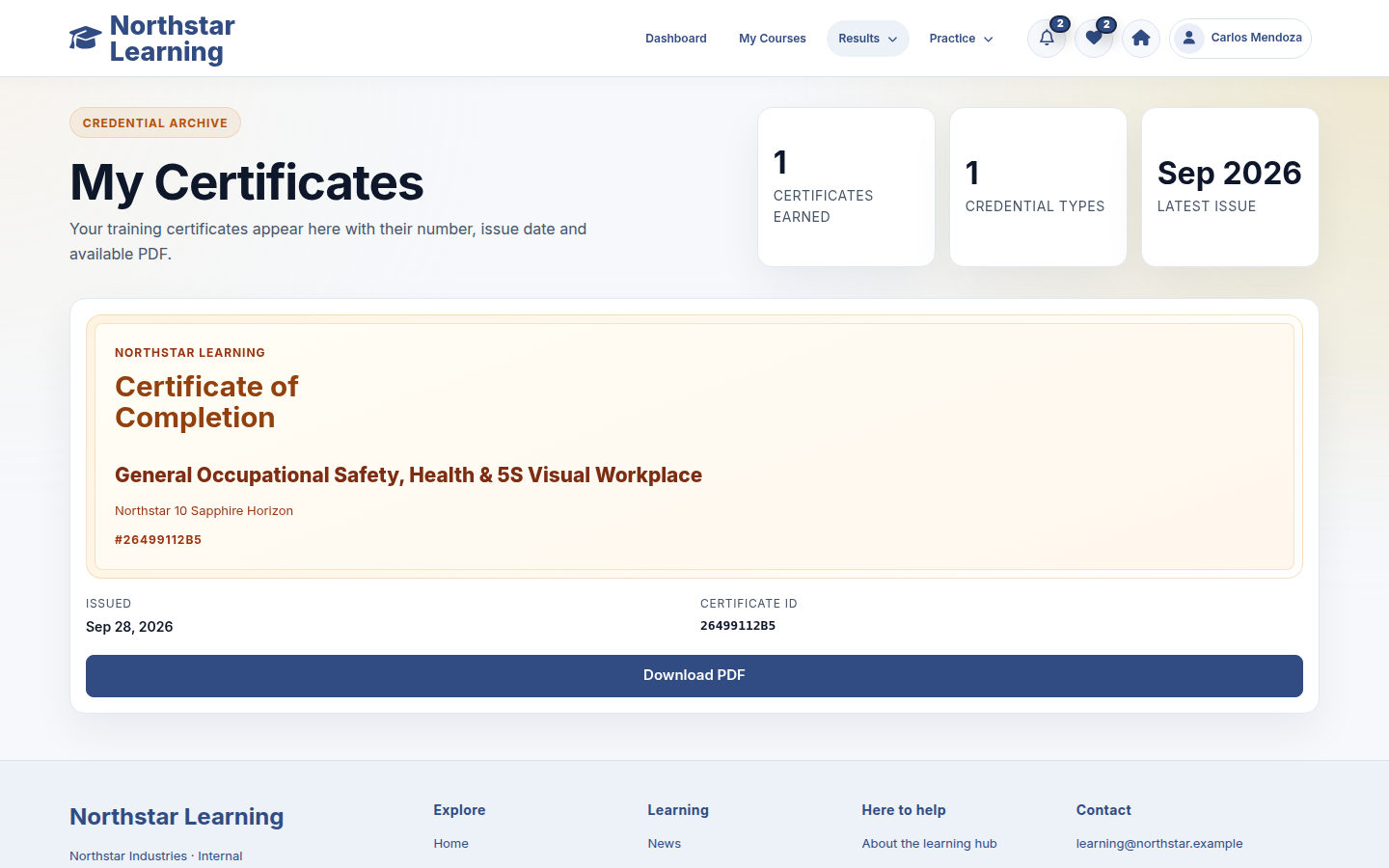
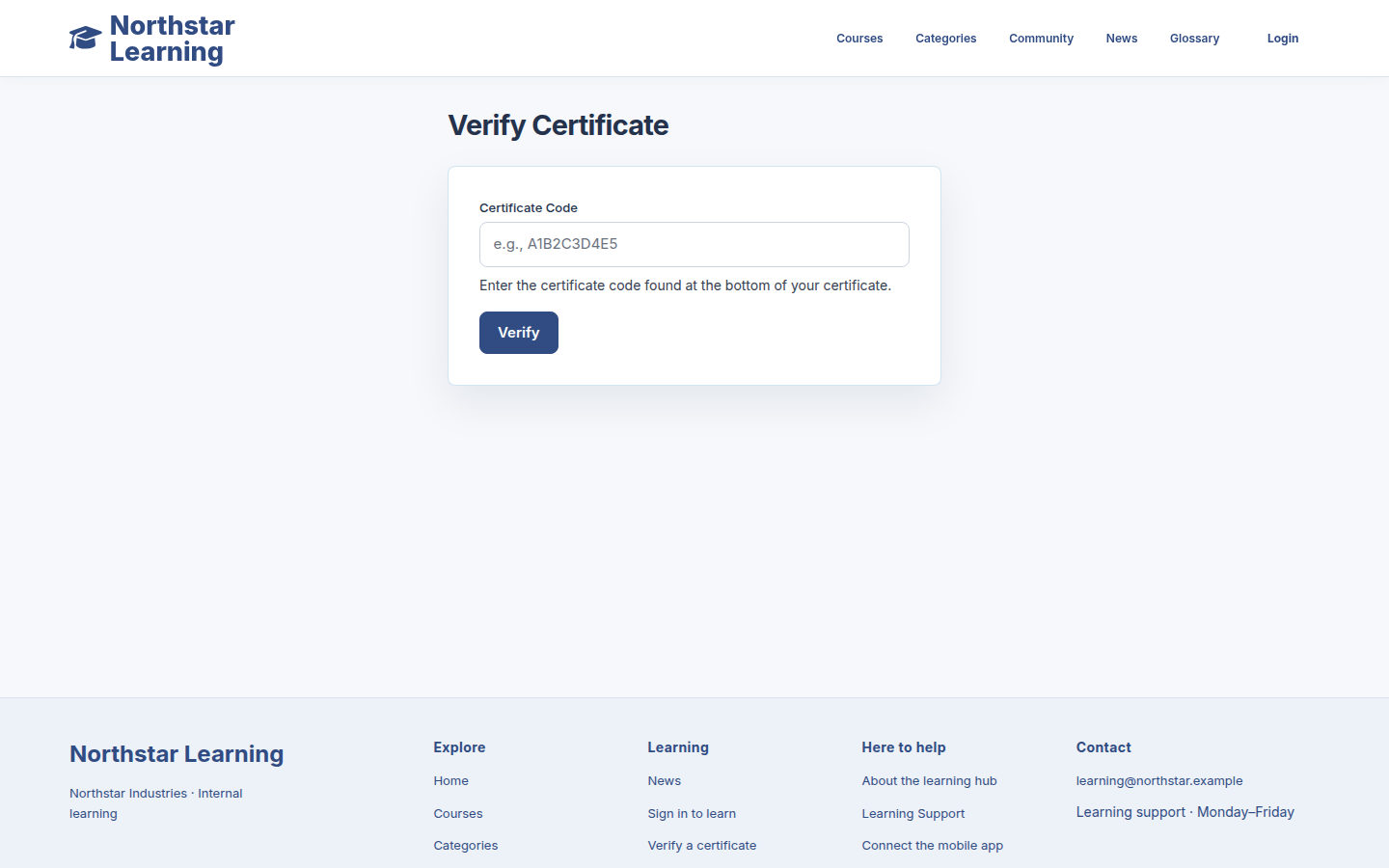
Saved quiz results show the attempt and answers. Issued certificates are available as PDFs, with a code that can be checked on the site.

Learning and training management in one place
EverLMS Enterprise brings employee learning, course authoring and training management together. Employees work through courses and quizzes; permitted authors maintain the material; managers review course performance, assessment outcomes and learner feedback.
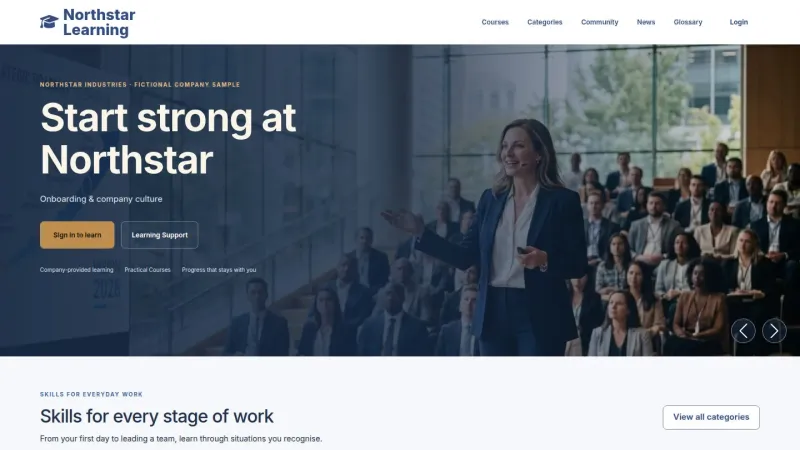
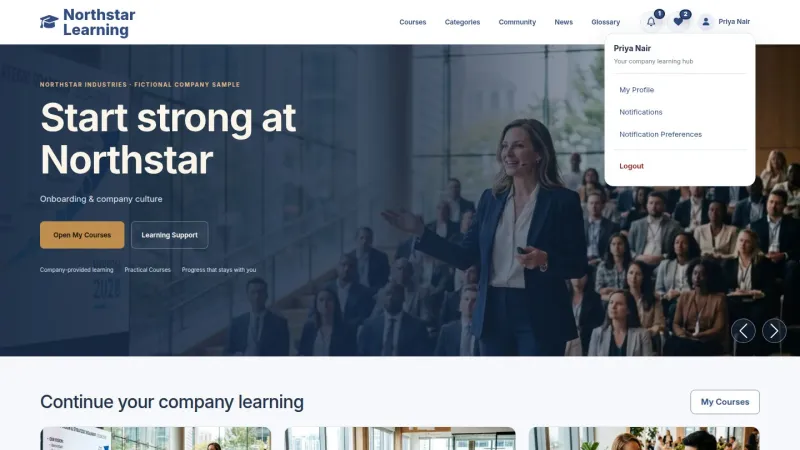
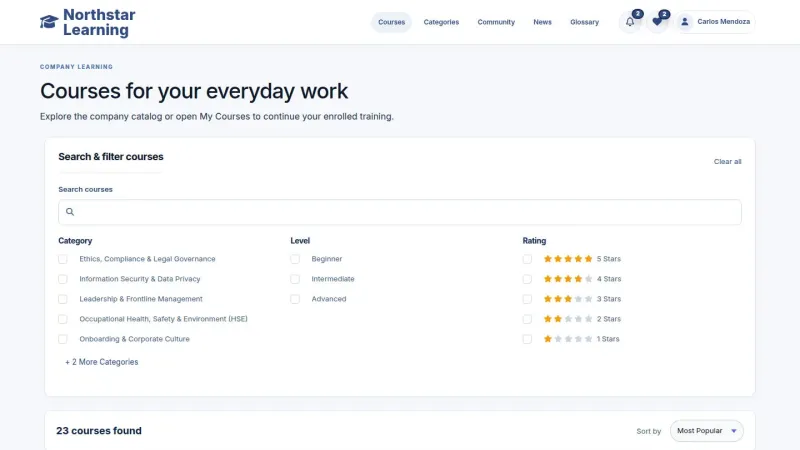
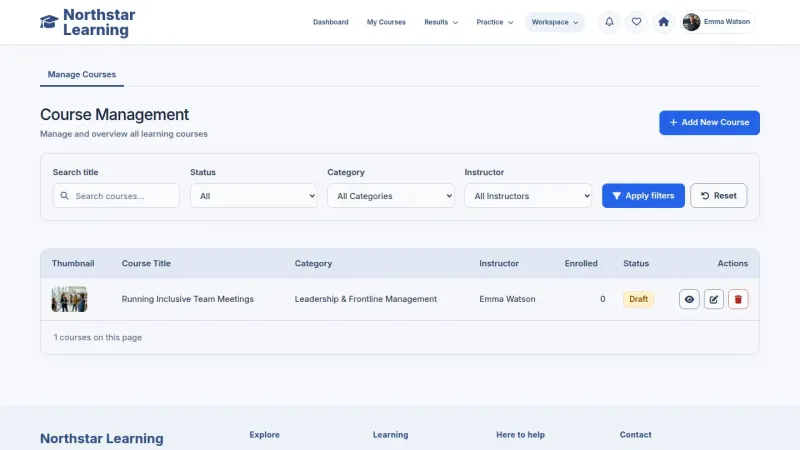
The product screens show Northstar Learning, a fictional demonstration site. They illustrate the existing interface using sample courses, accounts and learning records.
 View full size
The tools for everyday training
Courses, content and learning records support employees, authors and managers in their existing workspaces.
- CoursesBrowse and joinSearch the catalogue and review the curriculum before enrolling.
- LessonsContent and resourcesText, video, documents and interactive activities within a course.
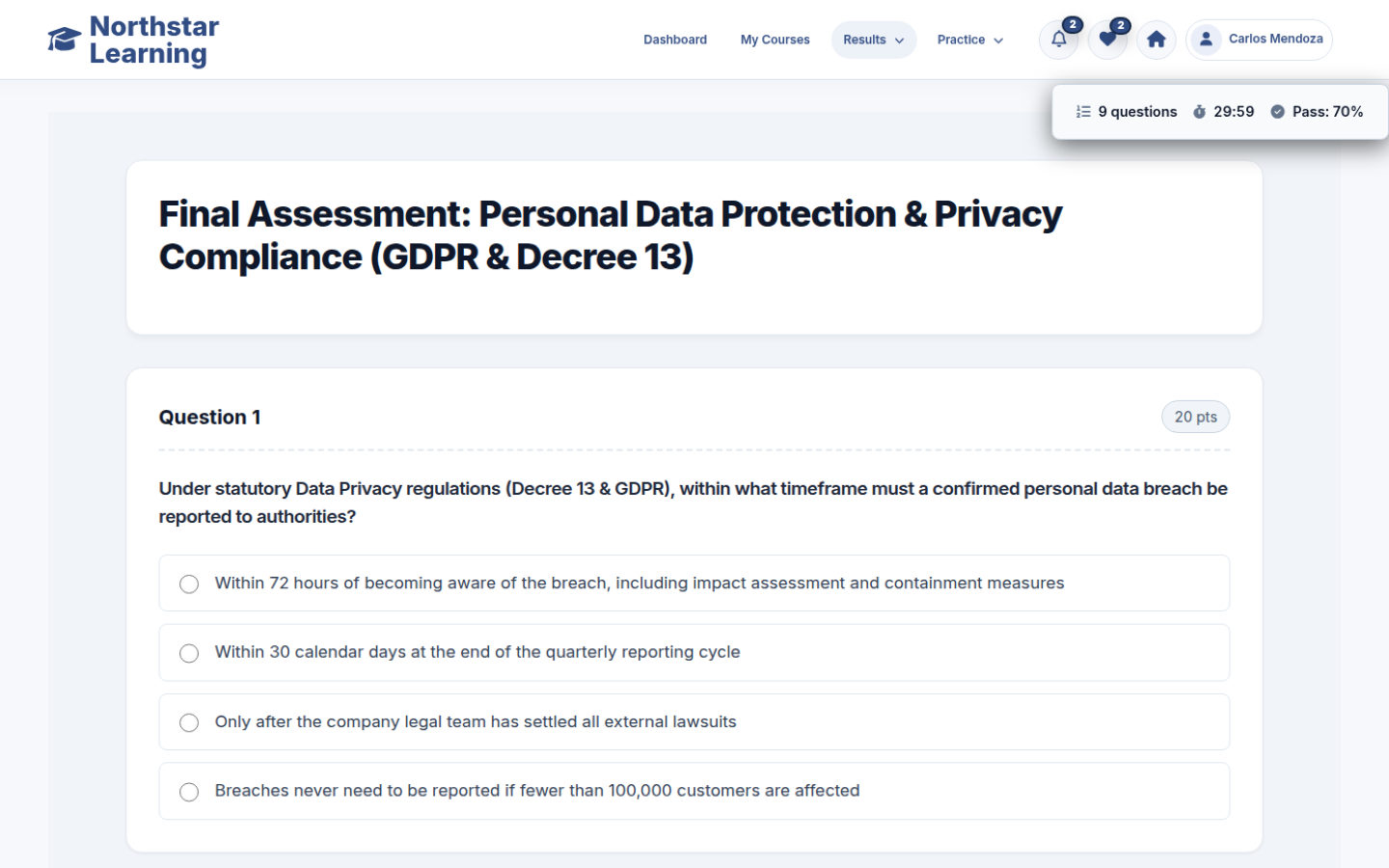
- QuizzesQuestions and resultsAssess understanding with configured scoring and attempt settings.
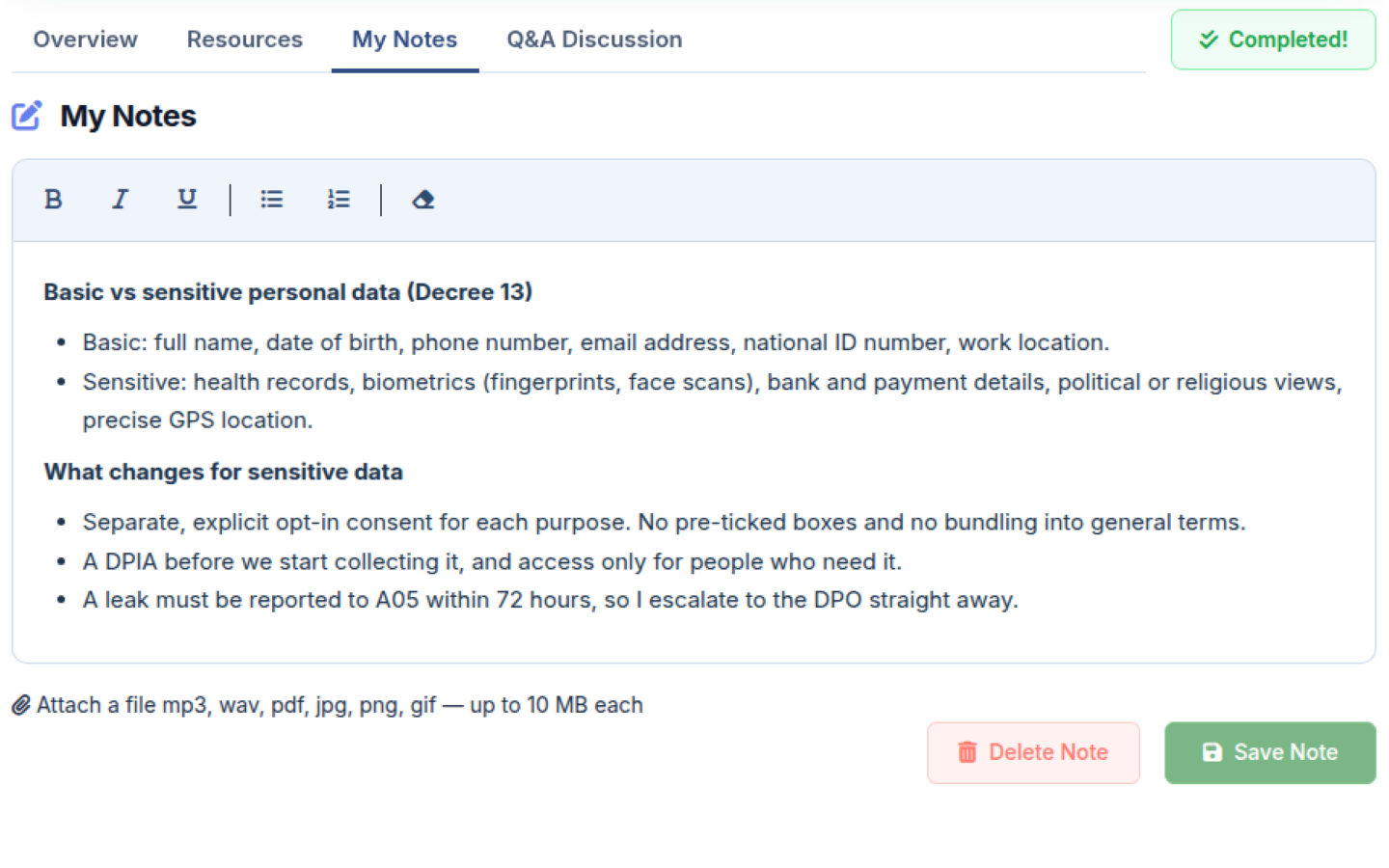
- NotesLesson contextSave useful notes and return to them alongside the lesson.
- ProgressStart, continue, reviewCourse records keep lesson completion and learning status.
- ReportsTraining follow-upReview course, learner and quiz activity in the workspace.
- PeopleRelevant workspacesExisting permissions govern learning, authoring and management.
- CertificatePDF and verificationDownload issued certificates and check their codes.
For the people who learn, create and manage training
Each account uses the learning, authoring and management destinations allowed by its existing permissions.
Employees learning for everyday work
Explore learningFind the course you need, continue a lesson between other tasks, and keep notes and results available for later.
Instructors preparing training
Explore authoringOrganise your permitted courses into chapters and lessons, add learning material, and prepare questions to check understanding.
Managers following learning
Explore managementUse course, learner and quiz reports to review training performance and identify material that needs attention.
Staff maintaining the learning site
Explore administrationKeep permitted articles and pages current, manage accounts, and maintain supporting information through the appropriate workspace.
A familiar path through the learning material
Courses keep the curriculum, resources, progress and assessment together.
Join a course
Review the course information and confirm enrollment from its course page.
Find My Courses
Start a new course, continue unfinished learning or review a completed course.
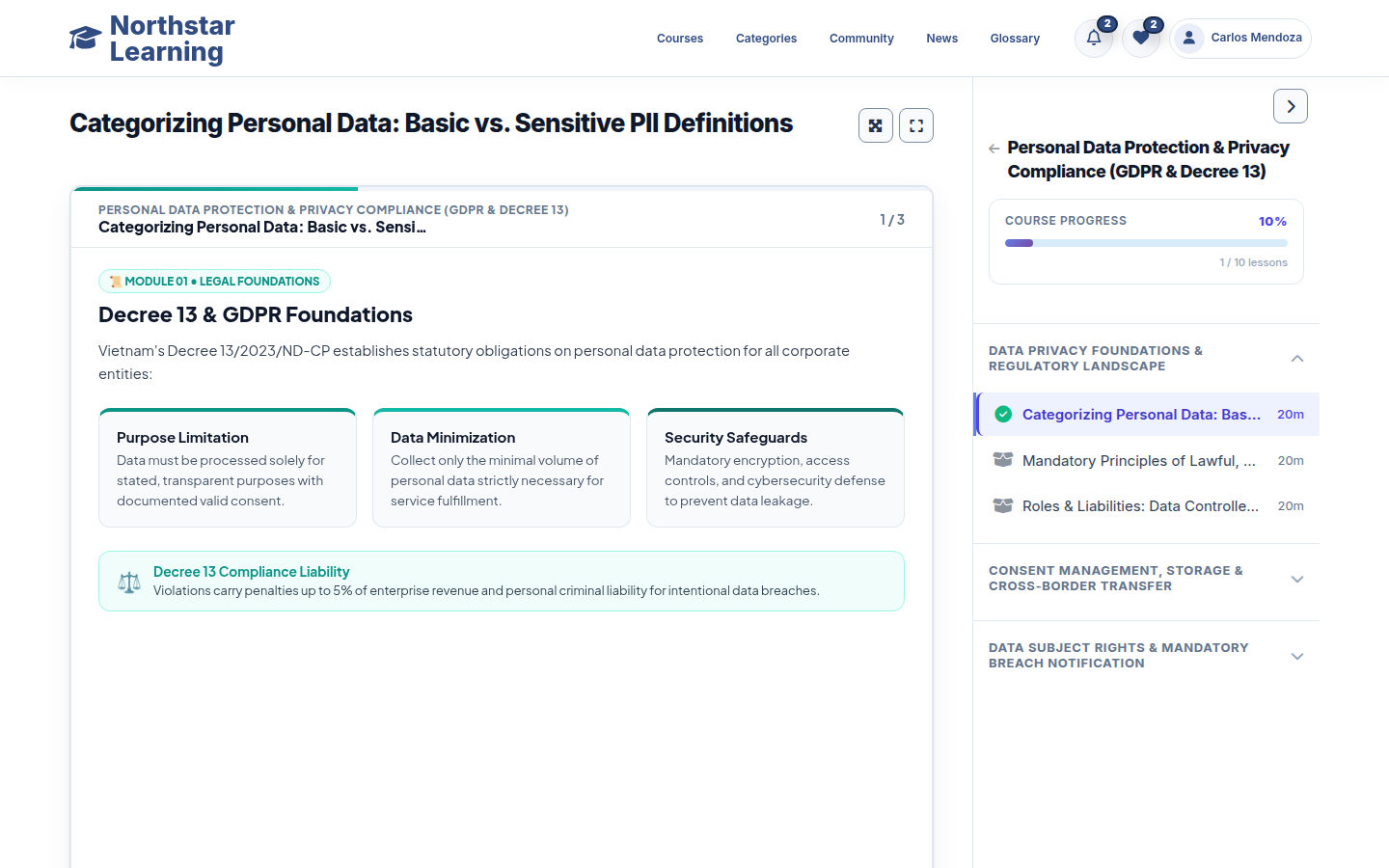
Use the curriculum
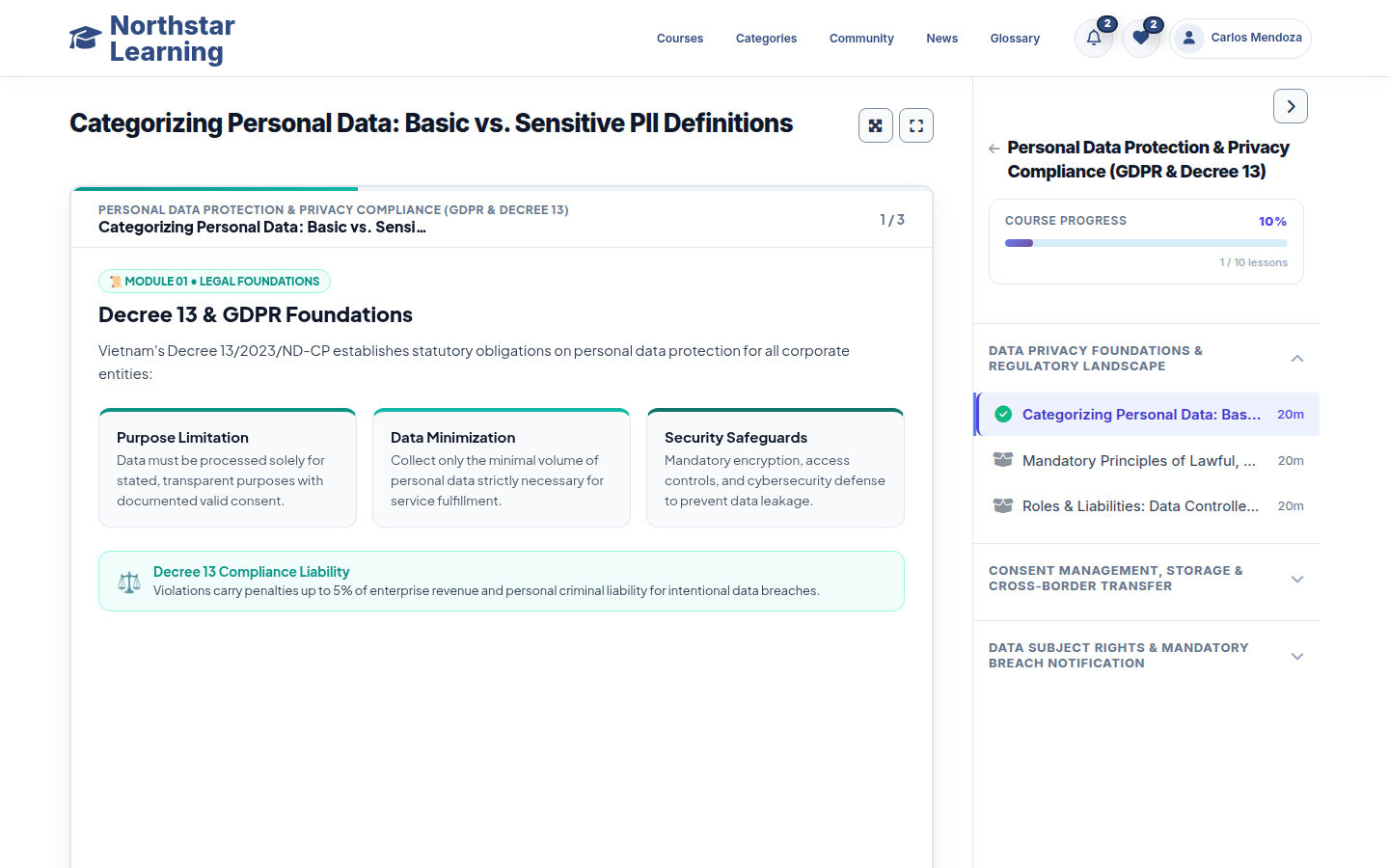
Chapters and lessons stay beside the learning content in the player.
Learn from the material
Read text, watch video or use the documents and activities included in the lesson.
Keep useful context
Open Resources and My Notes; use lesson Q&A where comments are enabled.
Record completion
Mark Complete records lesson completion and updates course progress.
Check understanding
Take the quiz using its configured pass score, time limit and attempts.
Review the result
Read the score and answers; essay answers await manual grading.
Keep an issued certificate
Find generated certificates in My Certificates and download the PDF.
Prepare learning from the material you already use
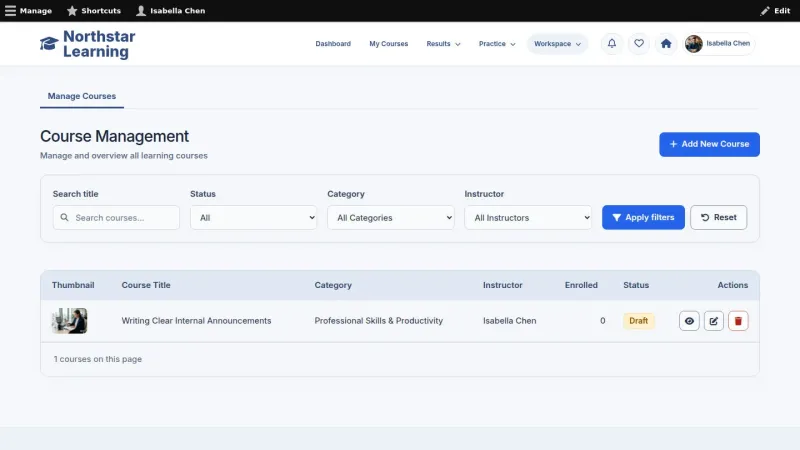
Permitted authors organise training into courses, chapters and lessons. The course form brings the curriculum and its learning material together.
- Chapters and lessons edited within the course form
- Text, video, PDF, PowerPoint, SCORM, H5P, Zoom, Quiz and mixed lessons
- Supporting file attachments and lesson resources
- Quiz questions, pass score, time limit and attempt settings
- Instructors and content editors work within their existing editing permissions
 View full size
Review course performance and assessment quality
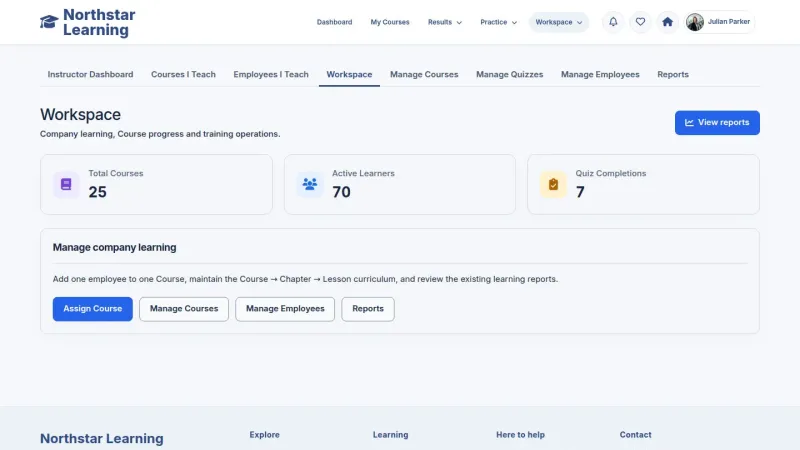
Use recorded learning activity, quiz outcomes and course feedback to identify topics that need review and improve your training material.
- Course and assessment results inform content review
- Course ratings and learner feedback highlight useful improvements
- Course enrollment, completion and issued-certificate information
- Learner progress, quiz scores and recent activity
- Quiz reports and existing data exports for follow-up
 View full size
Keep accounts and site content organised
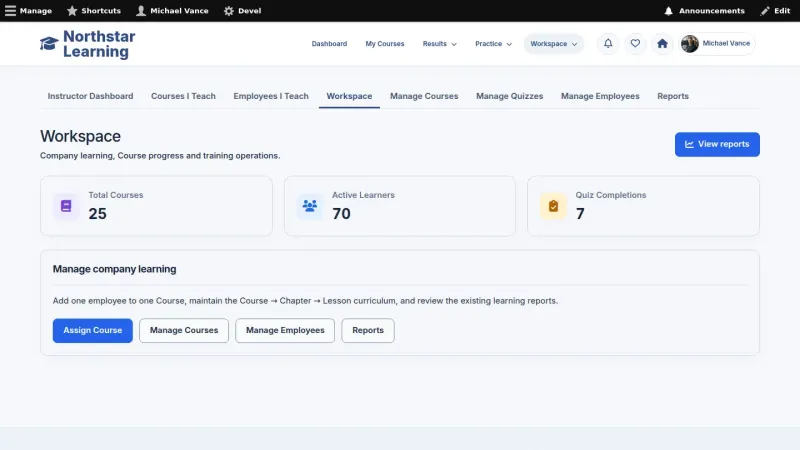
Administrators manage accounts, roles and site content. Existing permissions determine which learning, authoring and management screens an account can use.
- Accounts, roles and existing permissions
- Published News articles and supporting site content
- Community topics and replies alongside workplace learning
- Notification preferences in the account settings
- Enterprise learning without learner pricing, checkout or orders
 View full size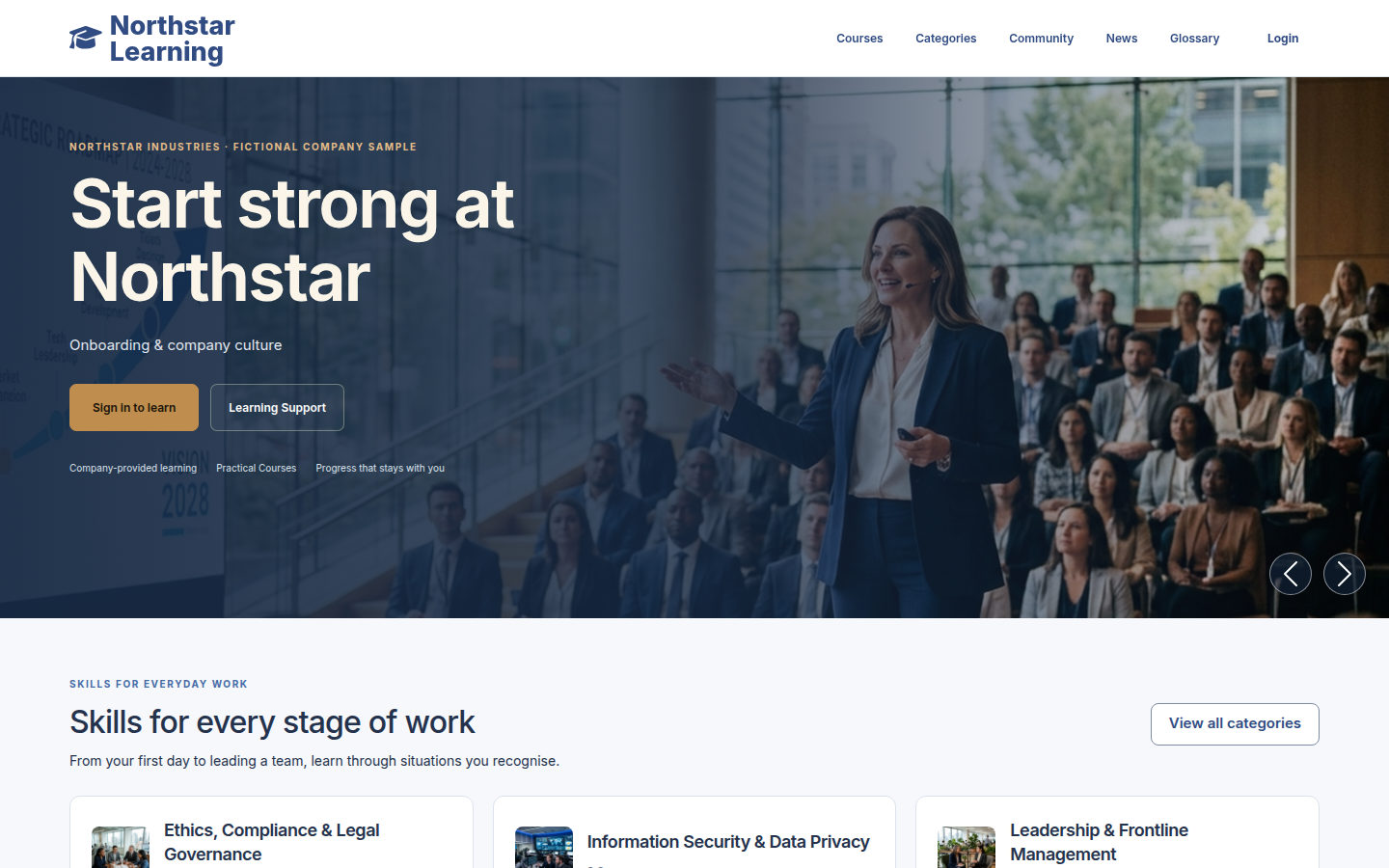
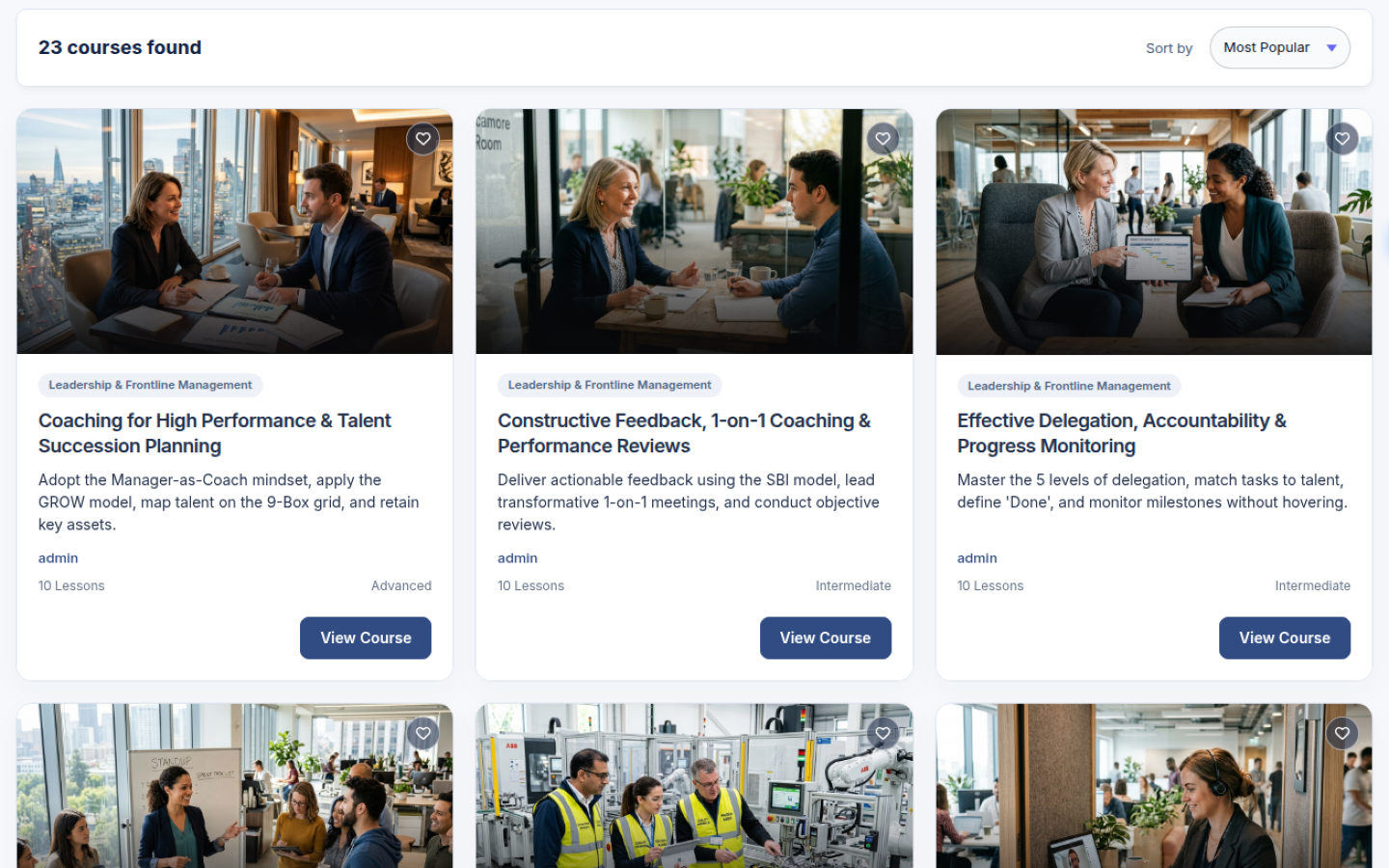
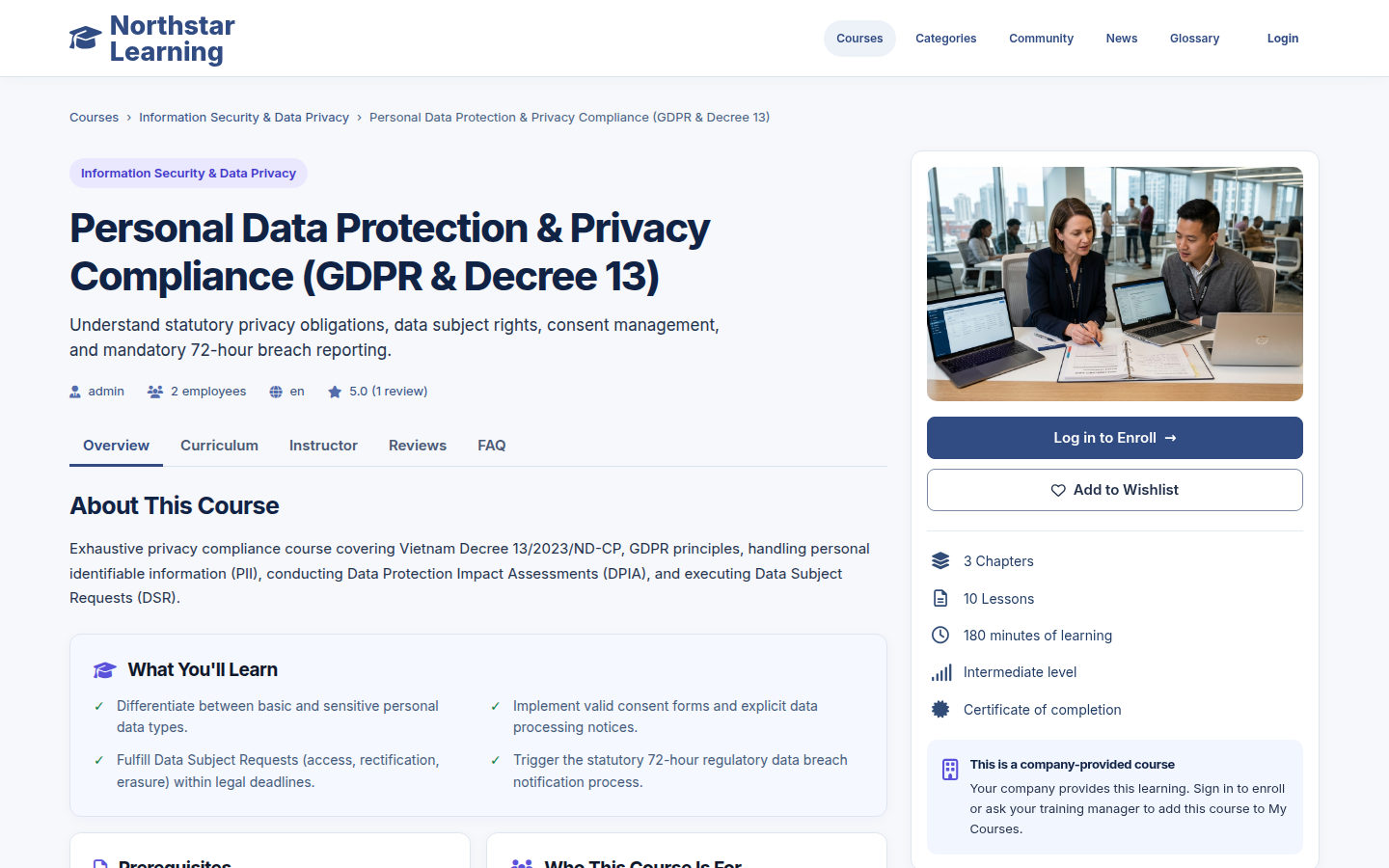
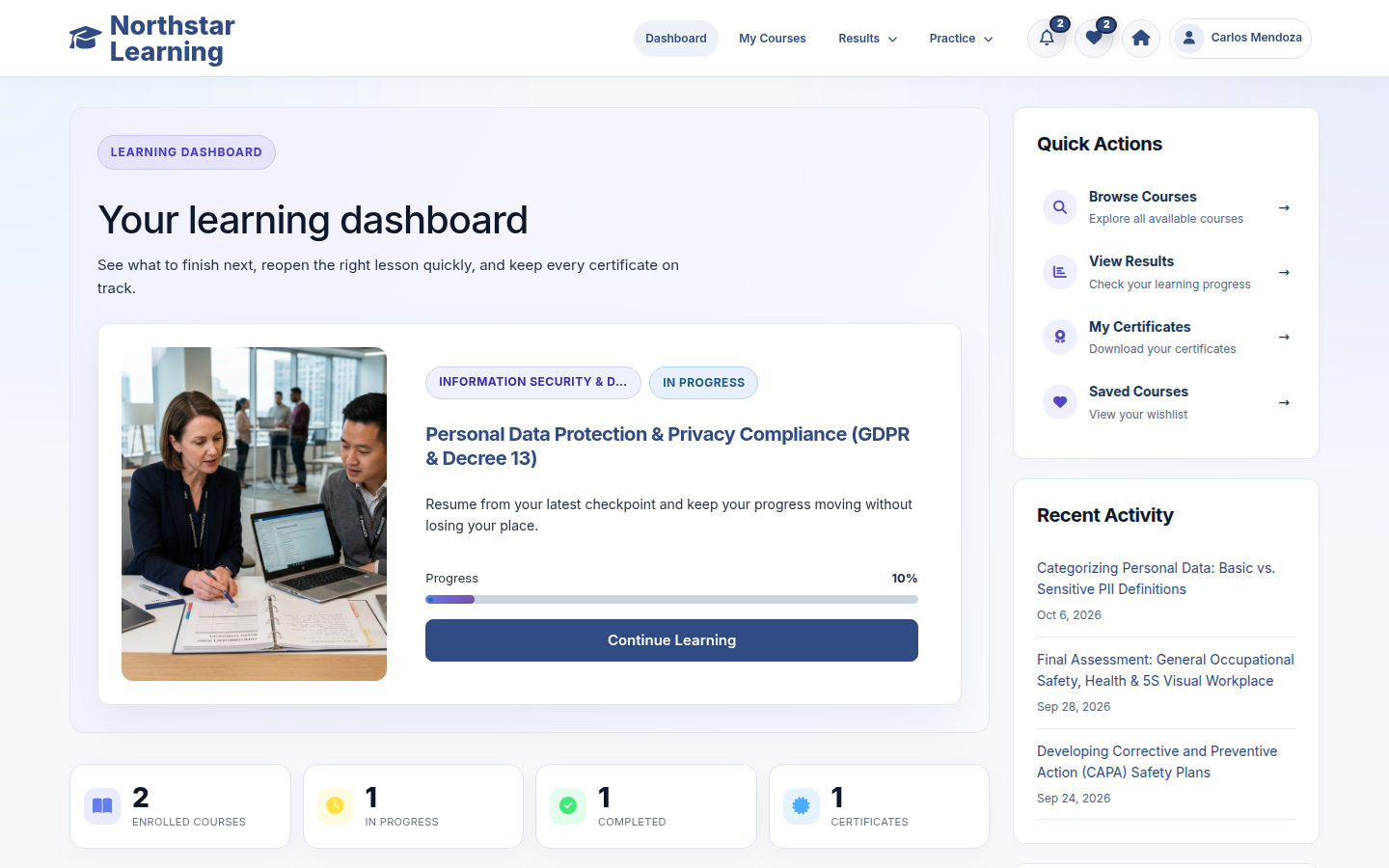



Live demo
Each demo is a working copy of EverLMS Enterprise with sample data, open for you to try.
EverLMS or EverLMS Enterprise
Enterprise learning uses the existing course and assessment tools while removing the purchase step from employee enrollment.
| EverLMS | EverLMS Enterprise | |
|---|---|---|
| Training purpose | Course delivery with commerce options | Employee learning without a purchase step |
| Enrollment | Existing course and membership purchase flows | Confirmed self-enrollment without checkout |
| Learner navigation | Commerce destinations where configured | My Courses, lessons, quizzes and learning records |
| Learning material | Courses, chapters, lessons and quizzes | The same course structure and supported lesson formats |
| Revisiting a course | Depends on the configured enrollment flow | Reuses the existing course enrollment and history |
| Management | Existing authoring and management tools | Course, learner and quiz reports in the workspace |
Bring your material into the learning product
Courses and supporting information use the existing authoring tools, learning features and account permissions.
EverLMS Enterprise Supporting information, training content and learning functions
Supporting information Articles, pages, FAQ and glossary entries maintained by permitted staff
Supports the course content
Your training content Course descriptions, chapters, lessons, questions, resources and certificate templates
Uses existing product functions
EverLMS functions Learning, progress, quizzes, certificates, reports and permitted workspaces
Product capabilities
- Courses, chapters and lessons
- Learning progress, notes and resources
- Quiz attempts, results and manual essay grading
- Certificate PDFs and public code verification
- Course, learner and quiz reports with learner feedback
- Role-based workspaces, published News and Community discussions
Your learning material
- Course descriptions and workplace topics
- Chapters and lessons organised around your material
- Documents, videos and interactive lesson content
- Quiz questions and assessment settings
- Course artwork and certificate template content
- News articles, pages, FAQ and glossary maintained by permitted staff
Organise training for everyday work
Use the course form to bring the curriculum, material and assessment together.
From training material to a published course
- Describe the course Set its title, overview, category and learning objectives. Clear course information
- Organise the curriculum Add chapters and lessons within the course form. A structured learning path
- Add the material Choose a lesson type and attach its learning resources. Content ready to study
- Prepare the quiz Add questions and set the scoring and attempt options. An assessment for the topic
- Review the content Check the lesson text, resources and questions for the intended audience. Consistent training material
- Publish the course Save its publication settings and make it available for enrollment. A course employees can join
Keep the learning journey connected
The course record, attempts and certificates support learning over time, using the product’s existing rules.
- Enrollment stays with the learner The course record connects the employee to their learning progress.
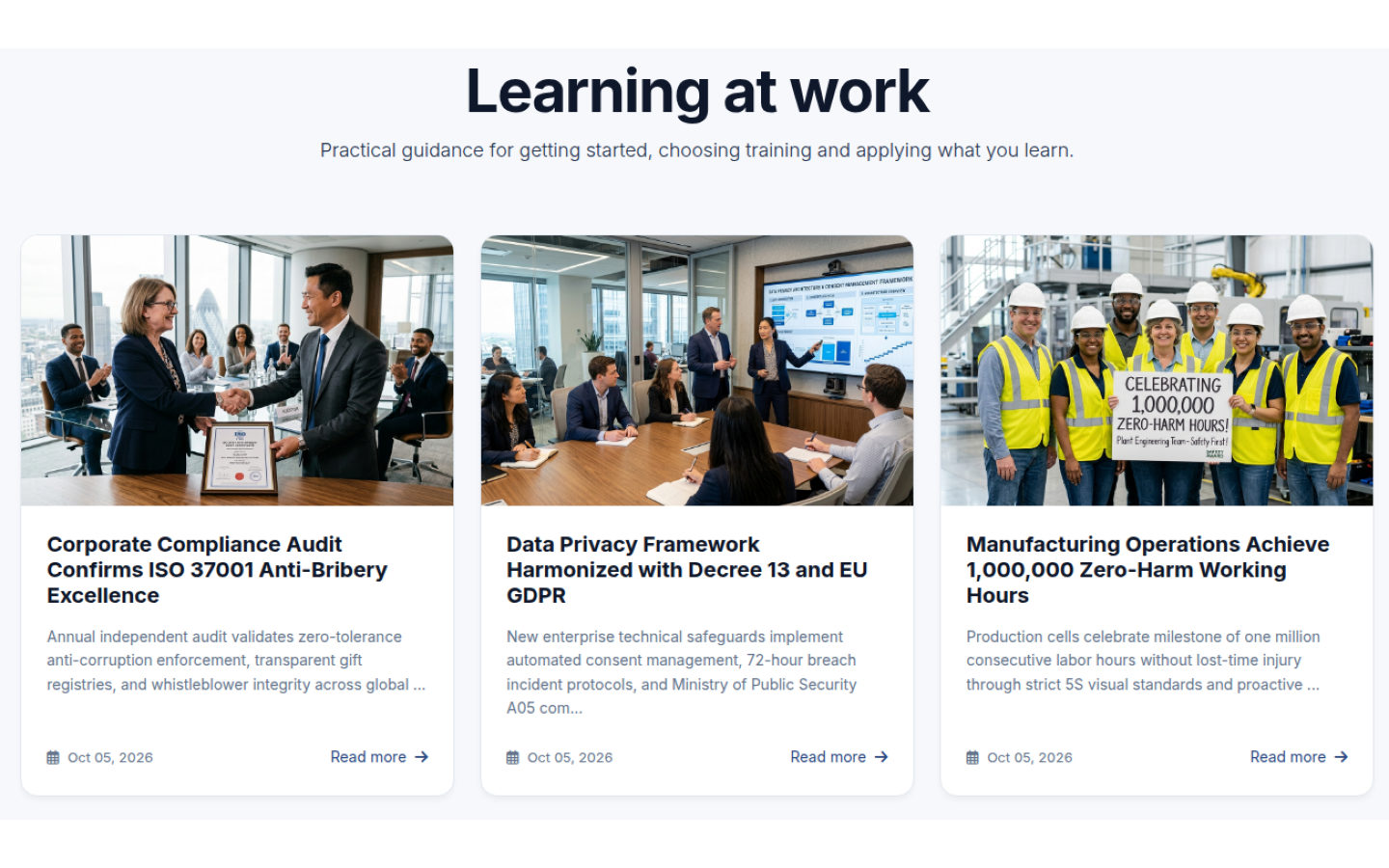
- News and Community Read published articles, browse workplace discussions and contribute topics or replies with your posting permissions.
- Completed learning can be reviewed Review Course lets an employee return to completed material.
- Quiz settings guide the attempt The author configures scoring, timing and permitted attempts.
- Essay answers receive manual review An authorised grader records the grade for written essay answers.
- Certificate issuance uses the existing rules Course completion or a passed course quiz can issue a certificate when a template is available and the PDF is generated.
Training needs the product supports
An employee starting a new responsibility finds a relevant course, studies its lessons and returns to saved notes when the topic comes up at work.
Employee learningNew responsibilitiesCourses, resources and notes An instructor turns a procedure and its supporting files into chapters and lessons, then prepares questions to check how learners understand the material.
Course authoringTraining preparationCurriculum, material and questions A manager reviews course completion, quiz outcomes and learner feedback to find material worth improving before the next training session.
Training managementLearning follow-upCourse quality and learning reports
Questions about EverLMS Enterprise
How do employees join a course?
An employee can confirm enrollment from a published course page. The course then appears in My Courses without a purchase step.
Where does learning continue?
My Courses offers Start Course, Continue Learning or Review Course according to the saved learning state. The lesson player keeps the curriculum, content and course progress together.
Can we use our existing learning material?
Lessons support text, video, PDF, PowerPoint, SCORM, H5P, Zoom, Quiz and mixed content, with supporting file attachments. Permitted authors add the material through the course form.
How can managers identify courses that need improvement?
Review recorded completion and quiz outcomes alongside course ratings and learner feedback. These help your training team decide which lessons or questions to revise.
When does a certificate become available?
Course completion or passing a course quiz can trigger issuance when an applicable template is available and the PDF is generated successfully. A quiz pass can issue a certificate before every lesson is complete. Issued certificates appear in My Certificates.
How are written answers reviewed?
Essay answers await manual grading. An authorised grader reviews the answer and records its grade before that part of the result is final.
What can training managers review?
The workspace provides course, learner and quiz reports, including recorded enrollment, completion, scores and activity. Existing permissions determine which management screens the account can use.
Can learners revisit their results and certificates?
Saved attempts remain available in My Quiz Results, while issued certificates are listed in My Certificates for PDF download. A certificate code can be checked on the public Verify Certificate page.
A guide for every role
Find the guide for your role, with task steps and screenshots of the existing interface.