Enroll in a course

Wishlist, enroll, My Courses

  • Signed in
  • A course found in the catalogue (Public: Find a course)
Employee
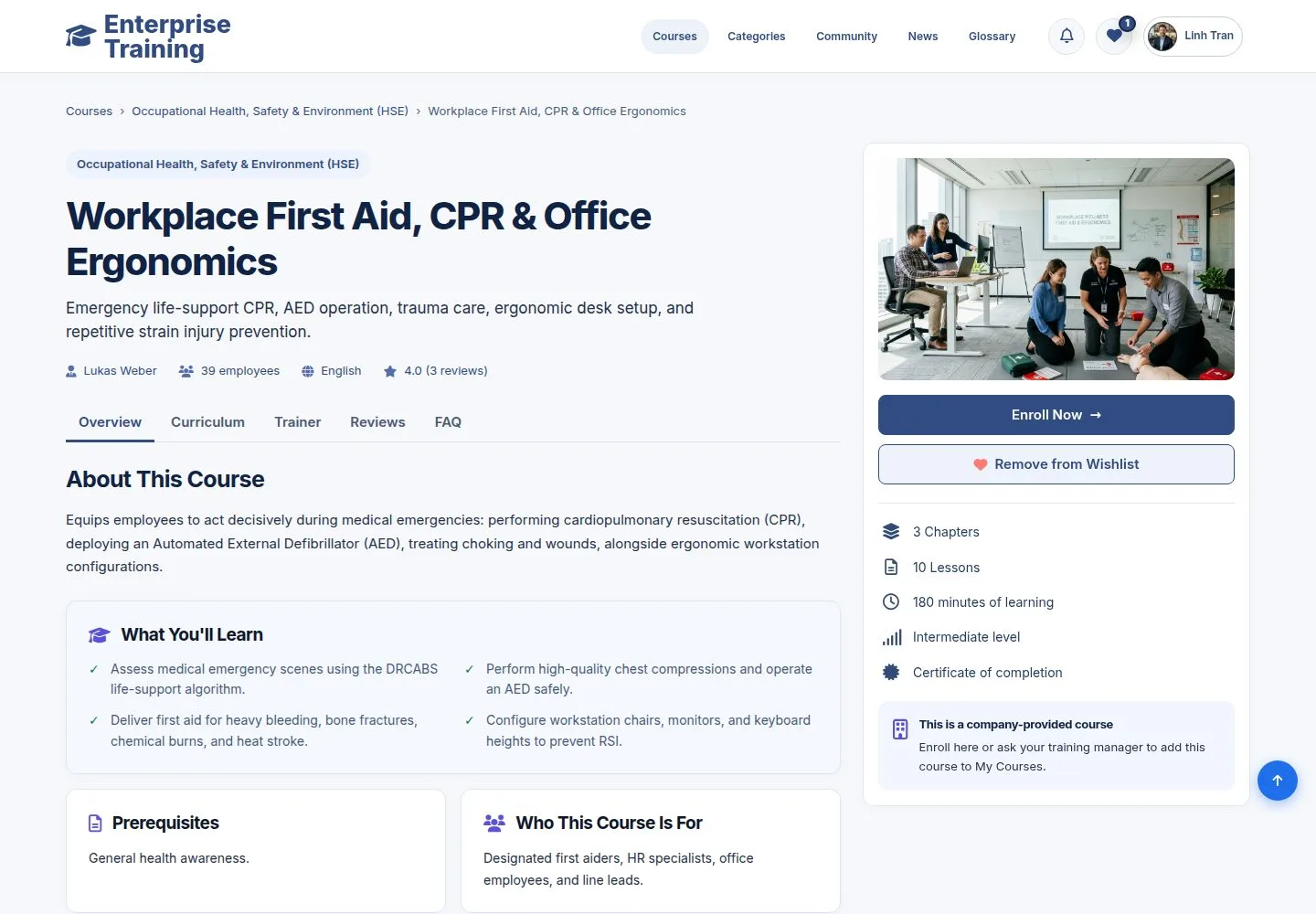
Save for later

Employee

Save for later

1Step 1 of 4

  1. Add to Wishlist keeps the course in My Wishlist, under the heart in the header.

Enlarge, then scroll

Open illustrated screen ↗Full image ↗

Employee · Enroll in a course01

Enroll

Employee

Enroll

2Step 2 of 4

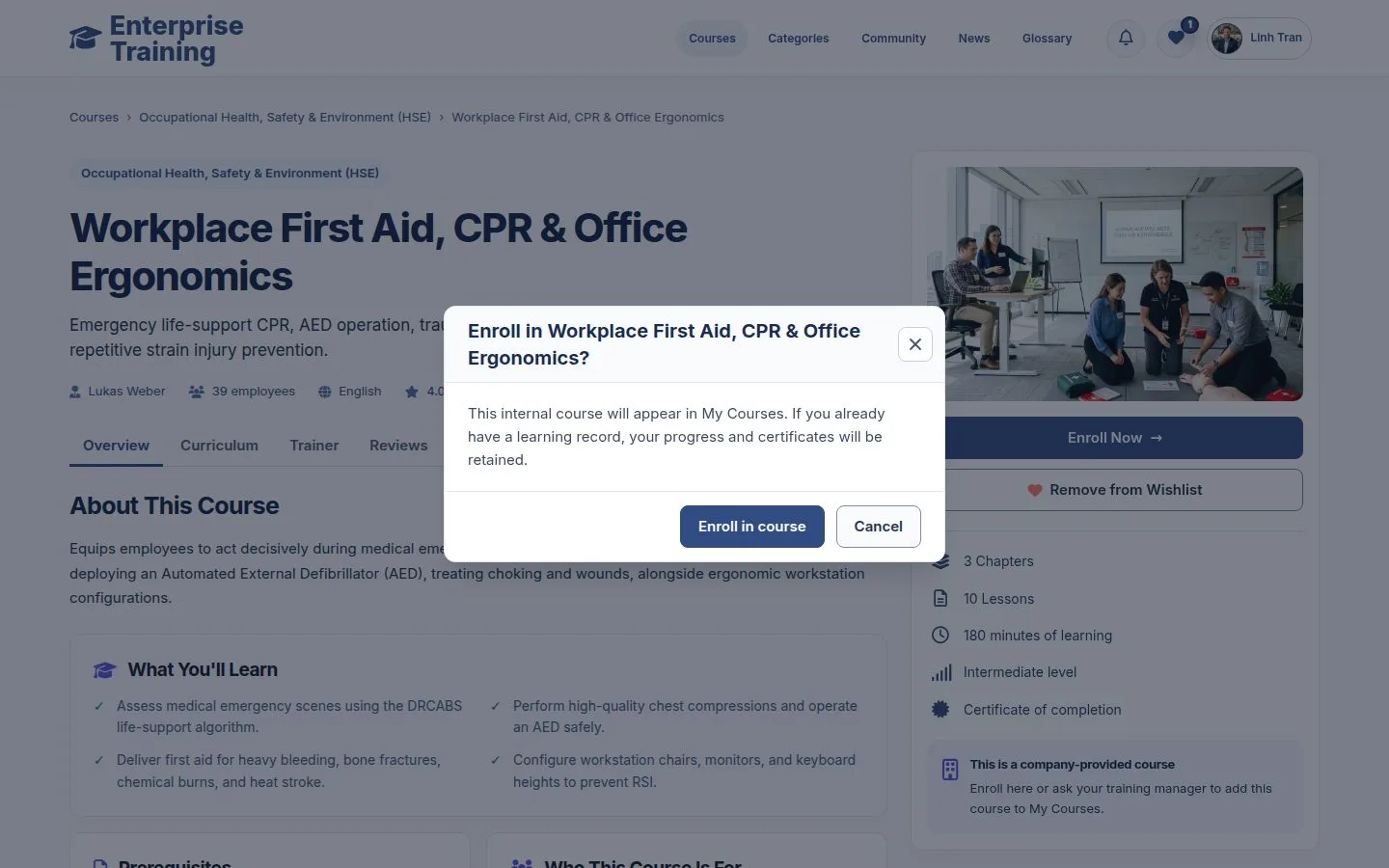
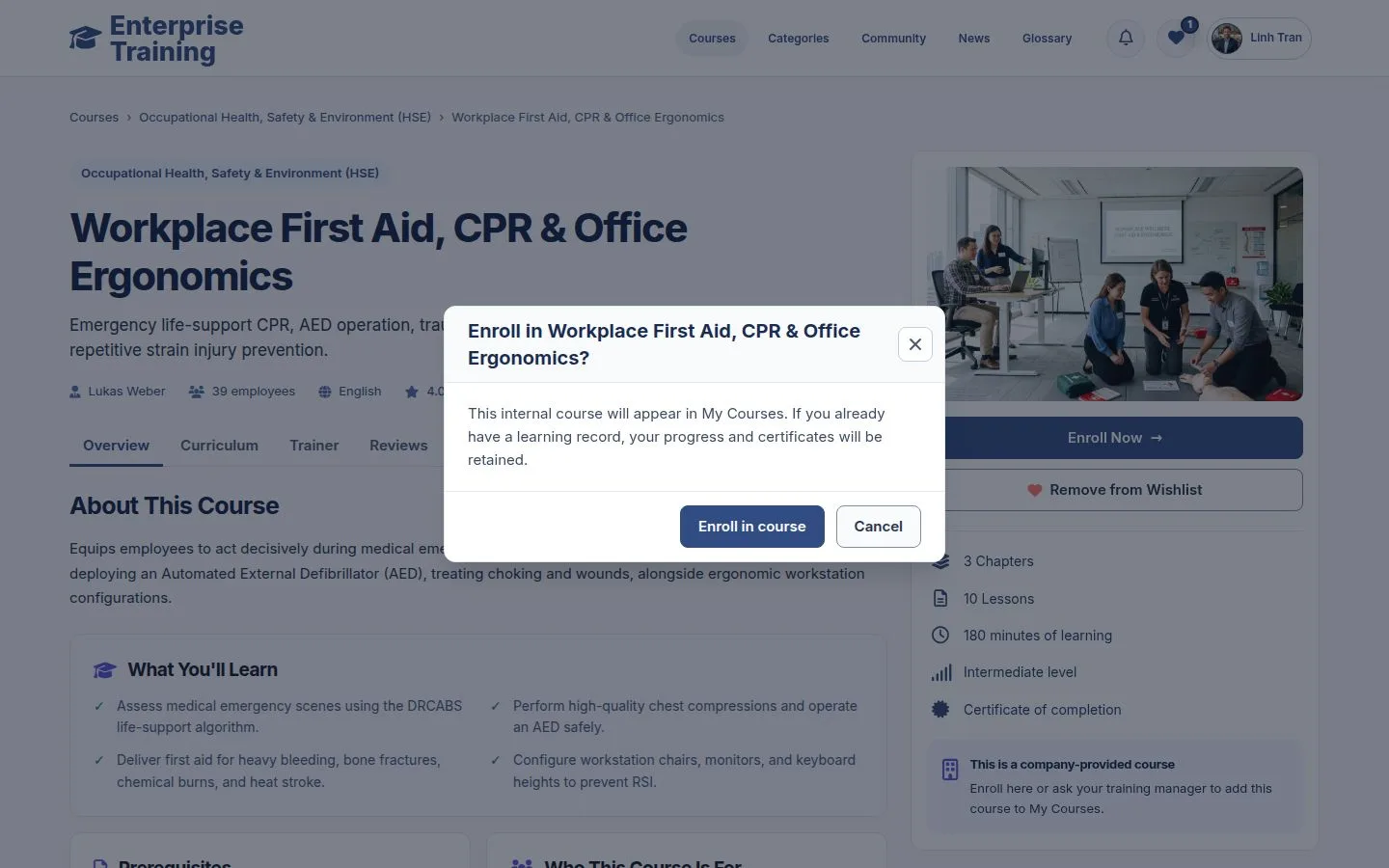
  1. Enroll Now asks you to confirm in a dialog.
  2. If you already have a learning record for the course, it is kept.

Open illustrated screen ↗Full image ↗

Employee · Enroll in a course02

Enrolled

Employee

Enrolled

3Step 3 of 4

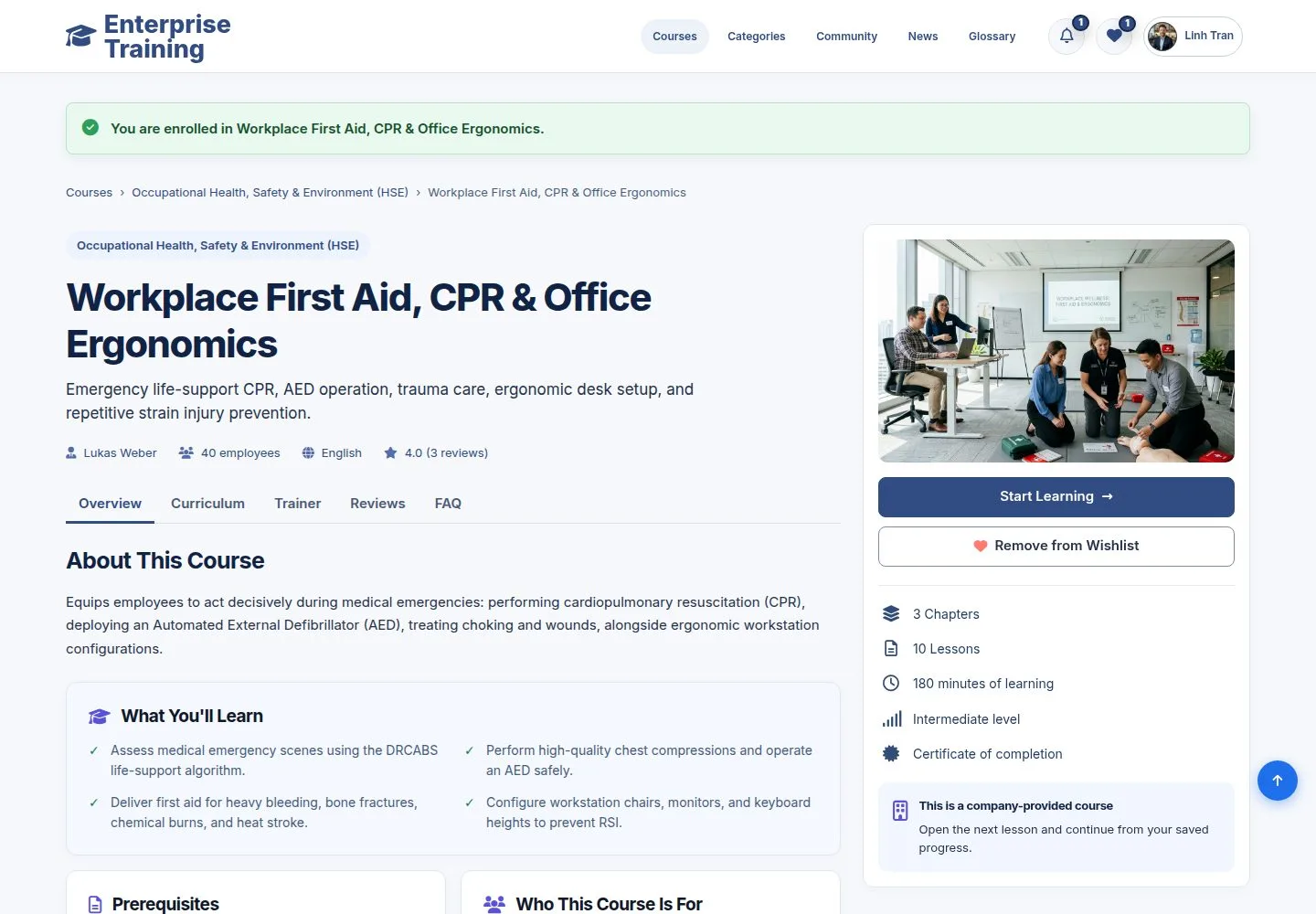
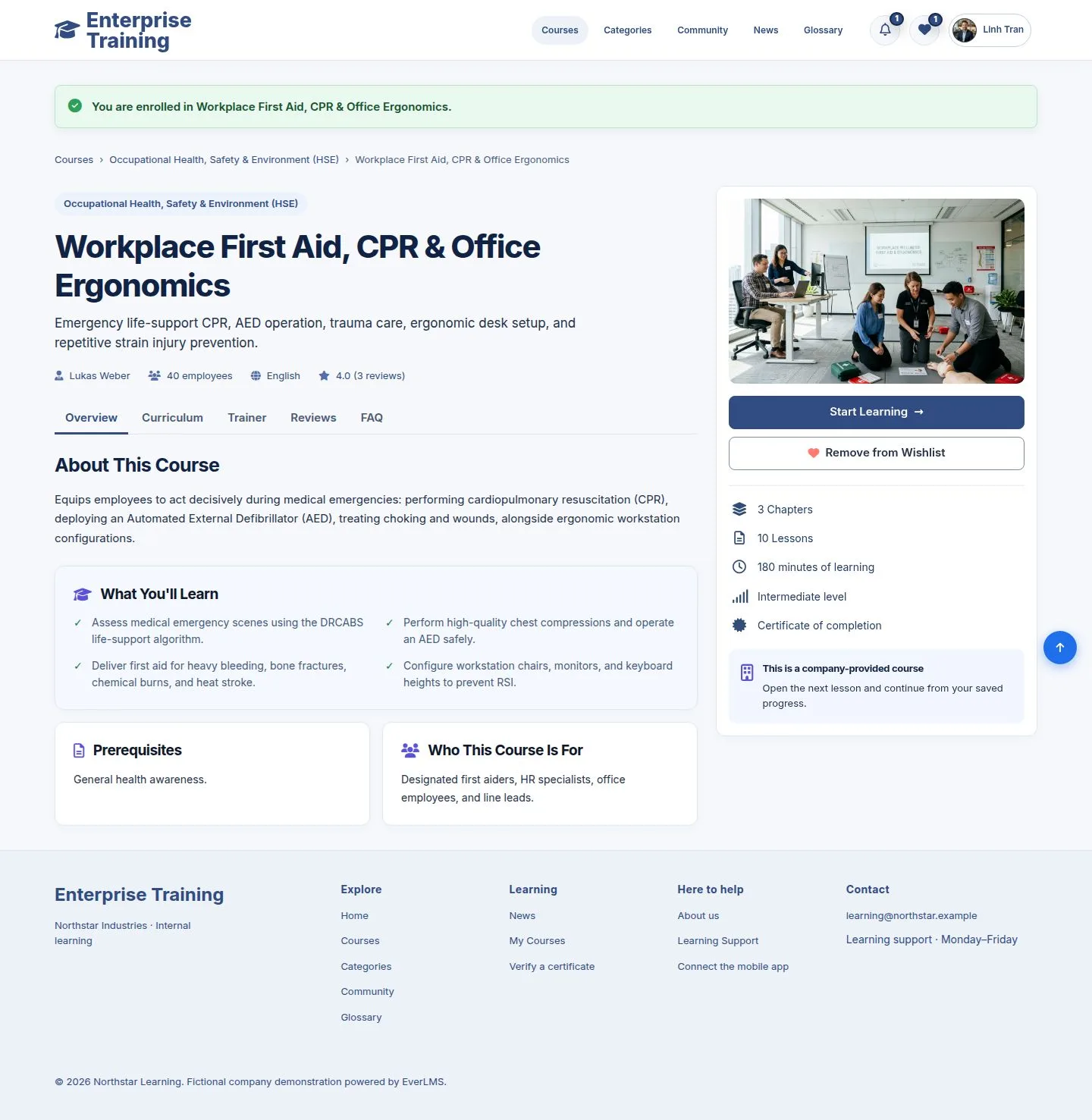
  1. The page confirms it and now offers Start Learning.

Enlarge, then scroll

Open illustrated screen ↗Full image ↗

Employee · Enroll in a course03

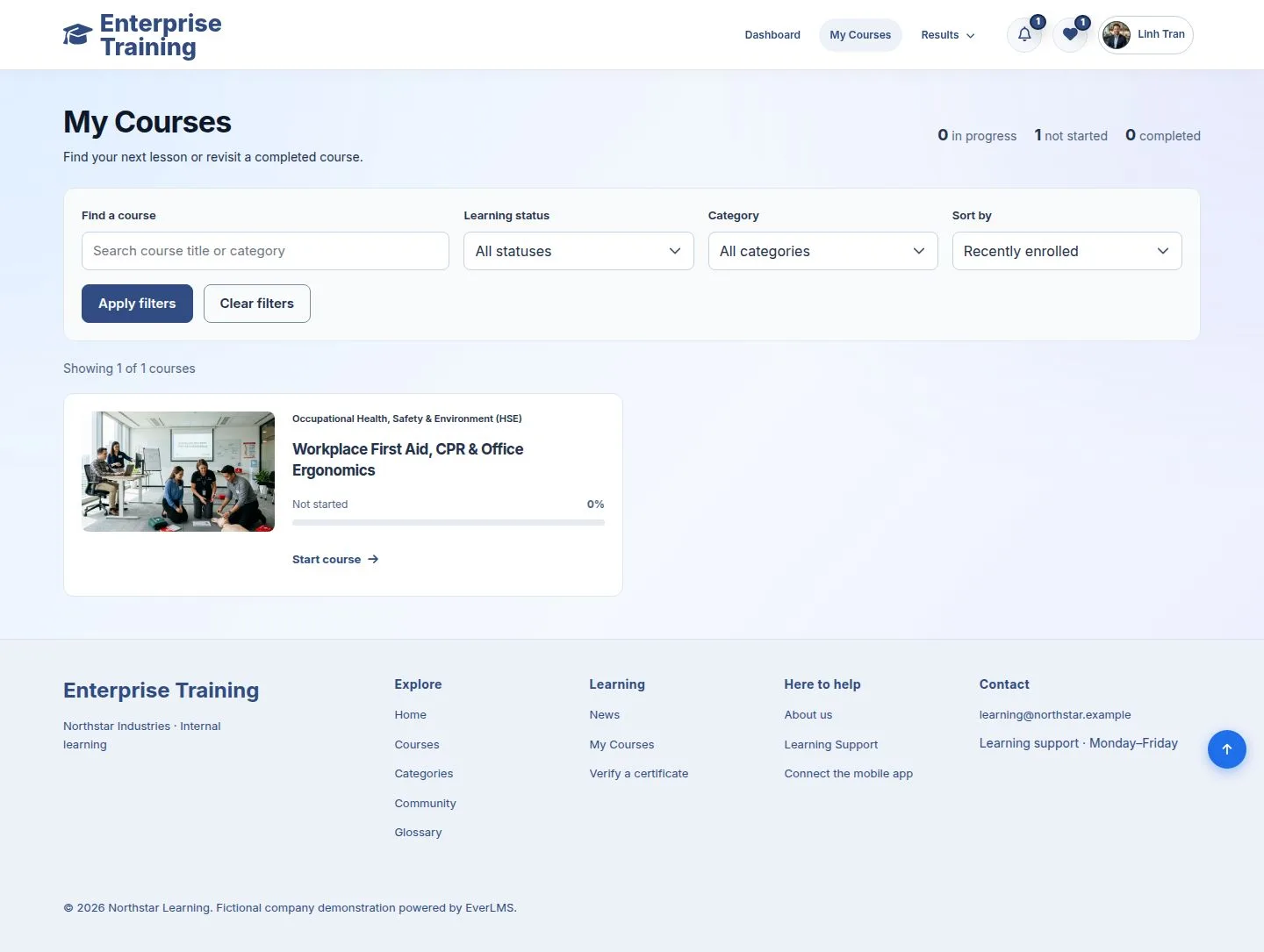
My Courses

Employee

My Courses

4Step 4 of 4

  1. The course waits in My Courses as Not started; Start course opens it.

Enlarge, then scroll

Open illustrated screen ↗Full image ↗

Check

The course is in My Courses, with no price and no order

Employee · Enroll in a course04
1 / 5
Privacy Terms