Employees and branches

Accounts, roles, branches, bulk actions

  • The Manager role, for your branch
Manager
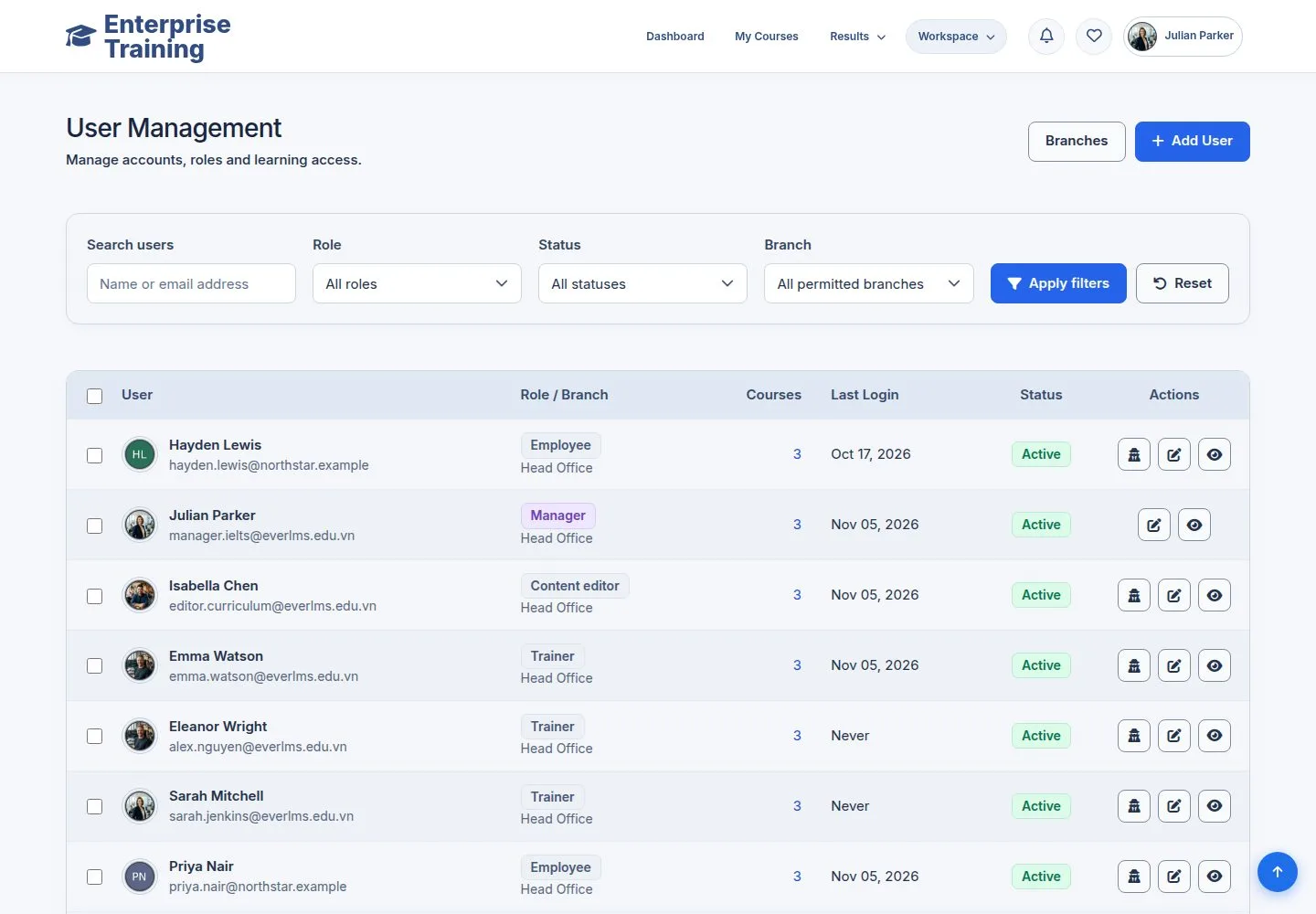
Manage Employees

Manager

Manage Employees

1Step 1 of 11

  1. Search, filter by role, status and branch.
  2. People of your branch only.

Enlarge, then scroll

Open illustrated screen ↗Full image ↗

Manager · Employees and branches01

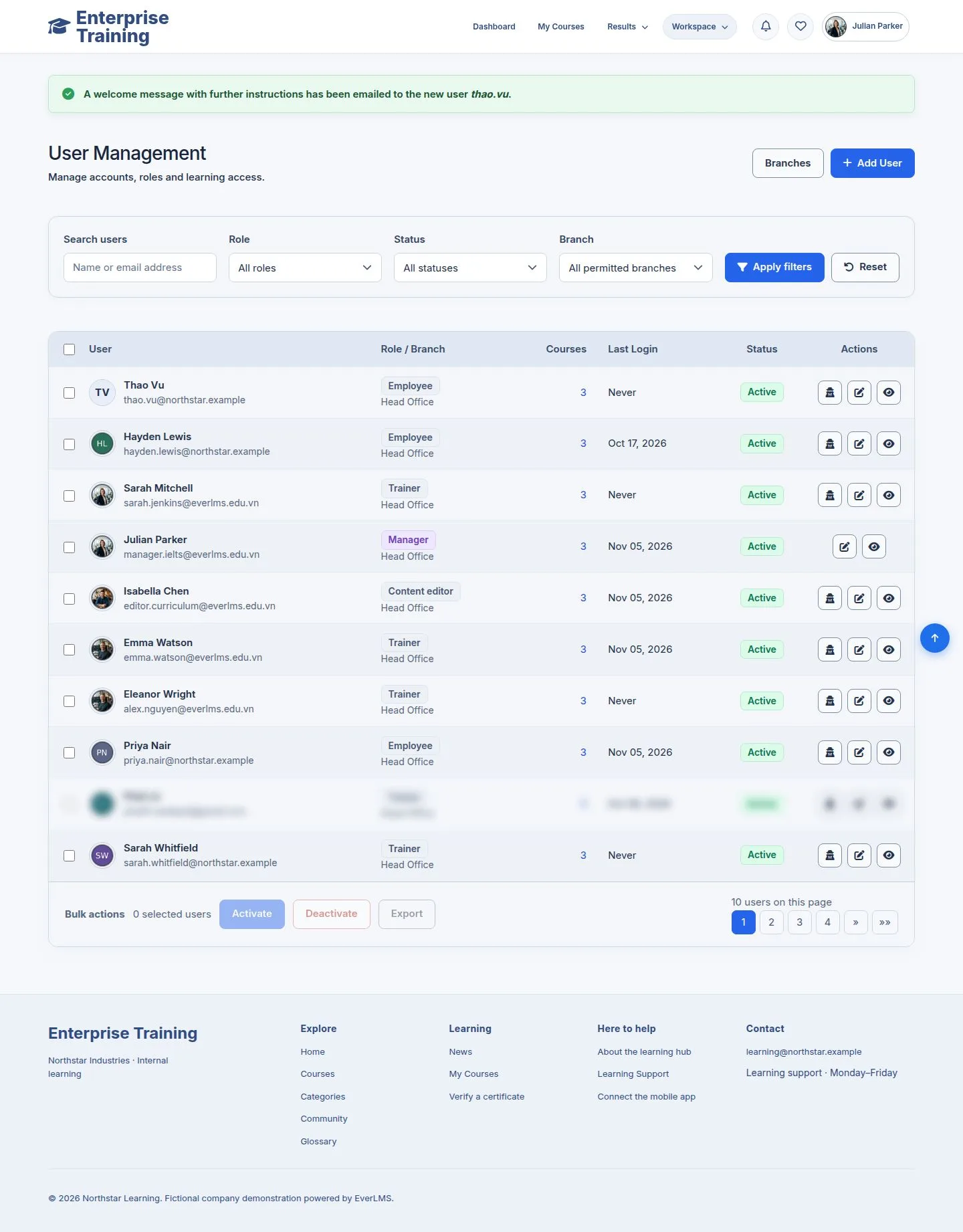
Add an employee

Manager

Add an employee

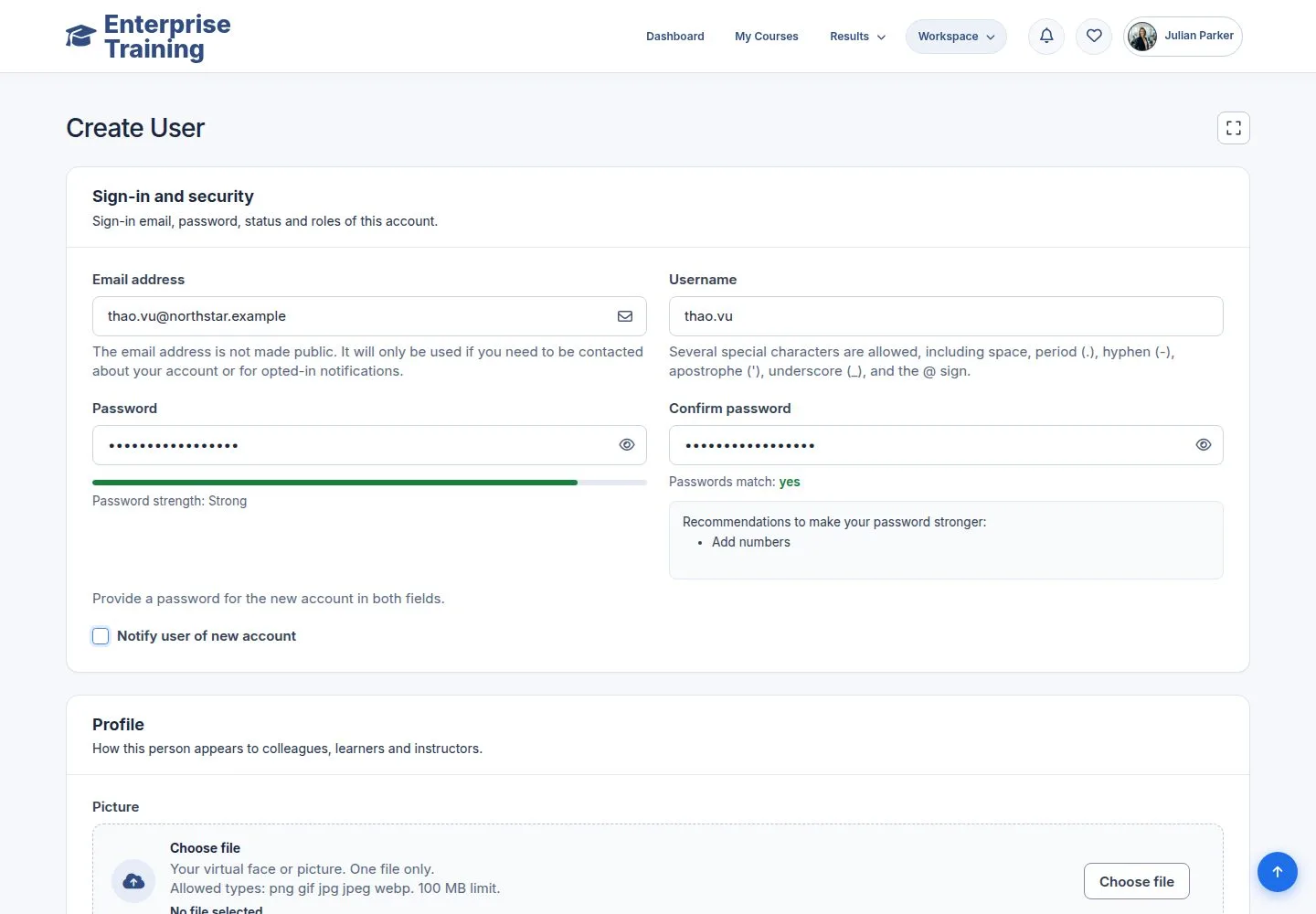
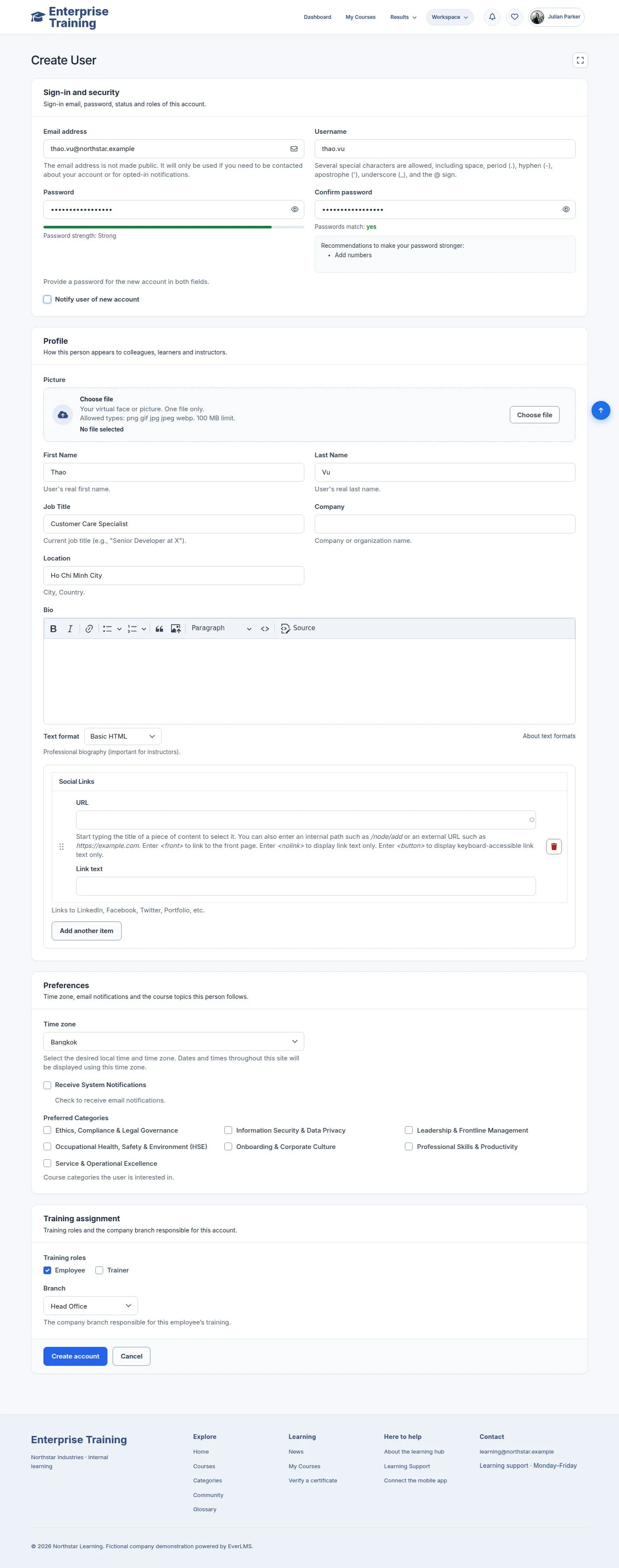
2Step 2 of 11

  1. Email, username, password, name, Employee or Trainer, branch.
  2. Notify user sends the welcome mail.

Enlarge, then scroll

Open illustrated screen ↗Full image ↗

Manager · Employees and branches02

Created

Manager

Created

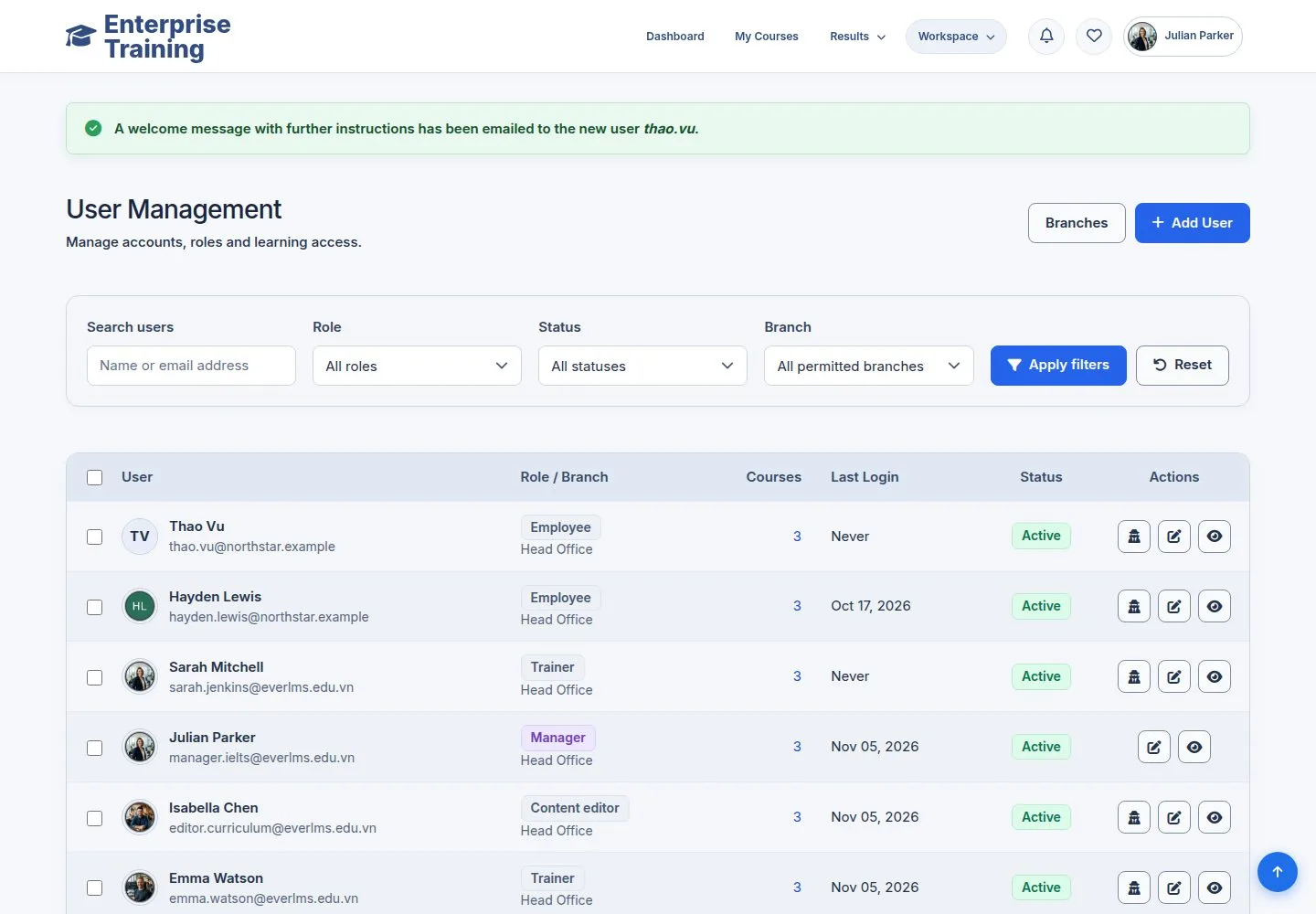
3Step 3 of 11

  1. The new person is first in the list.

Enlarge, then scroll

Open illustrated screen ↗Full image ↗

Manager · Employees and branches03

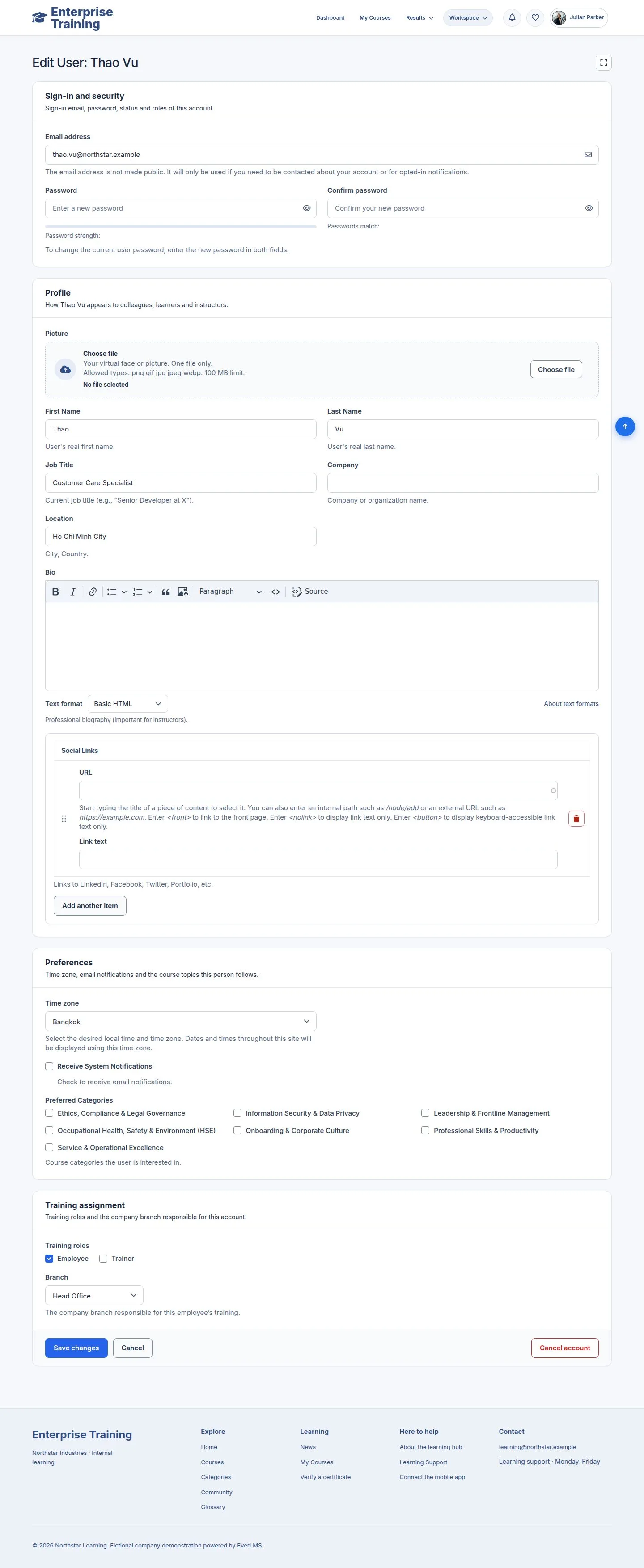
Edit

Manager

Edit

4Step 4 of 11

  1. Same grouped form; Cancel returns to the list.

Enlarge, then scroll

Open illustrated screen ↗Full image ↗

Manager · Employees and branches04

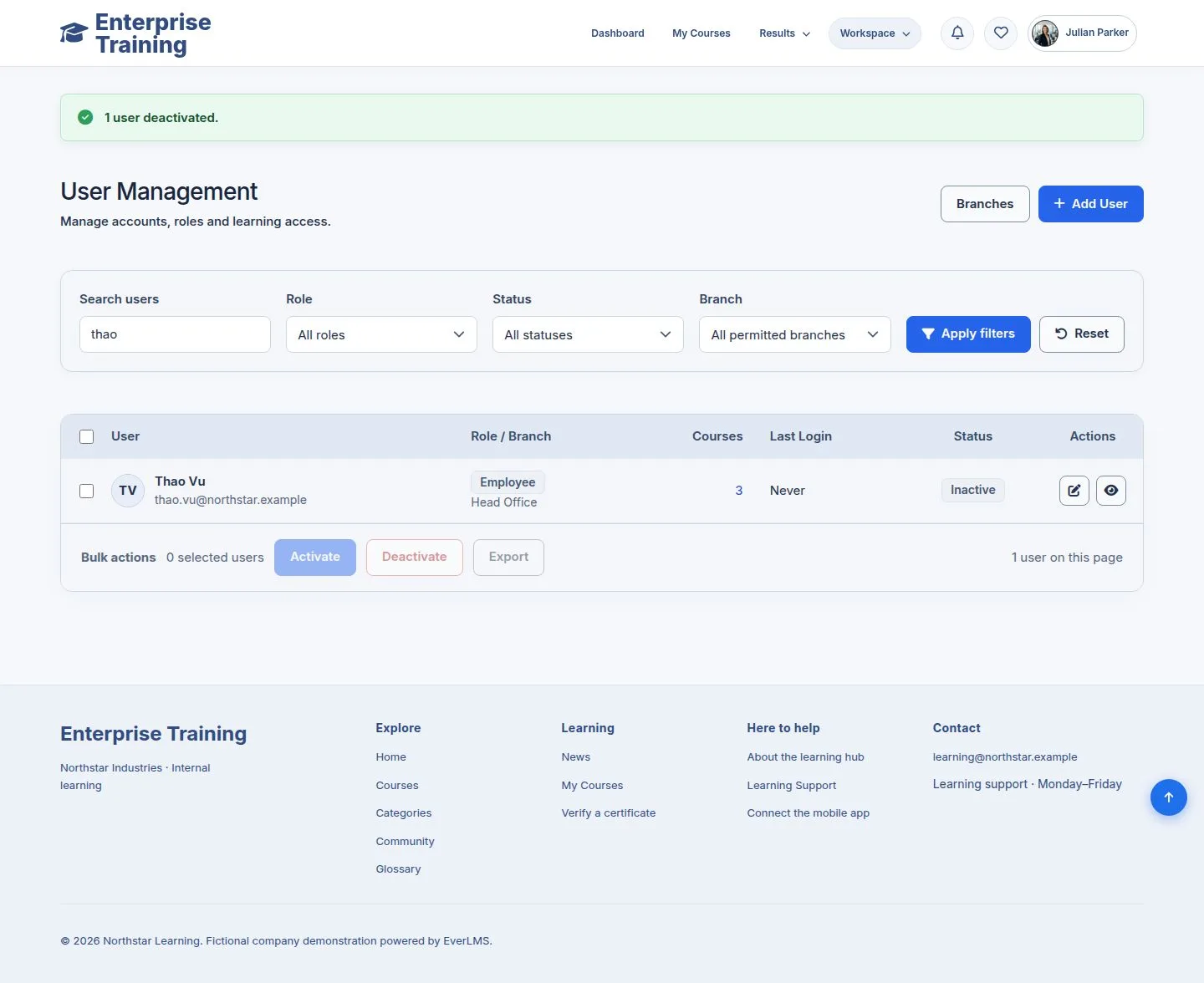
Deactivate

Manager

Deactivate

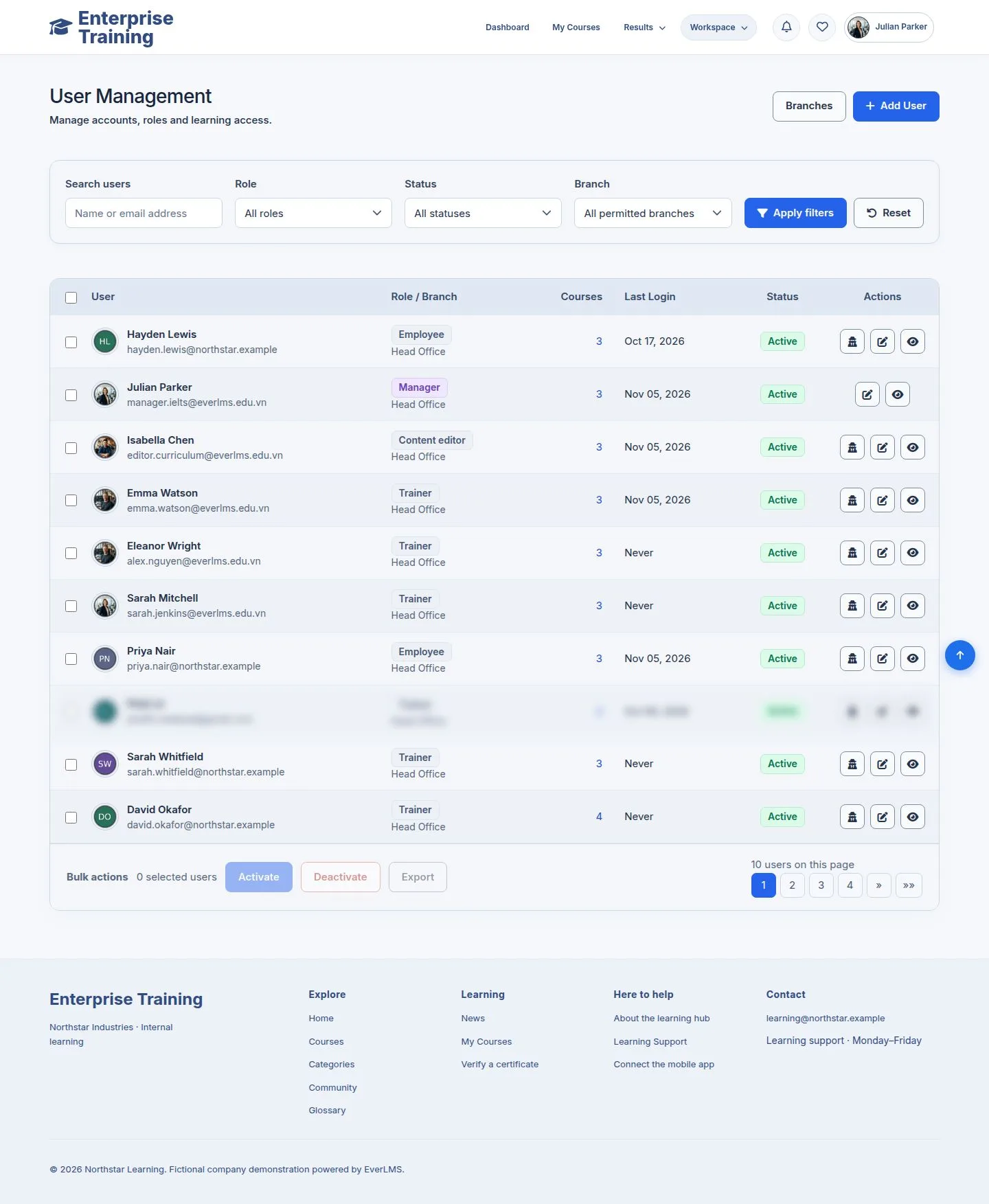
5Step 5 of 11

  1. Tick people, then Deactivate, Activate or Export.
  2. A deactivated person cannot sign in; their records stay.

Enlarge, then scroll

Open illustrated screen ↗Full image ↗

Manager · Employees and branches05

Branches

Manager

Branches

6Step 6 of 11

  1. Manage Employees → Branches: people per branch.

Enlarge, then scroll

Open illustrated screen ↗Full image ↗

Manager · Employees and branches06

Give someone a branch

Manager

Give someone a branch

7Step 7 of 11

  1. Employee assignments: filter Unassigned branch.
  2. Tick people, choose New branch, assign.

Enlarge, then scroll

Open illustrated screen ↗Full image ↗

Manager · Employees and branches07

Create a branch

Administrator

Create a branch

8Step 8 of 11

  1. Only an administrator creates branches.

Enlarge, then scroll

Open illustrated screen ↗Full image ↗

Manager · Employees and branches08

Move people

Administrator

Move people

9Step 9 of 11

  1. An administrator moves people between branches.

Enlarge, then scroll

Open illustrated screen ↗Full image ↗

Manager · Employees and branches09

Roles

Administrator

Roles

10Step 10 of 11

  1. An administrator sets any role, status and branch.

Enlarge, then scroll

Open illustrated screen ↗Full image ↗

Manager · Employees and branches10

Cancel an account

Administrator
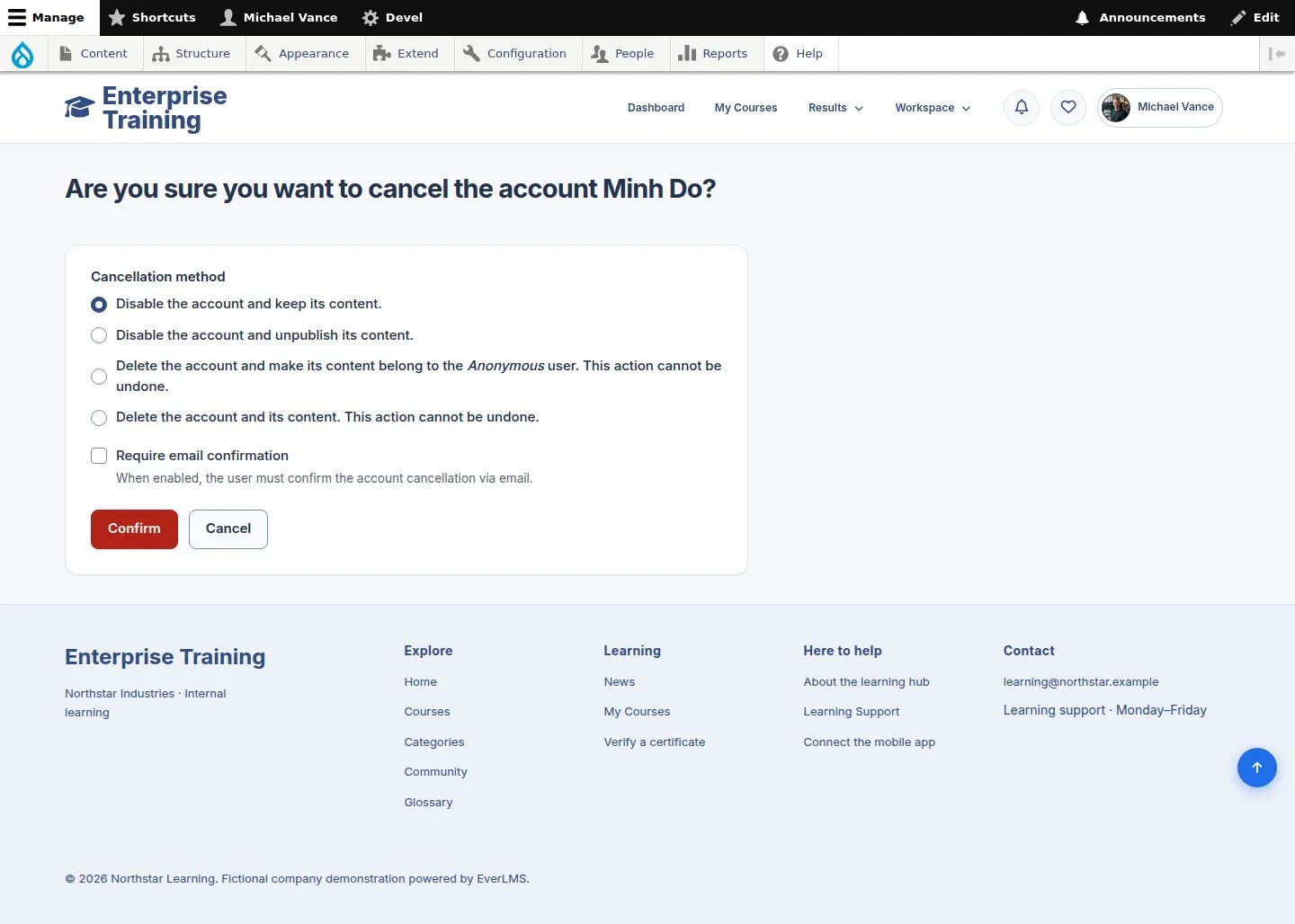
Cancel an account

11Step 11 of 11

  1. Cancel account offers how to treat the person's content.

Enlarge, then scroll

Open illustrated screen ↗Full image ↗

Check

Every employee has an account, a role and a branch

Manager · Employees and branches11
1 / 12
Privacy Terms