Administration

Every branch, every role, content tools

  • The Administrator role
Administrator
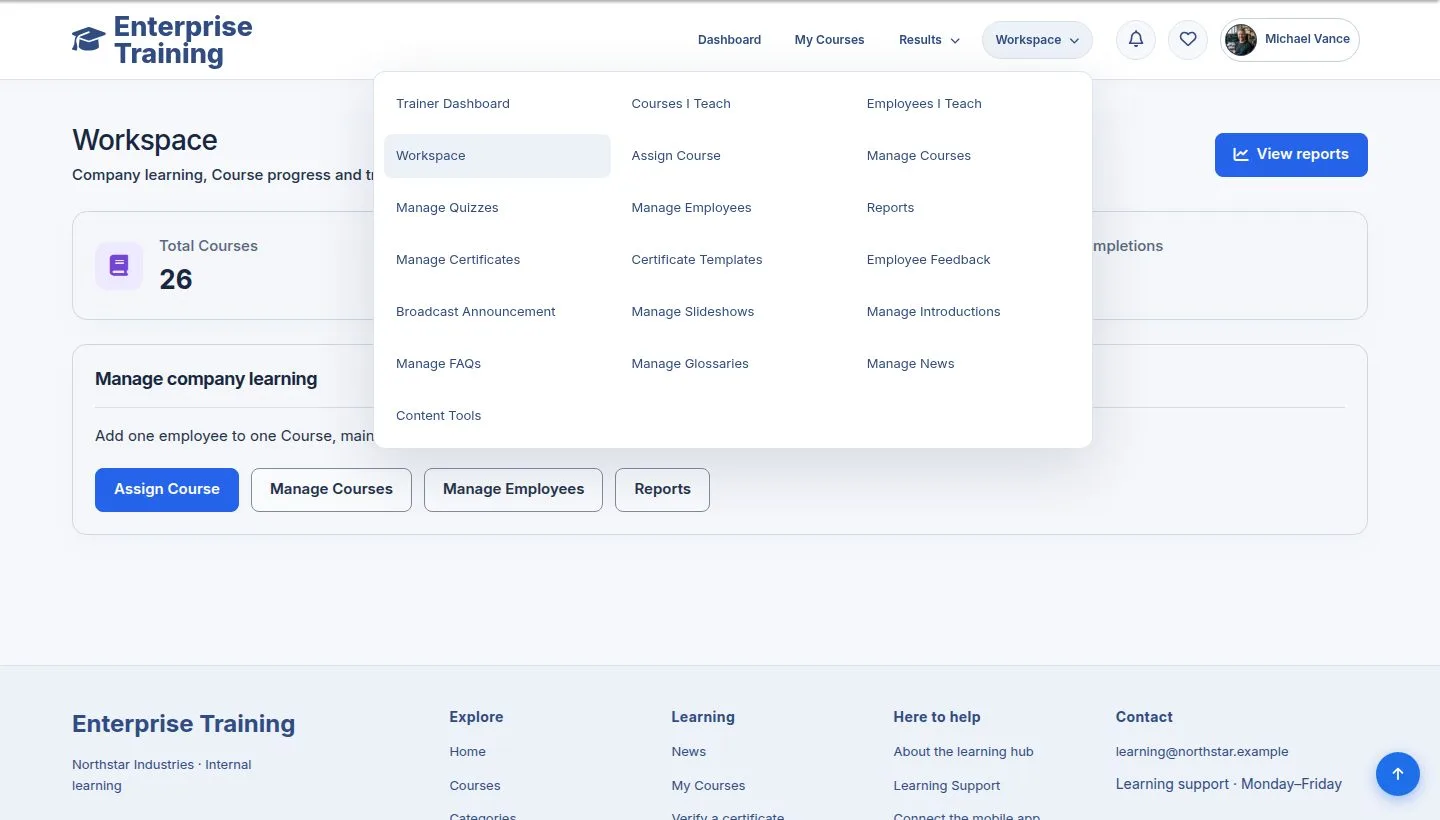
Workspace

Administrator

Workspace

1Step 1 of 6

  1. Everything a manager has, for every branch, plus Content Tools.

Enlarge, then scroll

Open illustrated screen ↗Full image ↗

Administrator · Administration01

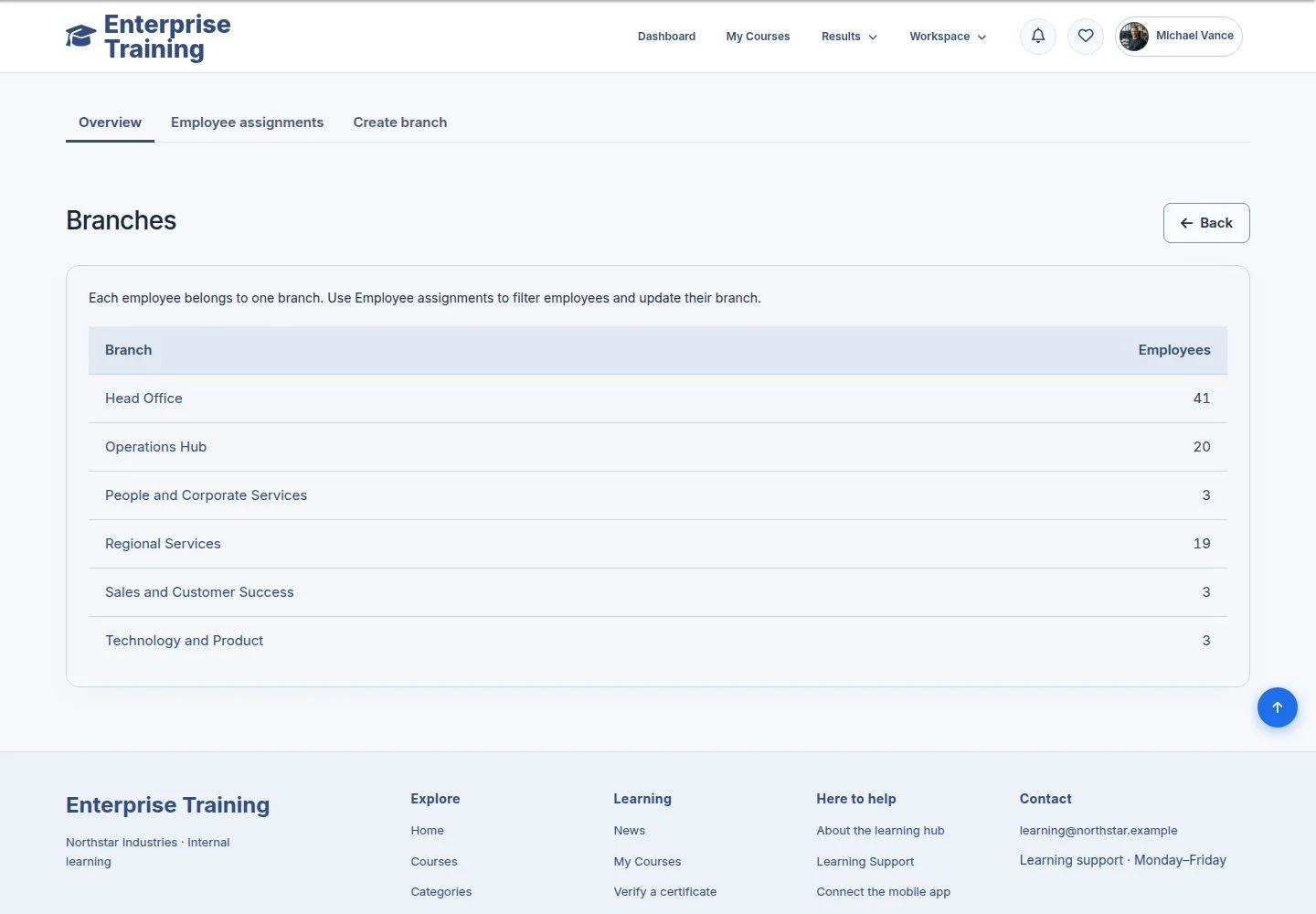
Branches

Administrator

Branches

2Step 2 of 6

  1. Every branch with its people; Create branch.

Enlarge, then scroll

Open illustrated screen ↗Full image ↗

Administrator · Administration02

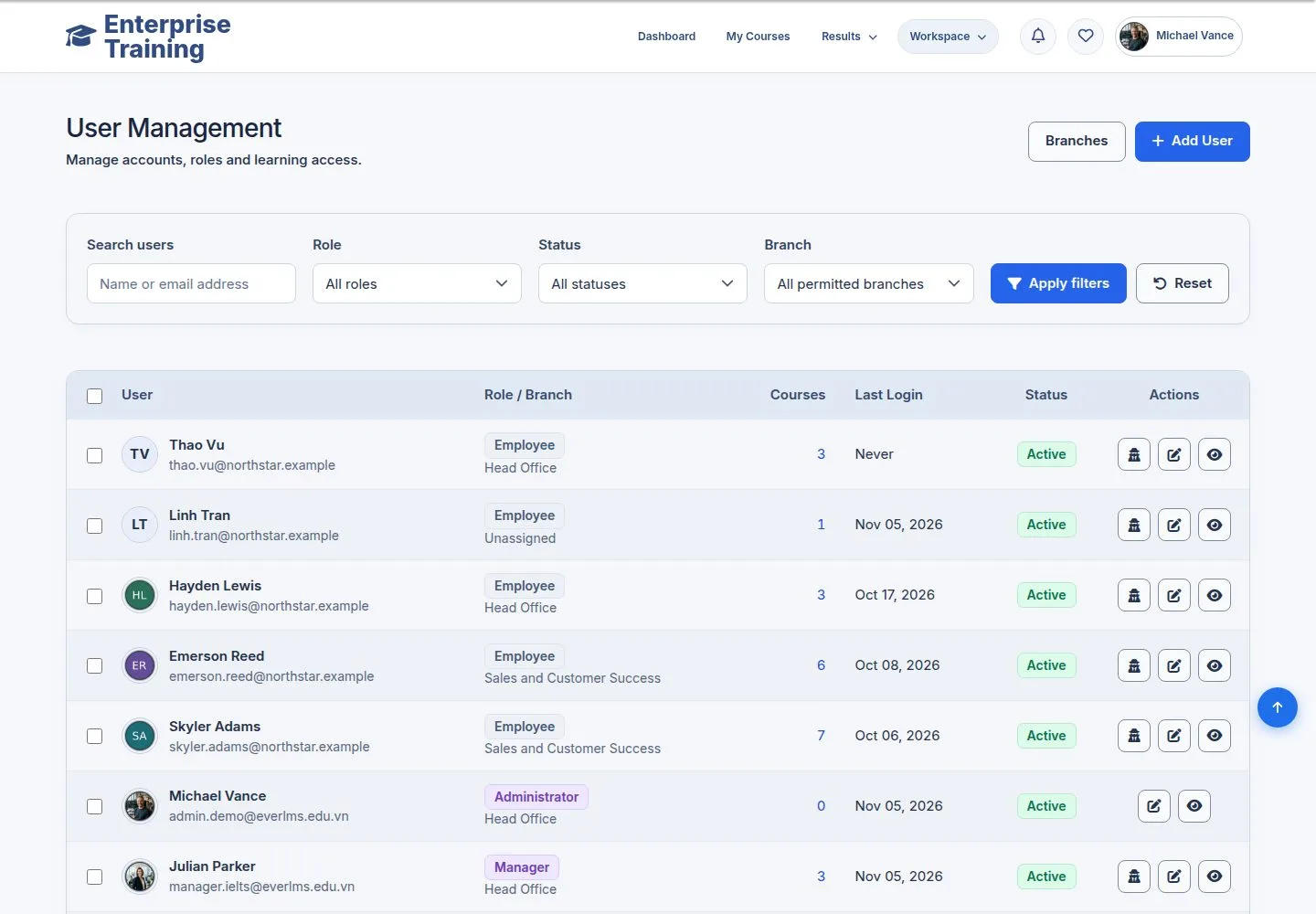
Employees

Administrator

Employees

3Step 3 of 6

  1. Everyone, in every branch.

Enlarge, then scroll

Open illustrated screen ↗Full image ↗

Administrator · Administration03

Certificates

Administrator

Certificates

4Step 4 of 6

  1. Every certificate.

Enlarge, then scroll

Open illustrated screen ↗Full image ↗

Administrator · Administration04

Content Tools

Administrator

Content Tools

5Step 5 of 6

  1. Clean Content and Seed Input.

Enlarge, then scroll

Open illustrated screen ↗Full image ↗

Administrator · Administration05

Clean Content

Administrator

Clean Content

6Step 6 of 6

  1. Deletes content by group and cannot be undone: use it only before going live.

Take a backup first.

Enlarge, then scroll

Open illustrated screen ↗Full image ↗

Check

The whole company in one view; the managers' pages without the branch limit

Administrator · Administration06
1 / 7
Privacy Terms