Articles and course drafts

Native forms, revisions, your own drafts

  • The Content Editor role
Content Editor
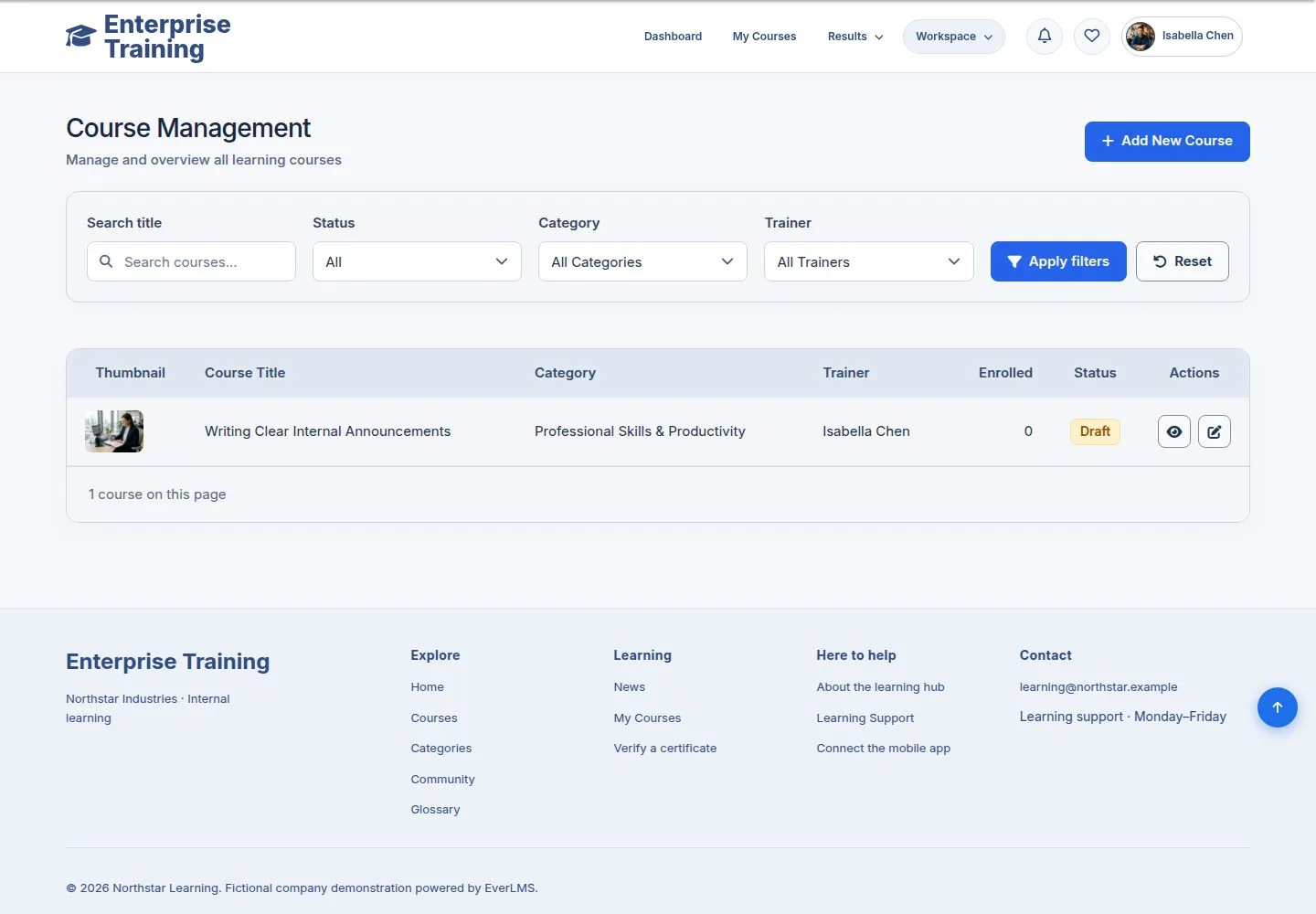
Your courses

Content Editor

Your courses

1Step 1 of 6

  1. Name → Course Management: your own courses.

Enlarge, then scroll

Open illustrated screen ↗Full image ↗

Content Editor · Articles and course drafts01

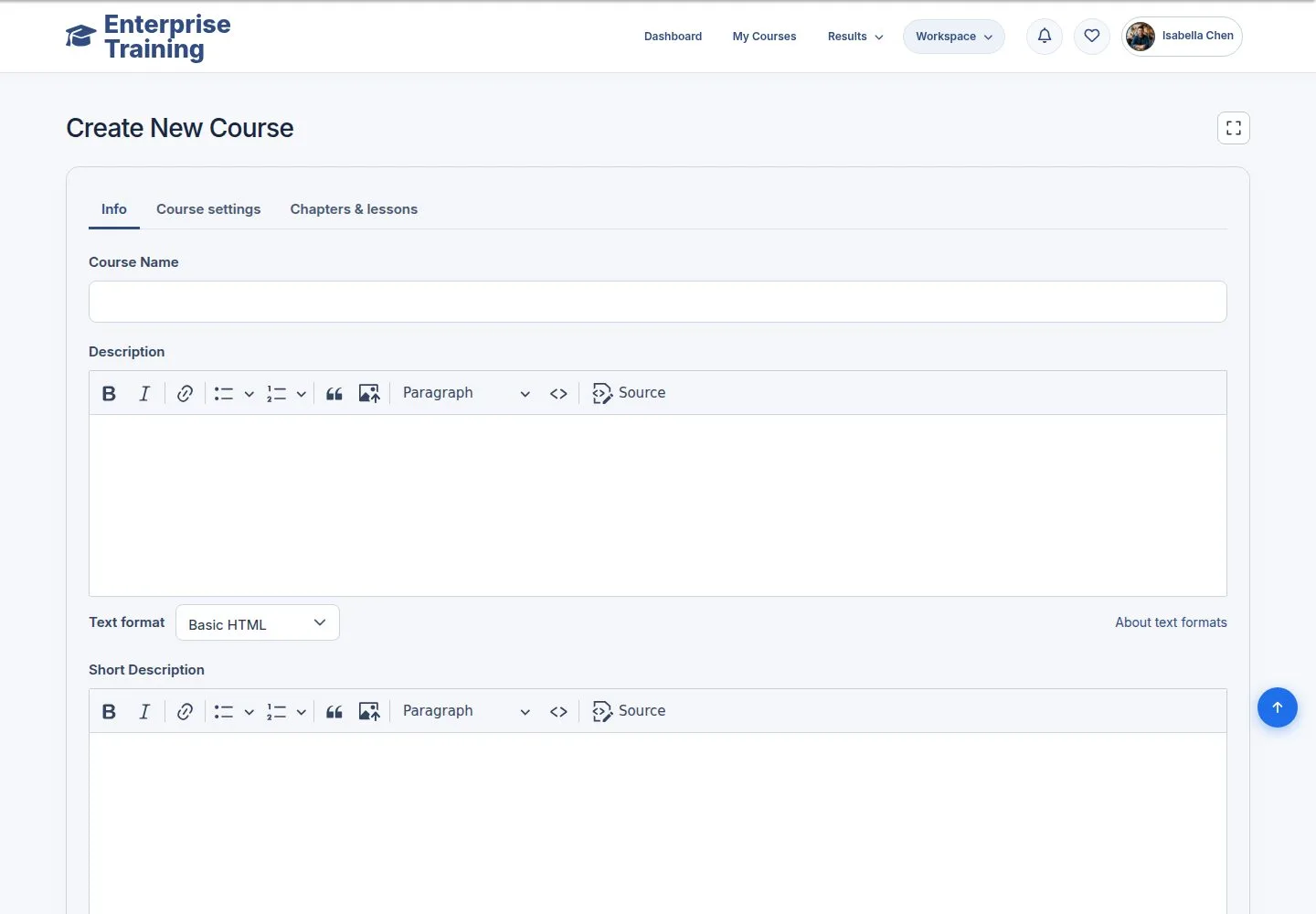
A new course

Content Editor

A new course

2Step 2 of 6

  1. Same form as for managers; the trainer and publishing are left to them.

Enlarge, then scroll

Open illustrated screen ↗Full image ↗

Content Editor · Articles and course drafts02

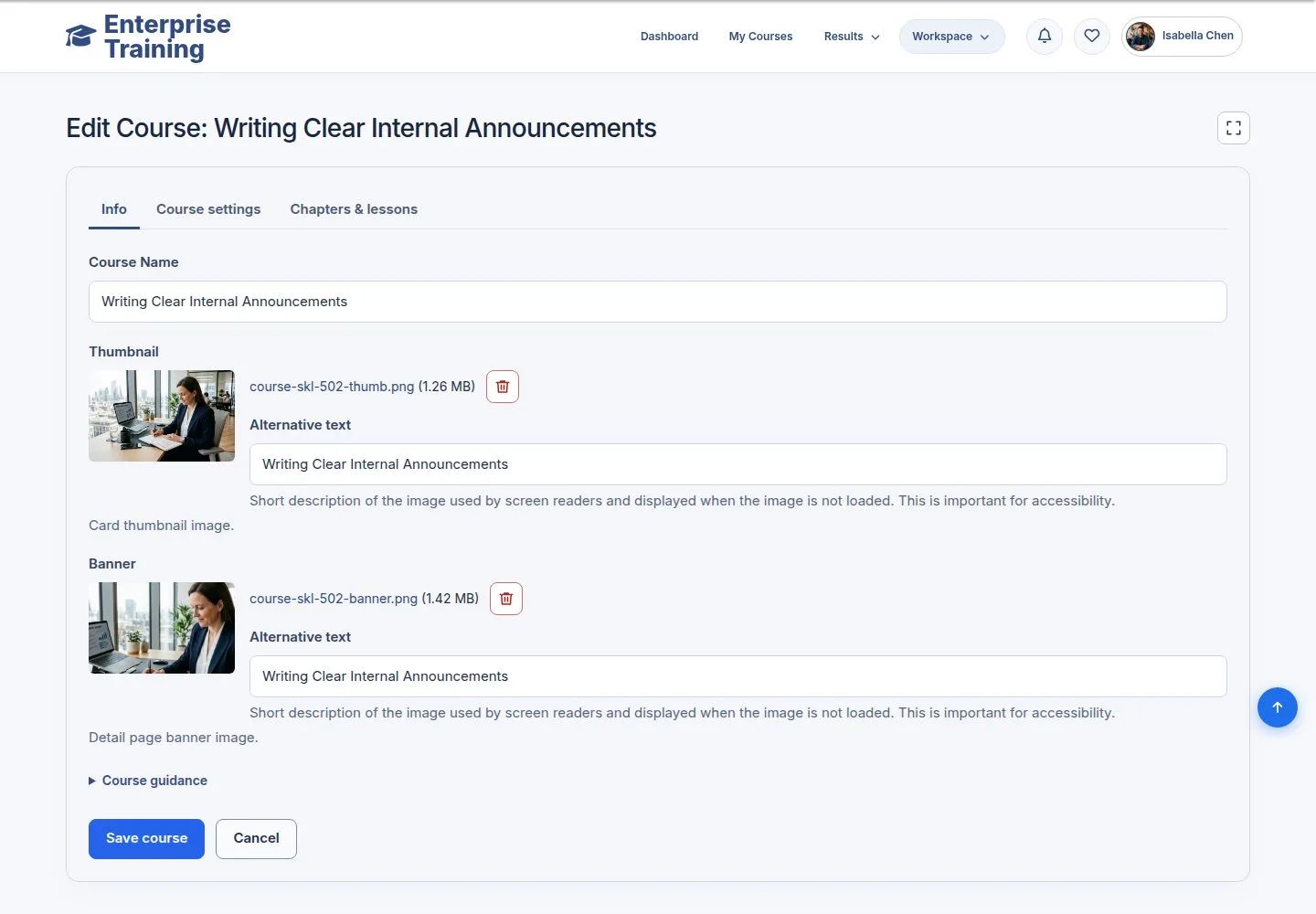
Your draft

Content Editor

Your draft

3Step 3 of 6

  1. Edit your own draft at any time.

Enlarge, then scroll

Open illustrated screen ↗Full image ↗

Content Editor · Articles and course drafts03

Write an article

Content Editor

Write an article

4Step 4 of 6

  1. Title, image, body, tags.

Enlarge, then scroll

Open illustrated screen ↗Full image ↗

Content Editor · Articles and course drafts04

Saved

Content Editor

Saved

5Step 5 of 6

  1. The article, with its edit link.

Enlarge, then scroll

Open illustrated screen ↗Full image ↗

Content Editor · Articles and course drafts05

Revisions

Content Editor

Revisions

6Step 6 of 6

  1. Each save keeps a revision to compare or restore.

Enlarge, then scroll

Open illustrated screen ↗Full image ↗

Check

Your articles and pages are published with their revisions kept; your courses wait as drafts

Content Editor · Articles and course drafts06
1 / 7
Privacy Terms