Find a course

Home page, catalogue, categories, course page

  • No account needed to look
  • Signing in is needed to enroll
Public
The home page

Public

The home page

1Step 1 of 7

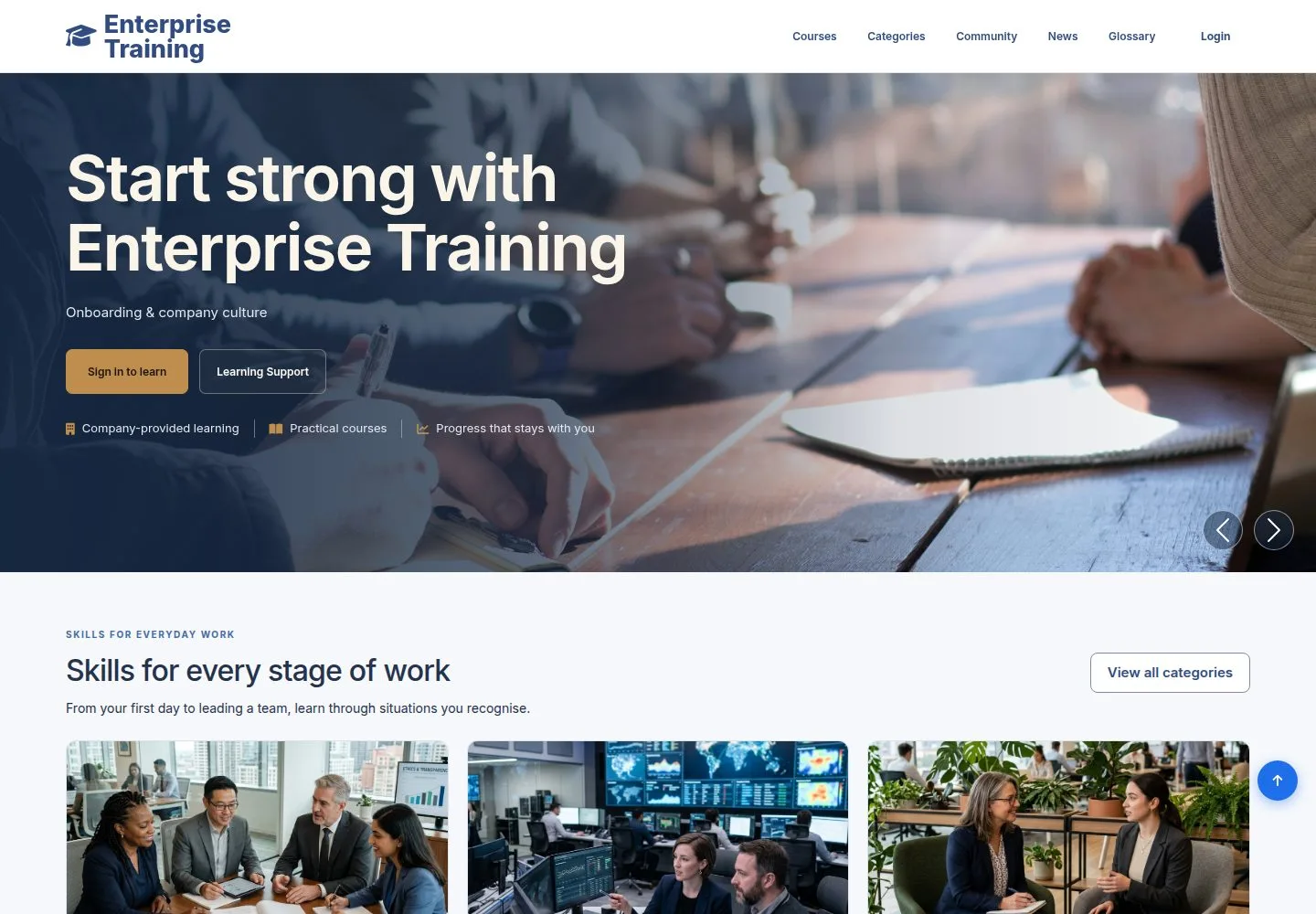
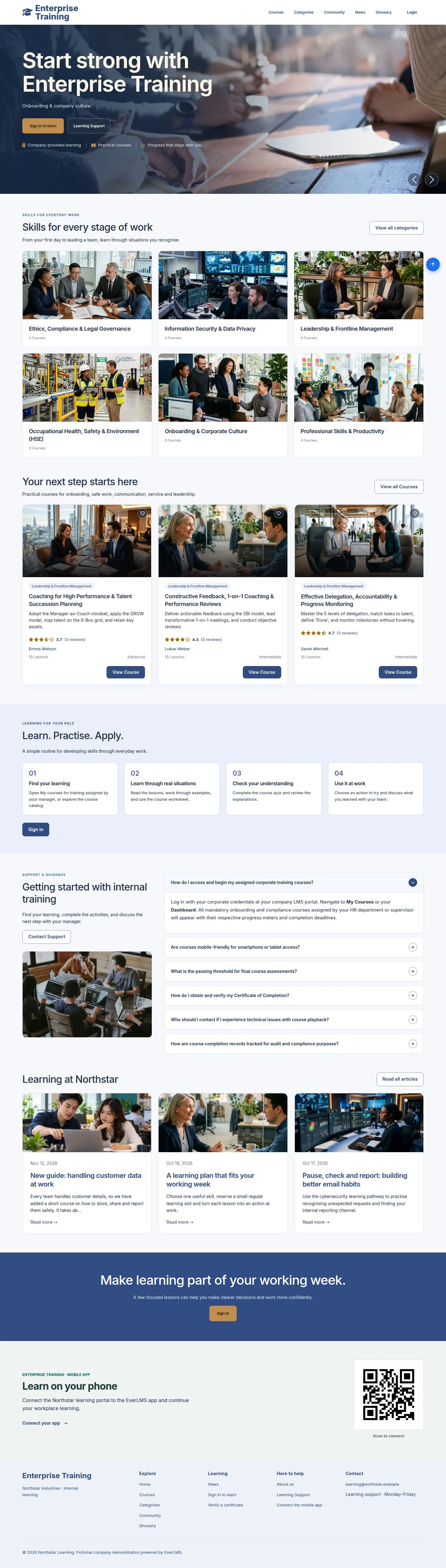
  1. Banners, course categories and suggested courses.
  2. Courses, in the header, opens the catalogue; Sign in to learn opens the sign-in page.

Enlarge, then scroll

Open illustrated screen ↗Full image ↗

Public · Find a course01

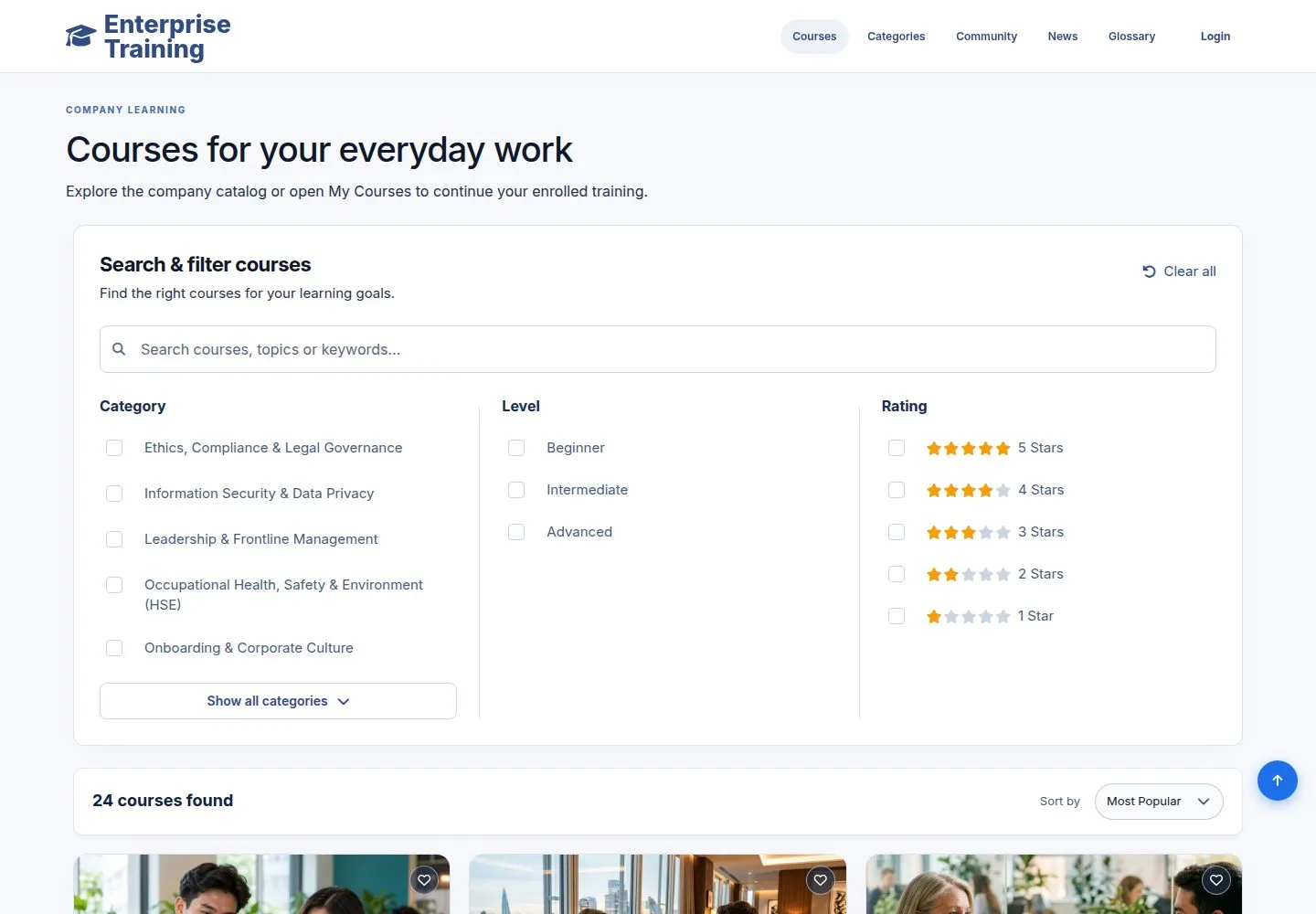
The catalogue

Public

The catalogue

2Step 2 of 7

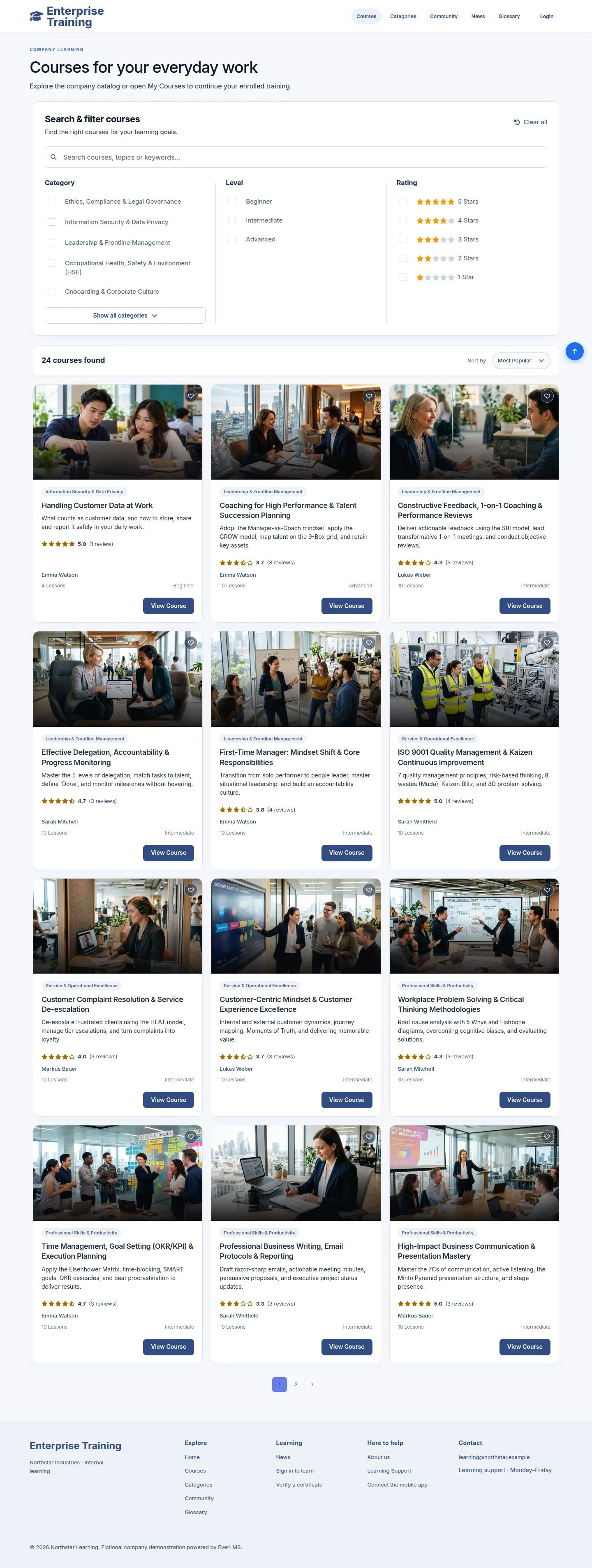
  1. Every published course, with a search box.
  2. Filter by Category, Level and Rating; sort by popularity, date or rating.

Enlarge, then scroll

Open illustrated screen ↗Full image ↗

Public · Find a course02

Filter

Public

Filter

3Step 3 of 7

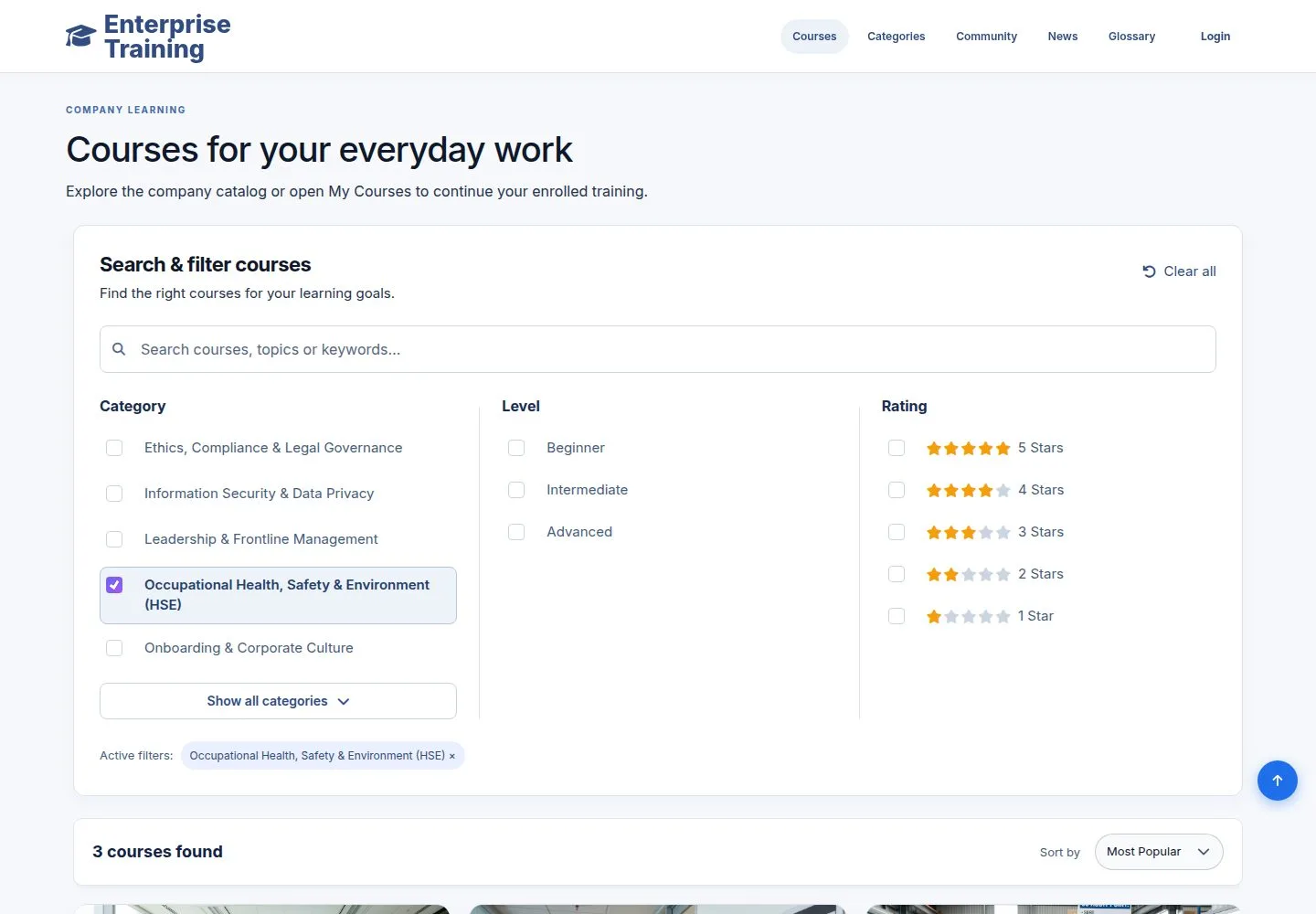
  1. Tick a category: the list and the count update at once.
  2. Chosen filters show under the filters; × removes one, Clear all removes them all.

Enlarge, then scroll

Open illustrated screen ↗Full image ↗

Public · Find a course03

Categories

Public

Categories

4Step 4 of 7

  1. Categories, in the header: every category with its number of courses, and a search box.
  2. A category opens its courses, with the same search and filters.

Enlarge, then scroll

Open illustrated screen ↗Full image ↗

Public · Find a course04

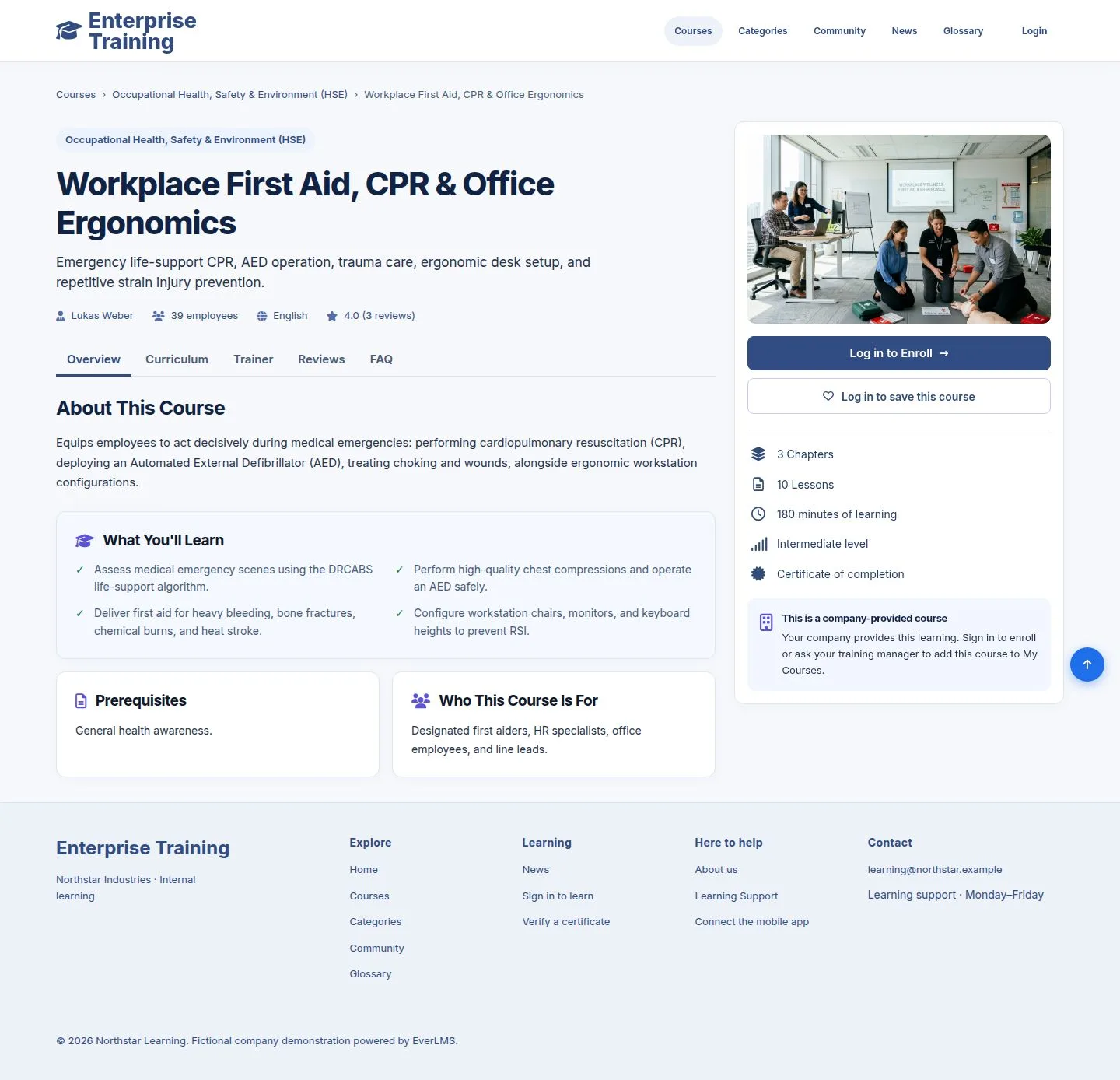
The course page

Public

The course page

5Step 5 of 7

  1. What you will learn, the prerequisites and who it is for.
  2. The side panel: chapters, lessons, time, level and the certificate.
  3. Log in to Enroll opens the sign-in page and brings you back here.

No course shows a price: the company provides the training.

Enlarge, then scroll

Open illustrated screen ↗Full image ↗

Public · Find a course05

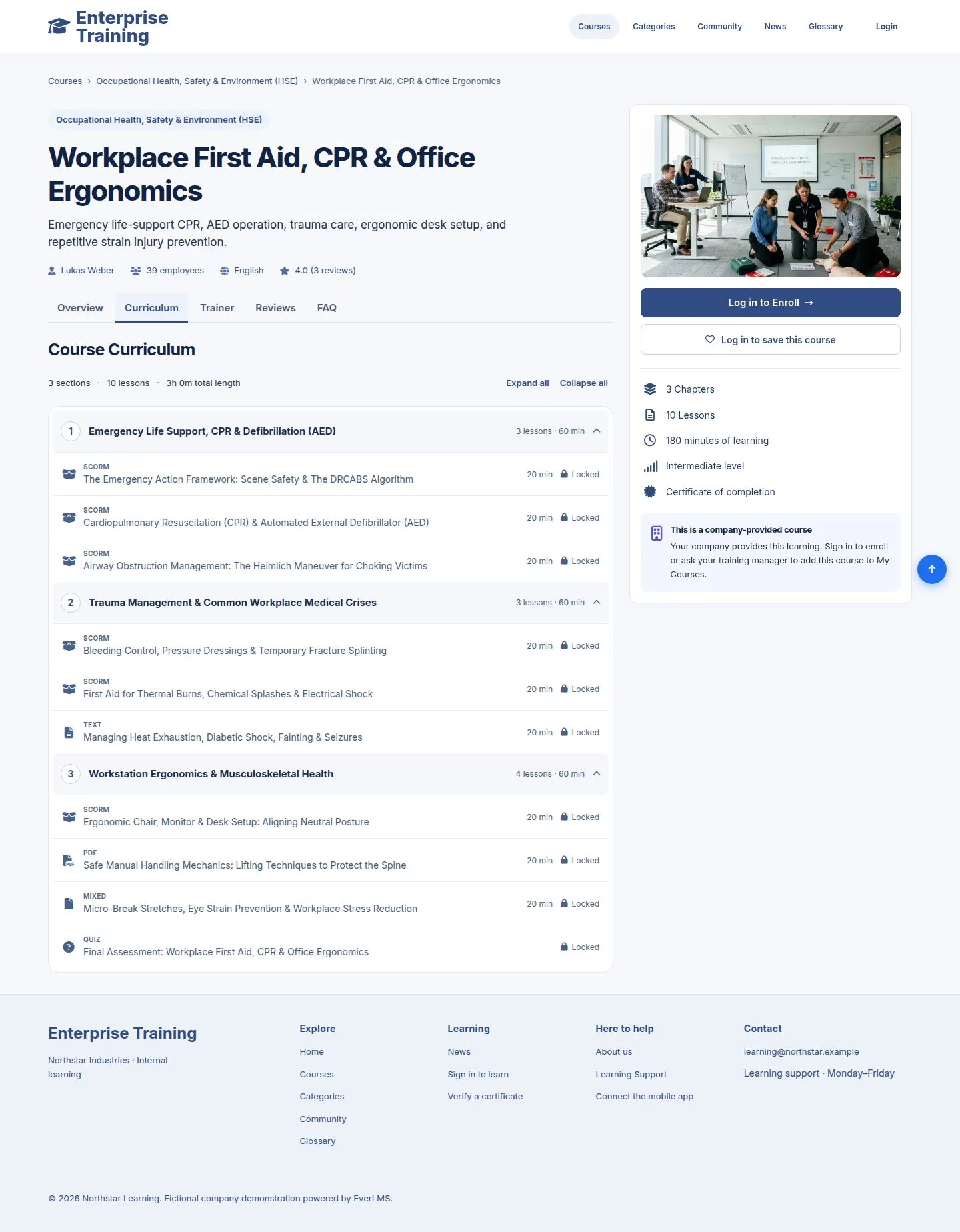
Curriculum

Public

Curriculum

6Step 6 of 7

  1. Chapters and lessons, with the type and length of each.
  2. Lessons stay locked until you enroll.

Enlarge, then scroll

Open illustrated screen ↗Full image ↗

Public · Find a course06

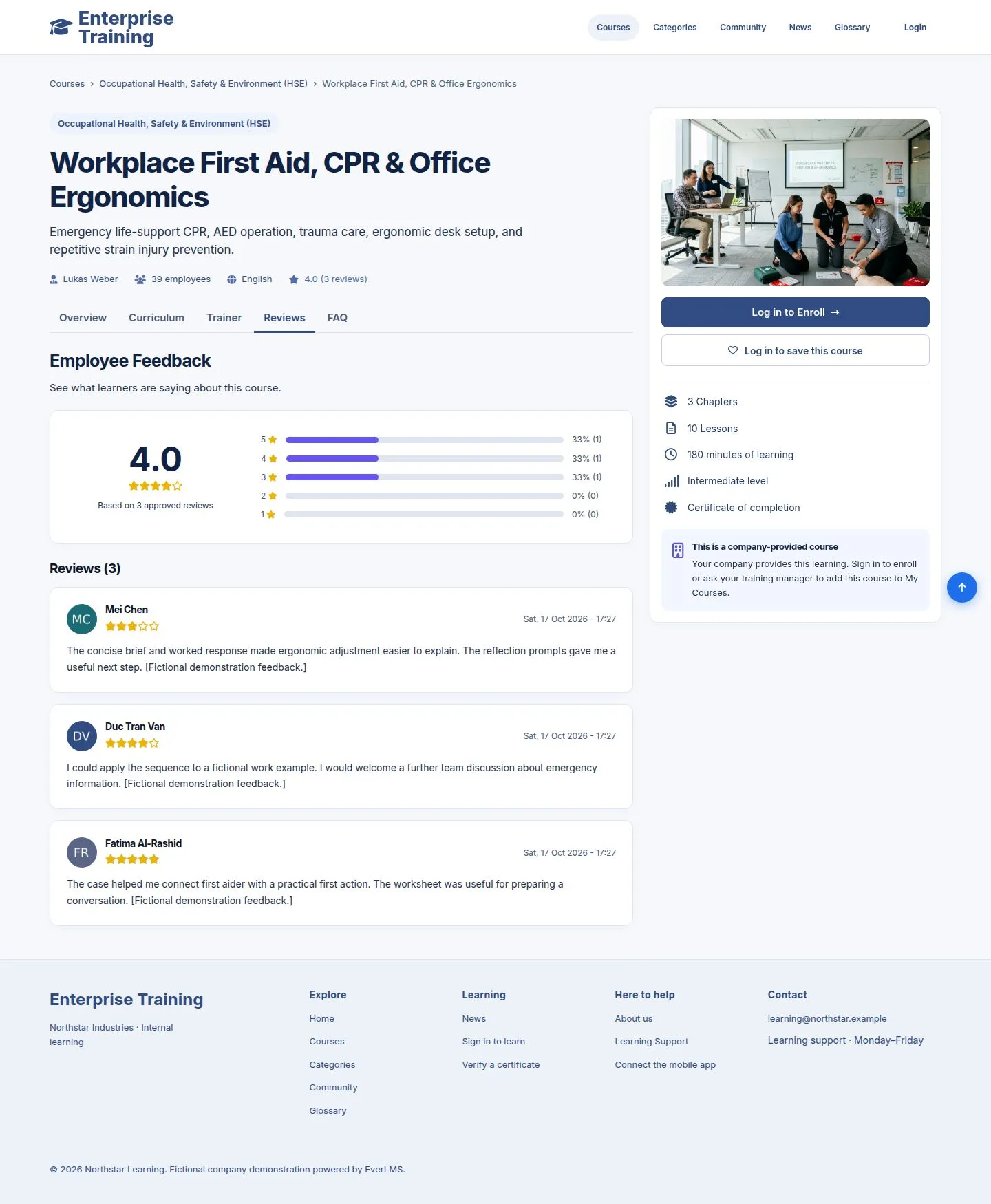
Reviews

Public

Reviews

7Step 7 of 7

  1. The average score and the approved reviews of employees.
  2. The Trainer and FAQ tabs introduce the trainer and answer common questions.

Enlarge, then scroll

Open illustrated screen ↗Full image ↗

Check

You know which course you want; once signed in you enroll in it (Employee: Enroll in a course)

Public · Find a course07
1 / 8
Privacy Terms