Notifications

Bell, preferences, in-app and mail, announcements

  • Signed in
Employee

The bell

Employee

The bell

1Step 1 of 10

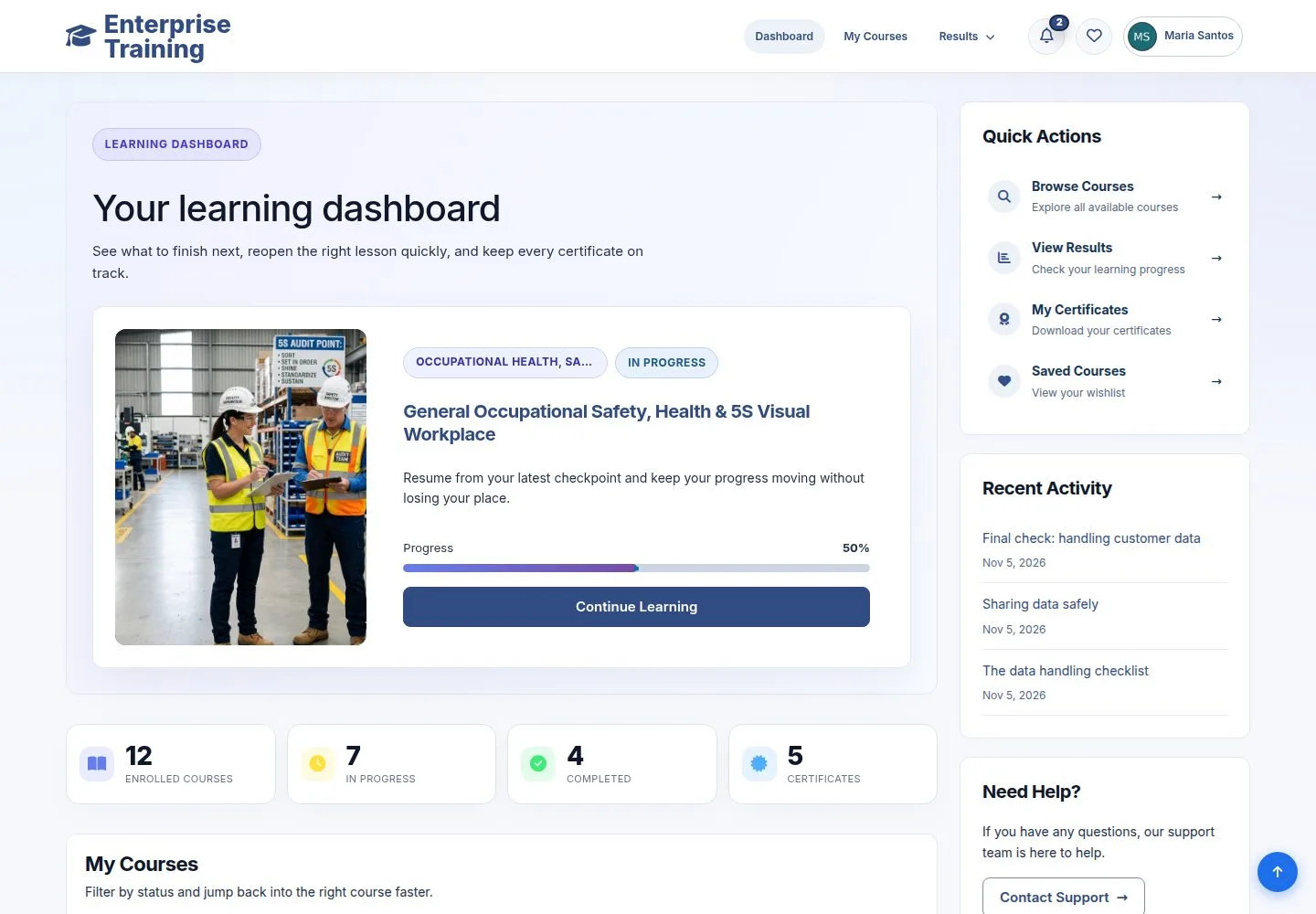
  1. The number counts what is unread.

Open illustrated screen ↗Full image ↗

Employee · Notifications01

The list

Employee

The list

2Step 2 of 10

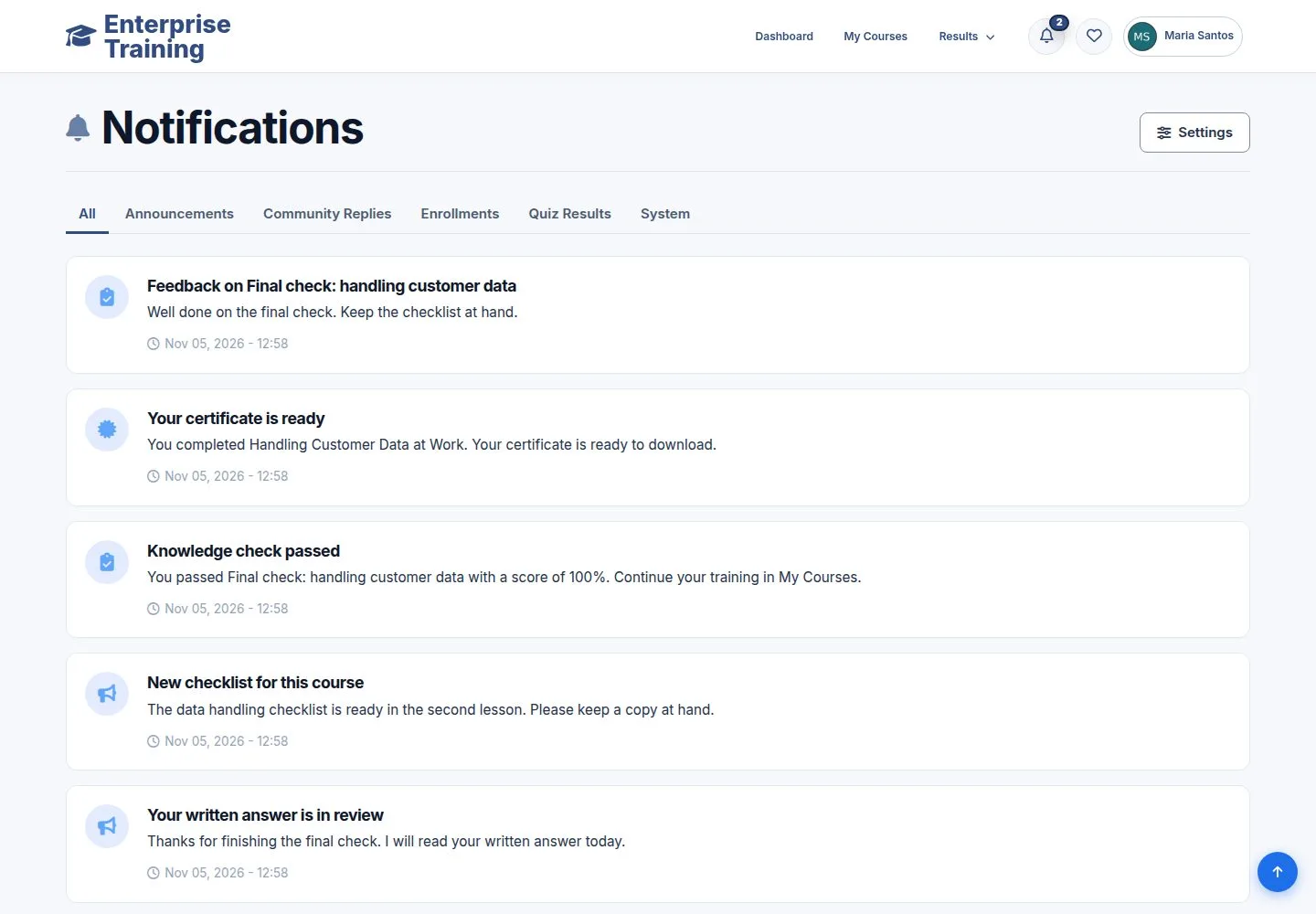
  1. Opening the page marks them as read.
  2. A notice links to what it is about.

Enlarge, then scroll

Open illustrated screen ↗Full image ↗

Employee · Notifications02

By type

Employee

By type

3Step 3 of 10

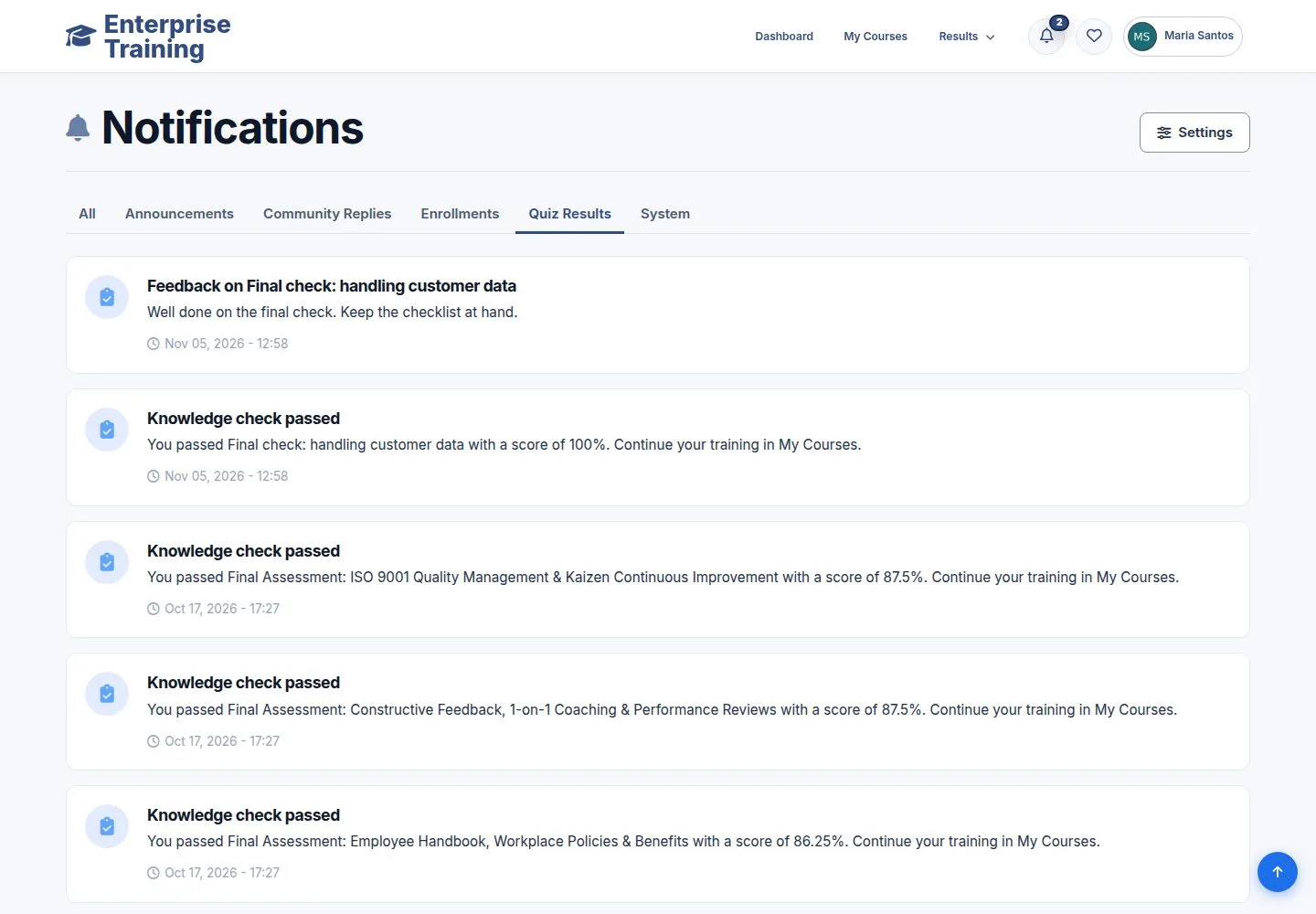
  1. Announcements, Community Replies, Enrollments, Quiz Results, System.

Enlarge, then scroll

Open illustrated screen ↗Full image ↗

Employee · Notifications03

Your preferences

Employee

Your preferences

4Step 4 of 10

  1. Settings: In-App and Email for each kind of notice.

Open illustrated screen ↗Full image ↗

Employee · Notifications04

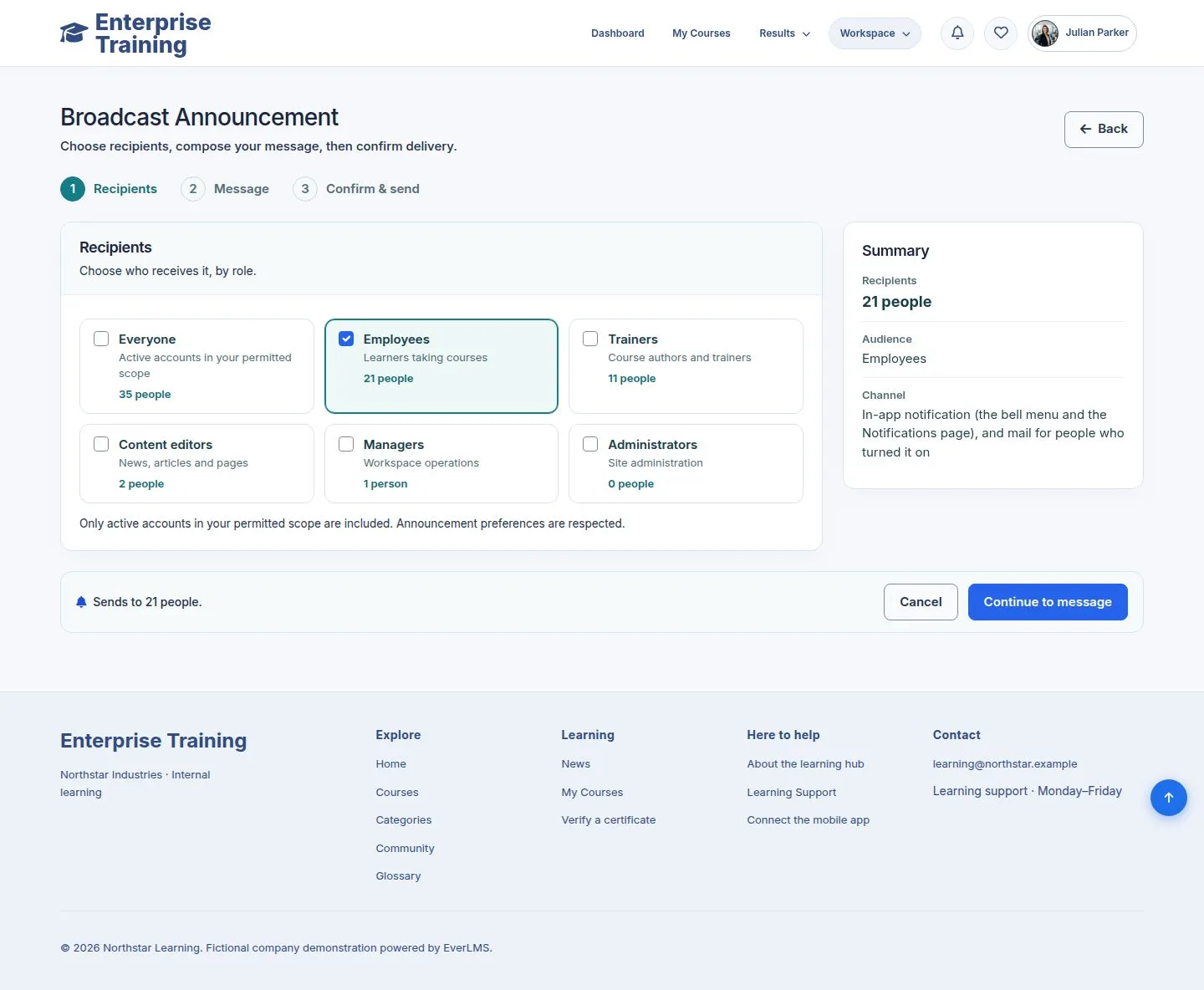
Announce: recipients

Manager

Announce: recipients

5Step 5 of 10

  1. Workspace → Broadcast Announcement.
  2. Choose roles; the number of people in your branch is shown.

Enlarge, then scroll

Open illustrated screen ↗Full image ↗

Employee · Notifications05

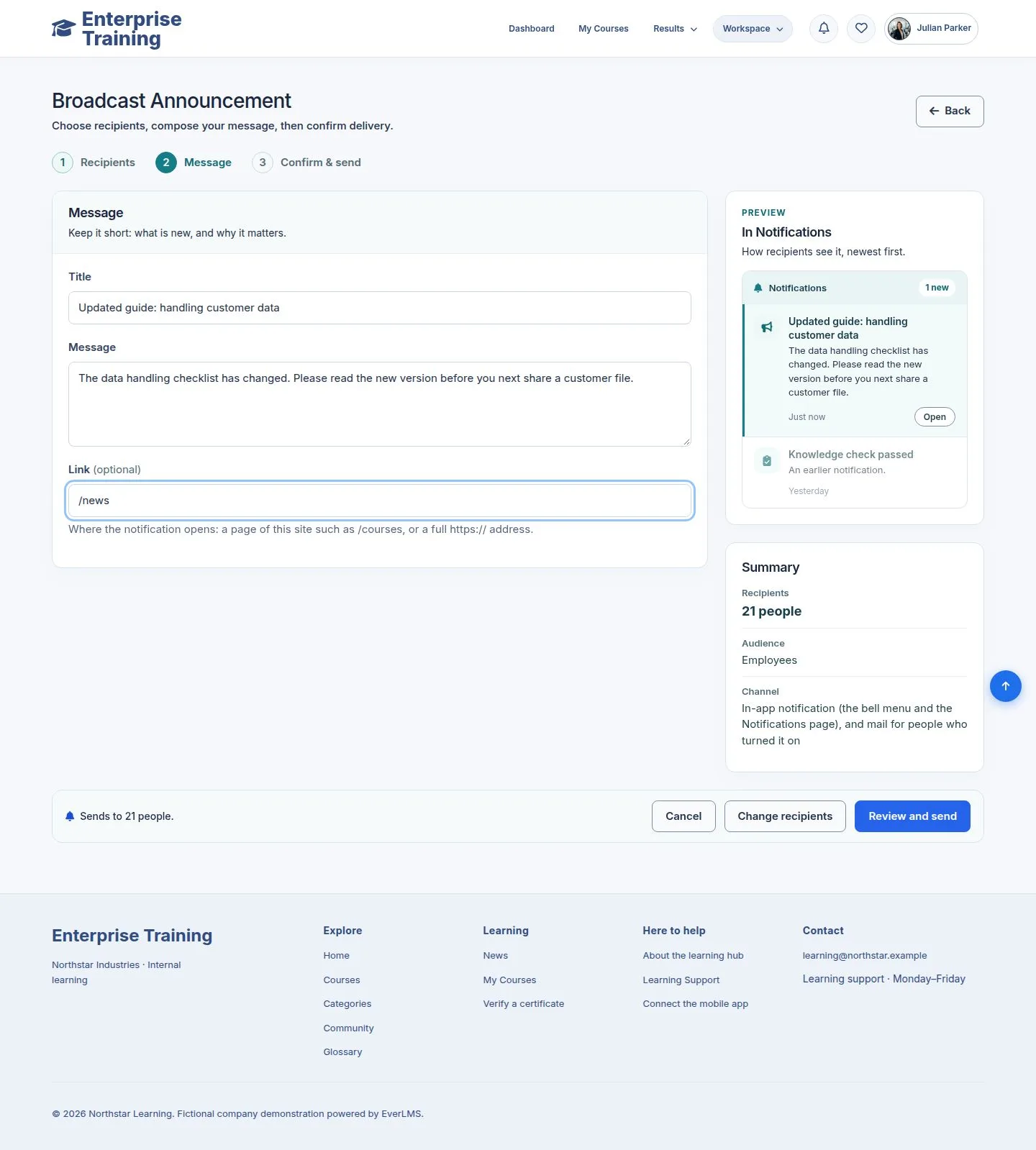
Announce: message

Manager

Announce: message

6Step 6 of 10

  1. Title, message, an optional link, with a preview.

Enlarge, then scroll

Open illustrated screen ↗Full image ↗

Employee · Notifications06

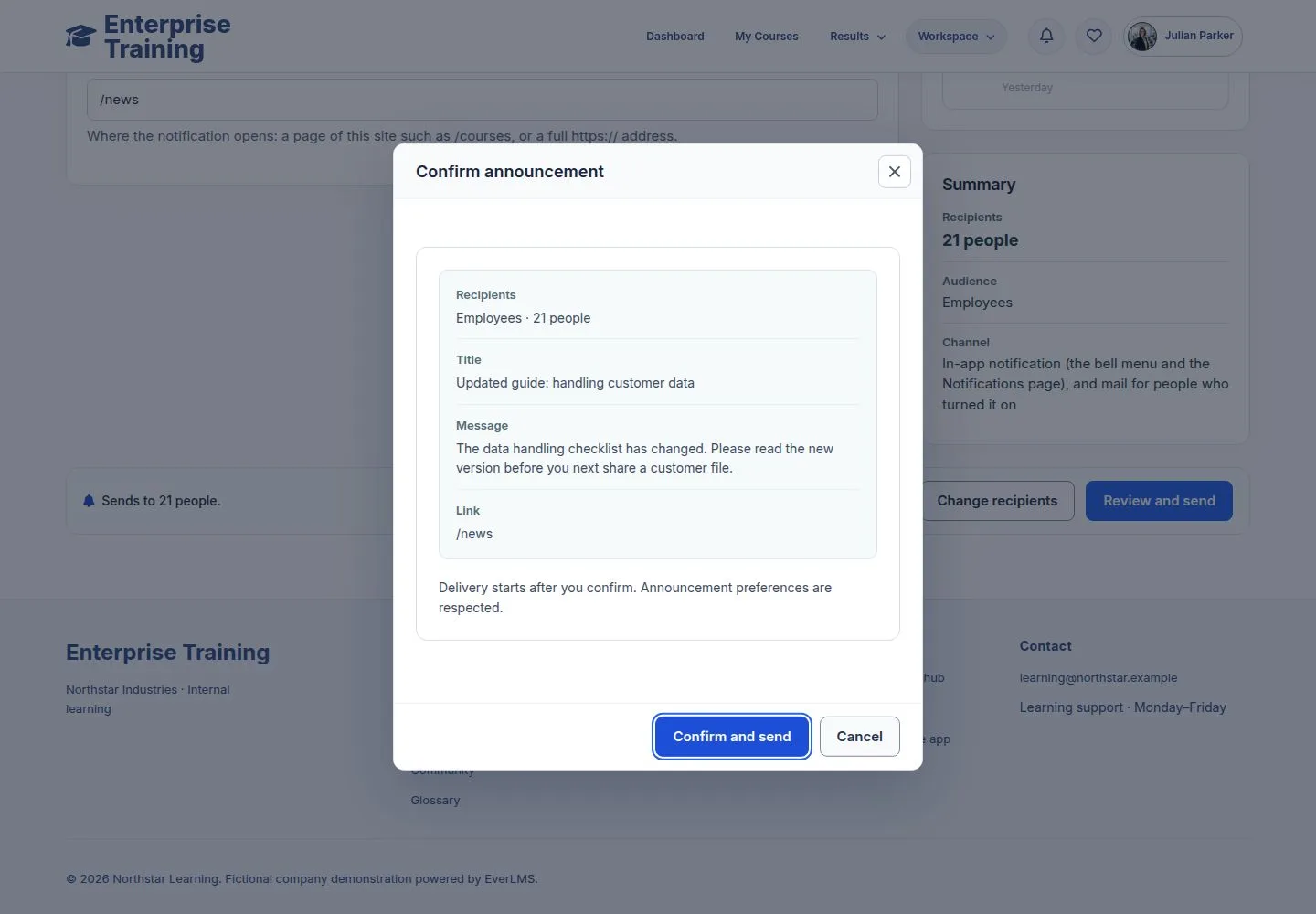
Announce: confirm

Manager

Announce: confirm

7Step 7 of 10

  1. Review and send asks once more.
  2. Confirm and send delivers it.

Open illustrated screen ↗Full image ↗

Employee · Notifications07

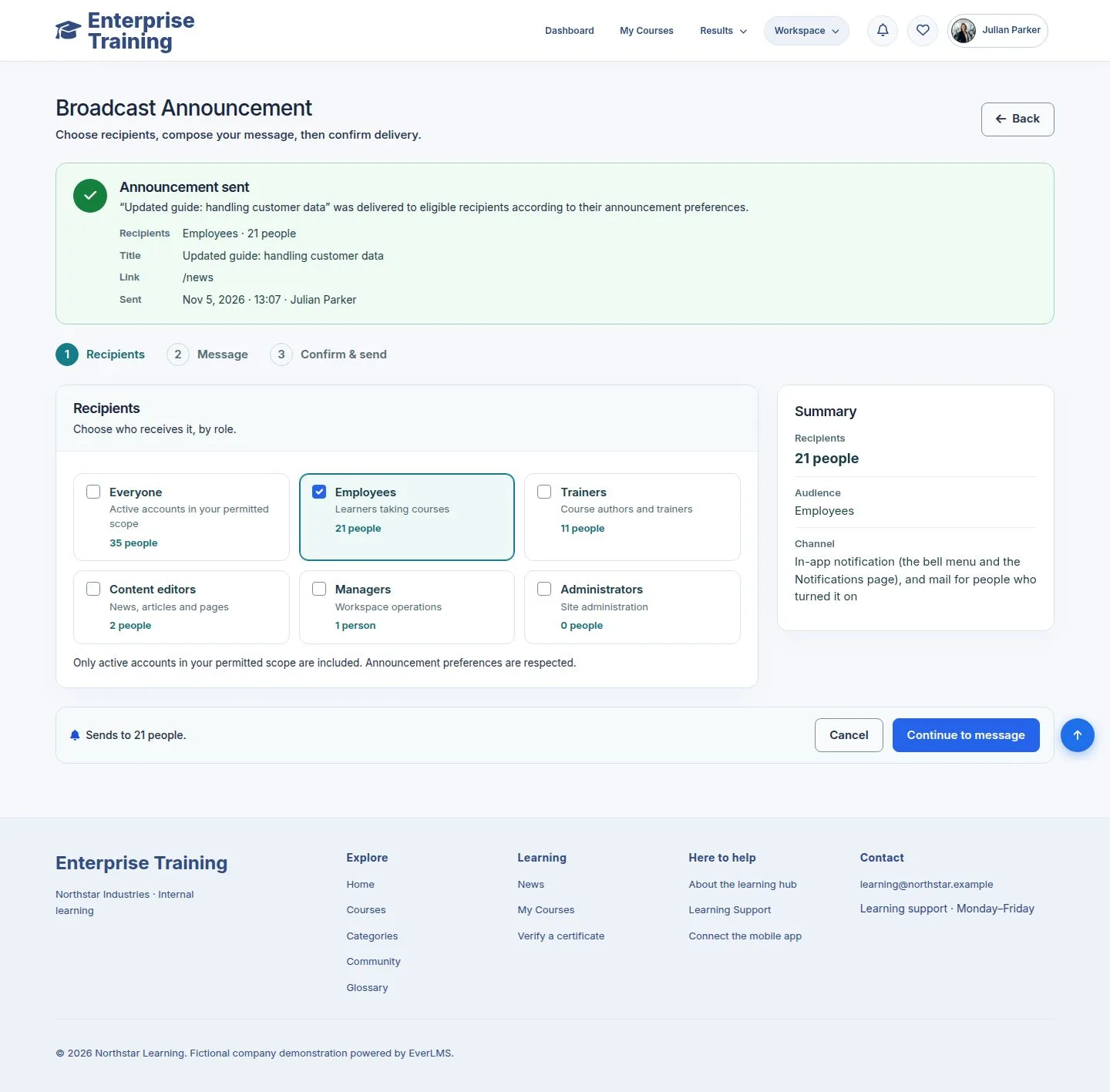
Sent

Manager

Sent

8Step 8 of 10

  1. A receipt: recipients, message, sender, time.

Enlarge, then scroll

Open illustrated screen ↗Full image ↗

Employee · Notifications08

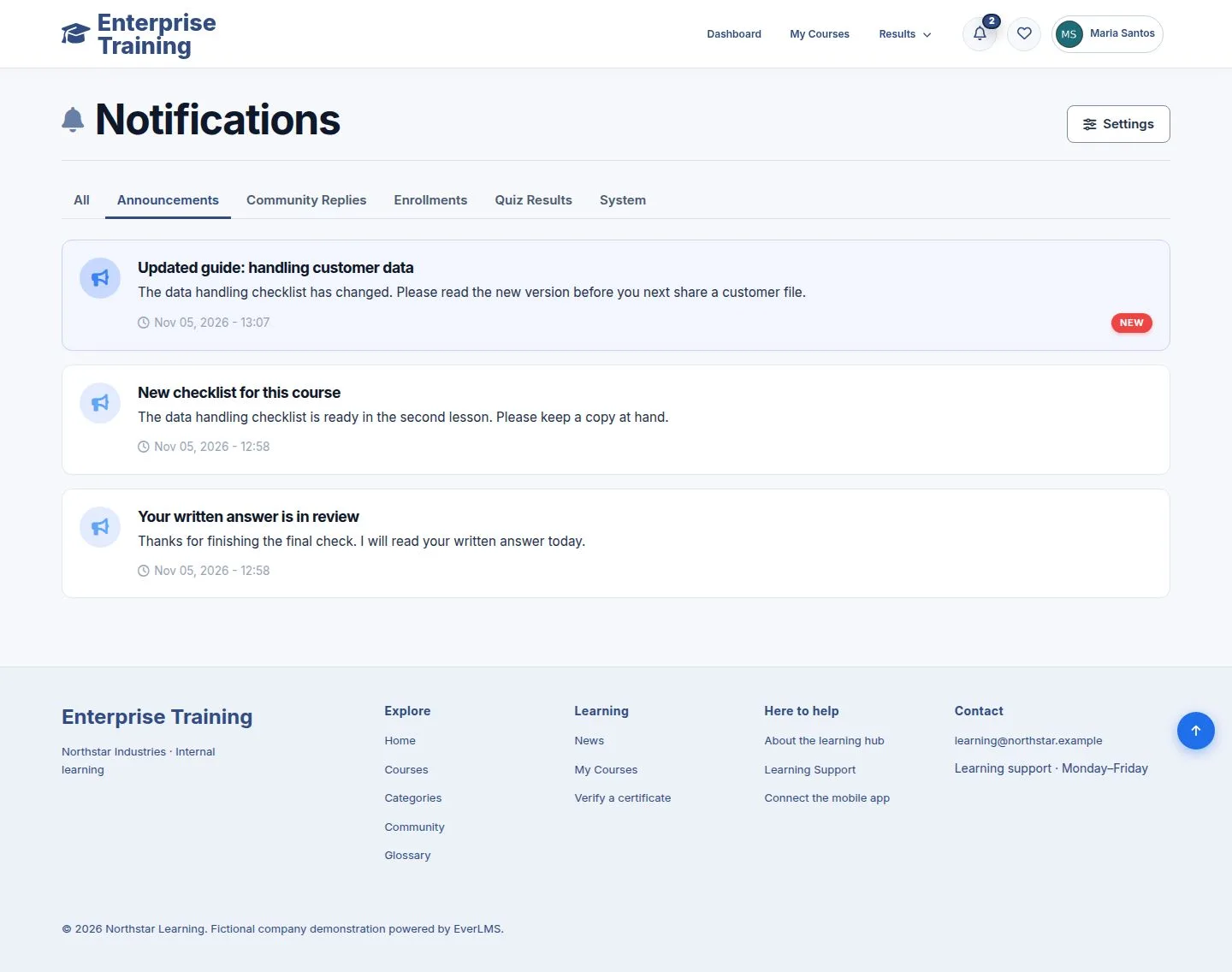
Received

Employee

Received

9Step 9 of 10

  1. In the list, under Announcements.

Enlarge, then scroll

Open illustrated screen ↗Full image ↗

Employee · Notifications09

By mail

Employee

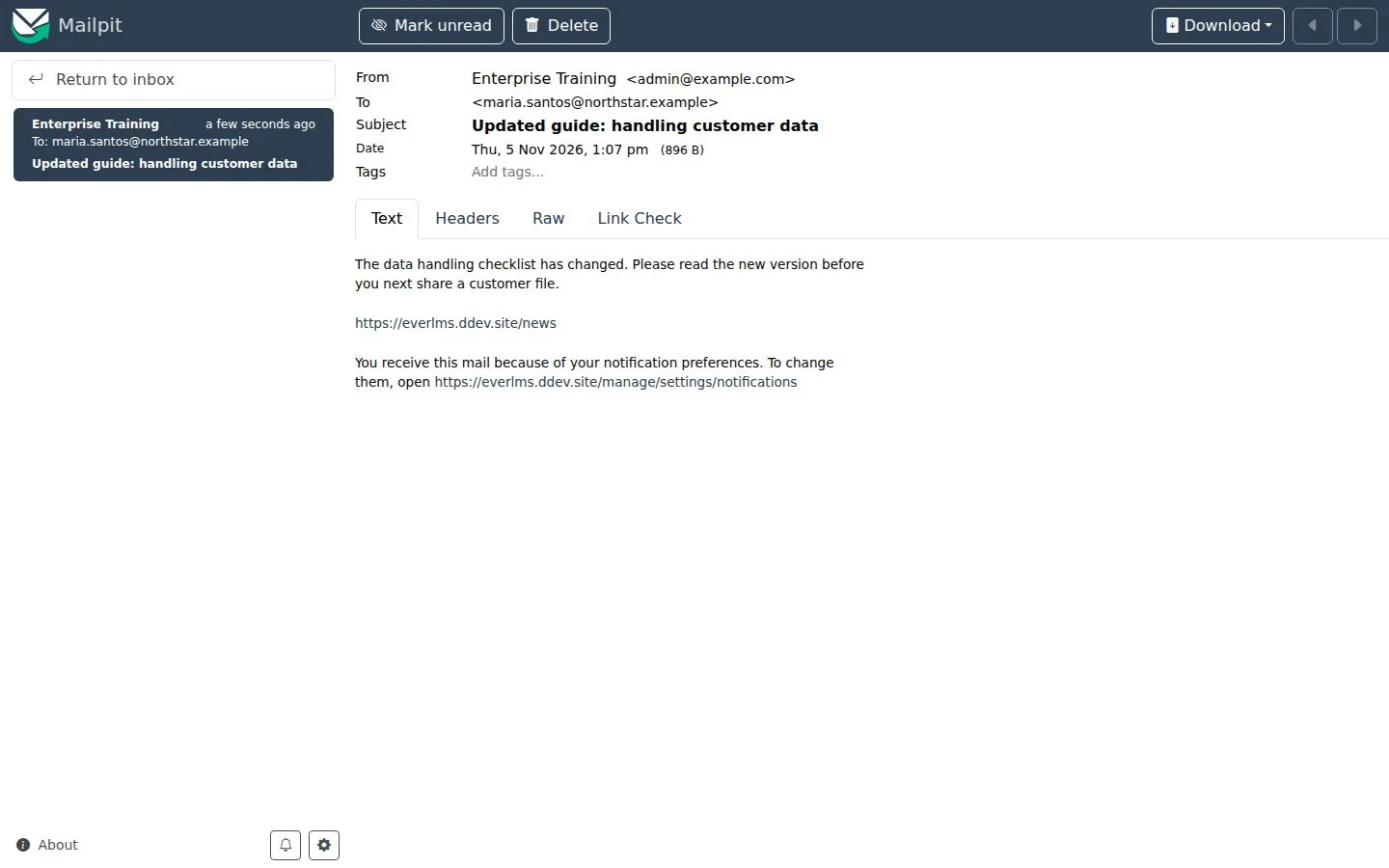
By mail

10Step 10 of 10

  1. People who turned on Email also get a mail.

Full image ↗

Check

Each person gets notices by the channels they chose

Employee · Notifications10
1 / 11
Privacy Terms