Learning groups

A programme for a branch or a person

  • Published courses and categories
Manager
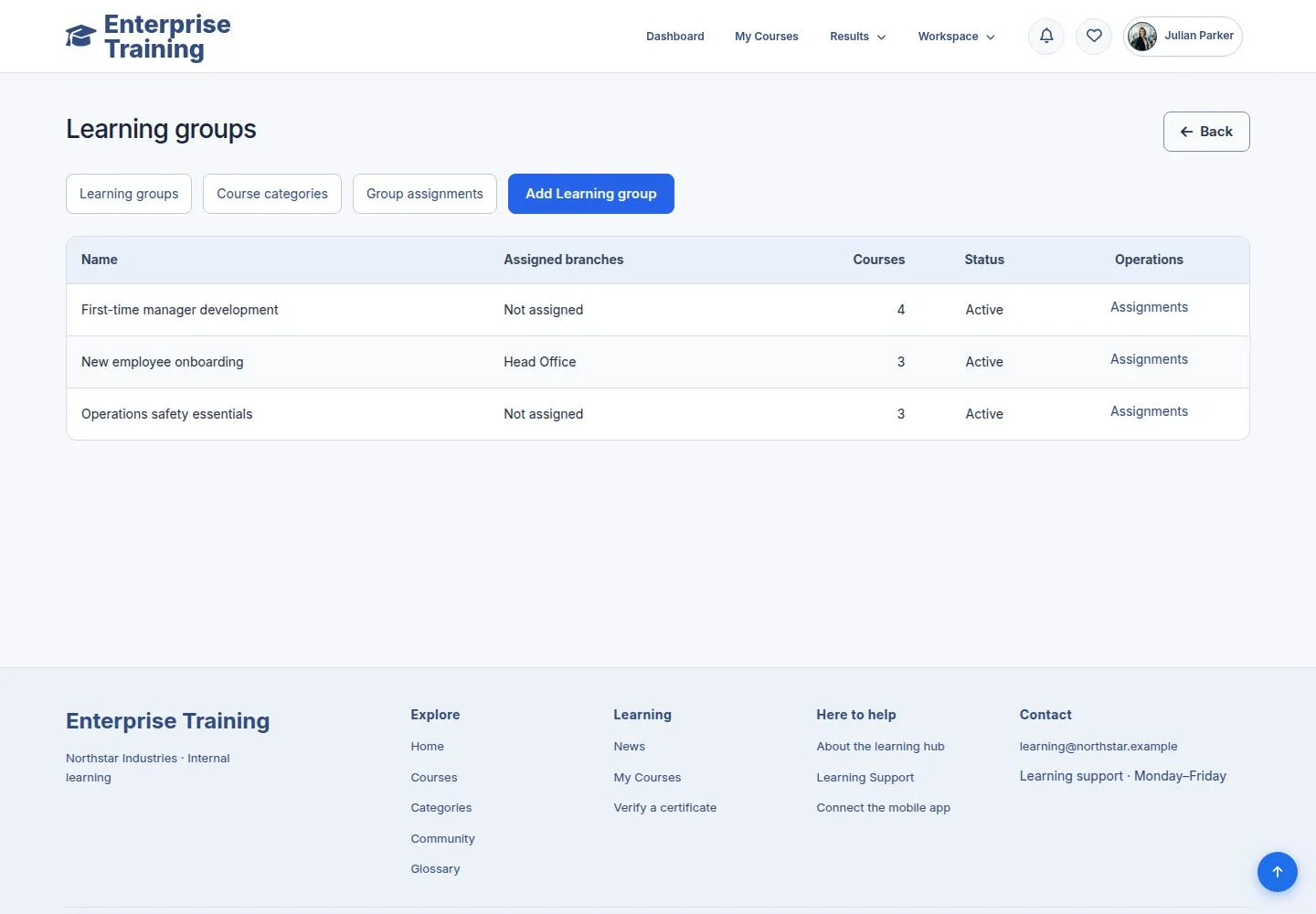
Learning groups

Manager

Learning groups

1Step 1 of 9

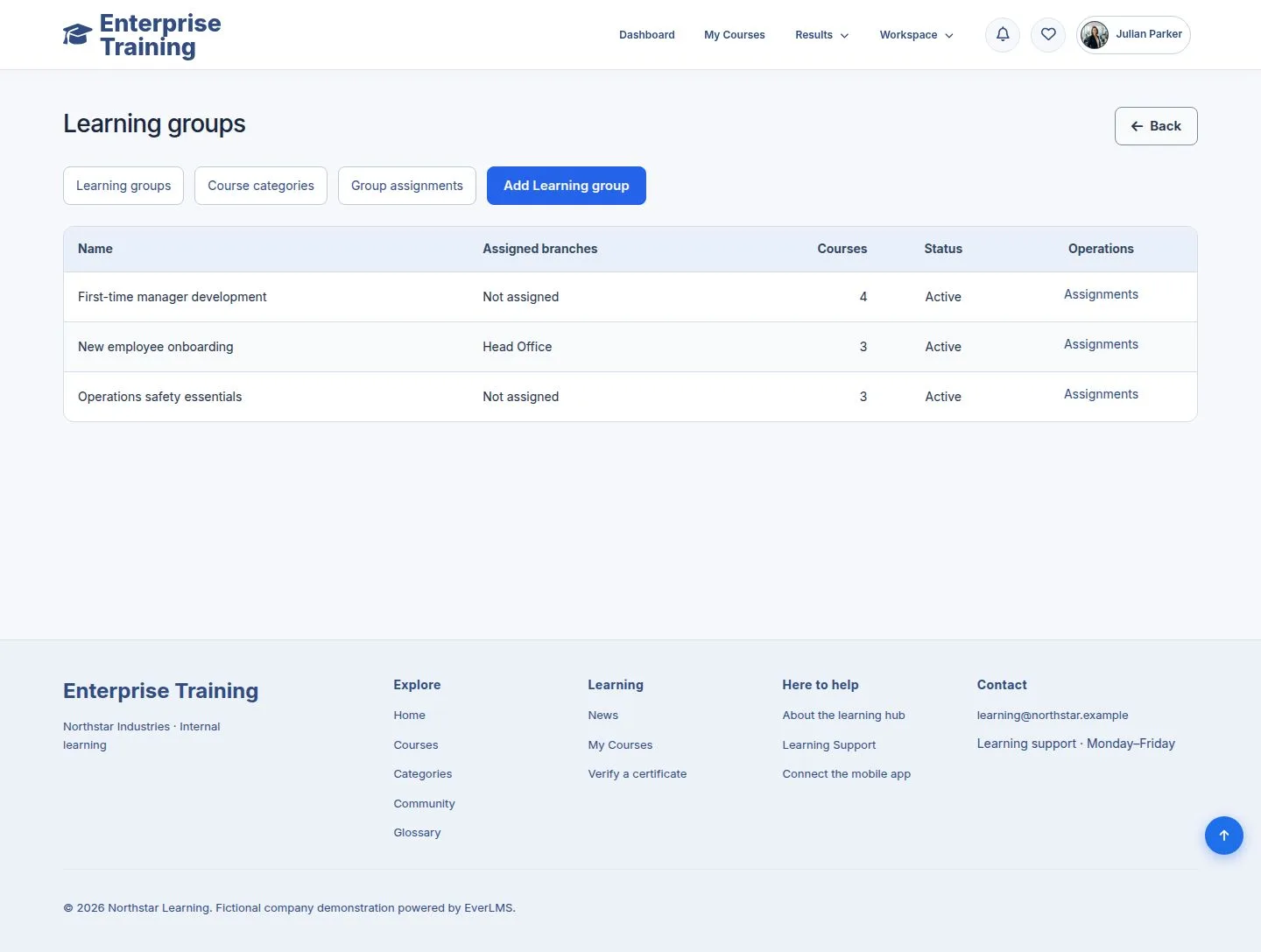
  1. Assign Course → Manage learning groups.
  2. A group combines categories and single courses.

Enlarge, then scroll

Open illustrated screen ↗Full image ↗

Manager · Learning groups01

Categories

Manager

Categories

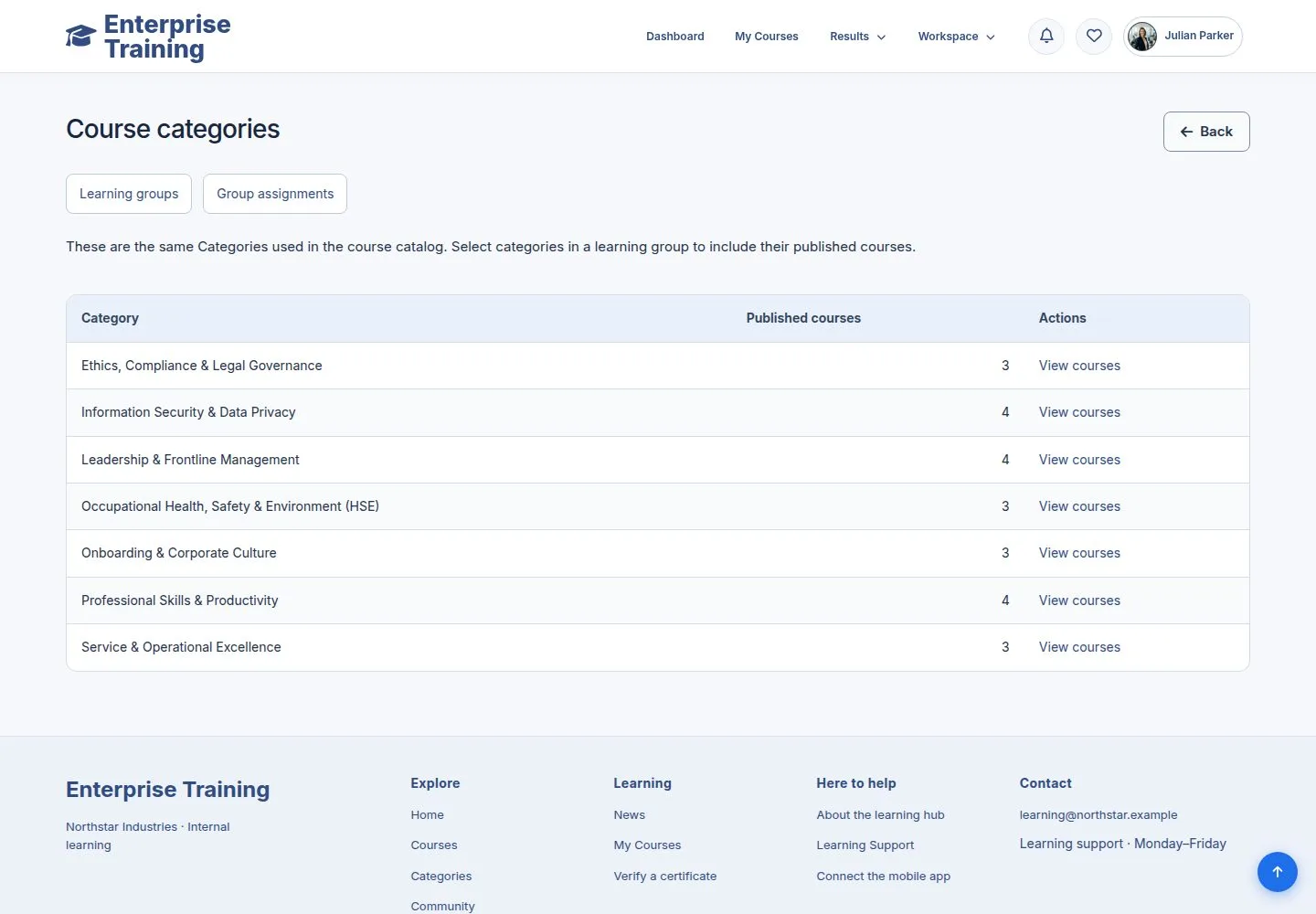
2Step 2 of 9

  1. The categories of the catalogue; a course added later joins the group.

Enlarge, then scroll

Open illustrated screen ↗Full image ↗

Manager · Learning groups02

Add a group

Manager

Add a group

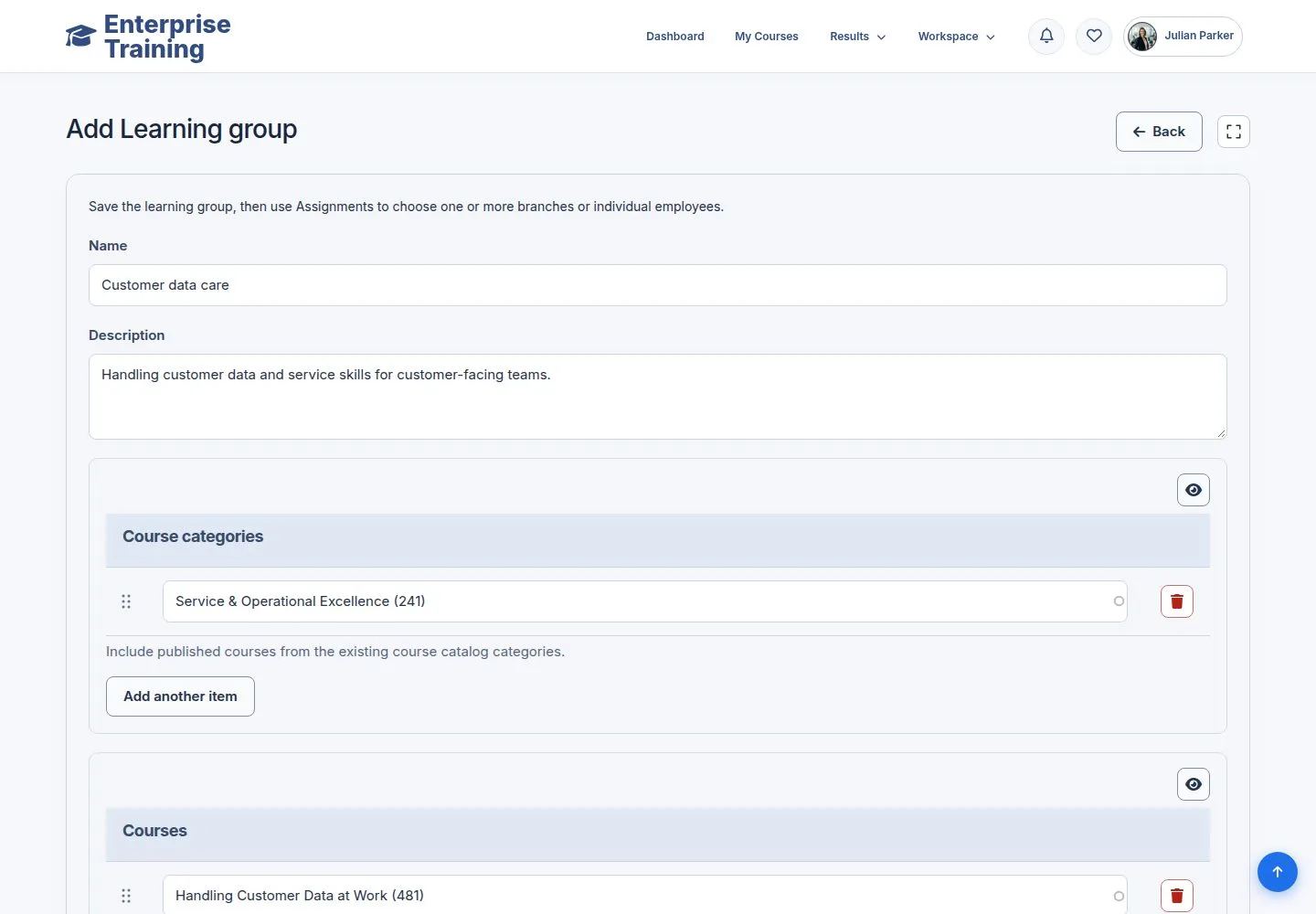
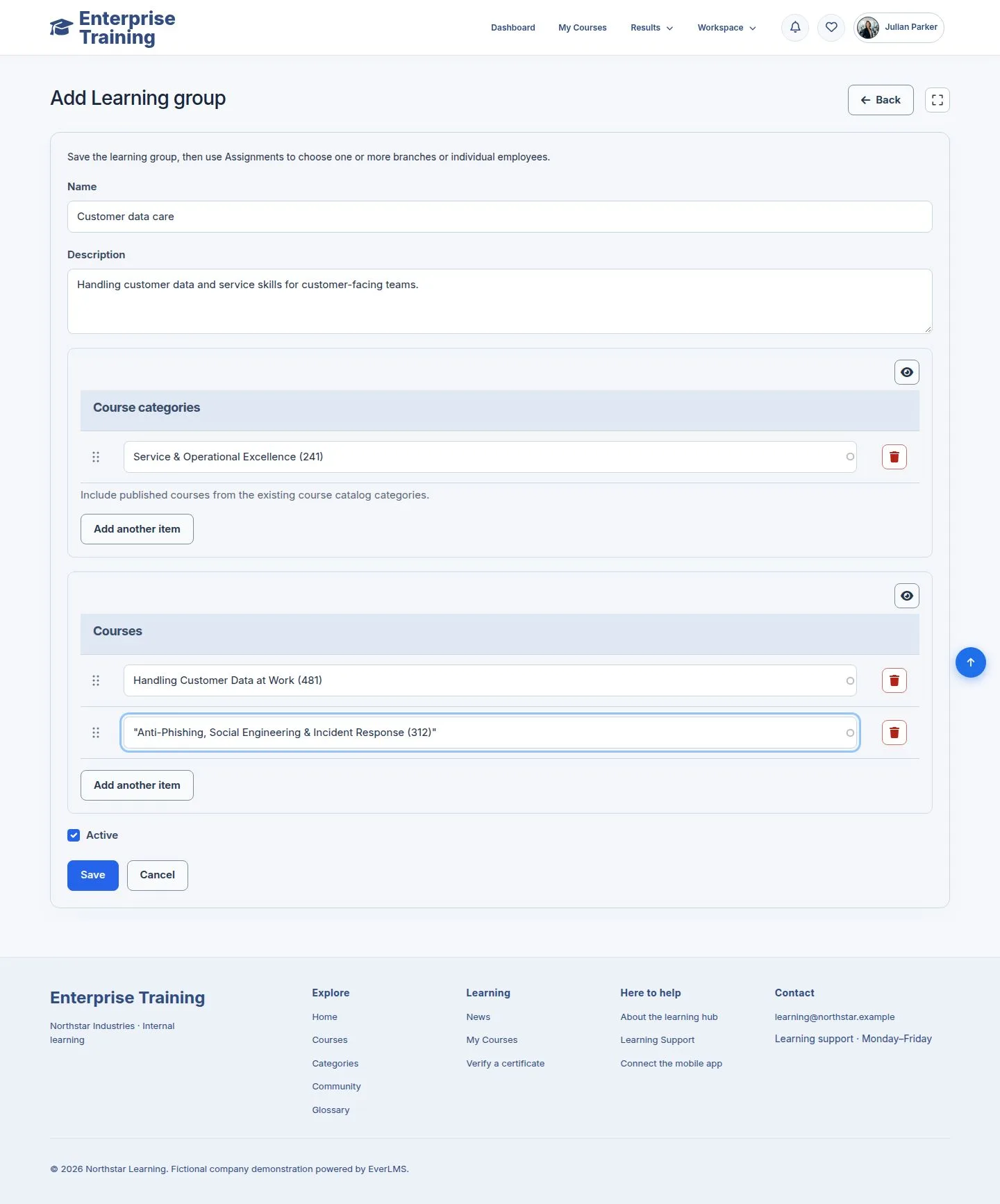
3Step 3 of 9

  1. Name, description, categories, courses.
  2. Add another item adds a row.

Enlarge, then scroll

Open illustrated screen ↗Full image ↗

Manager · Learning groups03

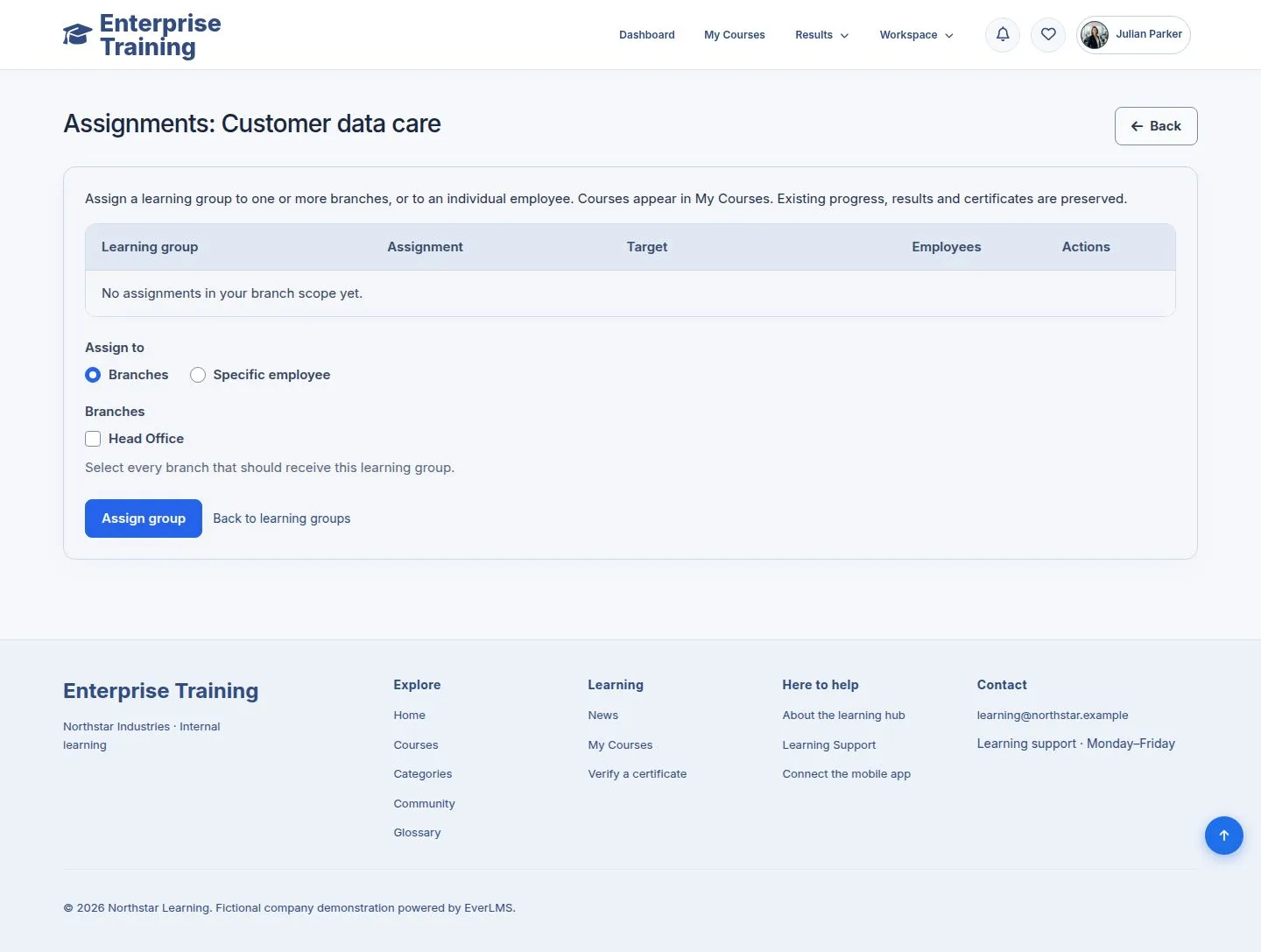
Assignments

Manager

Assignments

4Step 4 of 9

  1. Assignments of the group: a branch or a specific employee.
  2. A manager sees their own branch.

Enlarge, then scroll

Open illustrated screen ↗Full image ↗

Manager · Learning groups04

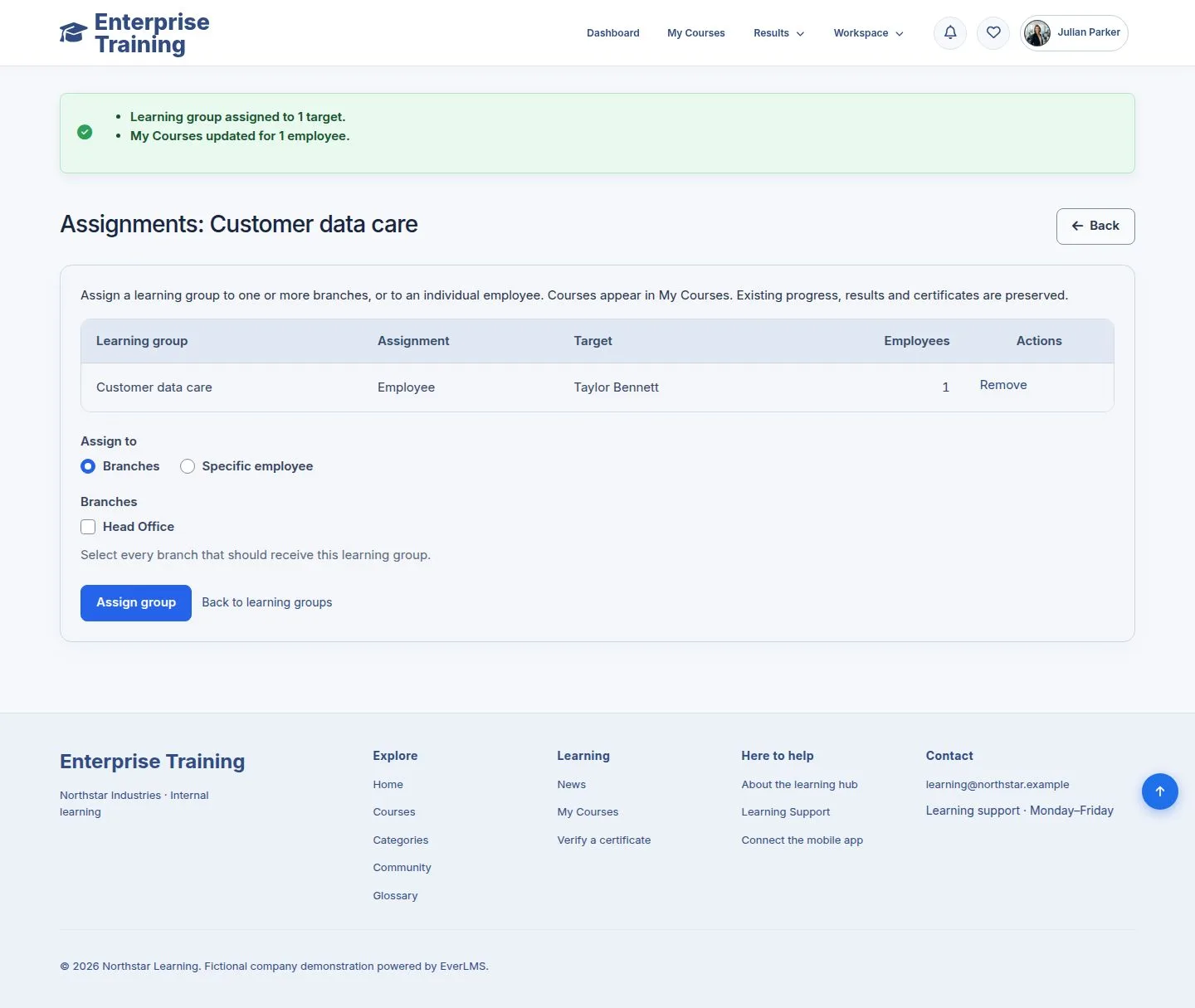
Assign

Manager

Assign

5Step 5 of 9

  1. Assign group runs in the background and reports how many people were updated.
  2. Assigning again creates nothing new.

Enlarge, then scroll

Open illustrated screen ↗Full image ↗

Manager · Learning groups05

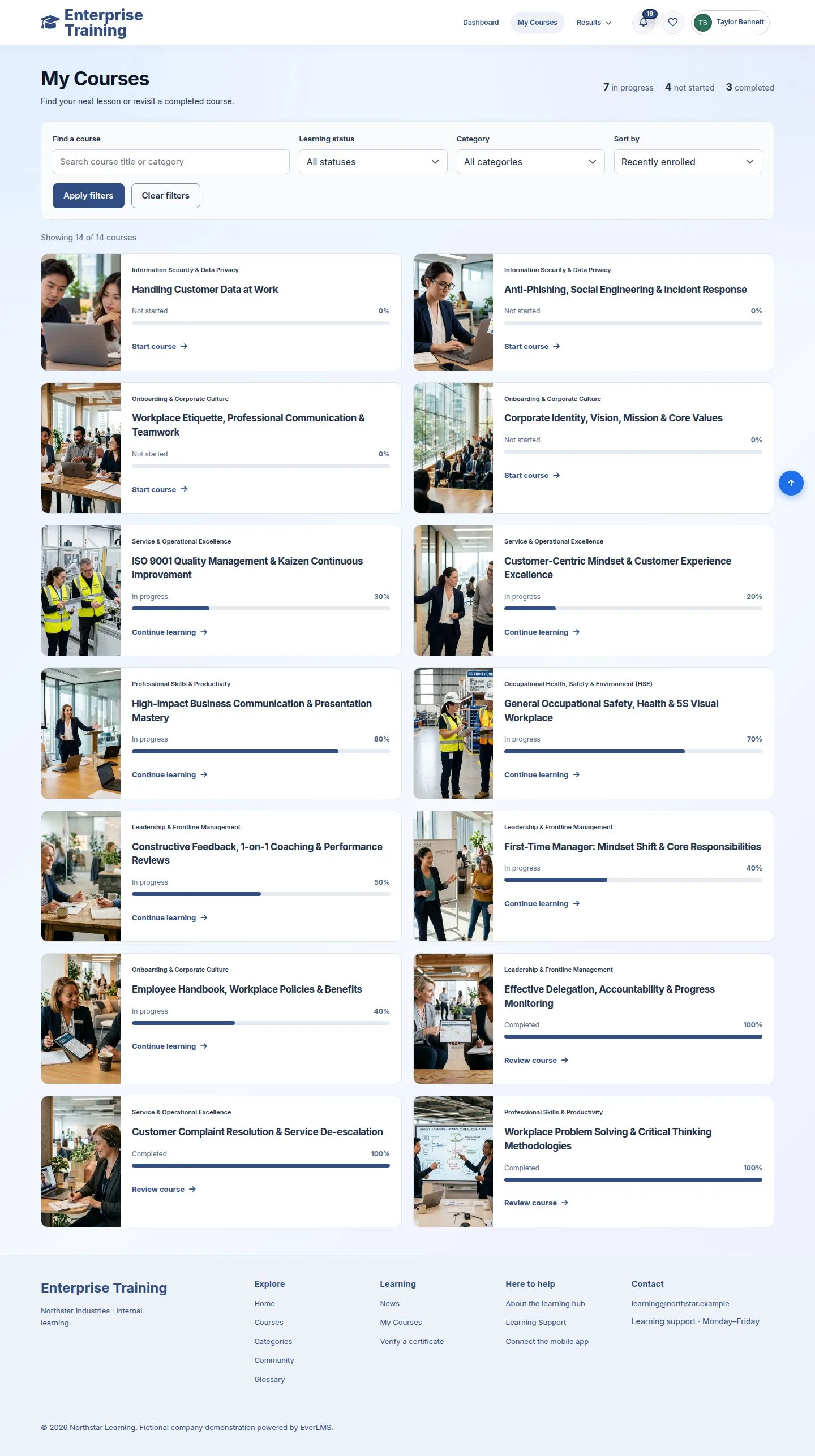
What the employee sees

Employee

What the employee sees

6Step 6 of 9

  1. The courses are in My Courses. No notice is sent for a group.

Enlarge, then scroll

Open illustrated screen ↗Full image ↗

Manager · Learning groups06

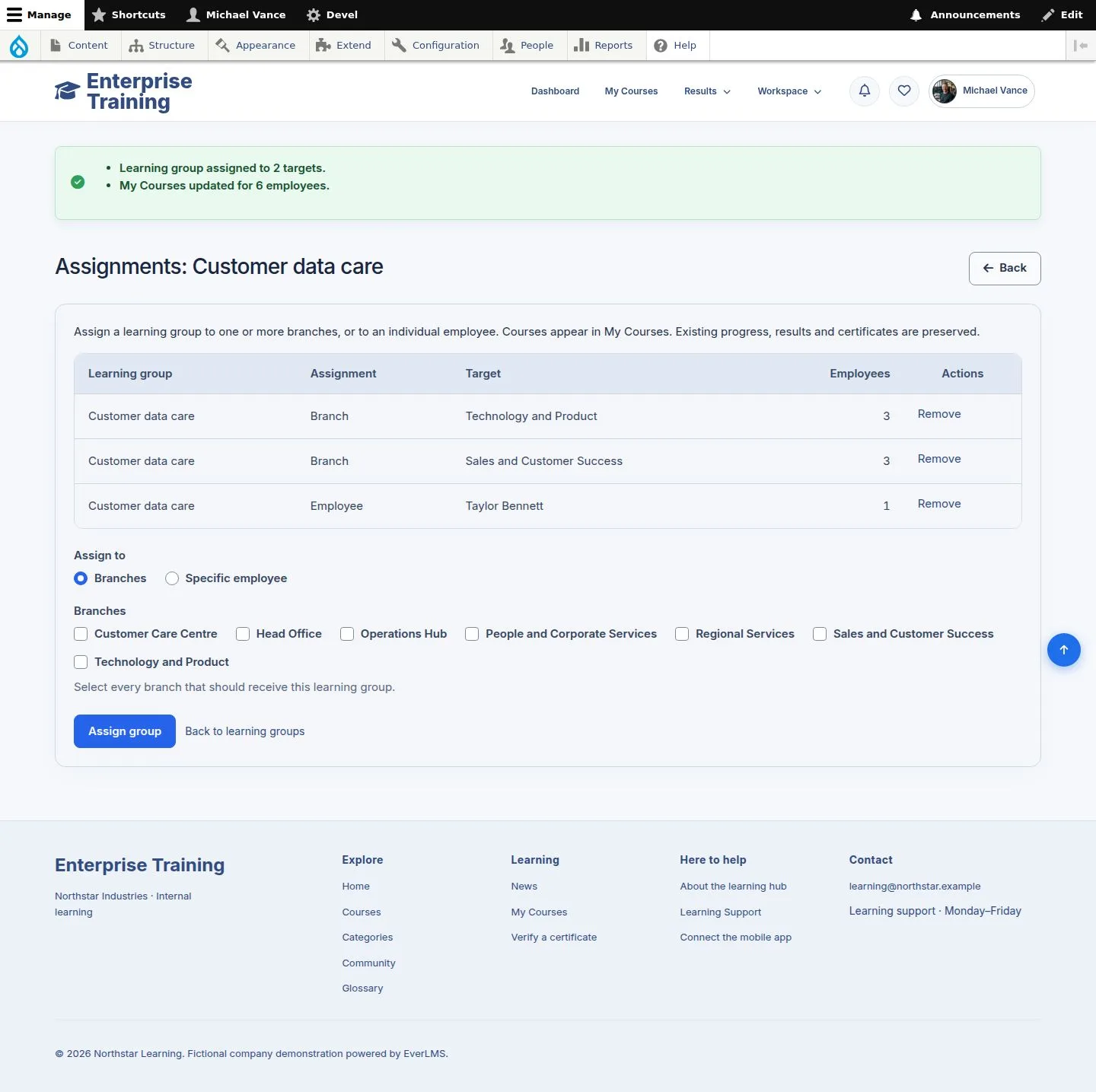
Several branches

Administrator

Several branches

7Step 7 of 9

  1. An administrator can assign one group to several branches.

Enlarge, then scroll

Open illustrated screen ↗Full image ↗

Manager · Learning groups07

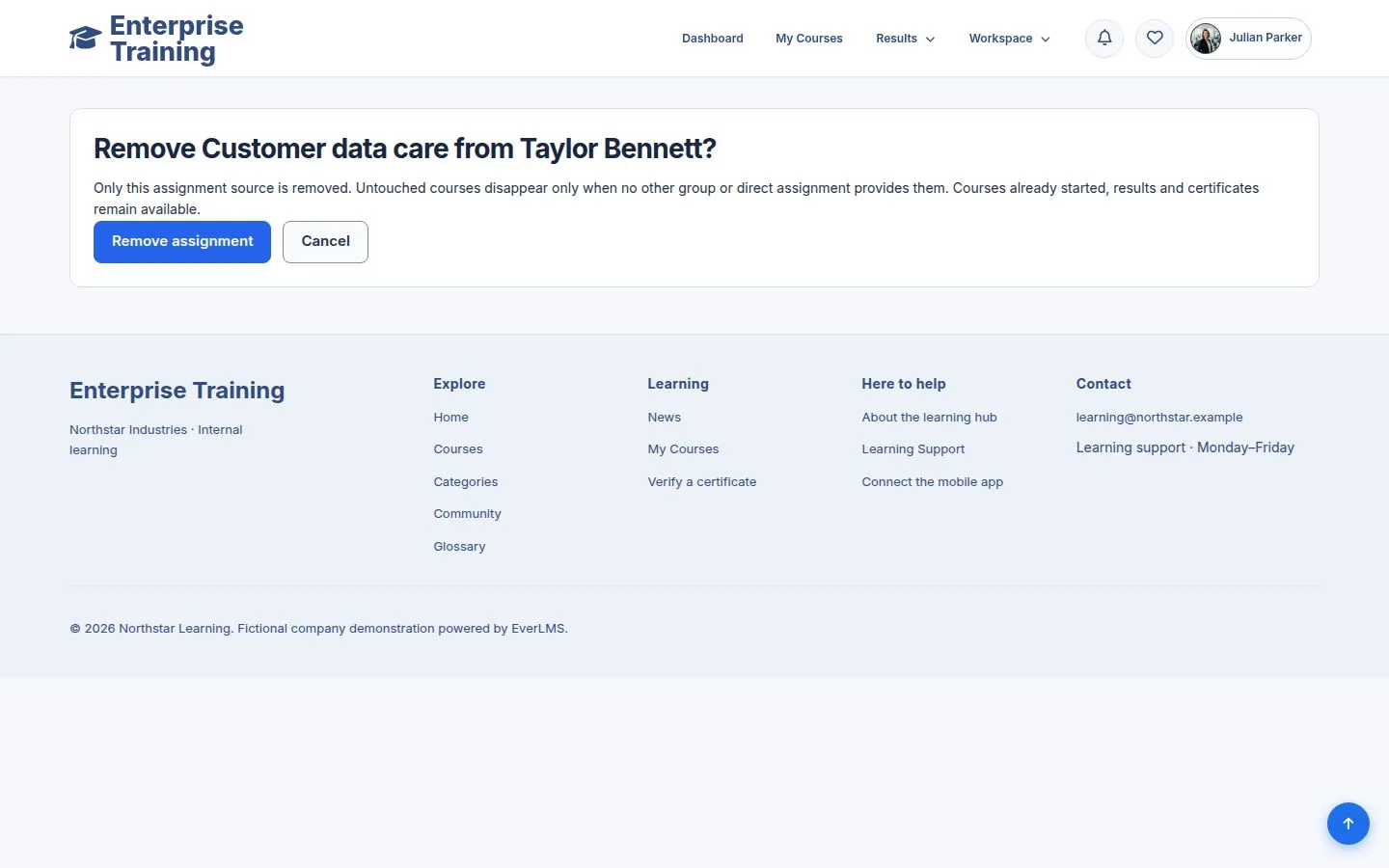
Remove

Manager

Remove

8Step 8 of 9

  1. Remove asks first, and says what stays.

Open illustrated screen ↗Full image ↗

Manager · Learning groups08

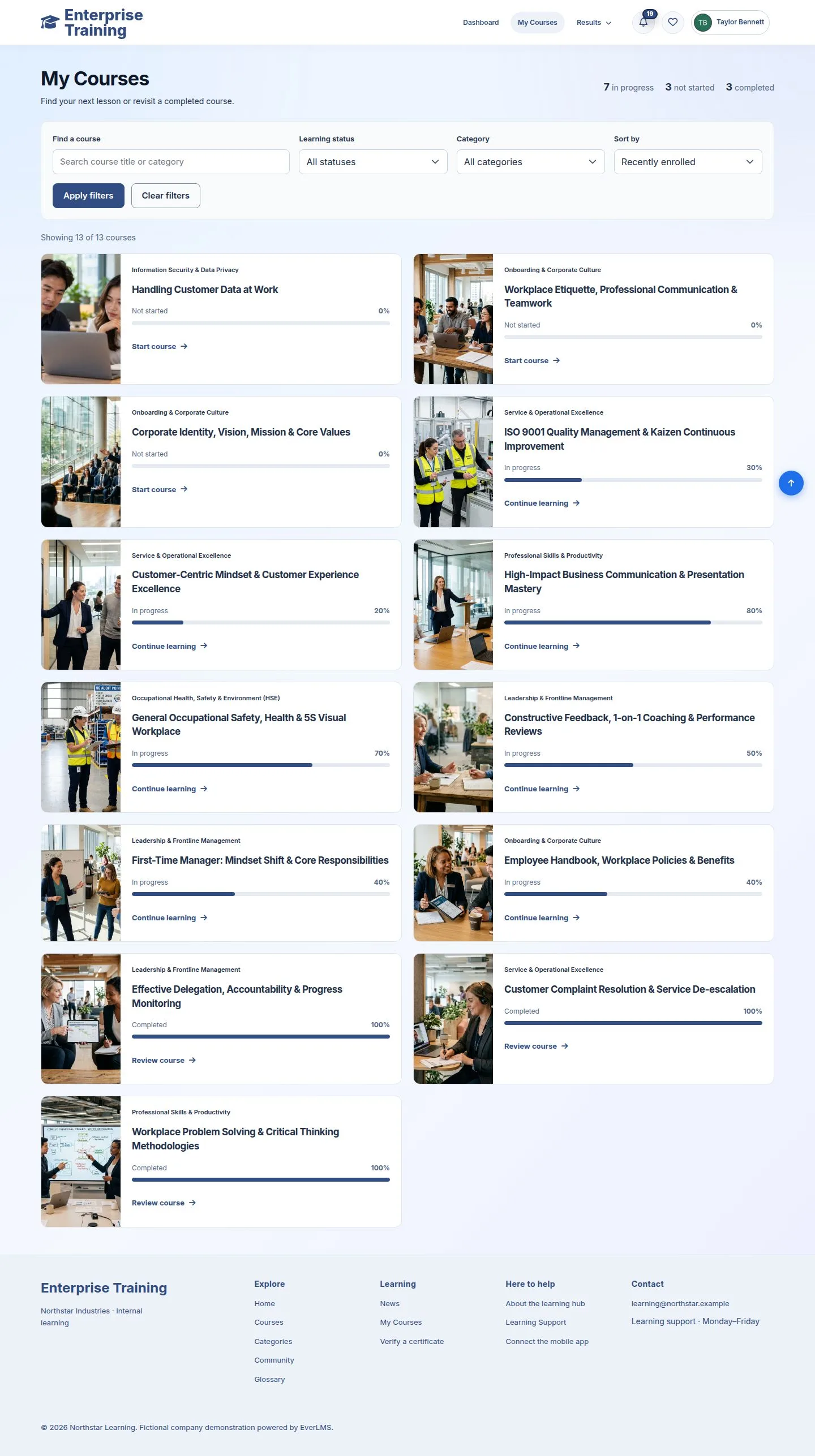
After removing

Employee

After removing

9Step 9 of 9

  1. Courses not started leave My Courses; started ones and their records stay.

Enlarge, then scroll

Open illustrated screen ↗Full image ↗

Check

Everyone in the group gets the courses in My Courses; withdrawing keeps what was started

Manager · Learning groups09
1 / 10
Privacy Terms