Teach and follow learners

Your courses, learners, discussion, notices

  • You own or are assigned to the course
Trainer

Trainer Dashboard

Trainer

Trainer Dashboard

1Step 1 of 12

  1. Workspace → Trainer Dashboard: your courses and learners at a glance.

Enlarge, then scroll

Open illustrated screen ↗Full image ↗

Trainer · Teach and follow learners01

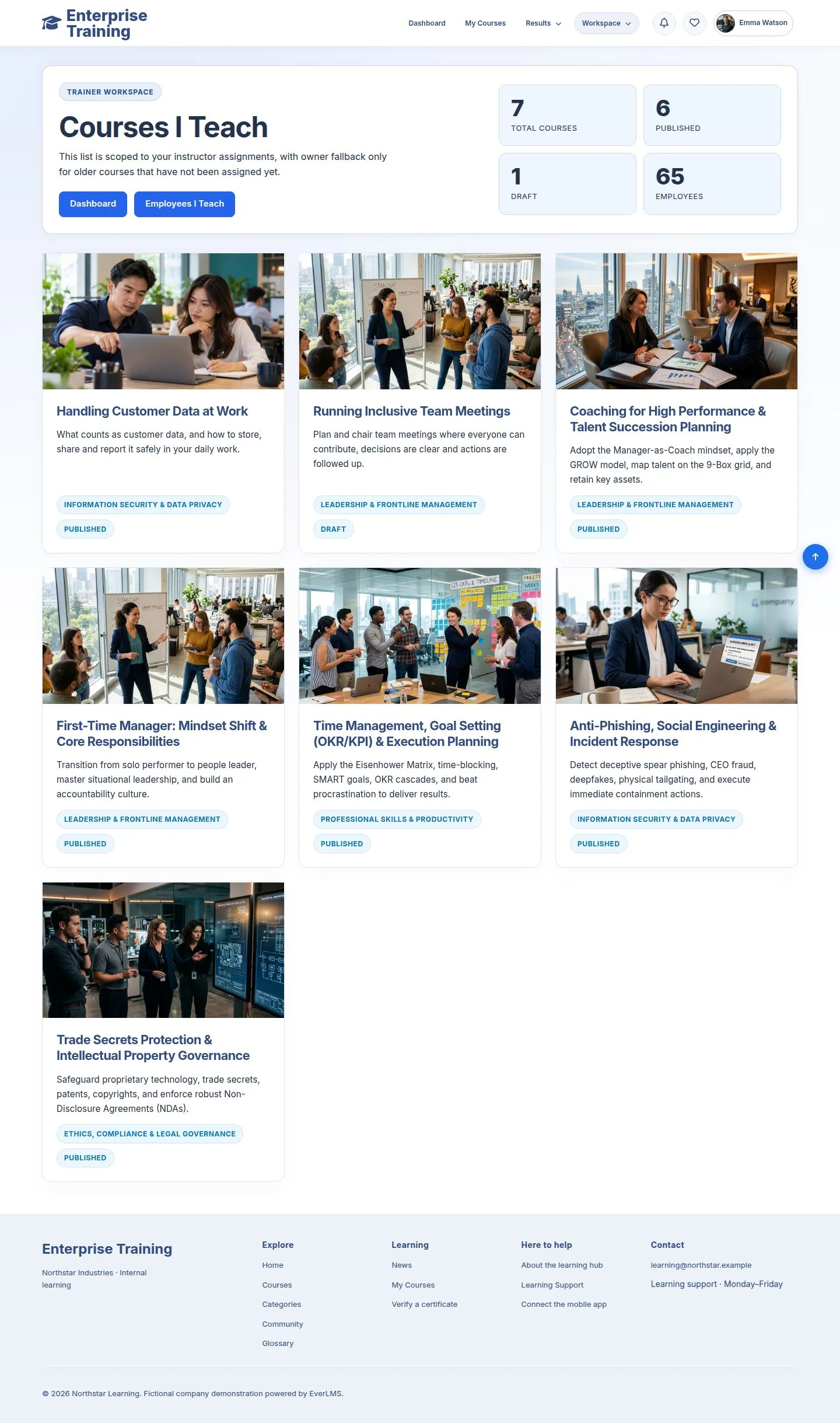
Courses I Teach

Trainer

Courses I Teach

2Step 2 of 12

  1. Courses you own or are assigned to.

Enlarge, then scroll

Open illustrated screen ↗Full image ↗

Trainer · Teach and follow learners02

Course activity

Trainer

Course activity

3Step 3 of 12

  1. Open a course: learners, progress, status.
  2. Notify reaches one learner; Notify all active learners reaches everyone still learning.

Enlarge, then scroll

Open illustrated screen ↗Full image ↗

Trainer · Teach and follow learners03

Quiz attempts

Trainer

Quiz attempts

4Step 4 of 12

  1. Attempts with score and result; View result opens one.

Enlarge, then scroll

Open illustrated screen ↗Full image ↗

Trainer · Teach and follow learners04

Discussion

Trainer

Discussion

5Step 5 of 12

  1. Questions asked under the lessons.

Enlarge, then scroll

Open illustrated screen ↗Full image ↗

Trainer · Teach and follow learners05

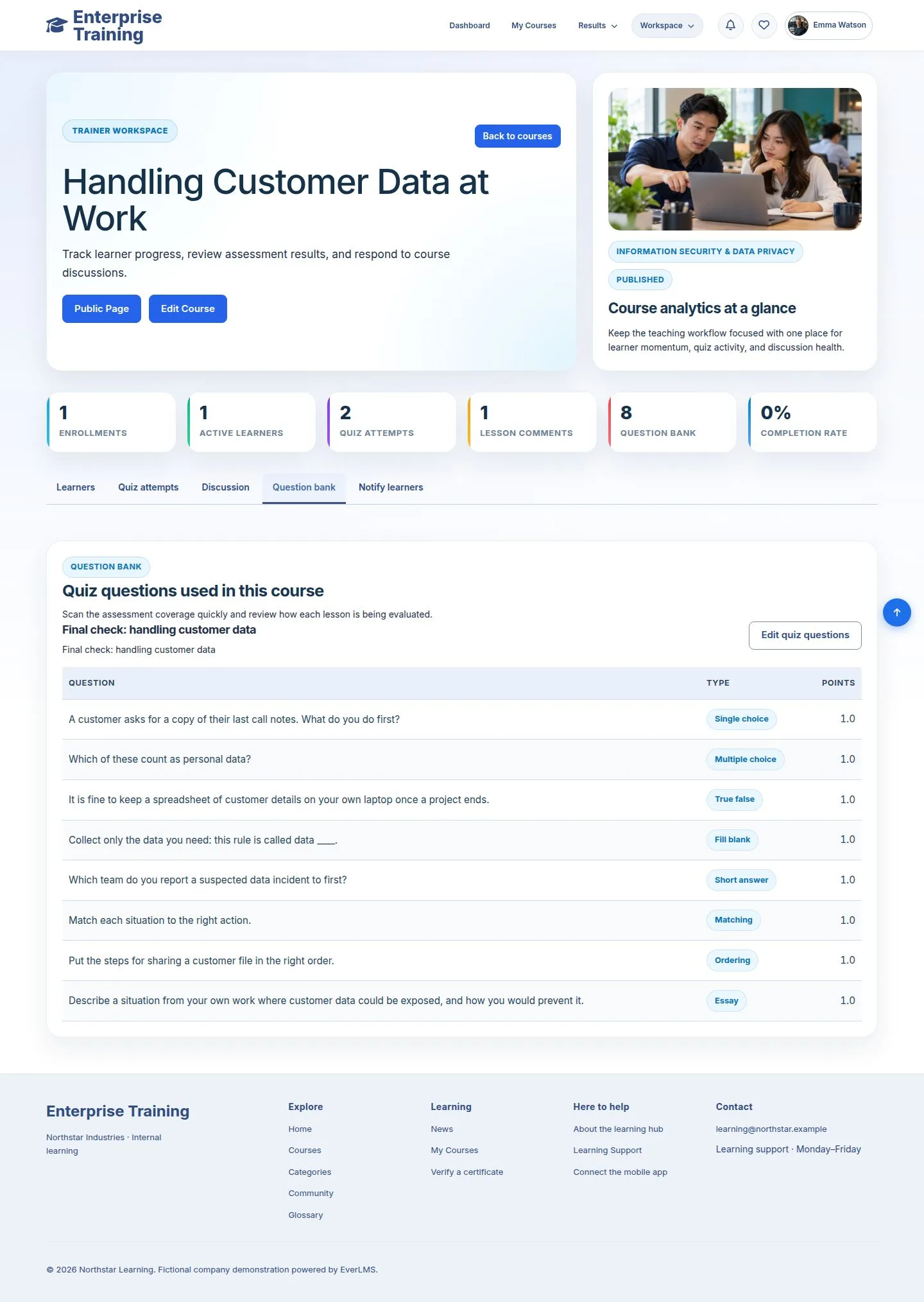
Question bank

Trainer

Question bank

6Step 6 of 12

  1. The questions of the quizzes of this course.

Enlarge, then scroll

Open illustrated screen ↗Full image ↗

Trainer · Teach and follow learners06

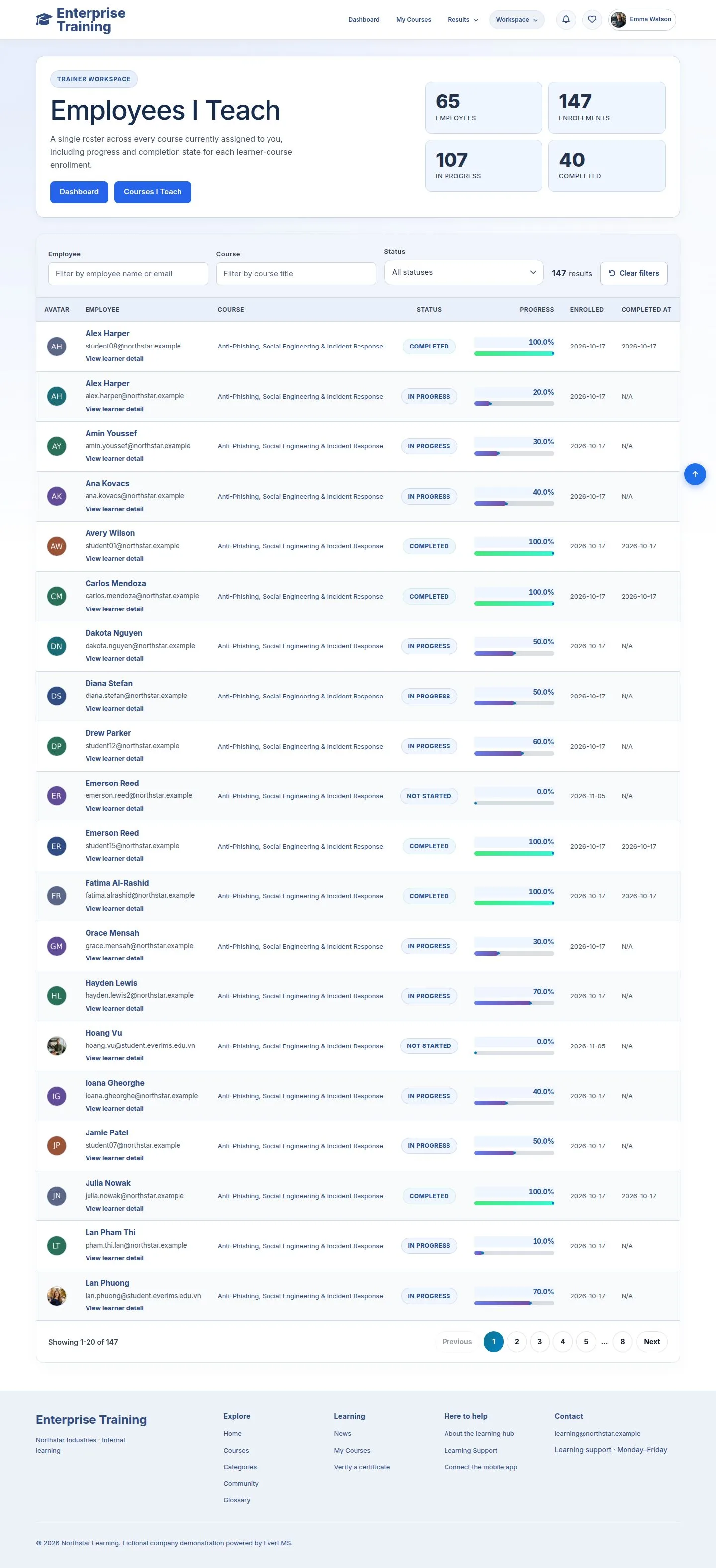
Employees I Teach

Trainer

Employees I Teach

7Step 7 of 12

  1. Everyone learning your courses; filter by name, course, status.

Enlarge, then scroll

Open illustrated screen ↗Full image ↗

Trainer · Teach and follow learners07

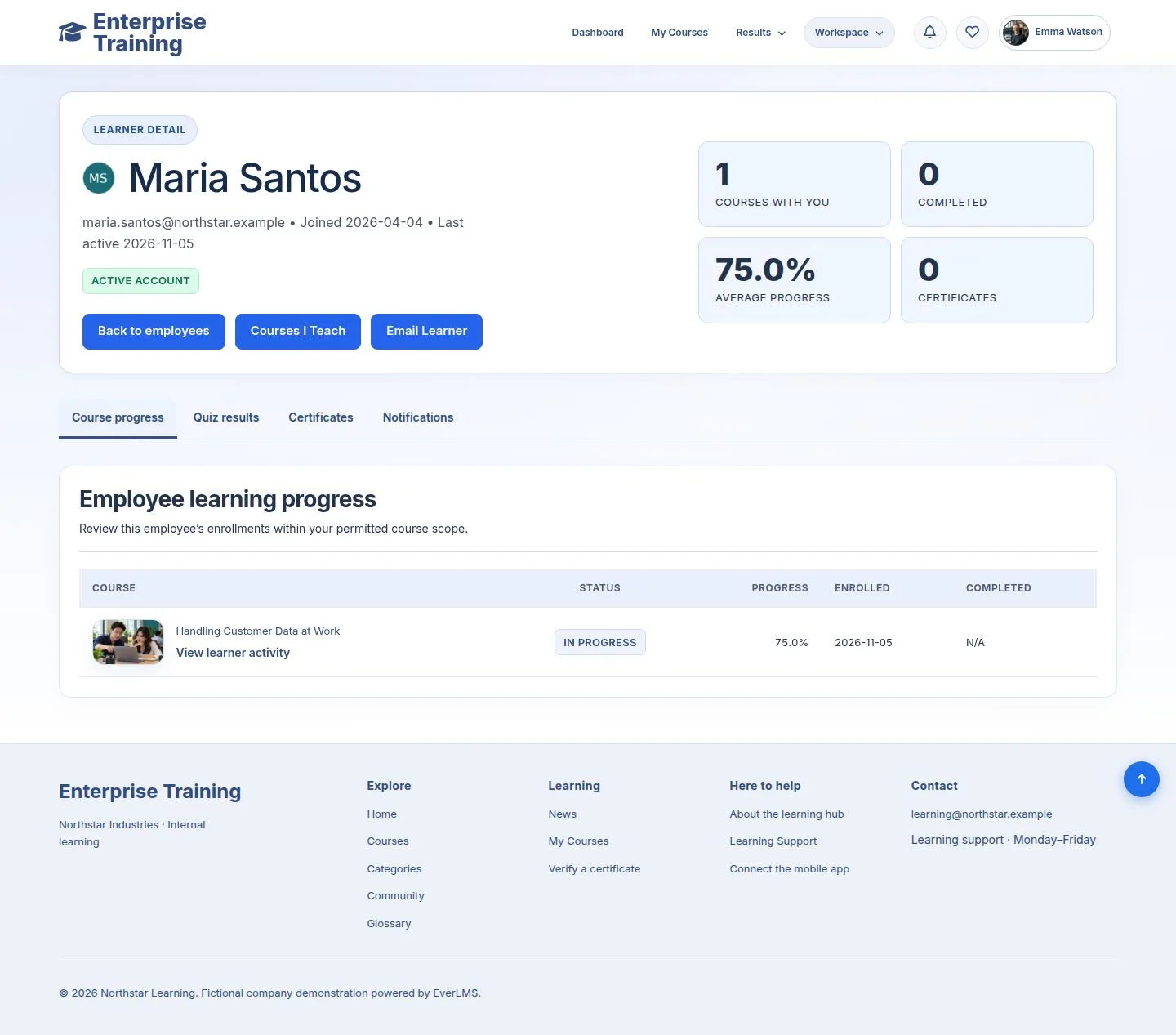
One learner

Trainer

One learner

8Step 8 of 12

  1. Course progress, quiz results, certificates, notifications.

Enlarge, then scroll

Open illustrated screen ↗Full image ↗

Trainer · Teach and follow learners08

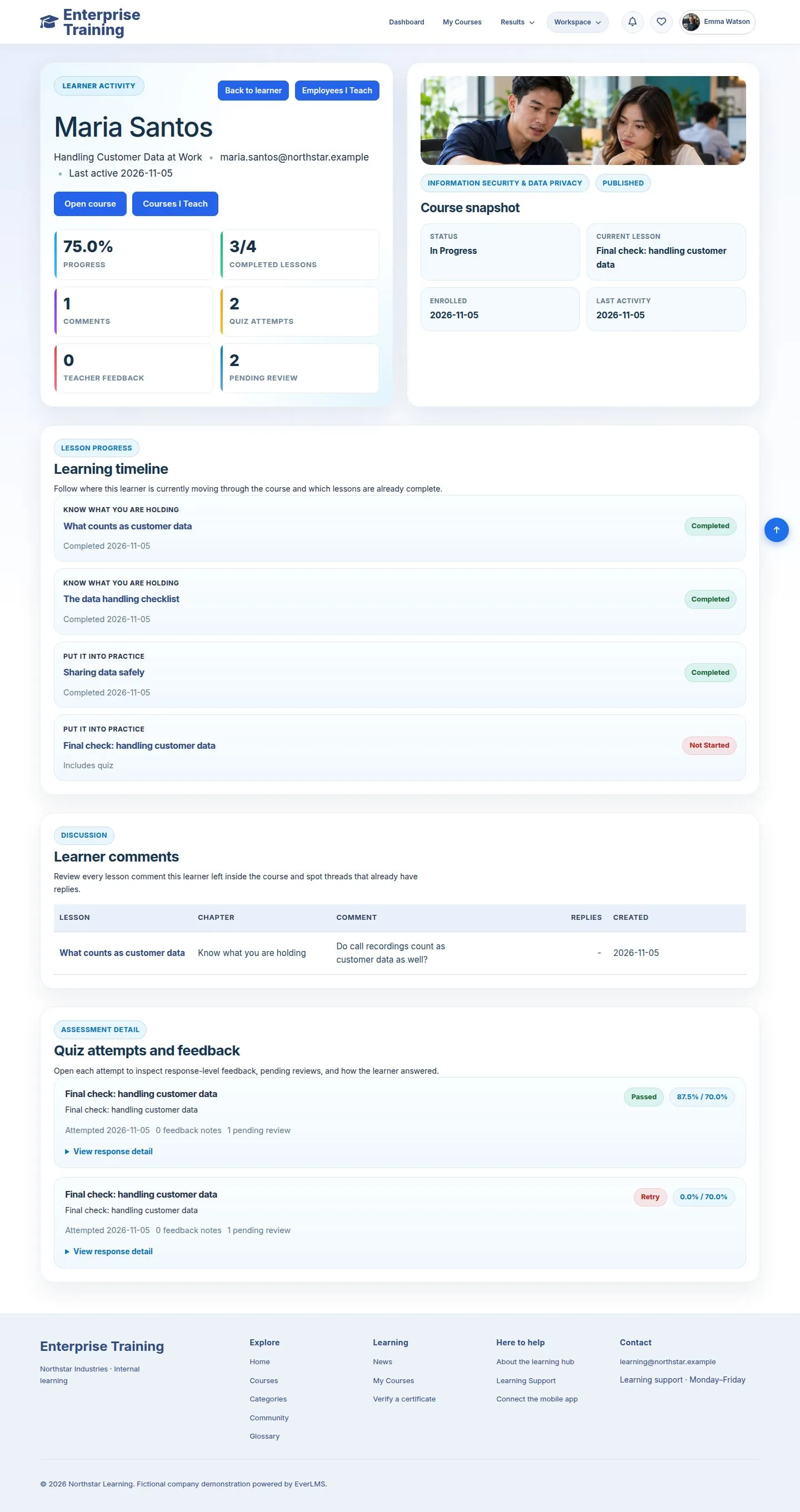
Their activity

Trainer

Their activity

9Step 9 of 12

  1. Lesson timeline, comments and attempts in one course.

Enlarge, then scroll

Open illustrated screen ↗Full image ↗

Trainer · Teach and follow learners09

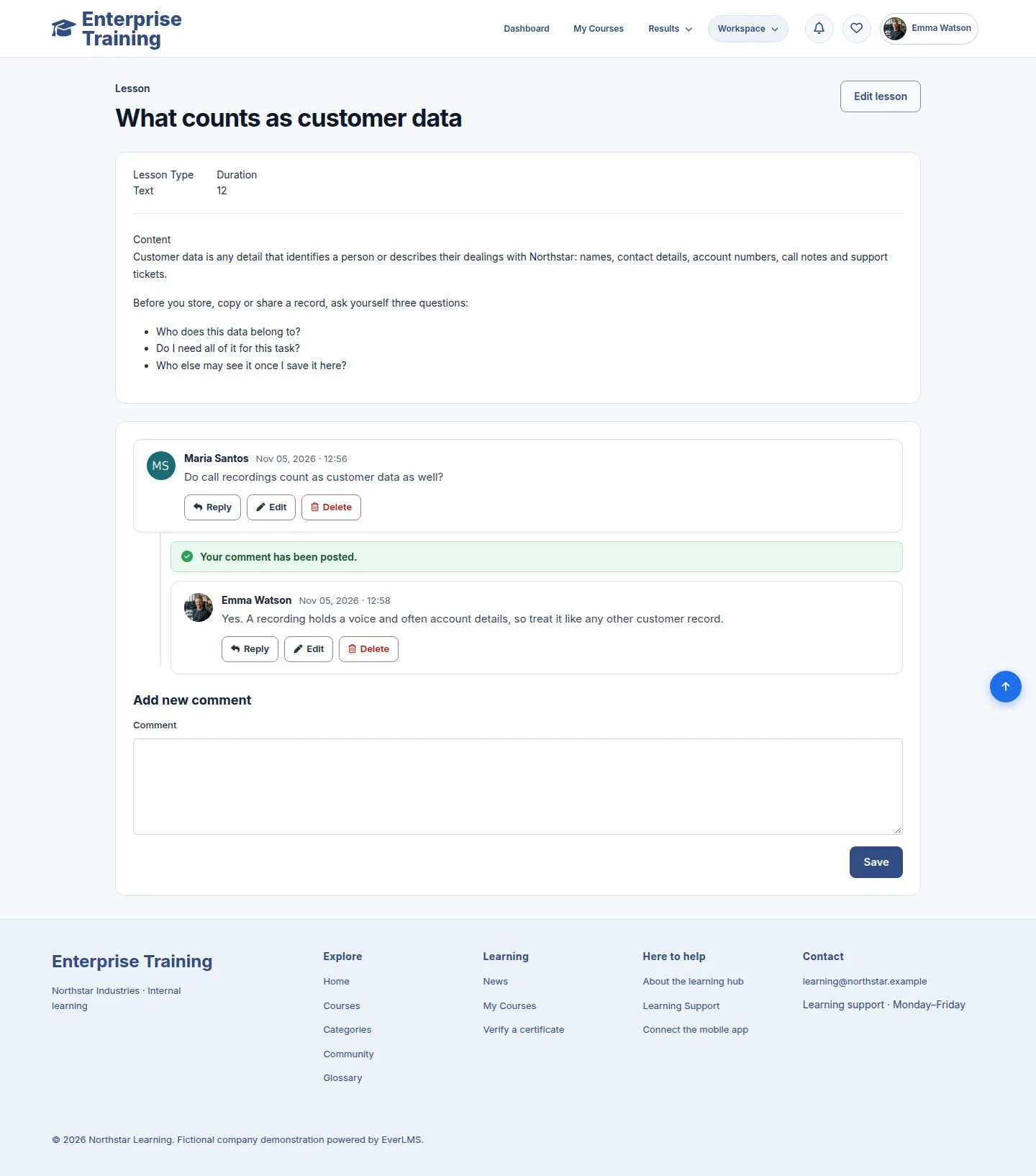
Answer a question

Trainer

Answer a question

10Step 10 of 12

  1. Open the lesson, Reply under the question.
  2. The learner reads it in Q&A Discussion.

Enlarge, then scroll

Open illustrated screen ↗Full image ↗

Trainer · Teach and follow learners10

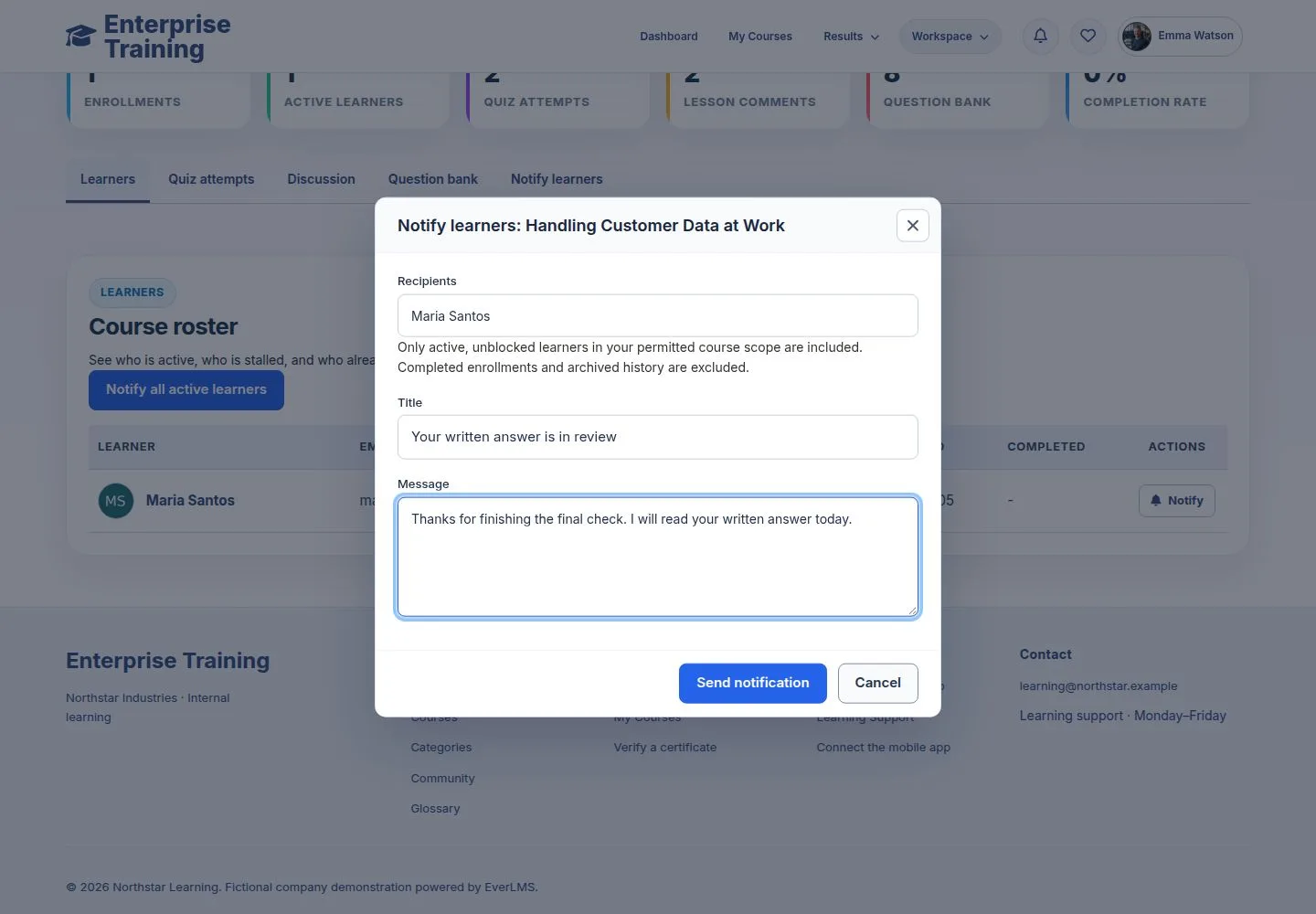
Notify

Trainer

Notify

11Step 11 of 12

  1. A title and a message; it reaches their notifications.

Open illustrated screen ↗Full image ↗

Trainer · Teach and follow learners11

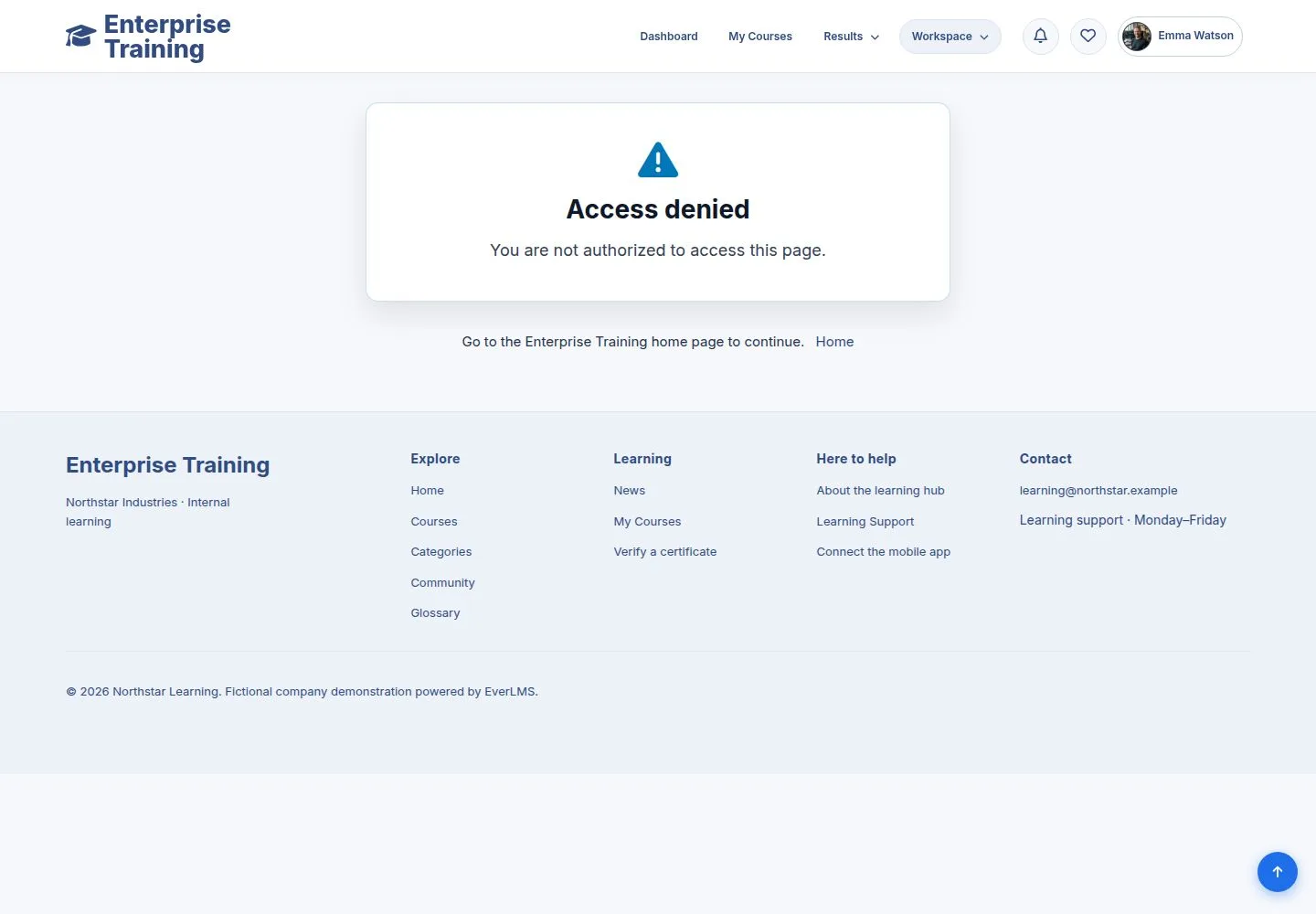
Outside your courses

Trainer
Outside your courses

12Step 12 of 12

  1. Other courses are closed to you.

Open illustrated screen ↗Full image ↗

Check

You see who is learning, what they ask, and can reach them

Trainer · Teach and follow learners12
1 / 13
Privacy Terms