Sign in and register

Log in, create an account, set or reset a password

  • A work email address
  • Or an account your manager created for you
Public
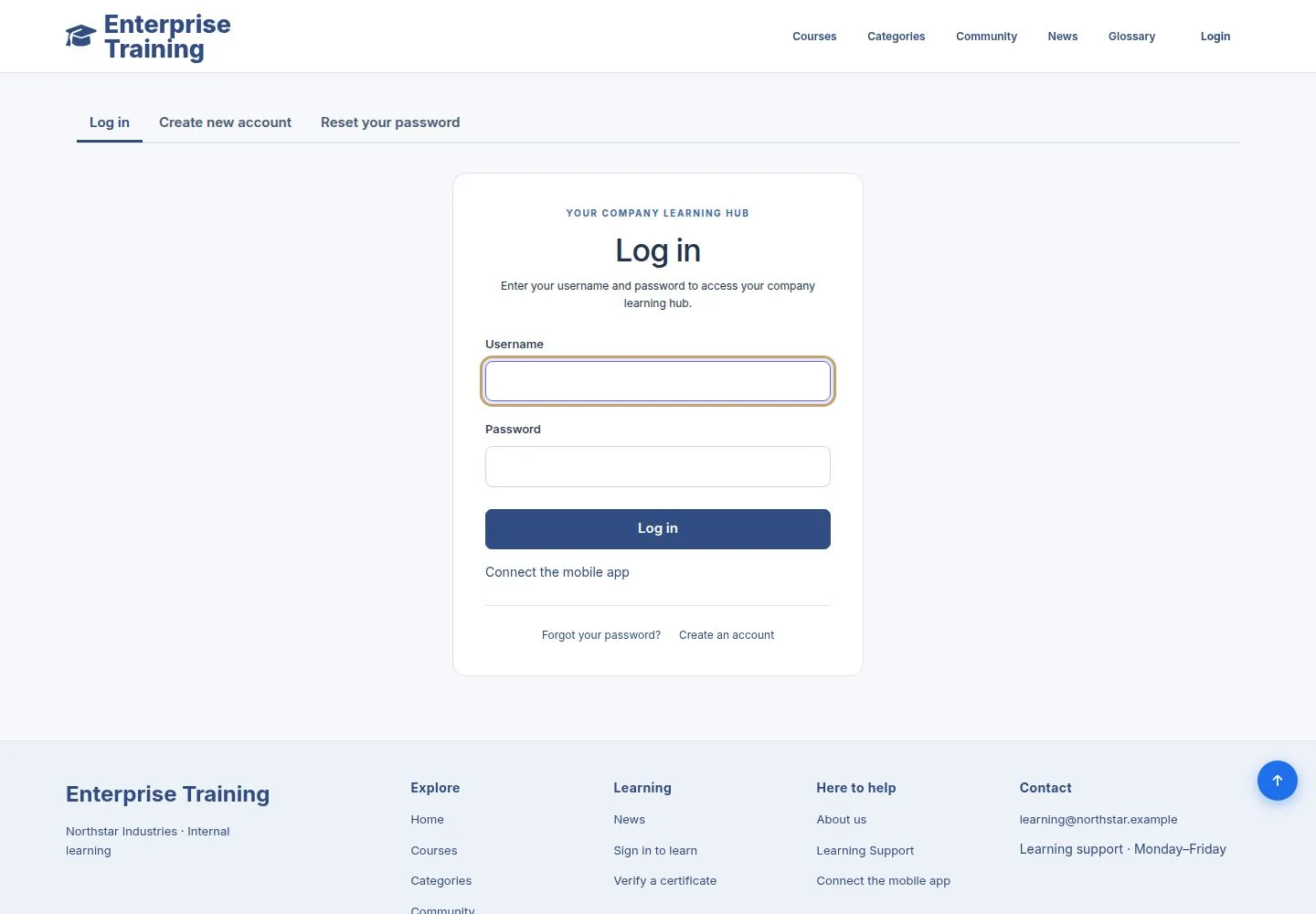
Log in

Public

Log in

1Step 1 of 7

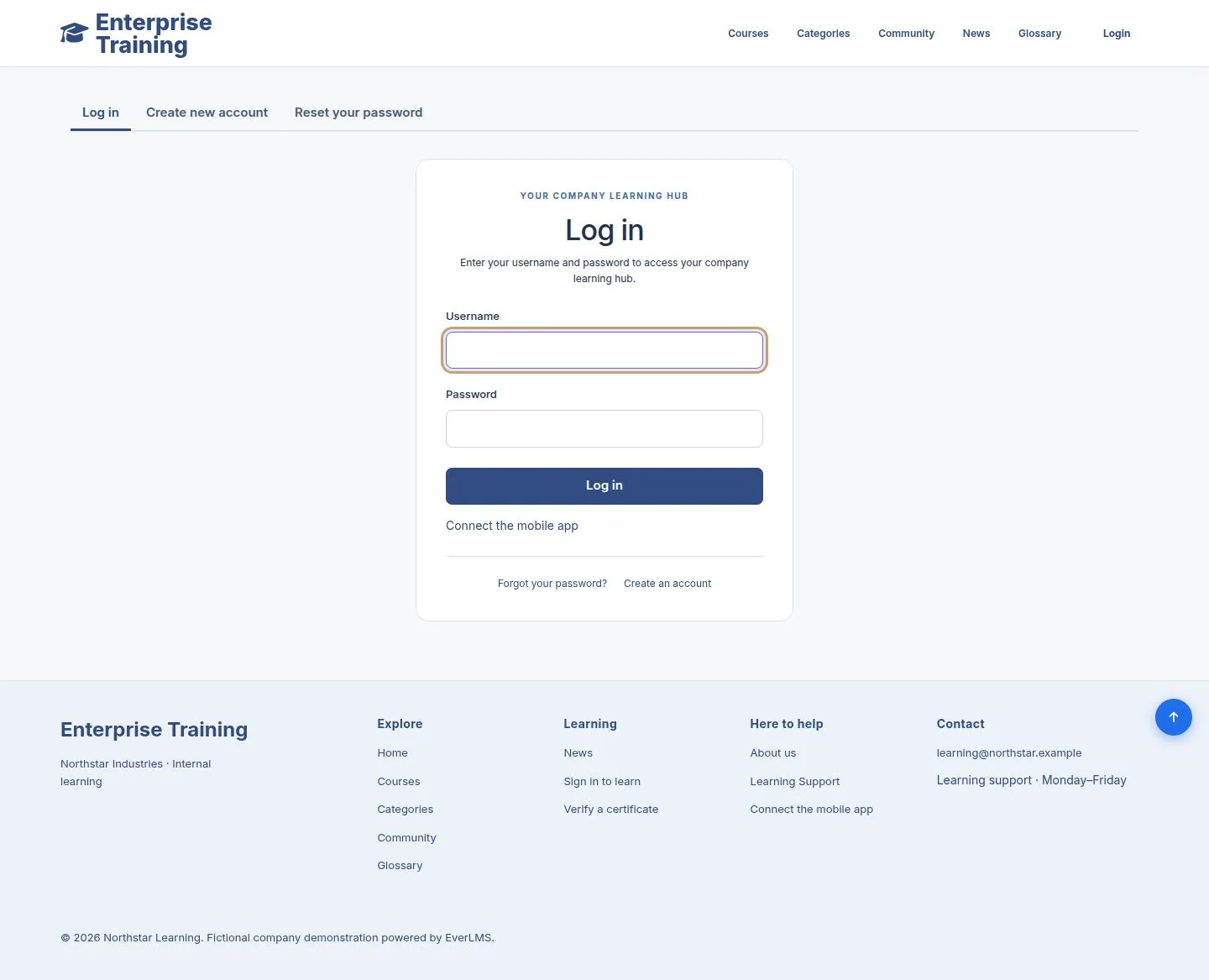
  1. Login, in the header: your username and password.
  2. Forgot your password? and Create an account are under the form.

A wrong username or password shows a message with a link to reset the password.

Enlarge, then scroll

Open illustrated screen ↗Full image ↗

Public · Sign in and register01

Create an account

Public

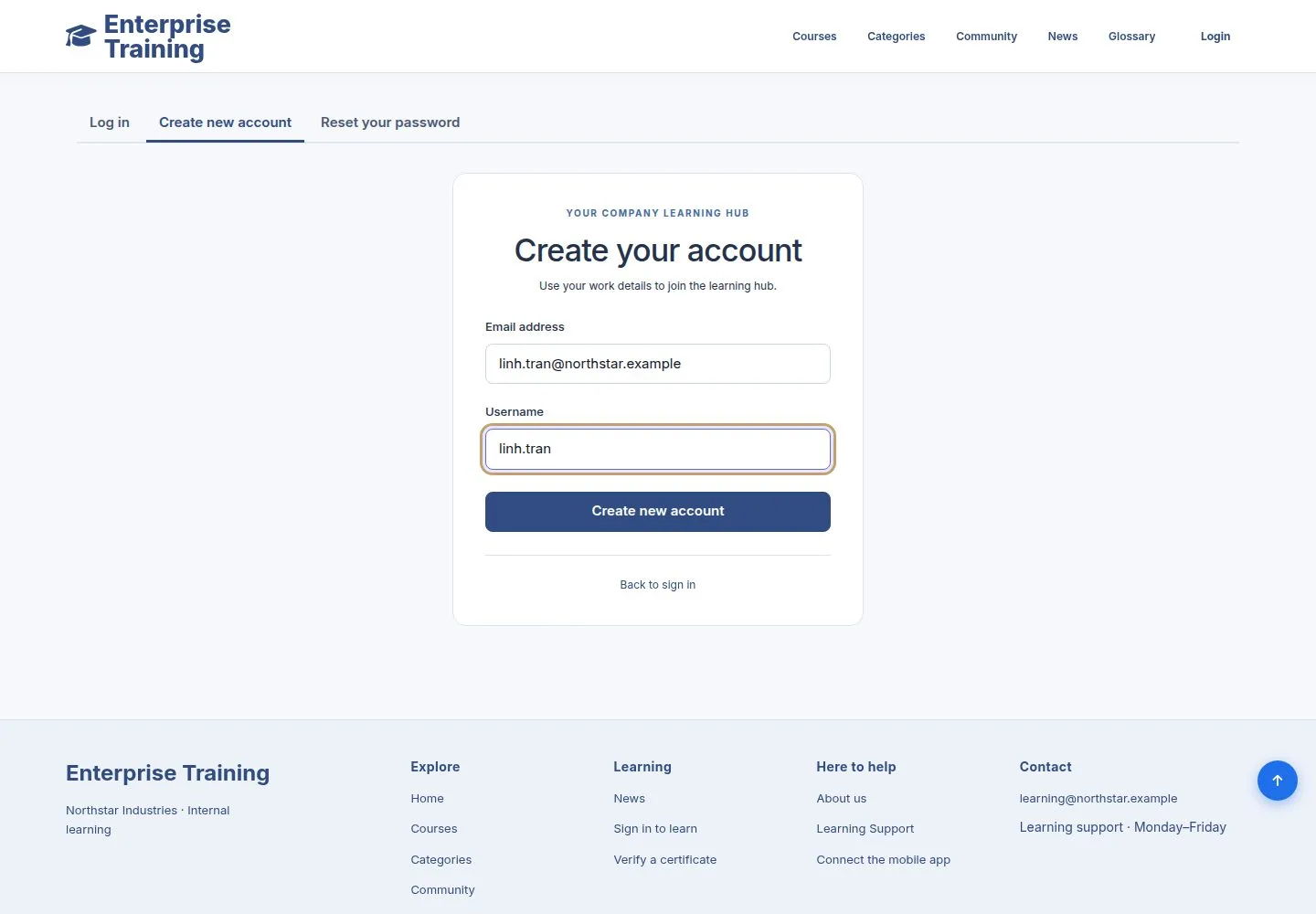
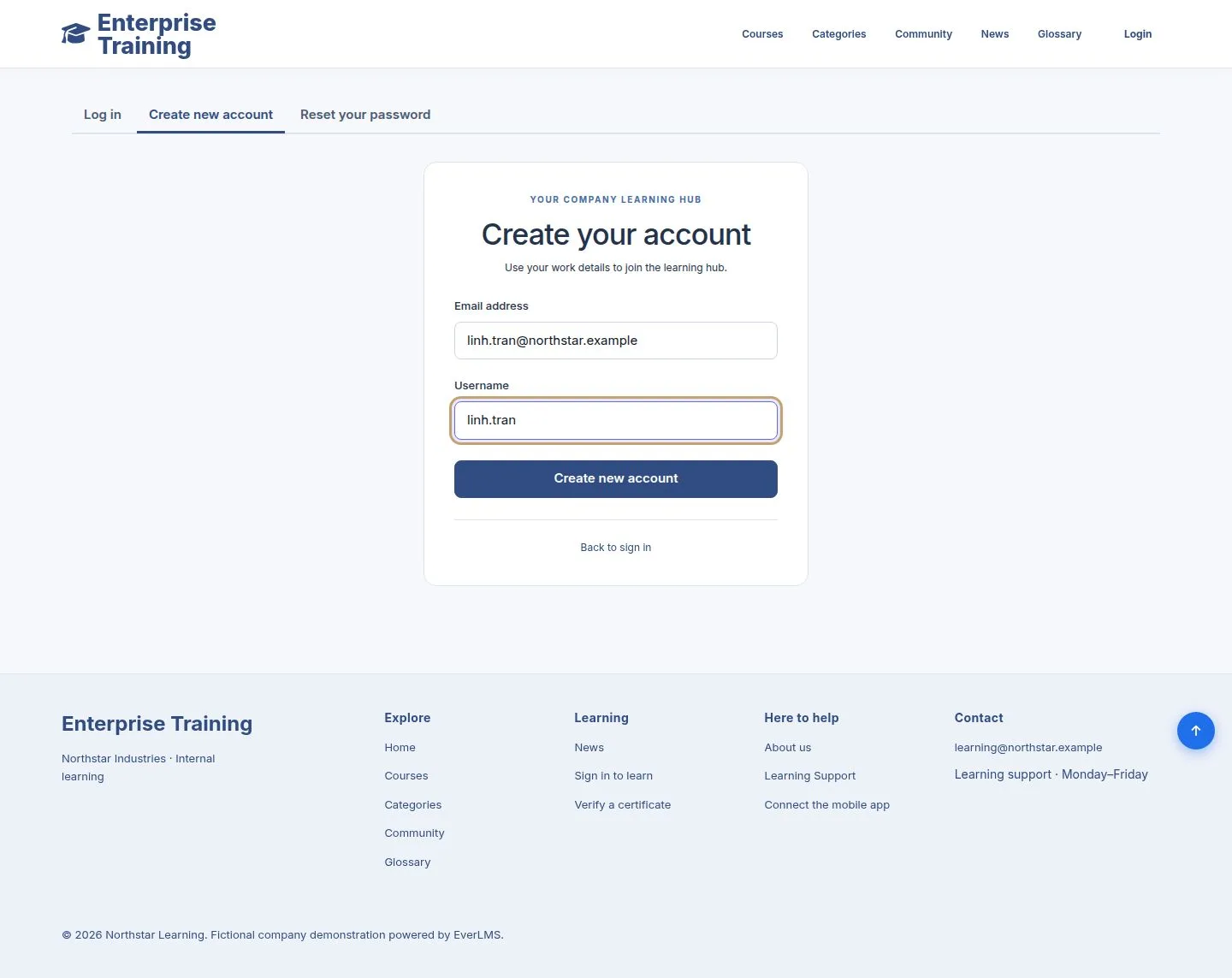
Create an account

2Step 2 of 7

  1. Your work email address and a username, then Create new account.

Enlarge, then scroll

Open illustrated screen ↗Full image ↗

Public · Sign in and register02

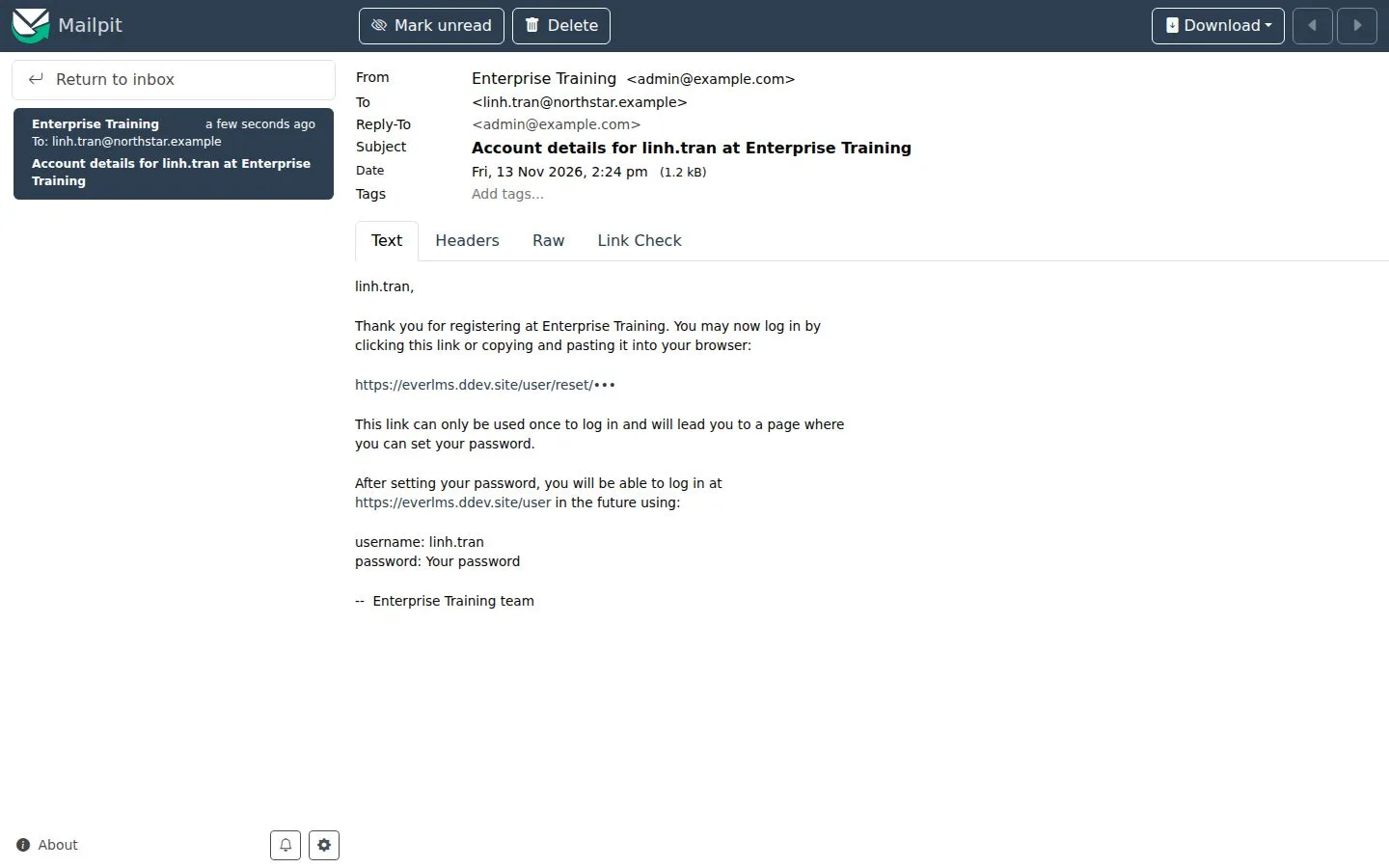
The welcome mail

Public

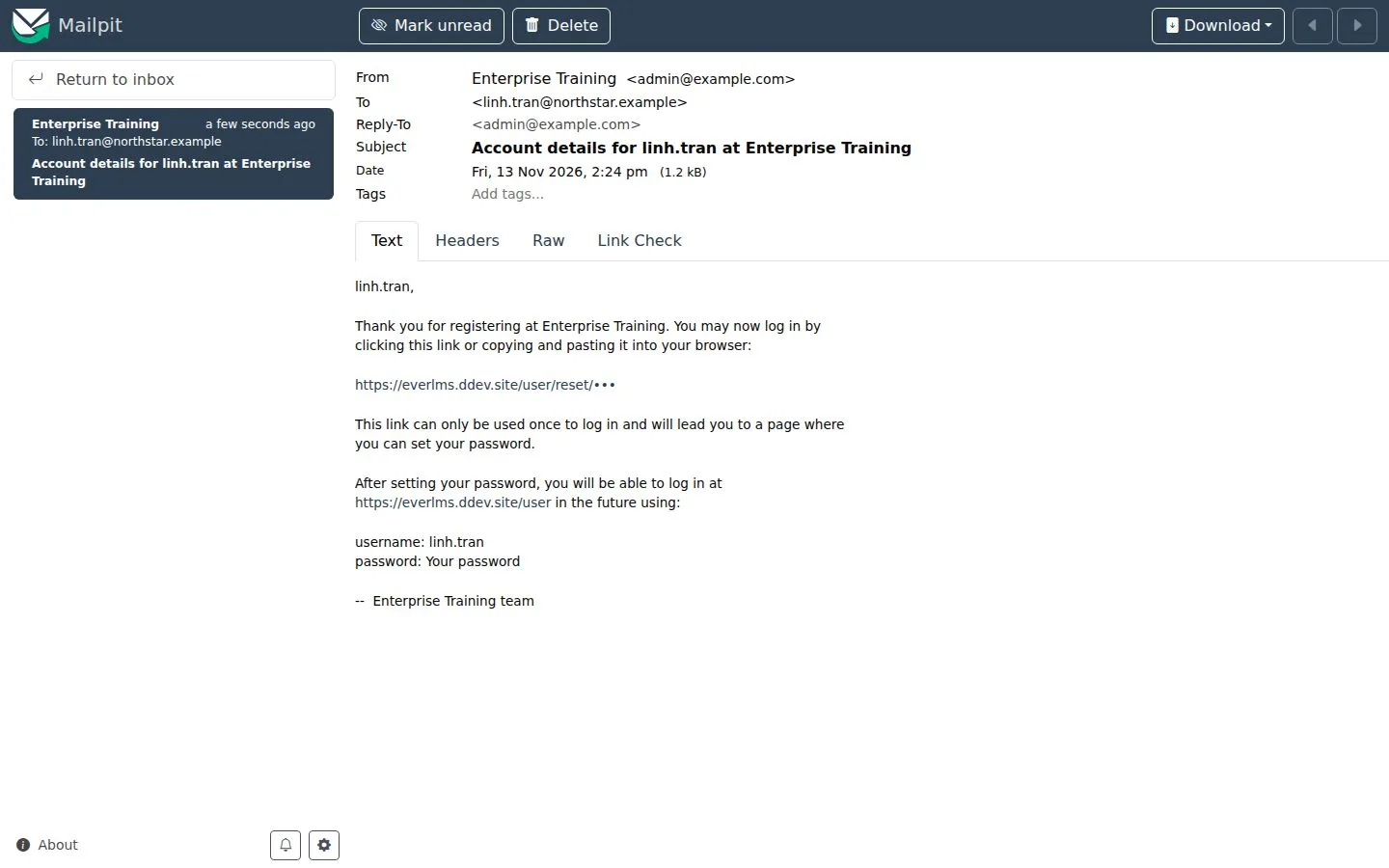
The welcome mail

3Step 3 of 7

  1. A link that signs you in once, to set your password.

Full image ↗

Public · Sign in and register03

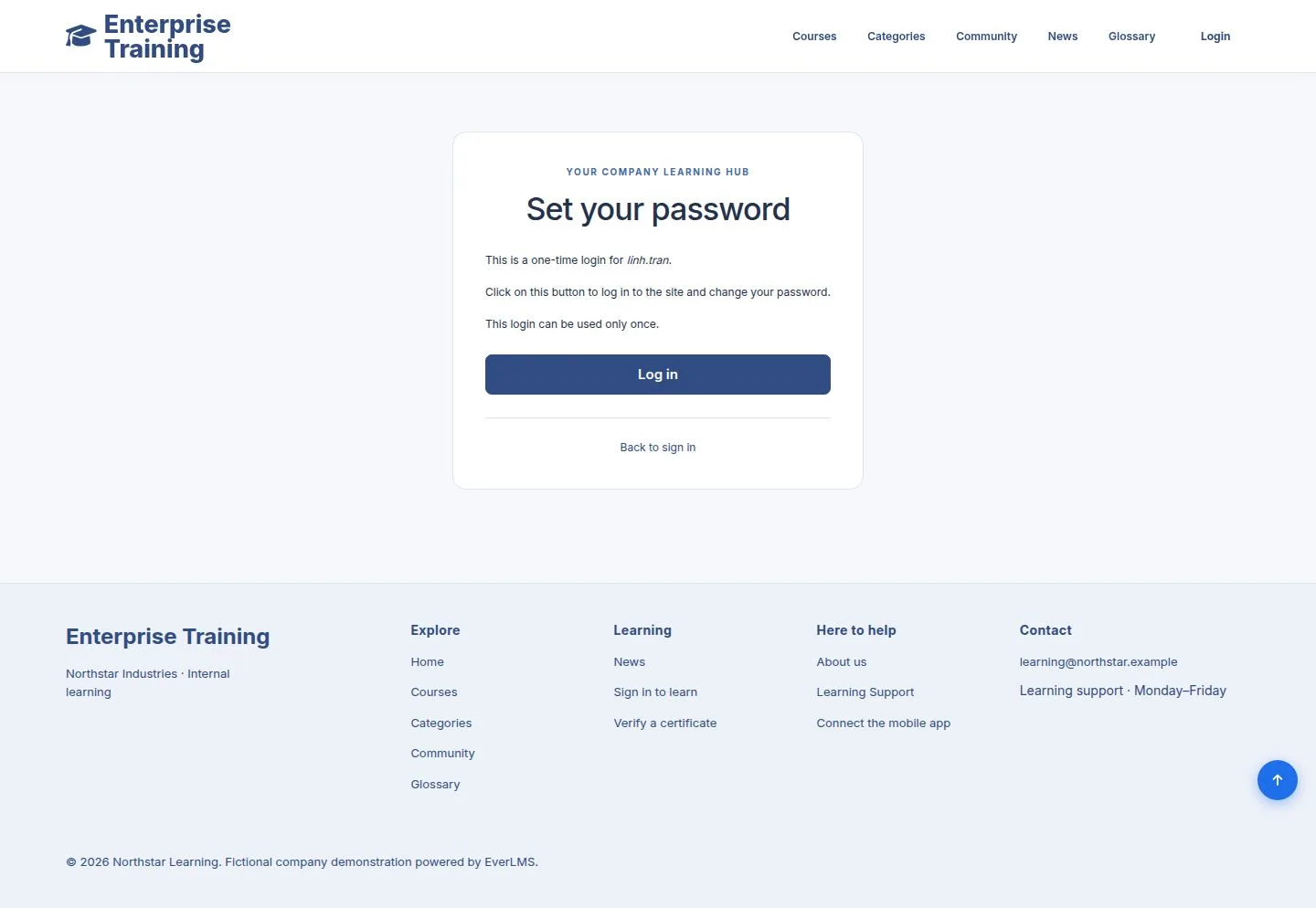
Set your password

Employee

Set your password

4Step 4 of 7

  1. The link opens this page: Log in, then choose your password in Account settings.

Full image ↗

Public · Sign in and register04

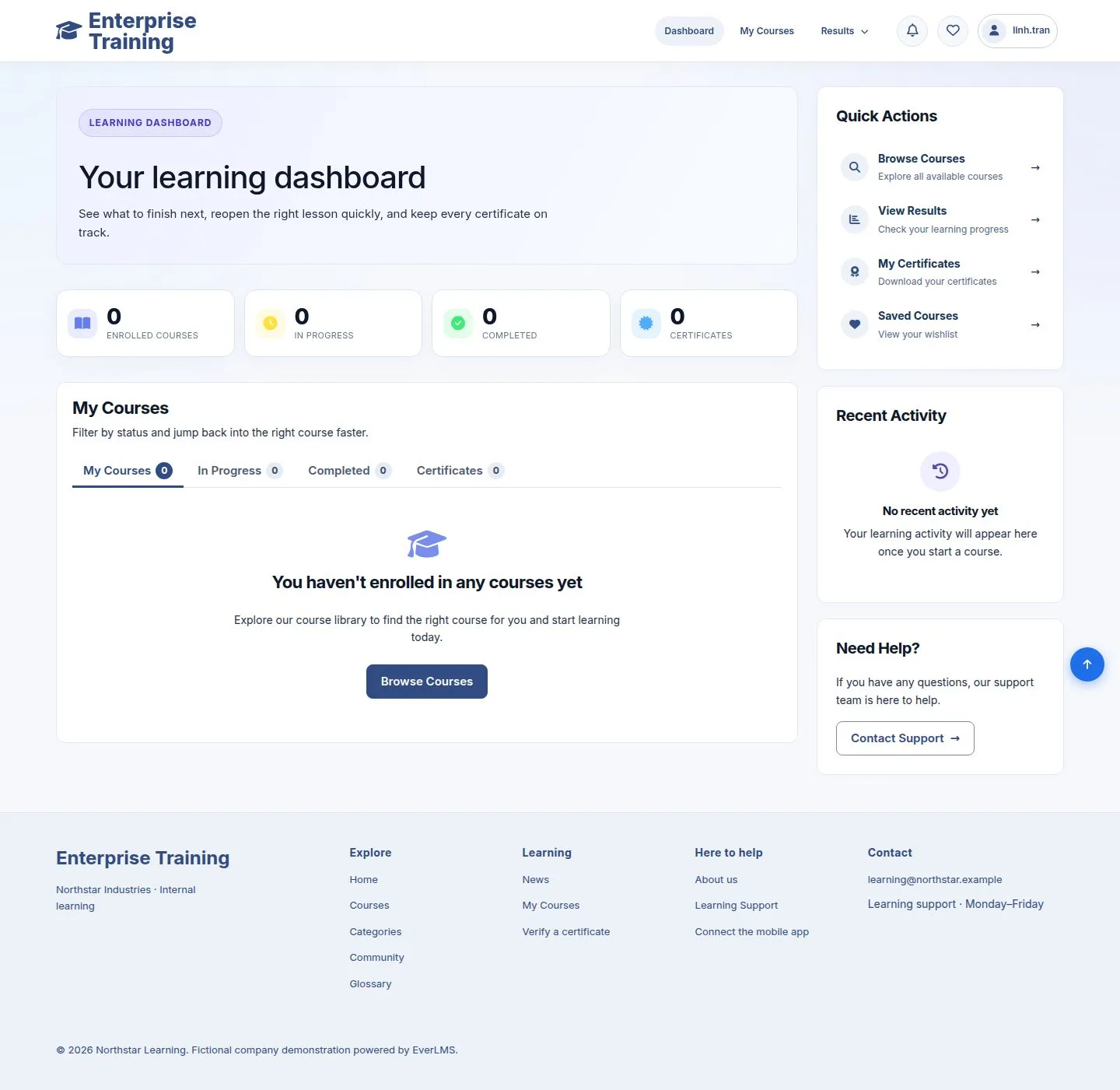
Your first dashboard

Employee

Your first dashboard

5Step 5 of 7

  1. A new account starts here; Browse Courses opens the catalogue.

Enlarge, then scroll

Open illustrated screen ↗Full image ↗

Public · Sign in and register05

Forgot your password

Public

Forgot your password

6Step 6 of 7

  1. Your username or email address; a mail with a one-time link follows.

The page never says whether an address has an account.

Enlarge, then scroll

Open illustrated screen ↗Full image ↗

Public · Sign in and register06

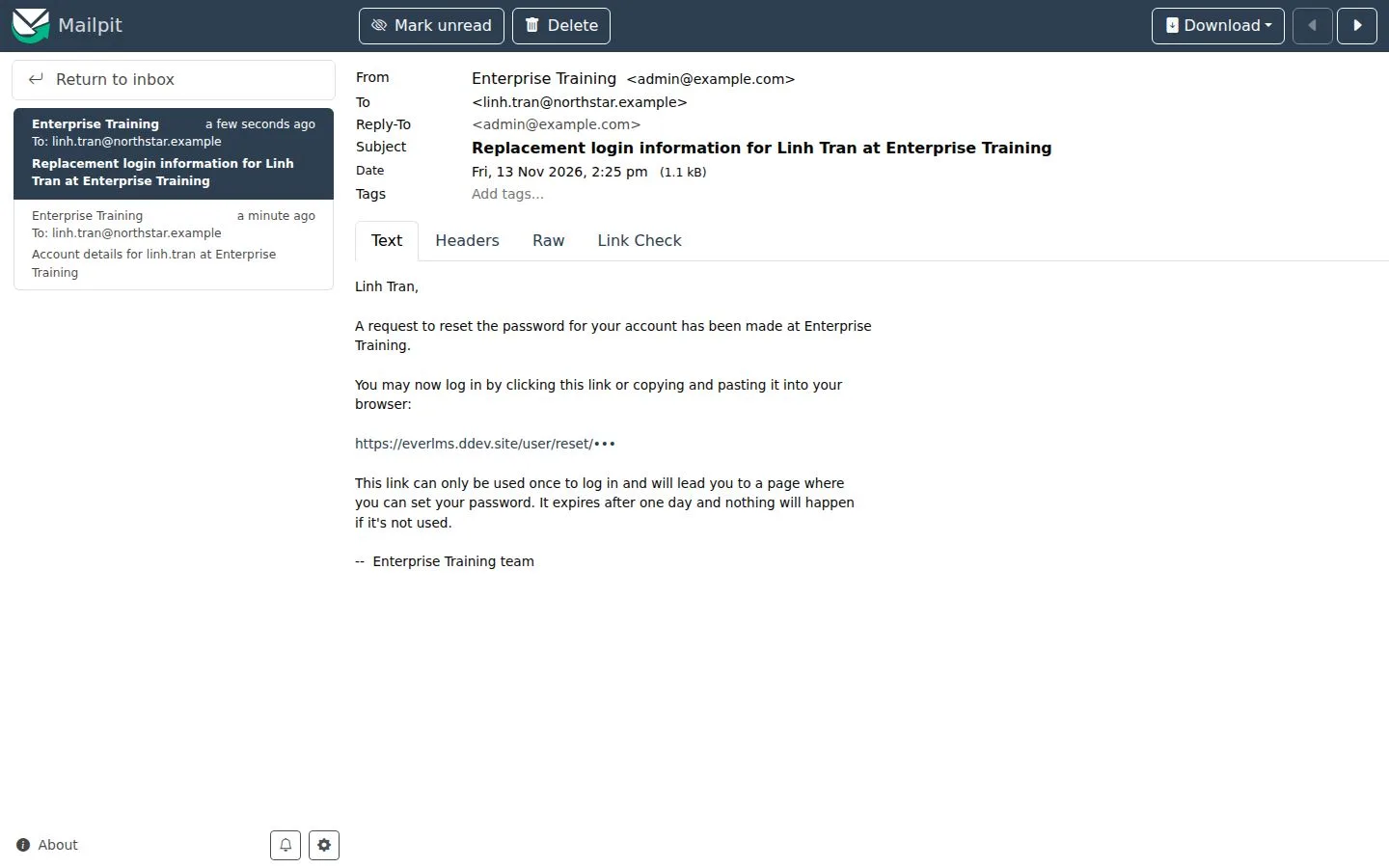
The reset mail

Public

The reset mail

7Step 7 of 7

  1. The link signs you in once and opens the password form; it expires after one day.

Full image ↗

Check

You can sign in, and set a new password yourself when you forget it

Public · Sign in and register07
1 / 8
Privacy Terms