Grade written answers

Pending review, points, feedback

  • An attempt with an essay on a course you teach
Trainer

Find what is waiting

Trainer

Find what is waiting

1Step 1 of 6

  1. Course activity → Quiz attempts: Pending review.

Enlarge, then scroll

Open illustrated screen ↗Full image ↗

Trainer · Grade written answers01

Read the attempt

Trainer

Read the attempt

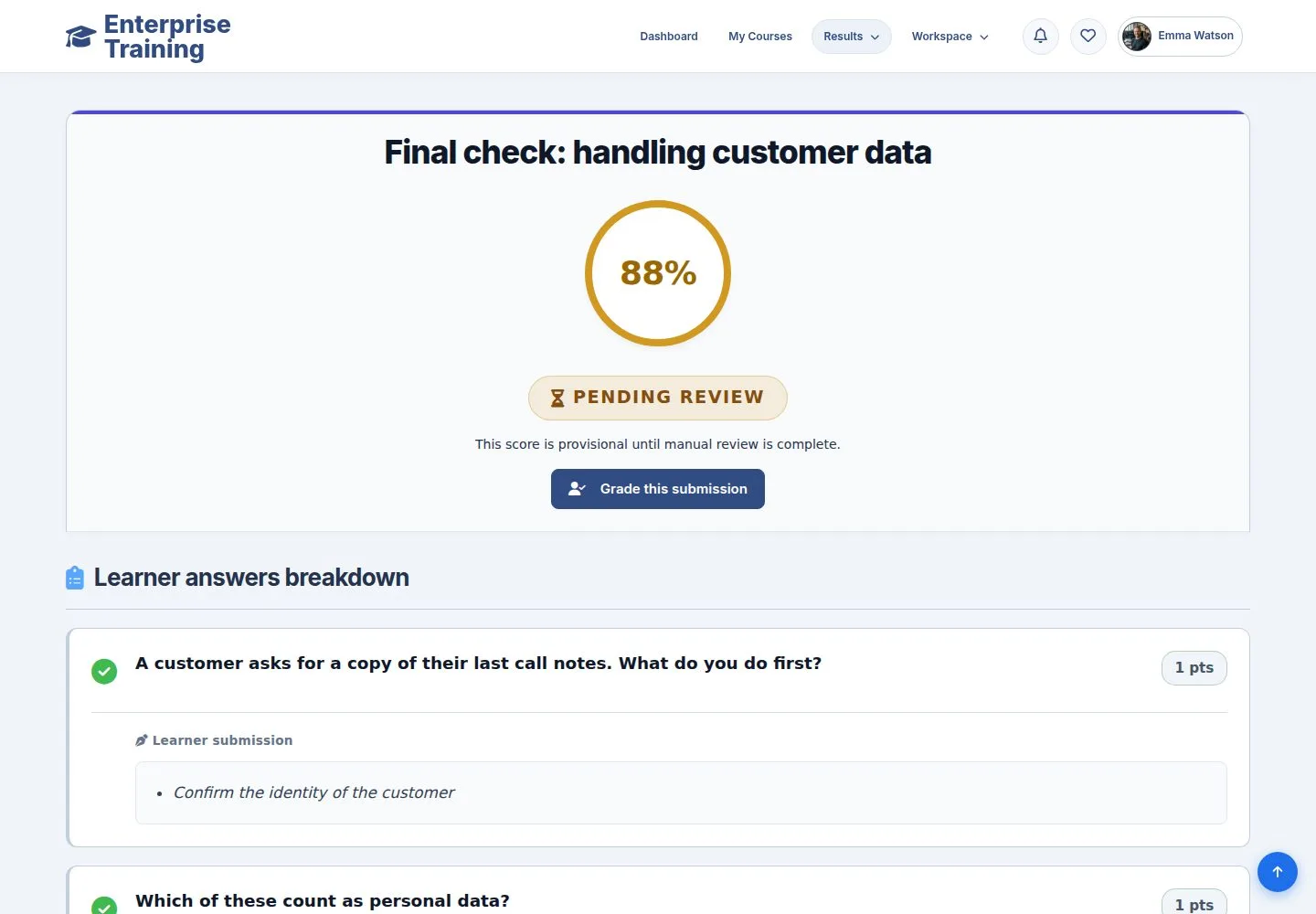
2Step 2 of 6

  1. Every answer, with the automatic score.
  2. Grade this submission opens the form.

Enlarge, then scroll

Open illustrated screen ↗Full image ↗

Trainer · Grade written answers02

Grade

Trainer

Grade

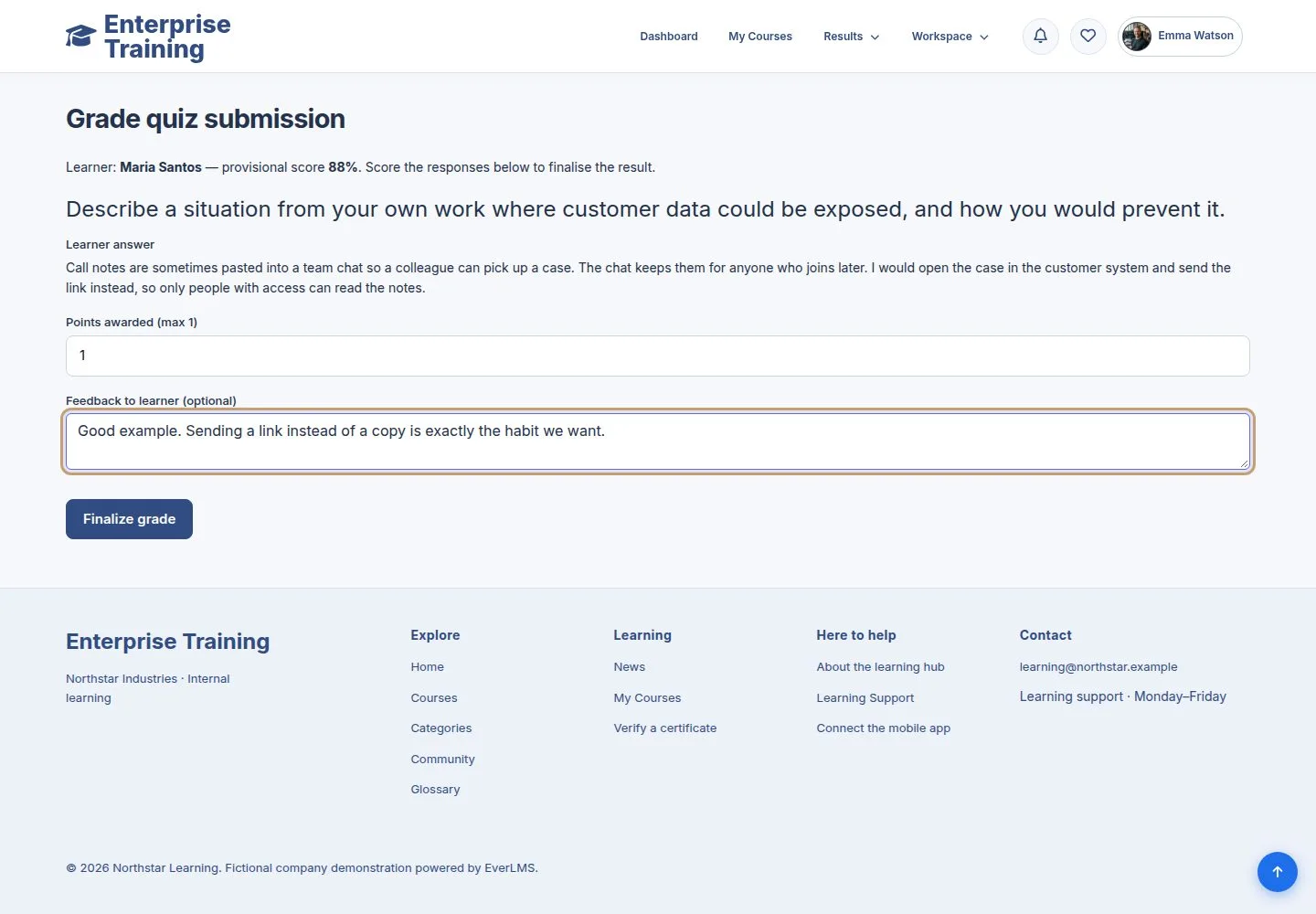
3Step 3 of 6

  1. Points for the written answer and optional feedback.

Points are limited to the maximum of the question.

Open illustrated screen ↗Full image ↗

Trainer · Grade written answers03

Finalize

Trainer

Finalize

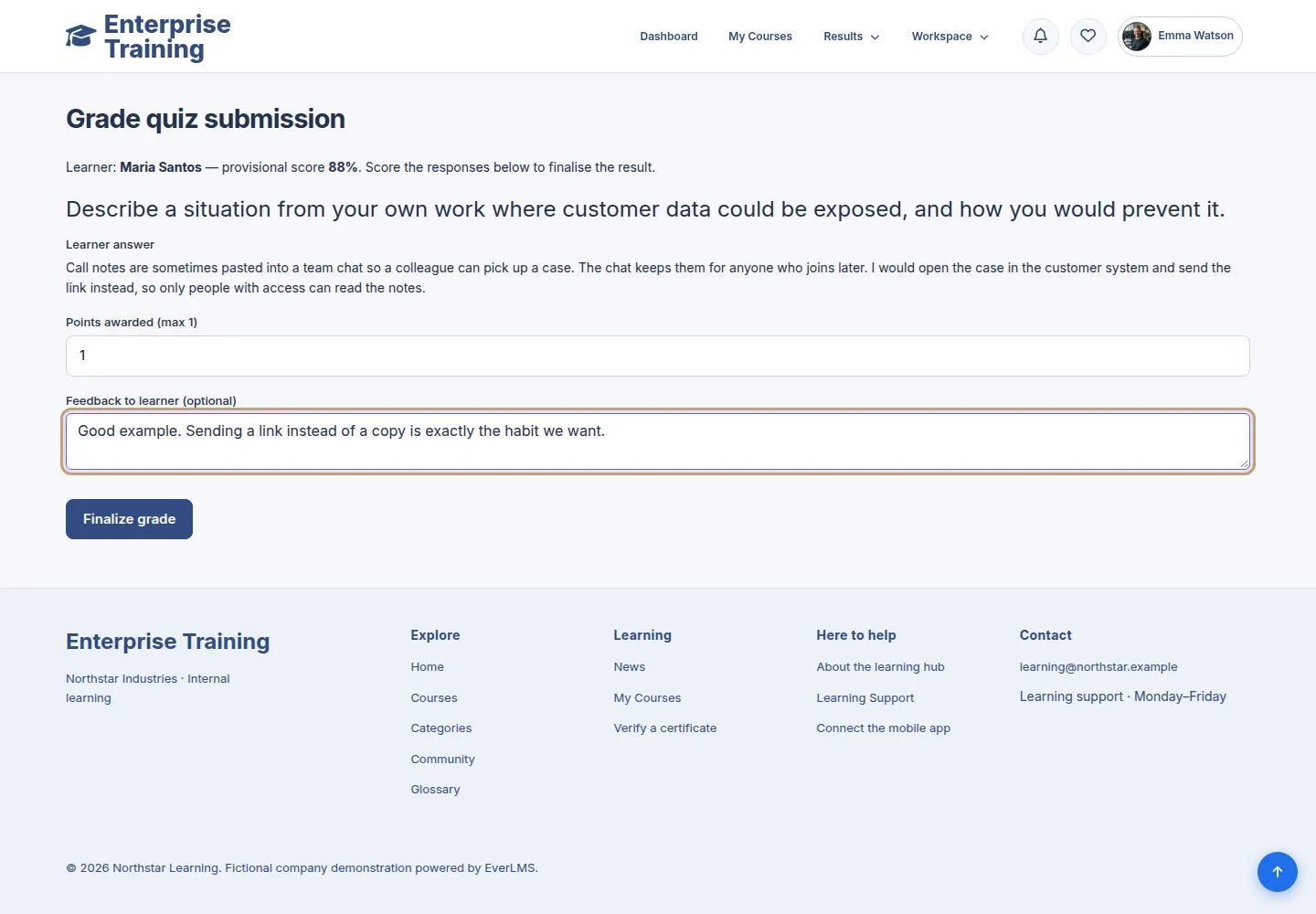
4Step 4 of 6

  1. Finalize grade: Passed or Failed by the pass mark of the quiz.
  2. A pass completes the lesson; if it was the last, the course and the certificate follow.

Enlarge, then scroll

Open illustrated screen ↗Full image ↗

Trainer · Grade written answers04

Send a note

Trainer

Send a note

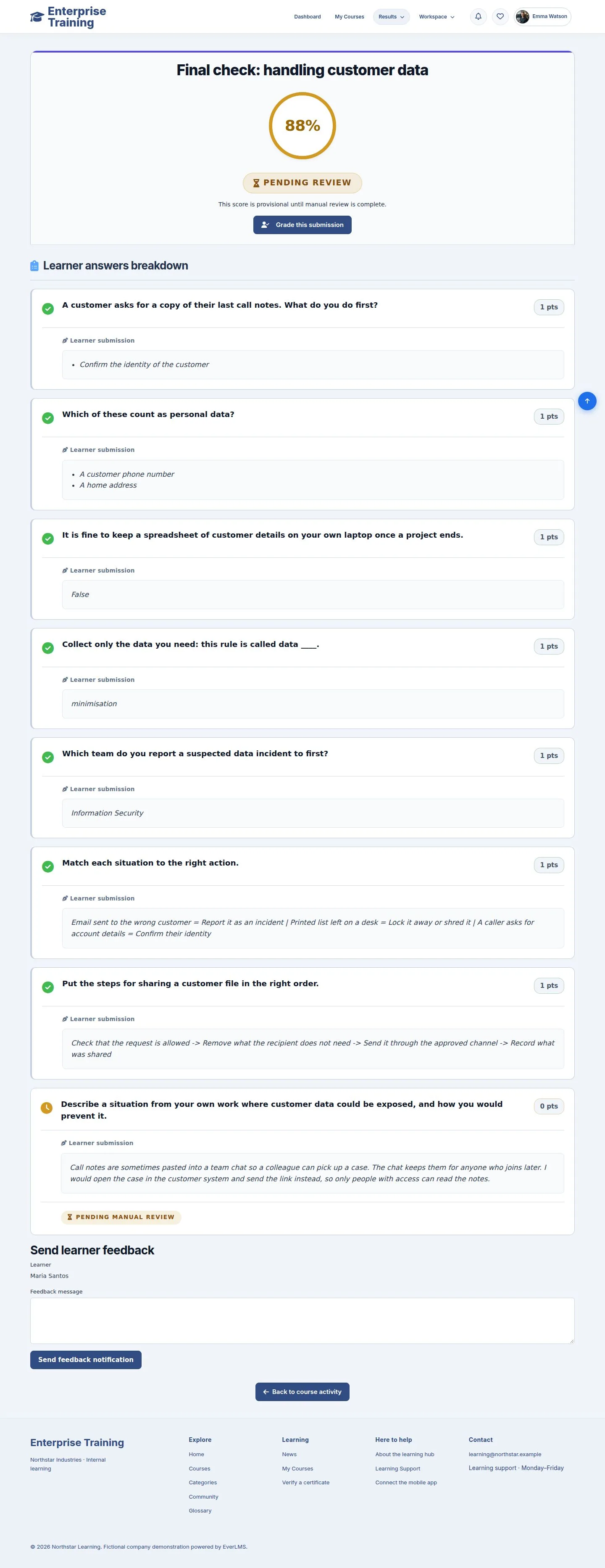
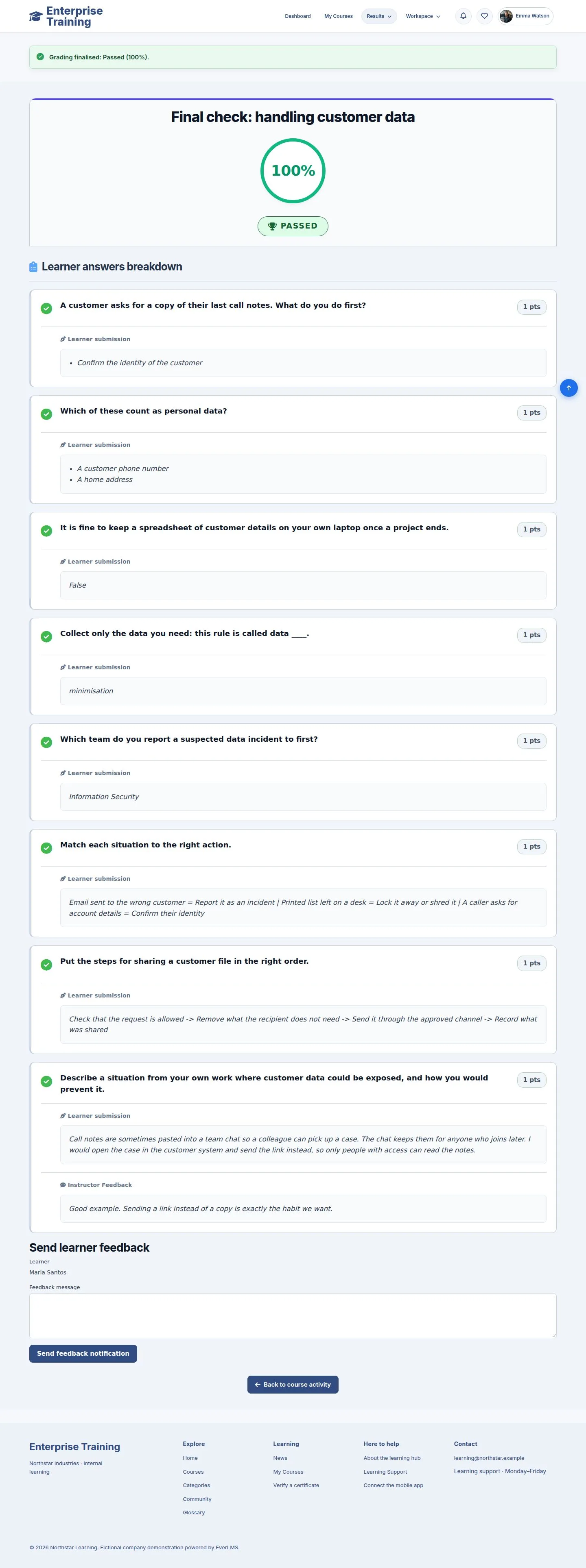
5Step 5 of 6

  1. Send feedback notification, from the result.

Enlarge, then scroll

Open illustrated screen ↗Full image ↗

Trainer · Grade written answers05

What the employee sees

Employee
What the employee sees

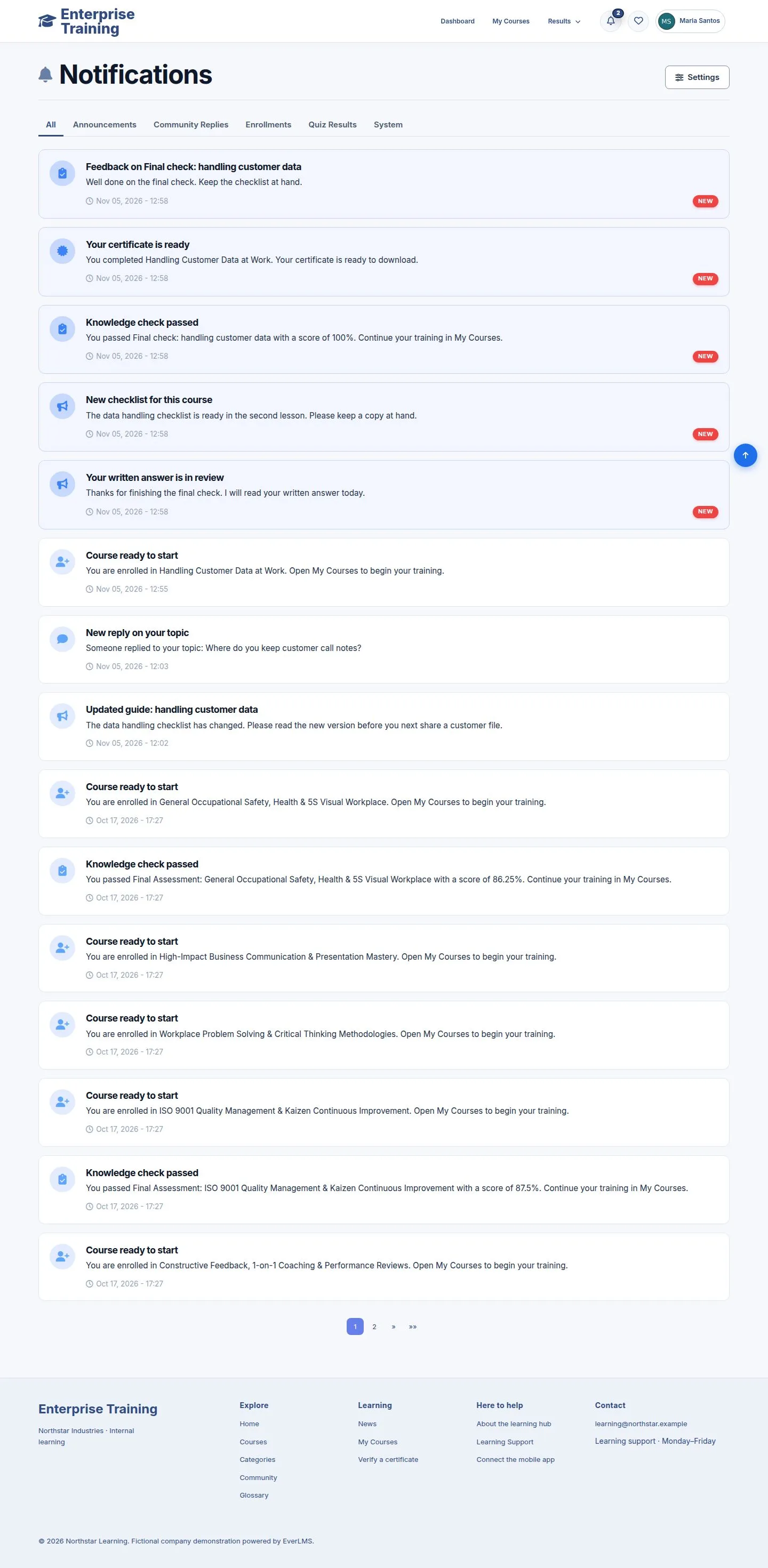
6Step 6 of 6

  1. The result, the feedback and the certificate notice.

Enlarge, then scroll

Open illustrated screen ↗Full image ↗

Check

The attempt is Passed or Failed; a pass can complete the course and issue the certificate

Trainer · Grade written answers06
1 / 7
Privacy Terms