Progress and reports

Each employee, the branch, exports

  • Employees in your branch
Manager

Workspace

Manager

Workspace

1Step 1 of 9

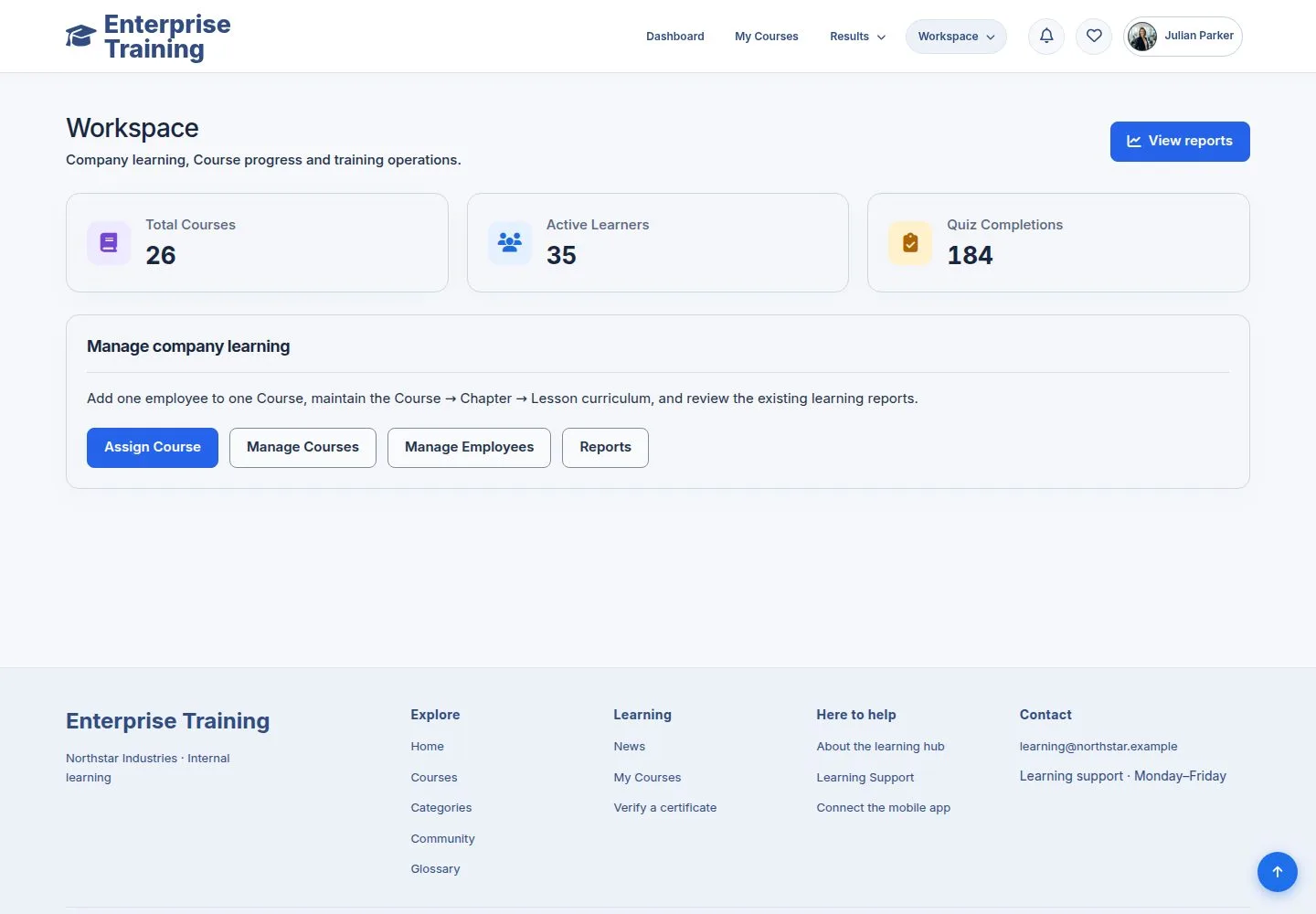
  1. Courses, active learners and quiz completions of your branch.

Enlarge, then scroll

Open illustrated screen ↗Full image ↗

Manager · Progress and reports01

One employee

Manager

One employee

2Step 2 of 9

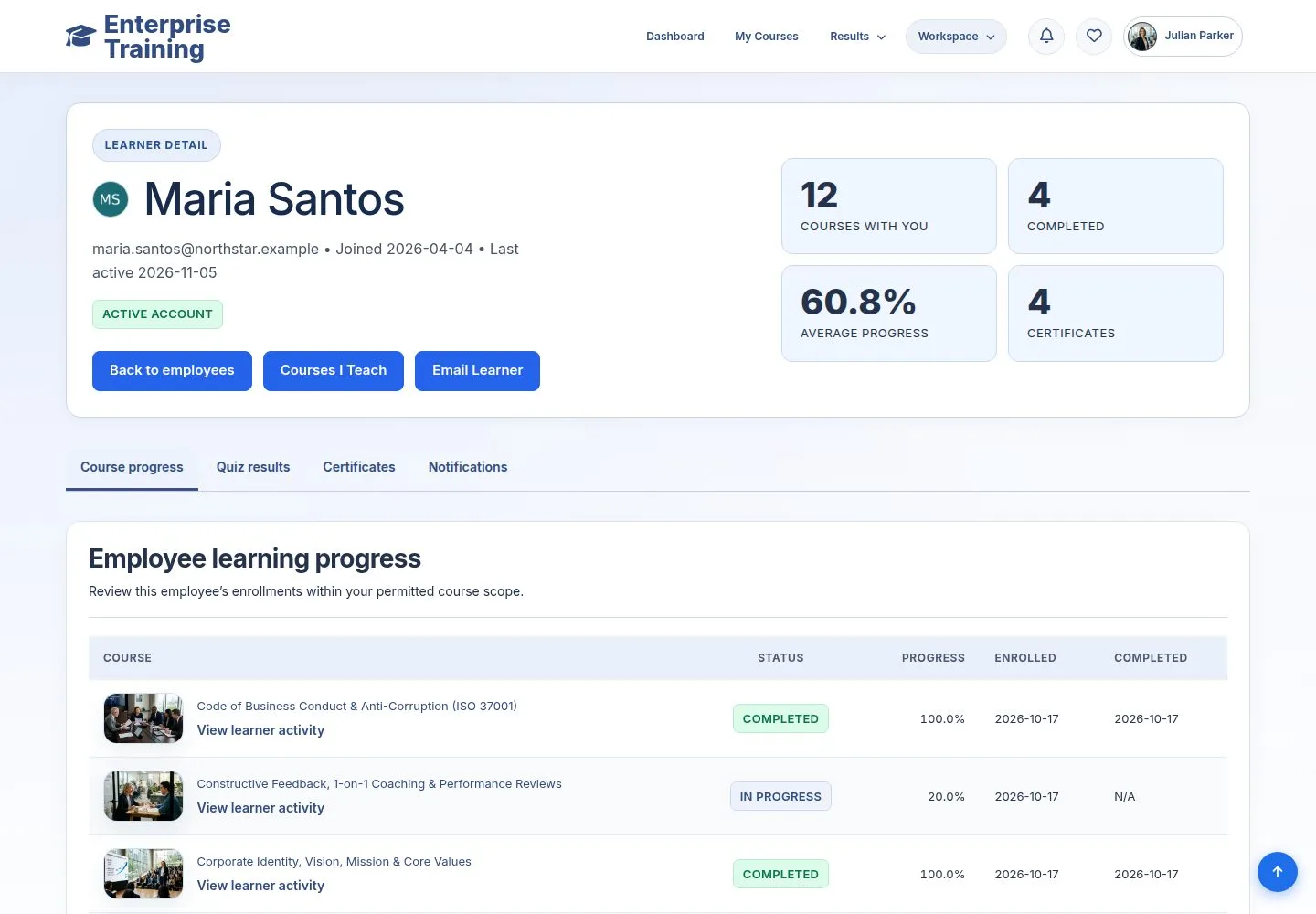
  1. Manage Employees → the course count.
  2. Course progress, quiz results, certificates, notifications.

Enlarge, then scroll

Open illustrated screen ↗Full image ↗

Manager · Progress and reports02

One course

Manager

One course

3Step 3 of 9

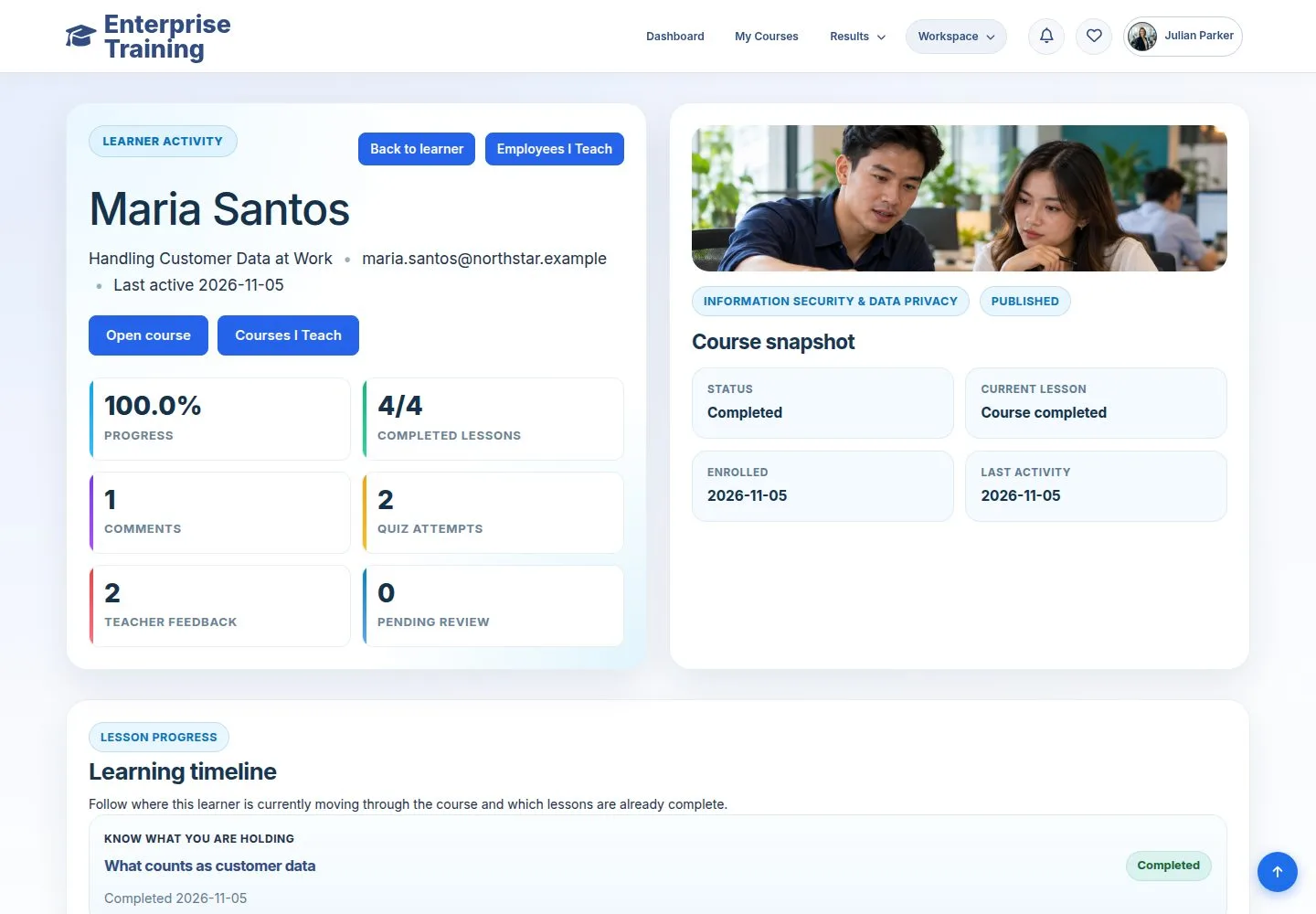
  1. View learner activity: lessons, comments, attempts.

Enlarge, then scroll

Open illustrated screen ↗Full image ↗

Manager · Progress and reports03

Reports: courses

Manager

Reports: courses

4Step 4 of 9

  1. Enrollments, completions, certificates, completion rate.
  2. Export Course Data.

Enlarge, then scroll

Open illustrated screen ↗Full image ↗

Manager · Progress and reports04

Reports: learners

Manager

Reports: learners

5Step 5 of 9

  1. Per employee, with Export Learner Data.
  2. Filter by inactivity to see who stopped.

Enlarge, then scroll

Open illustrated screen ↗Full image ↗

Manager · Progress and reports05

Reports: quizzes

Manager

Reports: quizzes

6Step 6 of 9

  1. Attempts and pass rate of every quiz.

Enlarge, then scroll

Open illustrated screen ↗Full image ↗

Manager · Progress and reports06

Item analysis

Manager

Item analysis

7Step 7 of 9

  1. Question by question, with export.

Enlarge, then scroll

Open illustrated screen ↗Full image ↗

Manager · Progress and reports07

Switch User

Manager

Switch User

8Step 8 of 9

  1. See the site as a colleague to help them.
  2. Exit Impersonation returns to your account.

Enlarge, then scroll

Open illustrated screen ↗Full image ↗

Manager · Progress and reports08

Every branch

Administrator

Every branch

9Step 9 of 9

  1. An administrator sees all branches.

Enlarge, then scroll

Open illustrated screen ↗Full image ↗

Check

You know who finished what, and can export it

Manager · Progress and reports09
1 / 10
Privacy Terms