






 Hotel operations
User guide · Receptionist
Prepare check-out and a walk-in stay
Reconcile a departing stay and prepare a booking for a walk-in guest.
- Check the booking and folio for departure; have guest details and stay dates ready for a walk-in.
- Sign in with the correct role and check the account name in the menu.
Read the Check-out form
Receptionist
1Step 1 of 3
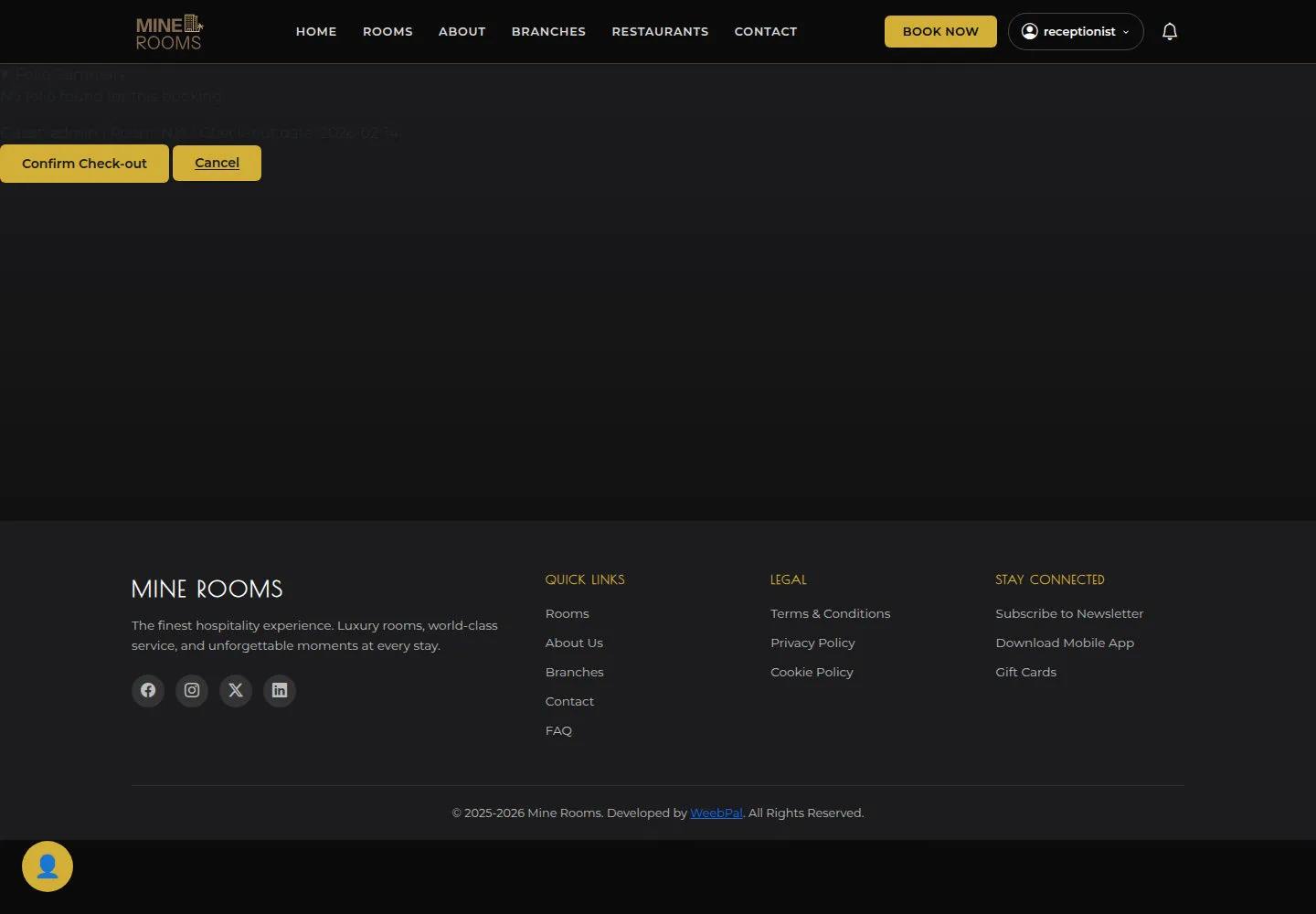
Read Folio Summary and the amounts to reconcile before confirming check-out.
- Open Check-out and check Folio Summary and the guest/room details. If you see No folio found, reconcile the records with the responsible person before Confirm Check-out.
Open on site ↗sign-inFull-page screenshot ↗
The folio and amounts to reconcile are clear before confirmation. After confirmation, reopen the booking and verify its departure state.
Open Walk-in Booking
Receptionist
2Step 2 of 3
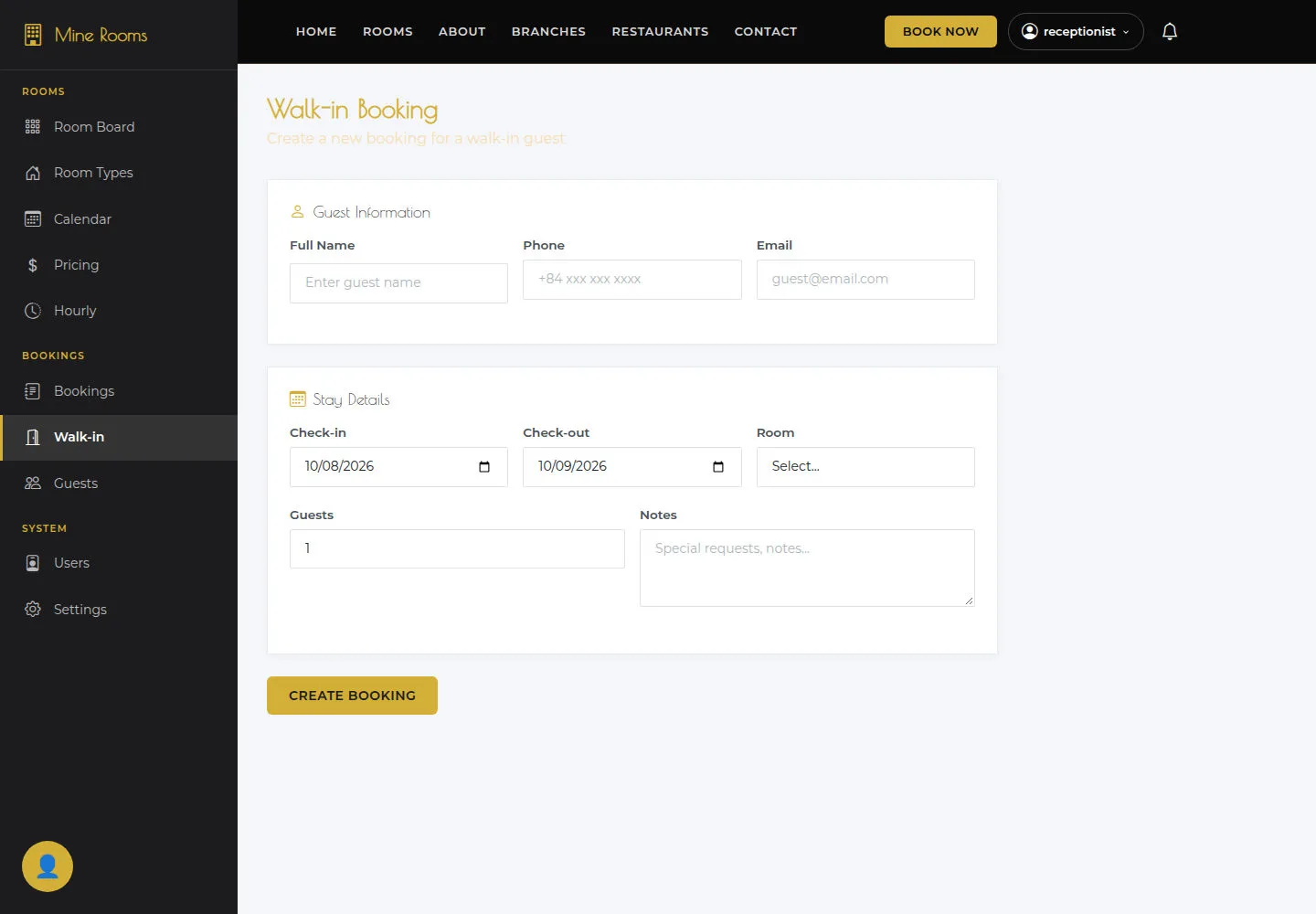
Guest details, dates and room must match before creating the booking.
- Enter Guest information, Stay details and a suitable available room.
Open on site ↗sign-inFull-page screenshot ↗
Guest details, dates and room must match before creating the booking.
Read Pricing Matrix
Receptionist
3Step 3 of 3
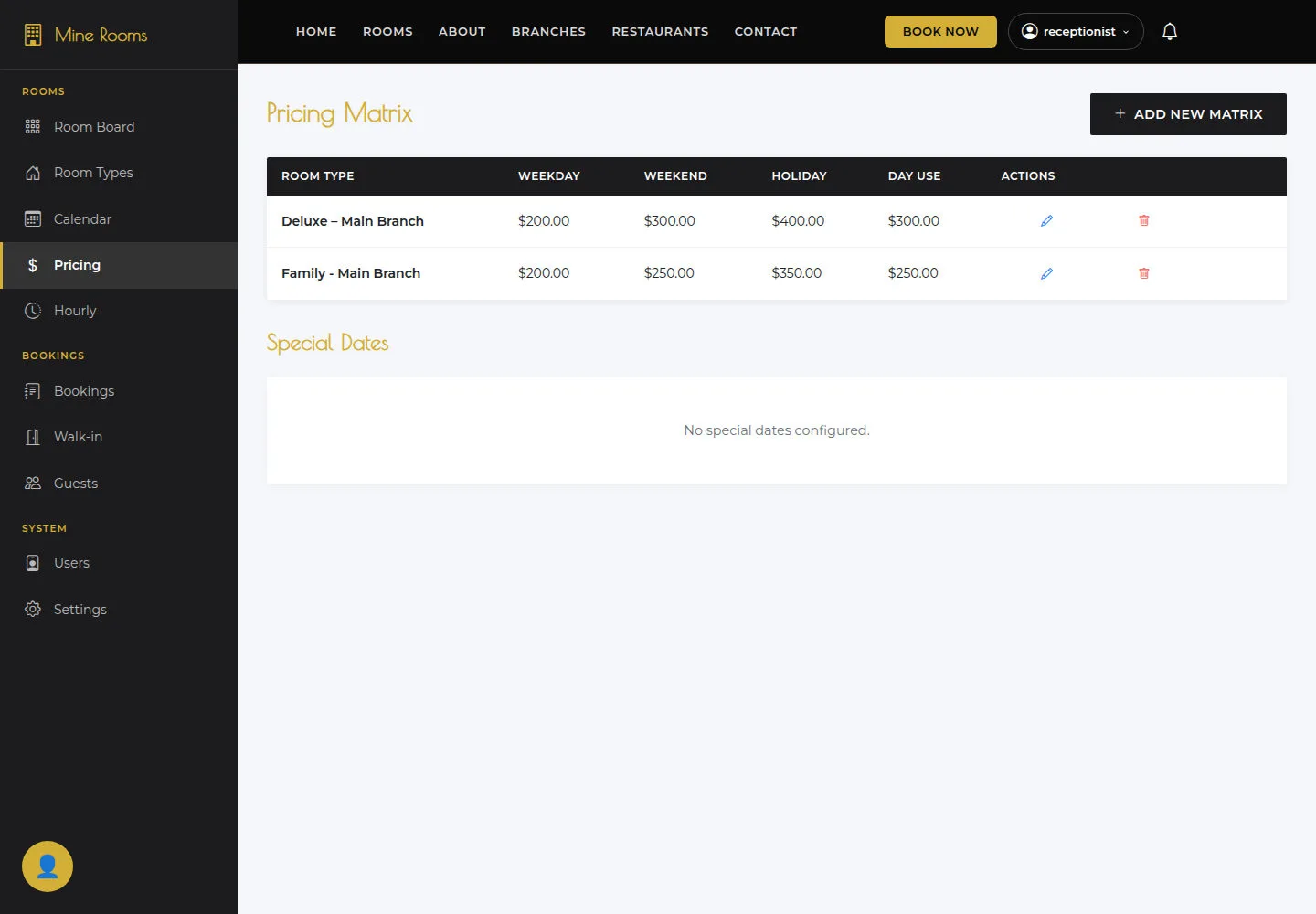
Check the room type and branch of the matrix before using its prices.
- Read Weekday, Weekend, Holiday and Day use prices.
Open on site ↗sign-inFull-page screenshot ↗
Check the room type and branch of the matrix before using its prices.