





 Hotel operations
User guide · Anonymous
Sign in and recover your password
Use an account with the correct role to continue your work.
- Use your own account; password recovery requires access to its registered email.
AnonymousStep-by-step instructions
Open Log in
Anonymous
1Step 1 of 2
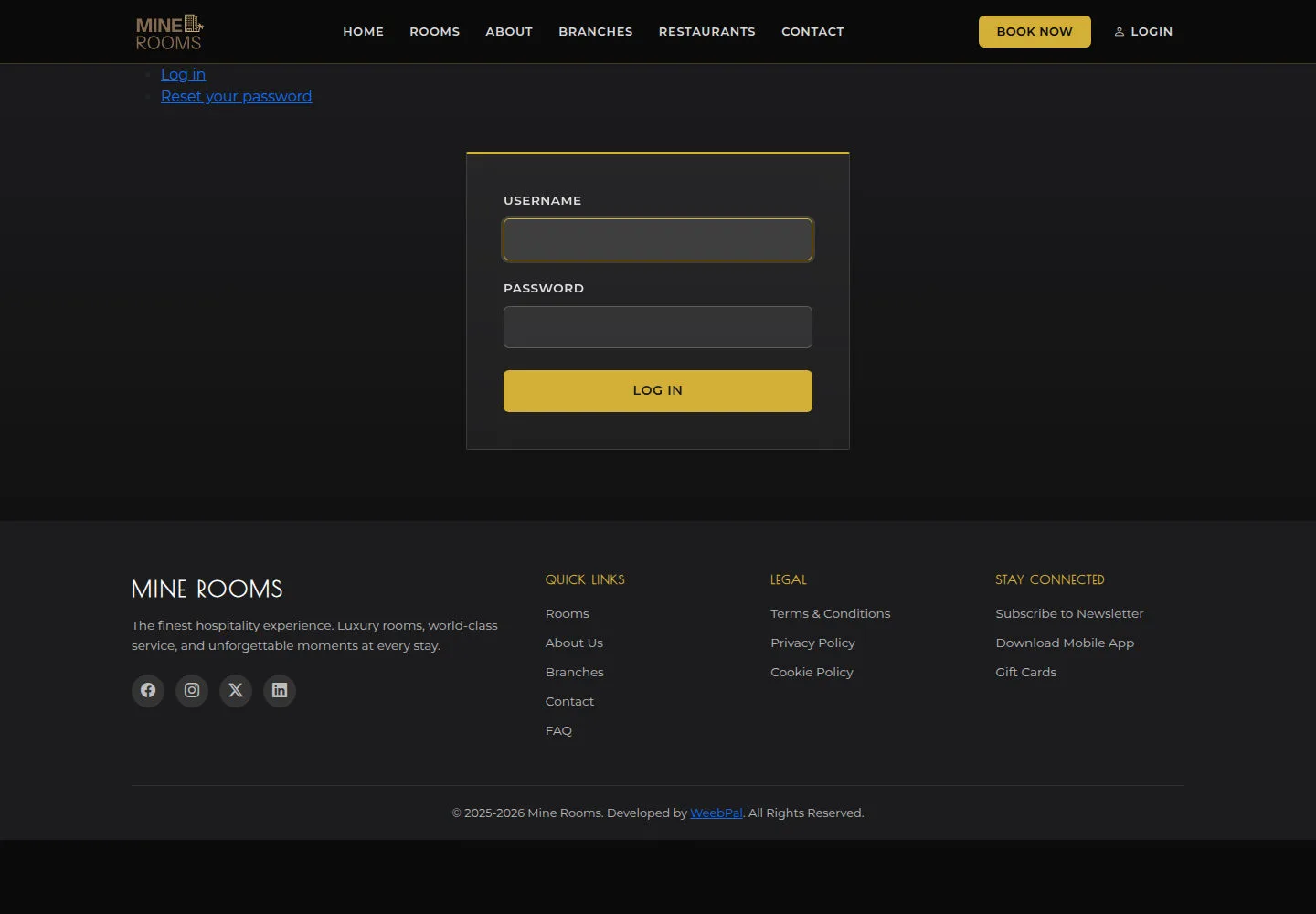
Log in opens a session for a guest or staff account.
- Enter Username and Password, then select Log in. Check the account name after signing in.
Open on site ↗Full-page screenshot ↗
What you should see
After successful sign-in, the current account appears in the account menu.
Request a password reset
Anonymous
2Step 2 of 2
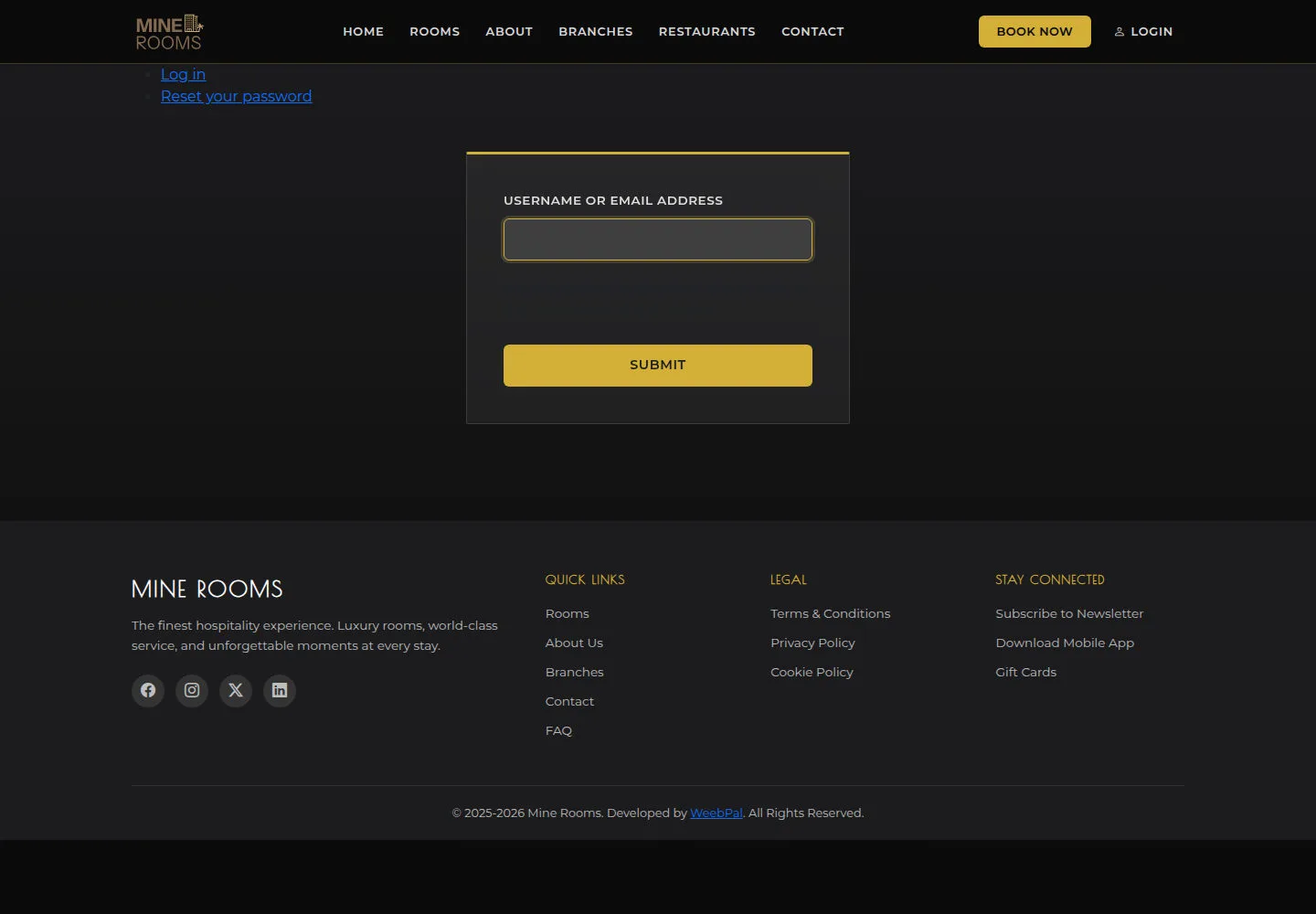
Reset your password starts account recovery by email.
- Enter the username or email requested by the form and submit; open the received email to continue.
Open on site ↗Full-page screenshot ↗
What you should see
Read the form’s response. If no email arrives, check the address and contact the administrator.
1 / 3