





 Hotel operations
User guide · Content Editor
Prepare an Article or Basic page
Choose a content type and prepare an article or information page. Check Preview and the saved page before sharing.
- Prepare the copy, images and the editing access assigned to you.
- Sign in with the correct role and check the account name in the menu.
Choose a content type
Content Editor
1Step 1 of 3
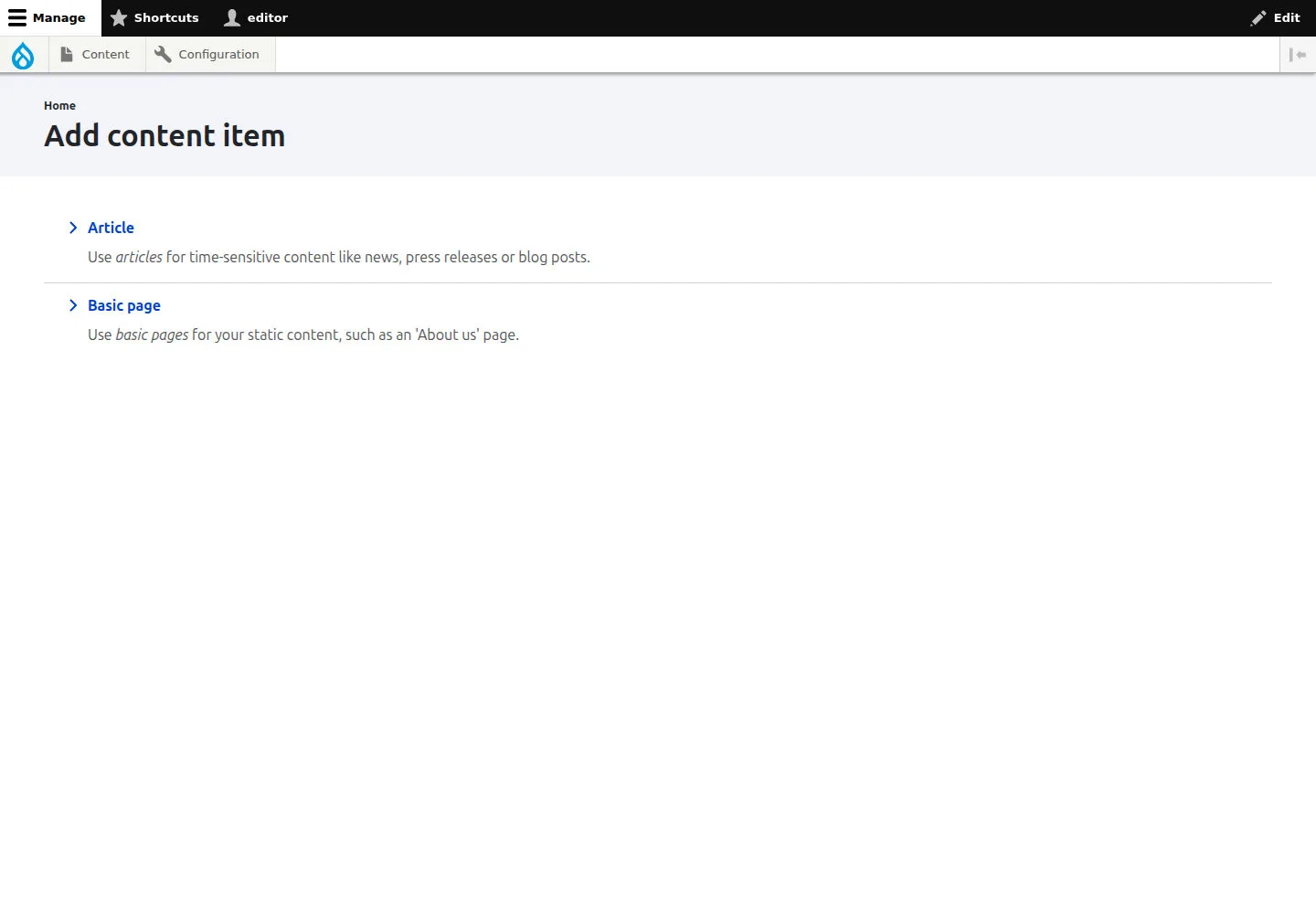
Choose Article or Basic page for the content you need to write.
- Sign in as Content Editor and open Add content item.
Open on site ↗sign-inFull-page screenshot ↗
Choose Article or Basic page for the content you need to write.
Draft an Article
Content Editor
2Step 2 of 3
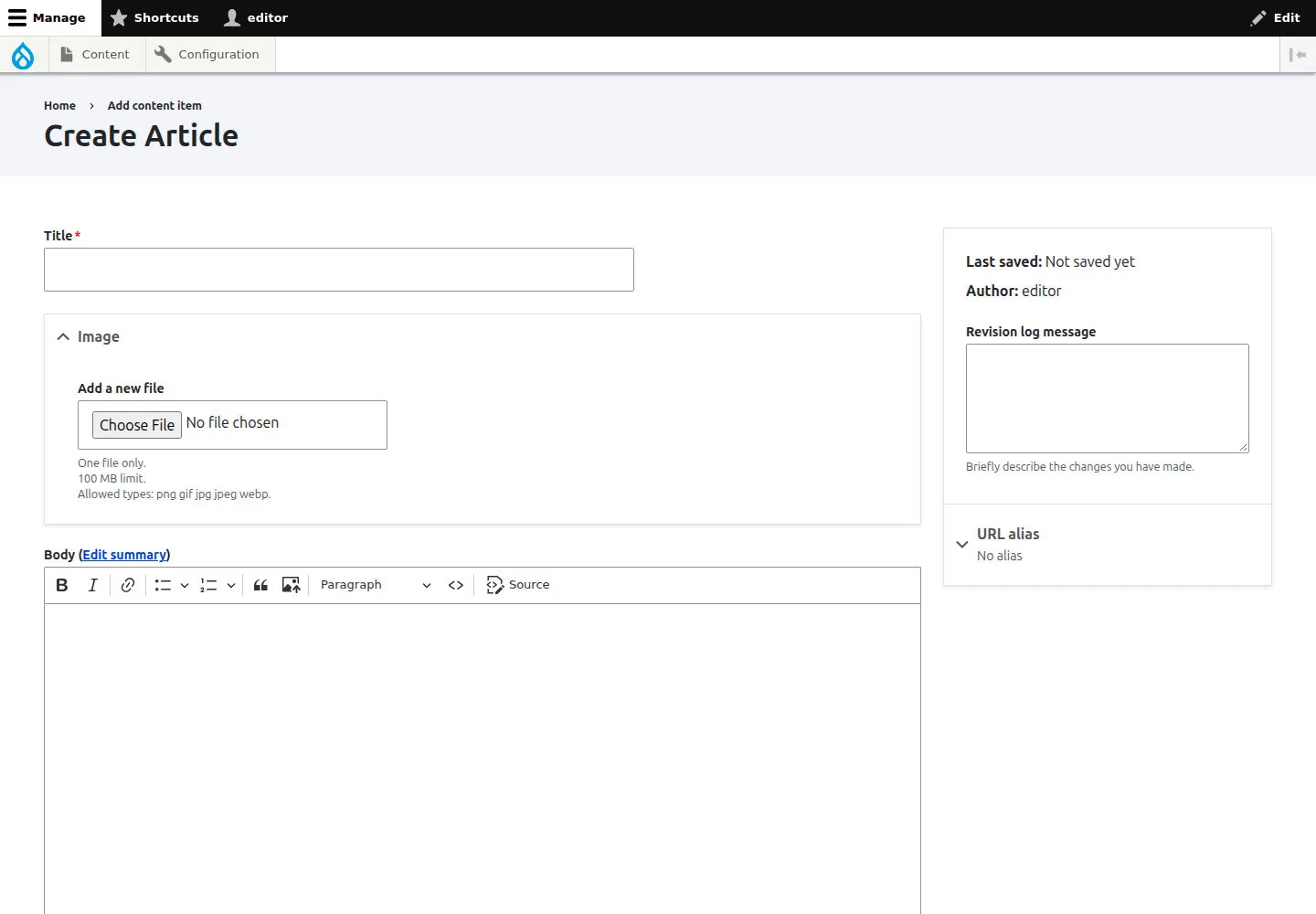
Complete the title, body and images; use Preview to check them before saving.
- Choose Article; complete Title and Body, and add Image or Tags as needed. Use Preview when available, then check the page after Save.
Open on site ↗sign-inFull-page screenshot ↗
Complete the title, body and images; use Preview to check them before saving.
Draft a Basic page
Content Editor
3Step 3 of 3
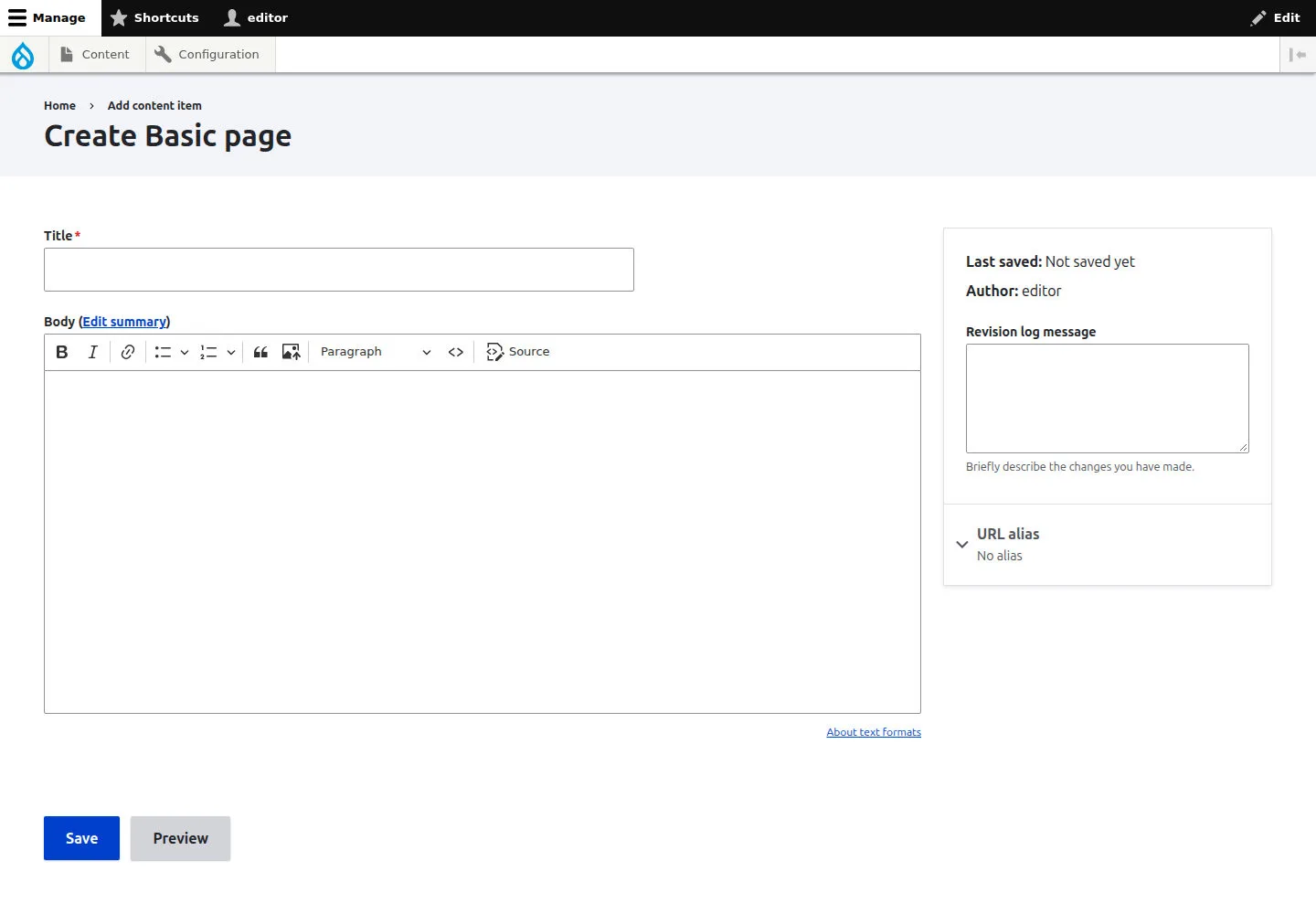
Complete the title, body and URL alias; check the page after saving.
- Choose Basic page; complete Title and Body, and check URL alias against the website’s naming rules. After Save, reopen the page to check its content.
Open on site ↗sign-inFull-page screenshot ↗
Complete the title, body and URL alias; check the page after saving.