






 Hotel operations
User guide · Administrator
Review channels, settings and account access
Review channels, settings groups and accounts against the approved configuration and access policy.
- Have the approved configuration and each job’s access requirements ready.
- Sign in with the correct role and check the account name in the menu.
Read Channels
Administrator
1Step 1 of 3
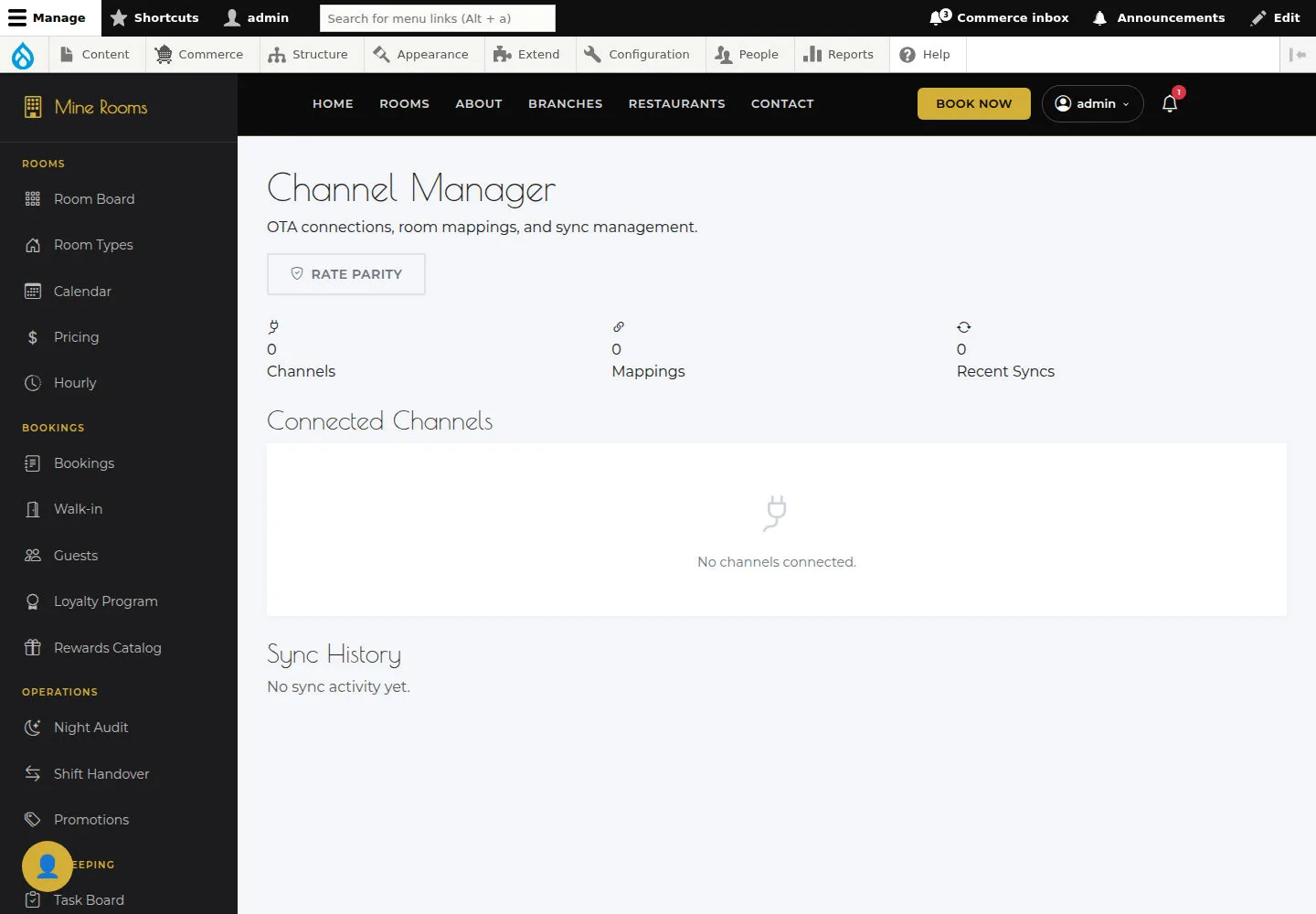
Operations must confirm the channels and connection states before you rely on synchronisation.
- Open Channels and compare the configured connector with the deployment.
Open on site ↗sign-inFull-page screenshot ↗
Operations must confirm the channels and connection states before you rely on synchronisation.
Read Settings
Administrator
2Step 2 of 3
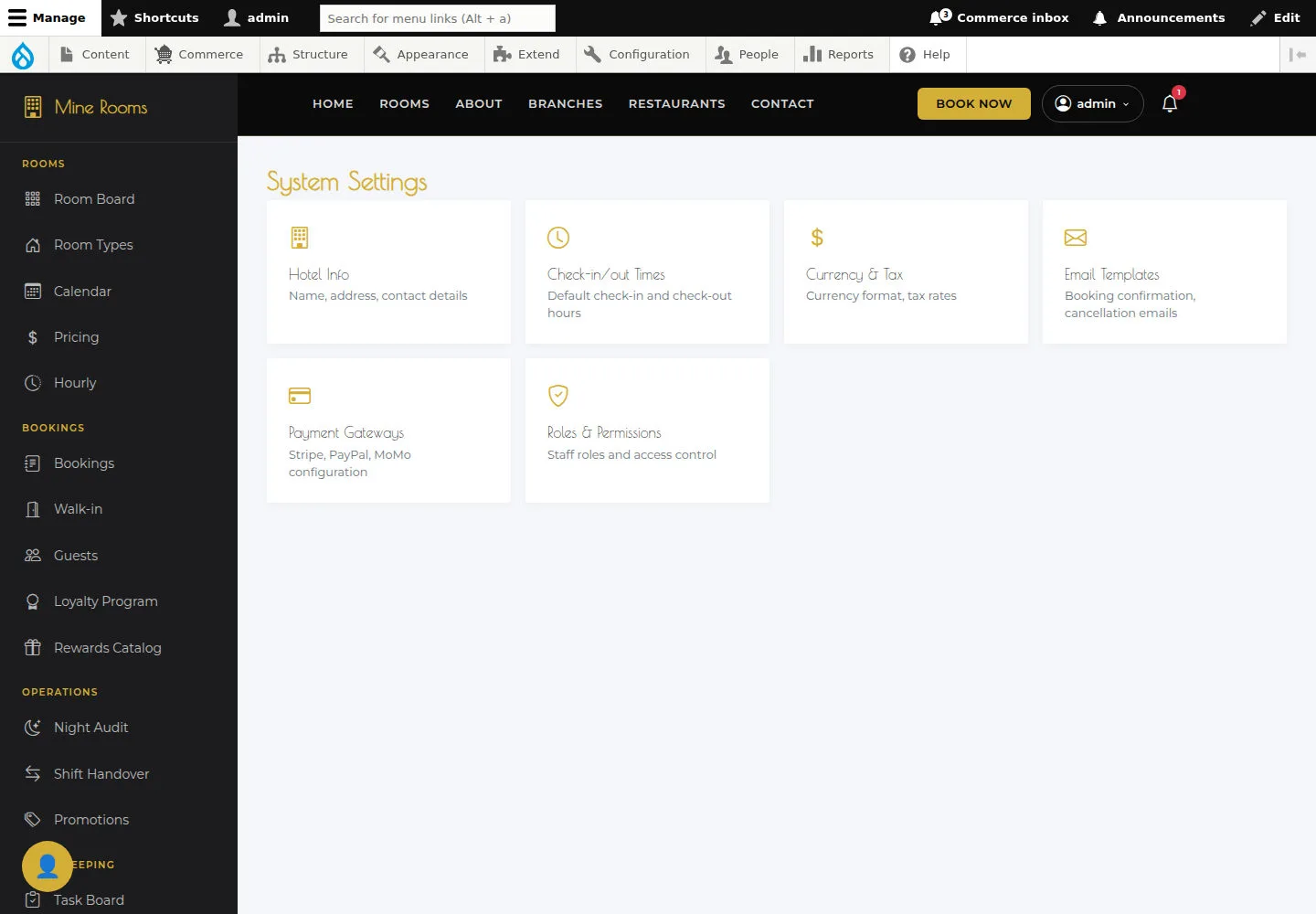
Read the configuration groups and identify the page needed for a change.
- Open Settings and identify cards that have working configuration actions.
Open on site ↗sign-inFull-page screenshot ↗
Read the configuration groups and identify the page needed for a change.
Review user permission boundaries
Administrator
3Step 3 of 3
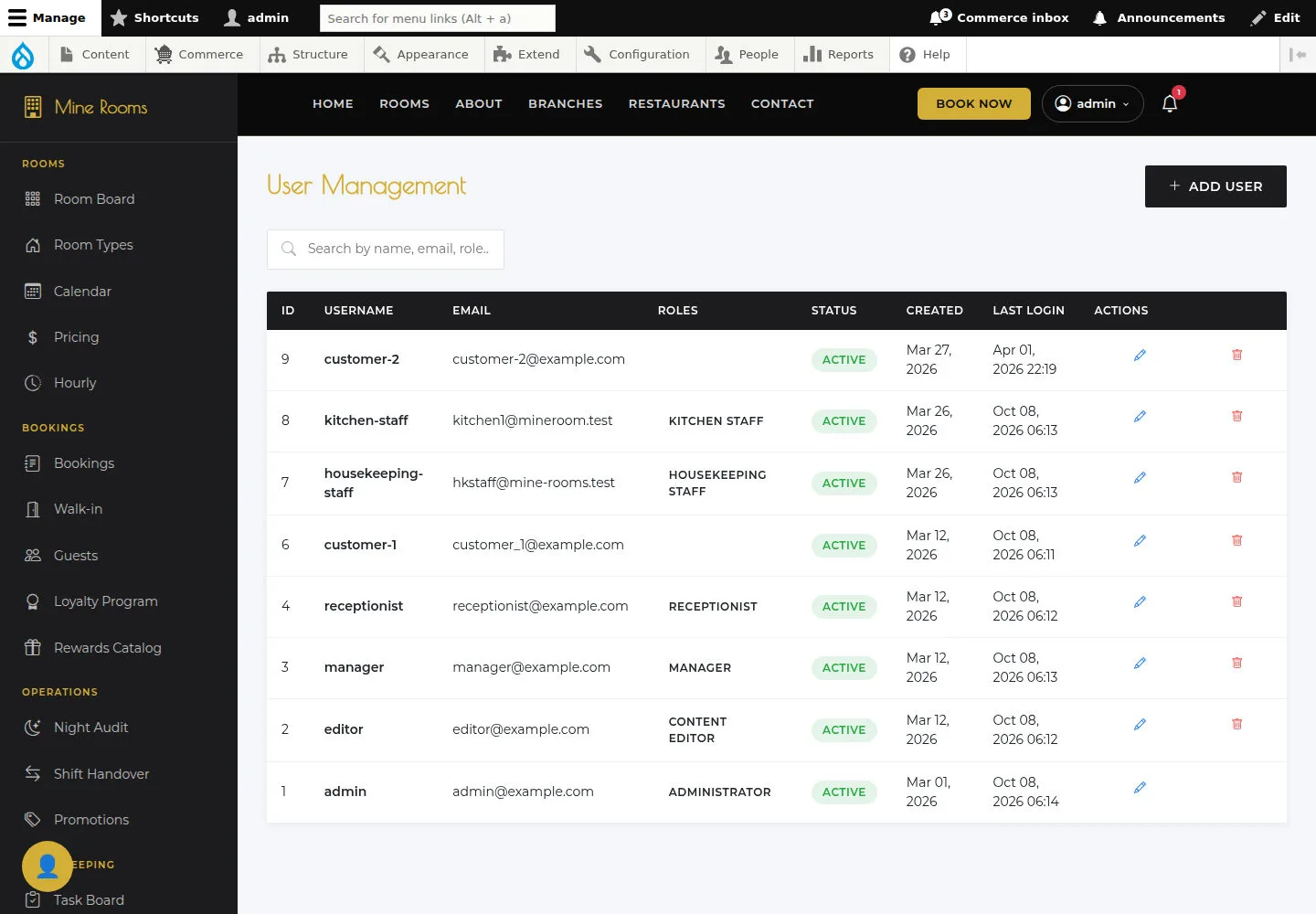
Check username, role and status; change access only within your assigned responsibility.
- Review who can access User Management and which actions are permitted.
Open on site ↗sign-inFull-page screenshot ↗
Check username, role and status; change access only within your assigned responsibility.