





 Hotel operations
User guide · Anonymous
Find availability and review a booking
From dates and guests to a selected room and Checkout. Check all details before confirming; treat the booking as complete only after receiving a reference and the appropriate status.
- Have your arrival date, departure date and guest count ready.
Enter the search criteria
Anonymous
1Step 1 of 5
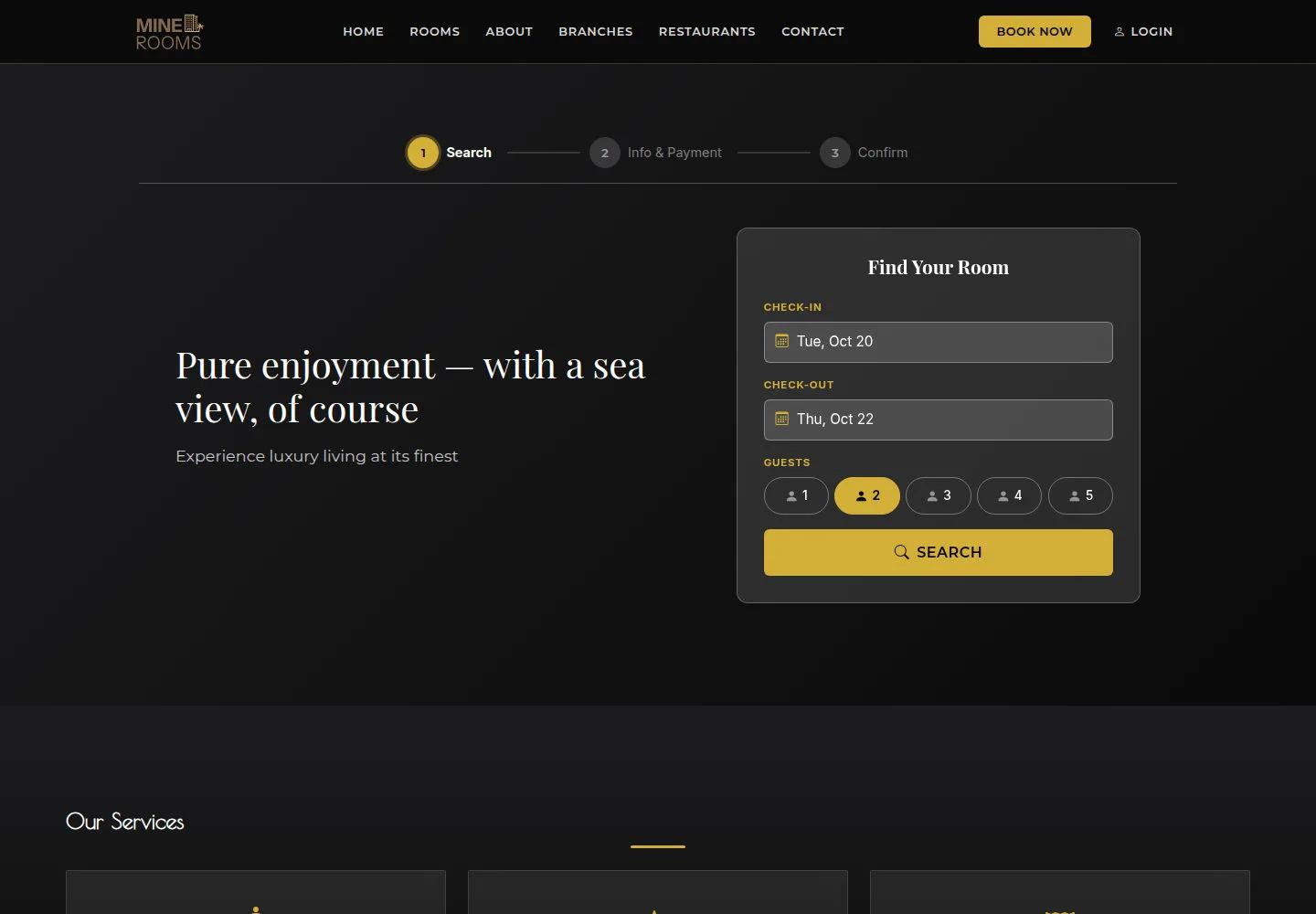
The home page brings together stay dates, guests and room choices.
- Choose Check-in, Check-out and Guests; check the dates before selecting Search.
Open on site ↗Full-page screenshot ↗
The stay dates and guest count are correct in the search widget.
Read Available Rooms
Anonymous
2Step 2 of 5
The home page brings together stay dates, guests and room choices.
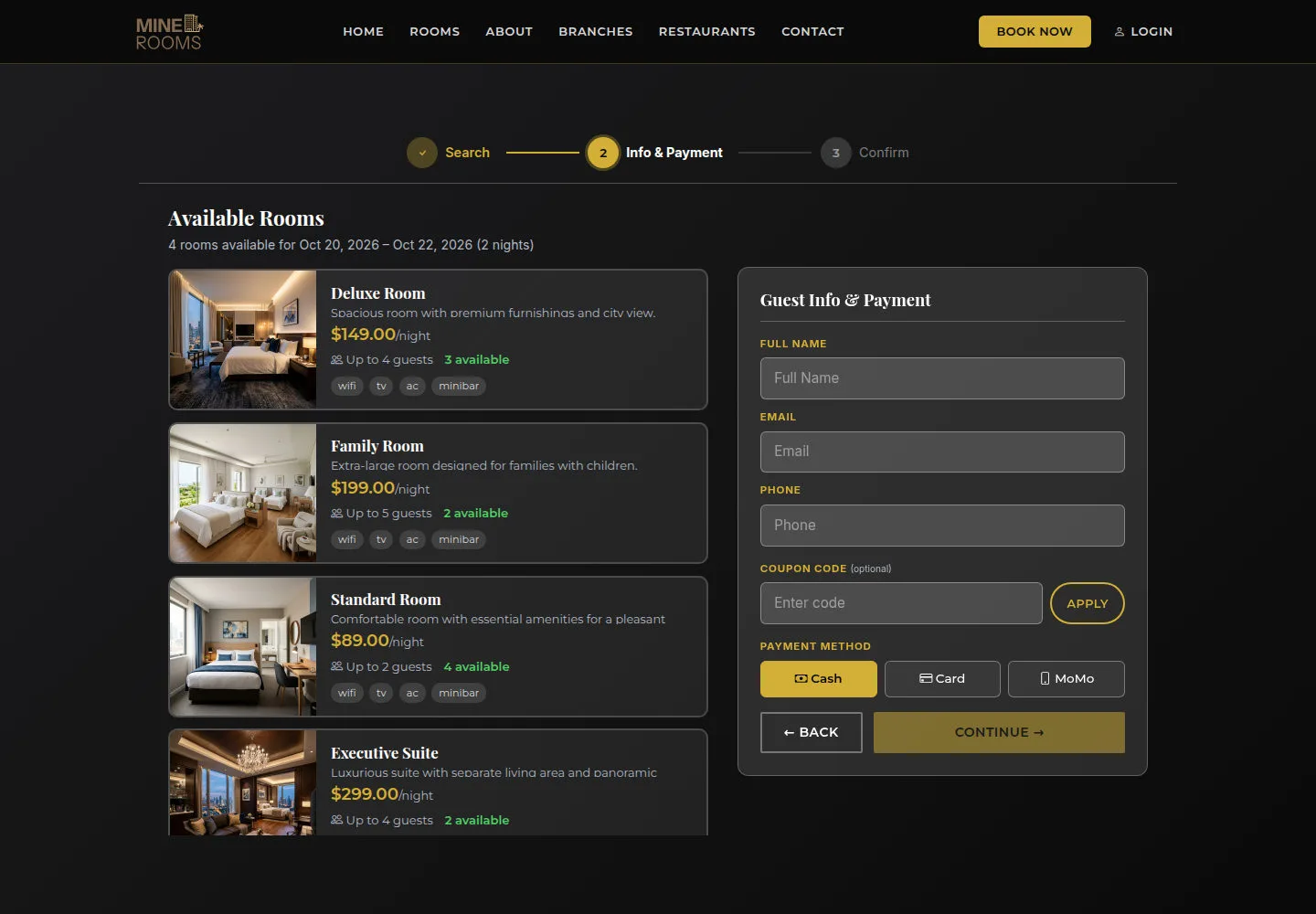
- Select Search and read Available Rooms and Guest Info & Payment before choosing a room.
Open on site ↗Full-page screenshot ↗
Available Rooms appears after Search. If it fails to load, check the dates and retry.
Select a room and verify the quote
Anonymous
3Step 3 of 5
The home page brings together stay dates, guests and room choices.
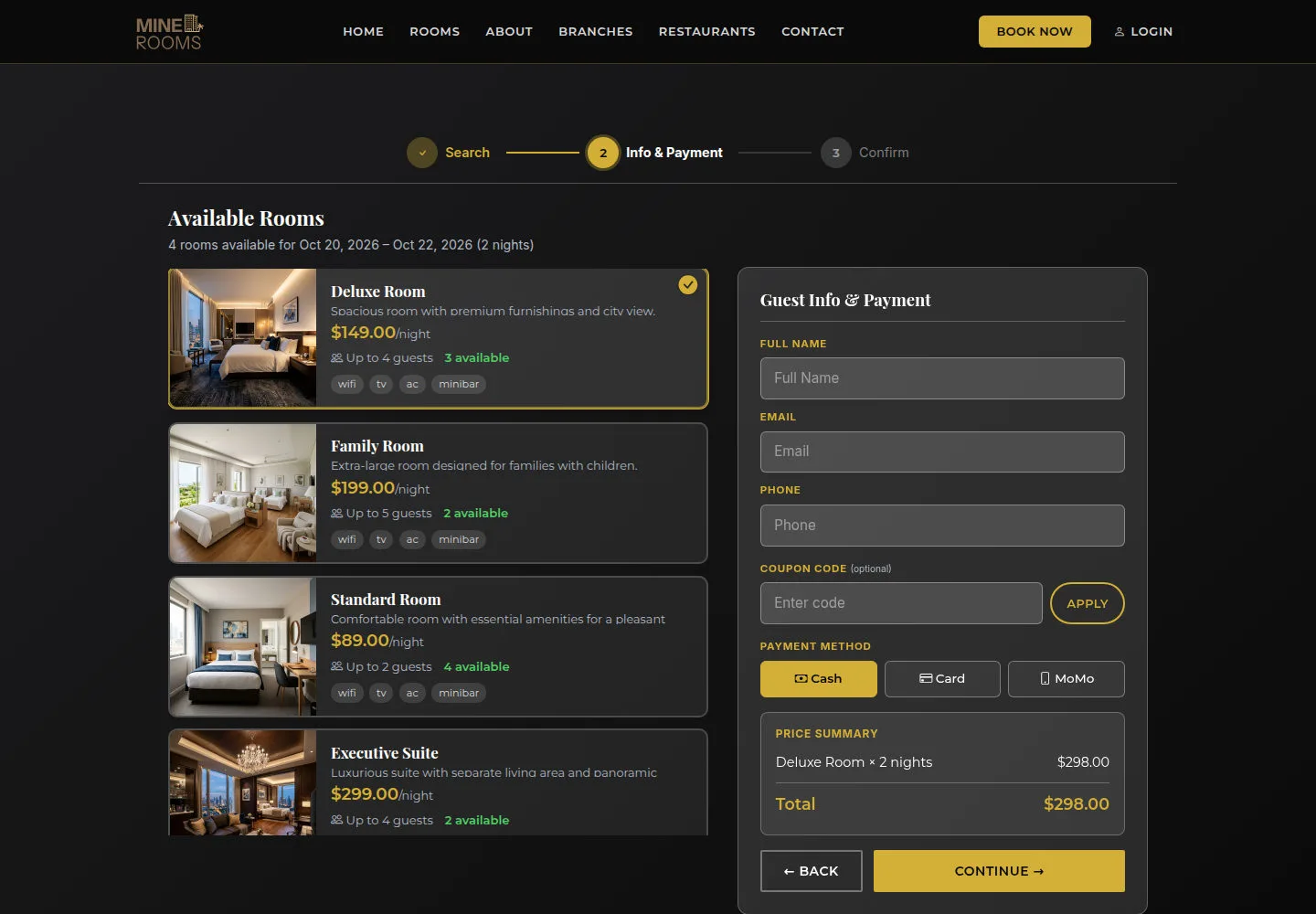
- Select a room type, enter your contact details and read Price Summary. Check nights and total before Continue; confirm the available payment method with the hotel.
Open on site ↗Full-page screenshot ↗
Price Summary matches your selected room and dates. Selecting Card or MoMo does not establish a completed payment.
Read Checkout before submitting
Anonymous
4Step 4 of 5
Check the room, dates, guest details and total before confirming.
- Check Full Name, Email Address, Phone Number and ID / Passport Number before Continue. Review Extras, Review and Payment when those steps appear.
Open on site ↗Full-page screenshot ↗
Guest information matches the stay. Treat the booking as complete only when it has a reference and the appropriate confirmation status.
Read FAQ and terms
Anonymous
5Step 5 of 5
Read the relevant policy; contact the hotel if you need clarification.
- Read FAQ before agreeing to the terms in the booking form.
Open on site ↗Full-page screenshot ↗
Read the relevant policy; contact the hotel if you need clarification.