






 Hotel operations
User guide · Housekeeping Staff
Find a task and check the room checklist
Work with the correct room and current task.
- Use your housekeeping account and verify the room and task before starting.
- Sign in with the correct role and check the account name in the menu.
Open My Tasks
Housekeeping Staff
1Step 1 of 3
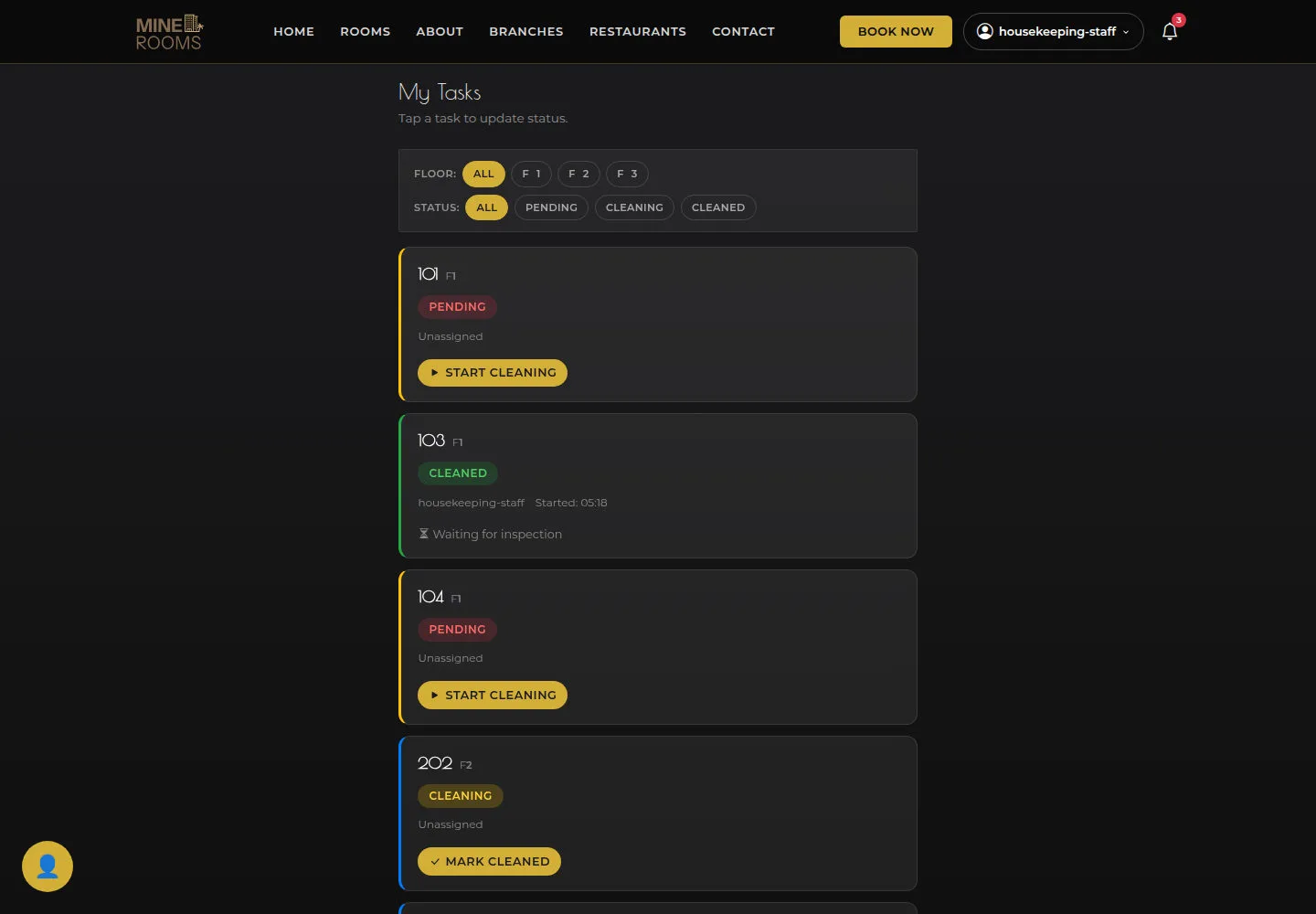
Task cards show room, status and the available assignment information.
- Open Task Board and use Floor and Status to find a task.
Open on site ↗sign-inFull-page screenshot ↗
Task cards show room, status and the available assignment information.
Read Room Detail
Housekeeping Staff
2Step 2 of 3
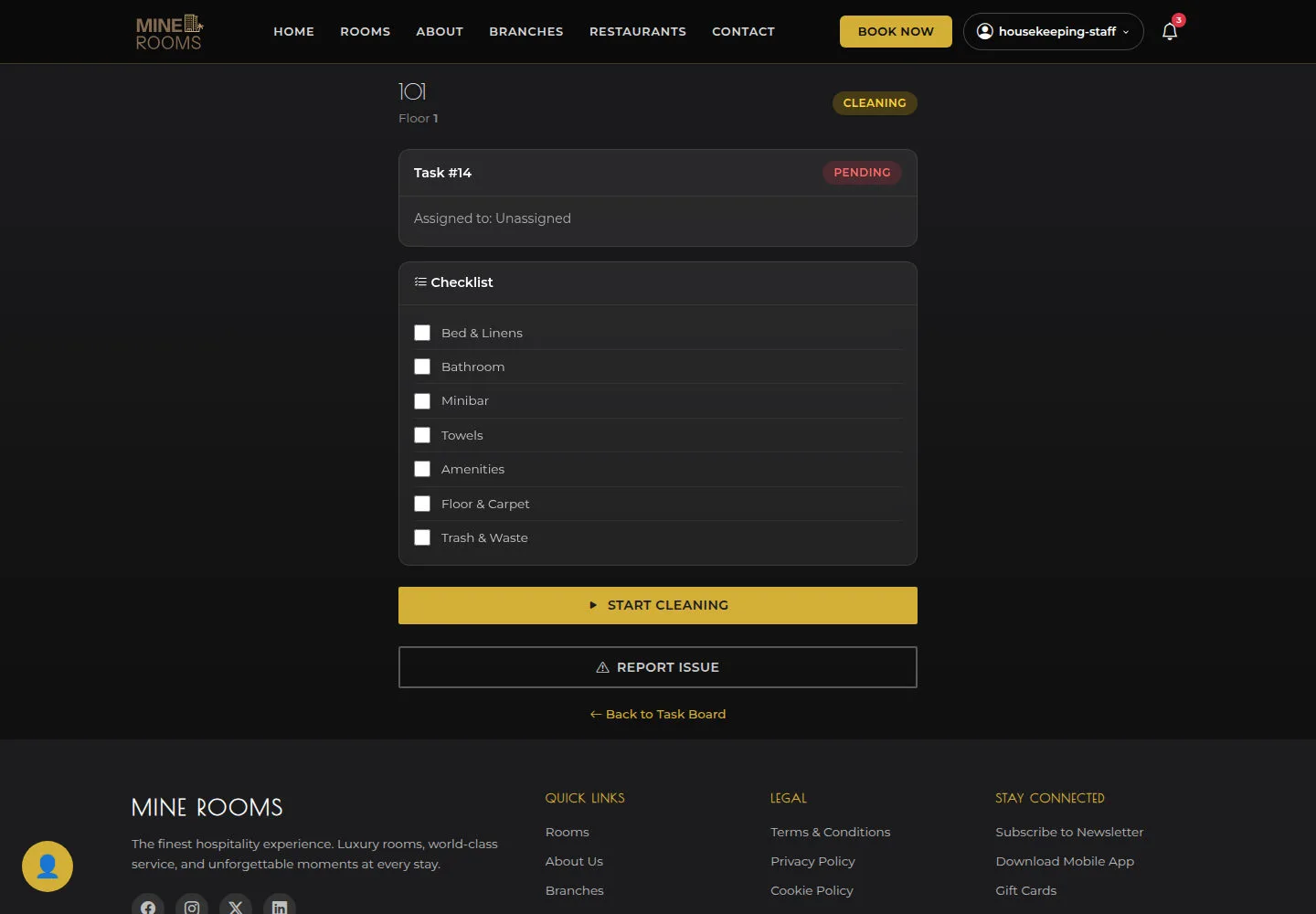
Check room number, task and checklist. After cleaning, reopen the task to verify its status.
- Open a task and inspect room number, Task and checklist before Start Cleaning.
Open on site ↗sign-inFull-page screenshot ↗
Check room number, task and checklist. After cleaning, reopen the task to verify its status.
Report an issue
Housekeeping Staff
3Step 3 of 3
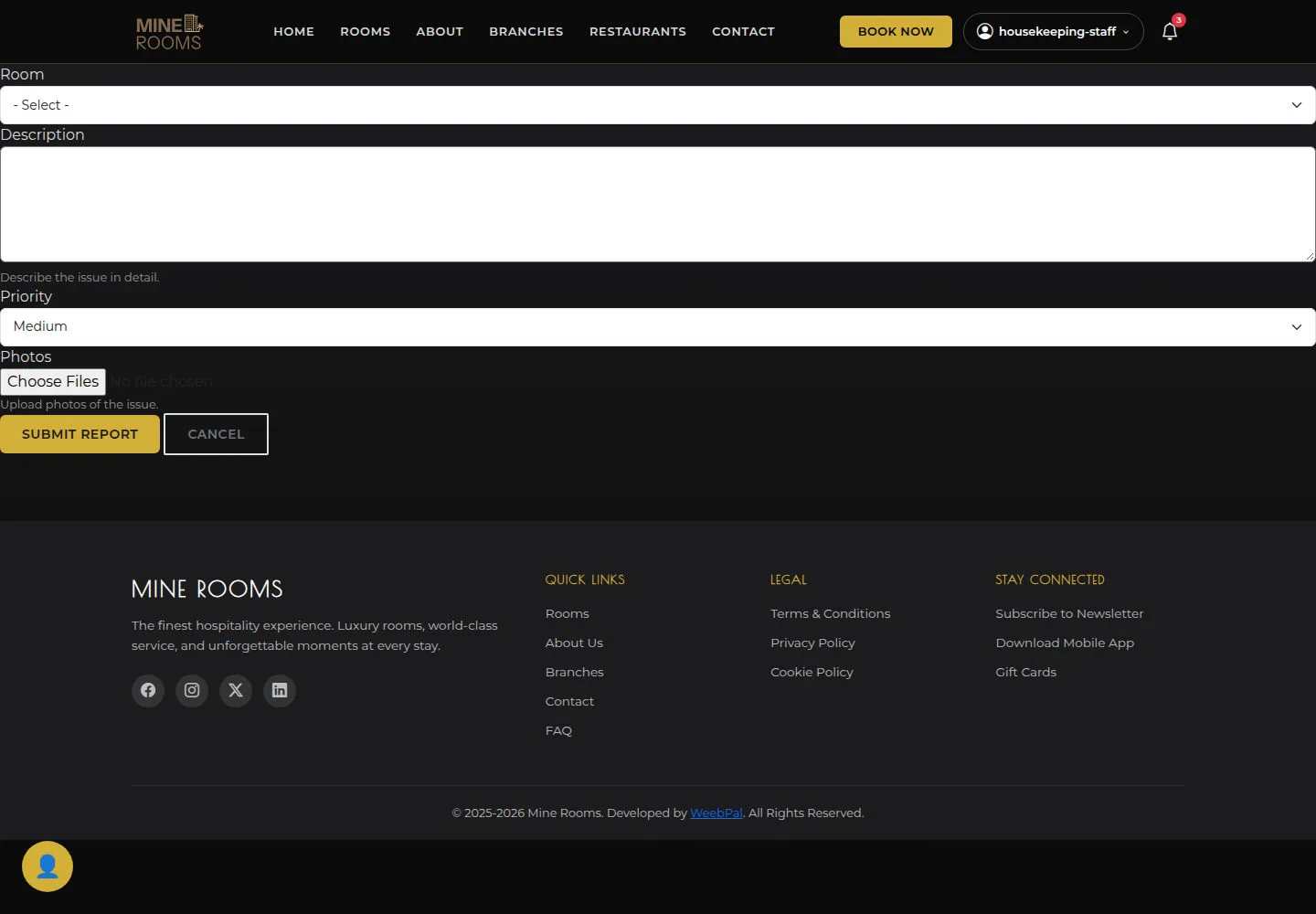
Report the correct room, description, priority and photos; read the response after submitting.
- Open Report Issue and choose Room, Description, Priority and any Photos.
Open on site ↗sign-inFull-page screenshot ↗
Report the correct room, description, priority and photos; read the response after submitting.