





User guide · Waiter · 5 of 7
Takeaway queue and the orders of the day
The takeaway queue lists paid takeaway orders by pickup time and moves each one from New to Sent to kitchen, Ready and Collected; Orders lists every order of the trading day.
Open the Takeaway queue
Waiter
1Step 1 of 3
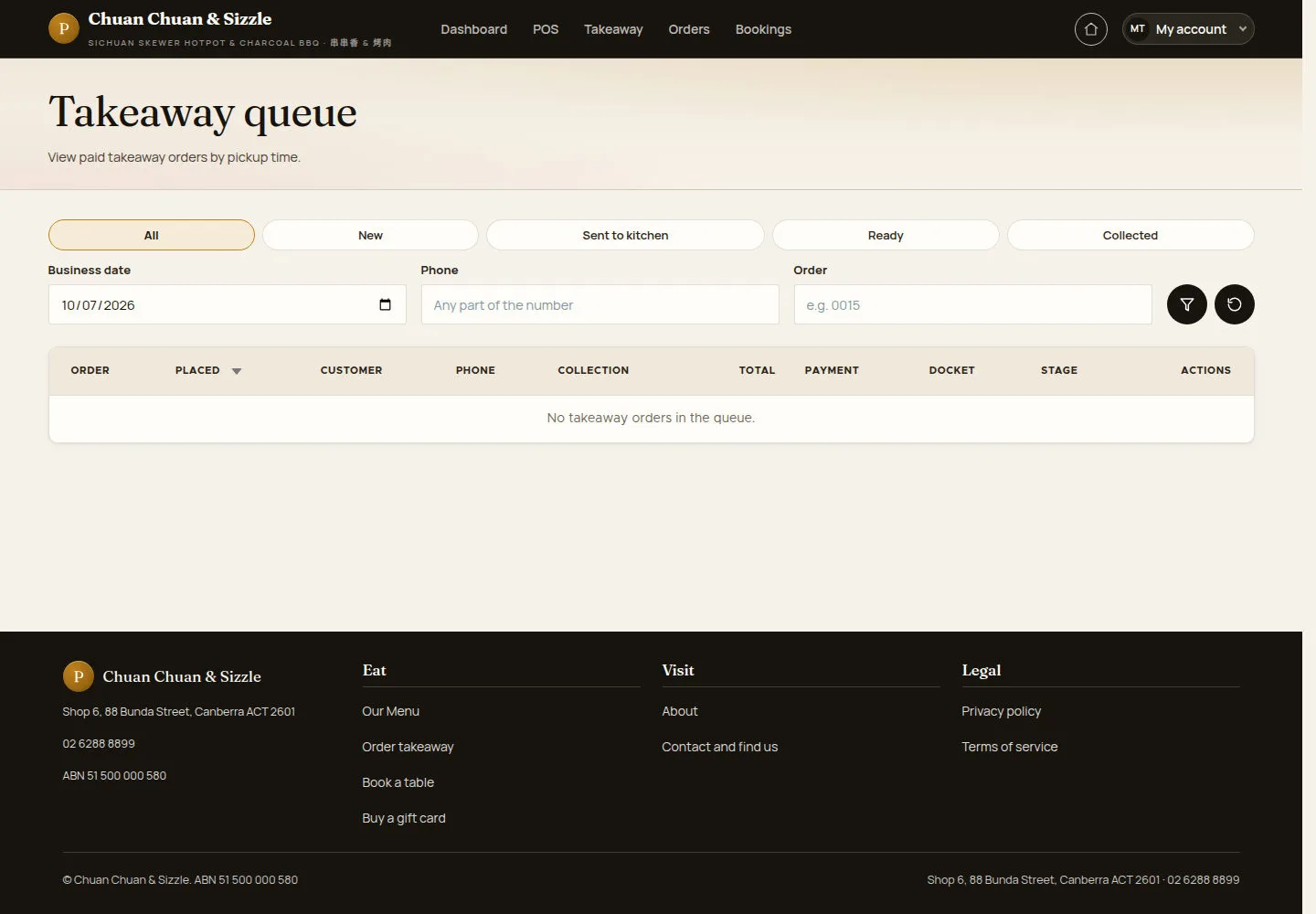
Takeaway in the header opens Takeaway queue: paid takeaway orders by pickup time.
- Use the tabs All, New, Sent to kitchen, Ready and Collected.
- Filter by Business date, Phone (any part of the number) or Order, then click the filter button.
- On an order click Send to kitchen, then Mark ready, then Confirm collected.
The queue refreshes every five seconds, and My account shows a badge for takeaway orders not seen yet; opening a staff page marks the queue as seen.
Open on site ↗sign-inFull-page screenshot ↗
The columns are ORDER, PLACED, CUSTOMER, PHONE, COLLECTION, TOTAL, PAYMENT, DOCKET, STAGE and ACTIONS; here No takeaway orders in the queue.
Run the queue on a tablet
Waiter
2Step 2 of 3
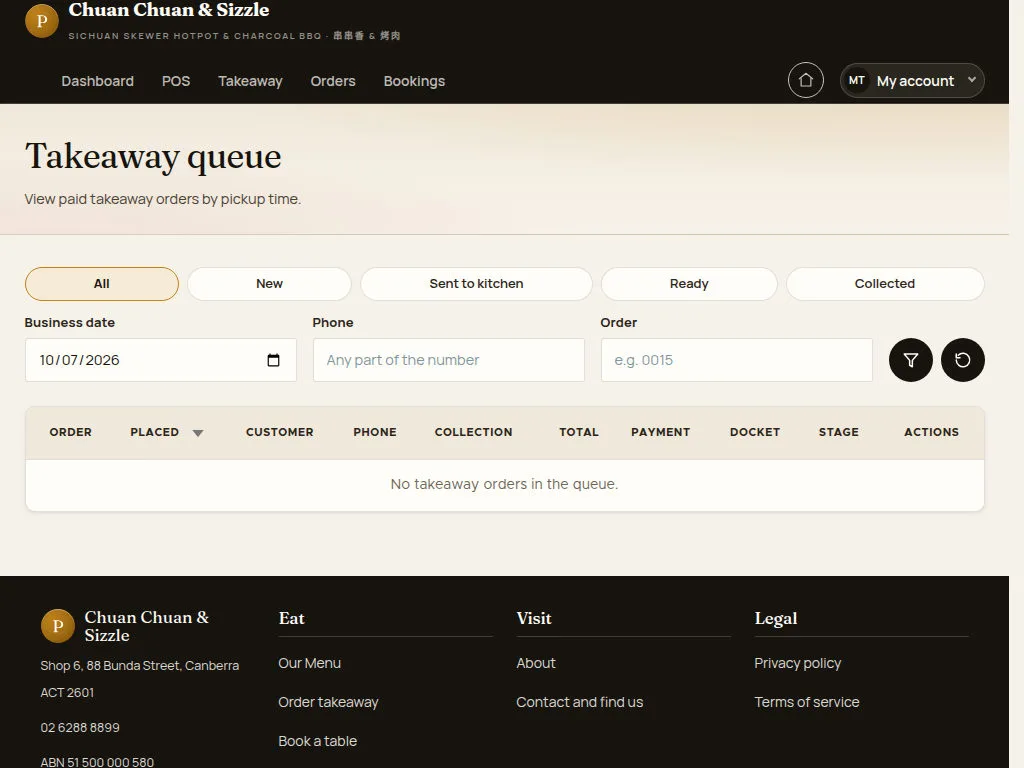
On a tablet, the queue keeps its filters and order columns together.
- Tap a tab or an action button on the order row.
Open on site ↗sign-inFull-page screenshot ↗
The tabs, the three filters and the table fit the tablet width.
Look up the orders of the day
Waiter
3Step 3 of 3
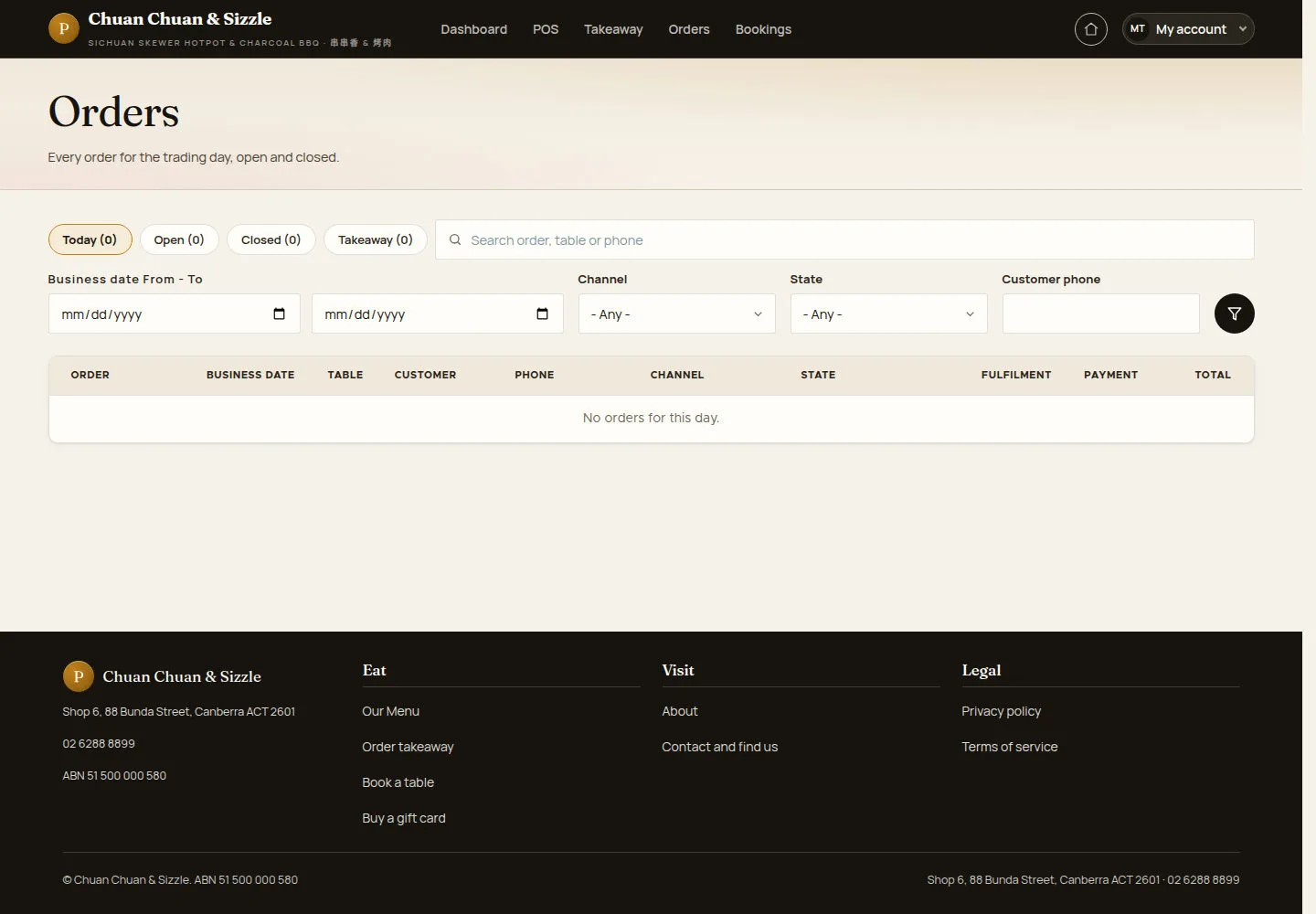
Orders in the header lists every order of the trading day, open and closed.
- Switch between Today, Open, Closed and Takeaway, or search an order, a table or a phone.
- Filter by Business date From - To, Channel, State or Customer phone.
Waiter order access is restricted to the open business day. Ask a manager when an order is outside your available scope.
Open on site ↗sign-inFull-page screenshot ↗
Orders matching the selected day and filters are listed; an empty result shows No orders for this day.
Use the collection action offered for the order: a card-paid web order uses Close collected order and Customer collected this order; a web order paid at the counter uses Close order and take payment with EFTPOS or Cash. Send to kitchen and Mark ready require payment. A fully paid counter order is archived immediately, so follow the actions actually offered for its state and ask a manager if the queue has no available action.