





User guide · Waiter · 3 of 7
Counter and phone takeaway orders
Take a walk-in or a phone takeaway order on the POS and take the payment at the counter by EFTPOS or cash.
Choose Counter takeaway order or Phone order
Waiter
1Step 1 of 3
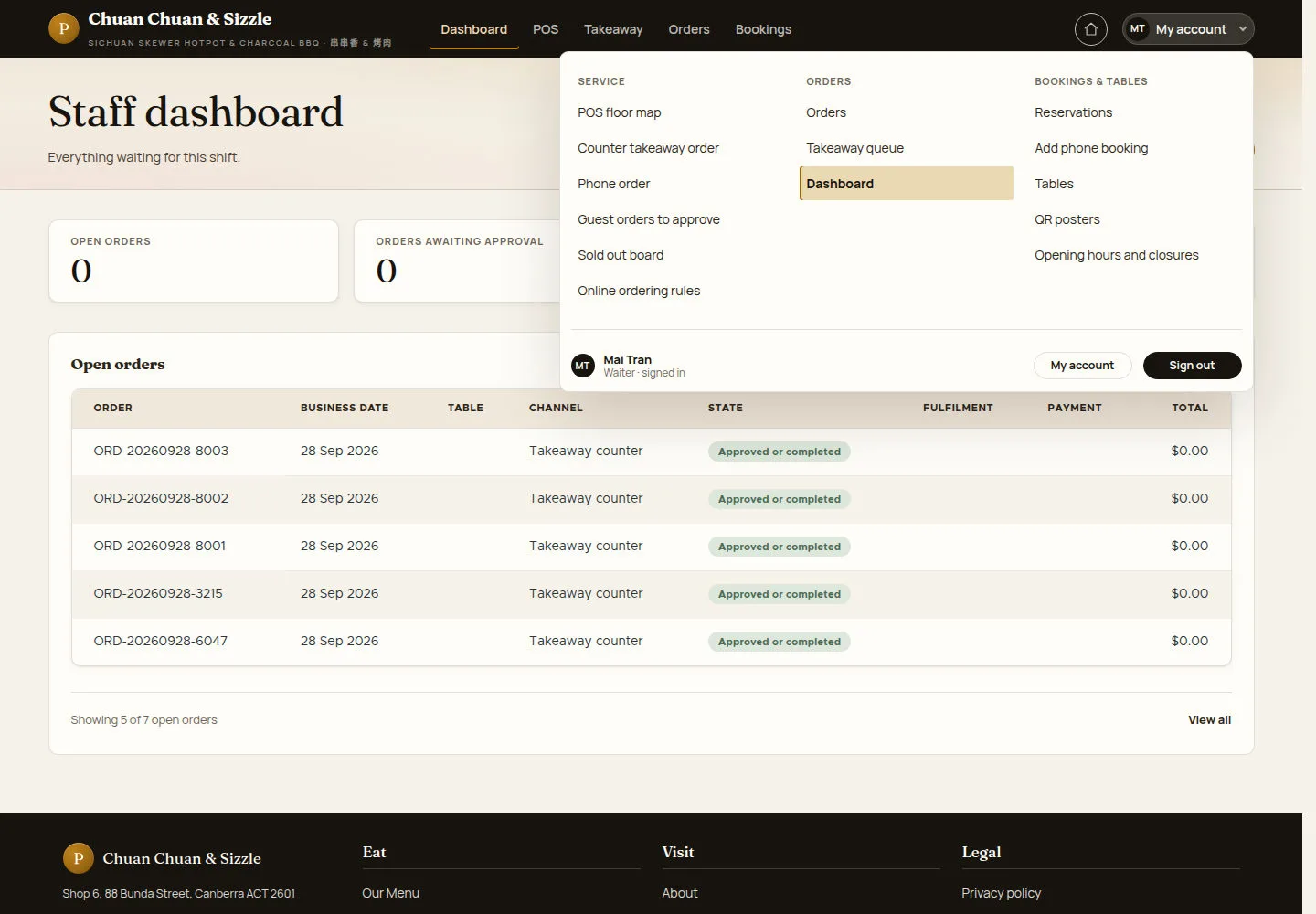
Both start under SERVICE in the My account menu.
- Click Counter takeaway order for a walk-in guest: the POS opens a new counter order straight away.
- Click Phone order when the guest calls.
Open on site ↗sign-inFull-page screenshot ↗
A walk-in order opens on the POS; a phone order first asks for the customer's details.
Enter the phone order details
Waiter
2Step 2 of 3
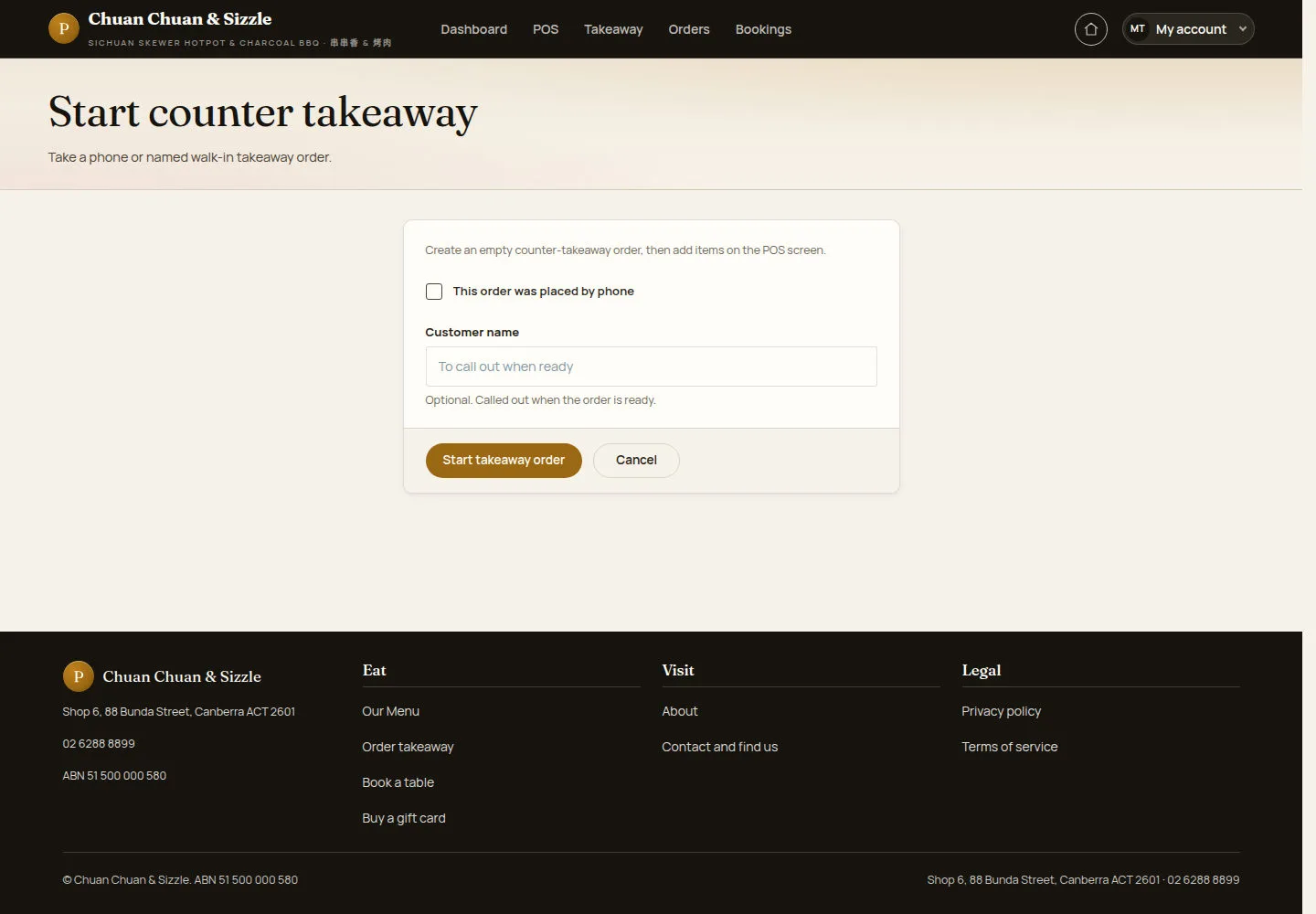
Start counter takeaway creates an empty counter-takeaway order; the dishes are added on the POS screen.
- Tick This order was placed by phone, then enter the customer's name and phone number.
- Click Start takeaway order.
Customer name is optional for a walk-in and is called out when the order is ready; a phone order needs the name and the phone.
Open on site ↗sign-inFull-page screenshot ↗
The POS order screen opens for the new takeaway order.
Take the payment and close
Waiter
3Step 3 of 3
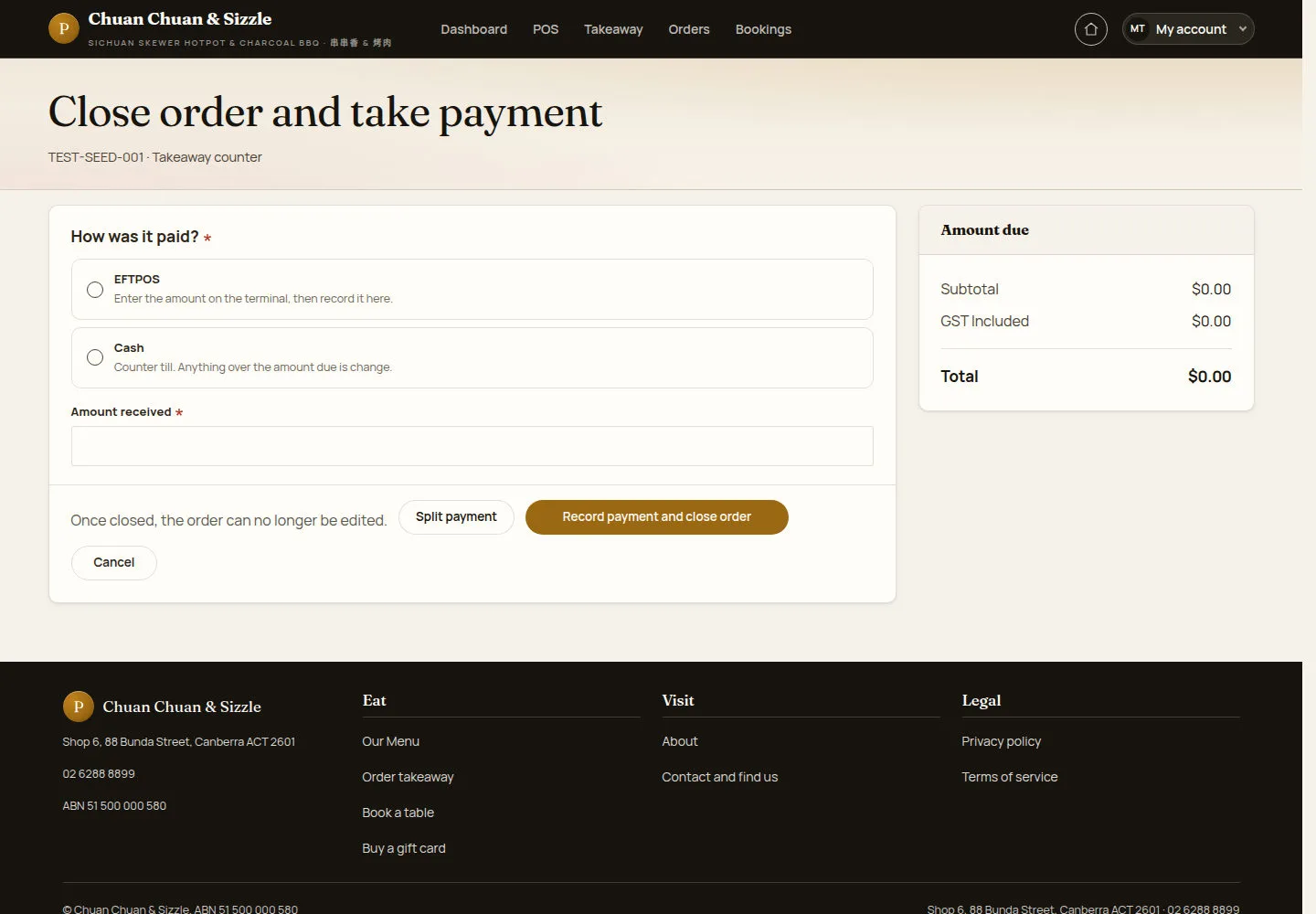
Close order and take payment records how the order was paid against the Amount due.
- Choose EFTPOS (enter the amount on the terminal first) or Cash.
- Enter Amount received; use Split payment for more than one tender.
- Click Record payment and close order.
Counter takeaway accepts EFTPOS or Cash. Cash above the amount due is change; the close button reflects the amount due.
Waiters may close counter takeaway and web orders paid at the counter. Closing a table order requires a manager or administrator.
Open on site ↗sign-inFull-page screenshot ↗
Paid in full, the order closes and is archived: Once closed, the order can no longer be edited.
After Send to kitchen on the POS a counter order goes to the kitchen in one round and its kitchen docket opens to print; extra dishes become a new counter order. The bill prints separately from Bill.