





User guide · Manager · 9 of 12
Gift cards and promotions
Look up gift cards, set the amounts on sale, redeem a card when an order is paid, and create promotions.
Look up a gift card
Manager
1Step 1 of 5
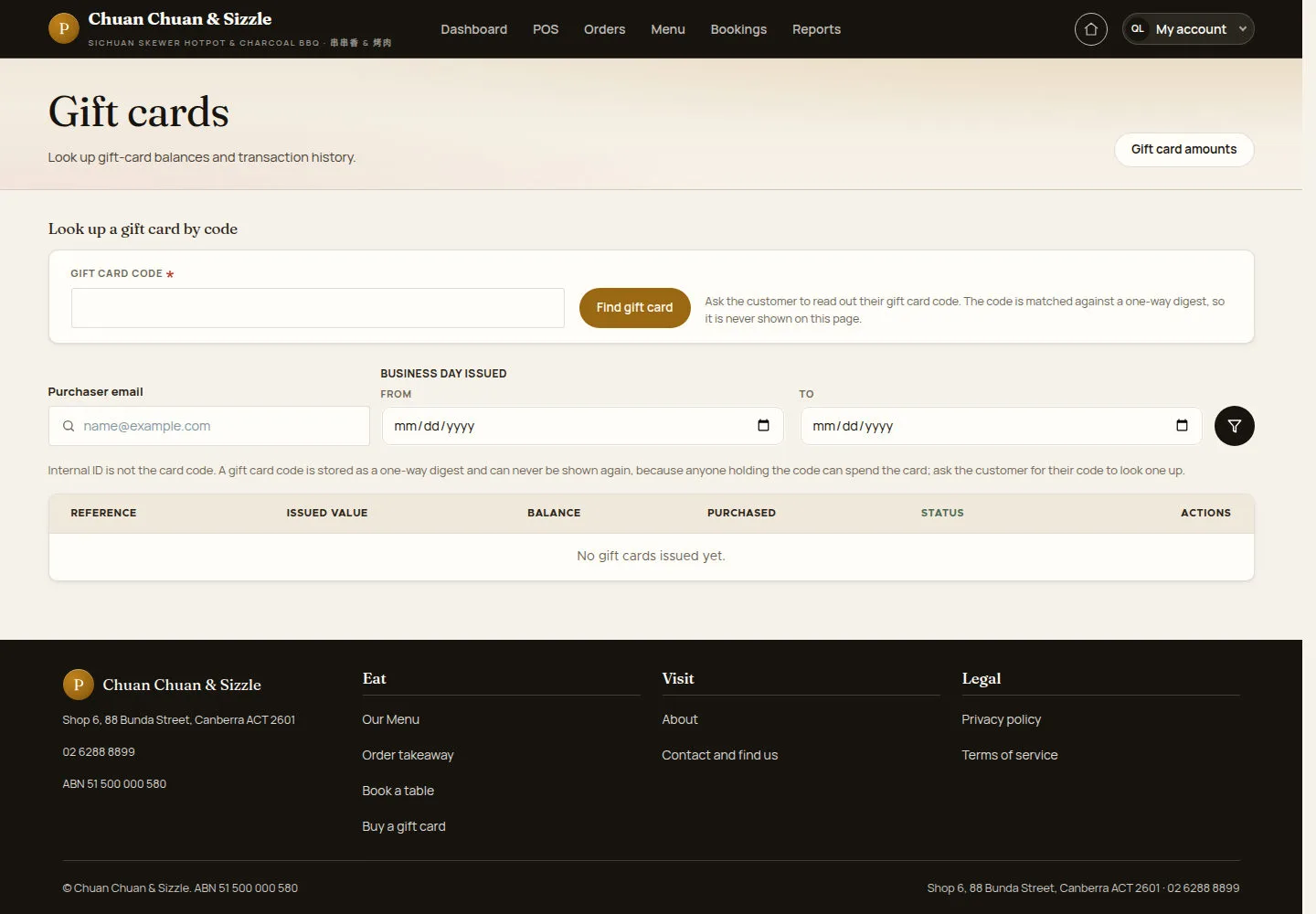
Gift cards finds a card by its code, or lists cards by purchaser and business day.
- Ask the customer to read out the code, type it in GIFT CARD CODE and click Find gift card.
- Or filter by Purchaser email and BUSINESS DAY ISSUED.
Use the original card code supplied by the purchaser. A displayed card reference cannot be used as its redemption code.
Open on site ↗sign-inFull-page screenshot ↗
The list shows REFERENCE, ISSUED VALUE, BALANCE, PURCHASED and STATUS; here No gift cards issued yet.
Set the amounts on sale
Manager
2Step 2 of 5
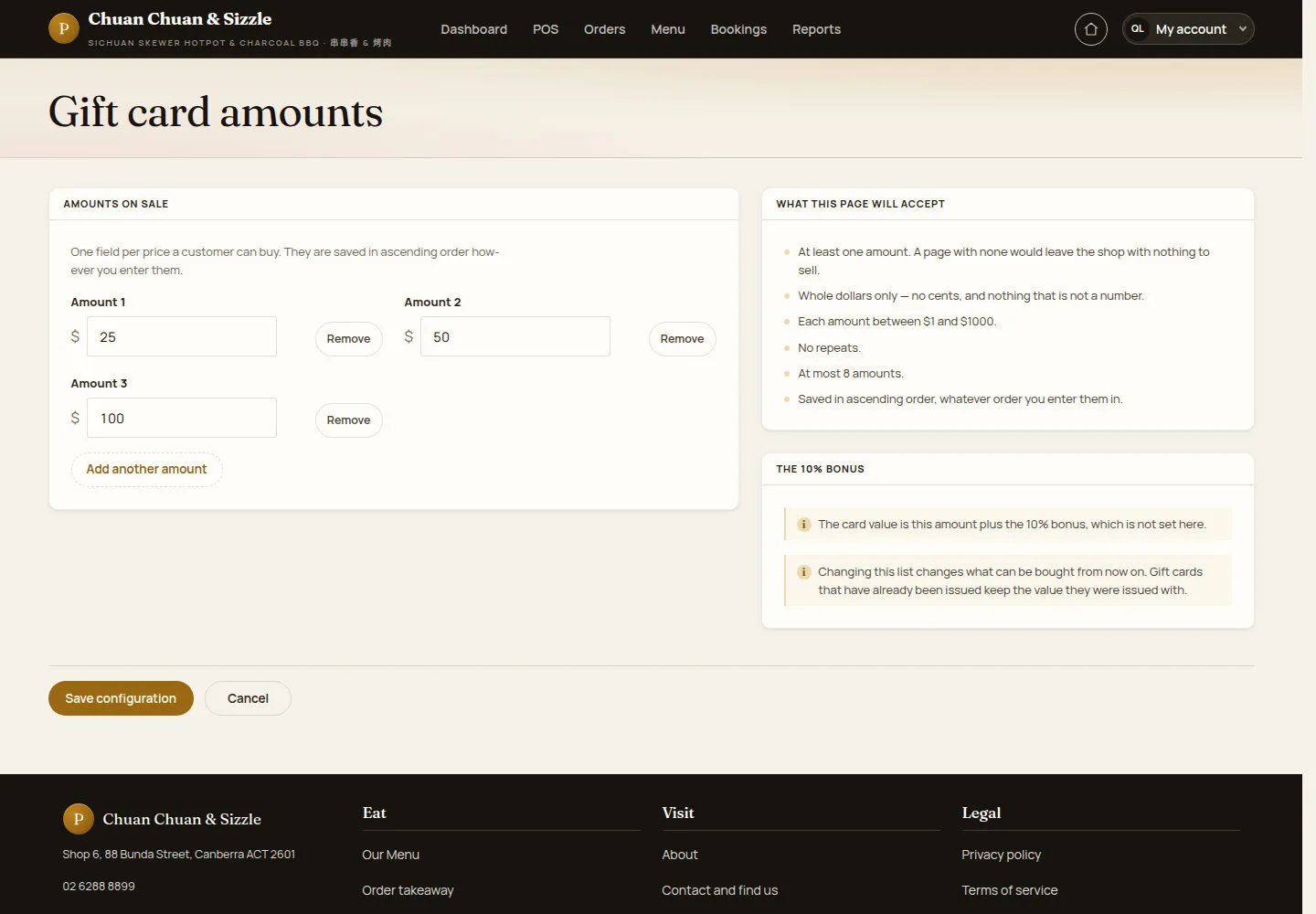
Gift card amounts lists the prices a customer can buy.
- Change Amount 1, Amount 2 and Amount 3, use Remove or Add another amount.
- Click Save configuration.
Cards already issued keep the value they were issued with.
Open on site ↗sign-inFull-page screenshot ↗
Save distinct whole-dollar amounts within the form limits. Check the displayed bonus and resulting issued value. Existing cards retain their issued value.
Redeem a gift card when closing an order
Manager
3Step 3 of 5
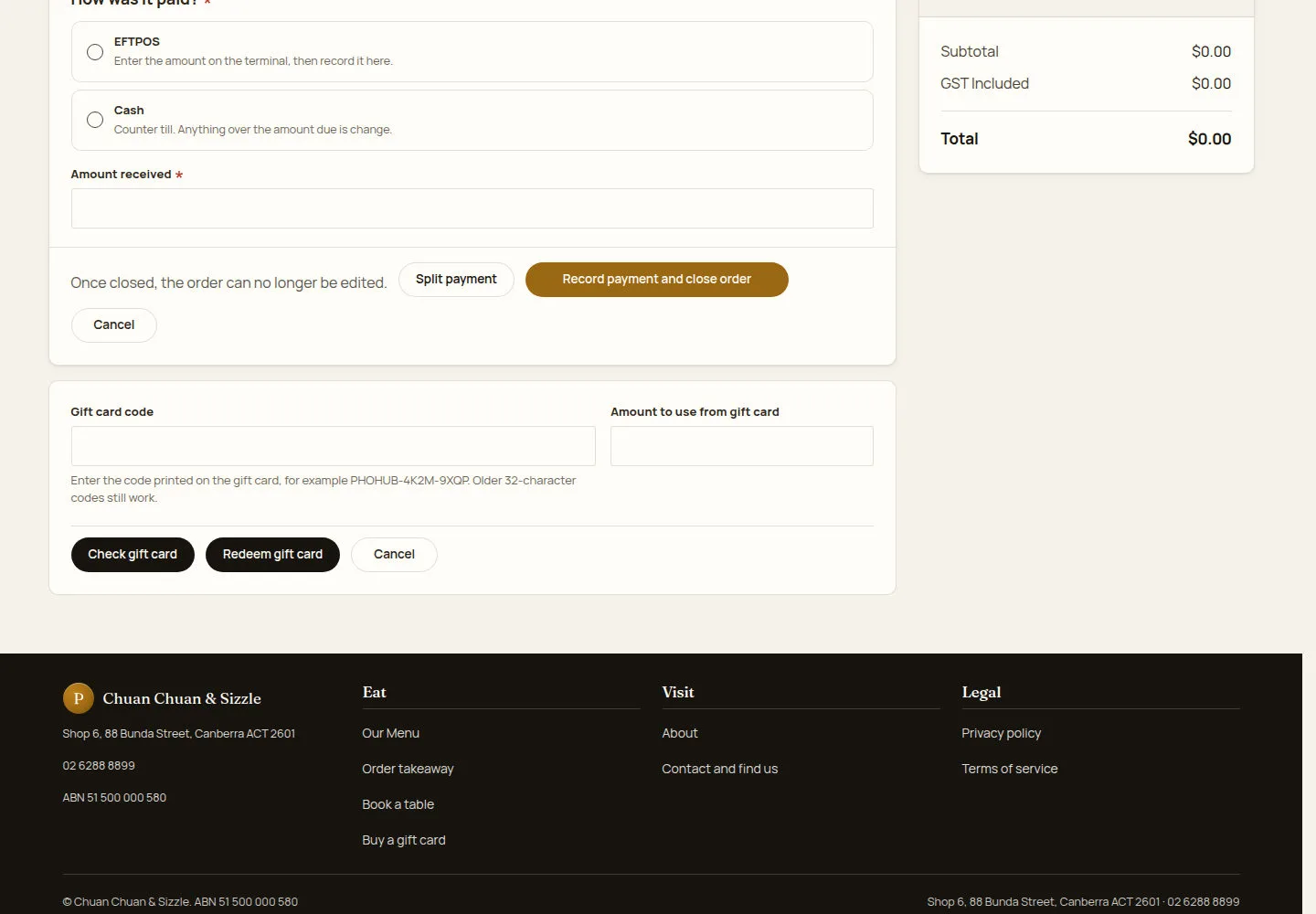
The gift card box sits under the payment form on Close order and take payment.
- Type the Gift card code and the Amount to use from gift card.
- Click Check gift card, then Redeem gift card.
Waiters cannot redeem gift cards.
Open on site ↗sign-inFull-page screenshot ↗
The amount comes off the amount due; any balance left stays on the card and the purchaser's email is told the card was used.
Open Promotions
Manager
4Step 4 of 5
Promotions lists the day, dish and order-value deals and the switch that runs them.
- Search a promotion, or filter by Deal type or Enabled.
- Click Add promotion.
Open on site ↗sign-inFull-page screenshot ↗
Here No promotions yet.
Add a promotion
Manager
5Step 5 of 5
Add promotion sets the deal, when it runs and which deal wins when two match.
- Enter the Promotion name and keep Enabled ticked.
- Choose the Deal type, the Reward (for example Percentage off) and the Percent off, and set Running from and Running until.
- Set the Tie-break priority and click Save.
Promotions reduce the bill using the supported reward types; multi-item free-product offers are unavailable.
Use a clear promotion name that describes the offer and when it applies.
Open on site ↗sign-inFull-page screenshot ↗
An order gets one promotion, never two: when several deals match, the one that takes the most off wins.