





User guide · Waiter · 4 of 7
Approve the rounds guests send from their table
A table QR round waits for the waiter: check it in Guest orders to approve, then send it to the kitchen or reject it with a reason.
The guest sends a round from the table
Guest
1Step 1 of 4
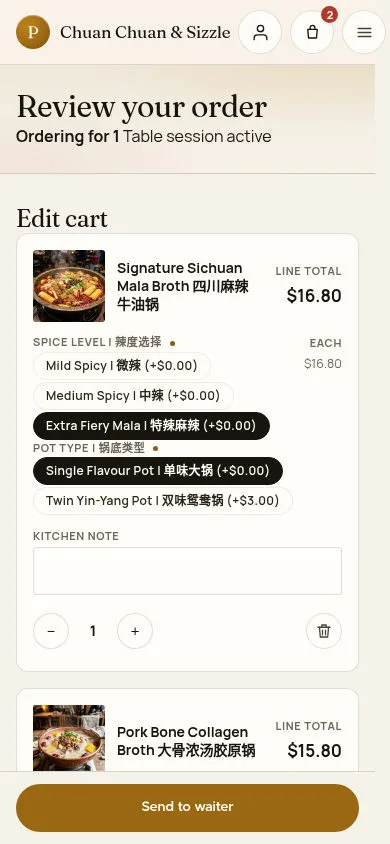
At the table the guest checks the dishes in Review your order and taps Send to waiter.
- The guest checks the dishes, options and kitchen notes.
- The guest taps Send to waiter.
The live address carries the table's private QR code, so it is not repeated here.Full-page screenshot ↗
The round now waits for a waiter; the guest sees Sent to your waiter.
Watch the counter on the dashboard
Waiter
2Step 2 of 4
↪ The work moves from Guest to Waiter.
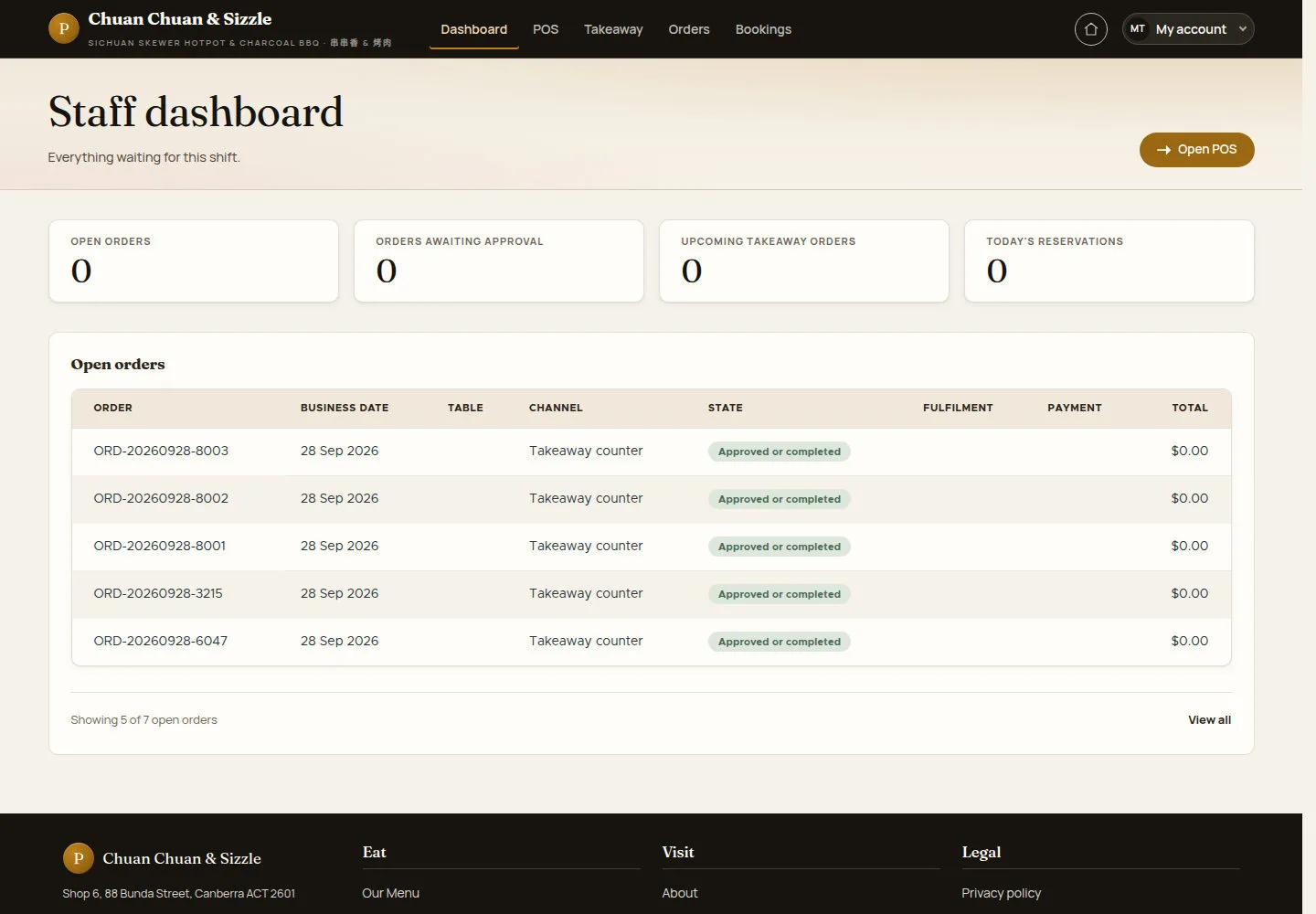
ORDERS AWAITING APPROVAL on the Staff dashboard counts the rounds that wait.
- Open Guest orders to approve from the My account menu, or use the Waiting approval filter on the floor map.
Open on site ↗sign-inFull-page screenshot ↗
The counter reflects rounds awaiting approval. If none are waiting, open the queue to confirm it is empty.
Approve or reject in Guest orders to approve
Waiter
3Step 3 of 4
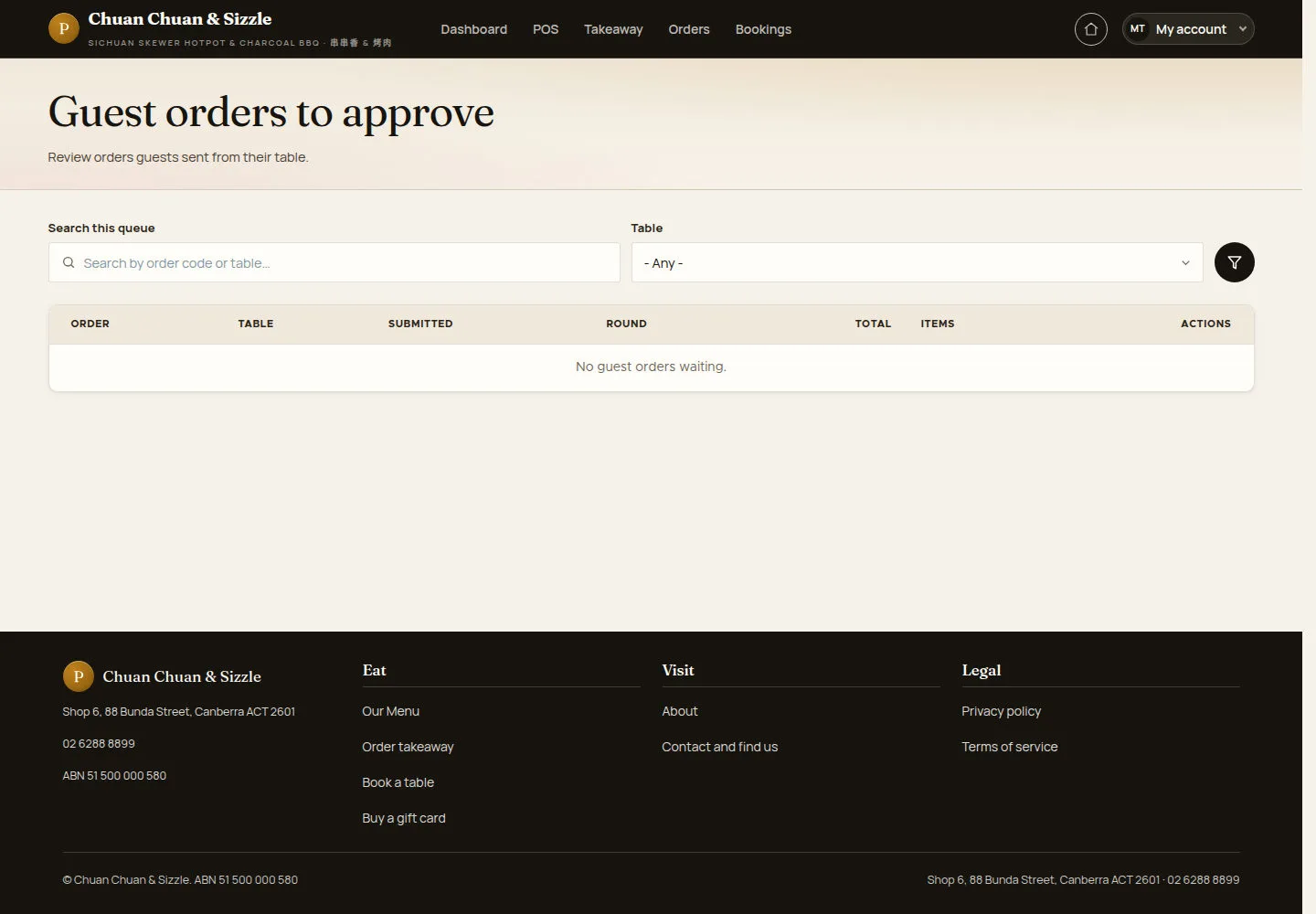
Guest orders to approve lists every round guests sent from their table.
- Search by order code or table, or pick a Table, then click the filter button.
- Open a round, check its dishes, then click Approve guest order or Reject guest order.
Reject guest order needs a Rejection reason. Rejecting the first round returns the order and frees the table; rejecting a later round voids only that round's lines.
The queue refreshes every five seconds.
Open on site ↗sign-inFull-page screenshot ↗
The list shows ORDER, TABLE, SUBMITTED, ROUND, TOTAL and ITEMS; here it says No guest orders waiting.
Find the table on the floor map
Waiter
4Step 4 of 4
A table whose round waits shows as Waiting approval on the floor map.
- Click Waiting approval to see only those tables.
- Open the table: its ticket shows Waiting for your approval with Approve and send to kitchen and Reject this round.
Open on site ↗sign-inFull-page screenshot ↗
After approval the round goes to the kitchen and the table turns In service.
An approved round goes to the kitchen at once; the waiter prints its kitchen docket from the table's ticket with Print kitchen docket. Every further round the guests send waits for approval again. At the end of the meal a manager or an administrator takes the payment and closes the table order.