





User guide · Manager · 3 of 12
Orders:detail, payment and close, void, reopen and refund
Find an order, read its detail and close it with the payment; void, reopen and refund are actions on the order that depend on its state.
Find the order
Manager
1Step 1 of 3
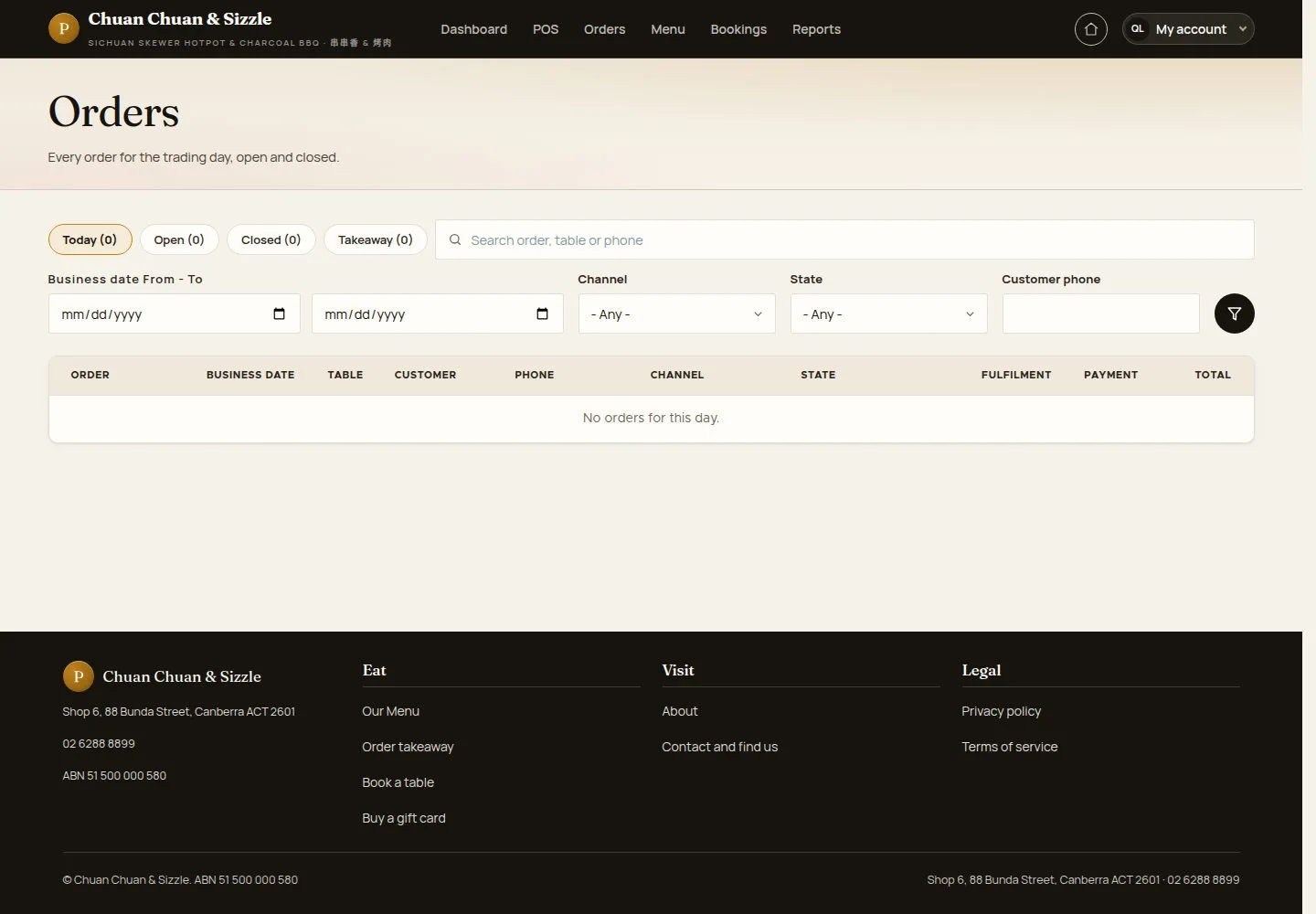
Orders lists every order of the trading day, open and closed.
- Use Today, Open, Closed or Takeaway, or search an order, a table or a phone.
- Choose other days with Business date From - To, filter by Channel, State or Customer phone, and open an order.
Open on site ↗sign-inFull-page screenshot ↗
Orders matching the selected date and filters are shown. An empty result says No orders for this day.
Read the Order detail
Manager
2Step 2 of 3
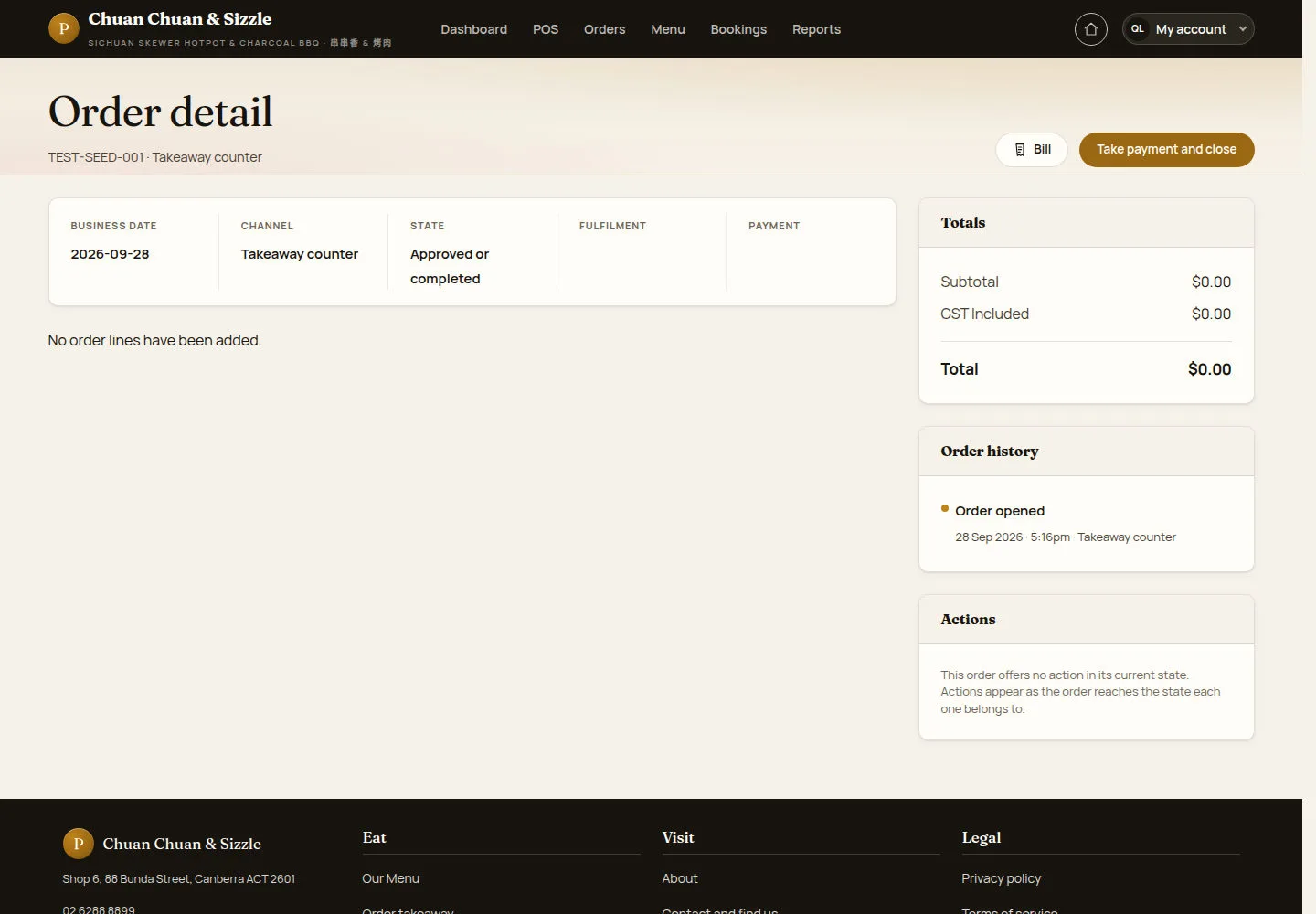
Order detail shows the business date, channel, state, fulfilment and payment, the lines, Totals, Order history and Actions.
- Click Bill to show the bill and print it with Print bill.
- Click Take payment and close to settle the order.
Opening Bill records a print event. Check the order first and open it when a bill is needed; subsequent copies are marked as reprints.
Open on site ↗sign-inFull-page screenshot ↗
Read the order lines, totals and current state. Actions offers only the actions available for that order.
Take the payment and close the order
Manager
3Step 3 of 3
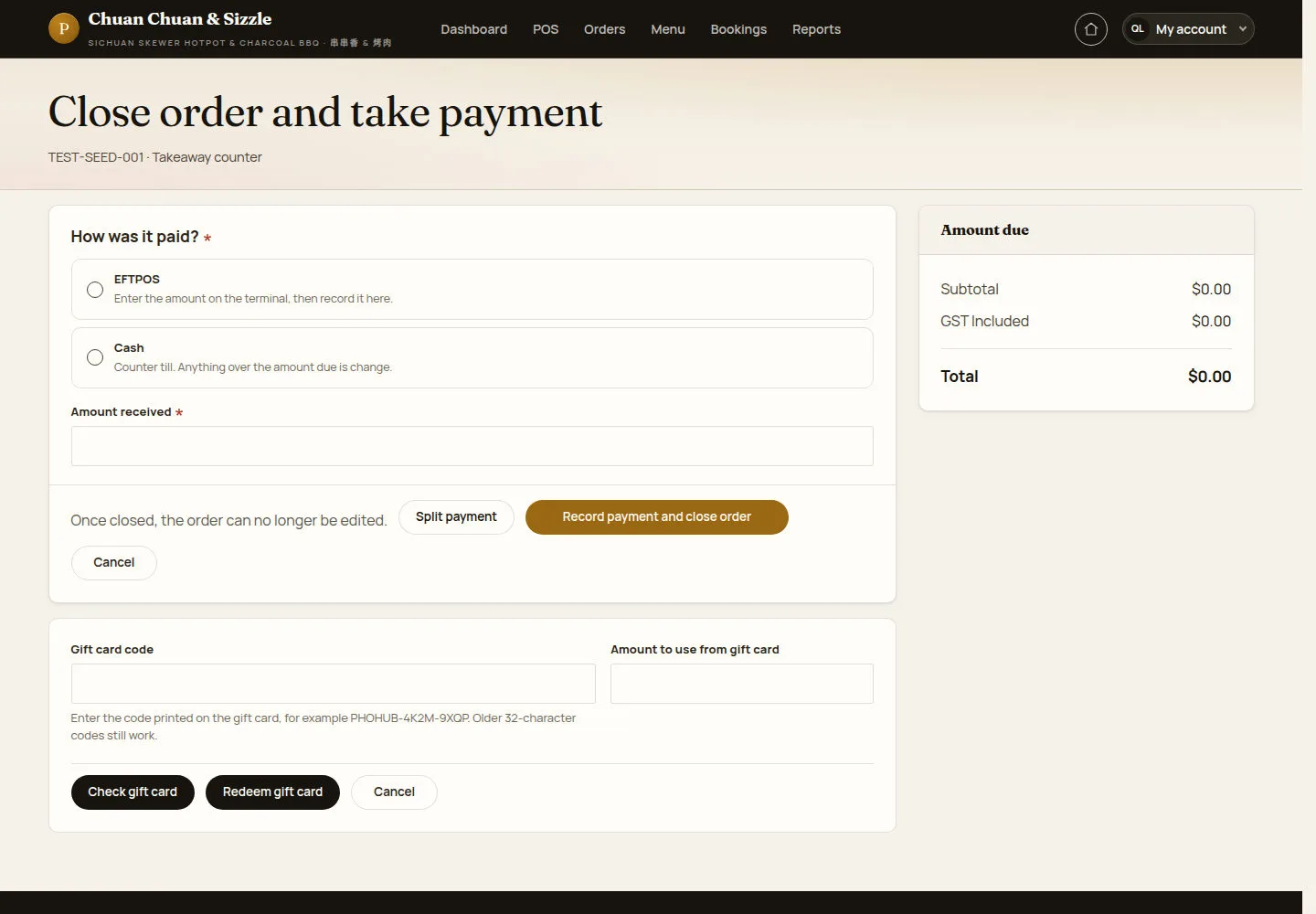
Close order and take payment records one or more payments against the Amount due.
- Choose How was it paid? — EFTPOS or Cash; a table order also offers Other, which needs a payment note — and enter Amount received.
- Use Split payment for several tenders, or fill Gift card code and Amount to use from gift card, then Check gift card and Redeem gift card.
- Click Record payment and close order; with an amount due the button reads Close order · $….
Once closed the order can no longer be edited; it can be reopened within 24 hours.
The manager closes table orders too; a waiter only closes counter takeaway and web orders paid at the counter.
Open on site ↗sign-inFull-page screenshot ↗
Paid in full, the order is archived and its table freed; a part payment leaves it open as part paid.
Void order or line (Choose what to void, Why is this being voided?, Void) voids a line or the whole order with a reason: a waiter voids only lines not yet sent, on an order with no payment; a manager or an administrator also voids sent lines and whole orders, and the totals are worked out again. Reopen order reopens a closed order within 24 hours with a reason, even on a locked day. Refund online payment records a refund of at most the Refundable amount with a reason for a card-paid web takeaway order that is not archived; the money itself is returned in the payment provider's dashboard. Every void, reopen and refund is written to the audit log; no email is sent.