





User guide · Manager · 1 of 12
Staff dashboard, My account menu and Home icon
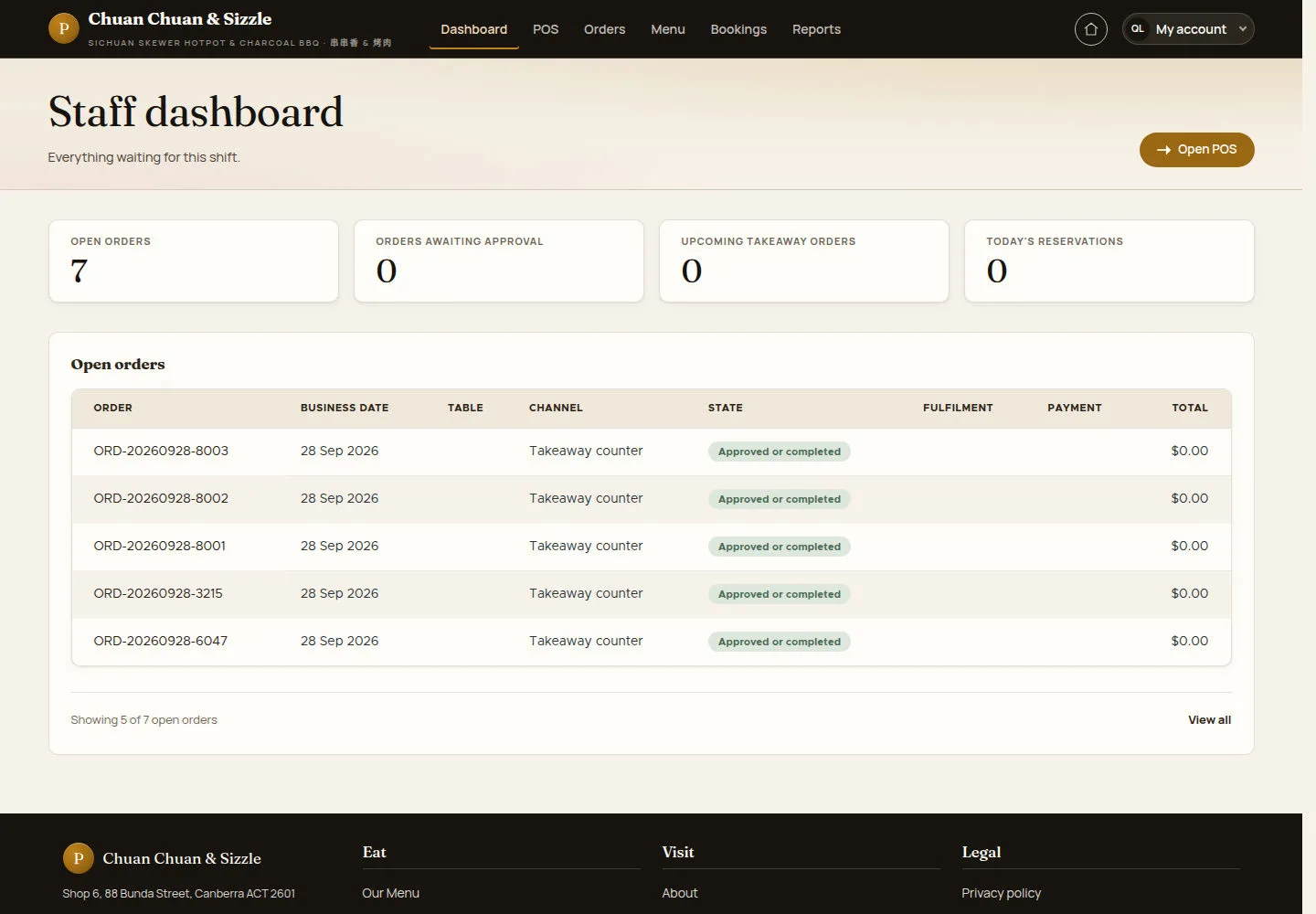
After Log in the manager lands on the Staff dashboard; My account opens every back-office page of the role and the Home icon goes back to the public site.
- Sign in with a Manager account.
Read the Staff dashboard
Manager
1Step 1 of 5
The dashboard counts open orders, orders awaiting approval, upcoming takeaway orders and today's reservations, above the Open orders list.
- Click Open POS for the floor map, or View all under Open orders.
- Use the header: Dashboard, POS, Orders, Menu, Bookings and Reports.
Open on site ↗sign-inFull-page screenshot ↗
Review OPEN ORDERS and the order list for the scope available to your account.
Open the My account menu
Manager
2Step 2 of 5
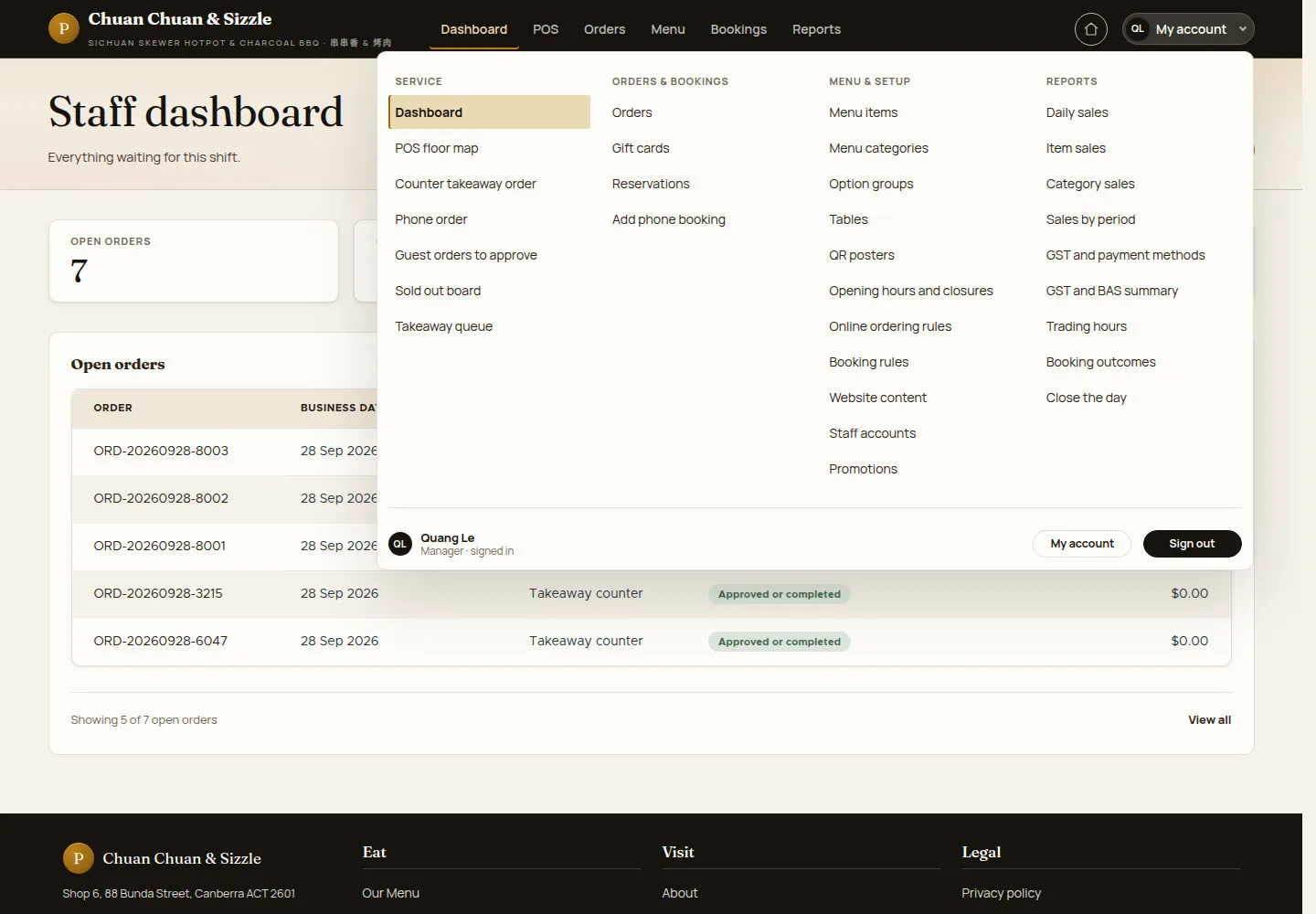
The menu has four columns: SERVICE, ORDERS & BOOKINGS, MENU & SETUP and REPORTS.
- Pick any page from a column.
- Use My account or Sign out at the bottom.
Open on site ↗sign-inFull-page screenshot ↗
Your name and Manager · signed in appear at the bottom; MENU & SETUP includes Promotions.
Go to the public site and back
Manager
3Step 3 of 5
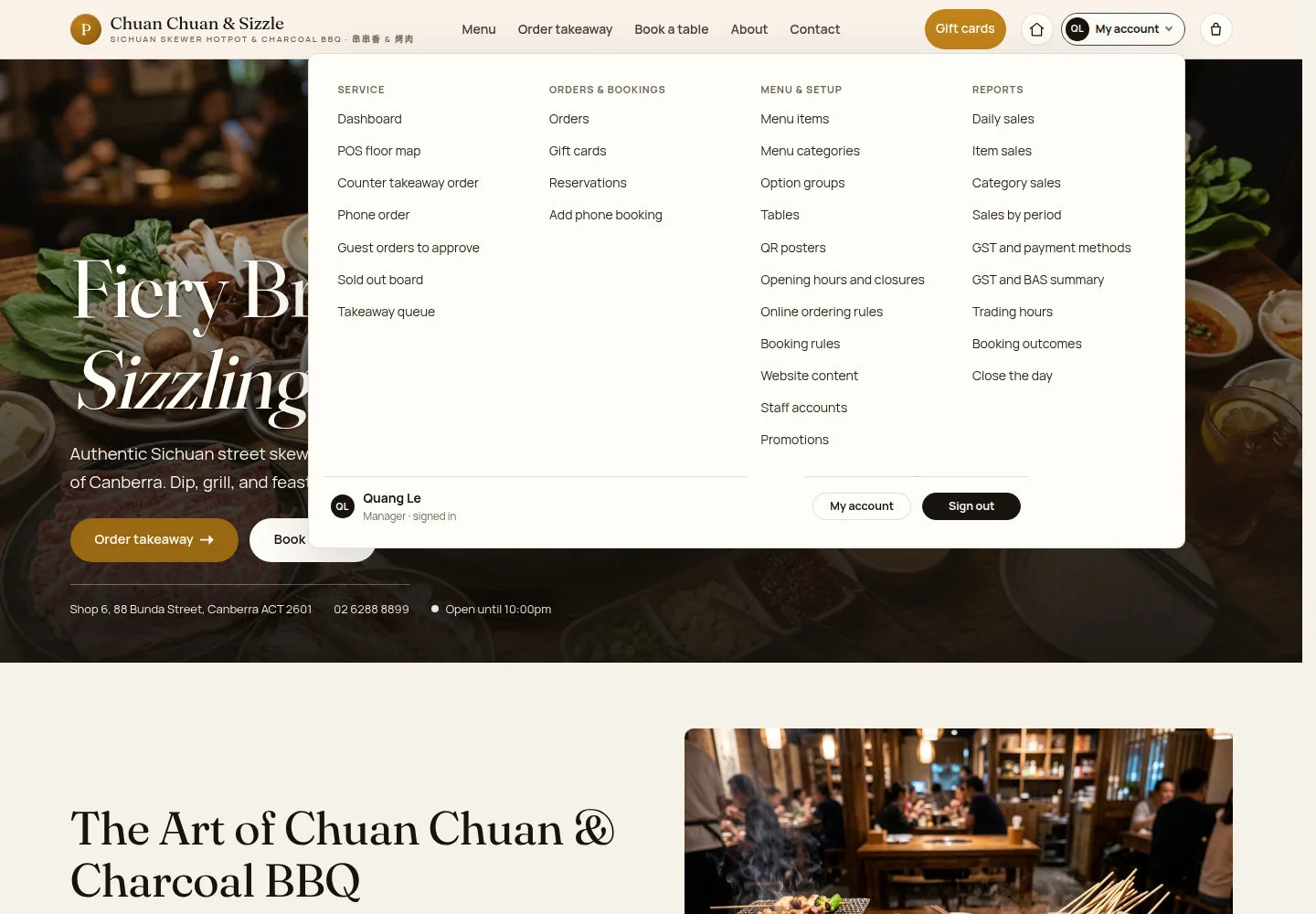
The Home icon left of My account opens the public home page without signing out.
- Click the Home icon.
- On the public site open My account to come back to any back-office page.
Open on site ↗sign-inFull-page screenshot ↗
The public header shows Gift cards, the Home icon, My account and the cart icon.
Use the back office on a tablet
Manager
4Step 4 of 5
On a tablet, the header wraps the restaurant name and navigation onto separate rows.
- Tap a section, or My account for the full menu.
Open on site ↗sign-inFull-page screenshot ↗
The four counters stay in one row above Open orders.
Keep your account up to date
Manager
5Step 5 of 5
My account holds My details, Change password, Security, Trusted devices and Two-factor authentication.
- Change the picture, the Email address or the Phone number and click Save.
- To change the password fill Current password, Password and Confirm password, then Save.
The Two-factor authentication card says two-factor authentication is unavailable on this site right now, although the sign-in form asks managers and administrators for a second factor.
Open on site ↗sign-inFull-page screenshot ↗
Security shows the role (Manager), the two-factor status and the last sign-in time.