





User guide · Waiter · 7 of 7
Bookings, tables, QR posters and opening hours
See the bookings, record a booking taken by phone, check the tables and print their QR posters, and look up the opening hours.
Open Reservations
Waiter
1Step 1 of 5
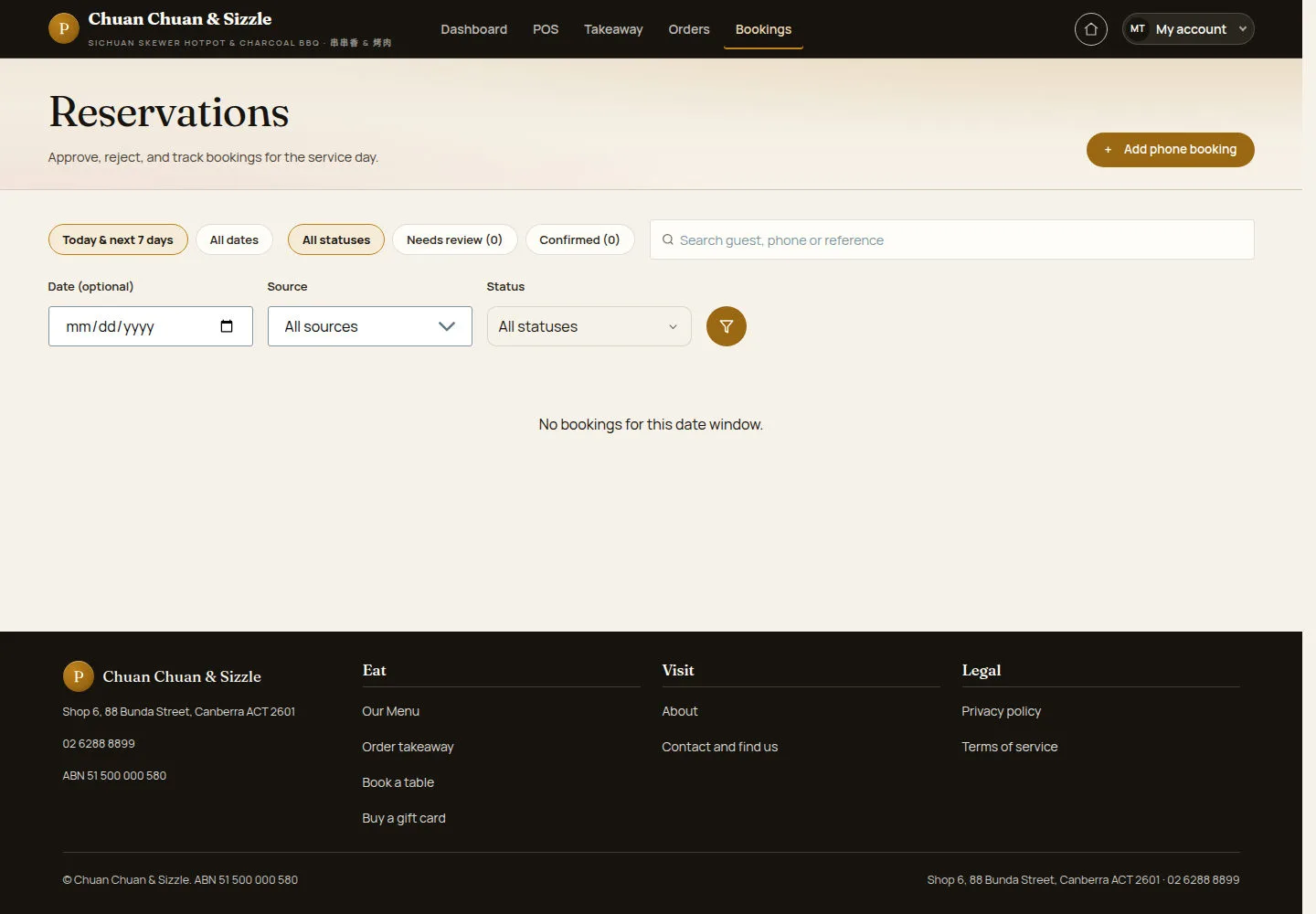
Bookings in the header opens Reservations for today and the next seven days.
- Switch between Today & next 7 days and All dates, and between All statuses, Needs review and Confirmed.
- Search a guest, a phone or a reference, or filter by Date (optional), Source and Status.
A waiter sees bookings but cannot approve, reject or cancel them; that is the manager's job.
Open on site ↗sign-inFull-page screenshot ↗
Here the list says No bookings for this date window.
Add a phone booking
Waiter
2Step 2 of 5
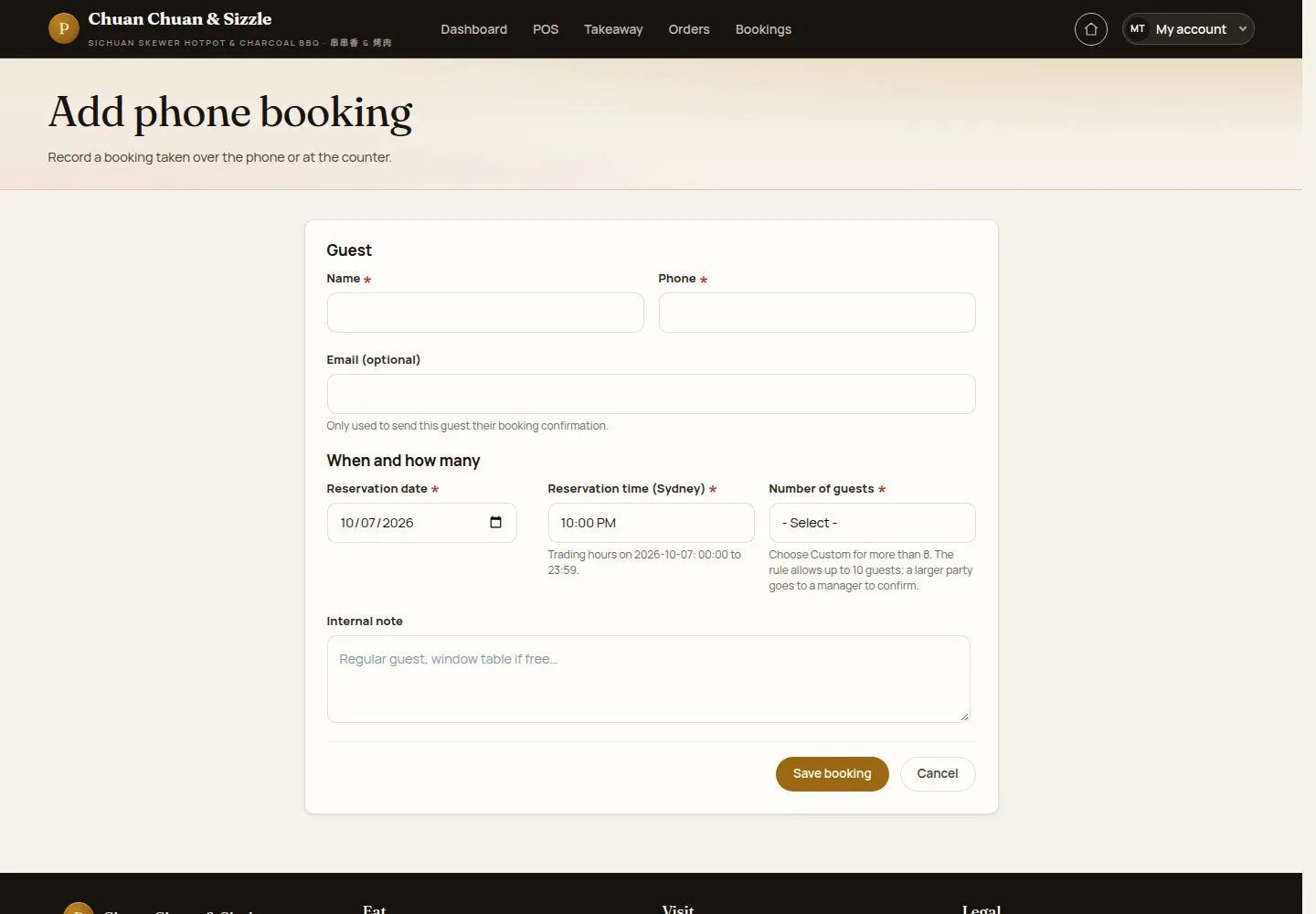
+ Add phone booking records a booking taken over the phone or at the counter.
- Enter the guest's Name, Phone and Email (optional).
- Choose Reservation date, Reservation time (Sydney) and Number of guests, and add an Internal note.
- Click Save booking.
A booking entered by a waiter always waits for manager review. The email is only used to send the guest their booking confirmation.
Open on site ↗sign-inFull-page screenshot ↗
The booking is saved and waits for a manager to review it.
Check the tables
Waiter
3Step 3 of 5
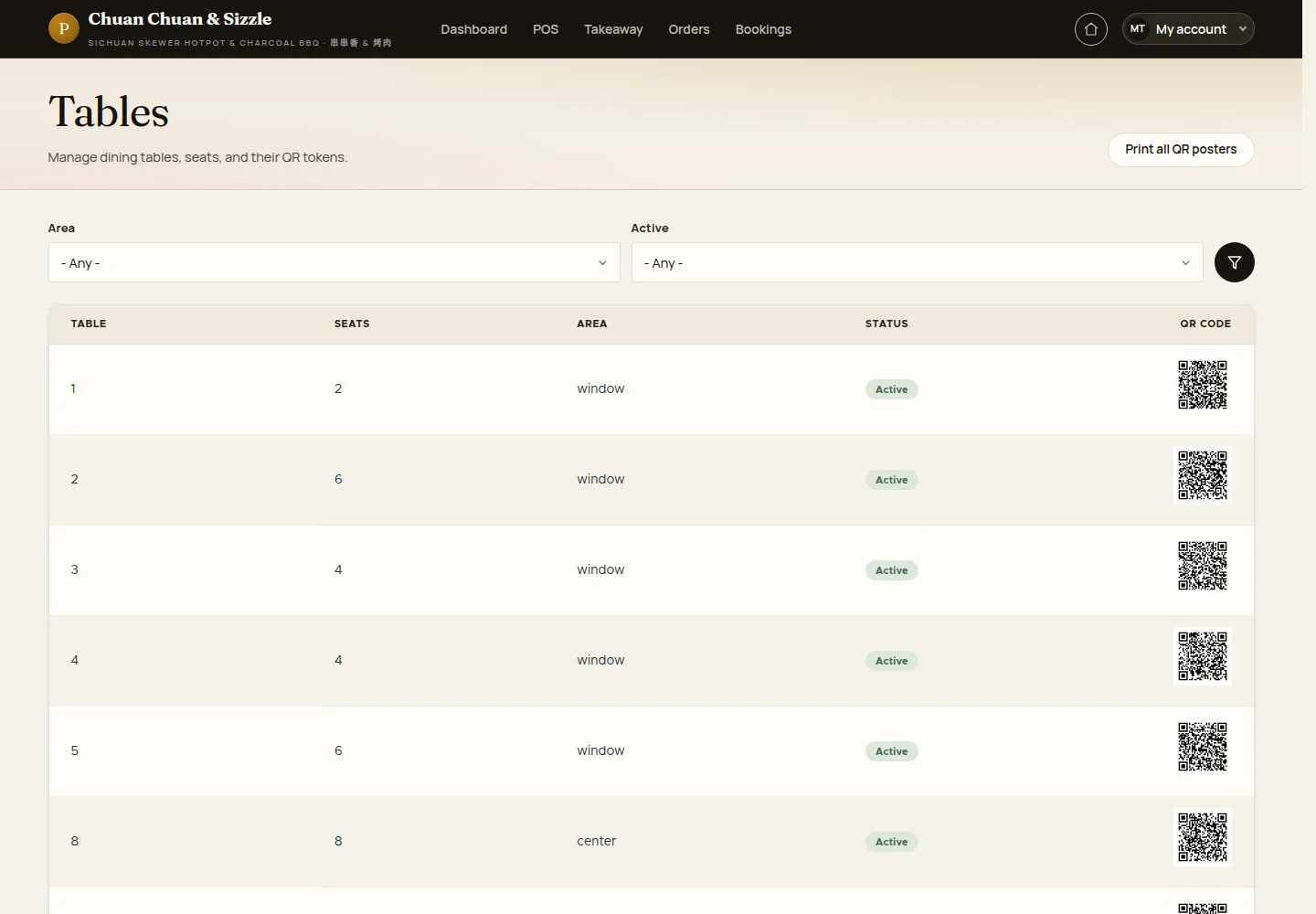
Tables lists every table with its seats, area, status and QR code.
- Filter by Area or Active.
- Click Print all QR posters for the poster sheet.
Only a manager or an administrator adds or edits tables or rotates a QR code.
Open on site ↗sign-inFull-page screenshot ↗
Check each table's active status and QR availability.
Print the QR posters
Waiter
4Step 4 of 5
QR posters prints the takeaway poster and one poster per table.
- Click Print takeaway QR for the counter and front-door poster.
- Click Preview on a table, or Print all.
Use the current QR poster printed for the actual table. The illustration is not a guest ordering link.
Open on site ↗sign-inFull-page screenshot ↗
Each table card shows its number, seats and area above its QR code.
Look up the opening hours
Waiter
5Step 5 of 5
Opening hours and closures shows the weekly hours and any special closure.
- Read the hours of each day and the special closures list.
A waiter can only read this page. The opening hours also drive the takeaway slots, table ordering and bookings.
Open on site ↗sign-inFull-page screenshot ↗
Monday to Thursday and Sunday 11:30–22:00, Friday and Saturday 11:30–23:00; No special closures.