





Guide › Visitor › Send a care enquiry
Visitor
Send a care enquiry
Give the team the contact and care-location details it needs to respond to your enquiry.
Before you start: Have the contact details and care address ready. Choose the brand enquiry form or the local office form you intend to contact.
Choose the appropriate enquiry form
Visitor
Swipe across the preview to see more. Tap to enlarge.
1Step 1 of 4
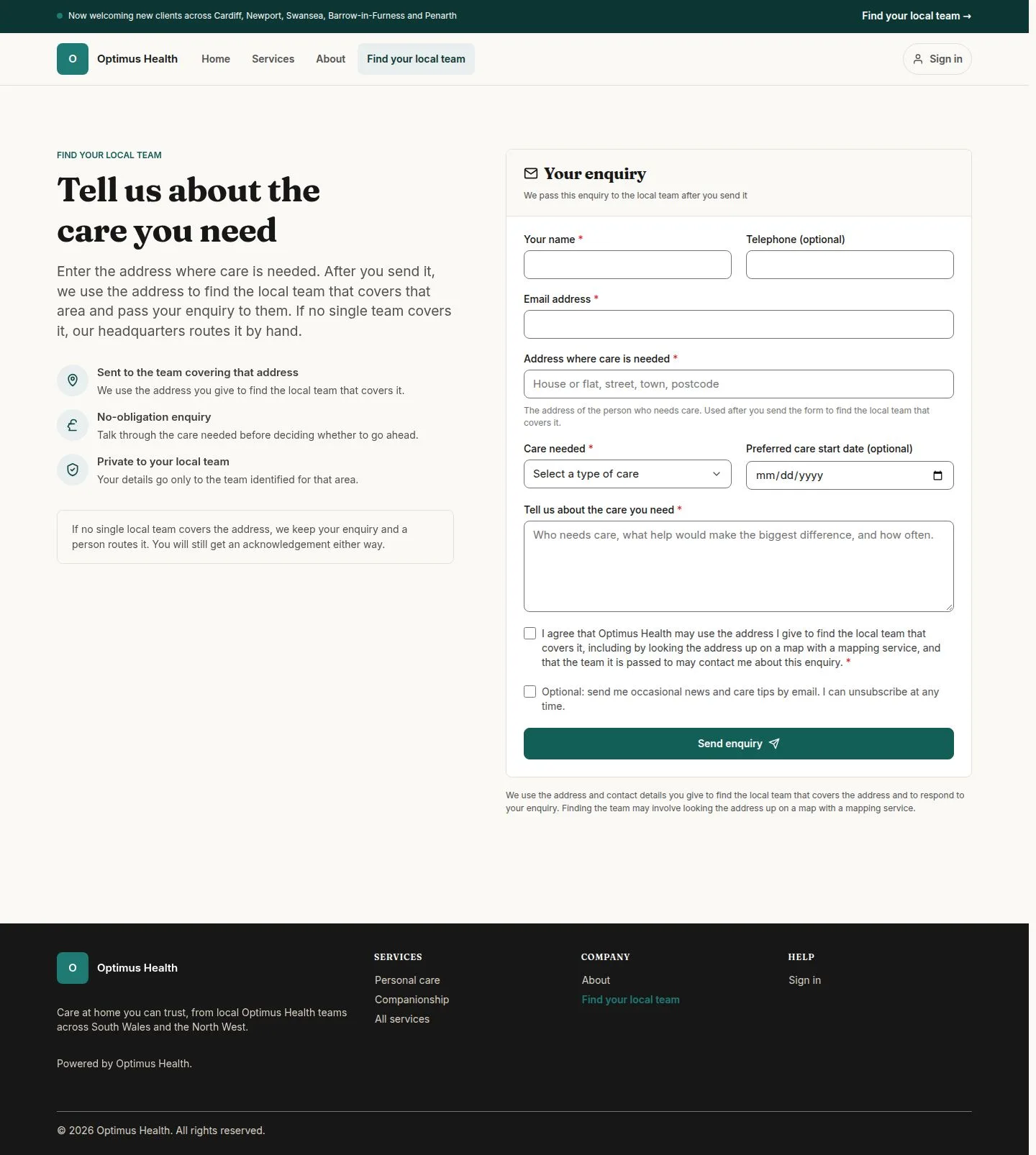
What to doUse Find your local team on the brand website when you need help finding the team. Enter the care address on the enquiry form.
The brand enquiry can use the address to select an office; an address needing review goes to Headquarters for allocation.
Use the local office form when you know the team
Visitor
Swipe across the preview to see more. Tap to enlarge.
2Step 2 of 4
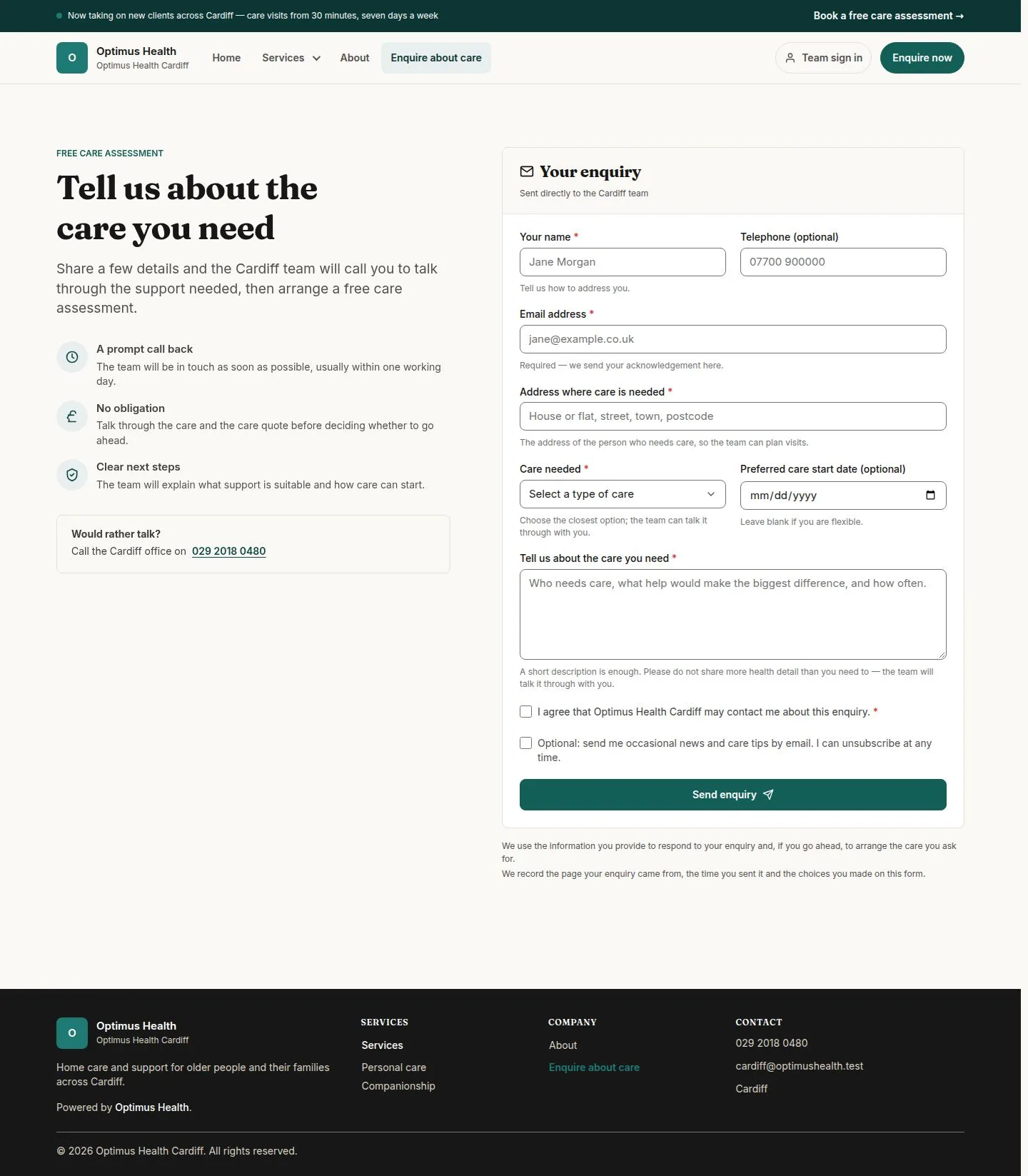
What to doOpen the office enquiry page and enter the contact name, email and care address. Choose the relevant service and describe the help you want to discuss.
The form contains the information needed for that office to follow up. Required fields must be completed before it can be sent.
Check consent and send the enquiry
Visitor
Swipe across the preview to see more. Tap to enlarge.
3Step 3 of 4
What to doRead the consent text. Tick the required agreement to be contacted; treat any optional marketing choice separately. Check the details, then choose Send enquiry when you are ready.
If validation succeeds, the site opens a thank-you page. If the form reports a problem, correct the indicated fields before trying again.
Read the receipt after a successful submission
Visitor
Swipe across the preview to see more. Tap to enlarge.
4Step 4 of 4
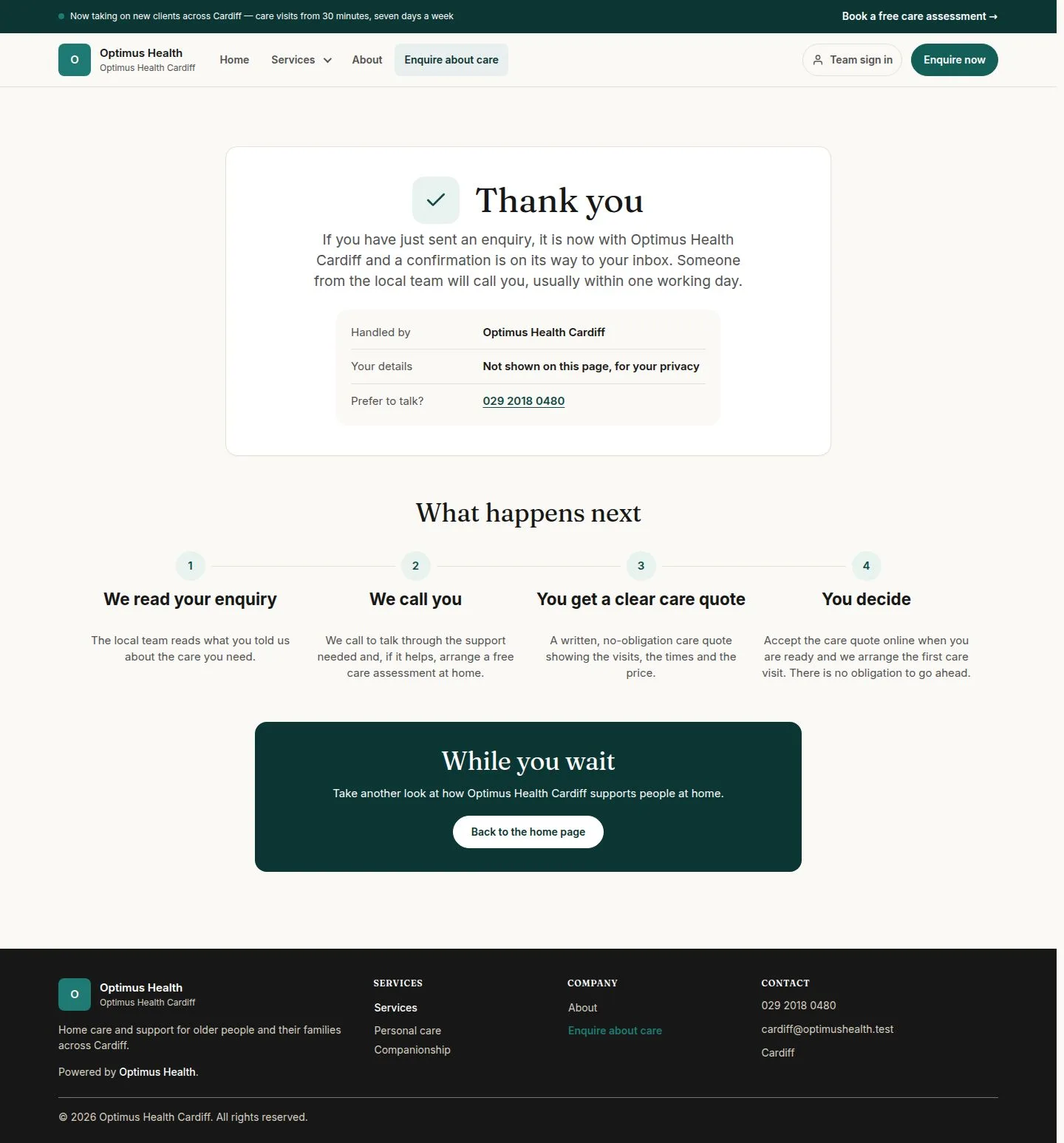
What to doAfter submitting successfully, read the thank-you page and use any office contact details shown if you need to get in touch.
The receipt explains the next step without repeating the personal details entered.