






Guide › Headquarters › Maintain published brand pages
Headquarters
Maintain published brand pages
Edit the brand website using the existing section layouts and check the public result after saving.
Before you start: Sign in as Headquarters. Have the approved words, images and call-to-action destinations.
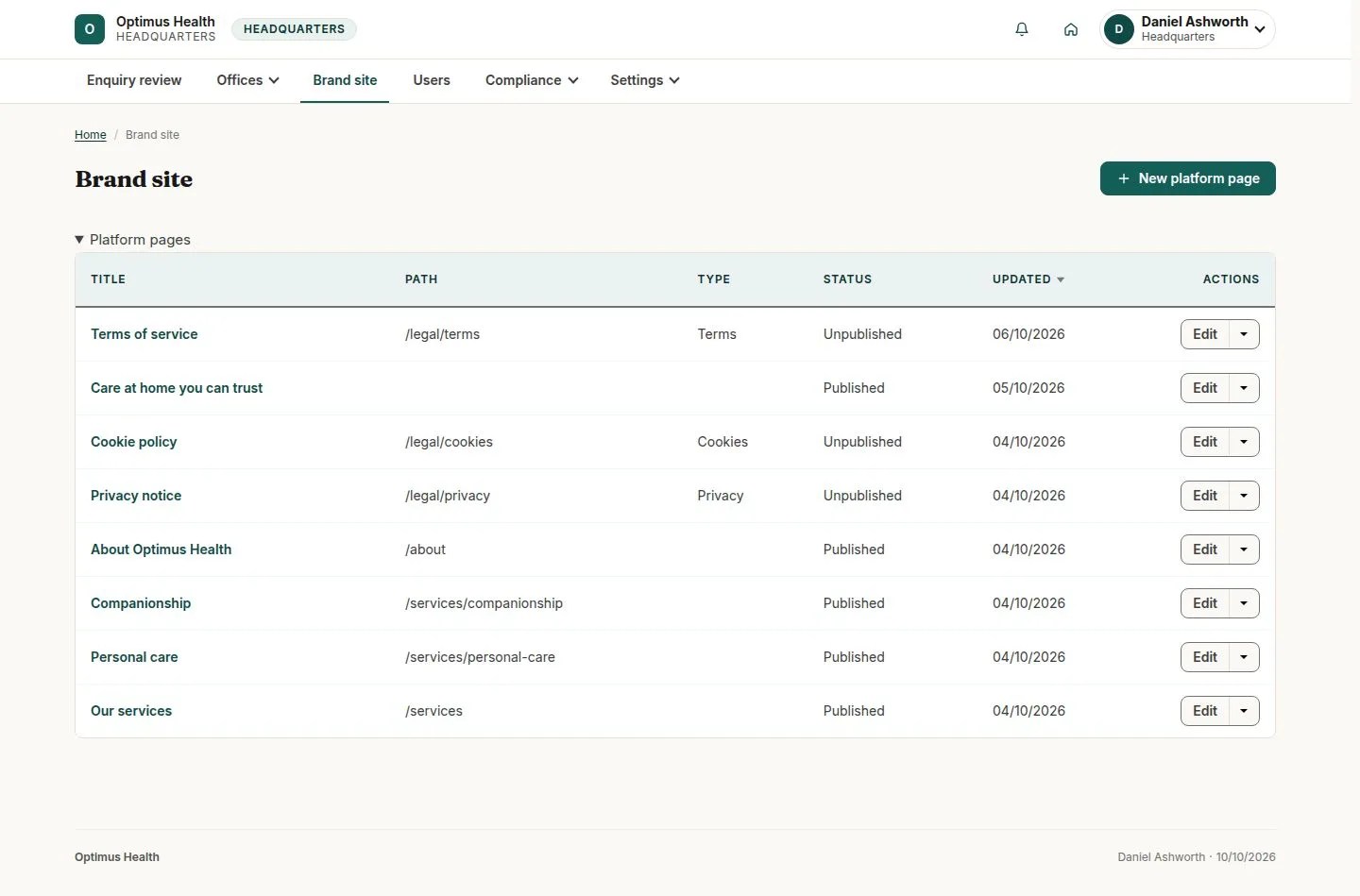
Find the page in Brand site
Headquarters
Swipe across the preview to see more. Tap to enlarge.
1Step 1 of 4
What to doOpen Brand site and identify the page, its address and whether it is published.
The list provides the current brand pages and their edit controls.
Review the section structure
Headquarters
Swipe across the preview to see more. Tap to enlarge.

2Step 2 of 4
What to doOpen the selected page's edit form. Keep Office empty for a brand page, and use Collapse all to review its section order.
The page is a stack of brand sections such as Hero, Prose, Card grid and CTA band.
Edit, preview and save
Headquarters
Swipe across the preview to see more. Tap to enlarge.
3Step 3 of 4
What to doOpen the section to change its words and pictures. Check both the call-to-action destination and link text, add a revision note, then preview and save when ready.
If the save succeeds, the page uses the saved section content and publication settings.
Check the published page
Headquarters
Swipe across the preview to see more. Tap to enlarge.
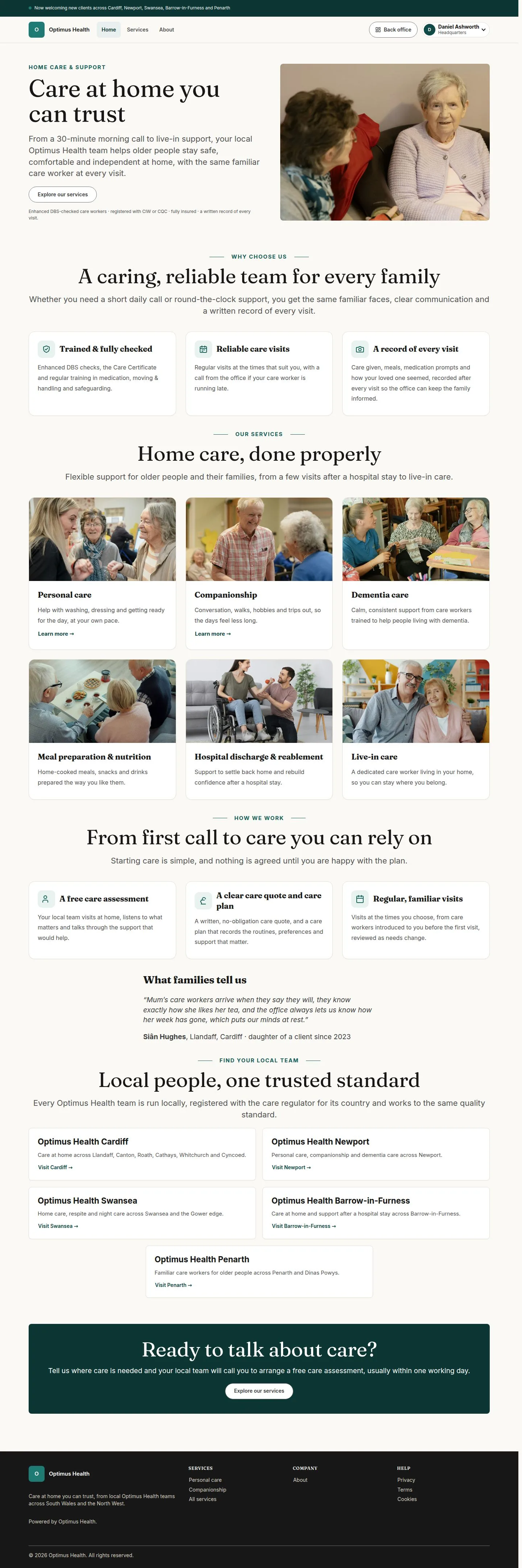
4Step 4 of 4
What to doOpen the page on the brand website after saving and verify its sections, images and enquiry links.
The published page shows the saved content that visitors can access; an unpublished page is not assumed to be public.