





Guide › Care Coordinator › Maintain clients, contacts and care locations
Care Coordinator
Maintain clients, contacts and care locations
Keep client facts, the people who can be contacted, billing arrangements and care-location instructions current.
Before you start: Sign in as the Care Coordinator for the client’s office. Use the existing client record and the contact or care location belonging to that client.
Update the client facts
Care Coordinator
Swipe across the preview to see more. Tap to enlarge.
1Step 1 of 4
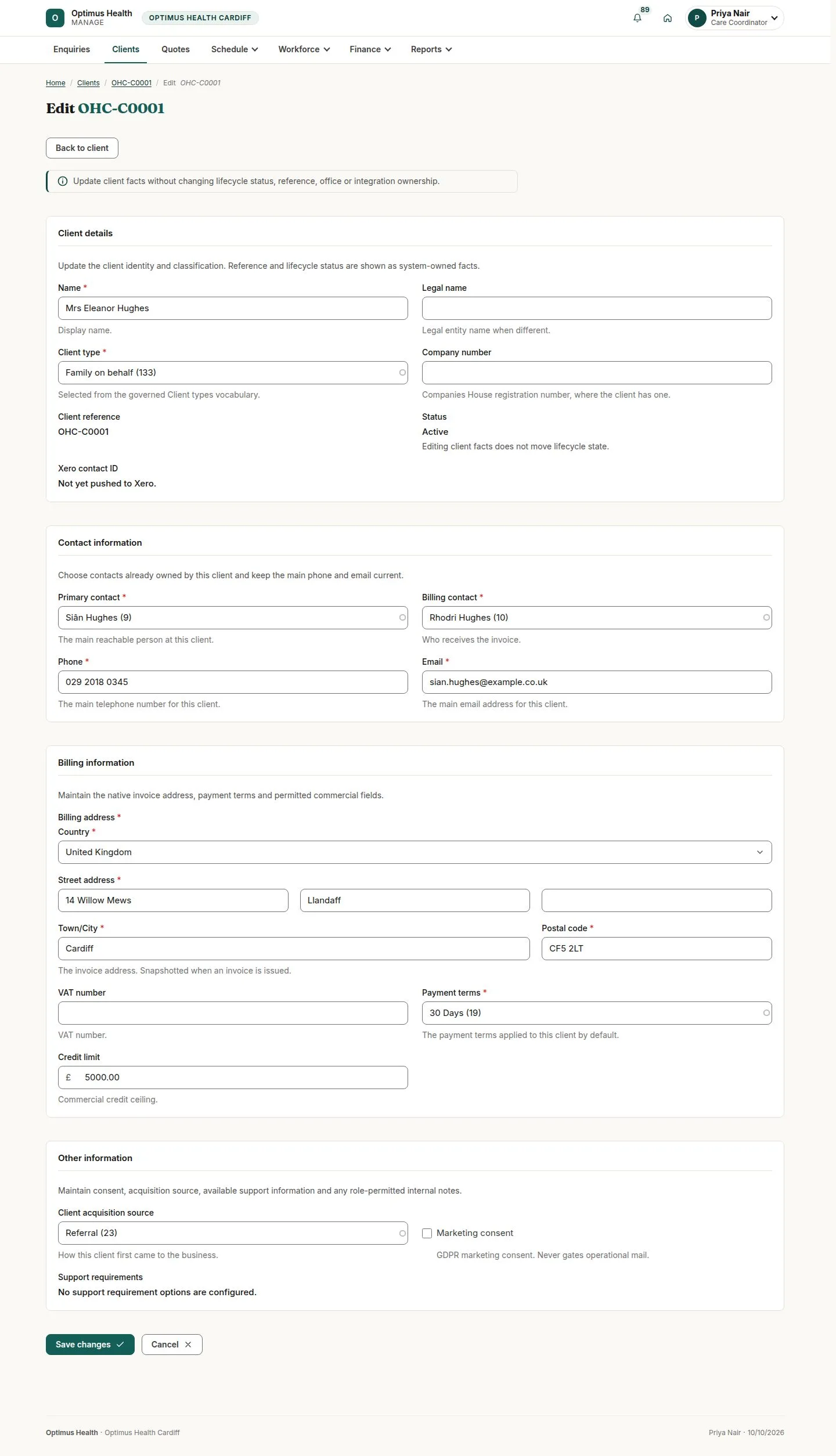
What to doIn Clients, open the intended client and its edit form. Check Name, Client type, Primary contact, Billing contact, Billing address and Payment terms. Choose contacts already belonging to this client, then use Save changes after checking the form.
If the save succeeds, the client facts are updated. The client keeps its status, reference and office.
Maintain an existing contact
Care Coordinator
Swipe across the preview to see more. Tap to enlarge.
2Step 2 of 4
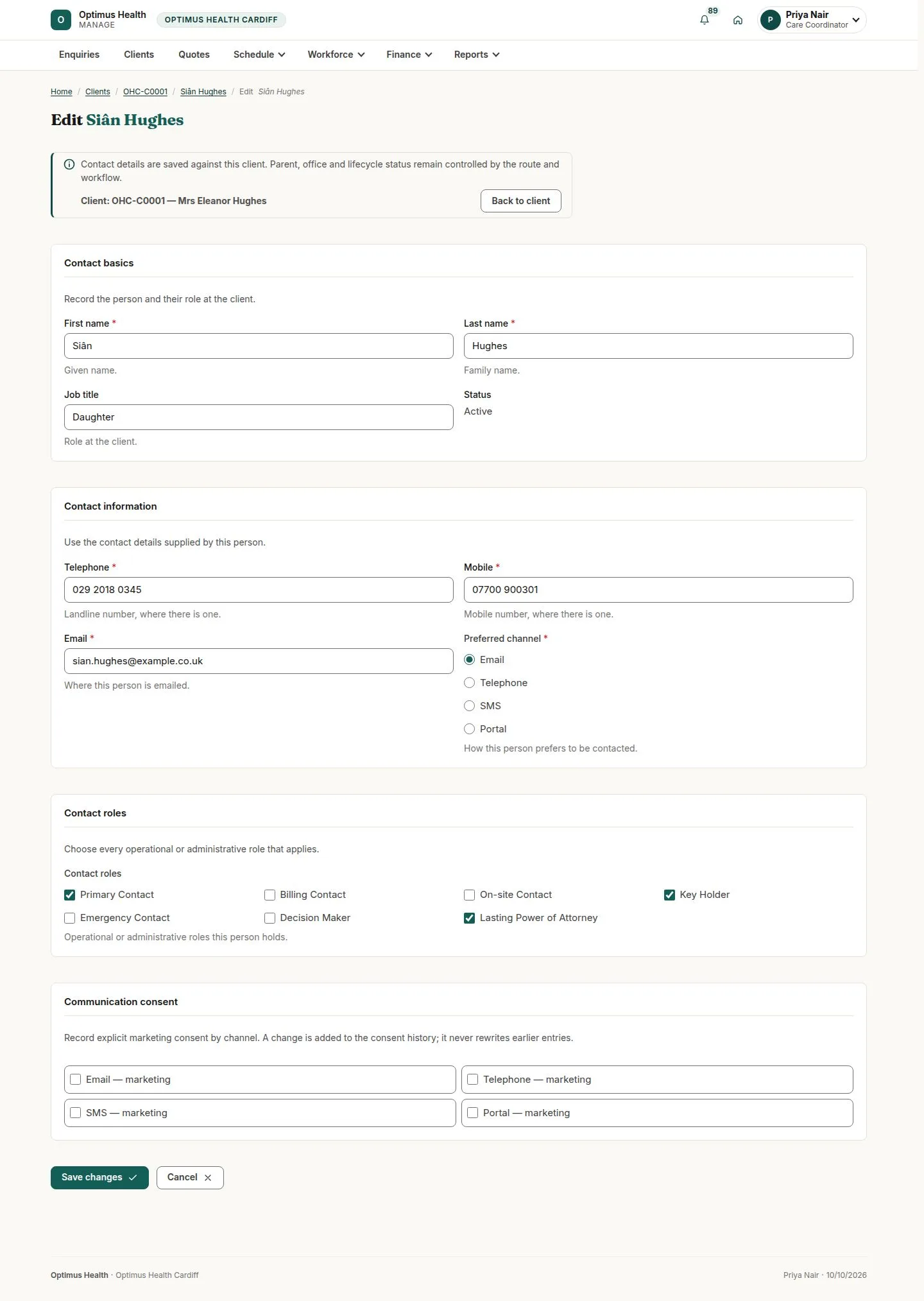
What to doOpen the intended client contact’s edit form. Review Telephone, Mobile, Email, Preferred channel and Contact roles. Record the person’s explicit channel choices under Communication consent, then choose Save changes when correct.
If accepted, the contact stays attached to its client and the permitted changes are saved. A consent change is added to its history; an earlier entry is preserved. Selecting SMS or Portal as a preference does not itself send a message.
Add a contact when needed
Care Coordinator
Swipe across the preview to see more. Tap to enlarge.
3Step 3 of 4
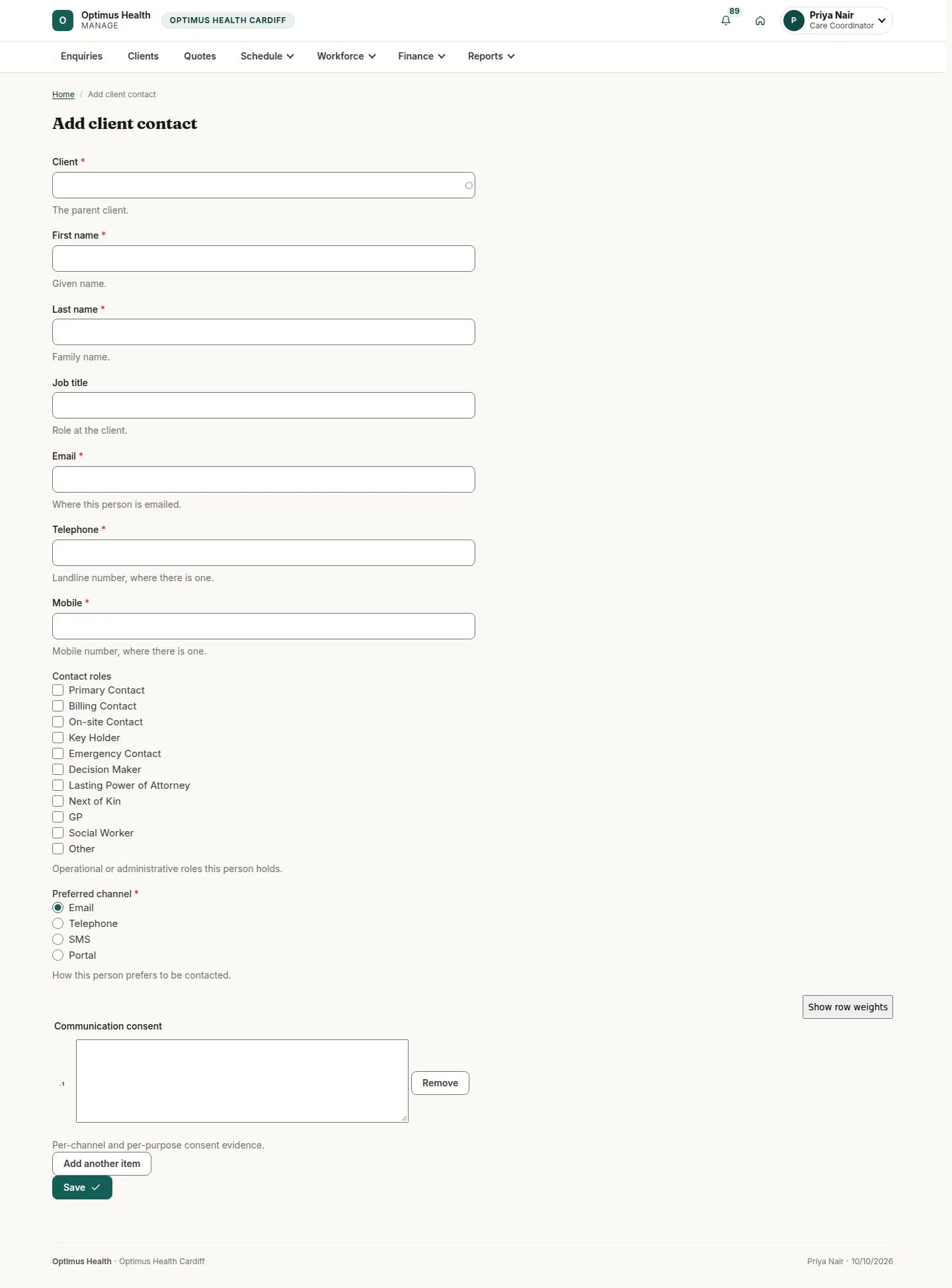
What to doOpen Add client contact. Select the parent Client, complete the required name and contact fields, choose the applicable Contact roles, and record the offered consent evidence. Review the parent client before choosing Save.
If the save succeeds, the new contact belongs to the selected client. To use it as the primary or billing contact, return to the client’s edit form and select it there.
Update the care-location instructions
Care Coordinator
Swipe across the preview to see more. Tap to enlarge.
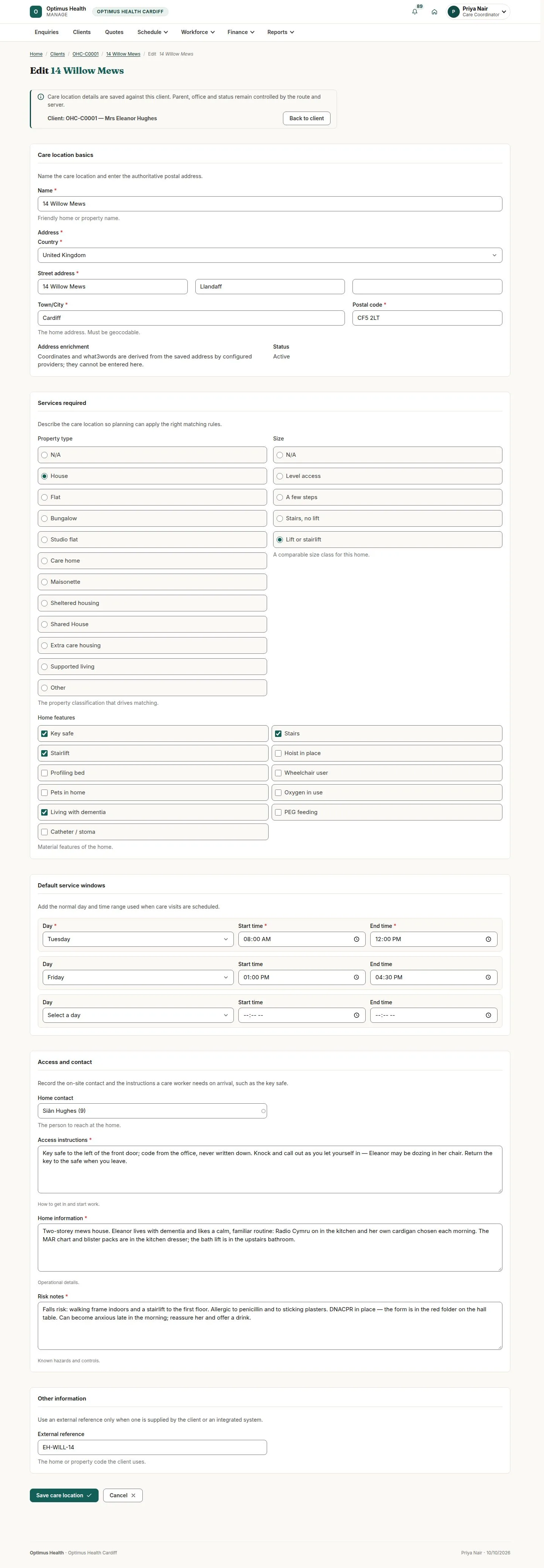
4Step 4 of 4
What to doReview Address, Property type, Size, Home features and Default service windows. Update Home contact, Access instructions, Home information and Risk notes, then choose Save care location.
If accepted, the facts and windows are saved for the same client. Coordinates are derived from the address; parent, office and status stay unchanged. Check existing visits’ copied summaries separately.