






Guide › Care Coordinator › Resolve operations exceptions at their source
Care Coordinator
Resolve operations exceptions at their source
Read the office’s exception queue and follow the offered fixes until the condition is resolved.
Before you start: Sign in as the Care Coordinator or Office Owner for the affected office. Use the queue’s current record links rather than assuming a previously shown exception is still open.
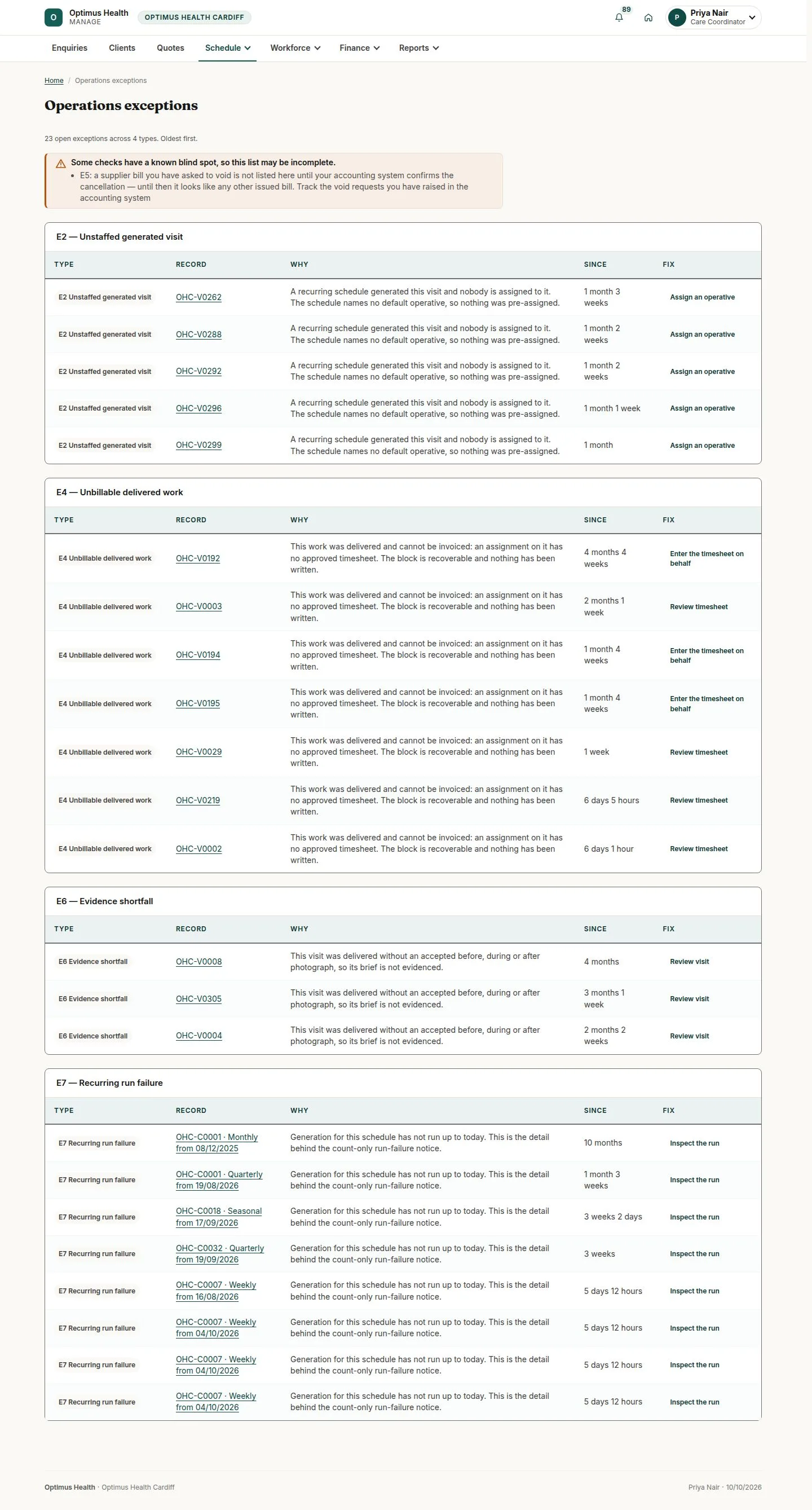
Read the exception and its cause
Care Coordinator
Swipe across the preview to see more. Tap to enlarge.
1Step 1 of 4
What to doOpen Schedule → Operations exceptions. Read TYPE, RECORD, WHY and FIX for the row, and read any completeness warning above the tables.
The queue shows problems in current office records. There is no dismiss action; a row disappears when its condition is resolved. Read the warning about supplier-bill cancellation: a void request may be absent until the accounting provider confirms it.
Staff an unassigned generated visit
Care Coordinator
Swipe across the preview to see more. Tap to enlarge.
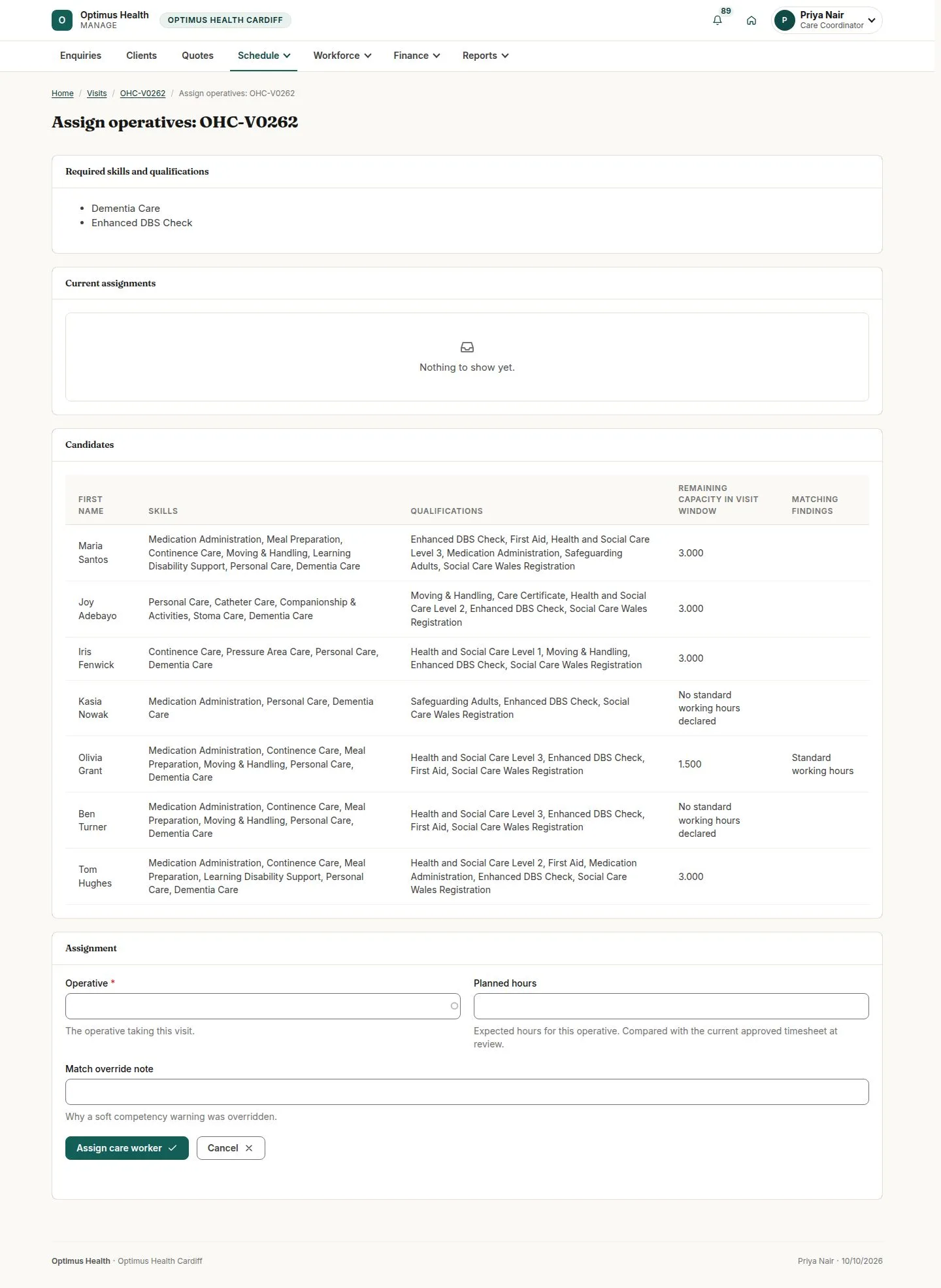
2Step 2 of 4
What to doFor E2 — Unstaffed generated visit, choose the row’s Assign an operative link. This opens the care-worker assignment screen. Compare the requirements, availability and warnings, then use the offered assignment controls for the intended person and hours.
If the assignment is accepted, the visit has its care worker. Return to Operations exceptions to check whether that condition has cleared; the system does not select and assign a worker automatically.
Resolve a missing or unapproved timesheet
Care Coordinator
Swipe across the preview to see more. Tap to enlarge.
3Step 3 of 4
What to doFor E4 — Unbillable delivered work, follow Enter the timesheet on behalf or Review timesheet on the relevant row. Enter a missing claim only with the required reason, or review the submitted claim through Timesheet approvals.
A missing claim must still pass the normal approval workflow. Once the required timesheets are approved, the invoice-generation block can clear; opening a form or saving a draft does not make the visit invoiceable.
Review record shortfalls and recurring failures
Care Coordinator
Swipe across the preview to see more. Tap to enlarge.
4Step 4 of 4
What to doFor E6 — Evidence shortfall, use Review visit to read the visit records and decide the permitted follow-up. For E7 — Recurring run failure, choose Inspect the run and review the cause and Generated to. Return to the queue after correcting the affected record.
The row clears when the affected records satisfy the check. Recurring generation supports Weekly and Fortnightly; refer a schedule needing another recurrence to the Office Owner for review.