





Guide › Care Coordinator › Progress an enquiry and prepare the client record
Care Coordinator
Progress an enquiry and prepare the client record
Keep the enquiry history clear and create or link the client and care location needed for a quote.
Before you start: Sign in as a Care Coordinator. Choose the enquiry belonging to your office that you intend to follow up.
Review the Enquiry pipeline
Care Coordinator
Swipe across the preview to see more. Tap to enlarge.
1Step 1 of 6
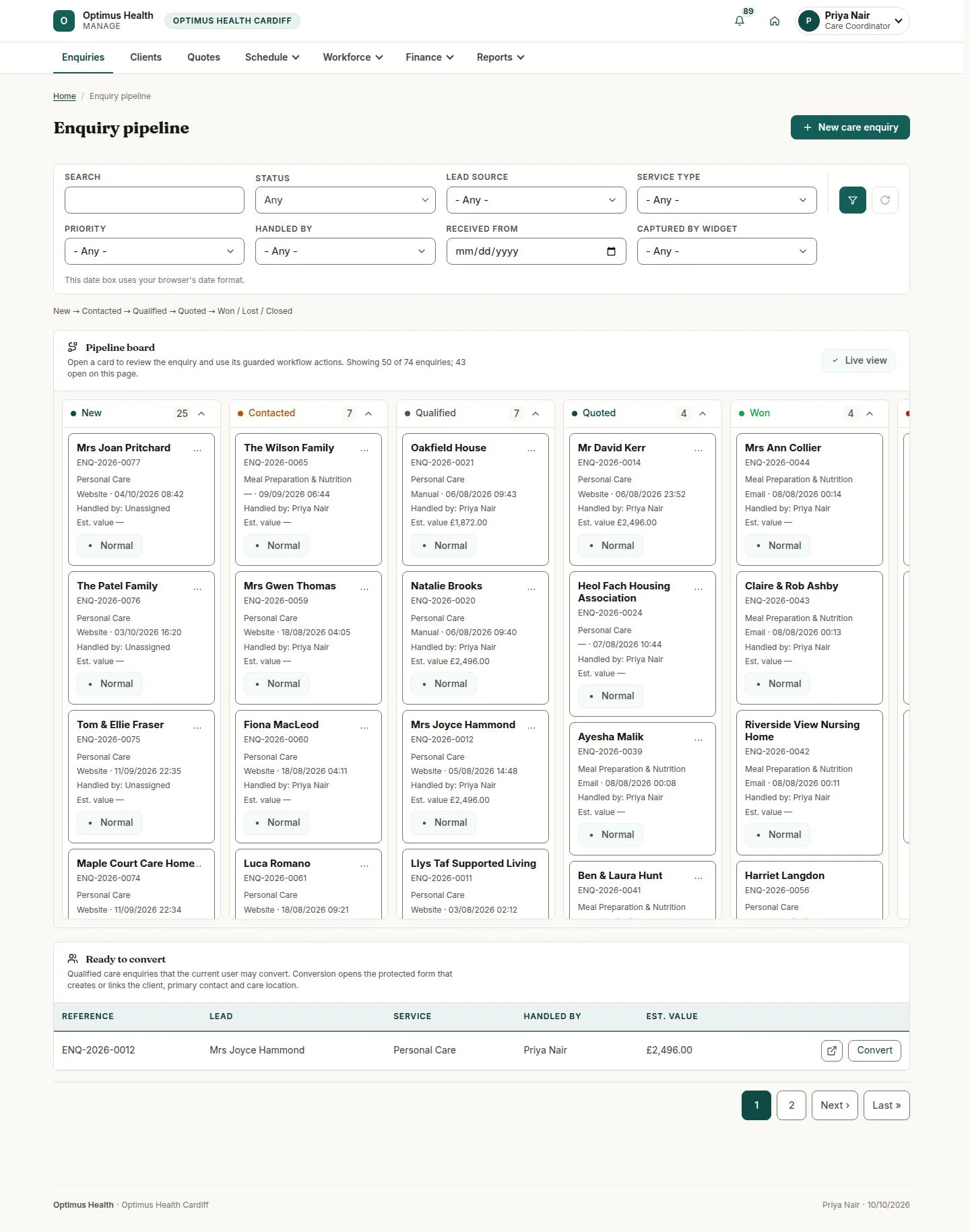
What to doOpen Enquiries and find the enquiry by stage, contact details or the filters offered. Check the handler on its card.
The pipeline groups enquiries by stage; the selected enquiry has its own history and available next actions.
Read the enquiry before following up
Care Coordinator
Swipe across the preview to see more. Tap to enlarge.
2Step 2 of 6
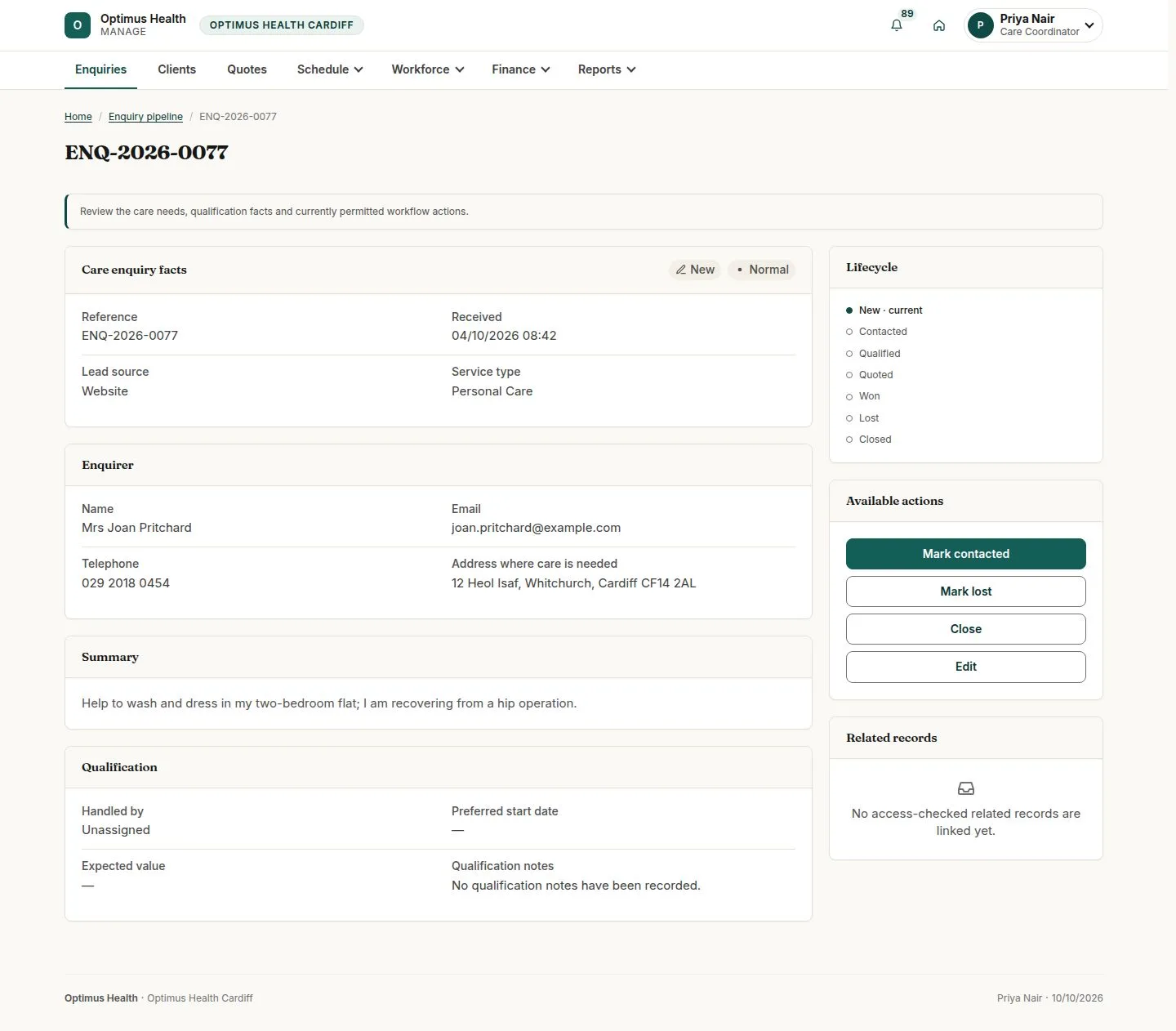
What to doOpen the enquiry and read the request, contact details, arrival information and available actions.
You can identify the request and the next moves allowed by its current stage.
Record contact and the responsible handler
Care Coordinator
Swipe across the preview to see more. Tap to enlarge.

3Step 3 of 6
What to doAfter contacting the enquirer, choose Mark contacted on a New enquiry. Select its Responsible handler, then confirm Mark contacted. Qualify the contacted enquiry later, after recording the required qualification facts.
If accepted, the enquiry moves to Contacted with its responsible handler. Contacted and Qualified are separate stages; complete the offered qualification workflow before converting.
Convert only a suitable enquiry
Care Coordinator
Swipe across the preview to see more. Tap to enlarge.
4Step 4 of 6
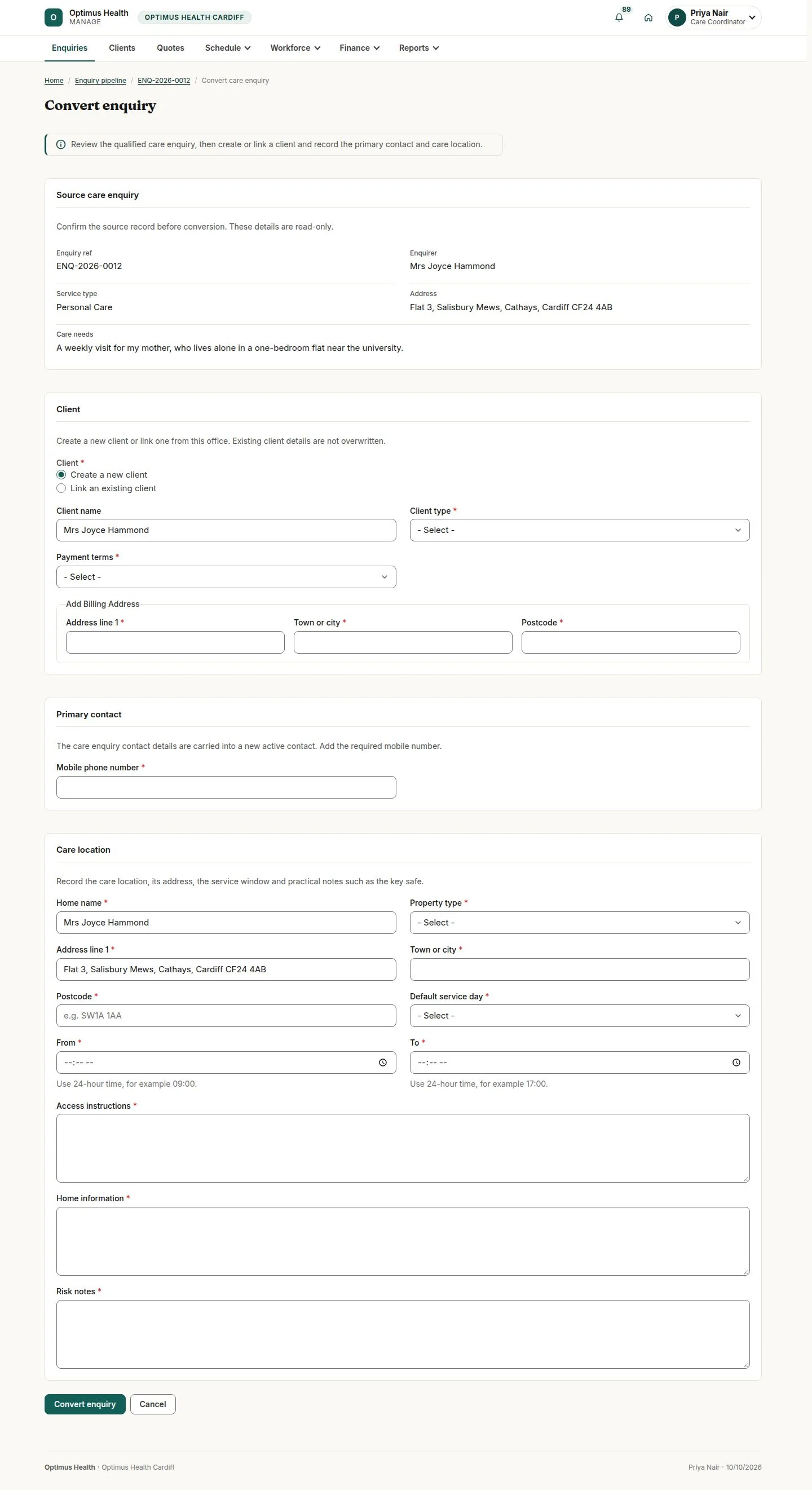
What to doWhen the enquiry offers Convert enquiry, open it and choose a new client or an existing client. Check carried-over contact information and enter the required billing and client details.
If conversion succeeds, the enquiry is linked to a client and the care location needed by the next workflow.
Check the client and contacts
Care Coordinator
Swipe across the preview to see more. Tap to enlarge.
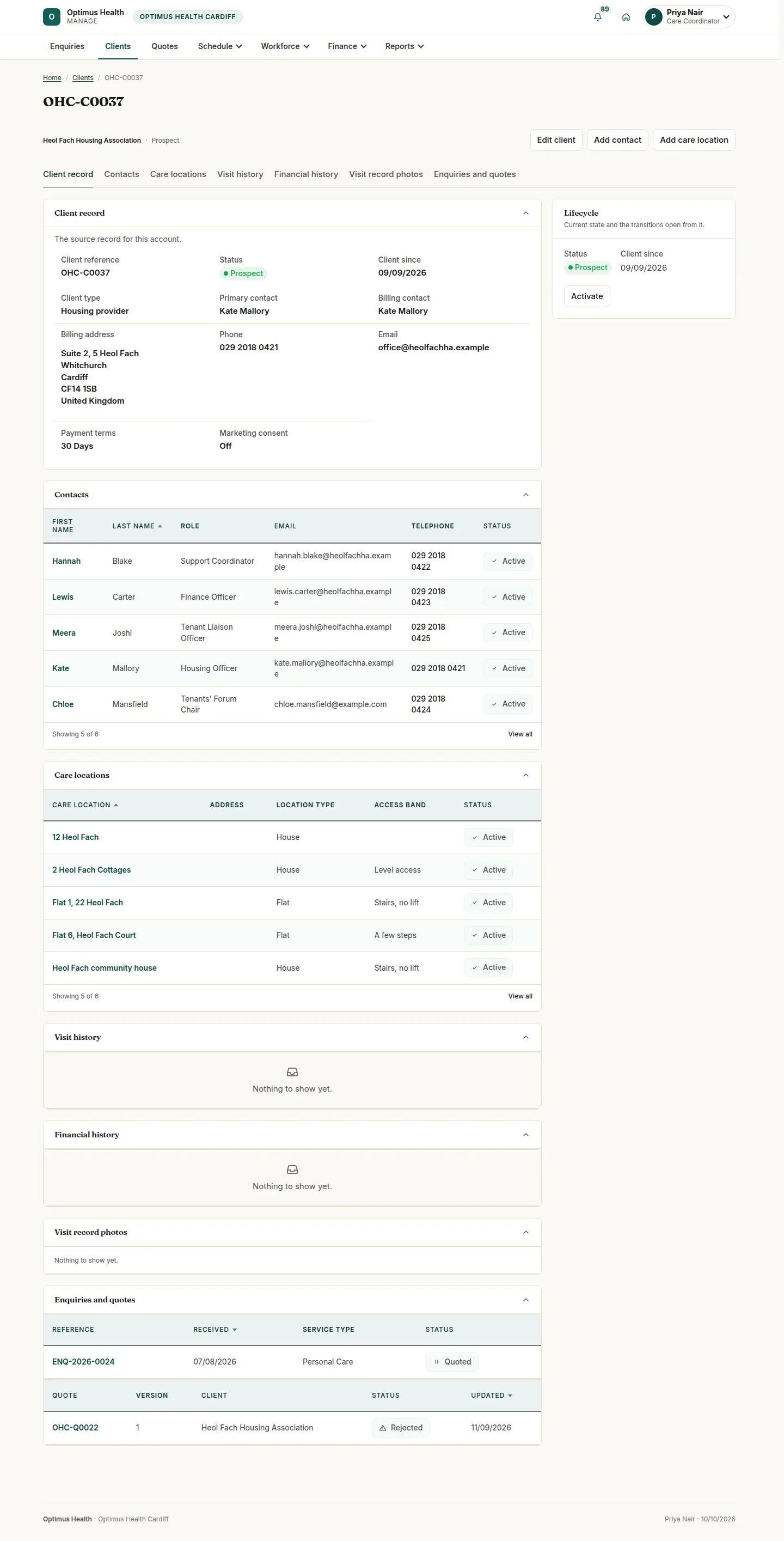
5Step 5 of 6
What to doOpen Clients and the relevant client. Check the client status, billing details and contact list; use the offered edit or contact-add form when a correction is needed.
The client record holds the current office contact and billing information used by quotes and invoices.
Keep the care-location brief current
Care Coordinator
Swipe across the preview to see more. Tap to enlarge.
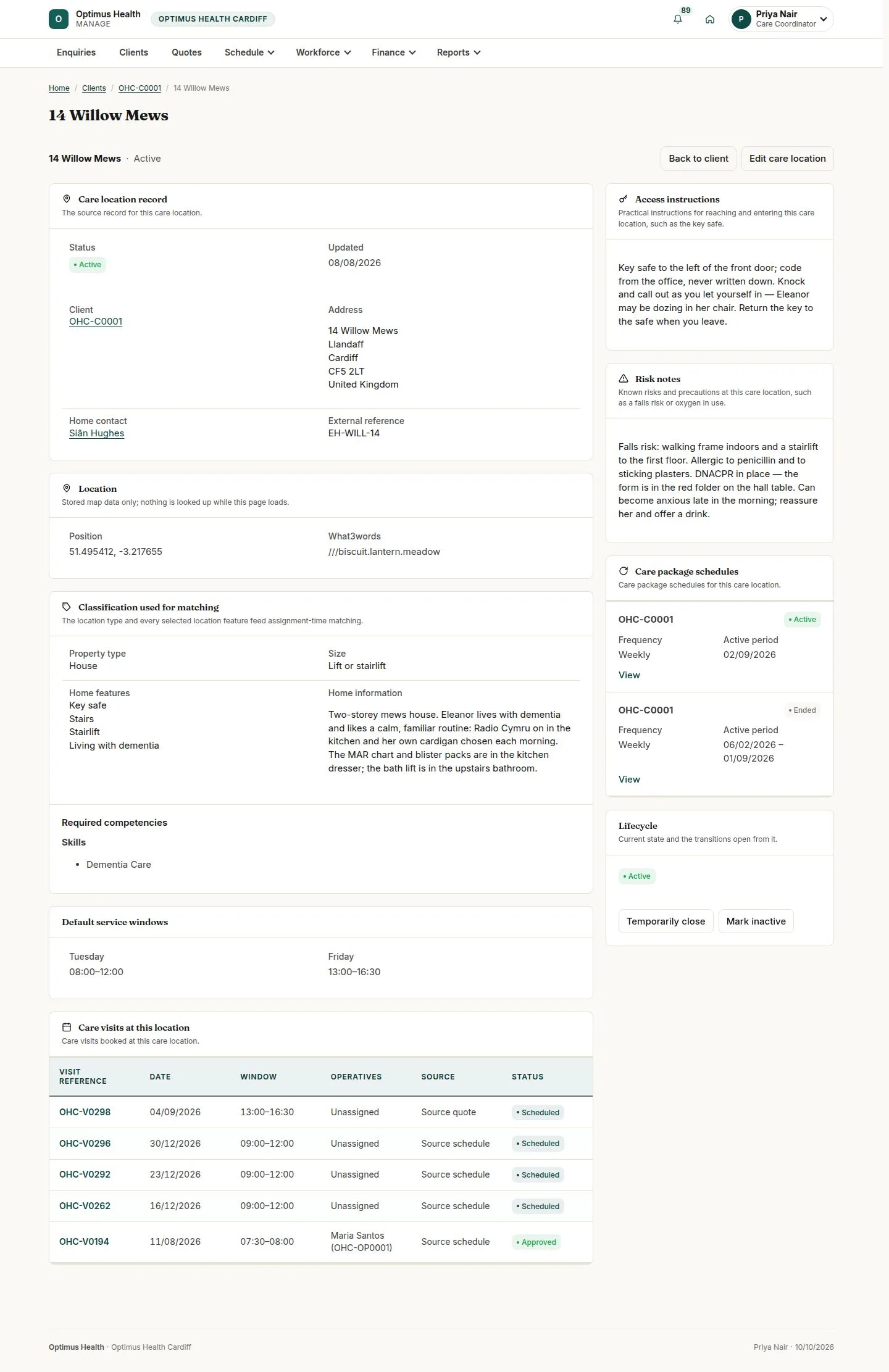
6Step 6 of 6
What to doOpen the client's care location and check the address, visit instructions, access information and recorded risks. Update only the fields offered to you.
Saved care-location details provide the brief that workers read for assigned visits.